Get a suggested fix for a compile error from the logs, then apply it or leave it.
If a log entry has no Suggest fix button, see AI Integration for your administrator.
1
Open the logs
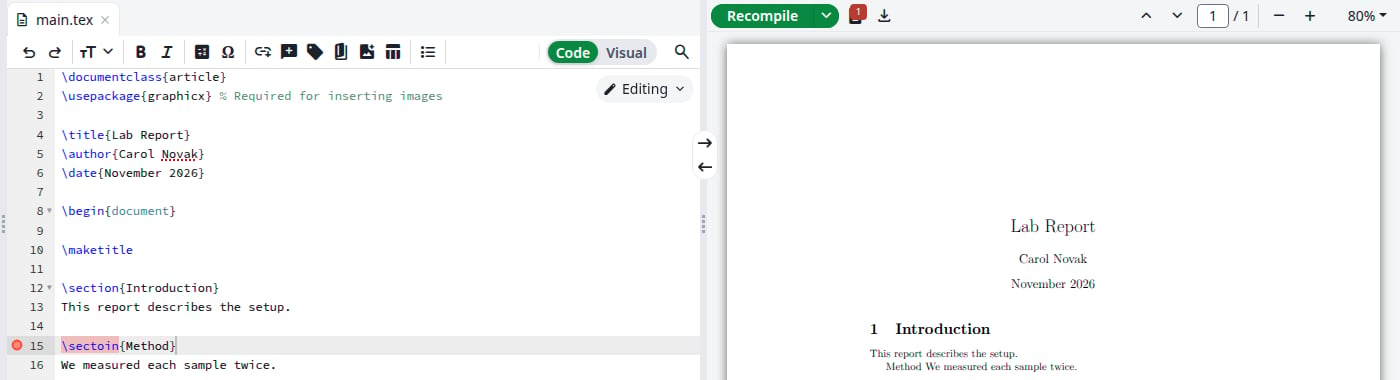
After a compile with errors, a red count appears on the logs icon next to Recompile, and a red dot marks the line in the editor. Click the icon. If the compile produced no PDF, the logs are already open.
A compile with one error
2
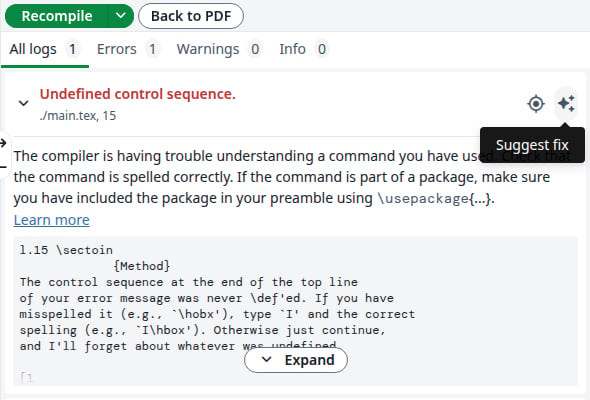
Click Suggest fix
Click the sparkle icon, Suggest fix, on the right of the log entry. Warnings that point to a file of your project have it too.
The Suggest fix button
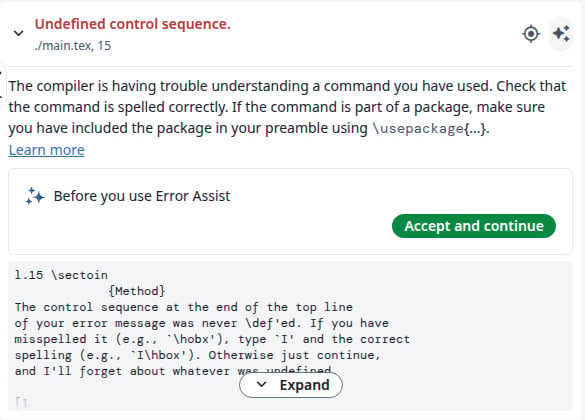
The first time, the entry says Before you use Error Assist. Click Accept and continue. You do this once, and it also covers the AI Assistant.
Shown once
3
Read the suggestion
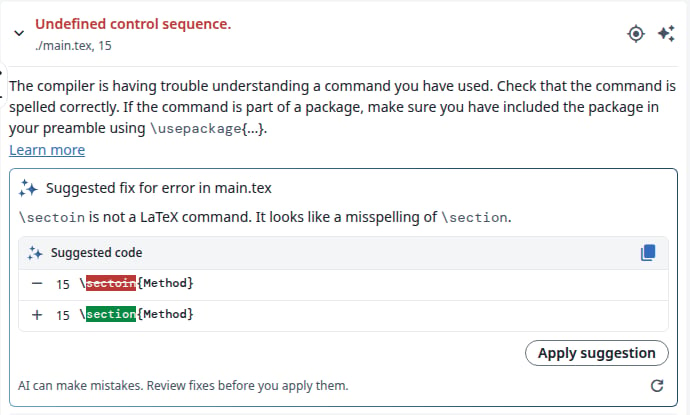
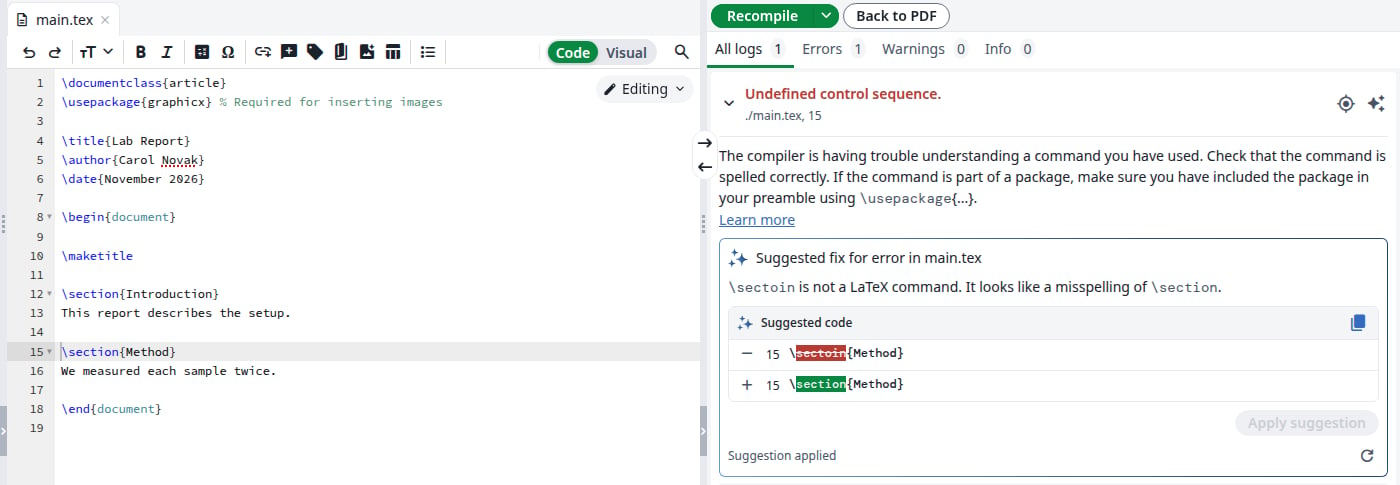
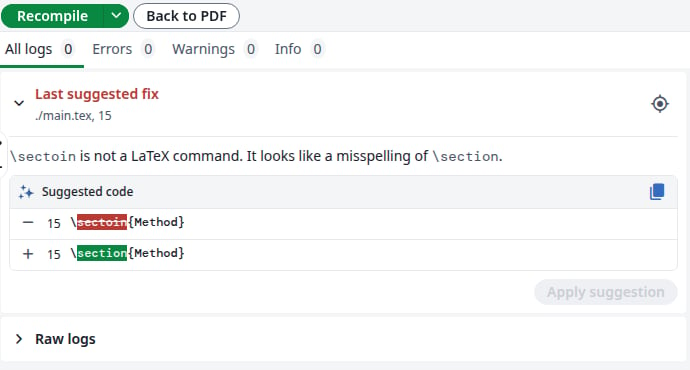
The entry explains the error and shows the line to change, the old text on the - row and the new text on the + row. Clicking the line number takes you to that line in the editor, and the copy icon copies the new text.
A suggested fix
If the assistant has no fix, it only explains, and there is nothing to apply. The refresh icon, Suggest a different fix, asks again.
4
Apply it or leave it
To apply it, click Apply suggestion. The line changes in the editor, the entry says Suggestion applied and the project recompiles. Once no error is left, the PDF comes back. To take the change back, press Ctrl+Z in the editor.
The fix is applied
To reject it, do nothing: there is no reject button, and the document stays as it is until you click Apply suggestion.If you edit that line first, Apply suggestion is disabled. Click Suggest a different fix for a new suggestion.