

This capability is provided by ayaka-notes/ayakaleaf-pro with OAuth 2.0 support and is available from v6.3.0. We welcome your feedback if you encounter any problems.
Setup Mendeley Integration
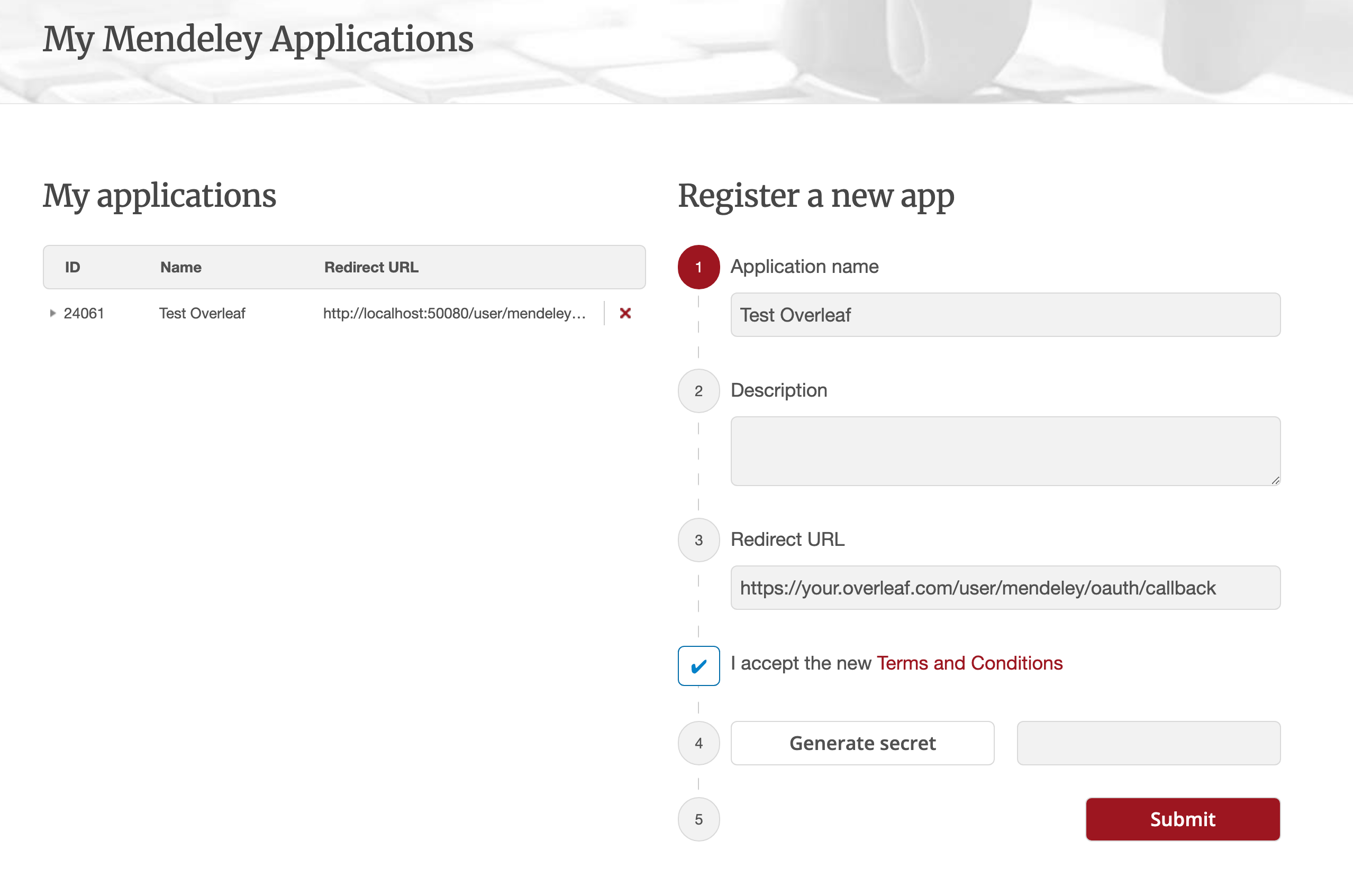
- Navigate to this link to register a Mendeley OAuth application
- Configure Redirect URL as:
${OVERLEAF_SITE_URL}/user/mendeley/oauth/callback - Note the generated ID (ususally digital like
24061as below) and Secret of your application - Modify your
config/variables.env - Just keep Authorisation Flow: Elsevier (as recommended)
config/variables.env
mendeley must be included in ENABLED_LINKED_FILE_TYPES (keep zotero in the list too if you use both). MENDELEY_CLIENT_ID and MENDELEY_CLIENT_SECRET come from your registered OAuth application. The cipher password encrypts the Mendeley OAuth tokens in MongoDB (generate one via openssl rand -hex 32); without it a key file is generated in the data volume on first use. Optionally set MENDELEY_PROXY_URL to route the server-side Mendeley requests (OAuth + API) through an HTTP proxy accessible from the web container.Notes
Since Ayakaleaf is a collaborative platform, to improve security, starting with version 6.3.0, only the original creator of a Reference
bib file will be allowed to update the imported file.test.bib file in the project, linking it to their own Zotero account. If another user, User B, accesses the project through the shared link, User B will still be able to read and download test.bib, but will not be allowed to update or re-import the file from Zotero. Only User A, as the original creator of the Reference file, can perform updates. Conversely, only the original creator of the .bib file has permission to update it.