

This feature is developed by ayaka-notes/ayakaleaf-pro, modified by yu-i-i/overleaf-cep. It is introduced from v6.2.0 and later. It’s still in beta status. We need your feedback if you have any problem.
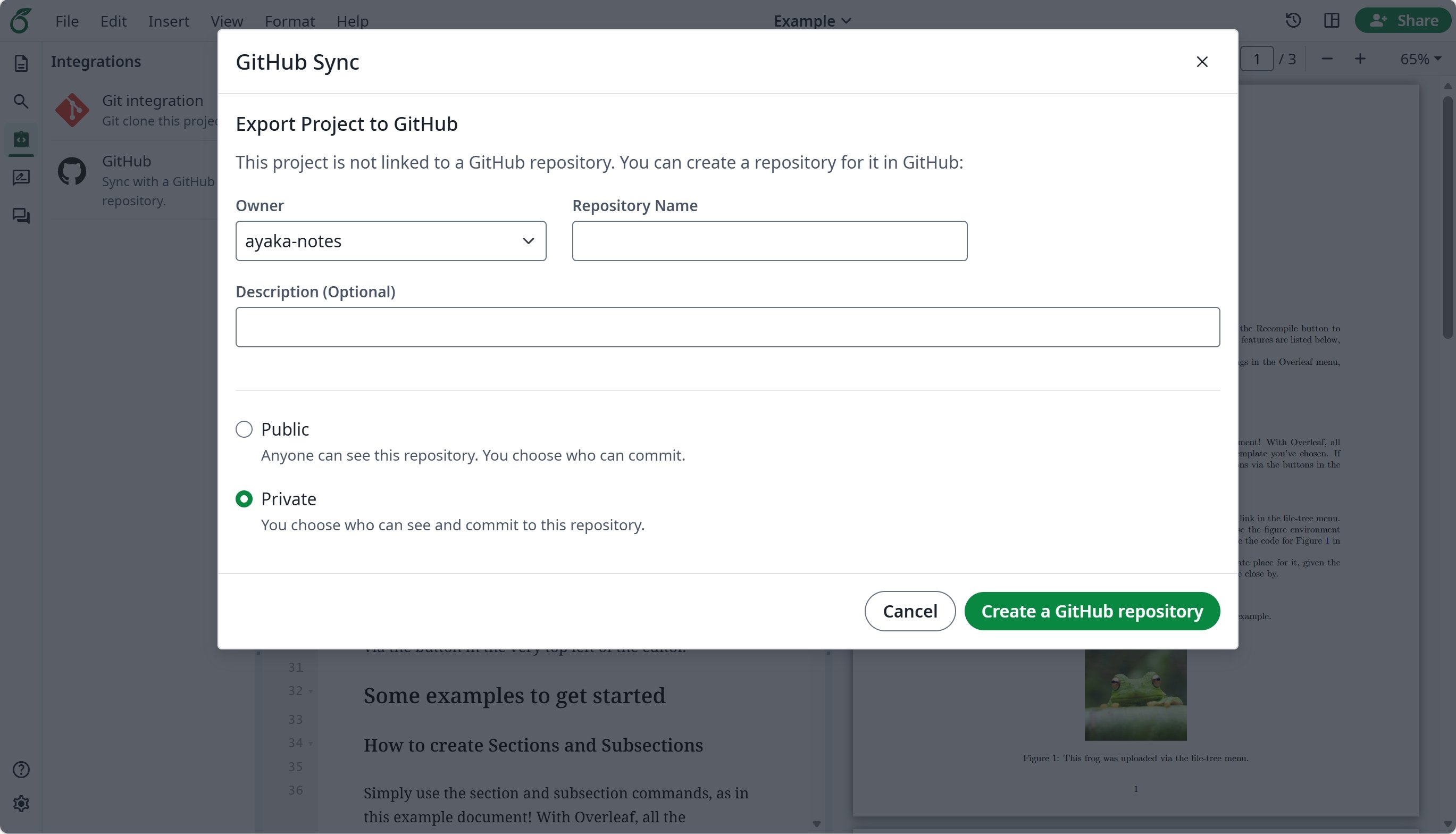
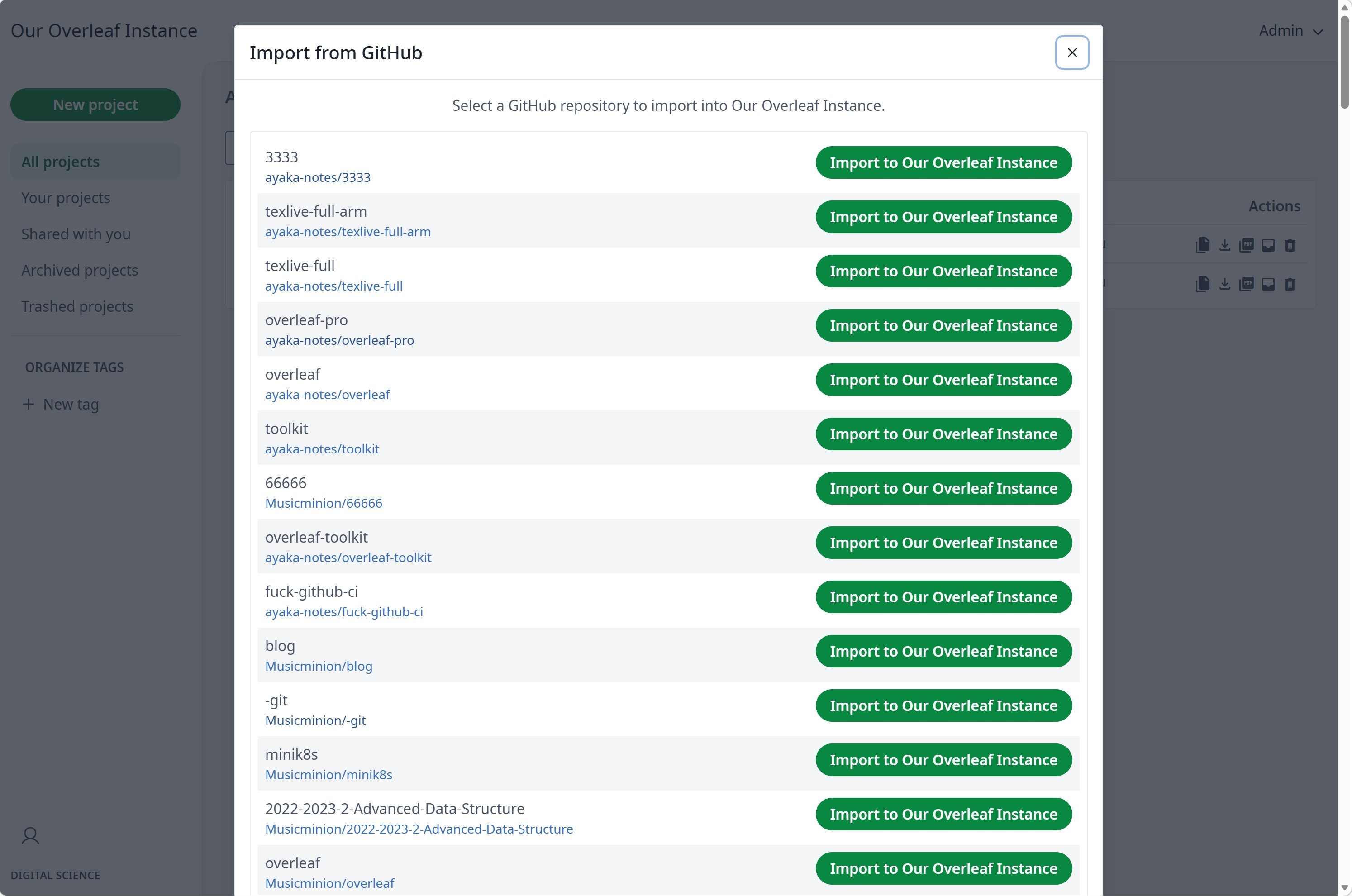
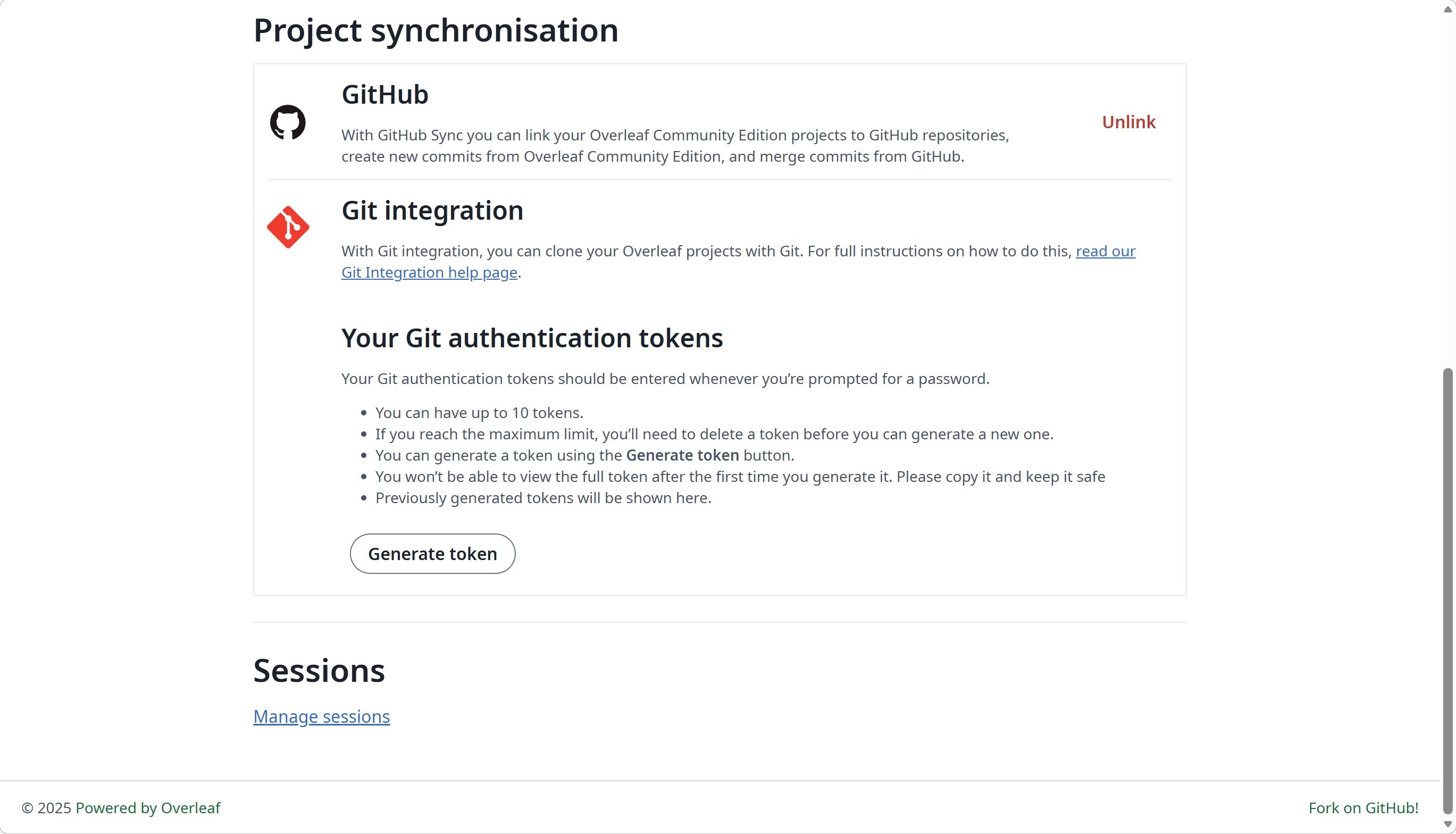
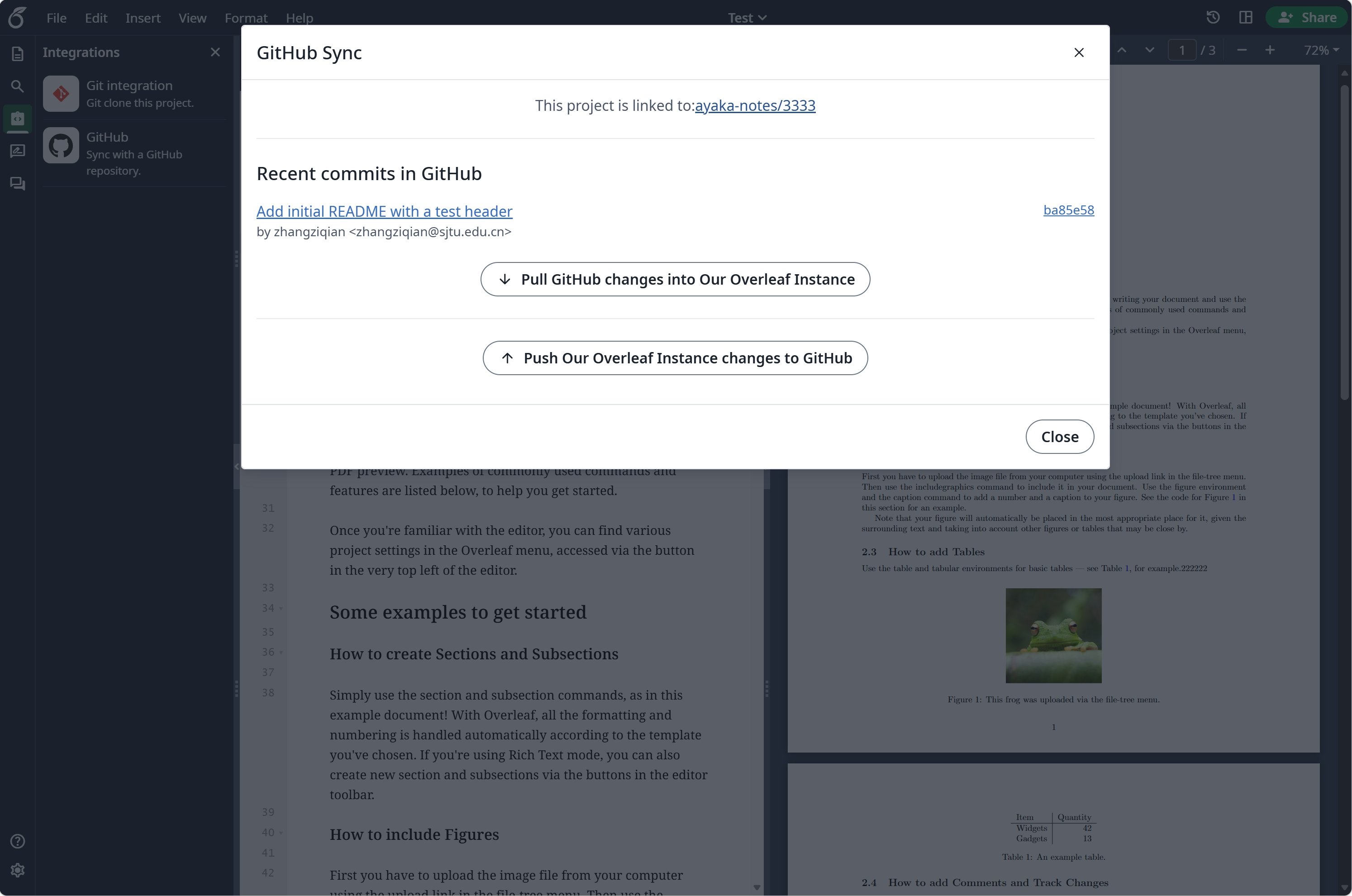
Setup GitHub Synchronisation
Visit developers settings to create your GitHub OAuth application, and copy yourCLIENT_ID and SECRET.
Notes: when you create the OAuth App, enter ${OVERLEAF_SITE_URL}/user/github-sync/oauth2/callback in Authorization callback URL. Ayakaleaf Pro builds the same address from OVERLEAF_SITE_URL, so there is nothing to set for it in config/variables.env.
Then, add the following settings to your overleaf env var files.
config/variables.env
GITHUB_SYNC_PROXY_URL=http://10.0.0.1:10808. Please make sure your use of a proxy complies with local laws and regulations.
GitHub Enterprise
GitHub Enterprise support is introduced from v6.3.1 and later. Earlier versions only connect to
github.com, and the variables below have no effect.github.com. To use GitHub Enterprise Server (self-hosted) or GitHub Enterprise Cloud with data residency (GHE.com), set GITHUB_SYNC_URL to the web address of your instance, the one you open repositories with in the browser.
config/variables.env
GITHUB_SYNC_URL the same way as the GitHub CLI does:
Only set the API endpoints when your instance serves them somewhere else, for example behind an API gateway:
If your instance uses a certificate from a private CA, mount the CA certificate into the container and point
NODE_EXTRA_CA_CERTS at it, e.g. NODE_EXTRA_CA_CERTS=/var/lib/overleaf/certs/github-ca.pem.Linked accounts and projects belong to the instance they were linked with. Before switching
GITHUB_SYNC_URL to another instance, ask users to unlink their GitHub account and projects.Who can link and sync
Like on Overleaf Cloud, only the project owner can link a project to a GitHub repository. Once it is linked, every collaborator with edit access can sync it.- Overleaf talks to GitHub with the GitHub account of the user who syncs, so every collaborator who syncs links their own GitHub account, and needs to be allowed to push to the default branch of the repository.
- View-only collaborators cannot use GitHub Synchronisation for the project.
Q&A
How do I link a project to GitHub and sync it?
How do I link a project to GitHub and sync it?
Answer: In the editor, open Integrations and click GitHub. If your GitHub account is not linked yet, click Link to your GitHub account first. In Export Project to GitHub, enter a repository name, choose Private under Repository visibility, and click Create a GitHub repository.After that, the same card opens Sync with GitHub, which lists the new commits in GitHub. Click Sync to commit your Overleaf changes to the default branch and bring the GitHub changes into the project. Syncing goes both ways but only runs when someone clicks Sync; there is no scheduled sync. When both sides changed, Overleaf merges through a temporary branch named
overleaf-YYYY-MM-DD-HHMMSS. If that merge has a conflict, merge the branch in GitHub yourself, then click I have manually merged. Continue.Can I force push to the default branch?
Can I force push to the default branch?
Answer: We do not recommend it. Overleaf detects a force push, warns about it and takes over the rewritten branch, merging the changes made in Overleaf since the last sync. To avoid surprises, protect the default branch against force pushes in the repository settings.
Can I rename the default branch of a linked project?
Can I rename the default branch of a linked project?
Answer: Please do not. Overleaf keeps syncing with the branch the project was linked to. To sync with another branch, unlink the project, then import the repository into a new project, which uses the current default branch.
GitHub sync shows "Something wrong with GitHub request"
GitHub sync shows "Something wrong with GitHub request"
Answer: This message means the server could not reach GitHub, for example because of a network, DNS, TLS or proxy problem. Run
bin/logs web to see the full error. If the server needs a proxy to reach GitHub, set GITHUB_SYNC_PROXY_URL.Should I disable "Expire user access tokens" in the GitHub OAuth App?
Should I disable "Expire user access tokens" in the GitHub OAuth App?
Answer: Yes. GitHub sync does not renew expired tokens. With expiring tokens enabled, users have to connect GitHub again each time their token expires.
Does my instance need to be reachable from the internet?
Does my instance need to be reachable from the internet?
Answer: No. Linking an account goes through the user’s browser, so the OAuth callback address only needs to open in the user’s browser. The server only needs to reach GitHub; if it needs a proxy for that, set
GITHUB_SYNC_PROXY_URL. GitHub never calls your instance: a project is synced only when a user syncs it in the editor.Linking my GitHub account fails or sends me back without linking
Linking my GitHub account fails or sends me back without linking
Answer: Check these in order:
- Open Overleaf at the exact address set in
OVERLEAF_SITE_URL. GitHub sends you back to${OVERLEAF_SITE_URL}/user/github-sync/oauth2/callback, and your login only exists on the address you started from, so another host, IP or port ends on the login page or on “Restricted, sorry you don’t have permission to load this page”. - The Authorization callback URL of the OAuth App must be
${OVERLEAF_SITE_URL}/user/github-sync/oauth2/callback, with the same scheme, host and port. - An error page with
Failed to obtain access token from Git servermeans GitHub did not return a token: checkGITHUB_SYNC_CLIENT_IDandGITHUB_SYNC_CLIENT_SECRET, and that the server can reach GitHub. Runbin/logs webto see the full error.
config/variables.env, run bin/up to recreate the containers.Importing a repository fails with "EmptyZipFileError: empty_zip_file" or "unzip failed"
Importing a repository fails with "EmptyZipFileError: empty_zip_file" or "unzip failed"
Answer: Overleaf imports the zip archive of the latest commit on the repository’s default branch, and this error means that archive has no file Overleaf can import. Check the default branch on GitHub:
- It contains the project files, not only files Overleaf skips on import: dotfiles such as
.gitignoreand.gitmodules(.latexmkrcis kept), and build files such as*.aux,*.log,*.bbl,*.synctex.gz,*.docand*.docx. - The files are not only inside Git submodules. GitHub’s archive leaves submodules as empty folders.
- The files you expect are on the default branch, not on another branch. Import always uses the default branch.