

1
找到範本
2
以範本開啟
點選 Open as Template 按鈕。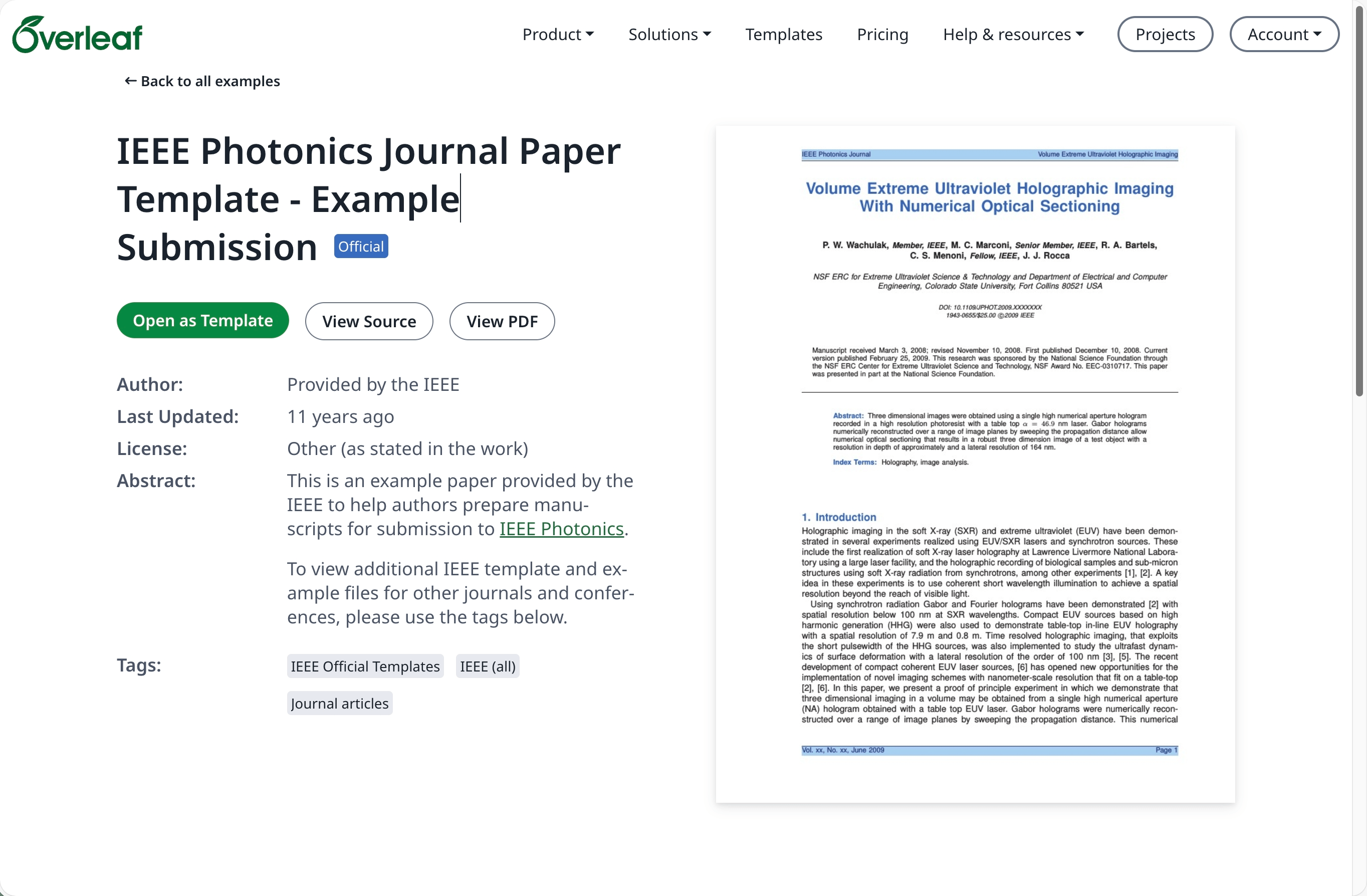
3
下載原始碼
點選專案選單並選擇 Download Source。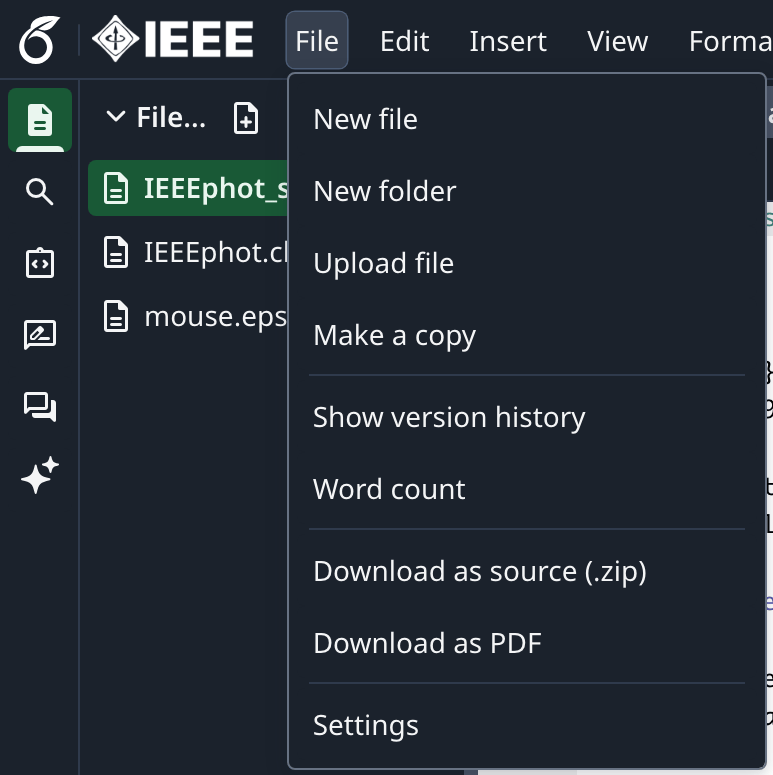
4
登入 Overleaf Pro
登入您的本地部署 Overleaf Pro 帳號。
5
建立新專案並上傳
在專案儀表板中點選 New Project,然後選擇 Upload Project。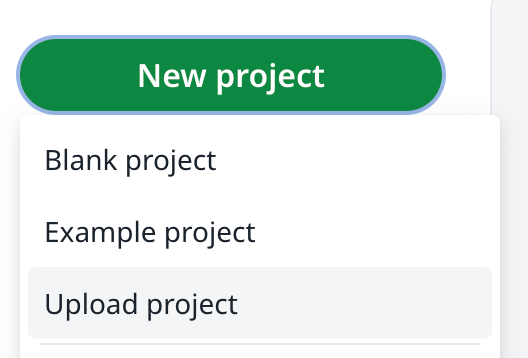
6
選擇範本 zip 檔
點選 Select a .zip file,並選擇已下載的範本 zip 檔。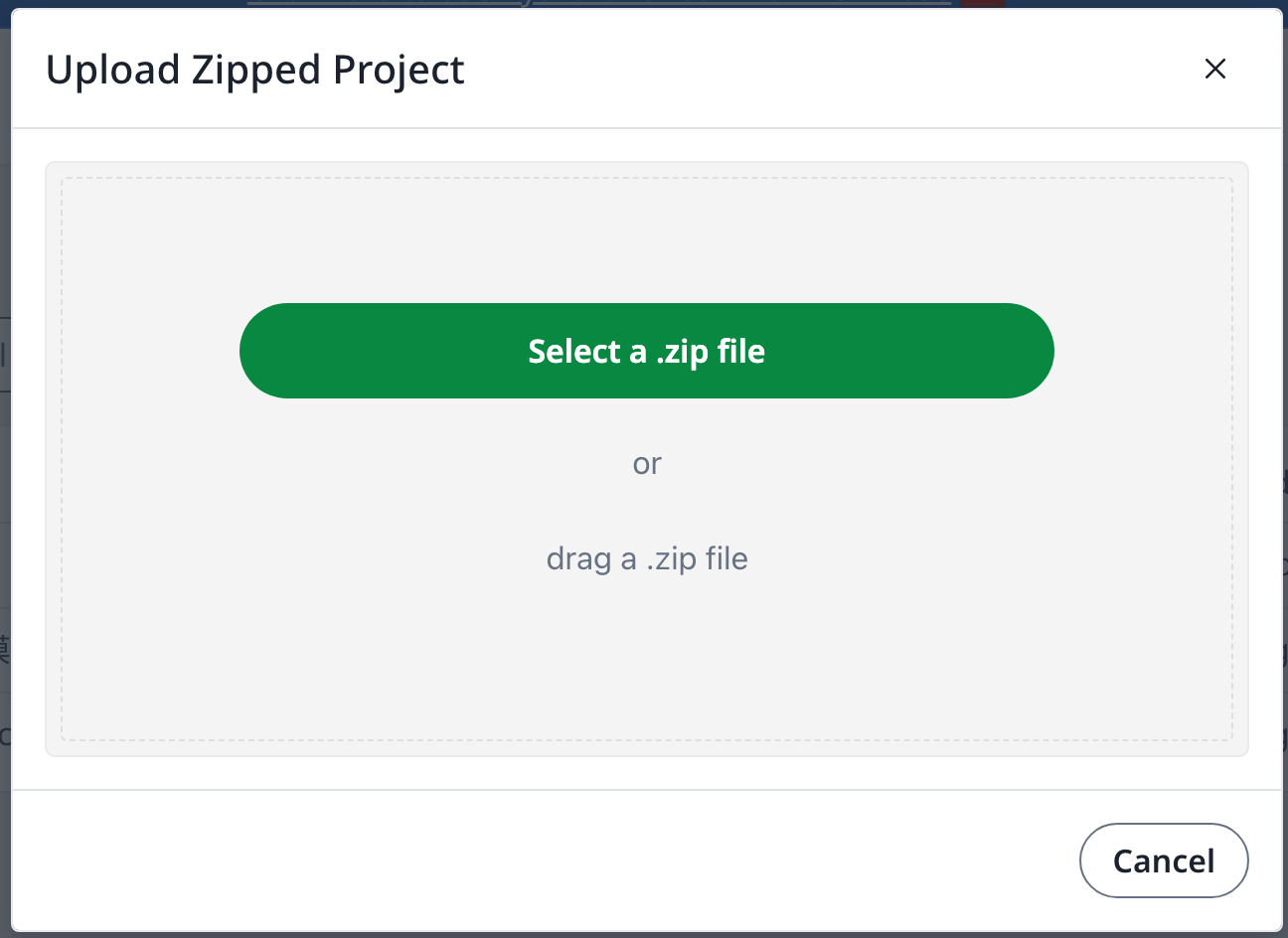
需要擁有 overleaf.com 帳號
找到範本
以範本開啟
下載原始碼
登入 Overleaf Pro
建立新專案並上傳
選擇範本 zip 檔