This article shows how to use the minted package to format and highlight programming language source code within a LaTeX document, starting with an example:
\documentclass{article}\usepackage{minted}\begin{document}\begin{minted}{python}import numpy as npdef incmatrix(genl1,genl2): m = len(genl1) n = len(genl2) M = None #to become the incidence matrix VT = np.zeros((n*m,1), int) #dummy variable #compute the bitwise xor matrix M1 = bitxormatrix(genl1) M2 = np.triu(bitxormatrix(genl2),1) for i in range(m-1): for j in range(i+1, m): [r,c] = np.where(M2 == M1[i,j]) for k in range(len(r)): VT[(i)*n + r[k]] = 1; VT[(i)*n + c[k]] = 1; VT[(j)*n + r[k]] = 1; VT[(j)*n + c[k]] = 1; if M is None: M = np.copy(VT) else: M = np.concatenate((M, VT), 1) VT = np.zeros((n*m,1), int) return M\end{minted}\end{document}
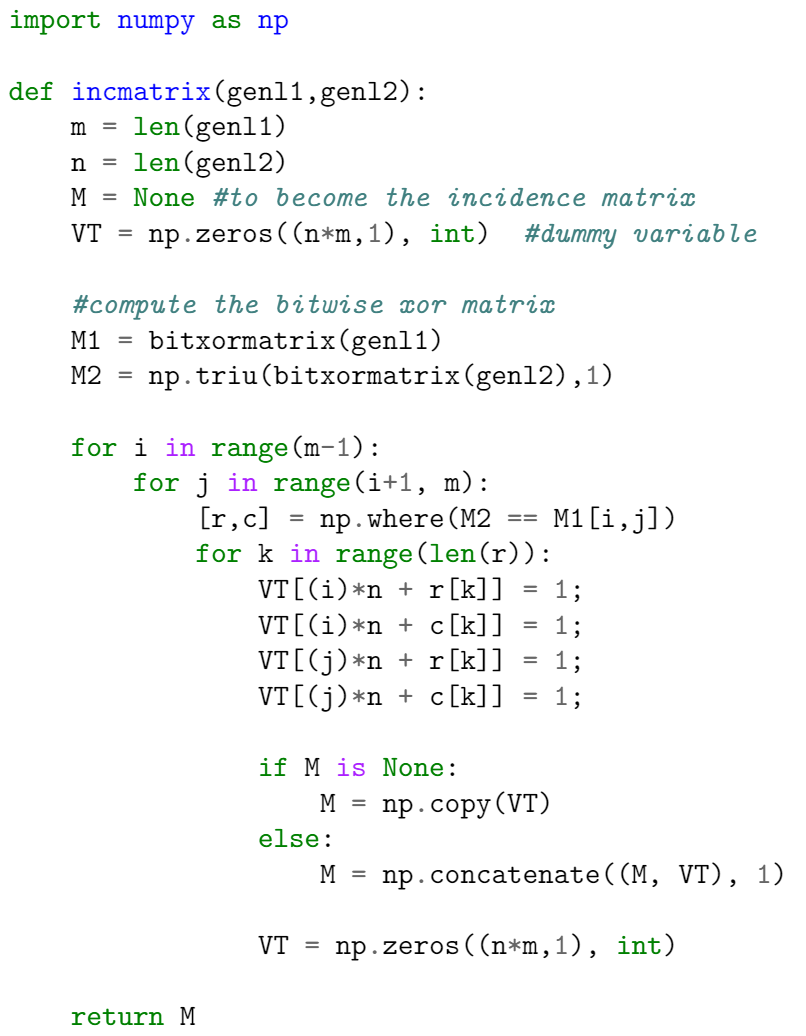
This example produces the following output:
There are two important commands here. In the preamble the package is imported by writing
\usepackage{minted}
then the tags \begin{minted}{python} and \end{minted} delimit an environment that print the text verbatim in monospaced fonts and also apply colour to comments, keywords and functions. The parameter python is the programming language the source code is written in. minted supports over 150 programming and markup languages as well as configuration files, see the reference guide for a list of supported languages.Note: For minted to work with your local LaTeX distribution, an additional program called Pygments must be installed. Overleaf can save you the trouble of installing it and having to run special commands to compile your document — on Overleaf, documents that use minted will work “out of the box”.
As demonstrated in the following example, the minted environment can be configured to modify visual presentation of the typeset code. Here, the minted environment uses several comma-separated parameters of the form key=value:
\documentclass{article}\usepackage{minted}\usepackage{xcolor} % to access the named colour LightGray\definecolor{LightGray}{gray}{0.9}\begin{document}\begin{minted}[frame=lines,framesep=2mm,baselinestretch=1.2,bgcolor=LightGray,fontsize=\footnotesize,linenos]{python}import numpy as npdef incmatrix(genl1,genl2): m = len(genl1) n = len(genl2) M = None #to become the incidence matrix VT = np.zeros((n*m,1), int) #dummy variable #compute the bitwise xor matrix M1 = bitxormatrix(genl1) M2 = np.triu(bitxormatrix(genl2),1) for i in range(m-1): for j in range(i+1, m): [r,c] = np.where(M2 == M1[i,j]) for k in range(len(r)): VT[(i)*n + r[k]] = 1; VT[(i)*n + c[k]] = 1; VT[(j)*n + r[k]] = 1; VT[(j)*n + c[k]] = 1; if M is None: M = np.copy(VT) else: M = np.concatenate((M, VT), 1) VT = np.zeros((n*m,1), int) return M\end{minted}\end{document}
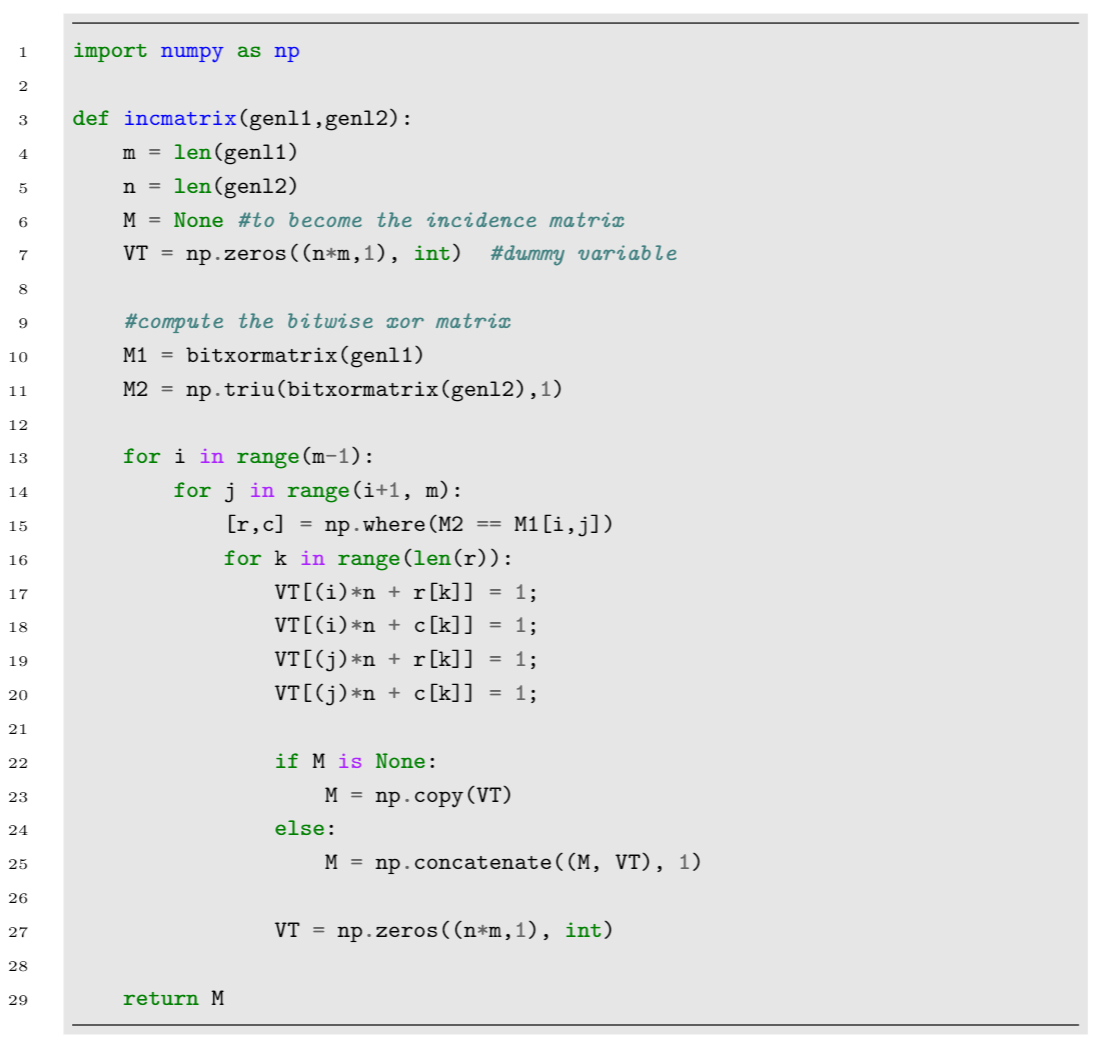
This example produces the following output:
The parameters used in this example are:
frame=lines: draws two lines, one on top and one at the bottom of the code to frame it. Other possible values are leftline, topline, bottomline and single.
framesep=2mm: the frame separation is set to 2mm. Other length units can be used.
baselinestretch=1.2: the line spacing of the code set to 1.2.
bgcolor=LightGray: background colour set to LightGray. You need to import the xcolor package for this to work. See Using colours in LaTeX to learn more about colour manipulation.
fontsize=\footnotesize: font size set to footnotesize. Any other font size can be set.
linenos: enables line numbers.
Other options that may be useful are:
mathescape: enables math mode in code comments.
rulecolor: changes the colour of the frame.
showspaces: enables a special character to make spaces visible.
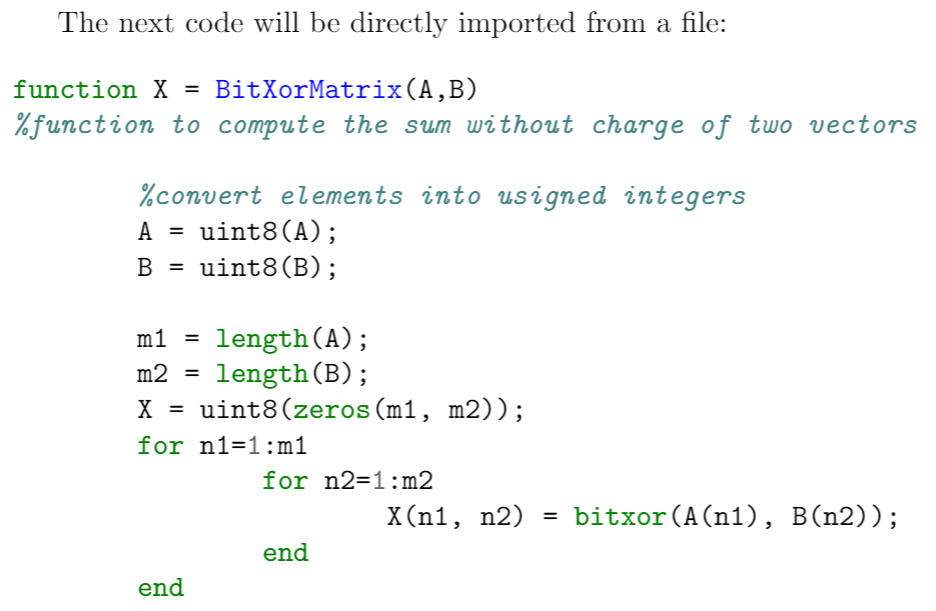
Code is usually stored in a source file, therefore a command which automatically imports code from a file is very convenient, as demonstrated in the following example:
\documentclass{article}\usepackage{minted}\title{Importing files using minted}\begin{document}The next code will be directly imported from a file:\inputminted{octave}{BitXorMatrix.m}\end{document}
This example produces the following output:The command \inputminted{octave}{BitXorMatrix.m} imports the code from the file BitXorMatrix.m, the parameter octave tells LaTeX the programming language of the code. This command can take two extra parameters to import only part of the file; for instance, to import code from the line 2 to the line 12, the command becomes:
If you need to input only a line of code, the command \mint, whose syntax is presented in the next example, will do the trick.
One-line code formatting also works with \texttt{minted}. For example, a small fragment of HTML like this:\mint{html}|<h2>Something <b>here</b></h2>|\noindent can be formatted correctly.
This example produces the following output:The parameter between braces sets the programming language (html markup language in this case) with the actual text to be formatted being delimited by the ’|’ character.
If you are using sandbox compile and also an overleaf server to deploy overleaf, minted may not work well. For detaied infomation, you can see: issues/131. You need to enable arm instruction profile and some system call for minted to work.
Last modified on October 4, 2026
Was this page helpful?
Assistant
Responses are generated using AI and may contain mistakes.


 The command
  The parameter between braces sets the programming language (