> ## Documentation Index
> Fetch the complete documentation index at: https://ayakaleaf-pro.mintlify.site/llms.txt
> Use this file to discover all available pages before exploring further.
# 以個人身分使用範本
如果個人使用者想使用 overleaf.com 範本庫中的範本,需要進行以下步驟:
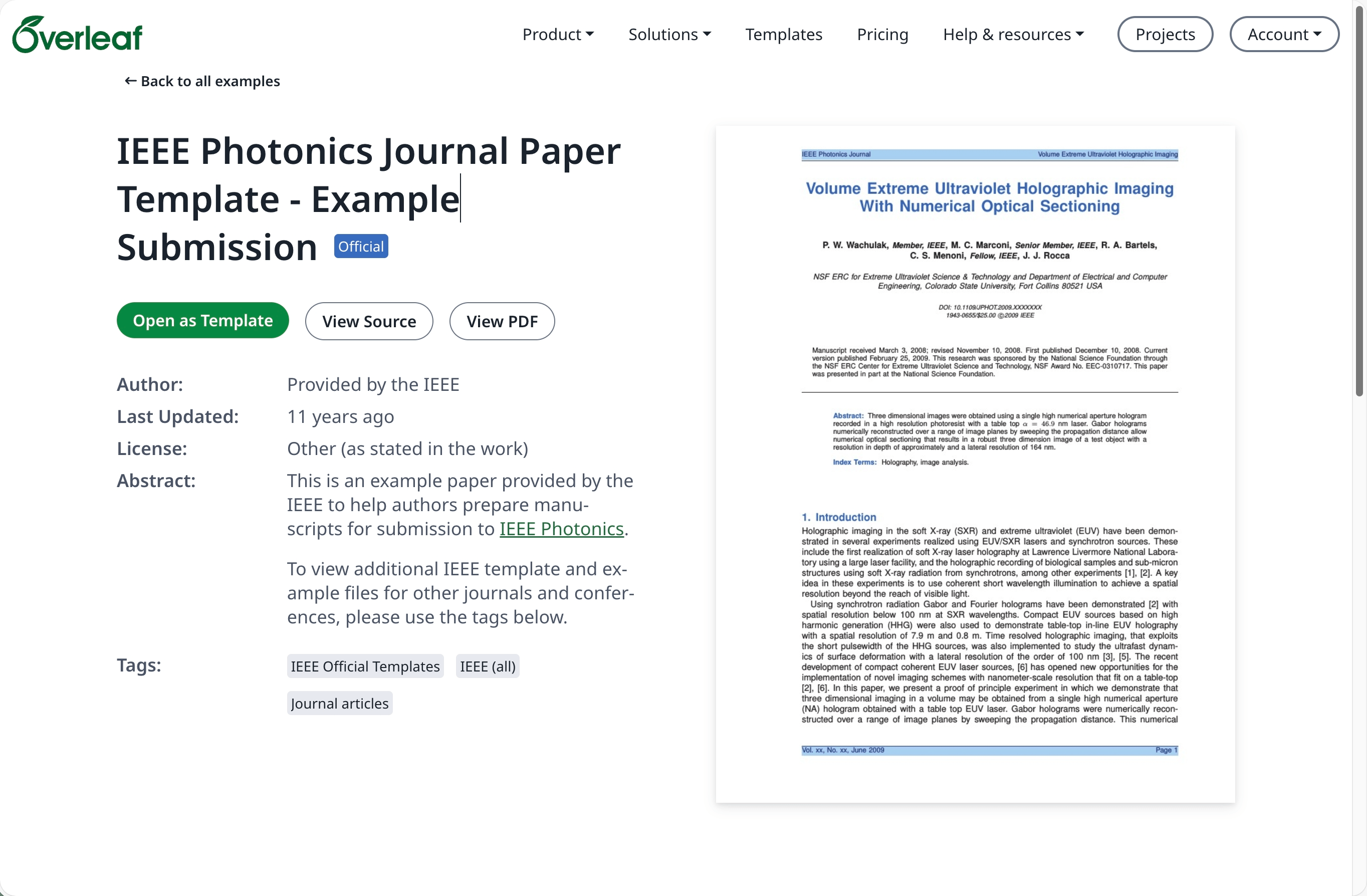
前往 [overleaf.com](https://www.overleaf.com/) 上的[範本庫](https://www.overleaf.com/latex/templates)並找到所需的範本,例如 [IEEE Photonics Journal Paper Template - Example Submission](https://www.overleaf.com/latex/examples/ieee-photonics-journal-paper-template-example-submission/bsfjjfkdsjds)
點選 **Open as Template** 按鈕。
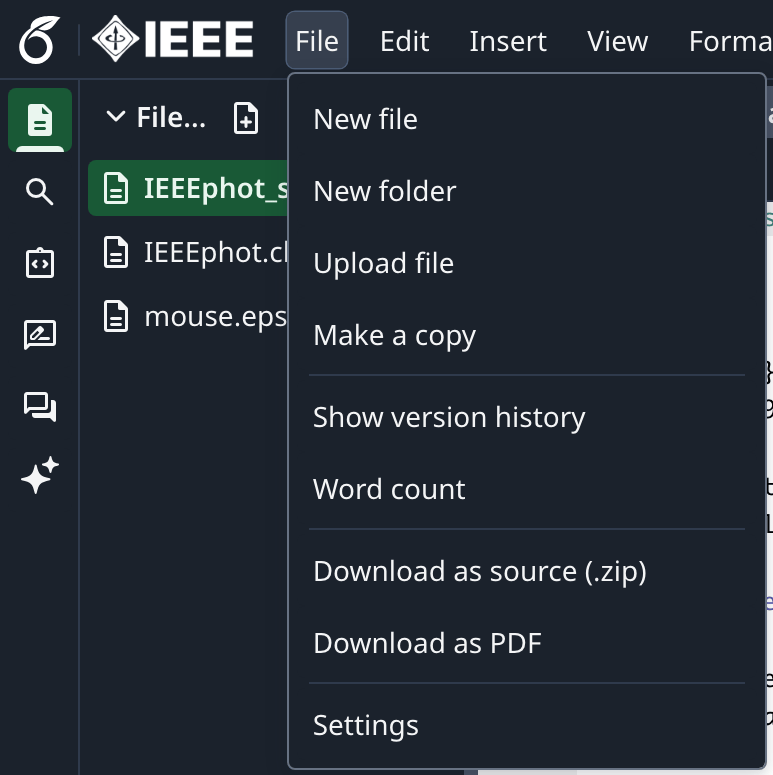
 點選專案選單並選擇 **Download Source**。
 登入您的本地部署 Overleaf Pro 帳號。
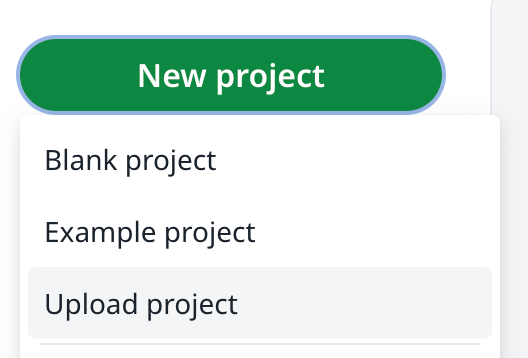
在專案儀表板中點選 **New Project**,然後選擇 **Upload Project**。
登入您的本地部署 Overleaf Pro 帳號。
在專案儀表板中點選 **New Project**,然後選擇 **Upload Project**。
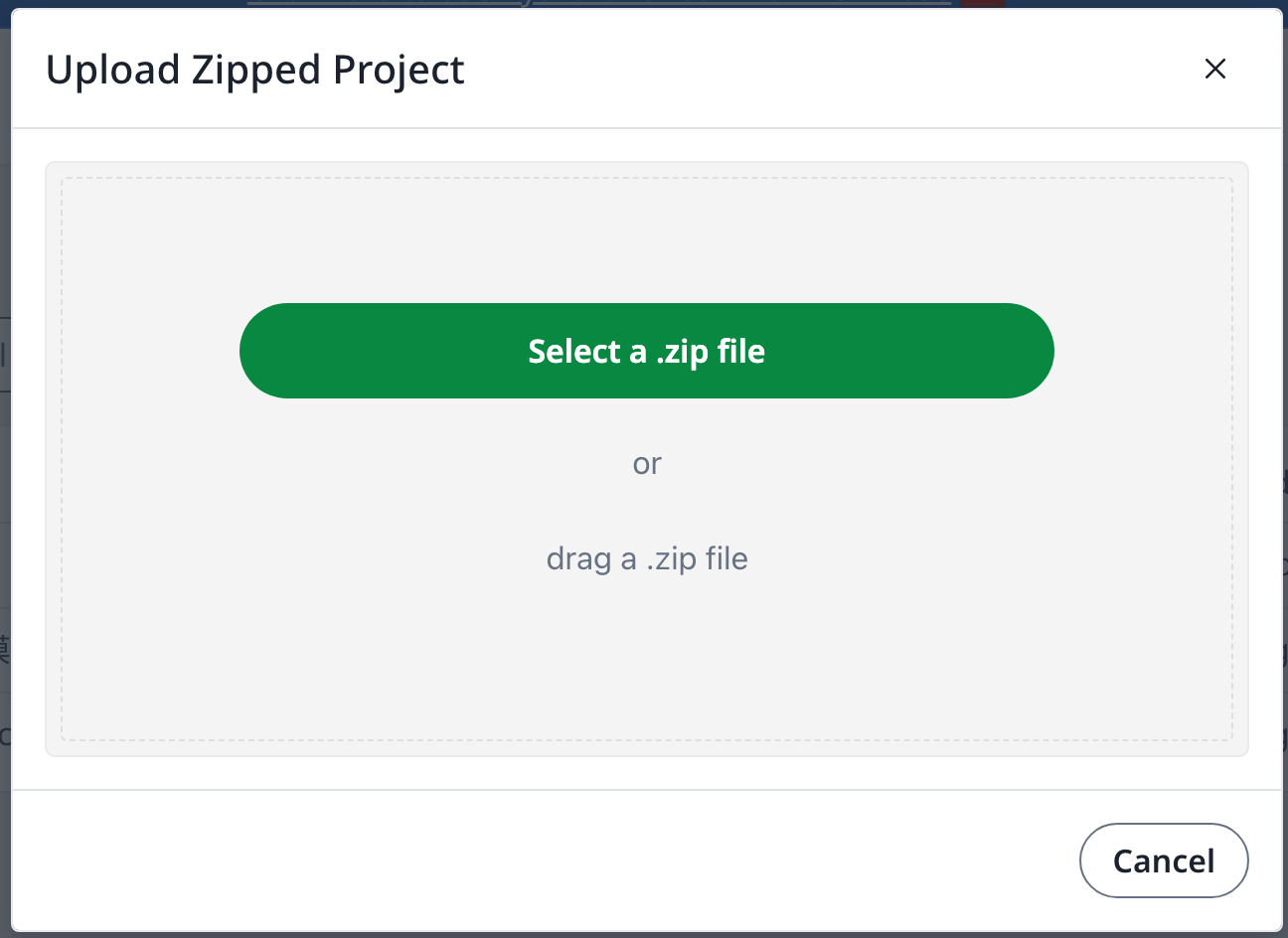
 點選 **Select a .zip file**,並選擇已下載的範本 zip 檔。
 接著您就可以依需求使用這個新上傳的範本。
需要擁有 [overleaf.com](https://www.overleaf.com/) 帳號
This documentation is built and hosted on [Mintlify](https://mintlify.com), a developer documentation platform.
接著您就可以依需求使用這個新上傳的範本。
需要擁有 [overleaf.com](https://www.overleaf.com/) 帳號
This documentation is built and hosted on [Mintlify](https://mintlify.com), a developer documentation platform.