> ## Documentation Index
> Fetch the complete documentation index at: https://ayakaleaf-pro.mintlify.site/llms.txt
> Use this file to discover all available pages before exploring further.
# 6. 安裝後工作
### 建立您的第一個管理員帳號
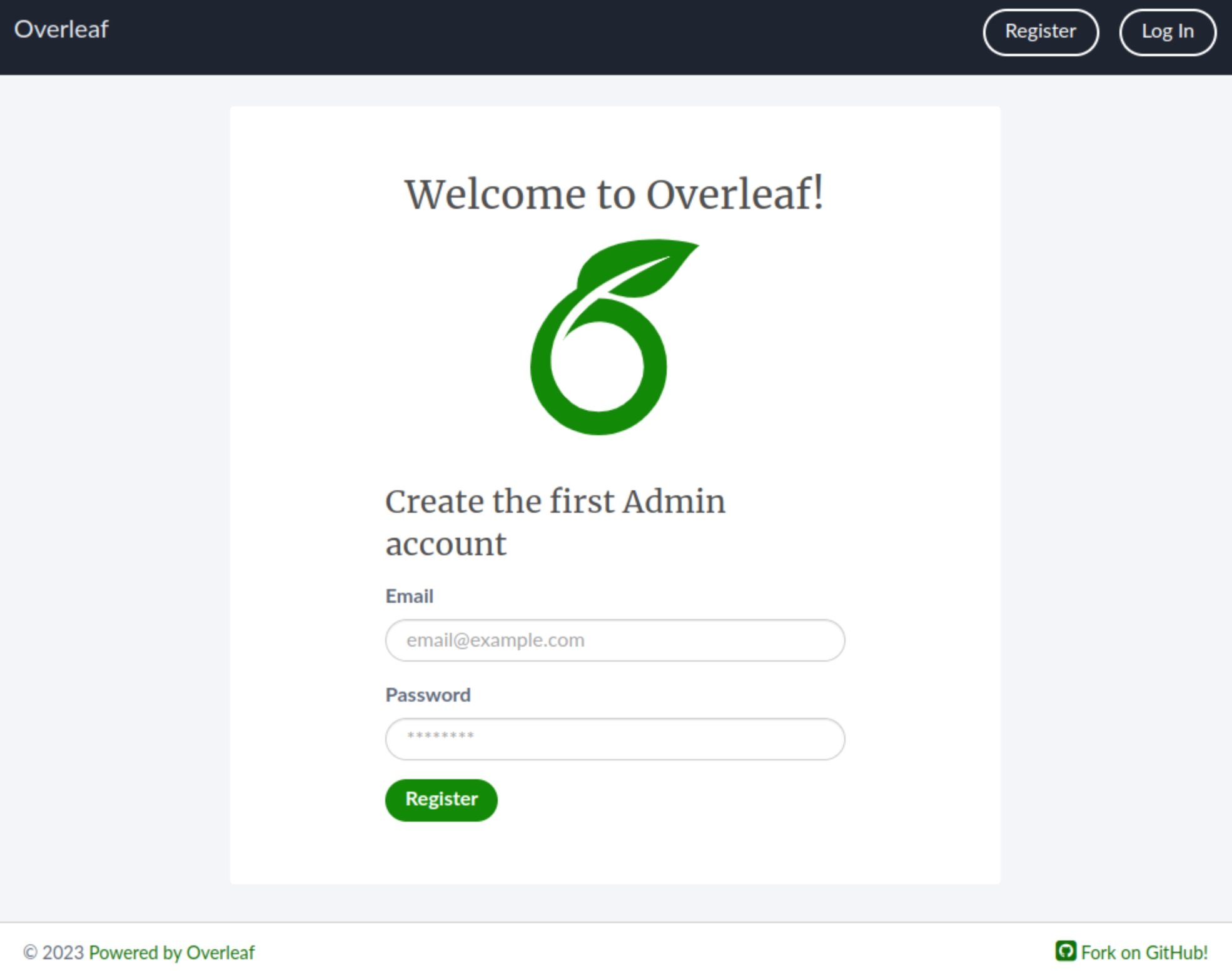
在瀏覽器中開啟 [http://localhost/launchpad](http://localhost/launchpad)。您應該會看到一個包含電子郵件與密碼欄位的表單。填入您想作為管理員帳號使用的憑證,然後按一下 **Register**。
密碼長度必須至少 8 個字元(不超過 72 個字元),不能包含電子郵件地址或與電子郵件地址過於相似,且只能包含有效字元。
 接著按一下連結前往登入頁面([http://localhost/login](http://localhost/login))。輸入憑證。登入後,您會看到歡迎頁面。
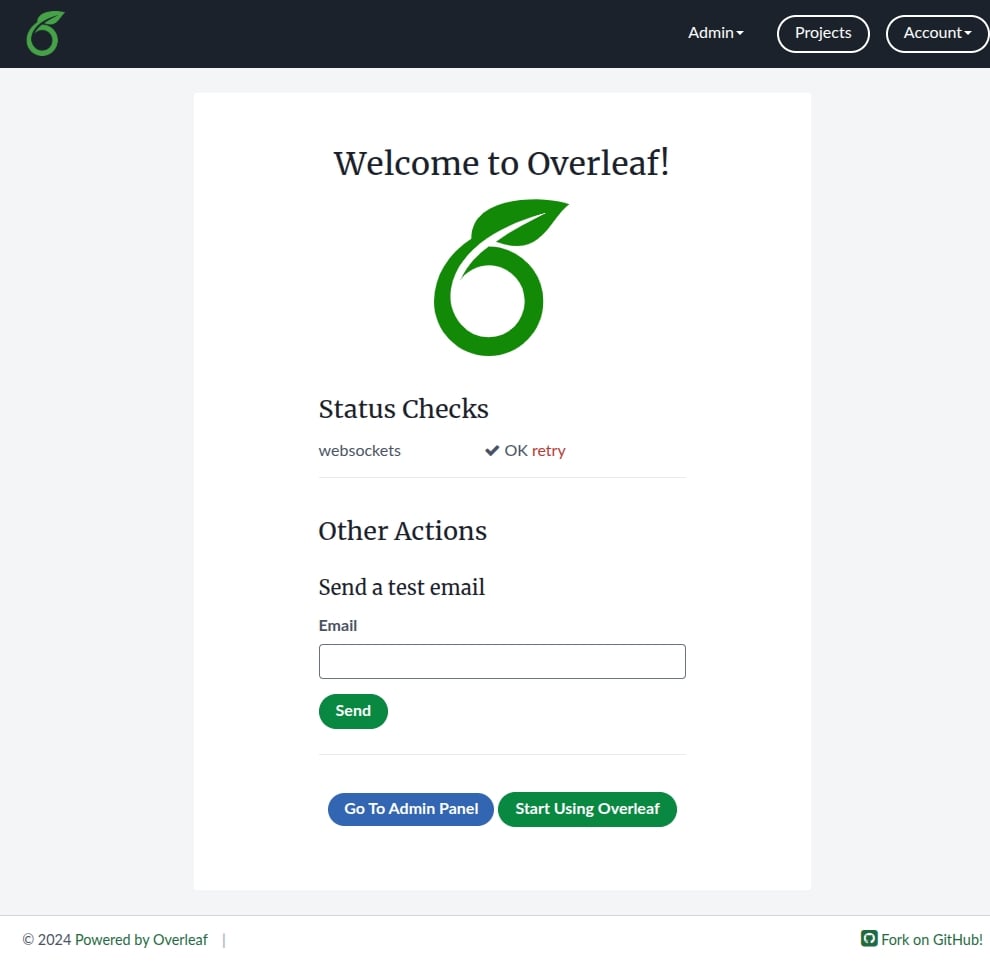 按一下頁面底部的綠色按鈕,開始使用 Overleaf。
### 建立您的第一個範例專案
在瀏覽器中開啟 [http://localhost/project](http://localhost/project),您會看到一個提示您建立第一個專案的按鈕。
按一下頁面底部的綠色按鈕,開始使用 Overleaf。
### 建立您的第一個範例專案
在瀏覽器中開啟 [http://localhost/project](http://localhost/project),您會看到一個提示您建立第一個專案的按鈕。
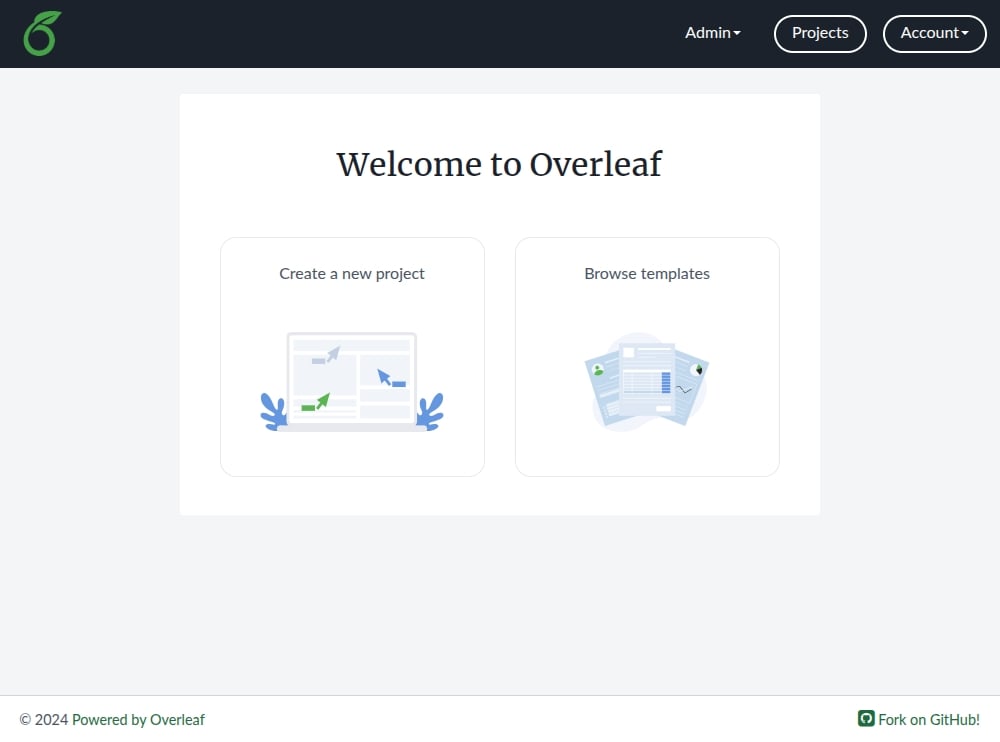 按一下此按鈕,選擇 Example Project,然後依照畫面上的指示操作。
系統會帶您進入新專案,您會看到文字編輯器與 PDF 預覽。
按一下此按鈕,選擇 Example Project,然後依照畫面上的指示操作。
系統會帶您進入新專案,您會看到文字編輯器與 PDF 預覽。
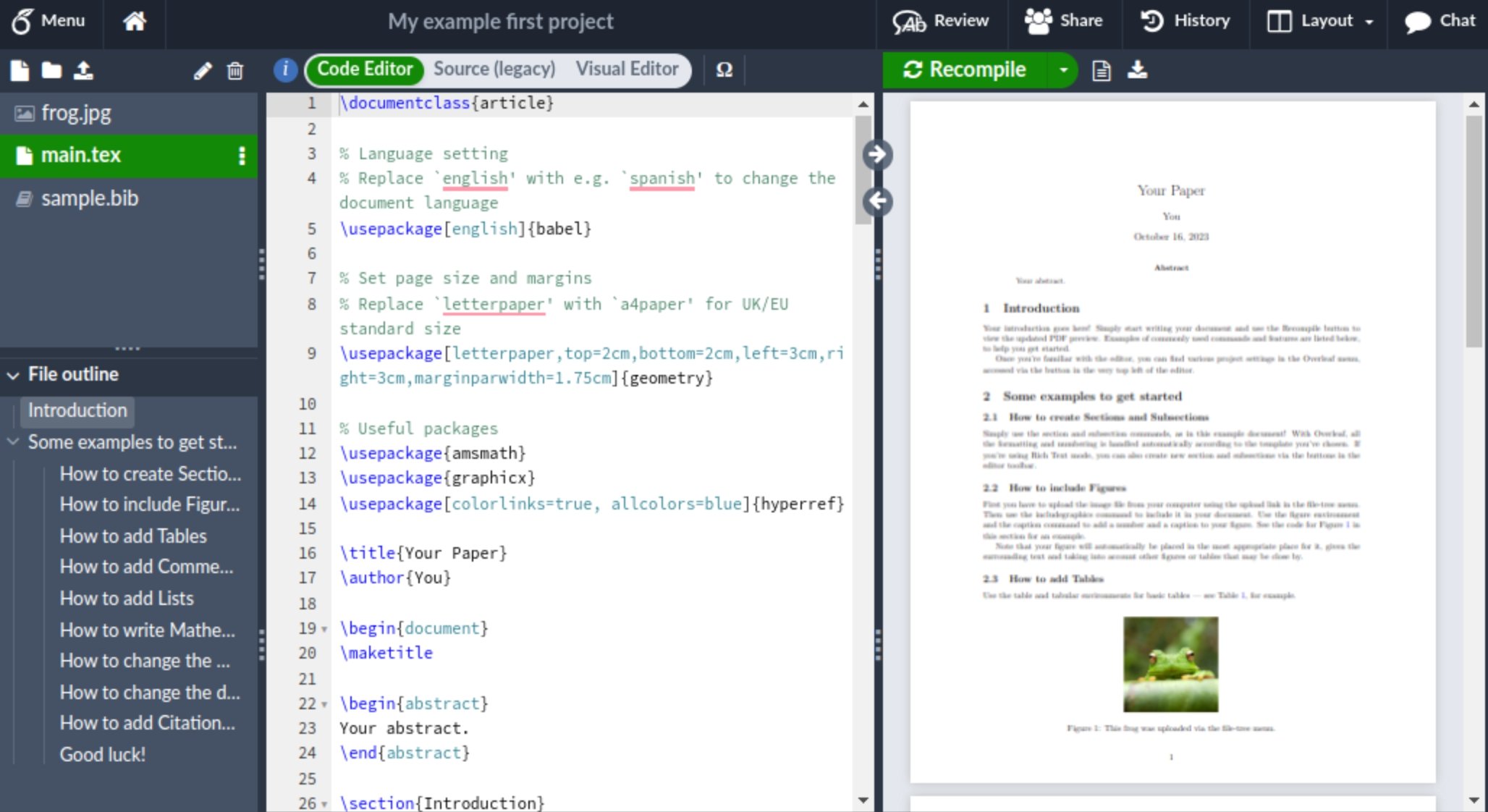 最後,您可以按一下 **Home** 圖示返回您的專案頁面。
This documentation is built and hosted on [Mintlify](https://mintlify.com), a developer documentation platform.
最後,您可以按一下 **Home** 圖示返回您的專案頁面。
This documentation is built and hosted on [Mintlify](https://mintlify.com), a developer documentation platform.