> ## Documentation Index
> Fetch the complete documentation index at: https://ayakaleaf-pro.mintlify.site/llms.txt
> Use this file to discover all available pages before exploring further.
# 公開存取
> 如何讓訪客、未登入的訪問者與新使用者存取你的 Overleaf 執行個體?
你可以透過三種方式向沒有帳號的人開放 Overleaf 執行個體:
* [專案存取](/zh-TW/on-premises/configuration/overleaf-toolkit/public-access#project-access "mention"):讓訪客無需登入即可開啟分享的專案連結
* [頁面存取](/zh-TW/on-premises/configuration/overleaf-toolkit/public-access#page-access "mention"):讓未登入的訪問者瀏覽 `/learn`、`/templates` 與 `/devs` 等頁面
* [公開註冊](/zh-TW/on-premises/configuration/overleaf-toolkit/public-access#public-registration "mention"):讓使用者自行註冊,並可選擇限制於特定電子郵件網域
### 專案存取
預設情況下,即使使用者取得專案分享連結,也必須先**登入**才能加入協作專案的編輯工作階段。
若要允許匿名存取透過連結分享的專案,請設定下列兩個變數:
```dotenv title="config/variables.env" theme={null}
OVERLEAF_ALLOW_ANONYMOUS_READ_AND_WRITE_SHARING=true
OVERLEAF_ALLOW_PUBLIC_ACCESS=true
```
`OVERLEAF_ALLOW_ANONYMOUS_READ_AND_WRITE_SHARING` 可讓透過連結分享的專案允許匿名讀寫。
`OVERLEAF_ALLOW_PUBLIC_ACCESS` 可避免未經驗證的使用者被重新導向至登入頁面。
使用 `bin/up` 重新建立容器,接著在無痕視窗中開啟連結分享網址。
### 頁面存取
預設情況下(未設定 `OVERLEAF_ALLOW_PUBLIC_ACCESS`),除了登入與註冊頁面之外,**所有**頁面都會將未登入的訪問者重新導向至登入頁面。這也包括原本應公開的頁面,因此這些頁面的連結只對已登入的使用者有效。
設定 `OVERLEAF_ALLOW_PUBLIC_ACCESS=true` 後,未登入的訪問者可以開啟:
| 頁面 | 需求 |
| - | - |
| 位於 `/learn` 的 LaTeX 說明(請參閱 [adding-latex-user-help.md](/zh-TW/on-premises/configuration/overleaf-toolkit/adding-latex-user-help "mention")) | `OVERLEAF_PROXY_LEARN=true` |
| 位於 `/templates` 的範本庫、範本頁面、預覽與 ZIP 下載(請參閱 [templates.md](/zh-TW/on-premises/configuration/overleaf-toolkit/templates "mention")) | `OVERLEAF_TEMPLATE_GALLERY=true` |
| 位於 `/devs` 的 Overleaf Import API 頁面(請參閱 [overleaf-import-api.md](/zh-TW/on-premises/configuration/overleaf-toolkit/overleaf-import-api "mention")) | — |
它也讓 [Overleaf Import API](/zh-TW/on-premises/configuration/overleaf-toolkit/overleaf-import-api#signed-out-visitors "mention") 能保留未登入訪問者送出的表單,直到對方登入為止。
專案清單、編輯器與建立專案(包括從範本或透過 Import API 建立)仍需要登入。
### 公開註冊
公開註冊僅在 [ayaka-notes/overleaf-pro](https://github.com/ayaka-notes/overleaf-pro) 中提供。
請注意,一旦啟用公開註冊,**任何**能存取你 Overleaf 執行個體的人都可以註冊為使用者。
註冊流程不會驗證電子郵件地址,因此請僅在內部網路或受信任的環境中使用,或在不再需要註冊時停用此功能。
預設情況下,社群版與 Overleaf Pro 都不允許公開註冊。
若要啟用,請在 `config/variables.env` 中加入:
```dotenv title="config/variables.env" theme={null}
OVERLEAF_ALLOW_PUBLIC_REGISTRATION=true
```
使用 `bin/up` 重新建立容器。
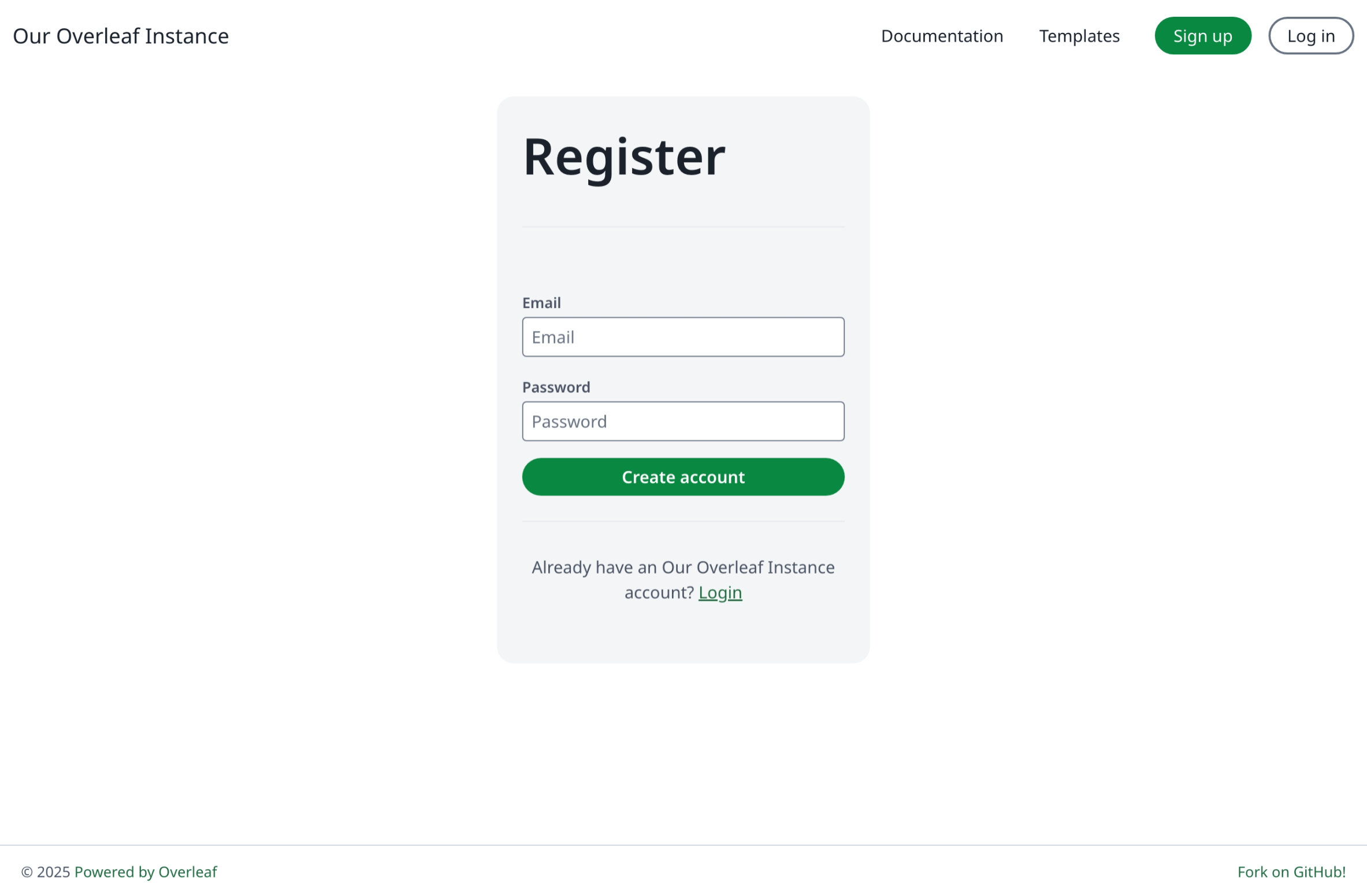
接著點選 **Sign up** 或前往 `/register`。
 ### 限定網域註冊
限定網域的公開註冊僅在 [ayaka-notes/overleaf-pro](https://github.com/ayaka-notes/overleaf-pro) 中提供。
啟用前,請先設定電子郵件寄送,讓使用者能收到邀請與通知。請參閱[電子郵件寄送](/zh-TW/on-premises/configuration/overleaf-toolkit/email-delivery)。
接著在 `config/variables.env` 中加入下列這行:
```dotenv title="config/variables.env" wrap theme={null}
OVERLEAF_ALLOW_PUBLIC_REGISTRATION=@example.domain
```
`OVERLEAF_ALLOW_PUBLIC_REGISTRATION` 可設定為:
* `true`:允許任何能連到網站的人註冊
* `@example.domain`:僅限該網域的電子郵件註冊
This documentation is built and hosted on [Mintlify](https://mintlify.com), a developer documentation platform.
### 限定網域註冊
限定網域的公開註冊僅在 [ayaka-notes/overleaf-pro](https://github.com/ayaka-notes/overleaf-pro) 中提供。
啟用前,請先設定電子郵件寄送,讓使用者能收到邀請與通知。請參閱[電子郵件寄送](/zh-TW/on-premises/configuration/overleaf-toolkit/email-delivery)。
接著在 `config/variables.env` 中加入下列這行:
```dotenv title="config/variables.env" wrap theme={null}
OVERLEAF_ALLOW_PUBLIC_REGISTRATION=@example.domain
```
`OVERLEAF_ALLOW_PUBLIC_REGISTRATION` 可設定為:
* `true`:允許任何能連到網站的人註冊
* `@example.domain`:僅限該網域的電子郵件註冊
This documentation is built and hosted on [Mintlify](https://mintlify.com), a developer documentation platform.