> ## Documentation Index
> Fetch the complete documentation index at: https://ayakaleaf-pro.mintlify.site/llms.txt
> Use this file to discover all available pages before exploring further.
# 功能与版权
> 与 Overleaf 社区版相比,Ayakaleaf Pro 有哪些新功能?
我们尊重版权,因此在此列出本项目中使用的所有功能和代码。本页介绍 Ayakaleaf Pro 的新功能及相关代码的版权信息。
除非另有说明,我们使用 OpenAI 的 Codex 进行代码审查和 PR 审查。在此过程中,我们修复了许多安全问题,在此向他们致以诚挚的感谢。详情请参阅 [ayaka-notes/ayakaleaf-pro/pull](https://github.com/ayaka-notes/ayakaleaf-pro/pulls)。
### 概览
多年来,许多社区开发者为改进 Overleaf 社区版付出了大量努力。他们是:
* [https://github.com/ertuil/overleaf](https://github.com/ertuil/overleaf)
* [https://github.com/AllanChain/lcpu-overleaf](https://github.com/AllanChain/lcpu-overleaf)
* [https://github.com/yu-i-i/overleaf-cep/](https://github.com/yu-i-i/overleaf-cep/)
* [https://github.com/ayaka-notes/overleaf](https://github.com/ayaka-notes/overleaf)
* [https://github.com/davrot/overleaf\_with\_admin\_extension](https://github.com/davrot/overleaf_with_admin_extension)
* [https://github.com/overleaf/overleaf/pull/1447](https://github.com/overleaf/overleaf/pull/1447)(GitHub 集成)
* [https://github.com/overleaf/overleaf/pull/1385](https://github.com/overleaf/overleaf/pull/1385)(Typst 支持)
我们可能在项目中使用了相关代码,在此向他们表示感谢。
#### 功能 01:模板系统
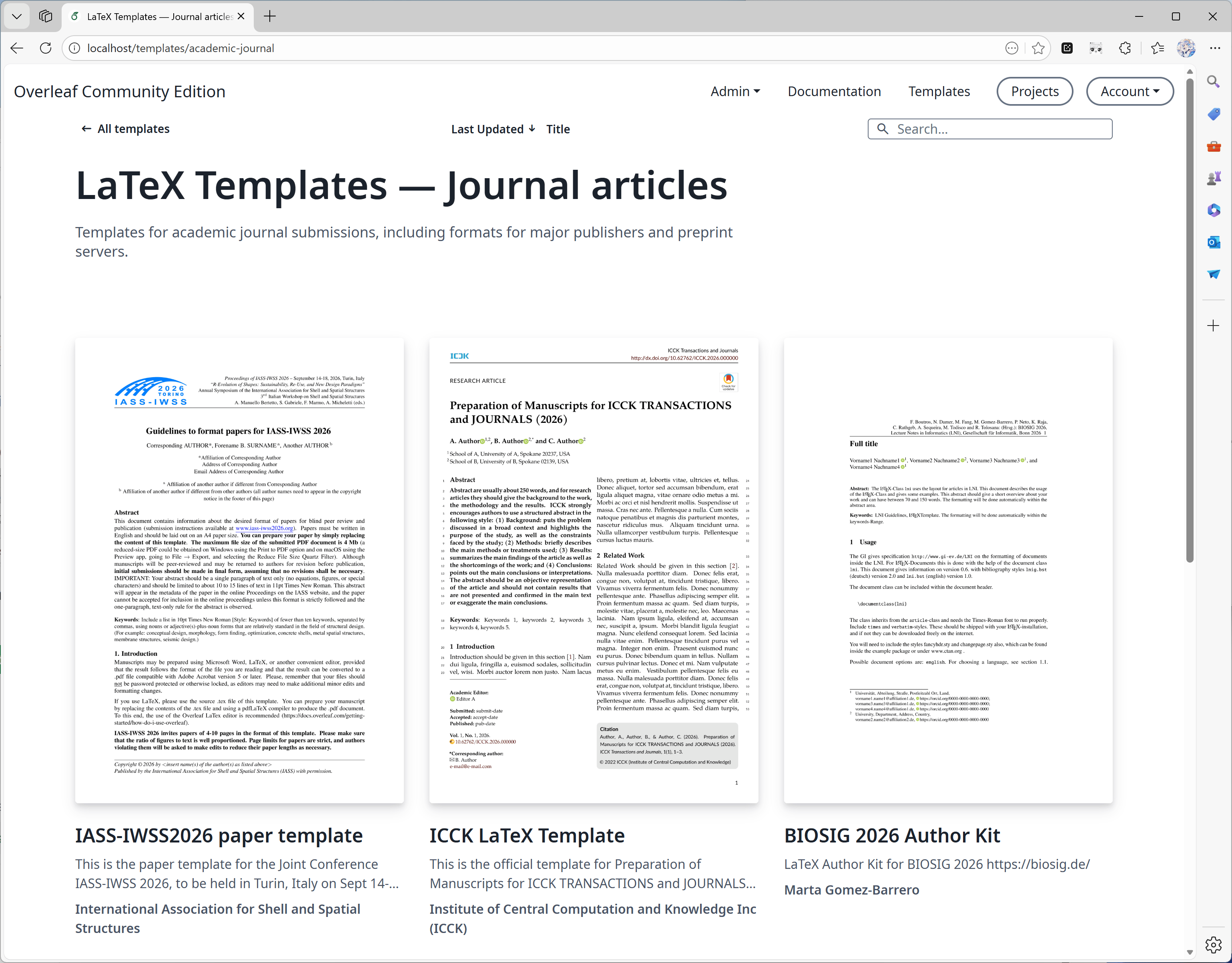
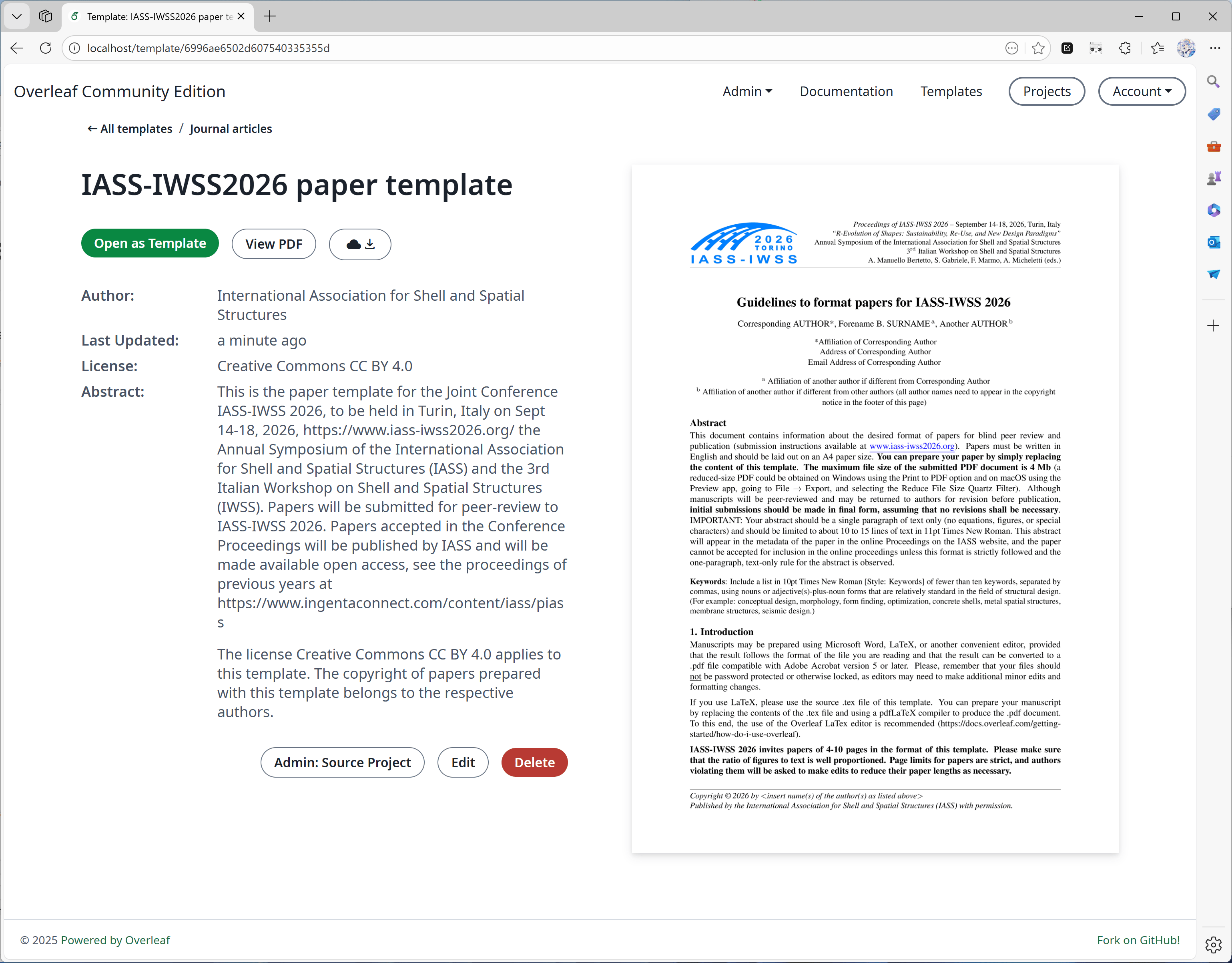
此功能主要由 [yu-i-i/overleaf-cep](https://github.com/yu-i-i/overleaf-cep) 开发。我们修改了部分代码以进行增强,使你可以:
* 直接在模板页面下载模板。
* 打开模板对应的项目。
* 转换出更高质量的封面图片(且耗时更短)。
 #### 功能 02:沙盒编译
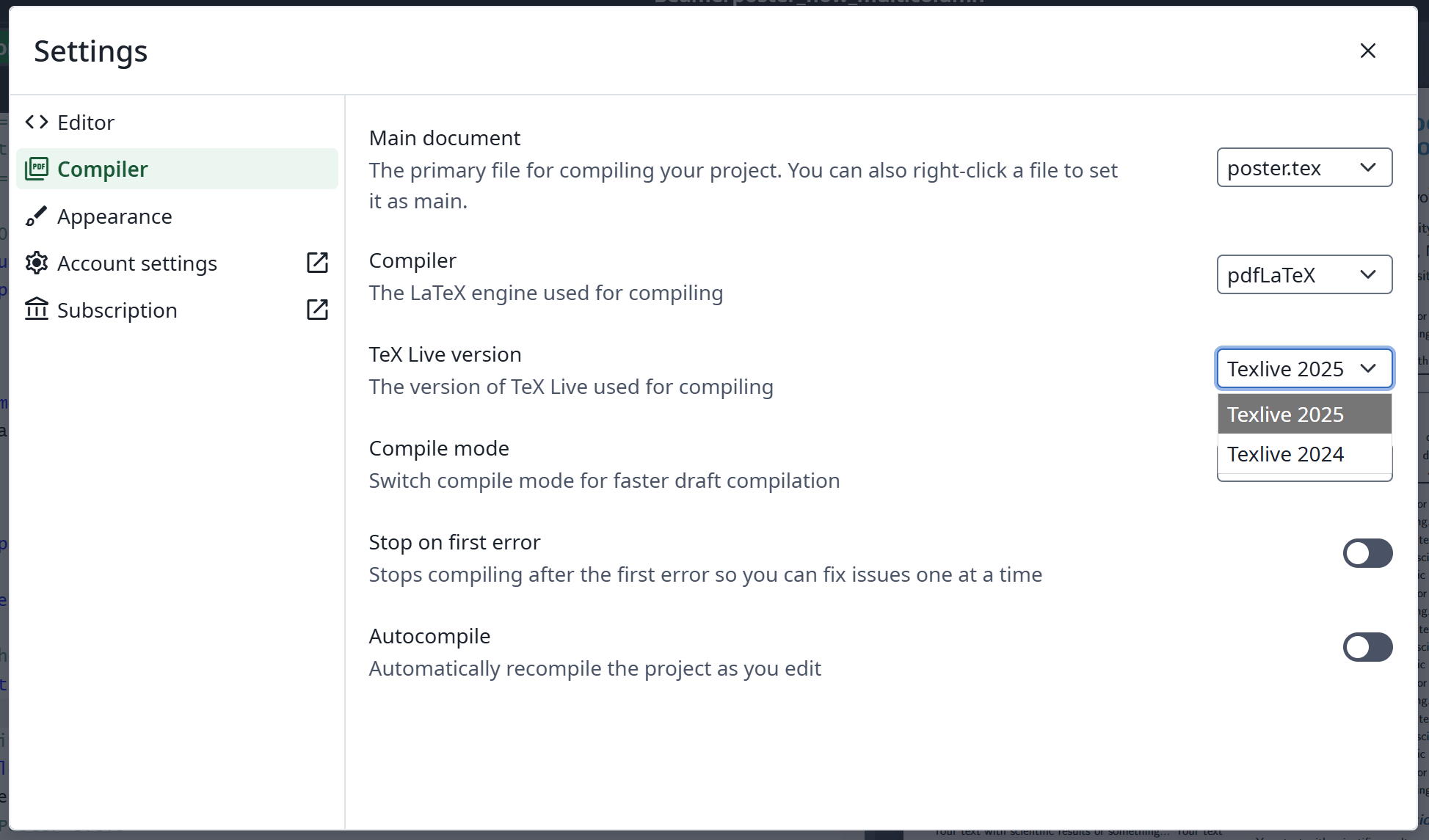
此功能由 [Overleaf 官方](https://github.com/overleaf/overleaf/tree/main/services/clsi)实现;我们添加了一些代码来启用它。我们还提供了专为 Ayakaleaf Pro 构建的 [texlive-full](https://github.com/ayaka-notes/texlive-full) 镜像。
#### 功能 02:沙盒编译
此功能由 [Overleaf 官方](https://github.com/overleaf/overleaf/tree/main/services/clsi)实现;我们添加了一些代码来启用它。我们还提供了专为 Ayakaleaf Pro 构建的 [texlive-full](https://github.com/ayaka-notes/texlive-full) 镜像。
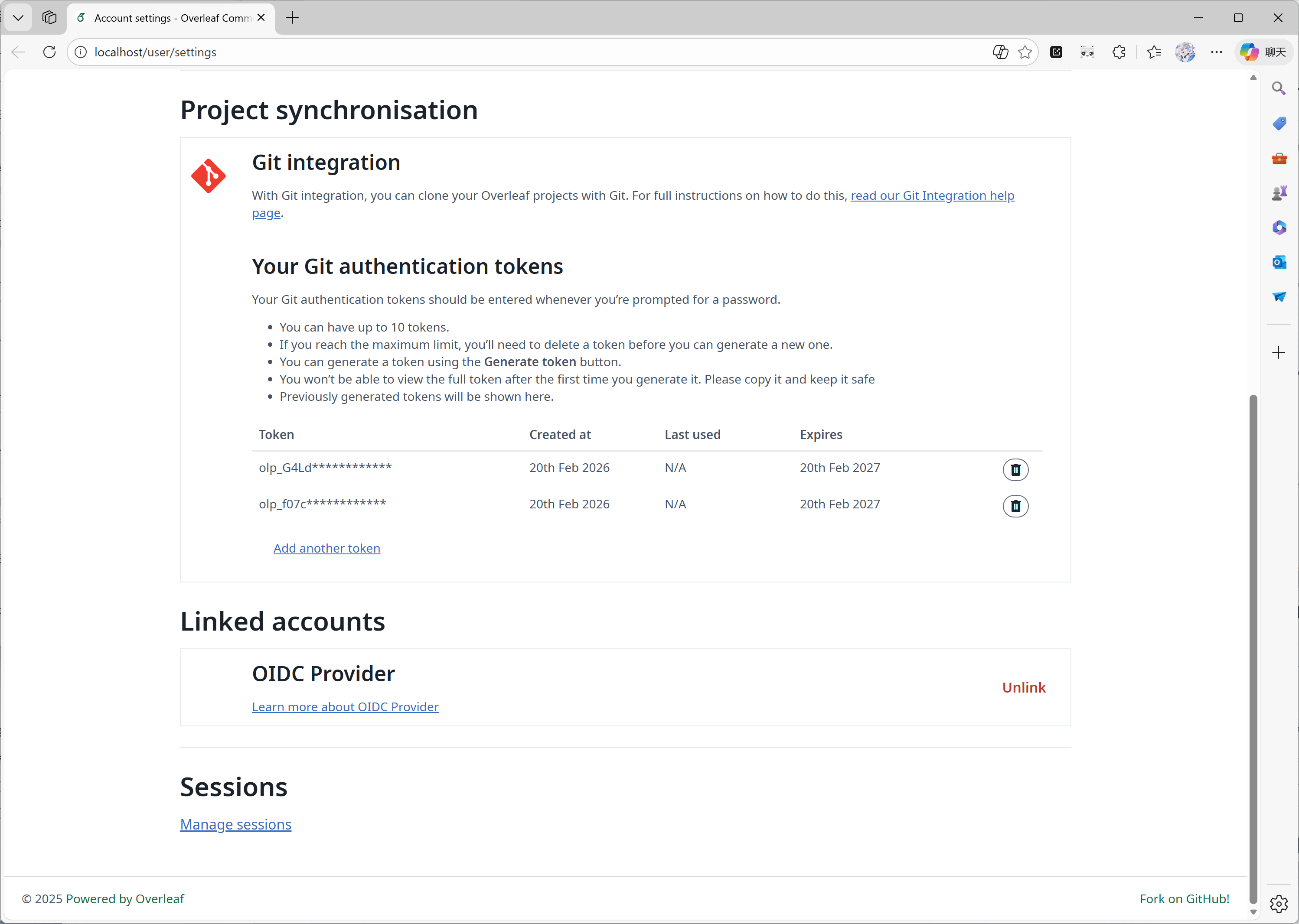
 #### 功能 03:Git 集成
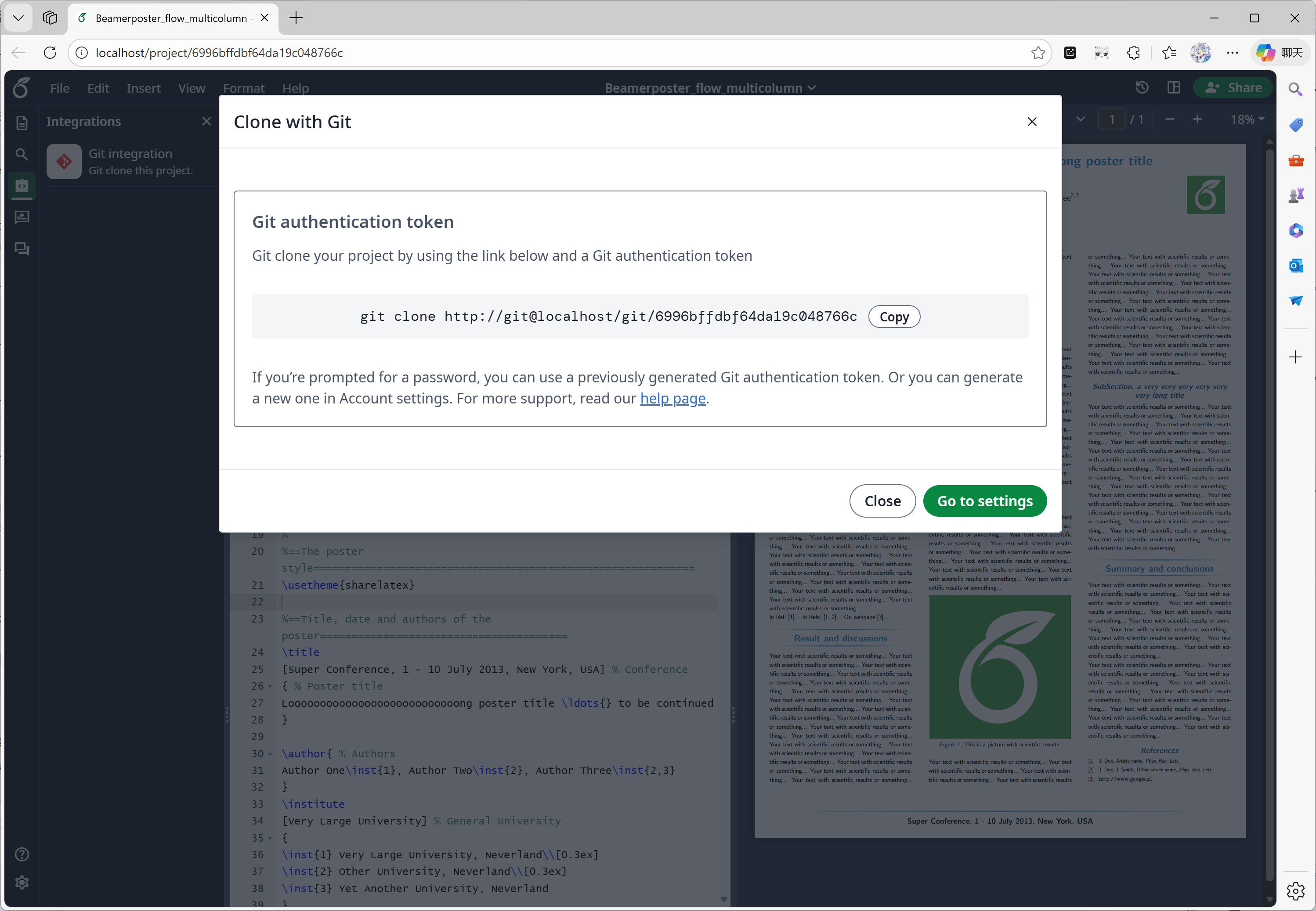
此功能由 [ayaka-notes/overleaf-pro](https://github.com/ayaka-notes/overleaf-pro) 开发。Overleaf 提供了一个名为 git-bridge 的官方组件,可在[这里](https://github.com/overleaf/overleaf/tree/main/services/git-bridge)获取。
我们只是实现了 git-bridge 与 Overleaf 之间的连接器,这与 Overleaf 在其 SaaS 平台上的做法相同。
#### 功能 03:Git 集成
此功能由 [ayaka-notes/overleaf-pro](https://github.com/ayaka-notes/overleaf-pro) 开发。Overleaf 提供了一个名为 git-bridge 的官方组件,可在[这里](https://github.com/overleaf/overleaf/tree/main/services/git-bridge)获取。
我们只是实现了 git-bridge 与 Overleaf 之间的连接器,这与 Overleaf 在其 SaaS 平台上的做法相同。
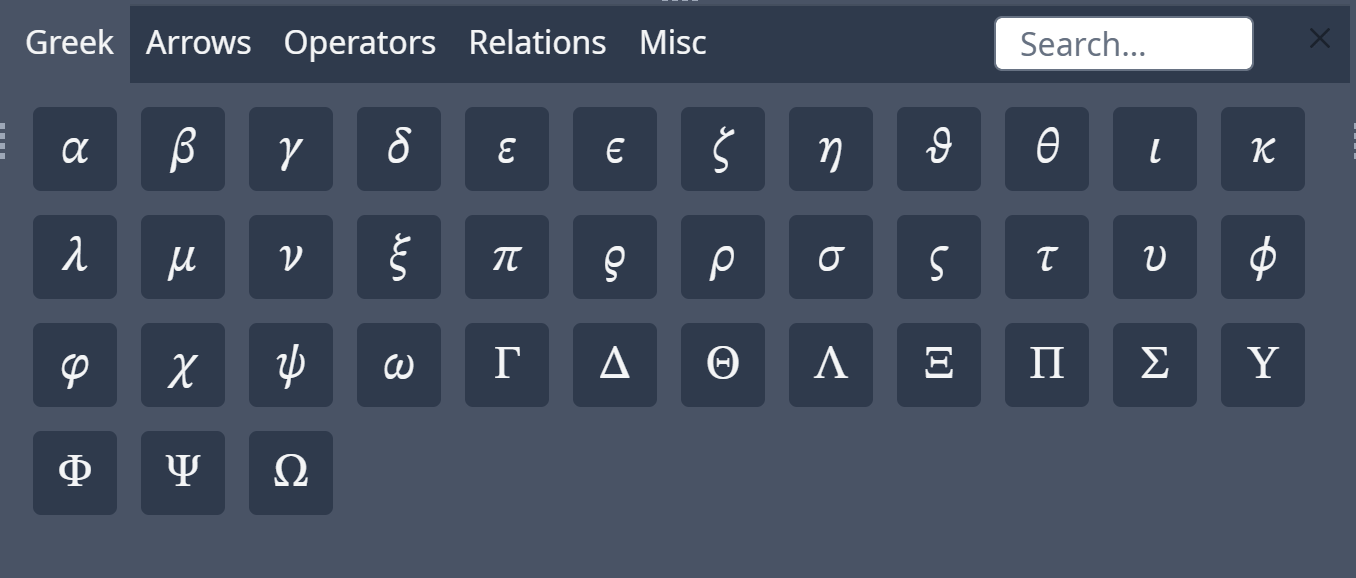
 #### 功能 04:符号面板
此功能由 [Overleaf 官方](https://github.com/overleaf/overleaf/tree/main/services/clsi)实现;我们只是补充了缺失的代码,以与上游更新保持一致。
#### 功能 04:符号面板
此功能由 [Overleaf 官方](https://github.com/overleaf/overleaf/tree/main/services/clsi)实现;我们只是补充了缺失的代码,以与上游更新保持一致。
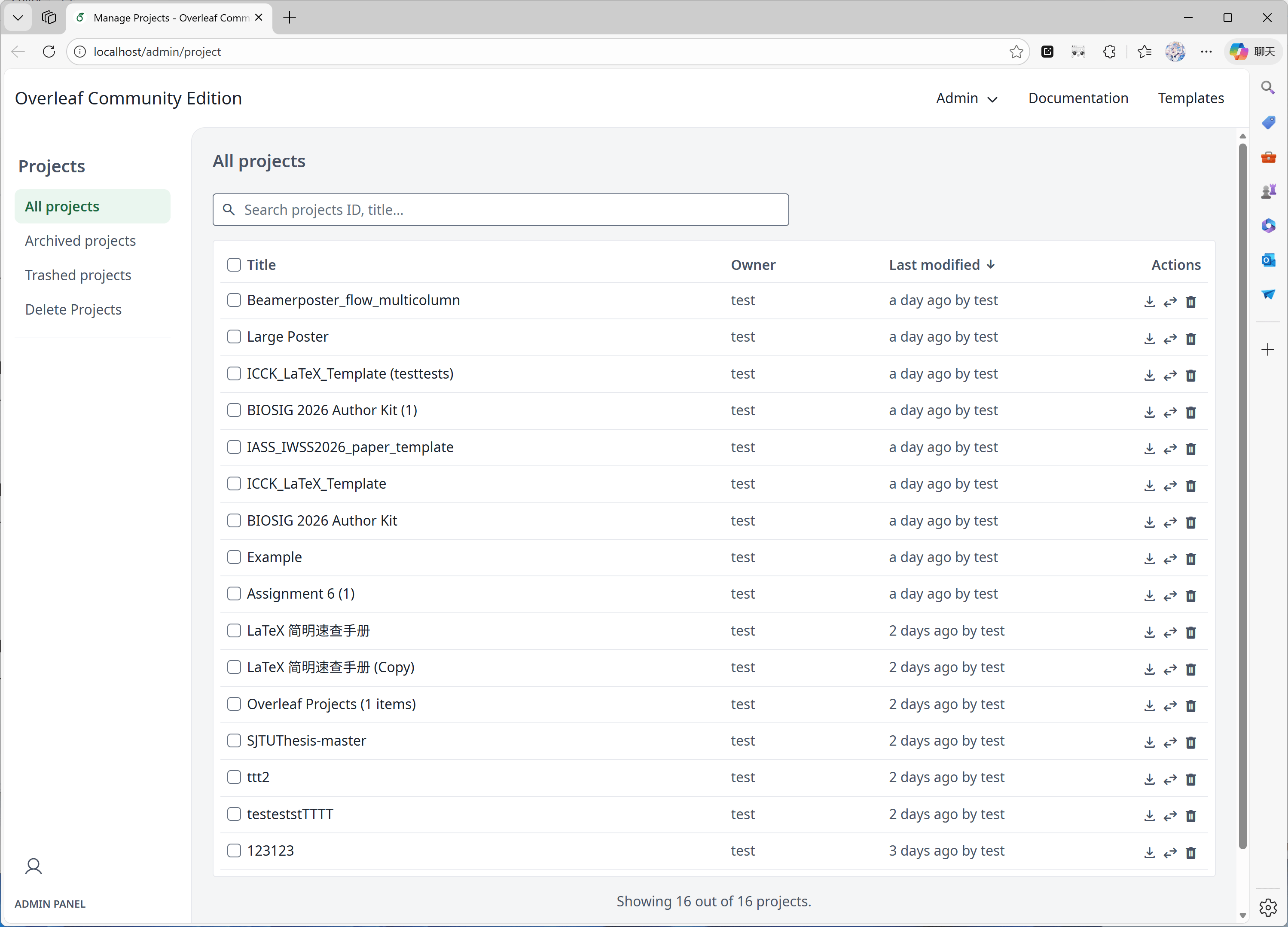
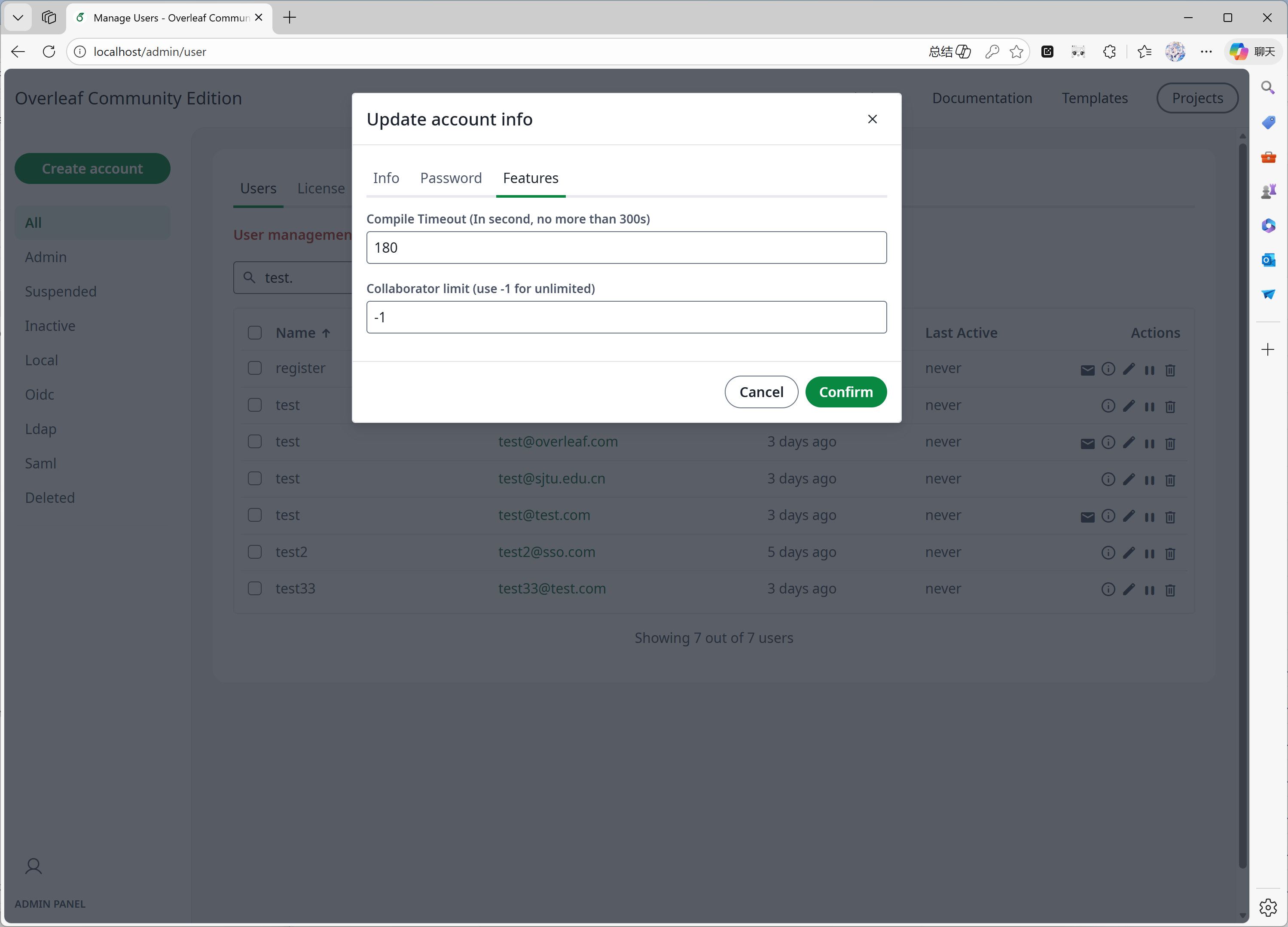
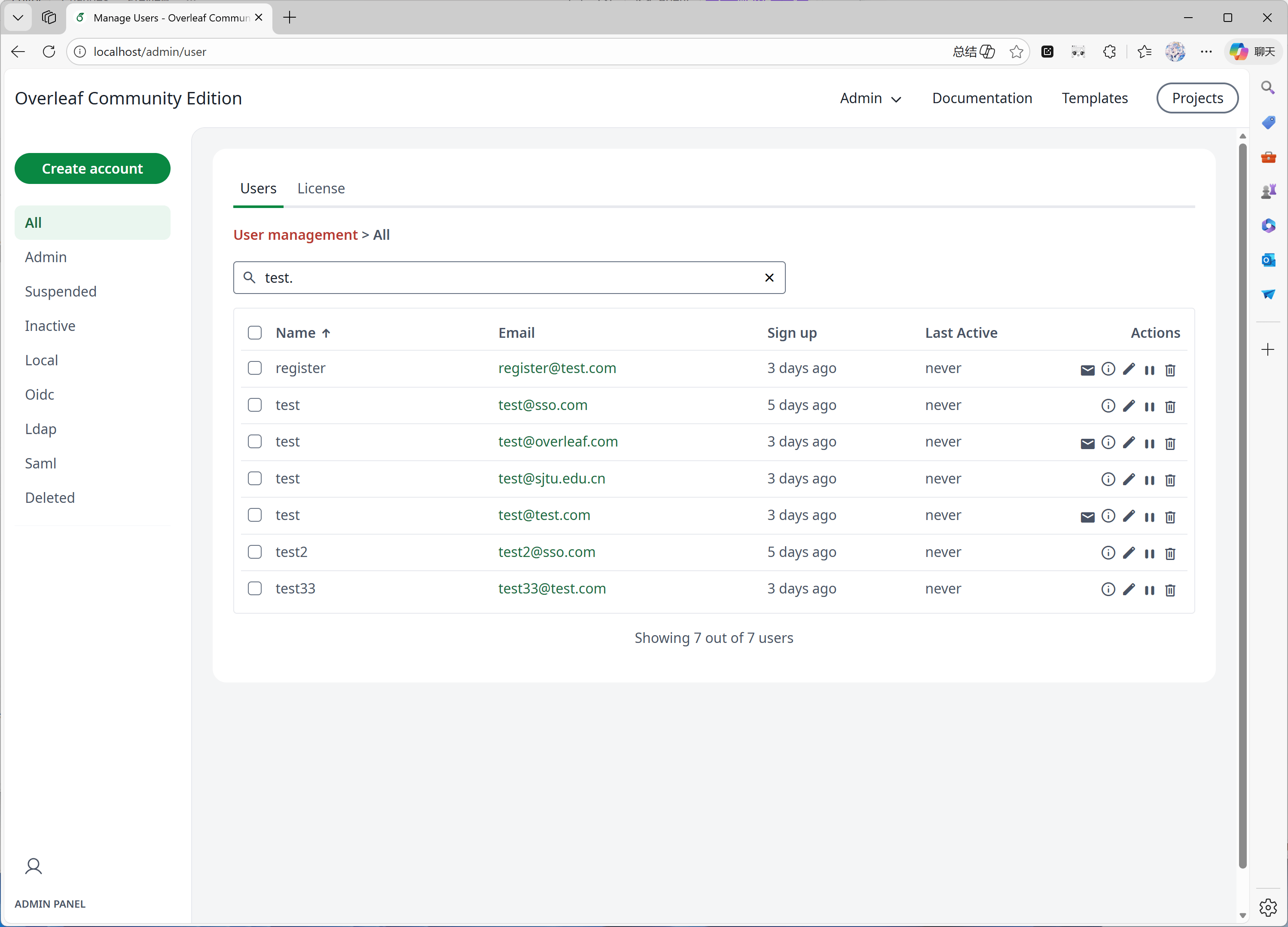
 #### 功能 05:管理面板
当你的系统中有 1000 个用户或项目时,管理面板只会显示最新的 1000 个用户或项目。请使用搜索面板搜索特定的用户或项目。
此功能主要由 [yu-i-i/overleaf-cep](https://github.com/yu-i-i/overleaf-cep) 开发。我们修改了部分代码以进行增强,使你可以:
* 当用户超过 1000 个时,通过后端搜索用户。
* 当项目超过 1000 个时,通过后端搜索项目。
* 直接在项目管理面板中打开项目。
* 在管理面板中查看和调整用户的编译时间限制。
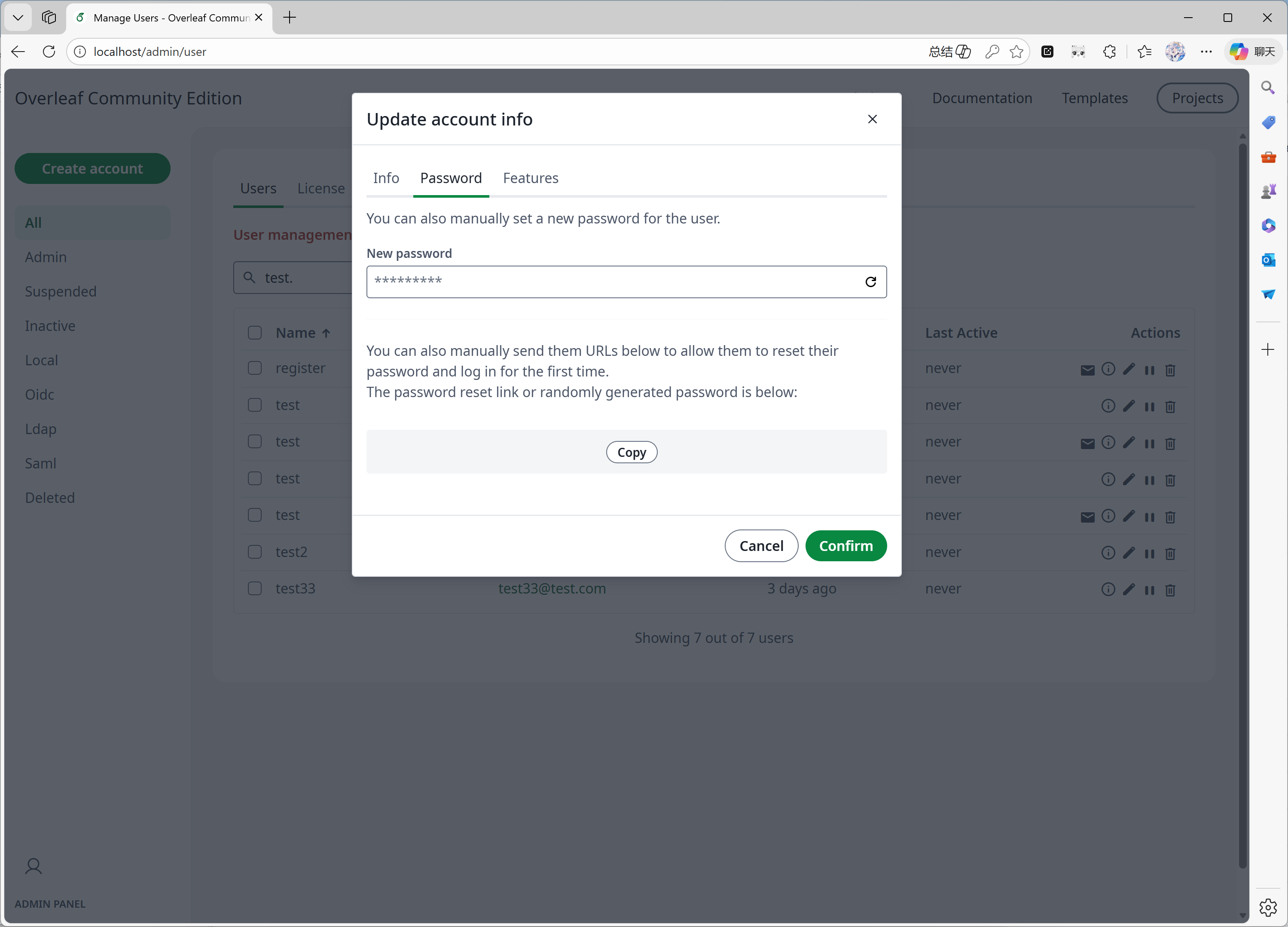
* 直接在管理面板中重置用户密码。
* 其他增强……
#### 功能 05:管理面板
当你的系统中有 1000 个用户或项目时,管理面板只会显示最新的 1000 个用户或项目。请使用搜索面板搜索特定的用户或项目。
此功能主要由 [yu-i-i/overleaf-cep](https://github.com/yu-i-i/overleaf-cep) 开发。我们修改了部分代码以进行增强,使你可以:
* 当用户超过 1000 个时,通过后端搜索用户。
* 当项目超过 1000 个时,通过后端搜索项目。
* 直接在项目管理面板中打开项目。
* 在管理面板中查看和调整用户的编译时间限制。
* 直接在管理面板中重置用户密码。
* 其他增强……
 #### 功能 06:审阅面板
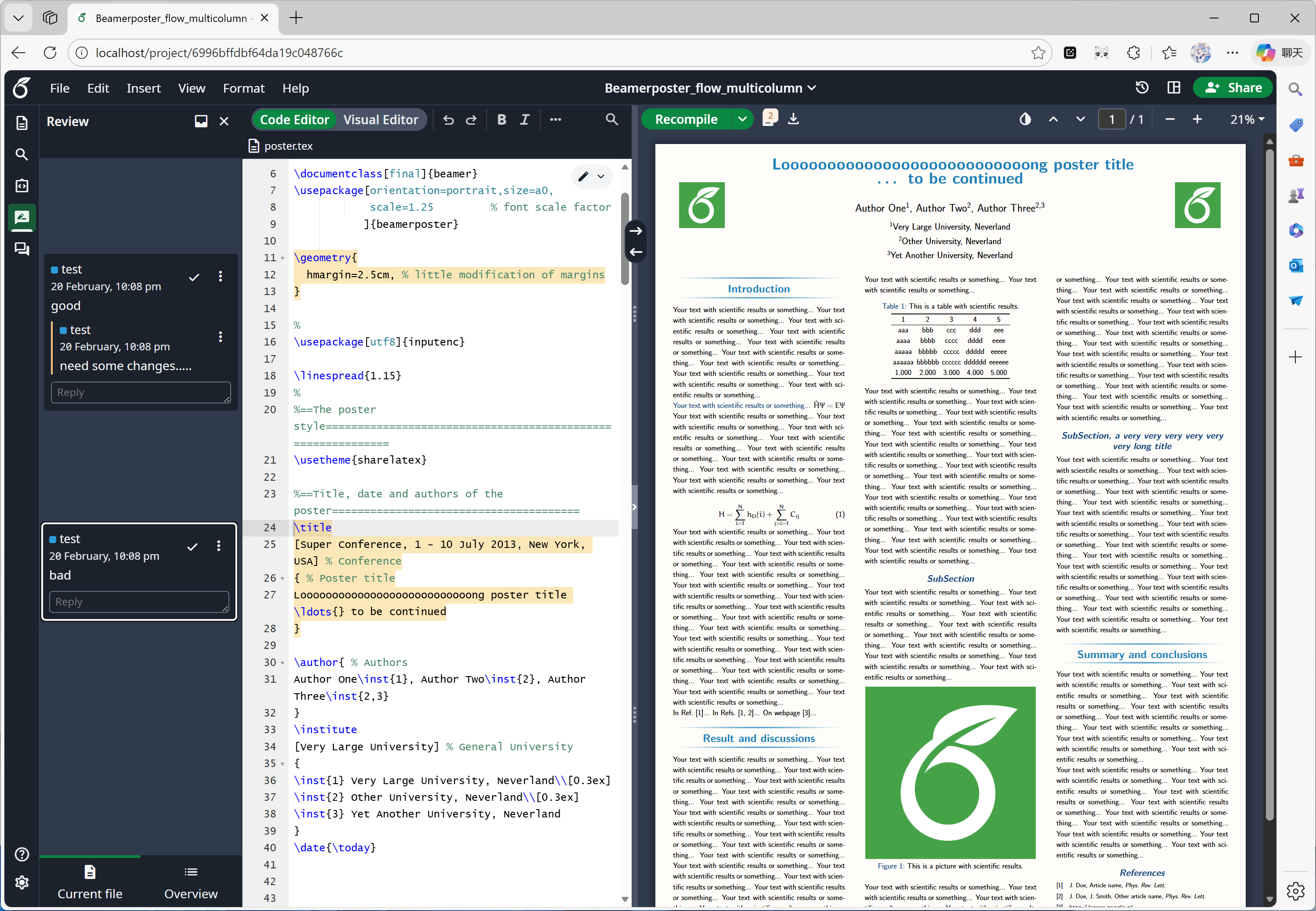
此功能主要由 [Overleaf 官方](https://github.com/overleaf/overleaf/tree/main/services/clsi)开发,我们只是从 [yu-i-i/overleaf-cep](https://github.com/yu-i-i/overleaf-cep) 和 [ertuil/overleaf](https://github.com/ertuil/overleaf) 中补充了缺失的代码,即聊天服务与 Web 服务之间的连接器。
#### 功能 06:审阅面板
此功能主要由 [Overleaf 官方](https://github.com/overleaf/overleaf/tree/main/services/clsi)开发,我们只是从 [yu-i-i/overleaf-cep](https://github.com/yu-i-i/overleaf-cep) 和 [ertuil/overleaf](https://github.com/ertuil/overleaf) 中补充了缺失的代码,即聊天服务与 Web 服务之间的连接器。
 #### 功能 07:外部 URL
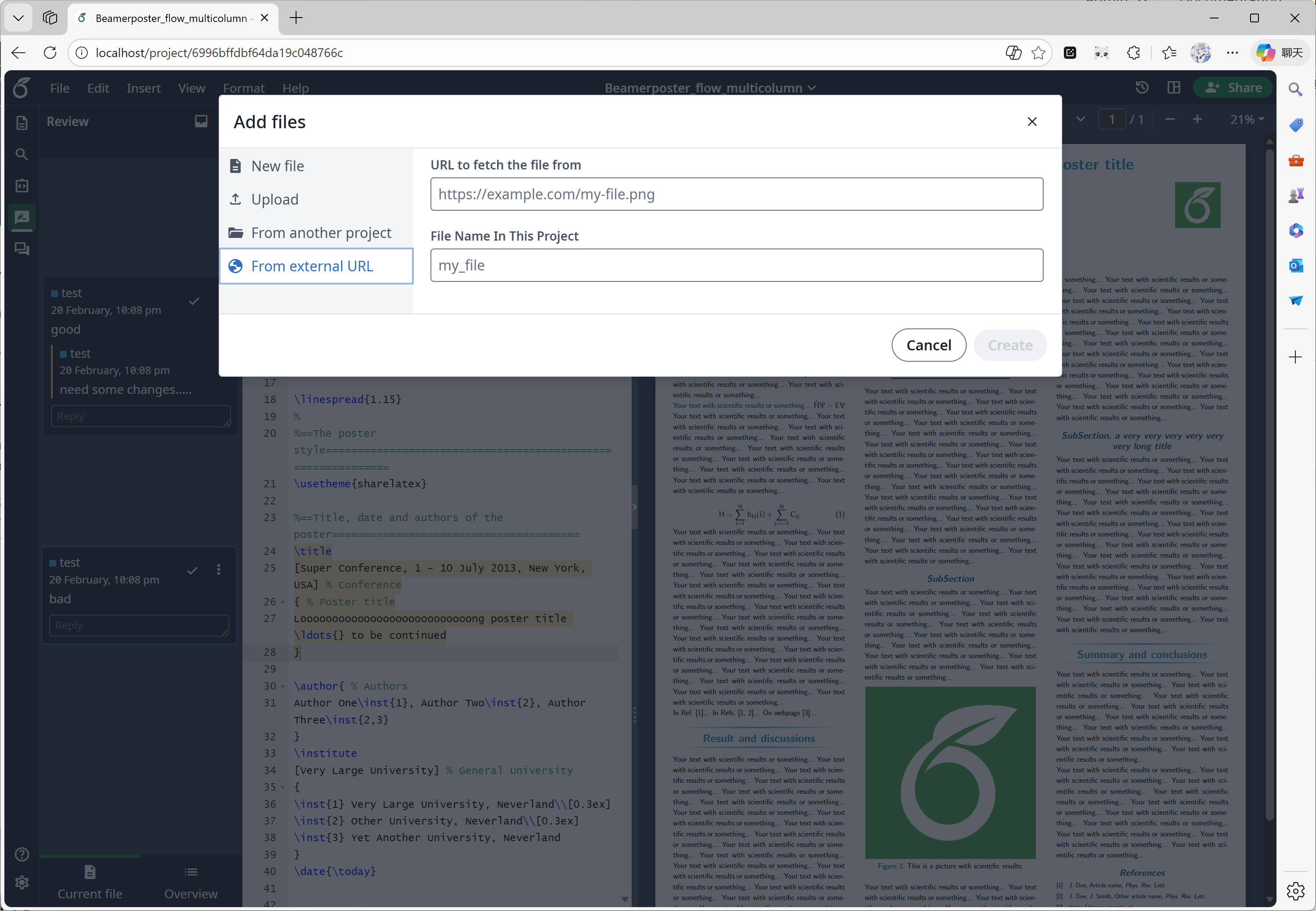
此功能主要由 [yu-i-i/overleaf-cep](https://github.com/yu-i-i/overleaf-cep) 开发。CEP 实现了一个名为 linked-url-proxy 的外部服务,可在域名/IP 限制下安全地获取外部文件。
#### 功能 07:外部 URL
此功能主要由 [yu-i-i/overleaf-cep](https://github.com/yu-i-i/overleaf-cep) 开发。CEP 实现了一个名为 linked-url-proxy 的外部服务,可在域名/IP 限制下安全地获取外部文件。
 #### 功能 08:SSO
此功能主要由 [yu-i-i/overleaf-cep](https://github.com/yu-i-i/overleaf-cep) 开发。CEP 实现了一个子模块,用于将 passport 与 Overleaf Web 身份验证连接起来。
#### 功能 08:SSO
此功能主要由 [yu-i-i/overleaf-cep](https://github.com/yu-i-i/overleaf-cep) 开发。CEP 实现了一个子模块,用于将 passport 与 Overleaf Web 身份验证连接起来。
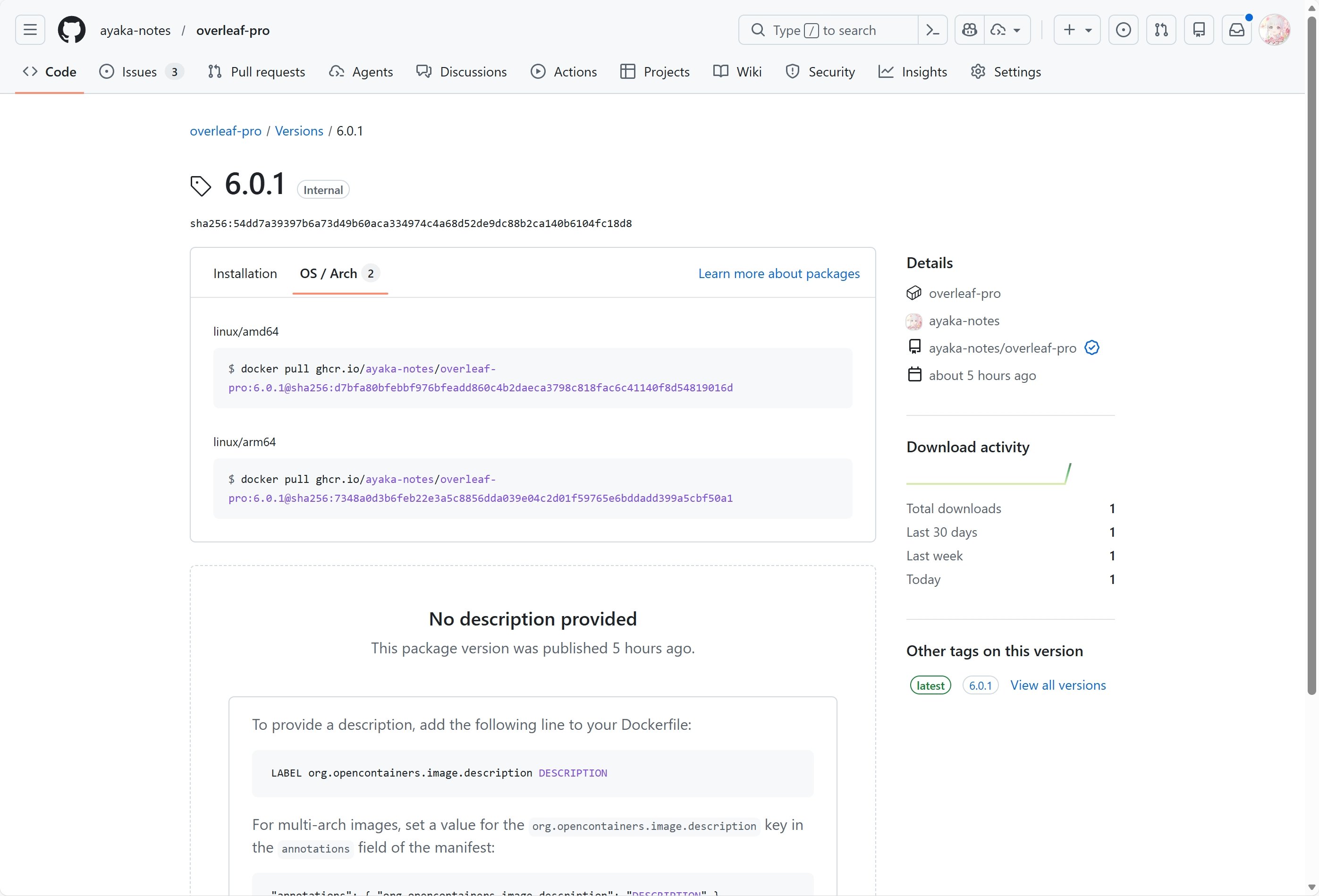
 #### 功能 09:支持 ARM
我们使用 GitHub Actions 为 x86 和 arm 架构构建并发布 Docker 镜像。下载镜像时,系统会根据你的环境自动选择合适的架构。
#### 功能 09:支持 ARM
我们使用 GitHub Actions 为 x86 和 arm 架构构建并发布 Docker 镜像。下载镜像时,系统会根据你的环境自动选择合适的架构。
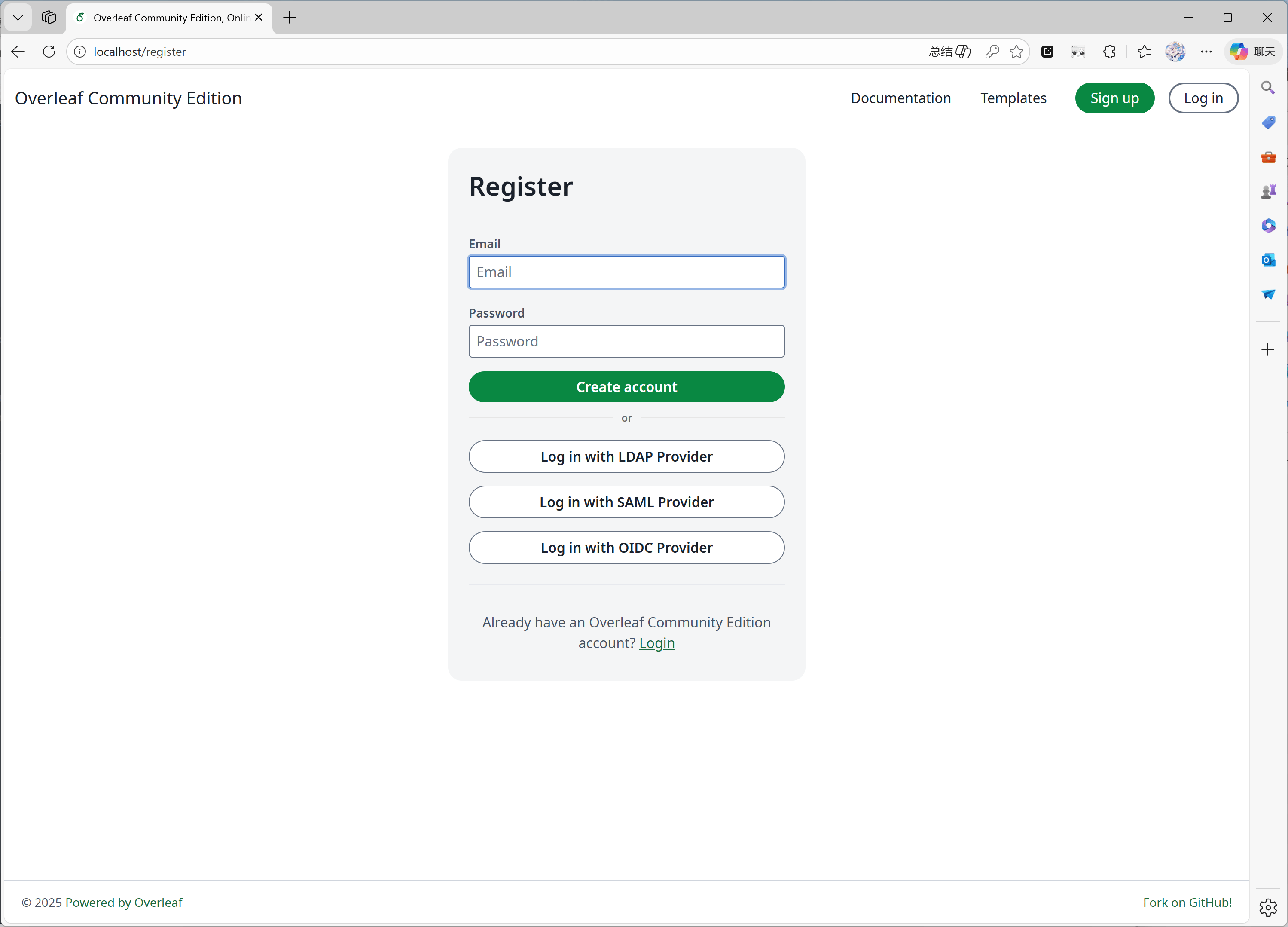
 #### 功能 10:自助注册
此功能由 [ayaka-notes/overleaf-pro](https://github.com/ayaka-notes/overleaf-pro) 开发。你可以:
* 限制只有特定域名的用户才能注册
* 向任何能够访问你的 Overleaf 的人开放用户注册
#### 功能 10:自助注册
此功能由 [ayaka-notes/overleaf-pro](https://github.com/ayaka-notes/overleaf-pro) 开发。你可以:
* 限制只有特定域名的用户才能注册
* 向任何能够访问你的 Overleaf 的人开放用户注册
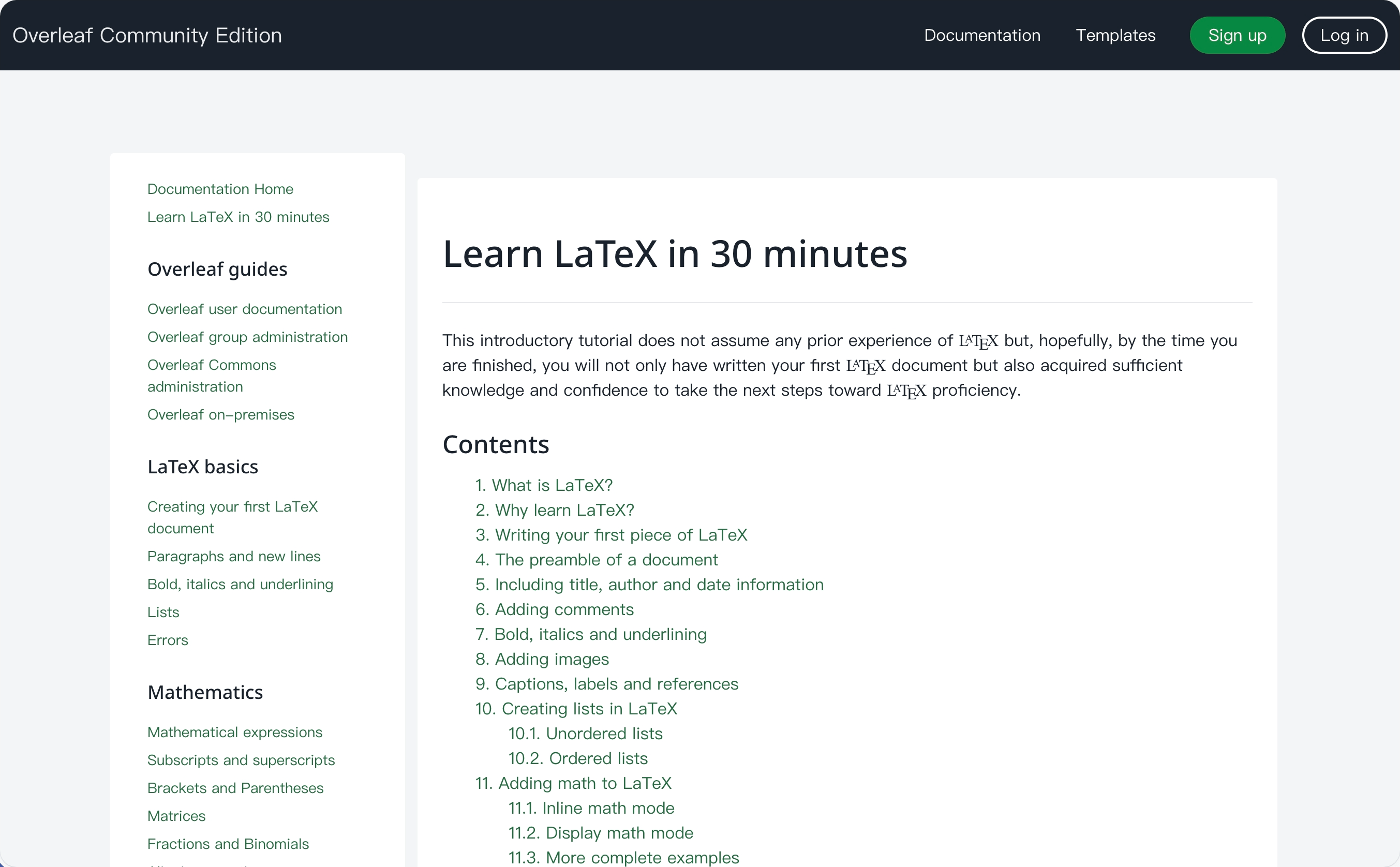
 #### 功能 11:Learn Wiki
此功能由 [ayaka-notes/ayakaleaf-pro](https://github.com/ayaka-notes/ayakaleaf-pro) 开发。你可以查看来自 Overleaf 的最新 Learn Wiki,但我们不拥有这些文档的任何版权!我们只是在你首次启用此功能时从 Overleaf 服务器下载这些内容,并定期更新。
#### 功能 11:Learn Wiki
此功能由 [ayaka-notes/ayakaleaf-pro](https://github.com/ayaka-notes/ayakaleaf-pro) 开发。你可以查看来自 Overleaf 的最新 Learn Wiki,但我们不拥有这些文档的任何版权!我们只是在你首次启用此功能时从 Overleaf 服务器下载这些内容,并定期更新。
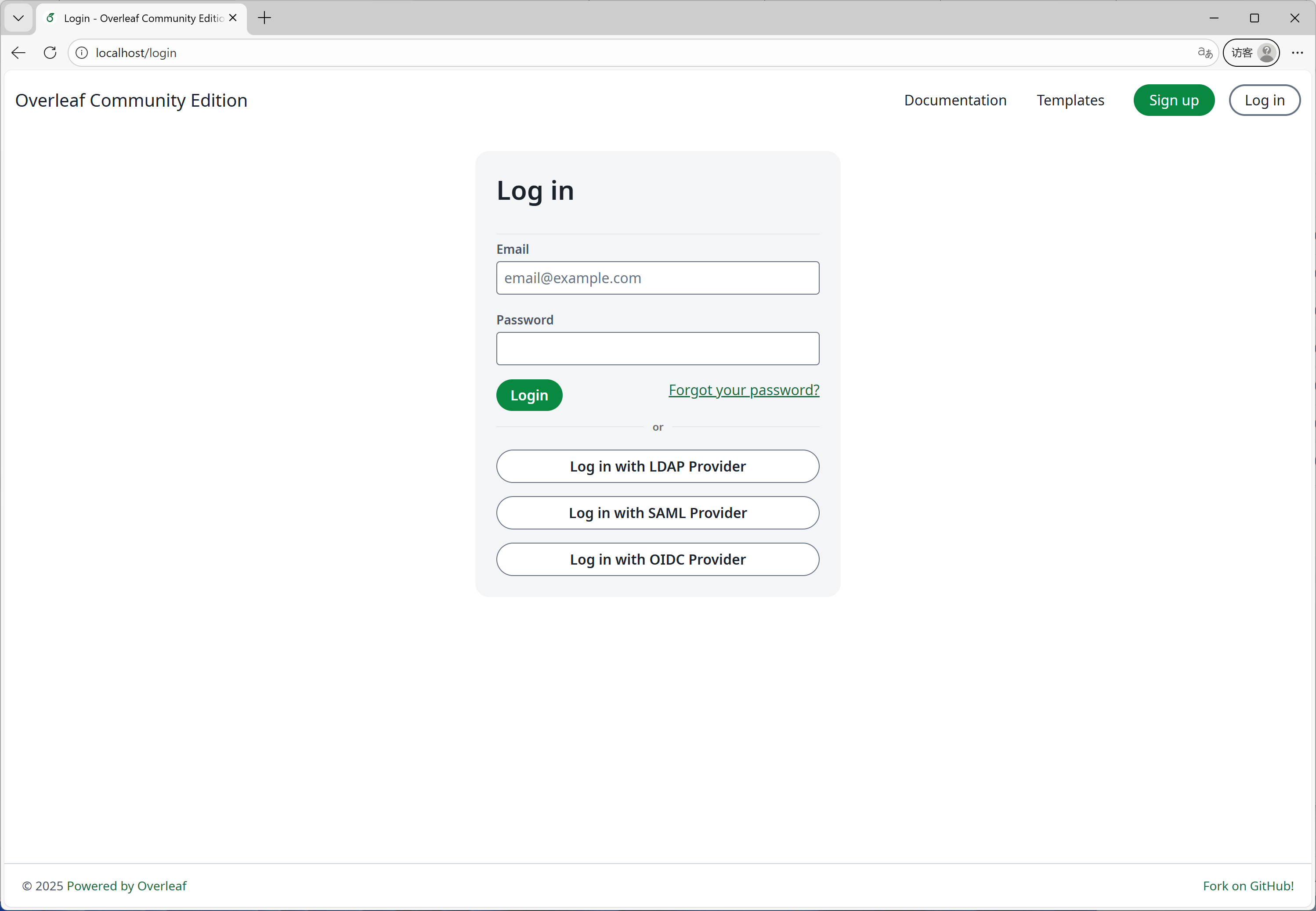
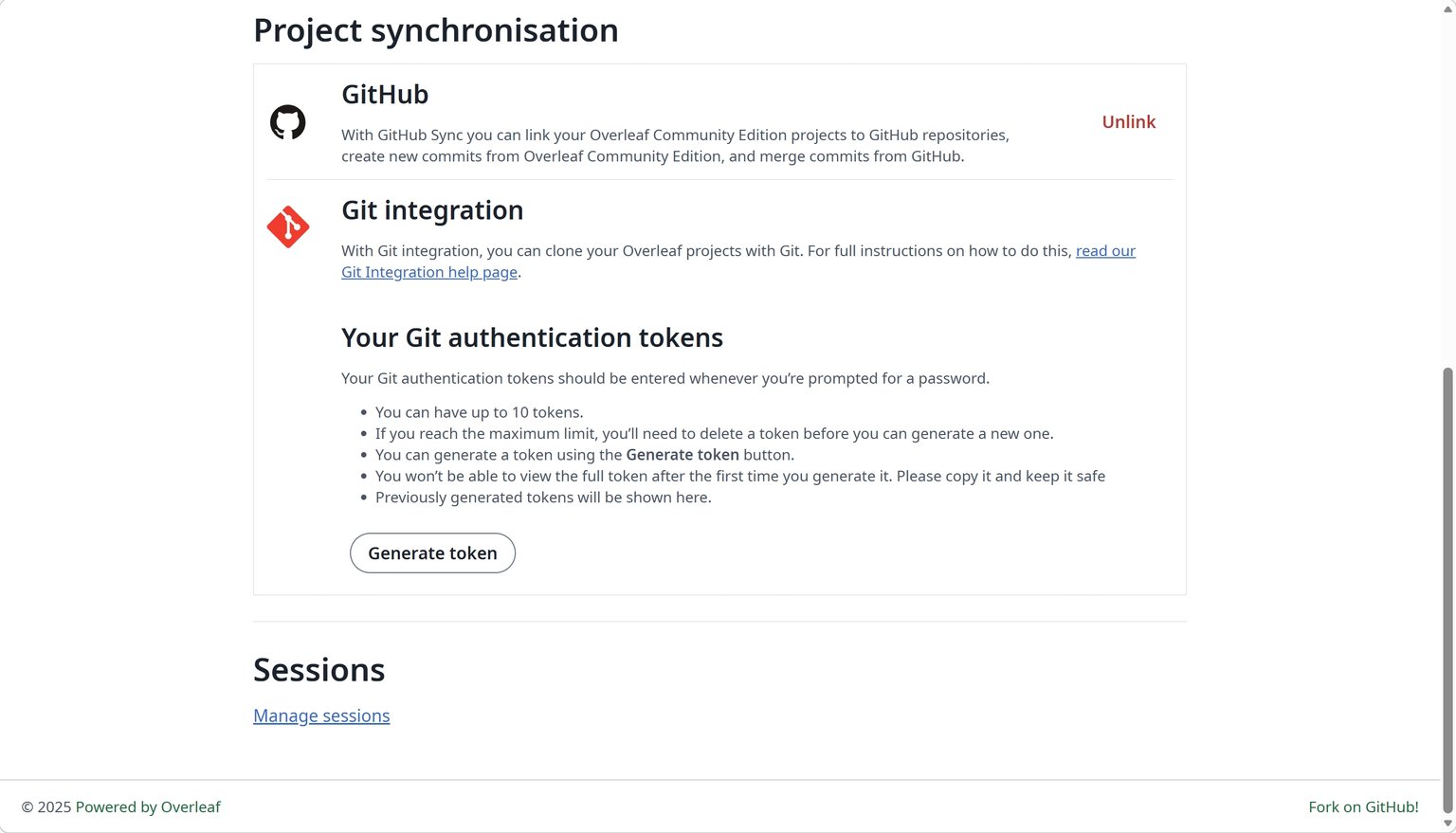
 #### 功能 12:GitHub 同步
此功能由 [ayaka-notes/ayakaleaf-pro](https://github.com/ayaka-notes/ayakaleaf-pro) 开发,并由 [yu-i-i/overleaf-cep](https://github.com/yu-i-i/overleaf-cep) 进行了修改和修复。
#### 功能 12:GitHub 同步
此功能由 [ayaka-notes/ayakaleaf-pro](https://github.com/ayaka-notes/ayakaleaf-pro) 开发,并由 [yu-i-i/overleaf-cep](https://github.com/yu-i-i/overleaf-cep) 进行了修改和修复。
 #### 功能 13:Python 运行器
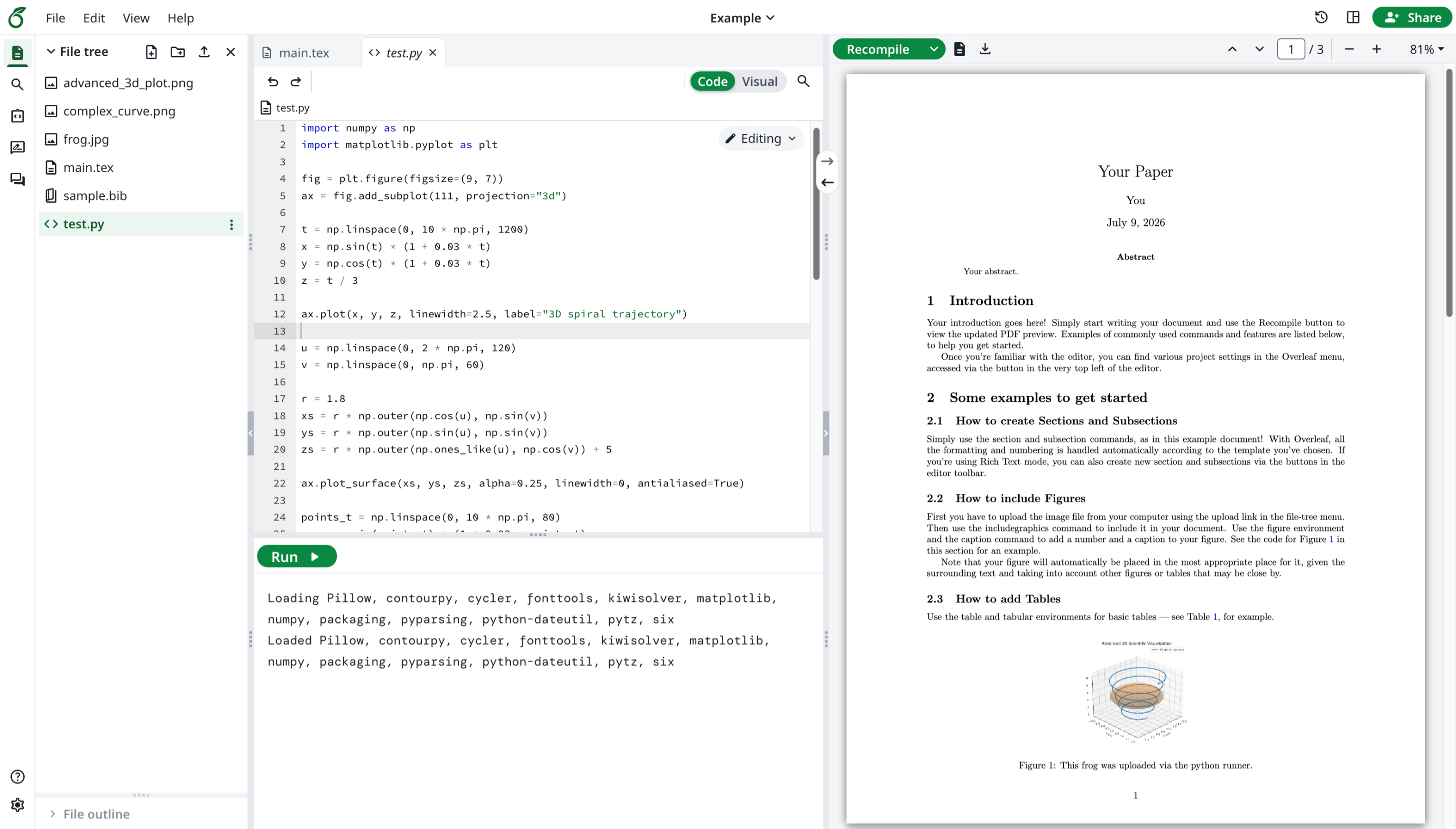
此功能由 Overleaf 官方开发。你可以在浏览器中运行 Python 脚本。
#### 功能 13:Python 运行器
此功能由 Overleaf 官方开发。你可以在浏览器中运行 Python 脚本。
 #### 功能 14:高级参考文献搜索
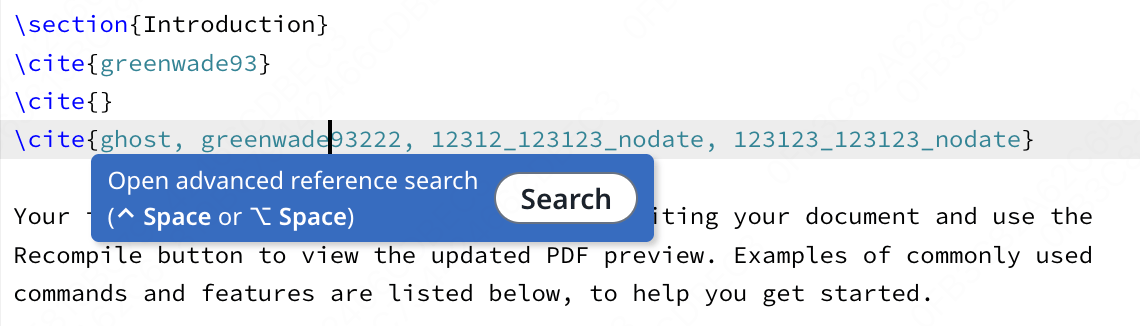
此功能由 [davrot](https://github.com/davrot/) 开发,由 [yu-i-i/overleaf-cep](https://github.com/yu-i-i/overleaf-cep) 修复,[ayaka-notes/ayakaleaf-pro](https://github.com/ayaka-notes/ayakaleaf-pro) 也参与了修复。
#### 功能 14:高级参考文献搜索
此功能由 [davrot](https://github.com/davrot/) 开发,由 [yu-i-i/overleaf-cep](https://github.com/yu-i-i/overleaf-cep) 修复,[ayaka-notes/ayakaleaf-pro](https://github.com/ayaka-notes/ayakaleaf-pro) 也参与了修复。
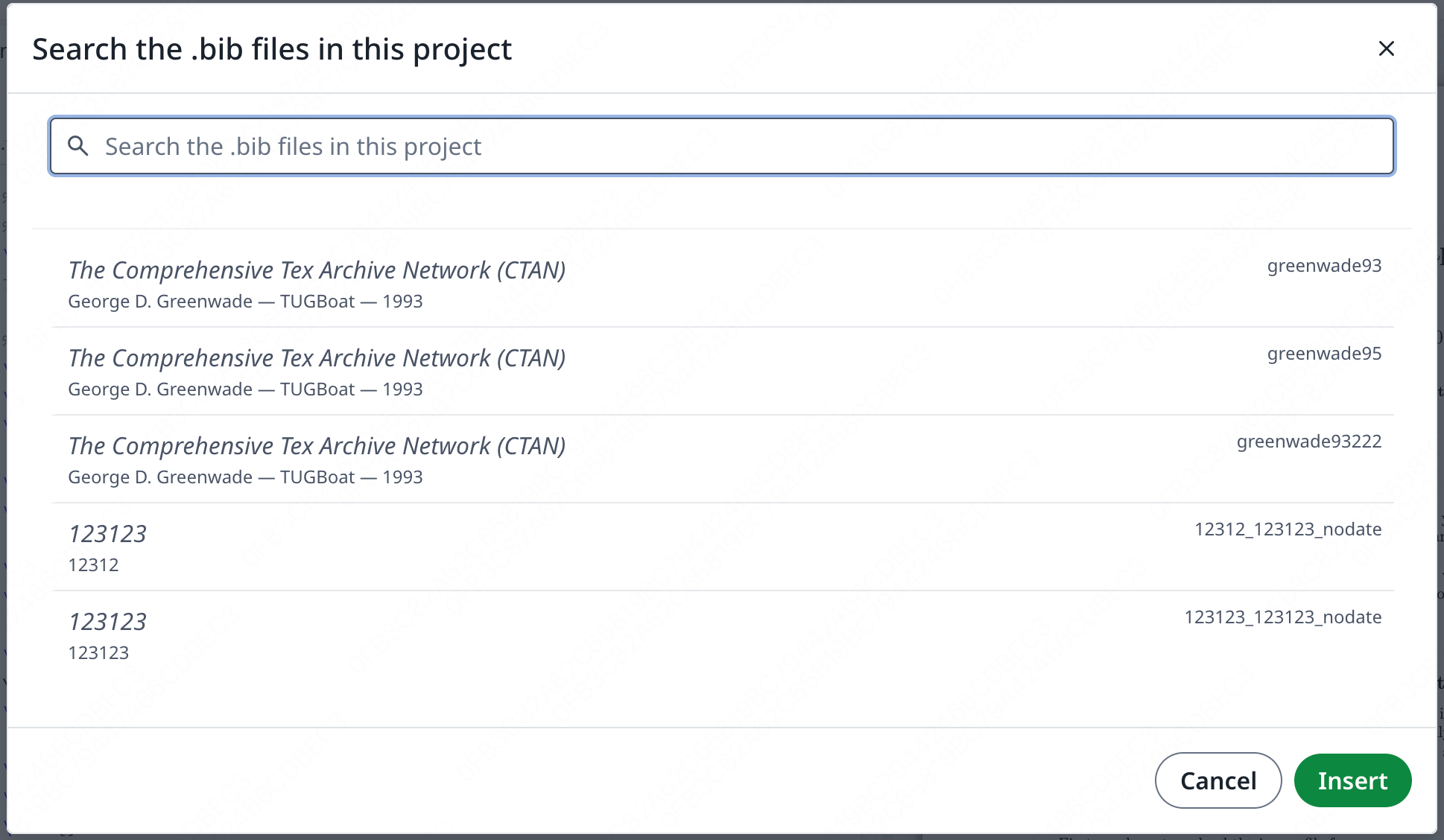
 搜索面板:
搜索面板:
 #### 功能 15:Pandoc 转换
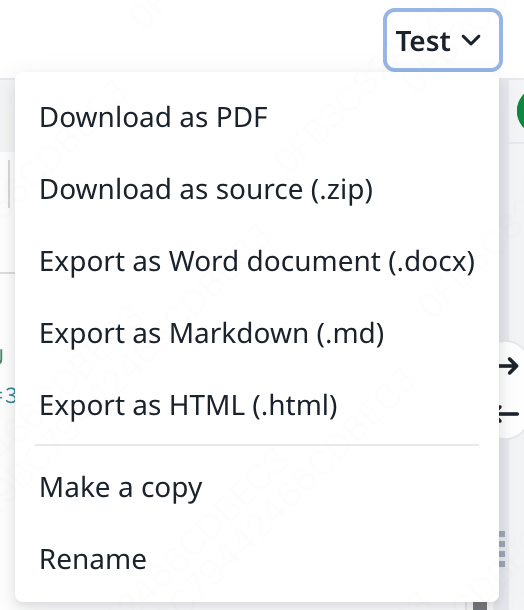
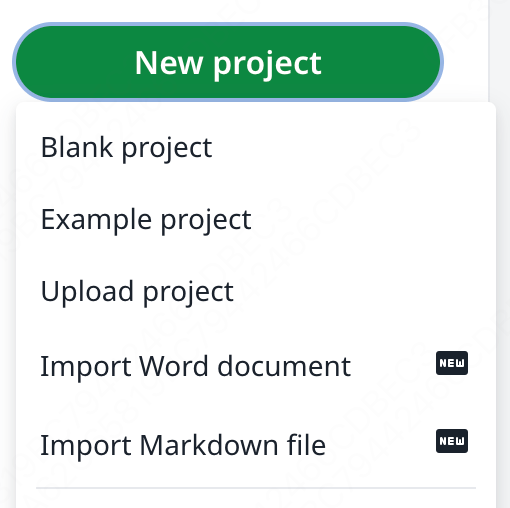
此功能允许你将 Word 或 Markdown 文档导入为 LaTeX 项目,或将 LaTeX 项目导出为 Markdown 或 DOCX。
#### 功能 15:Pandoc 转换
此功能允许你将 Word 或 Markdown 文档导入为 LaTeX 项目,或将 LaTeX 项目导出为 Markdown 或 DOCX。
 #### 功能 16:AI 聊天与 LaTeX 错误助手
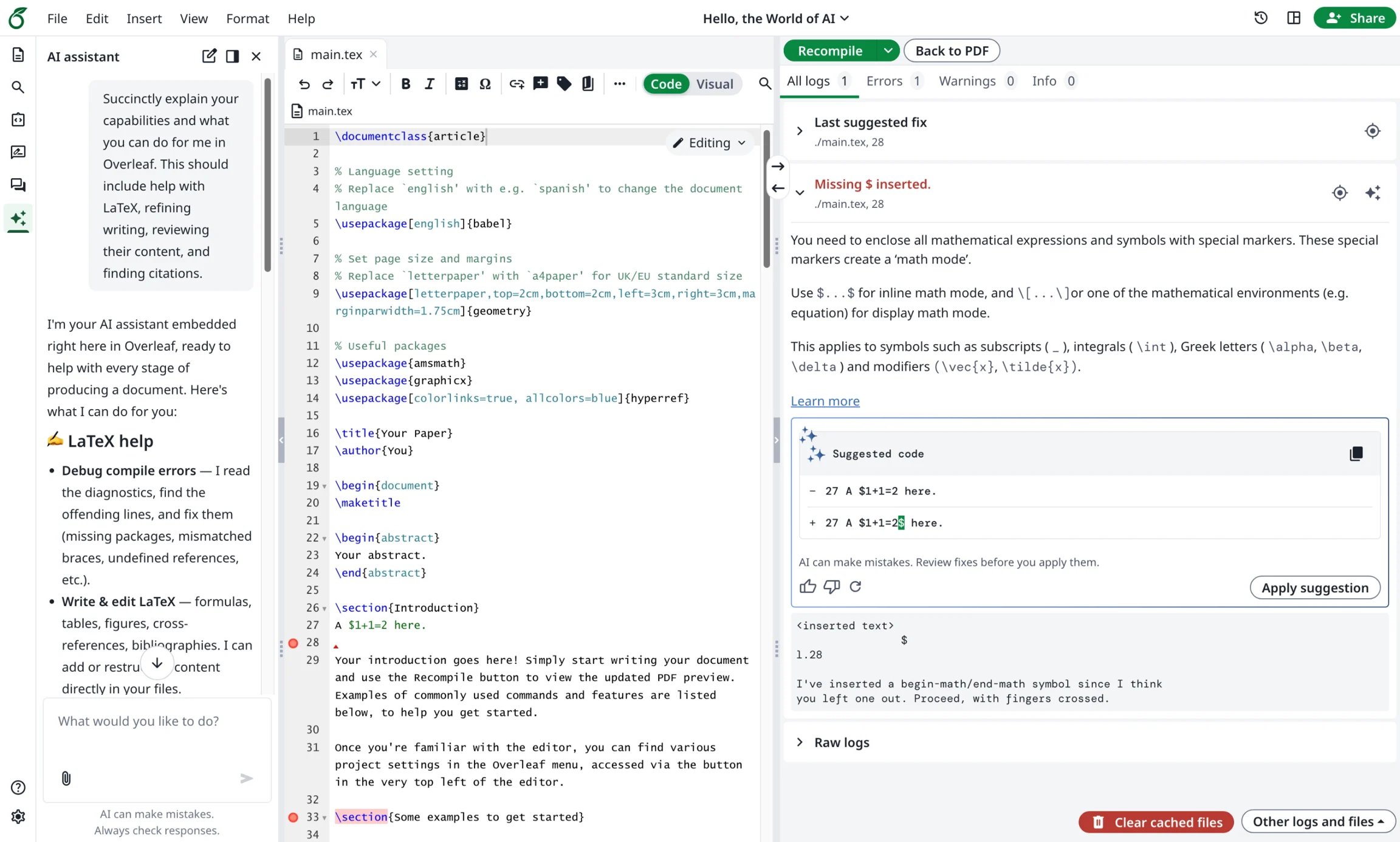
Ayakaleaf Pro 带来了 AI 助手和错误助手:AI 助手可以将你的项目文档和当前选中内容作为上下文来回答问题,并提出修改建议供你审阅;而当你选中某个 LaTeX 编译错误时,错误助手会提出有针对性的修复方案。
#### 功能 16:AI 聊天与 LaTeX 错误助手
Ayakaleaf Pro 带来了 AI 助手和错误助手:AI 助手可以将你的项目文档和当前选中内容作为上下文来回答问题,并提出修改建议供你审阅;而当你选中某个 LaTeX 编译错误时,错误助手会提出有针对性的修复方案。
 This documentation is built and hosted on [Mintlify](https://mintlify.com), a developer documentation platform.