> ## Documentation Index
> Fetch the complete documentation index at: https://ayakaleaf-pro.mintlify.site/llms.txt
> Use this file to discover all available pages before exploring further.
# Zotero 集成
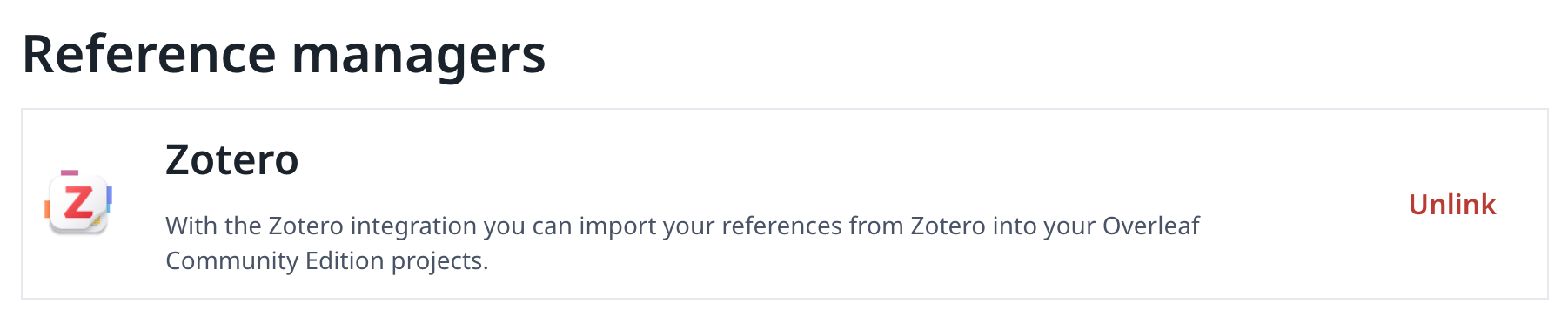
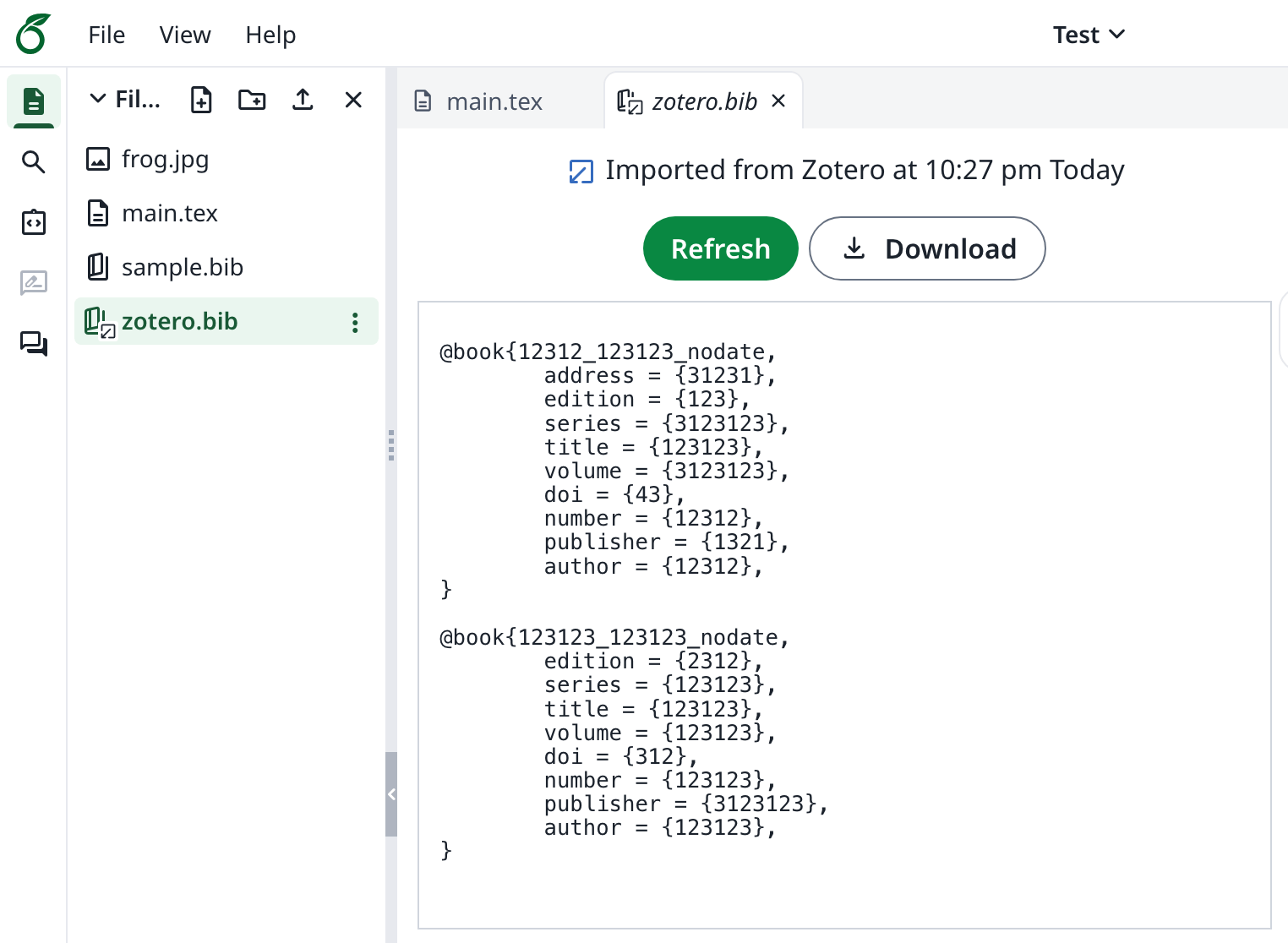
该功能最初由 [davrot](https://github.com/davrot) 和 [yu-i-i/overleaf-cep](https://github.com/yu-i-i/overleaf-cep) 开发,并由 [ayaka-notes/overleaf-pro](https://github.com/ayaka-notes/overleaf-pro) 修改以支持 OAuth。它从 v6.2.0 起引入,目前仍处于 beta 阶段。如果遇到任何问题,欢迎向我们反馈。
 ### 设置 Zotero 集成
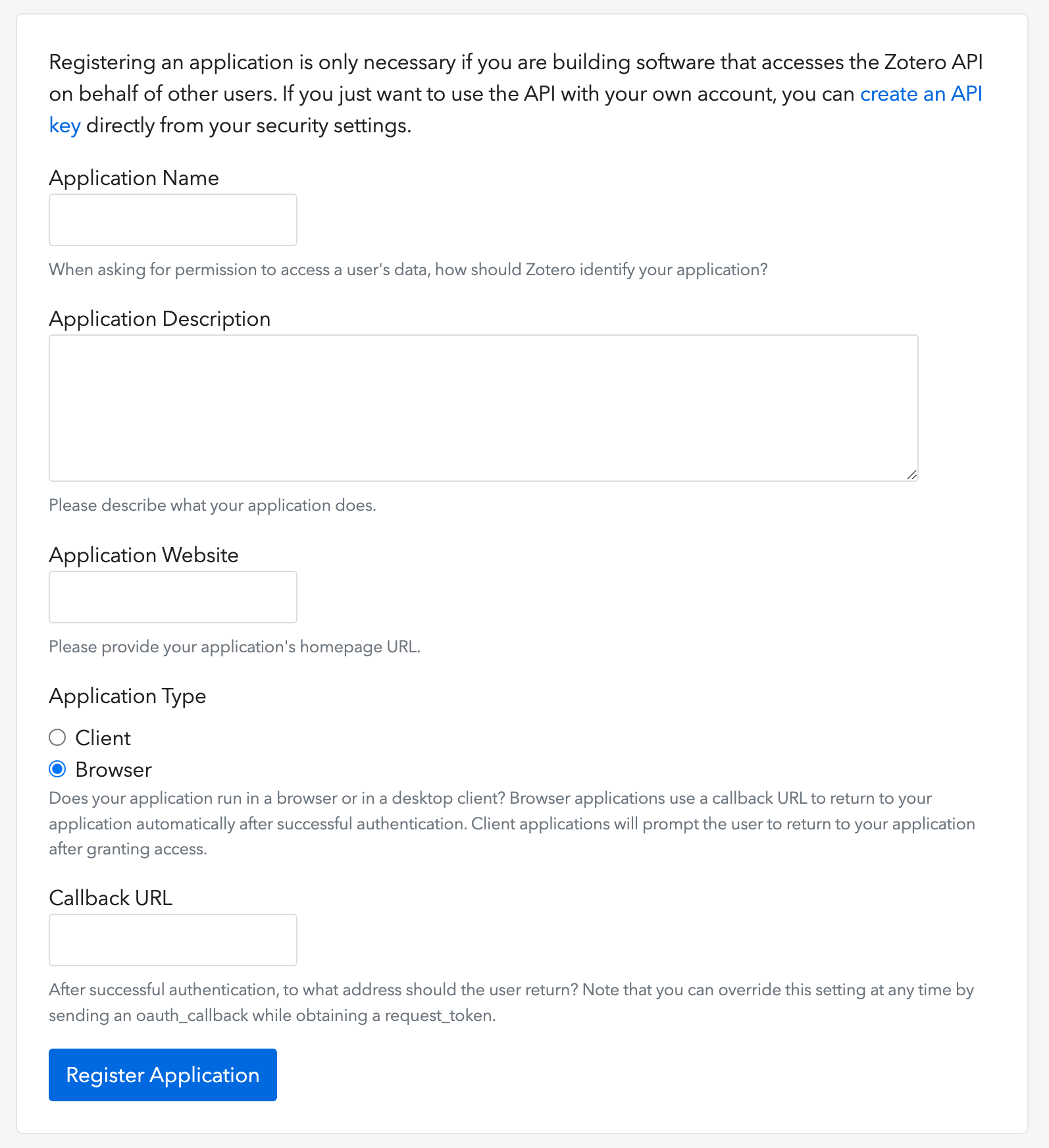
1. 打开[此链接](https://www.zotero.org/oauth/apps)创建一个 Zotero OAuth 客户端(如图所示)
2. 将 **Application Type** 选择为 **Browser**
3. 将回调 URL(Callback URL)设置为 `${OVERLEAF_SITE_URL}/user/zotero/oauth/callback`
4. 配置你的 `config/variables.env`
### 设置 Zotero 集成
1. 打开[此链接](https://www.zotero.org/oauth/apps)创建一个 Zotero OAuth 客户端(如图所示)
2. 将 **Application Type** 选择为 **Browser**
3. 将回调 URL(Callback URL)设置为 `${OVERLEAF_SITE_URL}/user/zotero/oauth/callback`
4. 配置你的 `config/variables.env`
 ```dotenv title="config/variables.env" theme={null}
#################
# Zotero #
#################
# 'zotero' must be in ENABLED_LINKED_FILE_TYPES (set in develop/docker-compose.yml)
ENABLED_LINKED_FILE_TYPES=project_file,project_output_file,url,zotero
# From a Zotero OAuth client (register at https://www.zotero.org/oauth/apps)
# Application Type: Browser
# Callback URL -> ${OVERLEAF_SITE_URL}/user/zotero/oauth/callback
ZOTERO_CLIENT_ID=
ZOTERO_CLIENT_SECRET=
# Encrypts the Zotero API key in mongo (set in dev to avoid writing a key file
# to /var/lib/overleaf/data, which the dev web container can't create)
# How to generate: `openssl rand -hex 32`
ZOTERO_CIPHER_PASSWORD=dev-zotero-cipher-password
# Optional: route the module's server-side Zotero requests (OAuth + API) through
# an HTTP proxy (must be reachable from the web container; same as github-sync)
# http://10.0.0.1:10808
# (Optional) ZOTERO_PROXY_URL=
```
### 注意事项
将已包含 Zotero 关联参考文献文件的现有安装升级到重新发布的 6.3.0 时,请按照 [Zotero / Mendeley 迁移说明](/zh-CN/on-premises/release-notes/release-notes-6.x.x#ayakaleaf-pro-6.3.0 "mention")操作。新安装无需执行此迁移。
由于 Ayakaleaf 是一个协作平台,为了提高安全性,从 6.3.0 版本开始,只有参考文献 `bib` 文件的原始创建者才能更新该导入文件。
例如,假设项目所有者用户 A 启用了链接共享,并在项目中创建了一个 `test.bib` 文件,将其关联到自己的 Zotero 账户。如果另一个用户 B 通过共享链接访问该项目,用户 B 仍然可以读取和下载 `test.bib`,但无法从 Zotero 更新或重新导入该文件。只有作为该参考文献文件原始创建者的用户 A 才能执行更新。换言之,只有 `.bib` 文件的原始创建者才有权更新它。
This documentation is built and hosted on [Mintlify](https://mintlify.com), a developer documentation platform.
```dotenv title="config/variables.env" theme={null}
#################
# Zotero #
#################
# 'zotero' must be in ENABLED_LINKED_FILE_TYPES (set in develop/docker-compose.yml)
ENABLED_LINKED_FILE_TYPES=project_file,project_output_file,url,zotero
# From a Zotero OAuth client (register at https://www.zotero.org/oauth/apps)
# Application Type: Browser
# Callback URL -> ${OVERLEAF_SITE_URL}/user/zotero/oauth/callback
ZOTERO_CLIENT_ID=
ZOTERO_CLIENT_SECRET=
# Encrypts the Zotero API key in mongo (set in dev to avoid writing a key file
# to /var/lib/overleaf/data, which the dev web container can't create)
# How to generate: `openssl rand -hex 32`
ZOTERO_CIPHER_PASSWORD=dev-zotero-cipher-password
# Optional: route the module's server-side Zotero requests (OAuth + API) through
# an HTTP proxy (must be reachable from the web container; same as github-sync)
# http://10.0.0.1:10808
# (Optional) ZOTERO_PROXY_URL=
```
### 注意事项
将已包含 Zotero 关联参考文献文件的现有安装升级到重新发布的 6.3.0 时,请按照 [Zotero / Mendeley 迁移说明](/zh-CN/on-premises/release-notes/release-notes-6.x.x#ayakaleaf-pro-6.3.0 "mention")操作。新安装无需执行此迁移。
由于 Ayakaleaf 是一个协作平台,为了提高安全性,从 6.3.0 版本开始,只有参考文献 `bib` 文件的原始创建者才能更新该导入文件。
例如,假设项目所有者用户 A 启用了链接共享,并在项目中创建了一个 `test.bib` 文件,将其关联到自己的 Zotero 账户。如果另一个用户 B 通过共享链接访问该项目,用户 B 仍然可以读取和下载 `test.bib`,但无法从 Zotero 更新或重新导入该文件。只有作为该参考文献文件原始创建者的用户 A 才能执行更新。换言之,只有 `.bib` 文件的原始创建者才有权更新它。
This documentation is built and hosted on [Mintlify](https://mintlify.com), a developer documentation platform.