> ## Documentation Index
> Fetch the complete documentation index at: https://ayakaleaf-pro.mintlify.site/llms.txt
> Use this file to discover all available pages before exploring further.
# 身份验证
此功能由 [yu-i-i/overleaf-cep](https://github.com/yu-i-i/overleaf-cep) 开发。
目前支持 3 种身份验证方式。配置完成后,你可以使用以下选项登录,如下图所示。
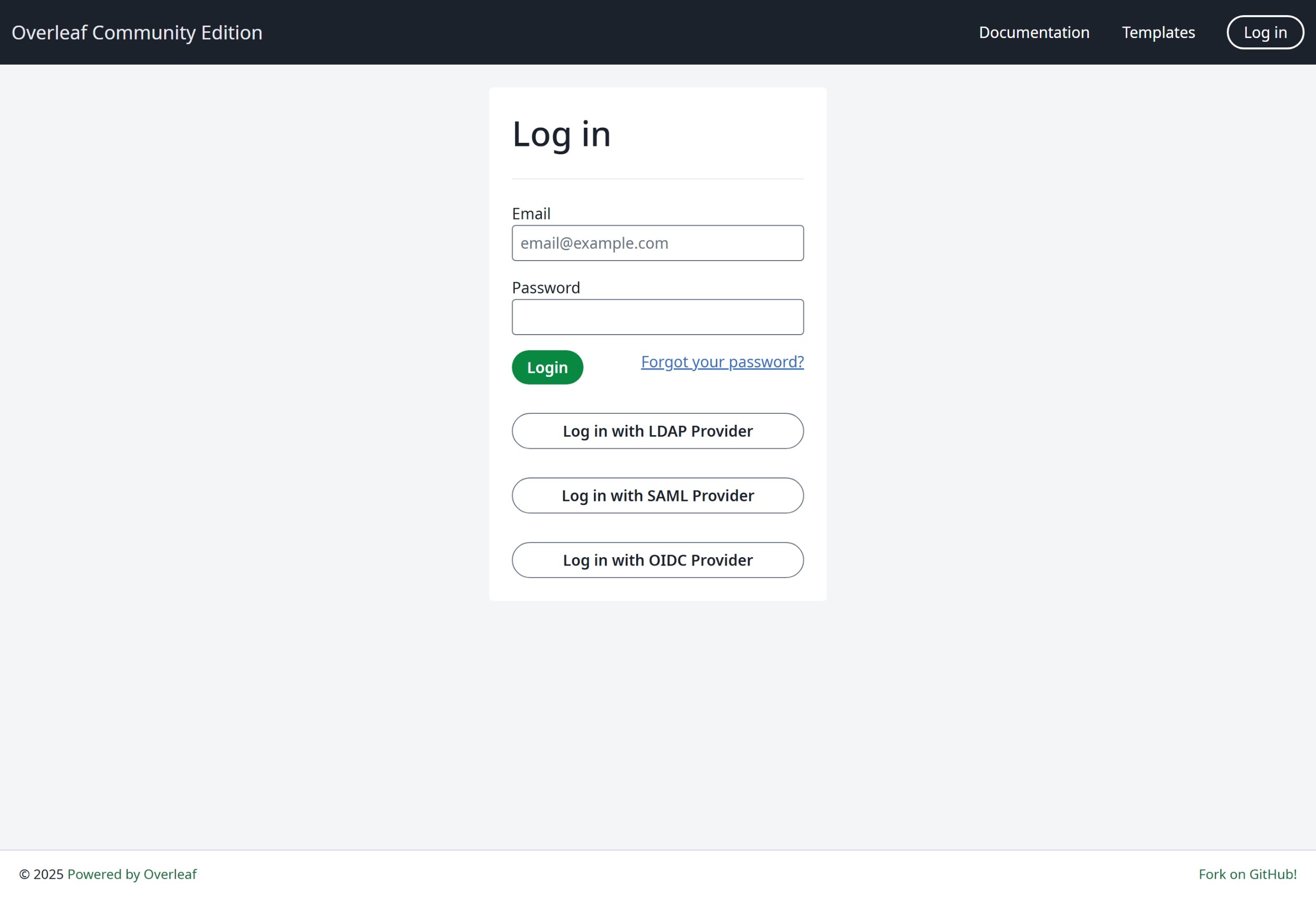 我们强烈建议你使用 OIDC,因为这是最通用的方式。
### 全局配置
需要通过环境变量 `EXTERNAL_AUTH` 来启用特定的身份验证模块。该环境变量指定要激活哪些外部身份验证方式。可用选项如下(小写):
* saml
* ldap
* oidc
### SSO 建议
我针对 Overleaf 测试了 saml、ldap 和 oauth。saml 和 oauth 在 Overleaf 中都运行良好,但 ldap 则视情况而定。它在 [https://docs.goauthentik.io/](https://docs.goauthentik.io/) 上无法正常工作,但在 openLDAP([https://github.com/rroemhild/docker-test-openldap](https://github.com/rroemhild/docker-test-openldap))上运行良好。
我们需要更新 passport-ldapauth。最近我尝试用 [https://goauthentik.io/](https://goauthentik.io/) 测试 Overleaf 的 LDAP,结果失败了。将 "passport-ldapauth" 更新到 3.0.0 之后,一切都正常了。
```text theme={null}
"passport-ldapauth": "^3.0.0",
```
原来的版本是 2.x.x,那已经是 6 年前的版本了。
我不确定具体原因,因为我们都依赖外部软件包来进行 LDAP(以及 saml、oauth)身份验证。如果无法正常工作,Overleaf Server Pro 的情况可能也是一样的,因为我们只是把所有环境变量传递给内部软件包,如果其中存在 bug,我们目前也无从得知。
**因此,我强烈建议用户搭建开发环境,使用完整源代码来测试 SSO**,具体请参见[搭建开发环境(本地)](/zh-CN/dev/environment/setup-develop-environment-local "mention")。在开发环境中,你可以在终端中看到所有日志,便于调试。
\\
我们强烈建议你使用 OIDC,因为这是最通用的方式。
### 全局配置
需要通过环境变量 `EXTERNAL_AUTH` 来启用特定的身份验证模块。该环境变量指定要激活哪些外部身份验证方式。可用选项如下(小写):
* saml
* ldap
* oidc
### SSO 建议
我针对 Overleaf 测试了 saml、ldap 和 oauth。saml 和 oauth 在 Overleaf 中都运行良好,但 ldap 则视情况而定。它在 [https://docs.goauthentik.io/](https://docs.goauthentik.io/) 上无法正常工作,但在 openLDAP([https://github.com/rroemhild/docker-test-openldap](https://github.com/rroemhild/docker-test-openldap))上运行良好。
我们需要更新 passport-ldapauth。最近我尝试用 [https://goauthentik.io/](https://goauthentik.io/) 测试 Overleaf 的 LDAP,结果失败了。将 "passport-ldapauth" 更新到 3.0.0 之后,一切都正常了。
```text theme={null}
"passport-ldapauth": "^3.0.0",
```
原来的版本是 2.x.x,那已经是 6 年前的版本了。
我不确定具体原因,因为我们都依赖外部软件包来进行 LDAP(以及 saml、oauth)身份验证。如果无法正常工作,Overleaf Server Pro 的情况可能也是一样的,因为我们只是把所有环境变量传递给内部软件包,如果其中存在 bug,我们目前也无从得知。
**因此,我强烈建议用户搭建开发环境,使用完整源代码来测试 SSO**,具体请参见[搭建开发环境(本地)](/zh-CN/dev/environment/setup-develop-environment-local "mention")。在开发环境中,你可以在终端中看到所有日志,便于调试。
\\
This documentation is built and hosted on [Mintlify](https://mintlify.com), a developer documentation platform.