> ## Documentation Index
> Fetch the complete documentation index at: https://ayakaleaf-pro.mintlify.site/llms.txt
> Use this file to discover all available pages before exploring further.
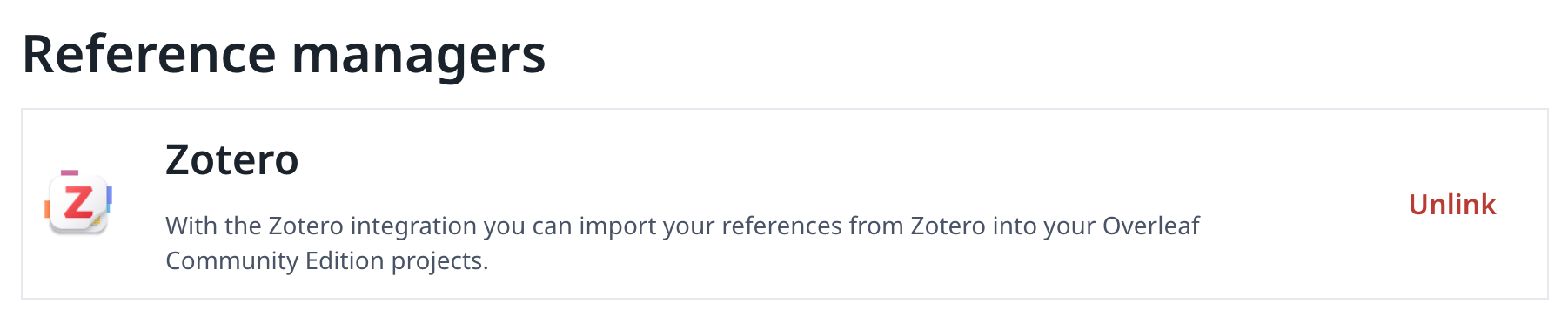
# Tích hợp Zotero
Tính năng này ban đầu được phát triển bởi [davrot](https://github.com/davrot) và [yu-i-i/overleaf-cep](https://github.com/yu-i-i/overleaf-cep), sau đó được [ayaka-notes/overleaf-pro](https://github.com/ayaka-notes/overleaf-pro) chỉnh sửa để hỗ trợ OAuth. Tính năng được giới thiệu từ v6.2.0 trở đi và vẫn đang ở trạng thái beta. Chúng tôi rất cần phản hồi của bạn nếu gặp bất kỳ vấn đề nào.
 ### Thiết lập tích hợp Zotero
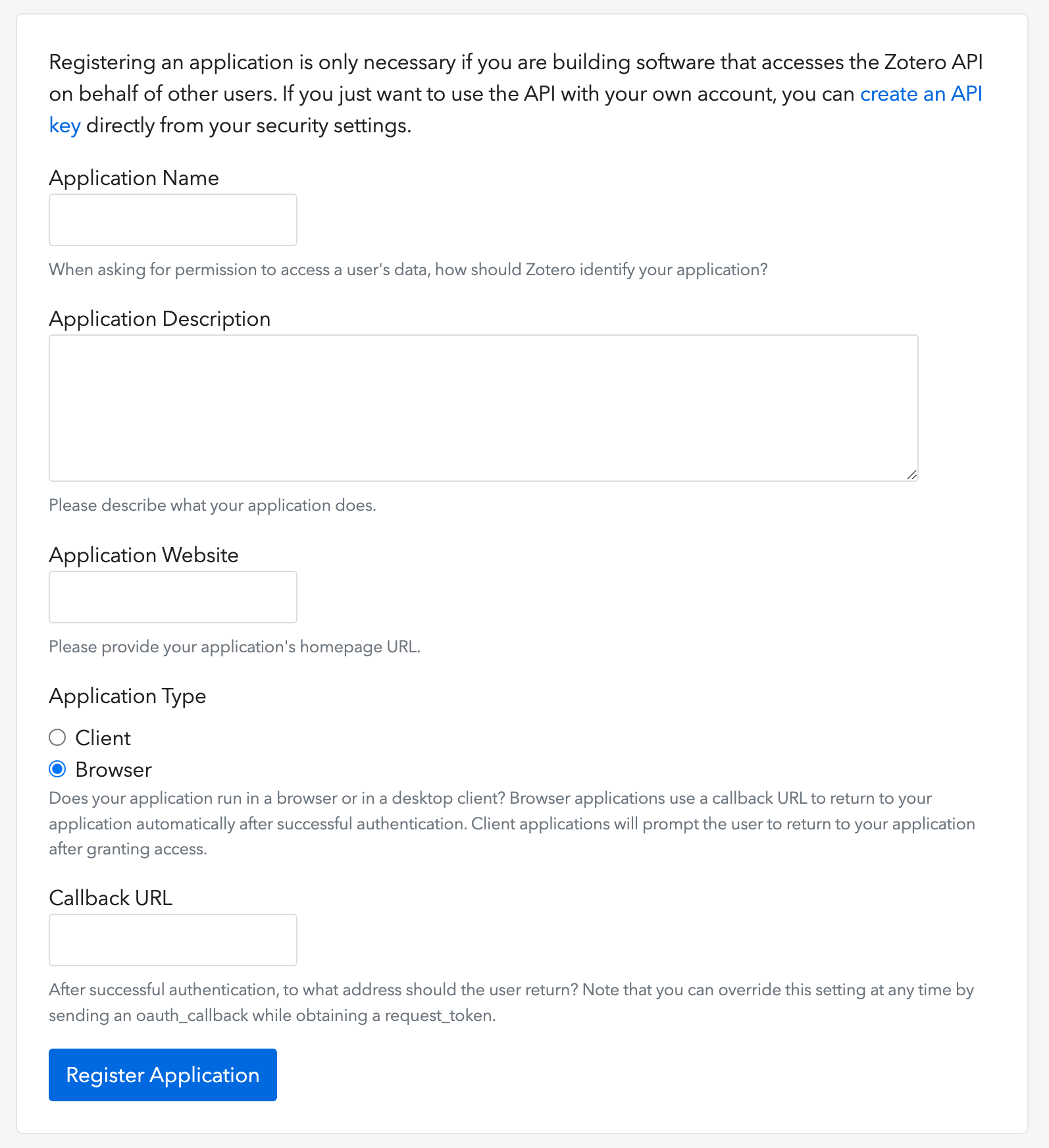
1. Mở [liên kết này](https://www.zotero.org/oauth/apps) để tạo một Zotero OAuth client (như hình minh họa)
2. Chọn **Application Type**: **Browser**
3. Thiết lập Callback URL là `${OVERLEAF_SITE_URL}/user/zotero/oauth/callback` của bạn
4. Cấu hình tệp `config/variables.env`
### Thiết lập tích hợp Zotero
1. Mở [liên kết này](https://www.zotero.org/oauth/apps) để tạo một Zotero OAuth client (như hình minh họa)
2. Chọn **Application Type**: **Browser**
3. Thiết lập Callback URL là `${OVERLEAF_SITE_URL}/user/zotero/oauth/callback` của bạn
4. Cấu hình tệp `config/variables.env`
 ```dotenv title="config/variables.env" theme={null}
#################
# Zotero #
#################
# 'zotero' must be in ENABLED_LINKED_FILE_TYPES (set in develop/docker-compose.yml)
ENABLED_LINKED_FILE_TYPES=project_file,project_output_file,url,zotero
# From a Zotero OAuth client (register at https://www.zotero.org/oauth/apps)
# Application Type: Browser
# Callback URL -> ${OVERLEAF_SITE_URL}/user/zotero/oauth/callback
ZOTERO_CLIENT_ID=
ZOTERO_CLIENT_SECRET=
# Encrypts the Zotero API key in mongo (set in dev to avoid writing a key file
# to /var/lib/overleaf/data, which the dev web container can't create)
# How to generate: `openssl rand -hex 32`
ZOTERO_CIPHER_PASSWORD=dev-zotero-cipher-password
# Optional: route the module's server-side Zotero requests (OAuth + API) through
# an HTTP proxy (must be reachable from the web container; same as github-sync)
# http://10.0.0.1:10808
# (Optional) ZOTERO_PROXY_URL=
```
### Lưu ý
Khi nâng cấp một bản cài đặt hiện có có các tệp thư mục tham khảo liên kết với Zotero lên bản 6.3.0 được phát hành lại, hãy làm theo [hướng dẫn di chuyển Zotero / Mendeley](/vi/on-premises/release-notes/release-notes-6.x.x#ayakaleaf-pro-6.3.0 "mention"). Các bản cài đặt mới không cần thực hiện bước di chuyển này.
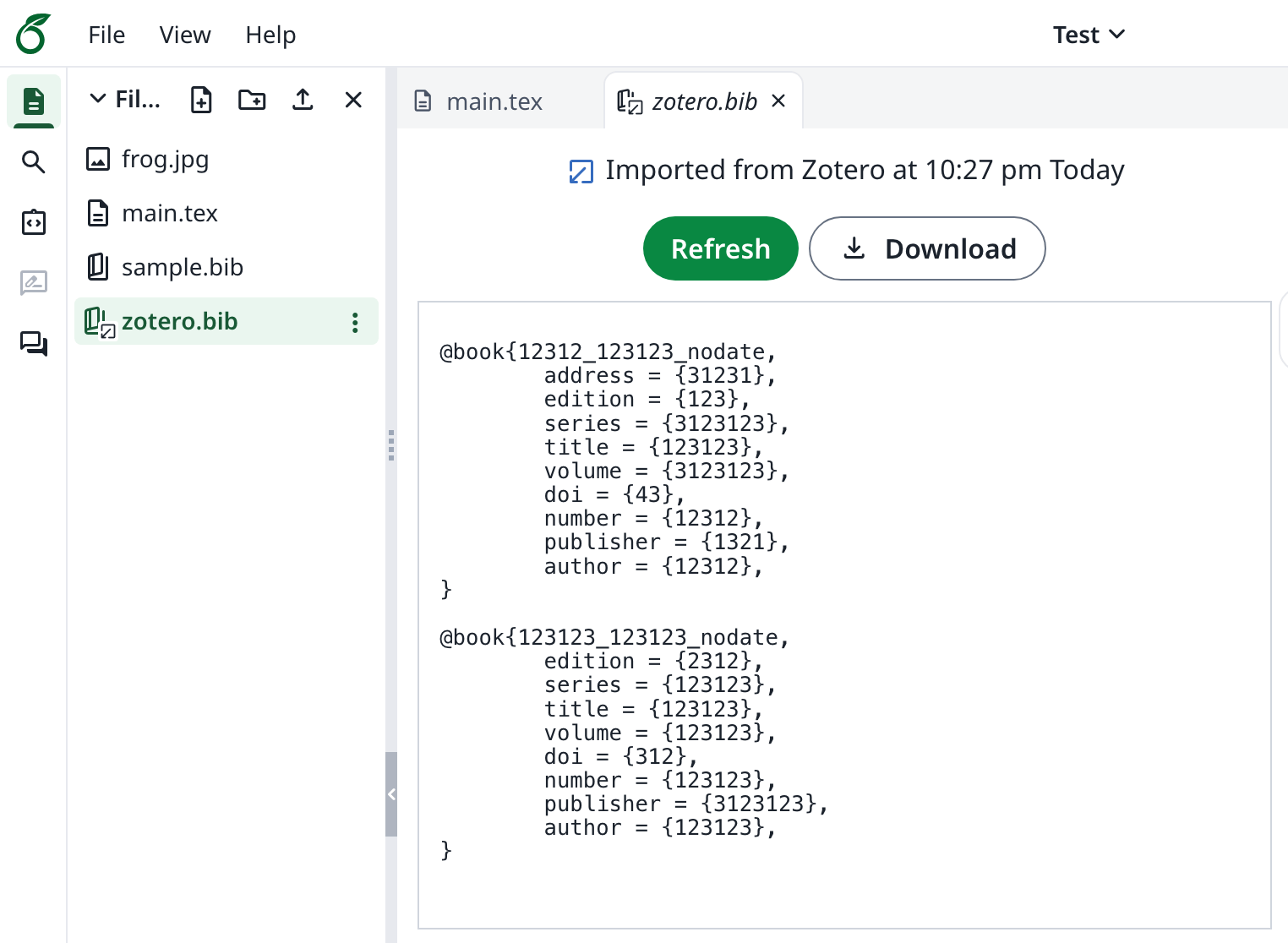
Vì Ayakaleaf là một nền tảng cộng tác, để tăng cường bảo mật, bắt đầu từ phiên bản 6.3.0, chỉ người tạo ban đầu của tệp tham khảo `bib` mới được phép cập nhật tệp đã nhập.
Ví dụ, giả sử chủ sở hữu dự án, Người dùng A, bật chia sẻ qua liên kết và tạo tệp `test.bib` trong dự án, liên kết nó với tài khoản Zotero của chính mình. Nếu một người dùng khác, Người dùng B, truy cập dự án thông qua liên kết chia sẻ, Người dùng B vẫn có thể đọc và tải xuống `test.bib`, nhưng sẽ không được phép cập nhật hoặc nhập lại tệp từ Zotero. Chỉ Người dùng A, với tư cách là người tạo ban đầu của tệp tham khảo, mới có thể thực hiện cập nhật. Nói cách khác, chỉ người tạo ban đầu của tệp `.bib` mới có quyền cập nhật nó.
This documentation is built and hosted on [Mintlify](https://mintlify.com), a developer documentation platform.
```dotenv title="config/variables.env" theme={null}
#################
# Zotero #
#################
# 'zotero' must be in ENABLED_LINKED_FILE_TYPES (set in develop/docker-compose.yml)
ENABLED_LINKED_FILE_TYPES=project_file,project_output_file,url,zotero
# From a Zotero OAuth client (register at https://www.zotero.org/oauth/apps)
# Application Type: Browser
# Callback URL -> ${OVERLEAF_SITE_URL}/user/zotero/oauth/callback
ZOTERO_CLIENT_ID=
ZOTERO_CLIENT_SECRET=
# Encrypts the Zotero API key in mongo (set in dev to avoid writing a key file
# to /var/lib/overleaf/data, which the dev web container can't create)
# How to generate: `openssl rand -hex 32`
ZOTERO_CIPHER_PASSWORD=dev-zotero-cipher-password
# Optional: route the module's server-side Zotero requests (OAuth + API) through
# an HTTP proxy (must be reachable from the web container; same as github-sync)
# http://10.0.0.1:10808
# (Optional) ZOTERO_PROXY_URL=
```
### Lưu ý
Khi nâng cấp một bản cài đặt hiện có có các tệp thư mục tham khảo liên kết với Zotero lên bản 6.3.0 được phát hành lại, hãy làm theo [hướng dẫn di chuyển Zotero / Mendeley](/vi/on-premises/release-notes/release-notes-6.x.x#ayakaleaf-pro-6.3.0 "mention"). Các bản cài đặt mới không cần thực hiện bước di chuyển này.
Vì Ayakaleaf là một nền tảng cộng tác, để tăng cường bảo mật, bắt đầu từ phiên bản 6.3.0, chỉ người tạo ban đầu của tệp tham khảo `bib` mới được phép cập nhật tệp đã nhập.
Ví dụ, giả sử chủ sở hữu dự án, Người dùng A, bật chia sẻ qua liên kết và tạo tệp `test.bib` trong dự án, liên kết nó với tài khoản Zotero của chính mình. Nếu một người dùng khác, Người dùng B, truy cập dự án thông qua liên kết chia sẻ, Người dùng B vẫn có thể đọc và tải xuống `test.bib`, nhưng sẽ không được phép cập nhật hoặc nhập lại tệp từ Zotero. Chỉ Người dùng A, với tư cách là người tạo ban đầu của tệp tham khảo, mới có thể thực hiện cập nhật. Nói cách khác, chỉ người tạo ban đầu của tệp `.bib` mới có quyền cập nhật nó.
This documentation is built and hosted on [Mintlify](https://mintlify.com), a developer documentation platform.