> ## Documentation Index
> Fetch the complete documentation index at: https://ayakaleaf-pro.mintlify.site/llms.txt
> Use this file to discover all available pages before exploring further.
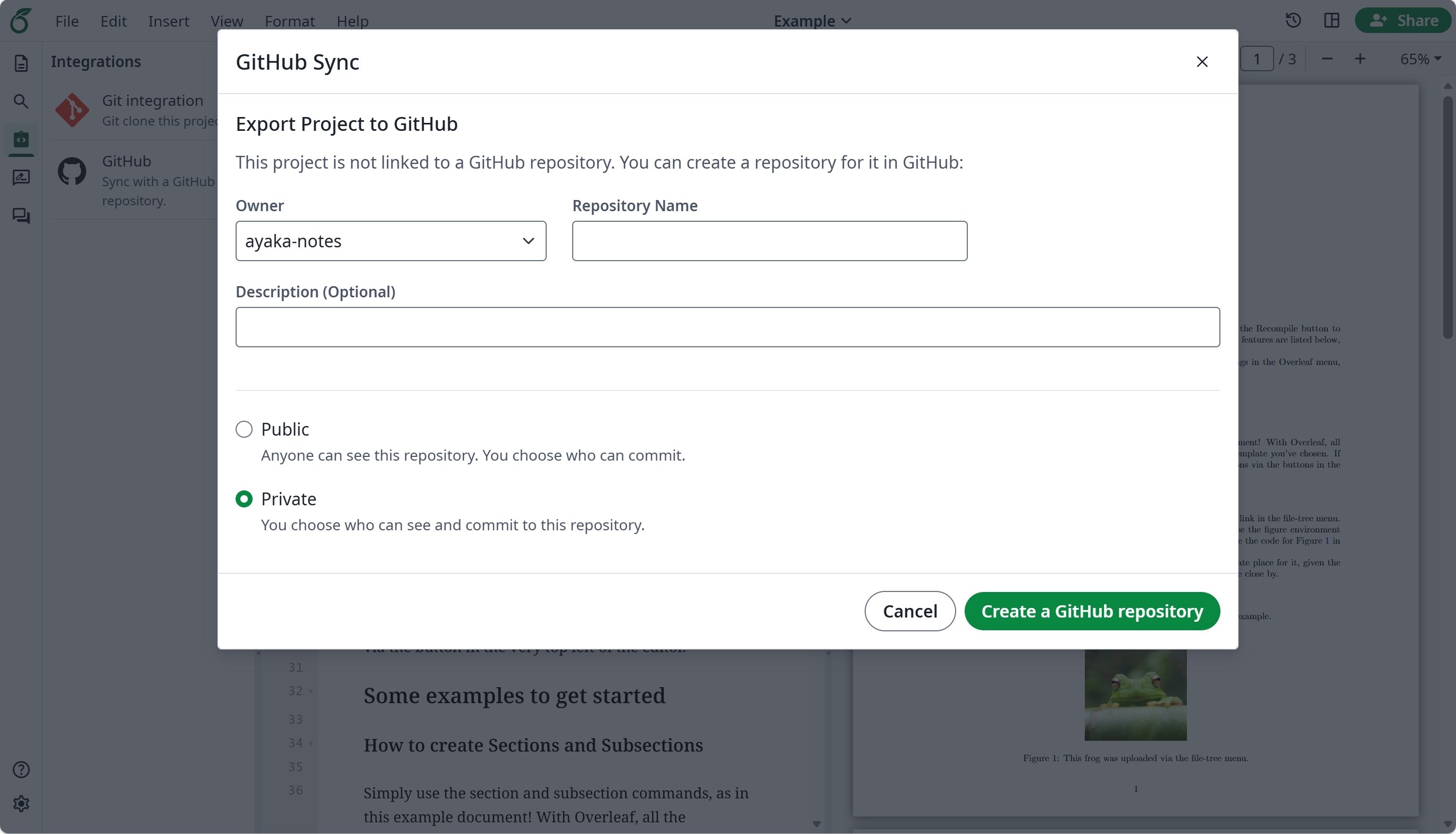
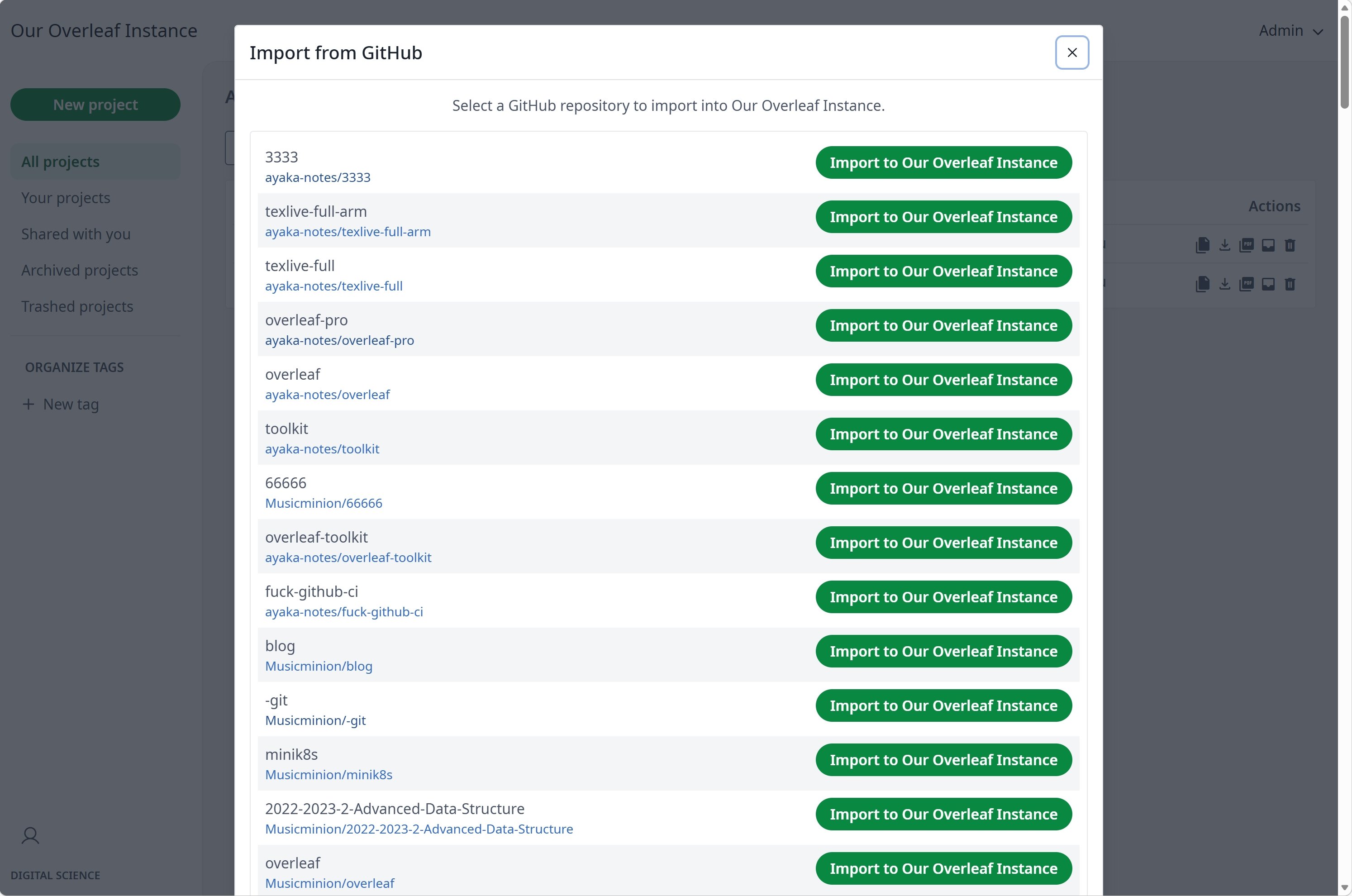
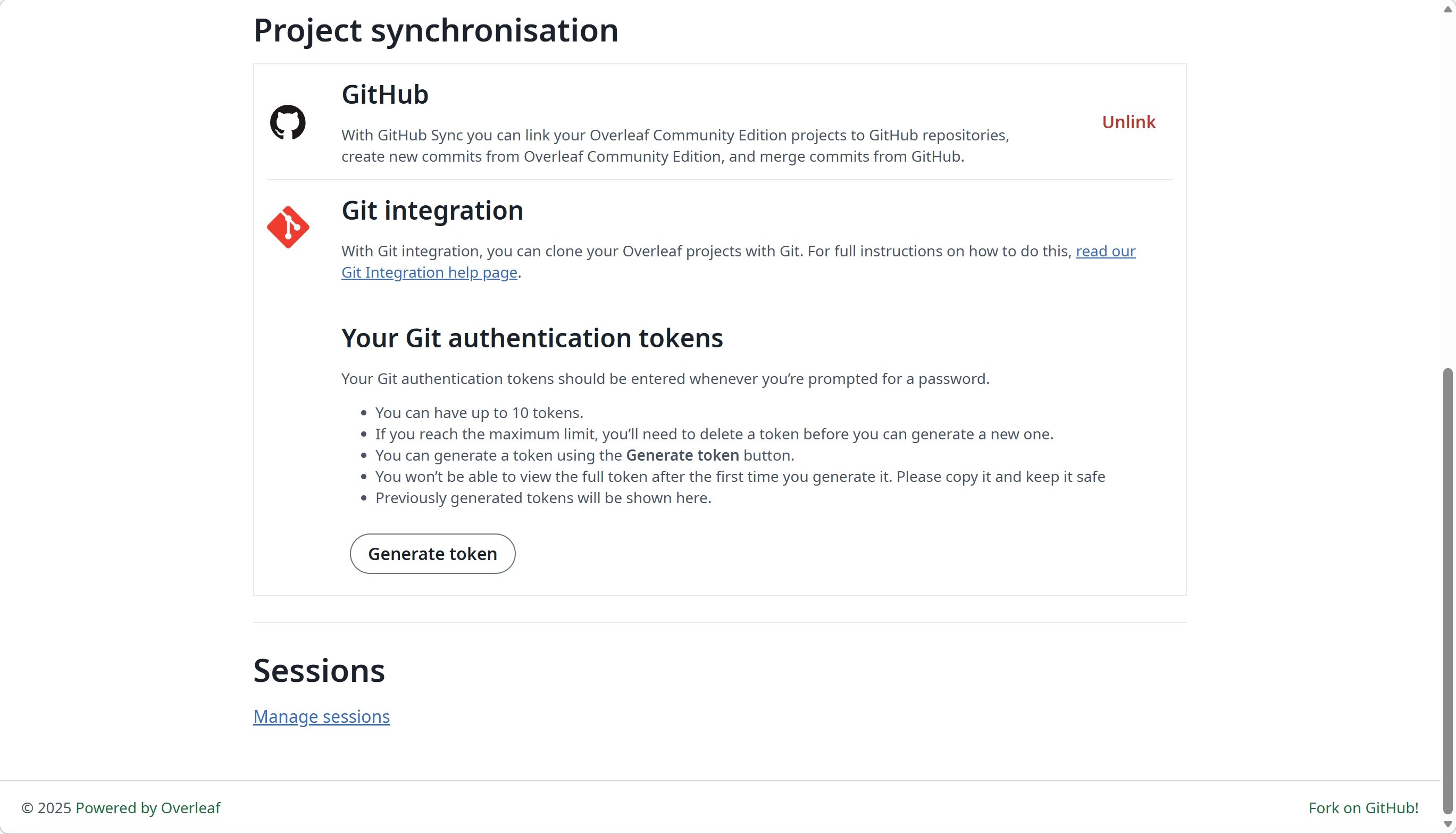
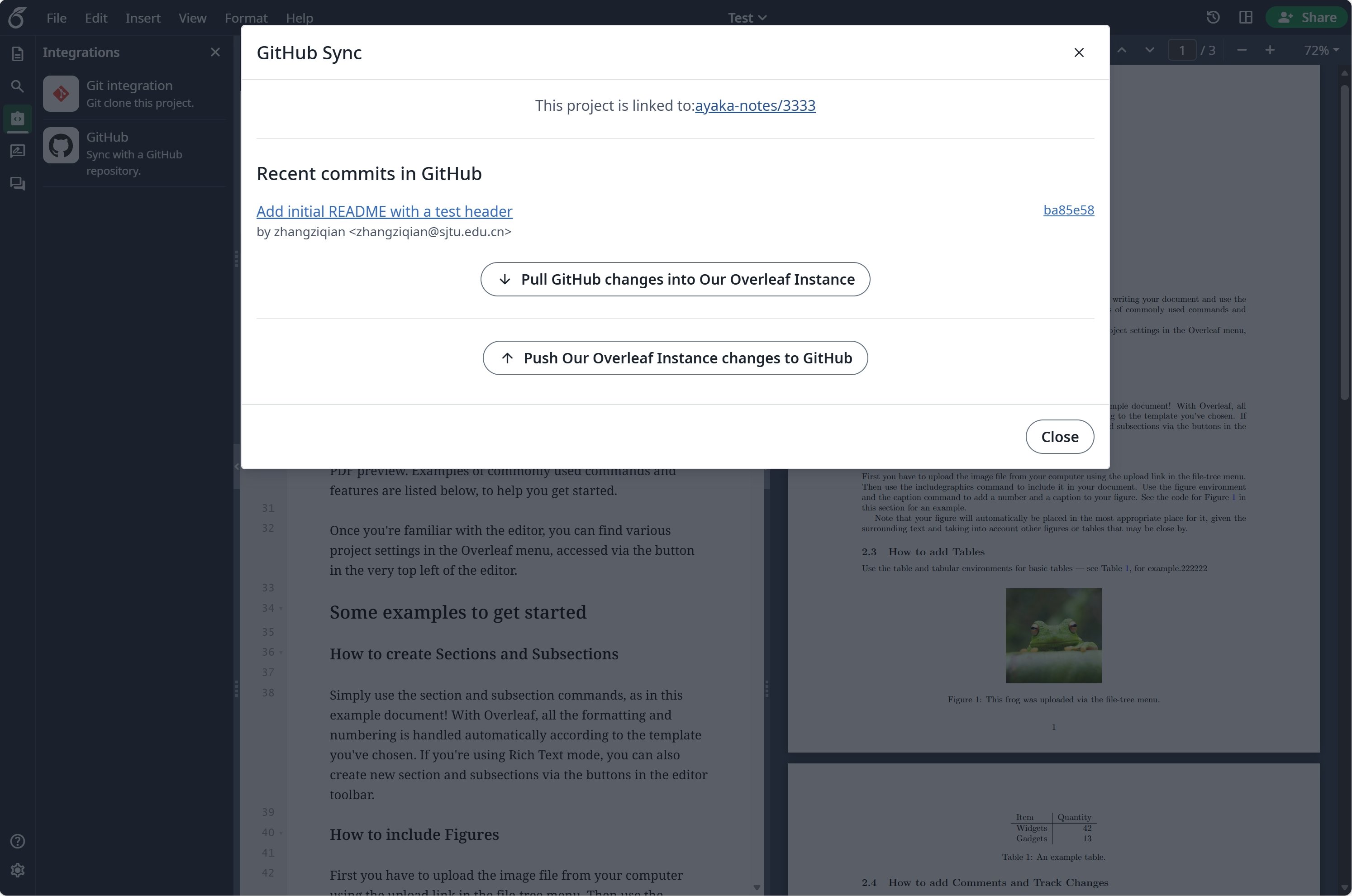
# Đồng bộ hóa GitHub
Tính năng này được phát triển bởi [ayaka-notes/overleaf-pro](https://github.com/ayaka-notes/overleaf-pro) và được chỉnh sửa bởi [yu-i-i/overleaf-cep](https://github.com/yu-i-i/overleaf-cep). Tính năng được giới thiệu từ v6.2.0 trở đi và vẫn đang ở trạng thái beta. Nếu gặp bất kỳ vấn đề nào, chúng tôi rất mong nhận được phản hồi của bạn.
 ### Thiết lập đồng bộ hóa GitHub
Bạn cần bật [git-bridge](/vi/on-premises/configuration/overleaf-toolkit/git-integration) trước khi sử dụng đồng bộ hóa GitHub.
```dotenv title="config/overleaf.rc" theme={null}
GIT_BRIDGE_ENABLED=true
```
Truy cập [developers settings](https://github.com/settings/developers) để tạo ứng dụng GitHub OAuth của bạn, sau đó sao chép `CLIENT_ID` và `SECRET`.
**Lưu ý**: URL callback OAuth của bạn là: `${OVERLEAF_SITE_URL}/user/github-sync/oauth2/callback`.
Sau đó, thêm các cài đặt sau vào tệp biến môi trường của Overleaf.
```dotenv title="config/variables.env" wrap theme={null}
# used to encrypt the user's GitHub access token.
# How to generate: `openssl rand -hex 32`
GITHUB_TOKEN_CIPHER_PASSWORD=0123456789ABCDEFG # changed to yours
# Github Sync Settings
GITHUB_SYNC_ENABLED=true
GITHUB_SYNC_CLIENT_ID=
GITHUB_SYNC_CLIENT_SECRET=
# OAuth callback is: ${OVERLEAF_SITE_URL}/user/github-sync/oauth2/callback
# (Optional) GITHUB_SYNC_PROXY_URL=http://10.0.0.1:10808
```
Trước khi cấu hình URL callback OAuth của GitHub, hãy đảm bảo `OVERLEAF_SITE_URL` đã được đặt chính xác.
Nếu bạn ở Trung Quốc đại lục, có thể bạn cần cấu hình proxy để truy cập GitHub. Hãy đặt biến môi trường sau: `GITHUB_SYNC_PROXY_URL=http://10.0.0.1:10808`.
Không sử dụng `127.0.0.1` làm máy chủ proxy. Nếu proxy chạy trên máy chủ host, hãy dùng địa chỉ IP LAN của máy chủ (ví dụ `192.168.1.xx`) và đảm bảo proxy được cấu hình để chấp nhận kết nối từ các thiết bị trong mạng cục bộ.
This documentation is built and hosted on [Mintlify](https://mintlify.com), a developer documentation platform.
### Thiết lập đồng bộ hóa GitHub
Bạn cần bật [git-bridge](/vi/on-premises/configuration/overleaf-toolkit/git-integration) trước khi sử dụng đồng bộ hóa GitHub.
```dotenv title="config/overleaf.rc" theme={null}
GIT_BRIDGE_ENABLED=true
```
Truy cập [developers settings](https://github.com/settings/developers) để tạo ứng dụng GitHub OAuth của bạn, sau đó sao chép `CLIENT_ID` và `SECRET`.
**Lưu ý**: URL callback OAuth của bạn là: `${OVERLEAF_SITE_URL}/user/github-sync/oauth2/callback`.
Sau đó, thêm các cài đặt sau vào tệp biến môi trường của Overleaf.
```dotenv title="config/variables.env" wrap theme={null}
# used to encrypt the user's GitHub access token.
# How to generate: `openssl rand -hex 32`
GITHUB_TOKEN_CIPHER_PASSWORD=0123456789ABCDEFG # changed to yours
# Github Sync Settings
GITHUB_SYNC_ENABLED=true
GITHUB_SYNC_CLIENT_ID=
GITHUB_SYNC_CLIENT_SECRET=
# OAuth callback is: ${OVERLEAF_SITE_URL}/user/github-sync/oauth2/callback
# (Optional) GITHUB_SYNC_PROXY_URL=http://10.0.0.1:10808
```
Trước khi cấu hình URL callback OAuth của GitHub, hãy đảm bảo `OVERLEAF_SITE_URL` đã được đặt chính xác.
Nếu bạn ở Trung Quốc đại lục, có thể bạn cần cấu hình proxy để truy cập GitHub. Hãy đặt biến môi trường sau: `GITHUB_SYNC_PROXY_URL=http://10.0.0.1:10808`.
Không sử dụng `127.0.0.1` làm máy chủ proxy. Nếu proxy chạy trên máy chủ host, hãy dùng địa chỉ IP LAN của máy chủ (ví dụ `192.168.1.xx`) và đảm bảo proxy được cấu hình để chấp nhận kết nối từ các thiết bị trong mạng cục bộ.
This documentation is built and hosted on [Mintlify](https://mintlify.com), a developer documentation platform.