> ## Documentation Index
> Fetch the complete documentation index at: https://ayakaleaf-pro.mintlify.site/llms.txt
> Use this file to discover all available pages before exploring further.
# Thiết lập công cụ phát triển
## Các công cụ phát triển được khuyến nghị
Các dịch vụ tùy chọn này không bắt buộc để chạy Overleaf, nhưng rất được khuyến nghị cho việc phát triển, gỡ lỗi và kiểm tra trong quá trình phát triển cục bộ.
* **Hoppscotch** là một công cụ kiểm thử API nhẹ tương tự Postman, nhưng chạy trên trình duyệt và rất tiện lợi cho việc phát triển.
* Frontend: [http://localhost:3000](http://localhost:3000/)
* Proxy (để vượt qua CORS): [http://localhost:9159](http://localhost:9159/)
* **RedisInsight** cung cấp giao diện trực quan để kiểm tra dữ liệu Redis. Giao diện có tại: [http://localhost:5540](http://localhost:5540/)
* **Mongo Express** là giao diện web cho MongoDB. Bạn có thể truy cập [http://localhost:8081](http://localhost:8081/) với **thông tin đăng nhập**: `admin:pass`
Vui lòng thêm nội dung sau vào `docker-compose.yml` của bạn:
```yml title="develop/docker-compose.yml" theme={null}
# services:
# Overleaf Dev Containers
# ...
# Add those for your development
# API debug
hoppscotch-frontend:
image: hoppscotch/hoppscotch-frontend:latest
ports:
- "3000:3000"
hoppscotch-proxy:
image: hoppscotch/proxyscotch:latest
environment:
- PORT=9159
ports:
- "9159:9159"
# Redis-insight
redis-insight:
image: redislabs/redisinsight:latest
ports:
- "5540:5540"
depends_on:
- redis
volumes:
- ./data/redis-insight:/data
# mongo-express
# basicAuth credentials are "admin:pass"
mongo-express:
image: mongo-express
ports:
- "8081:8081"
environment:
ME_CONFIG_MONGODB_SERVER: mongo
```
### Thiết lập Hoppscotch
#### Proxy cho yêu cầu API
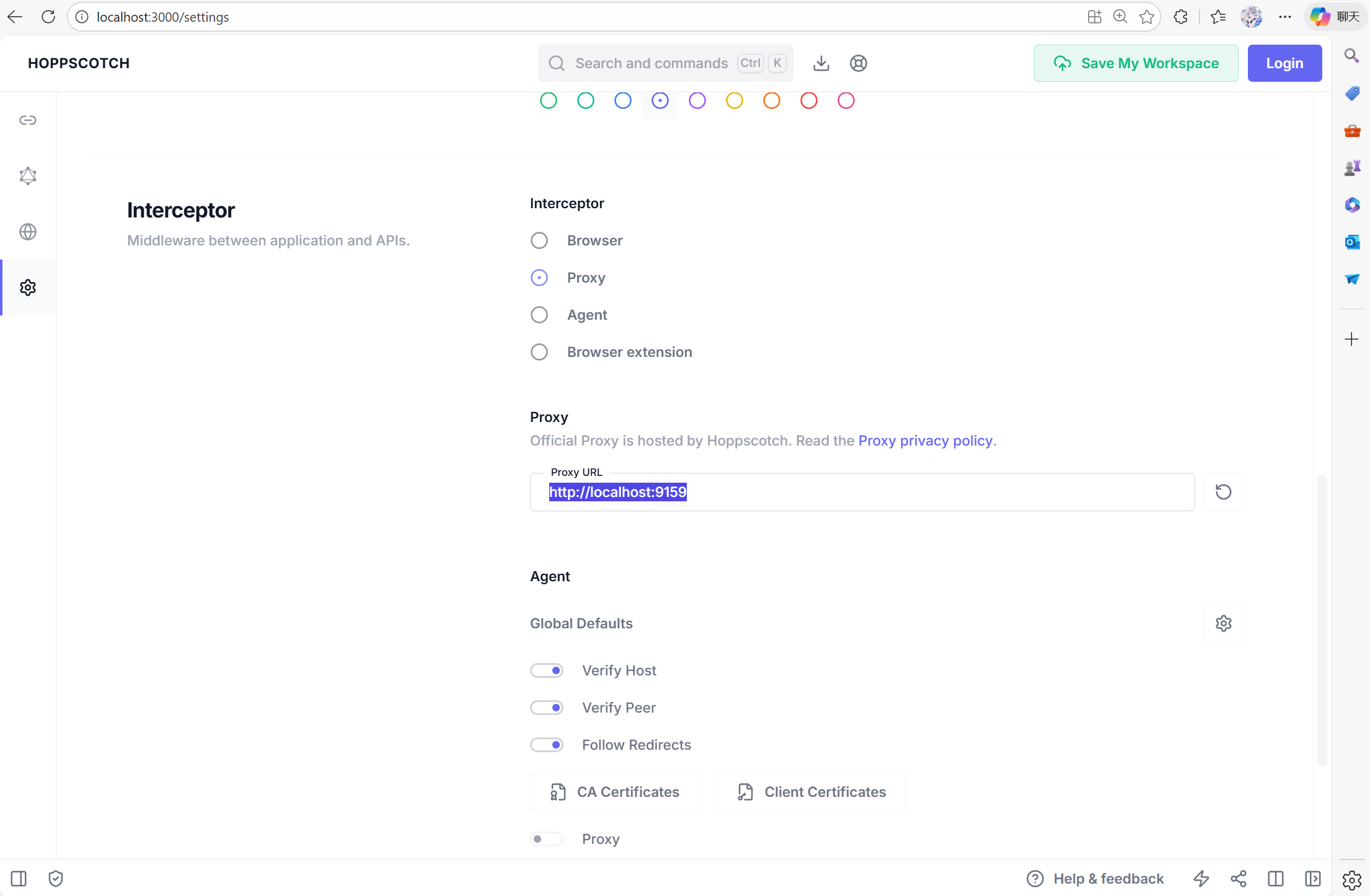
Để thiết lập Hoppscotch, bạn truy cập [http://localhost:3000](http://localhost:3000/), sau đó vào tab cài đặt. Bạn cần đặt `Proxy` thành [http://localhost:9159](http://localhost:9159/), để công cụ gỡ lỗi của bạn có thể tương tác với mạng nội bộ của container.
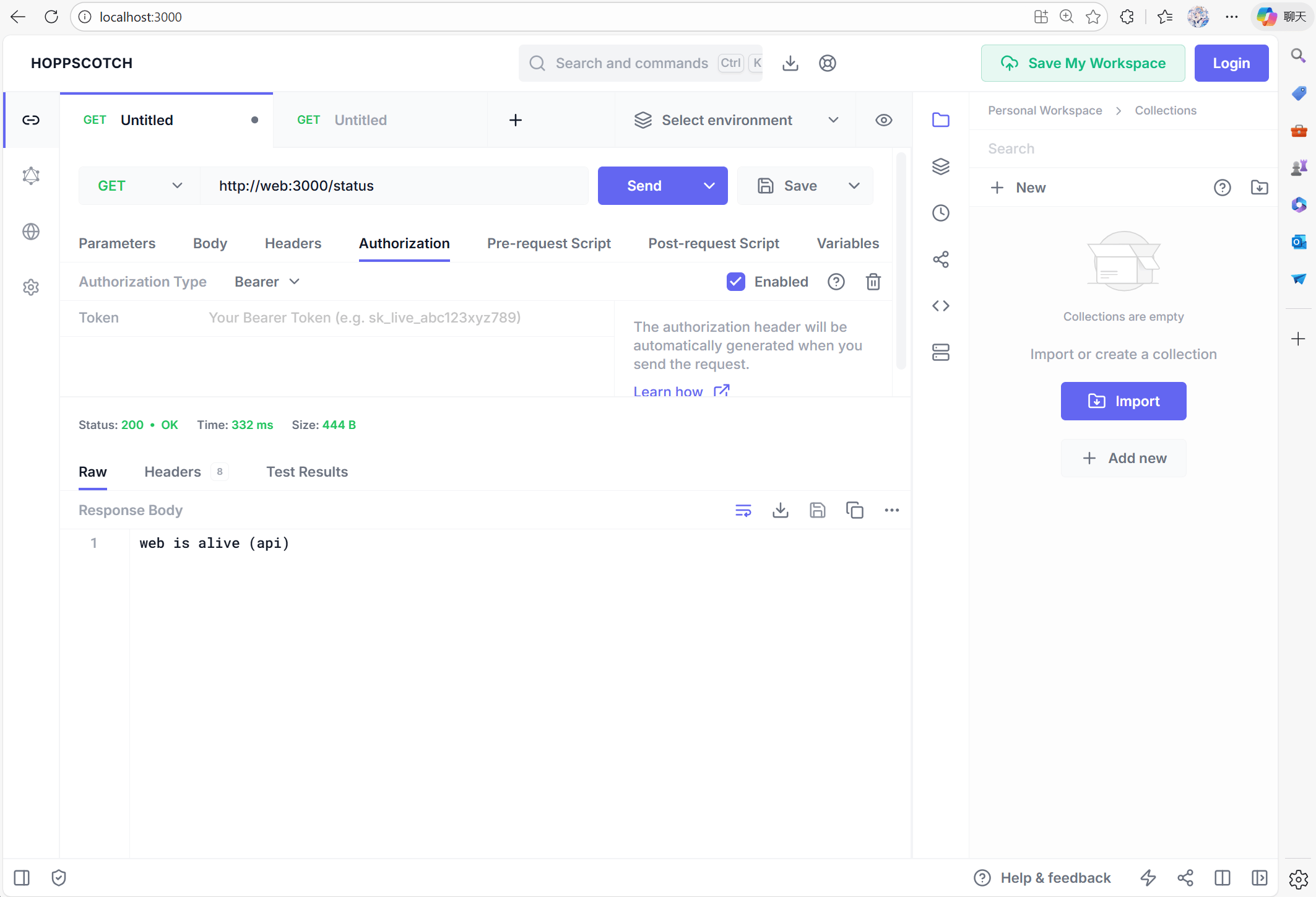
 Bây giờ bạn có thể thử với [http://web:3000/status](http://web:3000/status) để kiểm tra xem web có đang hoạt động hay không:
 #### Vấn đề CSRF
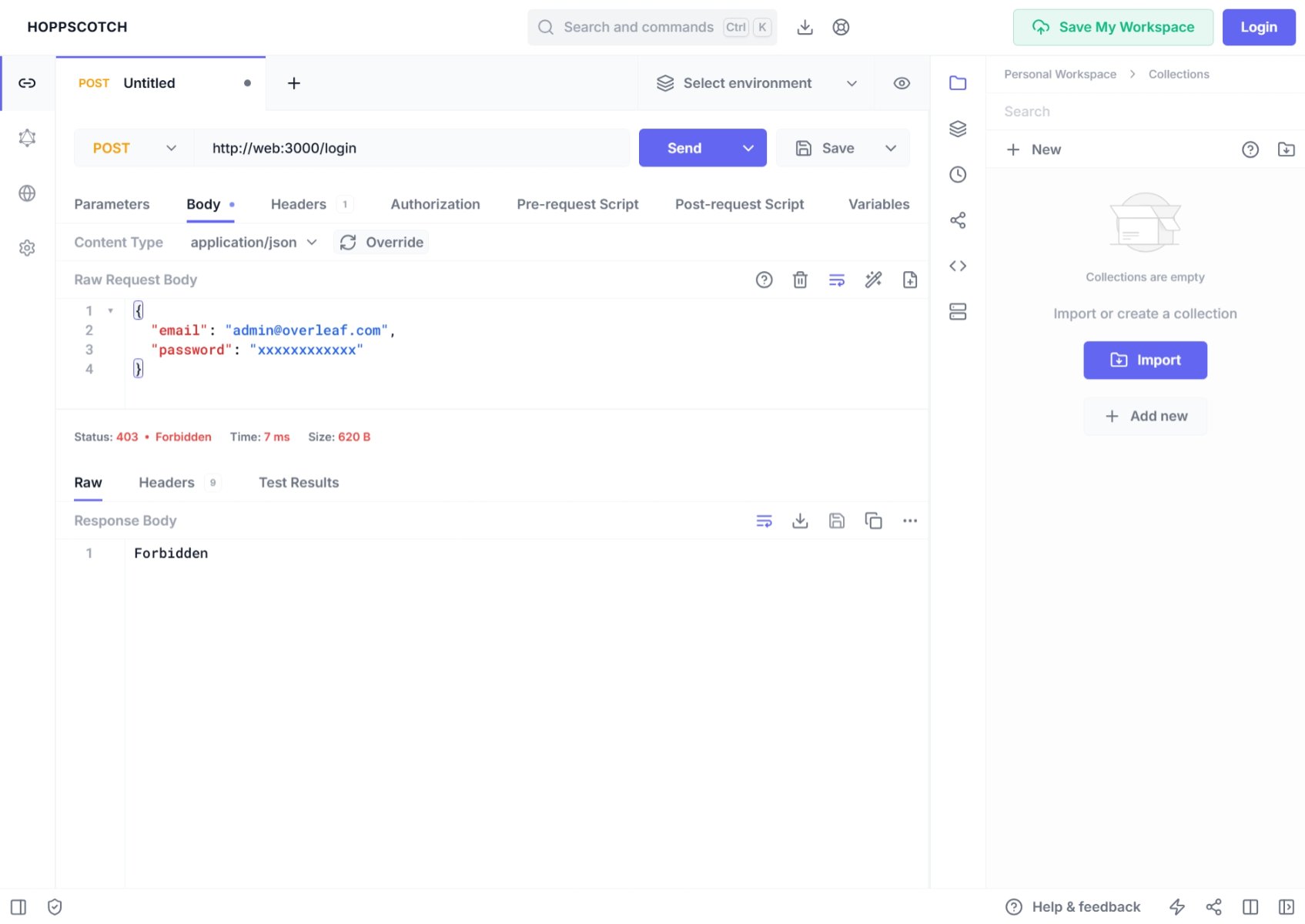
Nếu bạn dùng Postman hoặc các công cụ gỡ lỗi khác để tạo một yêu cầu **post**, bạn có thể thấy việc đăng nhập bị **từ chối (forbidden)**, với lỗi 401. Đó là vì Overleaf được bảo vệ bằng cơ chế xác minh **csrf**.
#### Vấn đề CSRF
Nếu bạn dùng Postman hoặc các công cụ gỡ lỗi khác để tạo một yêu cầu **post**, bạn có thể thấy việc đăng nhập bị **từ chối (forbidden)**, với lỗi 401. Đó là vì Overleaf được bảo vệ bằng cơ chế xác minh **csrf**.
 Trong console, bạn có thể thấy:
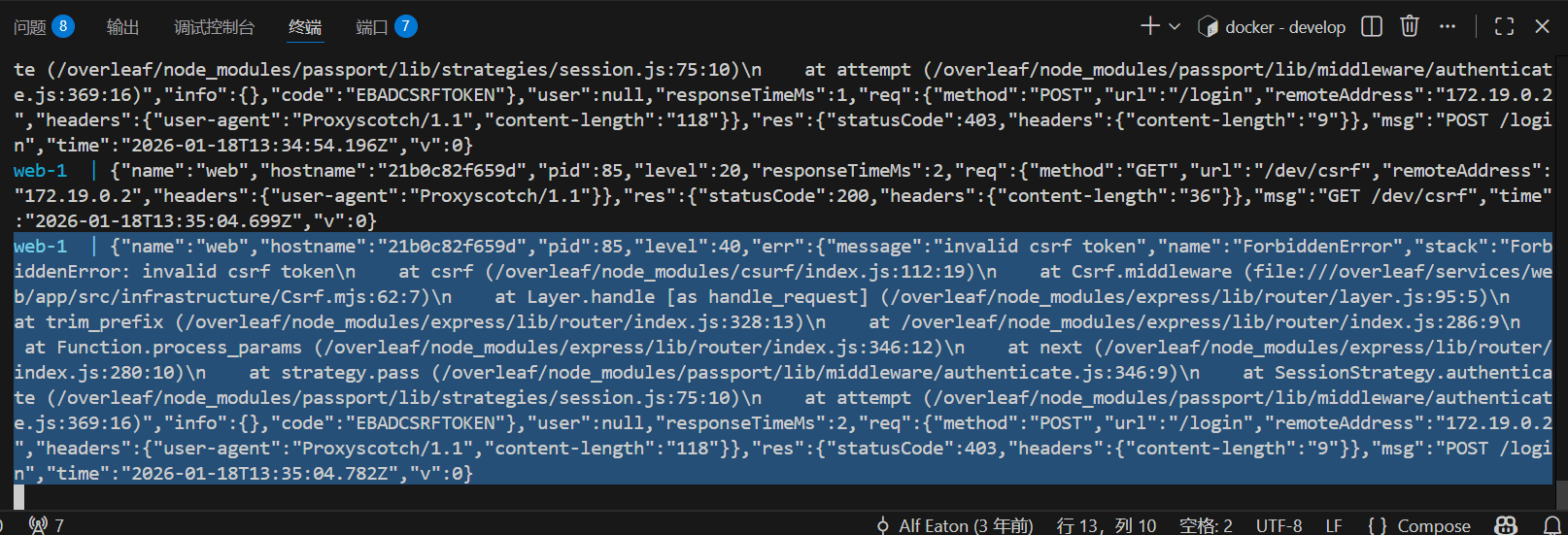 Để xử lý vấn đề này khi phát triển Overleaf, bạn cần thiết lập csrf token. Dưới đây là hướng dẫn chi tiết.
Thêm đoạn mã sau vào Pre-Request
Để xử lý vấn đề này khi phát triển Overleaf, bạn cần thiết lập csrf token. Dưới đây là hướng dẫn chi tiết.
Thêm đoạn mã sau vào Pre-Request
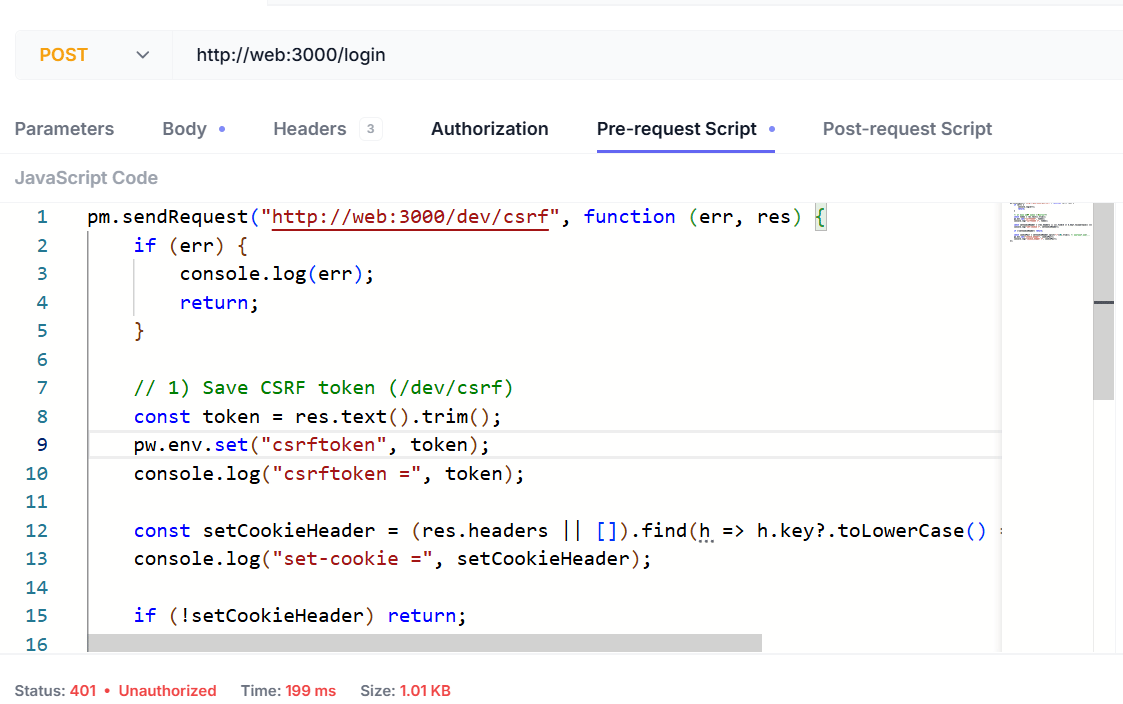 Script như sau:
```js wrap theme={null}
pm.sendRequest("http://web:3000/dev/csrf", function (err, res) {
if (err) {
console.log(err);
return;
}
// 1) Save CSRF token (/dev/csrf)
const token = res.text().trim();
pw.env.set("csrftoken", token);
console.log("csrftoken =", token);
const setCookieHeader = (res.headers || []).find(h => h.key?.toLowerCase() === "set-cookie")?.value;
console.log("set-cookie =", setCookieHeader);
if (!setCookieHeader) return;
const cookiePair = setCookieHeader.split(";")[0].trim(); // overleaf.sid=...
pw.env.set("cookie_header", cookiePair);
console.log("cookie_header =", cookiePair);
});
```
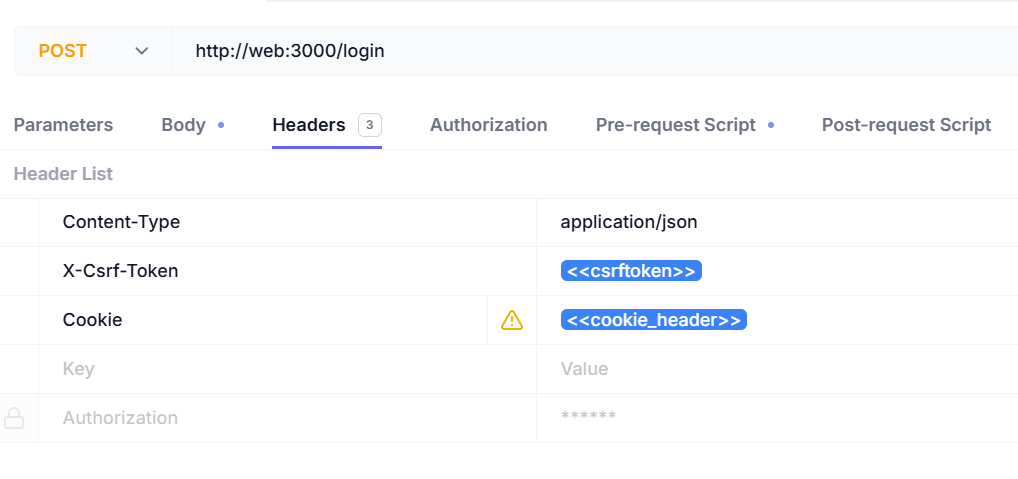
Bạn cần thêm các header sau:
| Tên header | Giá trị header |
| - | - |
| Content-Type | `application/json` |
| X-Csrf-Token | `<>` |
| Cookie | `<>` |
Script như sau:
```js wrap theme={null}
pm.sendRequest("http://web:3000/dev/csrf", function (err, res) {
if (err) {
console.log(err);
return;
}
// 1) Save CSRF token (/dev/csrf)
const token = res.text().trim();
pw.env.set("csrftoken", token);
console.log("csrftoken =", token);
const setCookieHeader = (res.headers || []).find(h => h.key?.toLowerCase() === "set-cookie")?.value;
console.log("set-cookie =", setCookieHeader);
if (!setCookieHeader) return;
const cookiePair = setCookieHeader.split(";")[0].trim(); // overleaf.sid=...
pw.env.set("cookie_header", cookiePair);
console.log("cookie_header =", cookiePair);
});
```
Bạn cần thêm các header sau:
| Tên header | Giá trị header |
| - | - |
| Content-Type | `application/json` |
| X-Csrf-Token | `<>` |
| Cookie | `<>` |
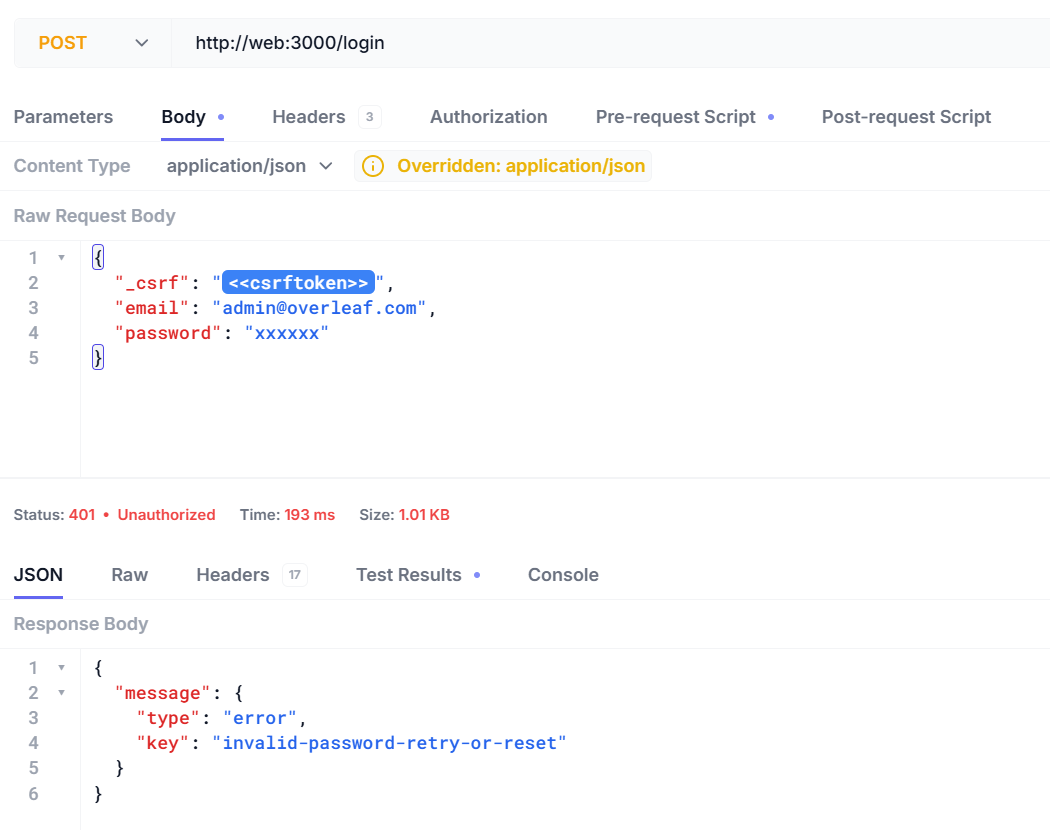
 Bây giờ bạn có thể đăng nhập bằng tên người dùng và mật khẩu của mình.
```json5 theme={null}
{
"_csrf": "<>",
"email": "admin@overleaf.com",
"password": "xxxxxx"
}
```
Đây là phản hồi khi bạn nhập sai tên người dùng hoặc mật khẩu.
Bây giờ bạn có thể đăng nhập bằng tên người dùng và mật khẩu của mình.
```json5 theme={null}
{
"_csrf": "<>",
"email": "admin@overleaf.com",
"password": "xxxxxx"
}
```
Đây là phản hồi khi bạn nhập sai tên người dùng hoặc mật khẩu.
 This documentation is built and hosted on [Mintlify](https://mintlify.com), a developer documentation platform.