> ## Documentation Index
> Fetch the complete documentation index at: https://ayakaleaf-pro.mintlify.site/llms.txt
> Use this file to discover all available pages before exploring further.
# Şablonları bireysel olarak kullanma
Bireysel bir kullanıcı overleaf.com üzerindeki Şablon Galerisi'nden bir şablon kullanmak isterse şunları yapması gerekir:
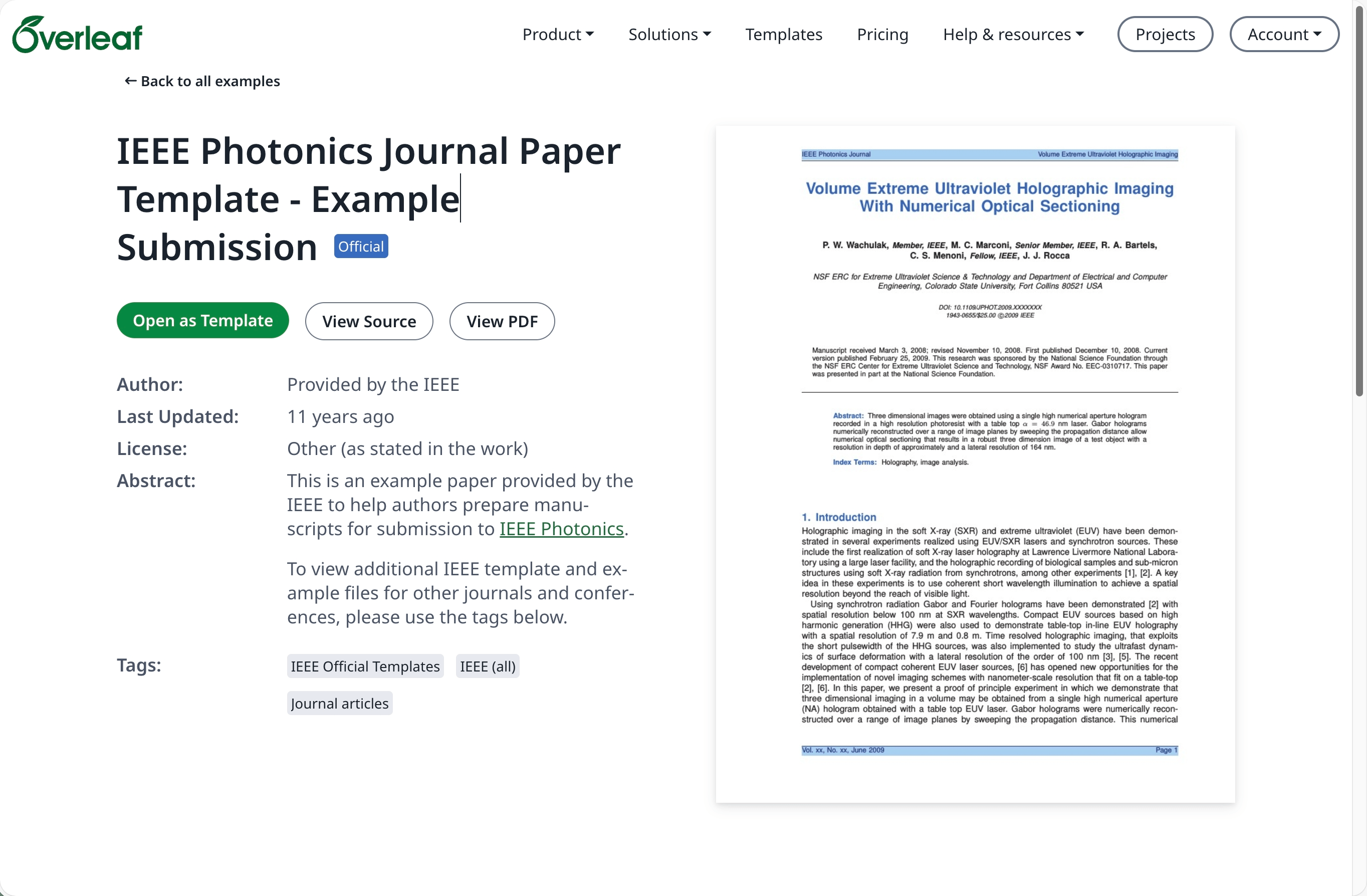
[overleaf.com](https://www.overleaf.com/) üzerindeki [Şablon Galerisi](https://www.overleaf.com/latex/templates)'ne gidin ve gerekli şablonu bulun, örneğin [IEEE Photonics Journal Paper Template - Example Submission](https://www.overleaf.com/latex/examples/ieee-photonics-journal-paper-template-example-submission/bsfjjfkdsjds)
**Open as Template** (Şablon Olarak Aç) düğmesine tıklayın.
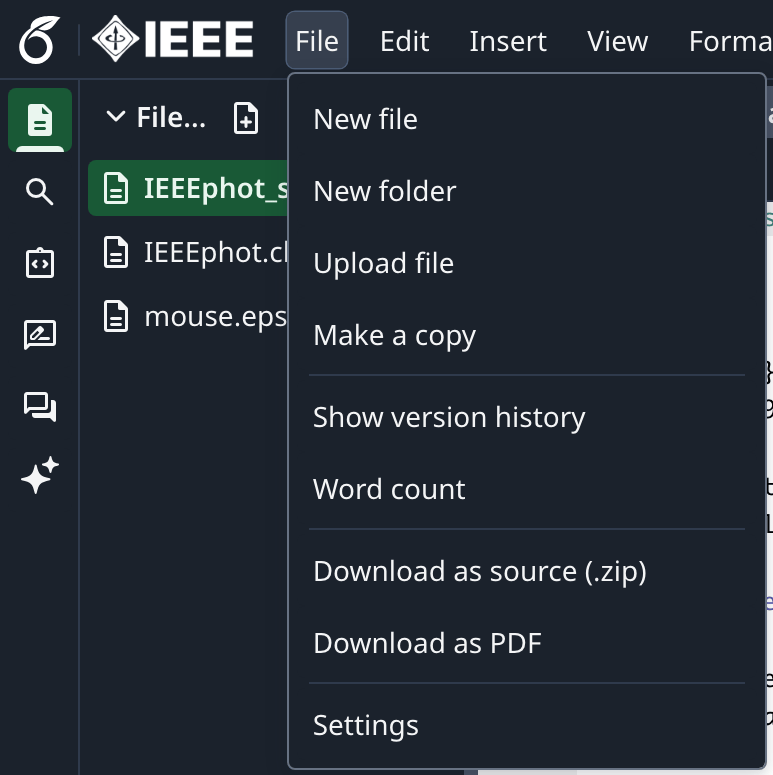
 Proje menüsüne tıklayın ve **Download Source** (Kaynağı İndir) seçeneğini seçin.
 Şirket içi (on-premise) Overleaf Pro hesabınıza giriş yapın.
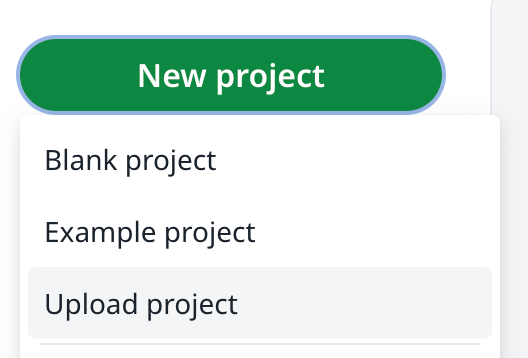
Projeler panosunda **New Project** (Yeni Proje) düğmesine tıklayın ve **Upload Project** (Proje Yükle) seçeneğini seçin.
Şirket içi (on-premise) Overleaf Pro hesabınıza giriş yapın.
Projeler panosunda **New Project** (Yeni Proje) düğmesine tıklayın ve **Upload Project** (Proje Yükle) seçeneğini seçin.
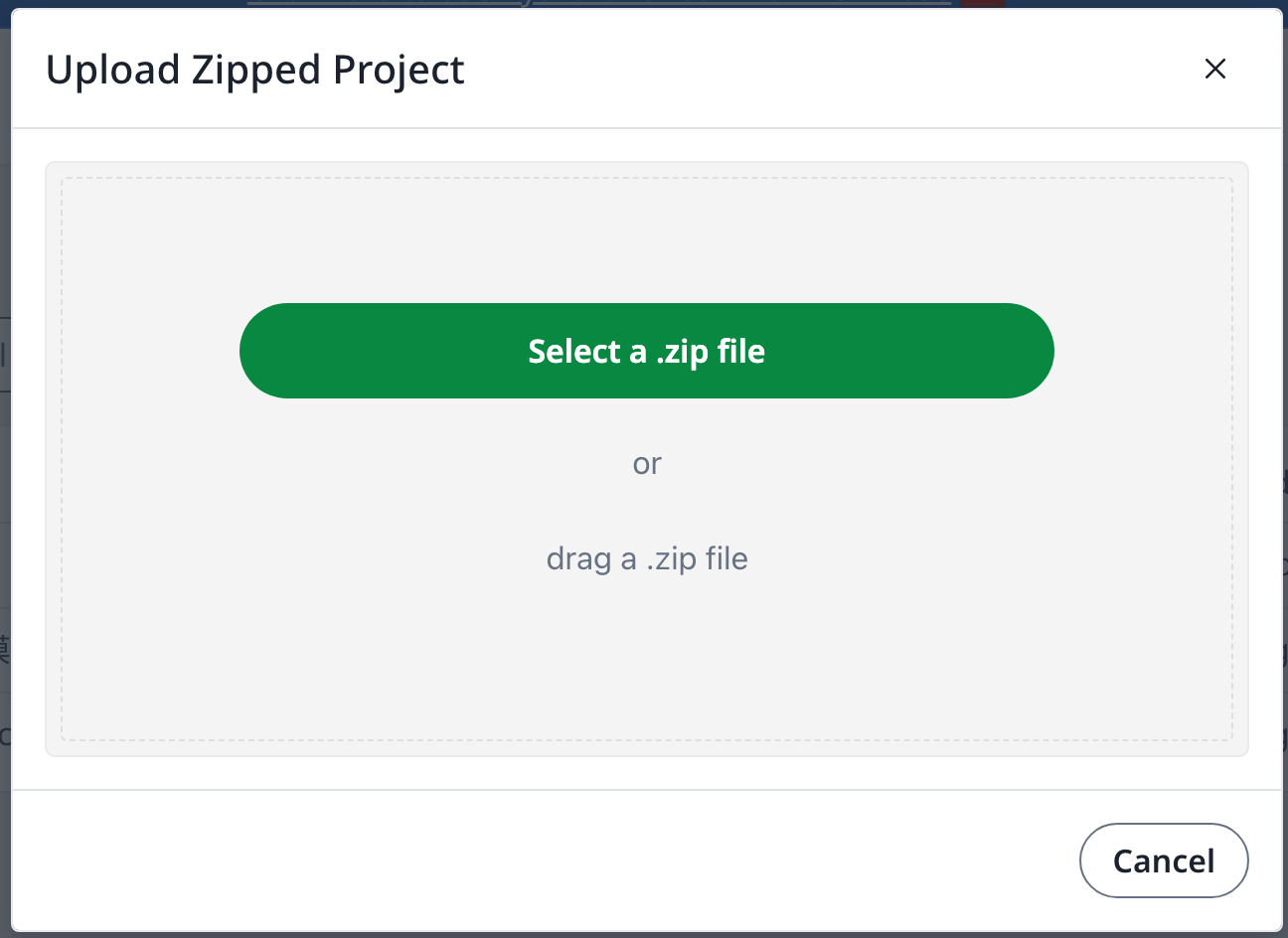
 **Select a .zip file** (Bir .zip dosyası seçin) seçeneğine tıklayın ve indirdiğiniz şablon zip dosyasını seçin.
 Ardından yeni yüklenen bu şablonu gerektiği gibi kullanabilirsiniz.
Bir [overleaf.com](https://www.overleaf.com/) hesabı gereklidir
This documentation is built and hosted on [Mintlify](https://mintlify.com), a developer documentation platform.
Ardından yeni yüklenen bu şablonu gerektiği gibi kullanabilirsiniz.
Bir [overleaf.com](https://www.overleaf.com/) hesabı gereklidir
This documentation is built and hosted on [Mintlify](https://mintlify.com), a developer documentation platform.