> ## Documentation Index
> Fetch the complete documentation index at: https://ayakaleaf-pro.mintlify.site/llms.txt
> Use this file to discover all available pages before exploring further.
# Korzystanie z szablonów jako użytkownik indywidualny
Jeśli użytkownik indywidualny chce skorzystać z szablonu z Galerii szablonów na overleaf.com, musi:
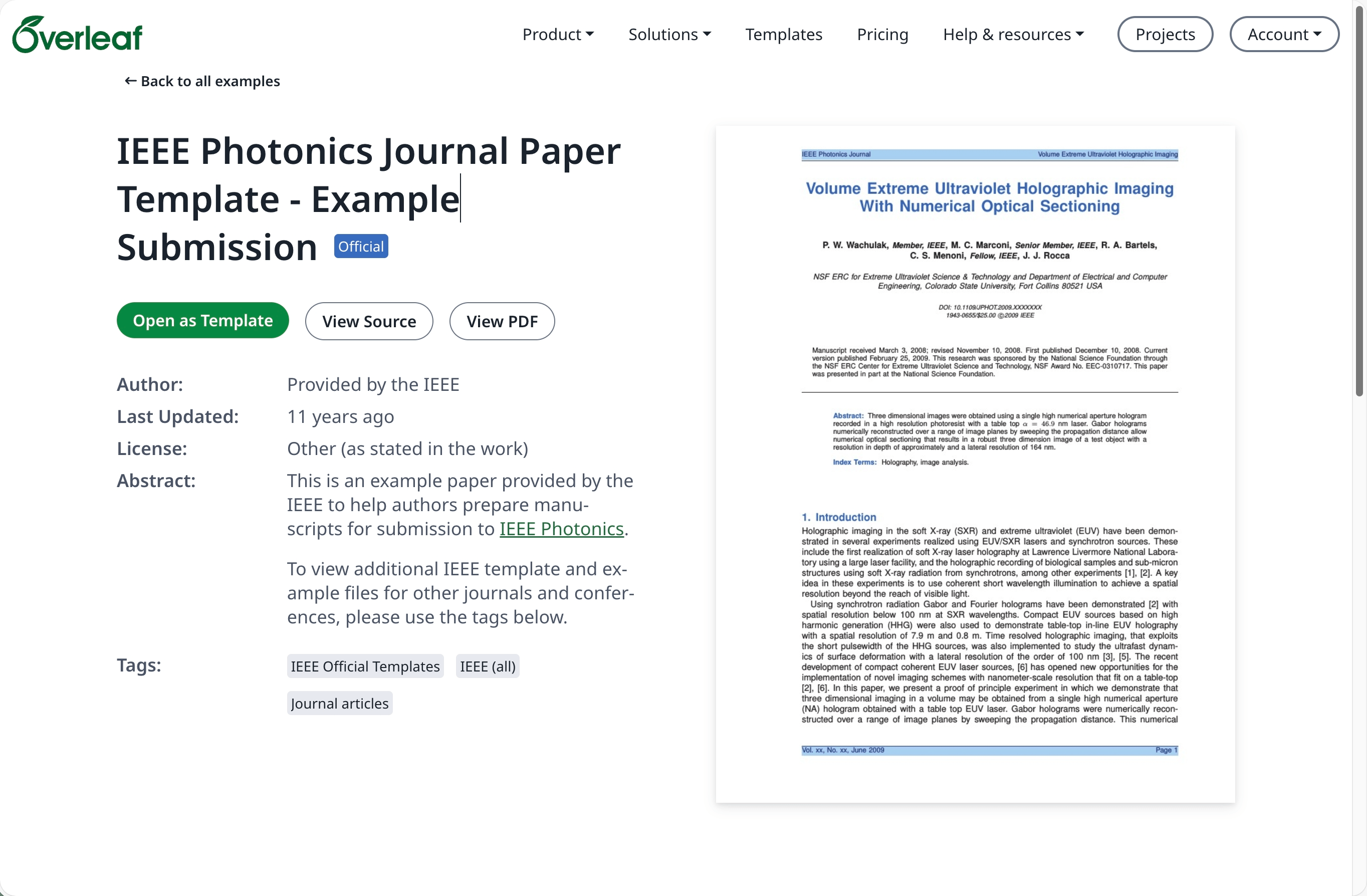
Przejdź do [Galerii szablonów](https://www.overleaf.com/latex/templates) na [overleaf.com](https://www.overleaf.com/) i znajdź potrzebny szablon, na przykład [IEEE Photonics Journal Paper Template - Example Submission](https://www.overleaf.com/latex/examples/ieee-photonics-journal-paper-template-example-submission/bsfjjfkdsjds)
Kliknij przycisk **Open as Template**.
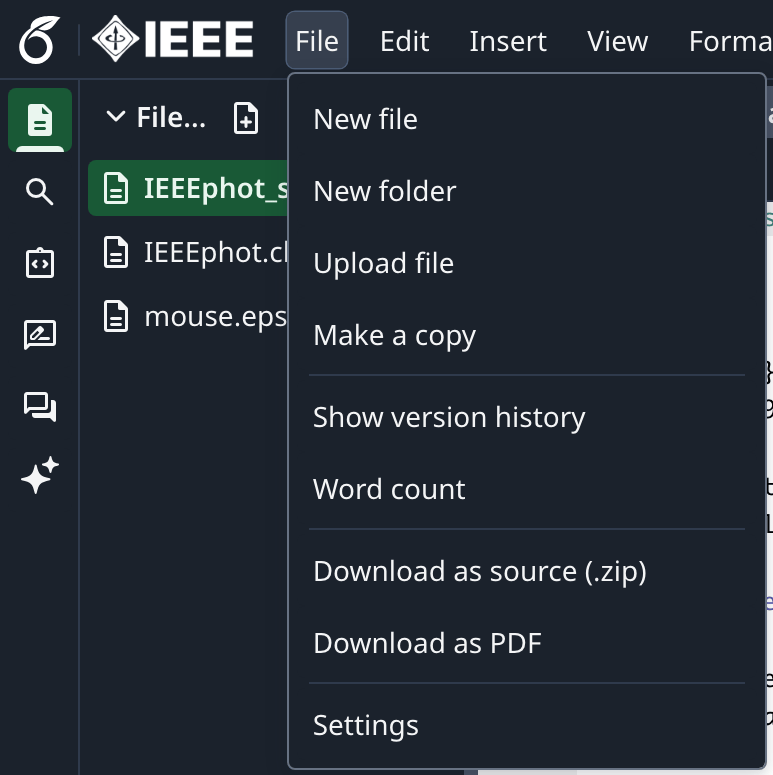
 Kliknij menu projektu i wybierz **Download Source**.
 Zaloguj się na swoje konto w lokalnej instancji Overleaf Pro.
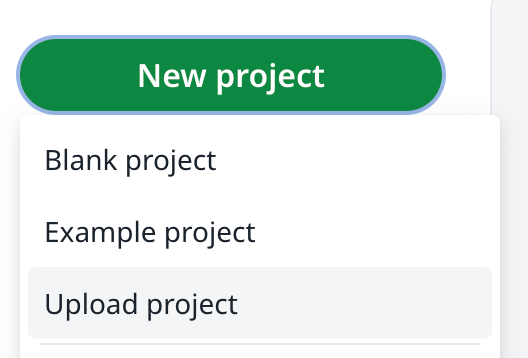
Na pulpicie projektów kliknij **New Project** i wybierz **Upload Project**.
Zaloguj się na swoje konto w lokalnej instancji Overleaf Pro.
Na pulpicie projektów kliknij **New Project** i wybierz **Upload Project**.
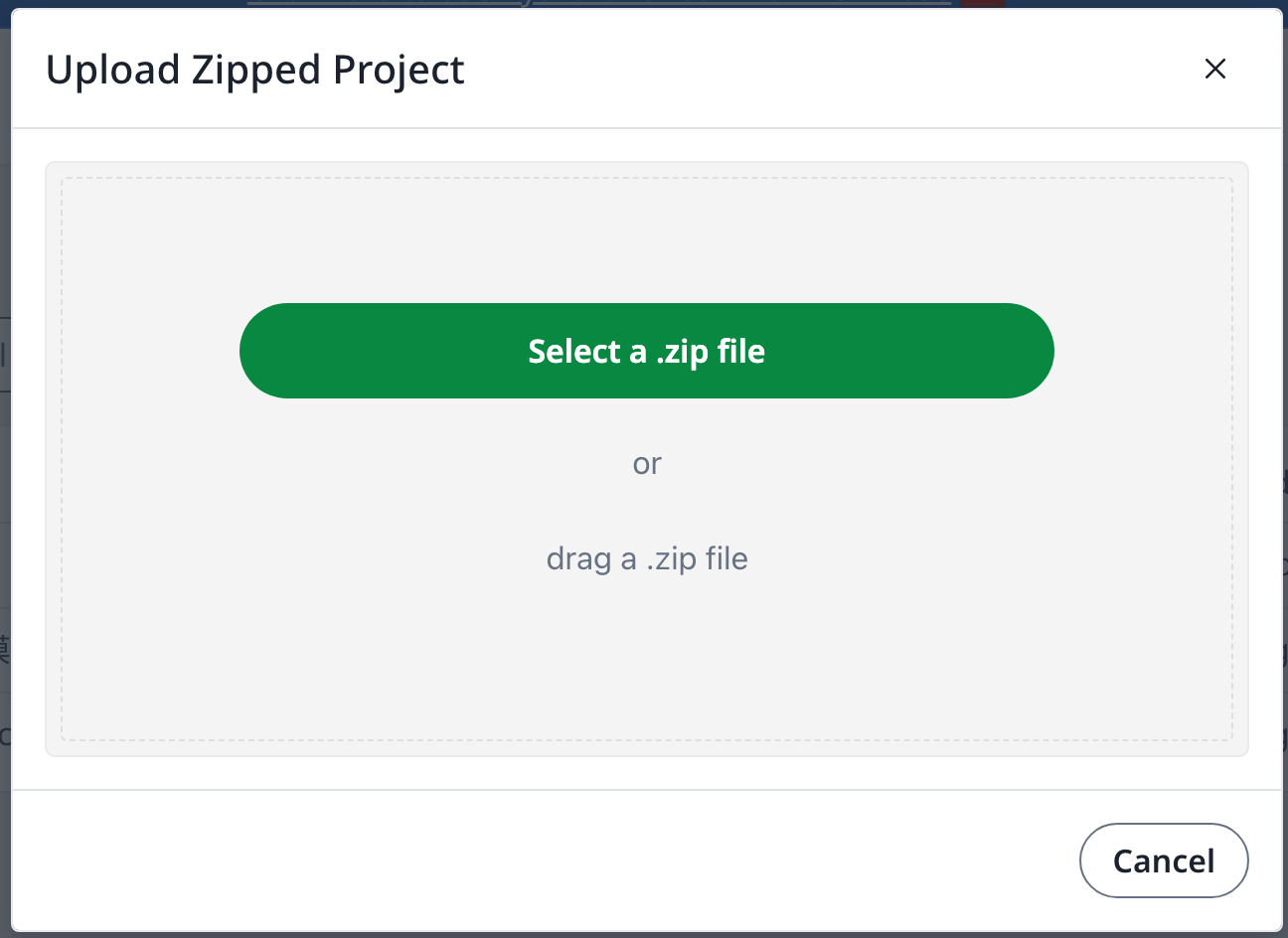
 Kliknij **Select a .zip file** i wybierz pobrany plik zip z szablonem.
 Następnie możesz używać nowo przesłanego szablonu według potrzeb.
Wymagane jest konto na [overleaf.com](https://www.overleaf.com/)
This documentation is built and hosted on [Mintlify](https://mintlify.com), a developer documentation platform.
Następnie możesz używać nowo przesłanego szablonu według potrzeb.
Wymagane jest konto na [overleaf.com](https://www.overleaf.com/)
This documentation is built and hosted on [Mintlify](https://mintlify.com), a developer documentation platform.