> ## Documentation Index
> Fetch the complete documentation index at: https://ayakaleaf-pro.mintlify.site/llms.txt
> Use this file to discover all available pages before exploring further.
# Bruke maler som enkeltbruker
Hvis en enkeltbruker ønsker å bruke en mal fra malgalleriet på overleaf.com, må vedkommende gjøre følgende:
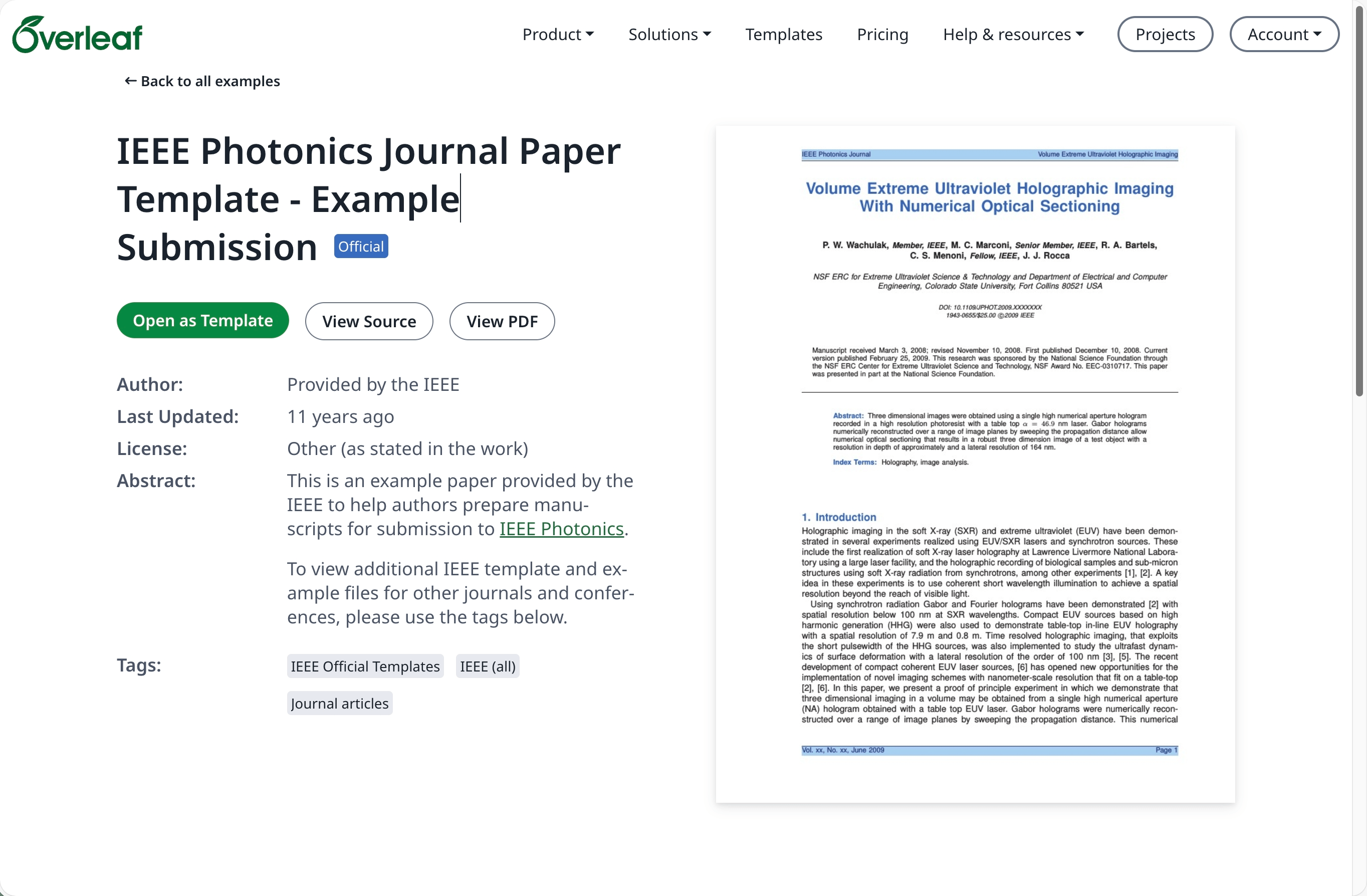
Gå til [malgalleriet](https://www.overleaf.com/latex/templates) på [overleaf.com](https://www.overleaf.com/) og finn ønsket mal, for eksempel [IEEE Photonics Journal Paper Template - Example Submission](https://www.overleaf.com/latex/examples/ieee-photonics-journal-paper-template-example-submission/bsfjjfkdsjds)
Klikk på knappen **Open as Template**.
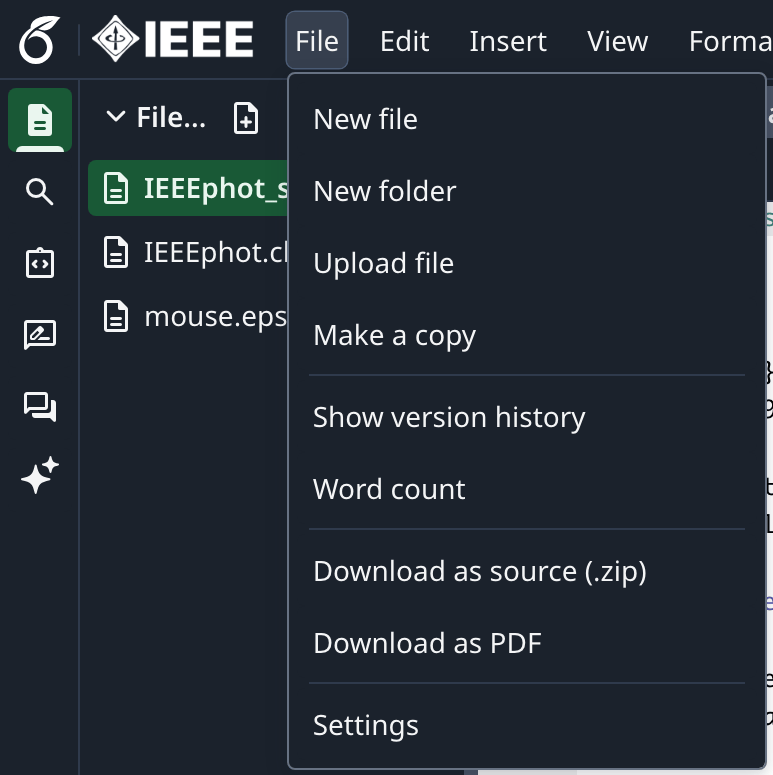
 Klikk på prosjektmenyen og velg **Download Source**.
 Logg inn på din lokale (on-premise) Overleaf Pro-konto.
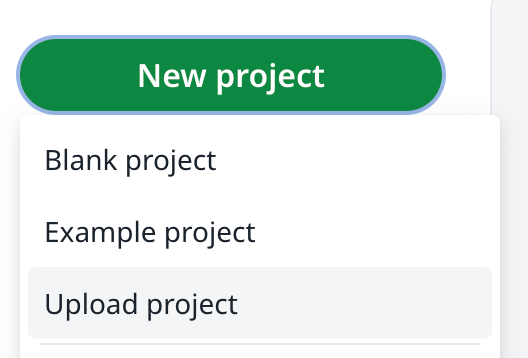
Fra prosjektoversikten klikker du **New Project** og velger **Upload Project**.
Logg inn på din lokale (on-premise) Overleaf Pro-konto.
Fra prosjektoversikten klikker du **New Project** og velger **Upload Project**.
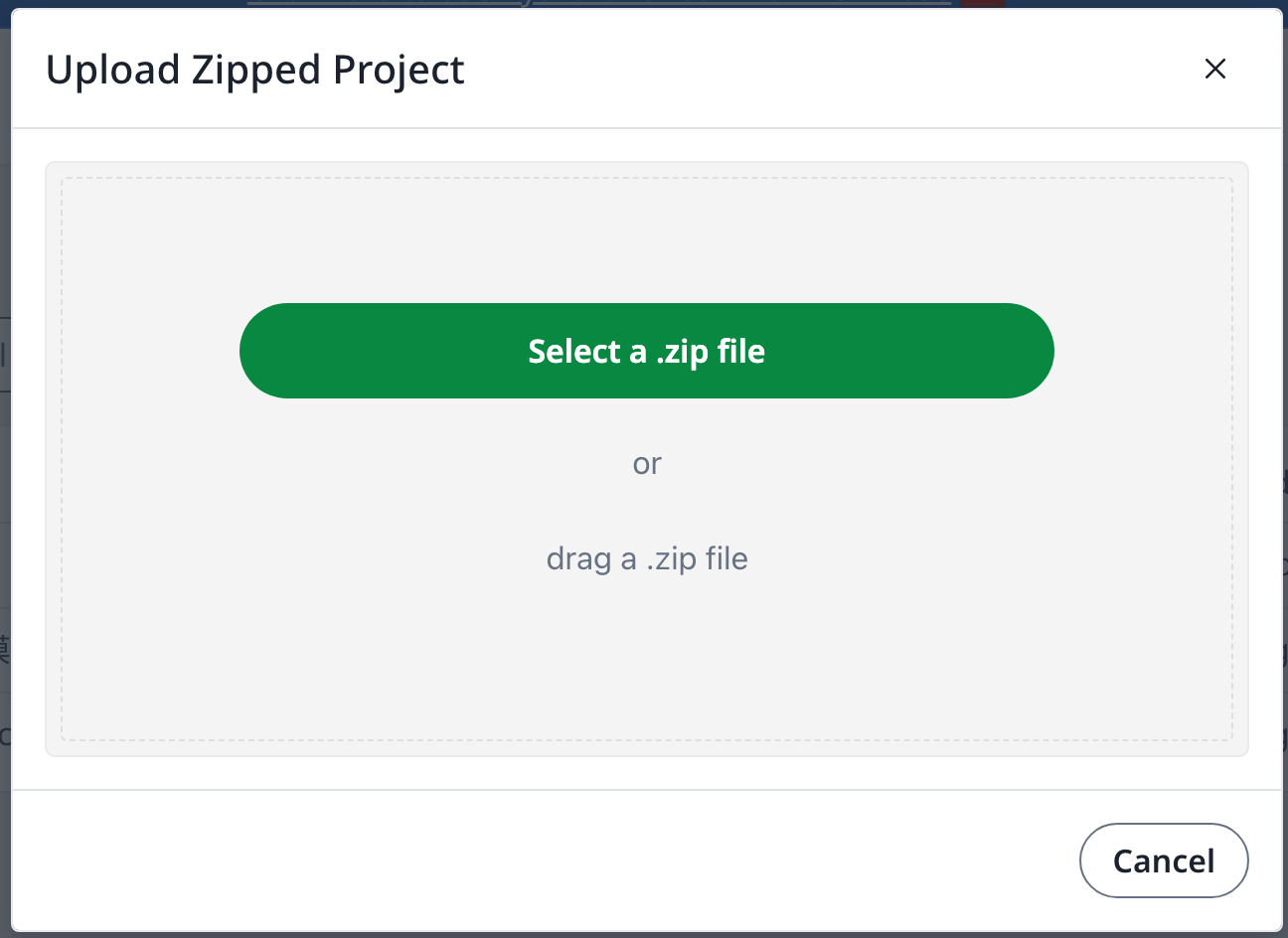
 Klikk **Select a .zip file** og velg zip-filen med malen som du lastet ned.
 Du kan deretter bruke den nylig opplastede malen etter behov.
En konto på [overleaf.com](https://www.overleaf.com/) er påkrevd
This documentation is built and hosted on [Mintlify](https://mintlify.com), a developer documentation platform.
Du kan deretter bruke den nylig opplastede malen etter behov.
En konto på [overleaf.com](https://www.overleaf.com/) er påkrevd
This documentation is built and hosted on [Mintlify](https://mintlify.com), a developer documentation platform.