> ## Documentation Index
> Fetch the complete documentation index at: https://ayakaleaf-pro.mintlify.site/llms.txt
> Use this file to discover all available pages before exploring further.
# Functies en copyright
> Welke nieuwe functies heeft Ayakaleaf Pro ten opzichte van de Overleaf Community Edition?
We respecteren auteursrecht en vermelden daarom hier alle functies en de code die in dit project wordt gebruikt. Op deze pagina geven we informatie over de nieuwe functies van Ayakaleaf Pro en de bijbehorende auteursrechten op de code.
Tenzij anders vermeld, gebruiken we Codex van OpenAI voor codereview en PR-review. Daarbij hebben we veel beveiligingsproblemen opgelost, waarvoor we hen oprecht dankbaar zijn. Zie [ayaka-notes/ayakaleaf-pro/pull](https://github.com/ayaka-notes/ayakaleaf-pro/pulls) voor meer details.
### Overzicht
In de loop der jaren hebben veel ontwikkelaars uit de community zich flink ingespannen om de Overleaf Community Edition te verbeteren. Het gaat om:
* [https://github.com/ertuil/overleaf](https://github.com/ertuil/overleaf)
* [https://github.com/AllanChain/lcpu-overleaf](https://github.com/AllanChain/lcpu-overleaf)
* [https://github.com/yu-i-i/overleaf-cep/](https://github.com/yu-i-i/overleaf-cep/)
* [https://github.com/ayaka-notes/overleaf](https://github.com/ayaka-notes/overleaf)
* [https://github.com/davrot/overleaf\_with\_admin\_extension](https://github.com/davrot/overleaf_with_admin_extension)
* [https://github.com/overleaf/overleaf/pull/1447](https://github.com/overleaf/overleaf/pull/1447) (GitHub-integratie)
* [https://github.com/overleaf/overleaf/pull/1385](https://github.com/overleaf/overleaf/pull/1385) (Typst-ondersteuning)
Mogelijk hebben we gerelateerde code in ons project gebruikt, en daarvoor willen we hen graag bedanken.
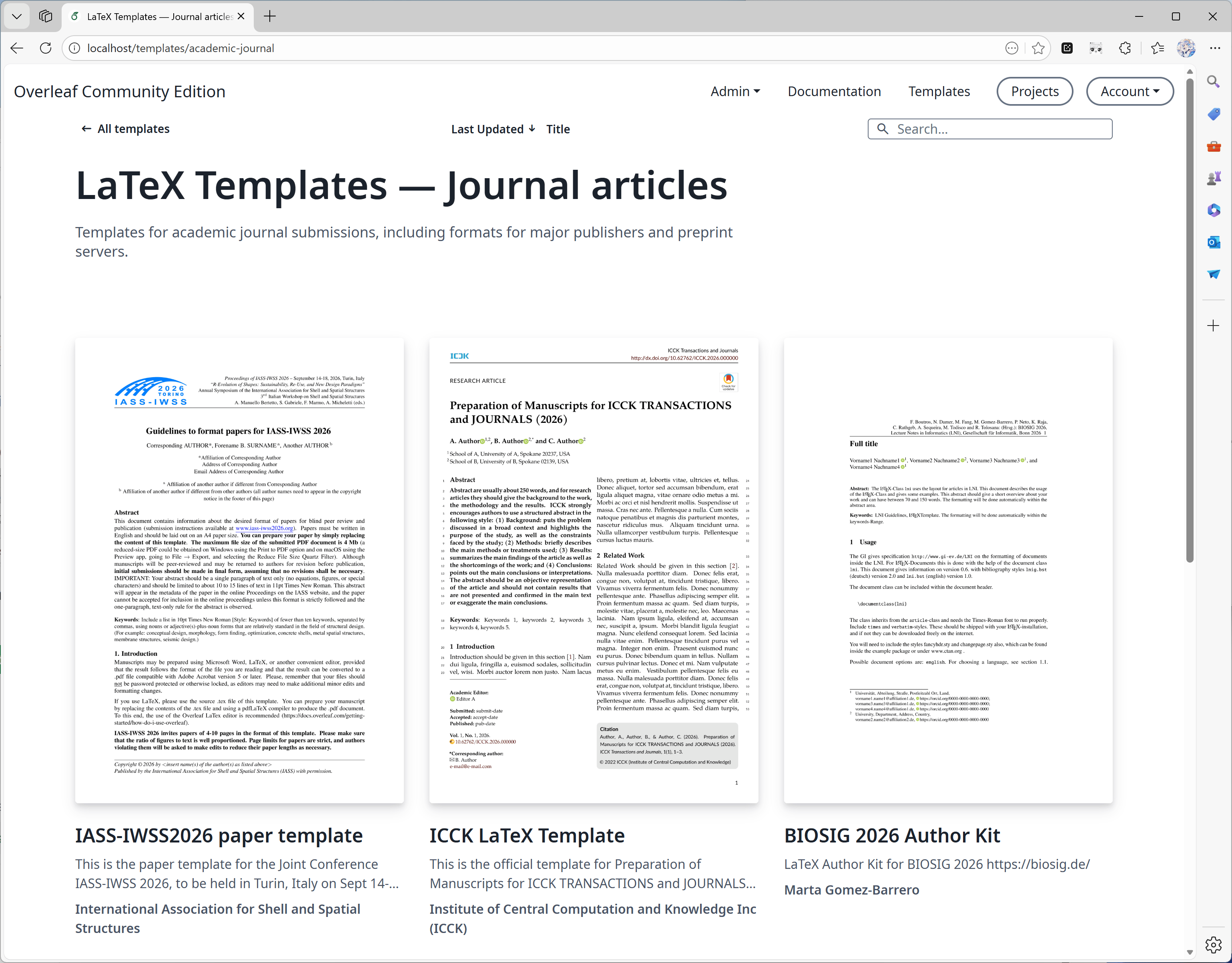
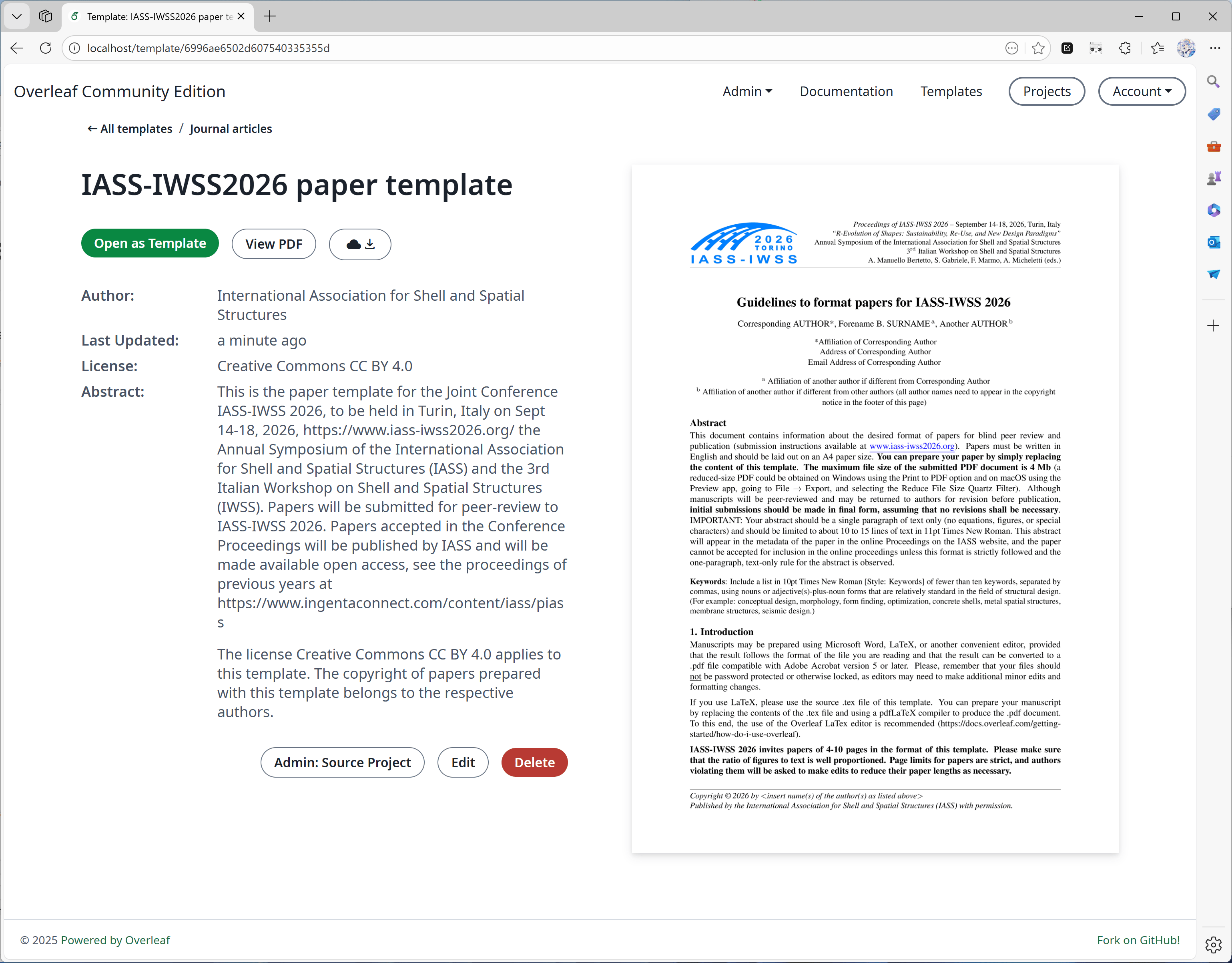
#### Functie 01: Sjabloonsysteem
Deze functie is voornamelijk ontwikkeld door [yu-i-i/overleaf-cep](https://github.com/yu-i-i/overleaf-cep). We hebben een deel van de code aangepast ter verbetering, zodat je:
* Sjablonen direct op de sjabloonpagina's kunt downloaden.
* Het project kunt openen dat bij het sjabloon hoort.
* Omslagafbeeldingen van hogere kwaliteit kunt genereren (en in kortere tijd).
 #### Functie 02: Sandbox-compilatie
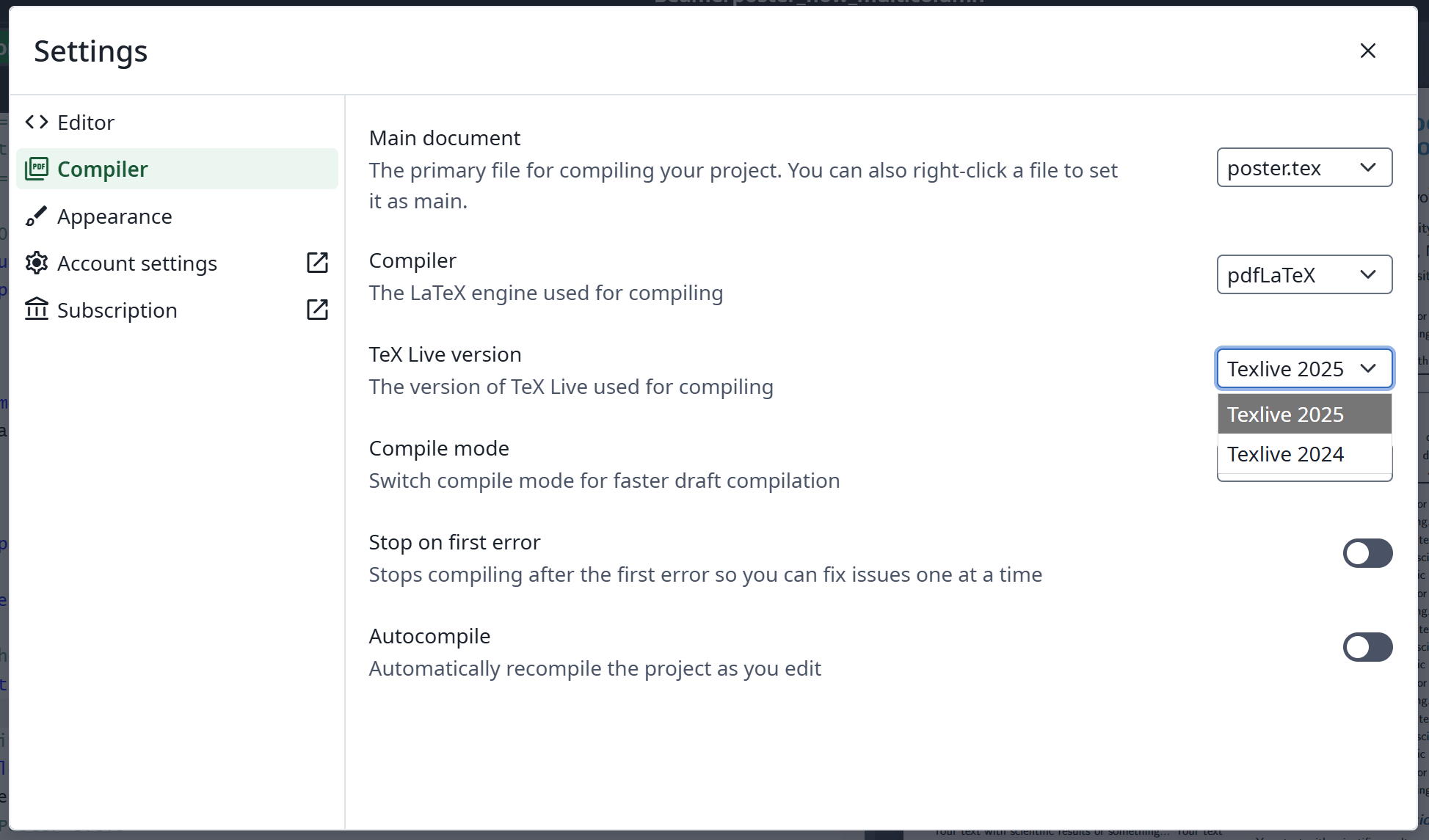
Deze functie is geïmplementeerd door [Overleaf zelf](https://github.com/overleaf/overleaf/tree/main/services/clsi); wij hebben wat code toegevoegd om deze in te schakelen. We bieden ook een [texlive-full](https://github.com/ayaka-notes/texlive-full)-image die speciaal voor Ayakaleaf Pro is gebouwd.
#### Functie 02: Sandbox-compilatie
Deze functie is geïmplementeerd door [Overleaf zelf](https://github.com/overleaf/overleaf/tree/main/services/clsi); wij hebben wat code toegevoegd om deze in te schakelen. We bieden ook een [texlive-full](https://github.com/ayaka-notes/texlive-full)-image die speciaal voor Ayakaleaf Pro is gebouwd.
 #### Functie 03: Git-integratie
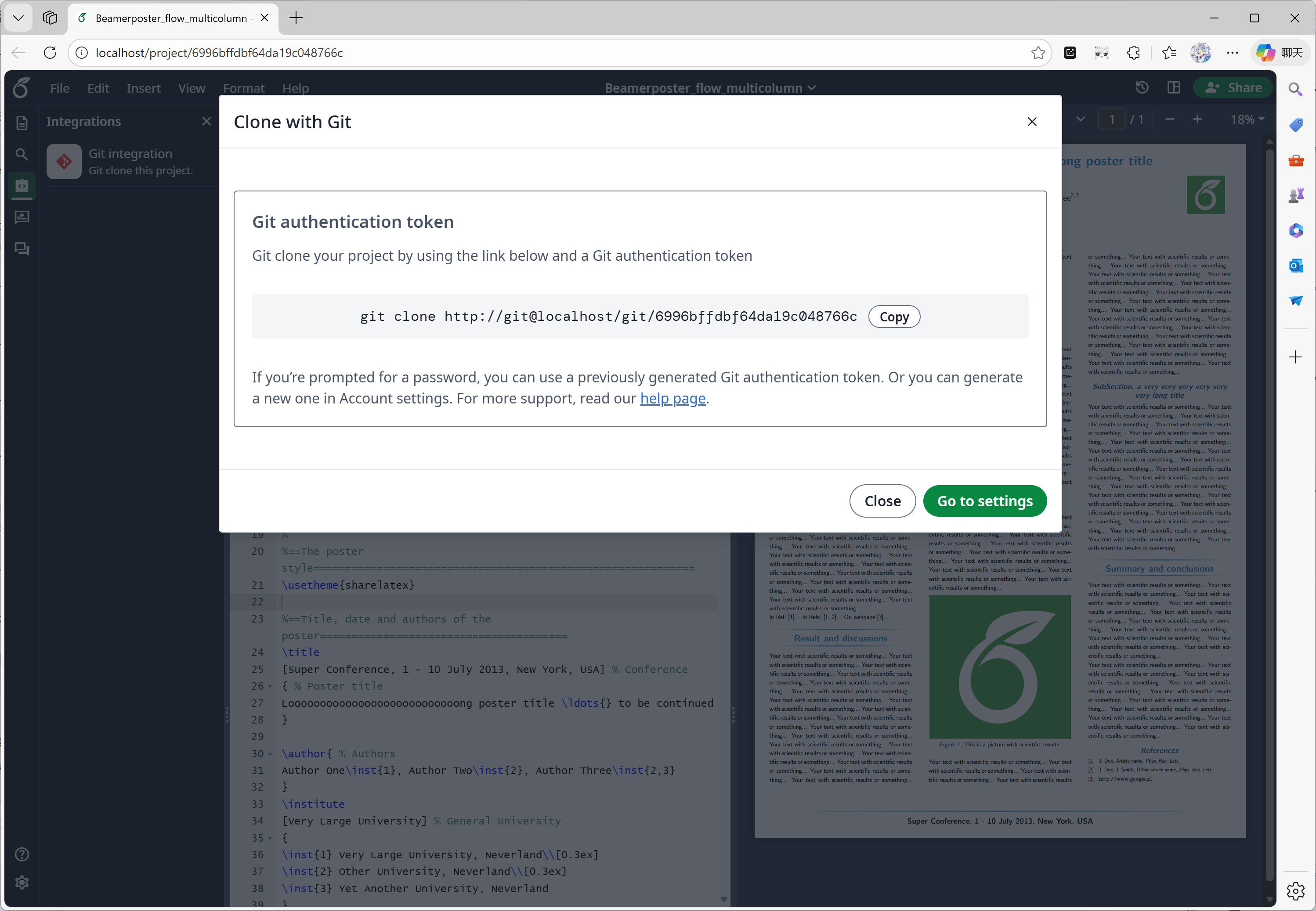
Deze functie is ontwikkeld door [ayaka-notes/overleaf-pro](https://github.com/ayaka-notes/overleaf-pro). Overleaf biedt een officieel component genaamd git-bridge, dat [hier](https://github.com/overleaf/overleaf/tree/main/services/git-bridge) beschikbaar is.
Wij hebben alleen een connector tussen git-bridge en Overleaf geïmplementeerd, op dezelfde manier als Overleaf dat op zijn SaaS-platform doet.
#### Functie 03: Git-integratie
Deze functie is ontwikkeld door [ayaka-notes/overleaf-pro](https://github.com/ayaka-notes/overleaf-pro). Overleaf biedt een officieel component genaamd git-bridge, dat [hier](https://github.com/overleaf/overleaf/tree/main/services/git-bridge) beschikbaar is.
Wij hebben alleen een connector tussen git-bridge en Overleaf geïmplementeerd, op dezelfde manier als Overleaf dat op zijn SaaS-platform doet.
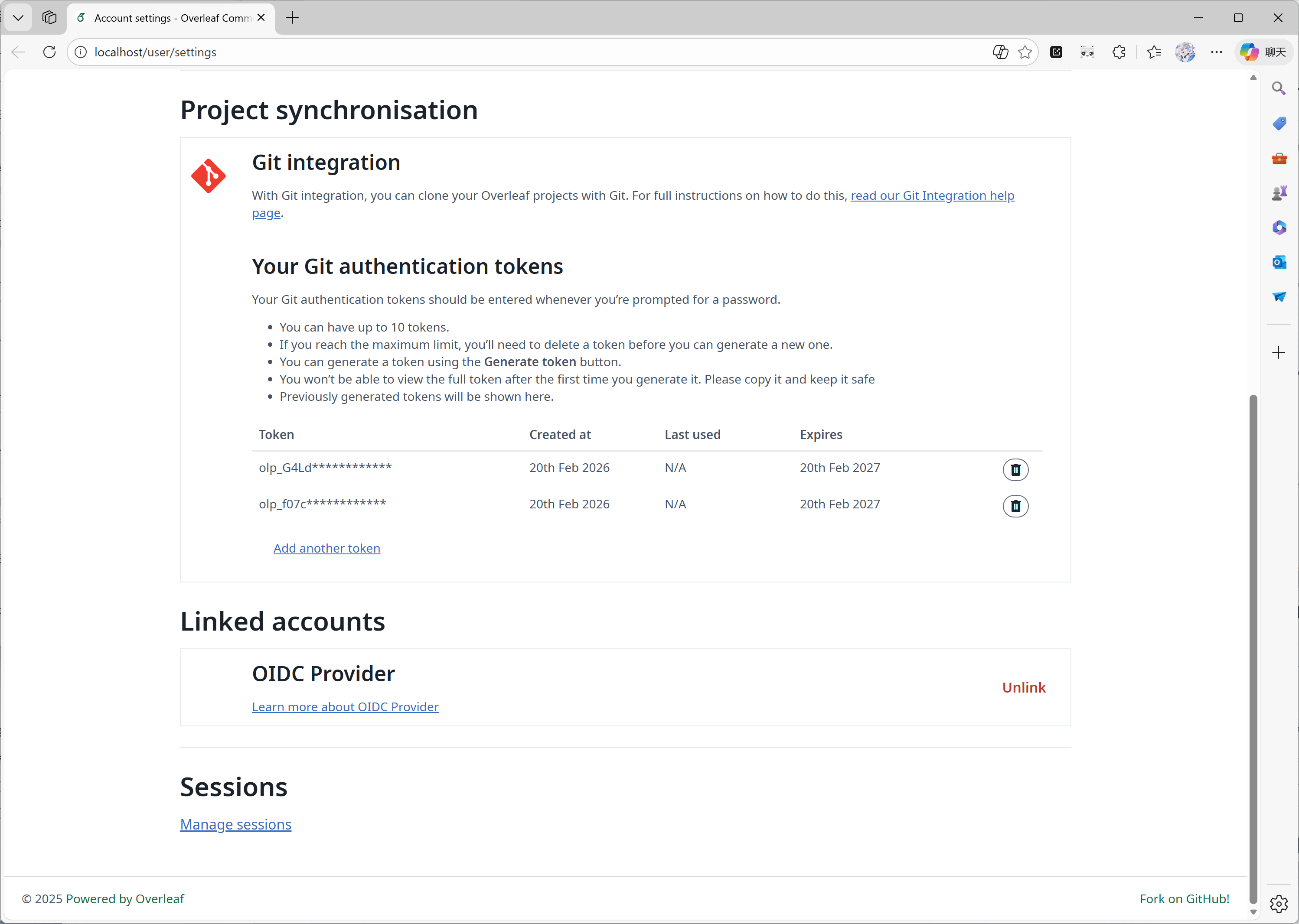 #### Functie 04: Symbolenpalet
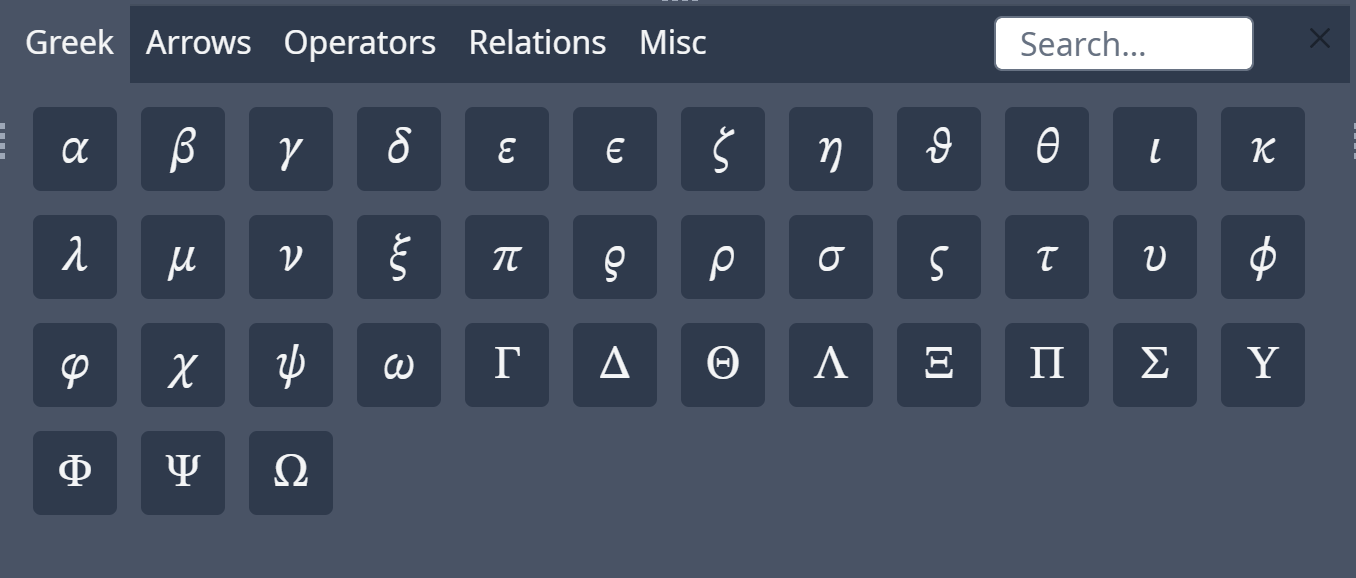
Deze functie is geïmplementeerd door [Overleaf zelf](https://github.com/overleaf/overleaf/tree/main/services/clsi); wij hebben alleen de ontbrekende code toegevoegd om aan te sluiten bij de upstream-updates.
#### Functie 04: Symbolenpalet
Deze functie is geïmplementeerd door [Overleaf zelf](https://github.com/overleaf/overleaf/tree/main/services/clsi); wij hebben alleen de ontbrekende code toegevoegd om aan te sluiten bij de upstream-updates.
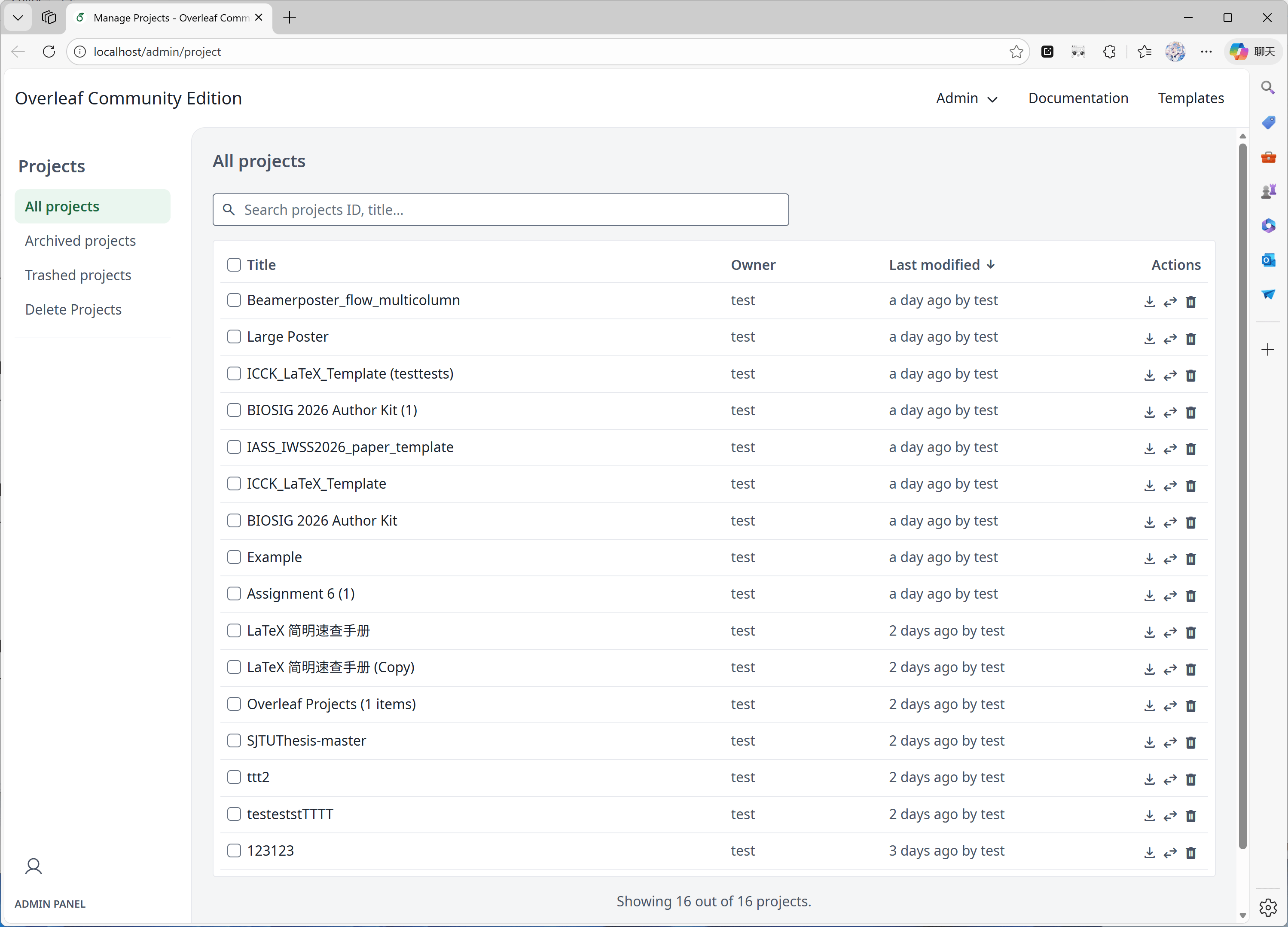
 #### Functie 05: Beheerpaneel
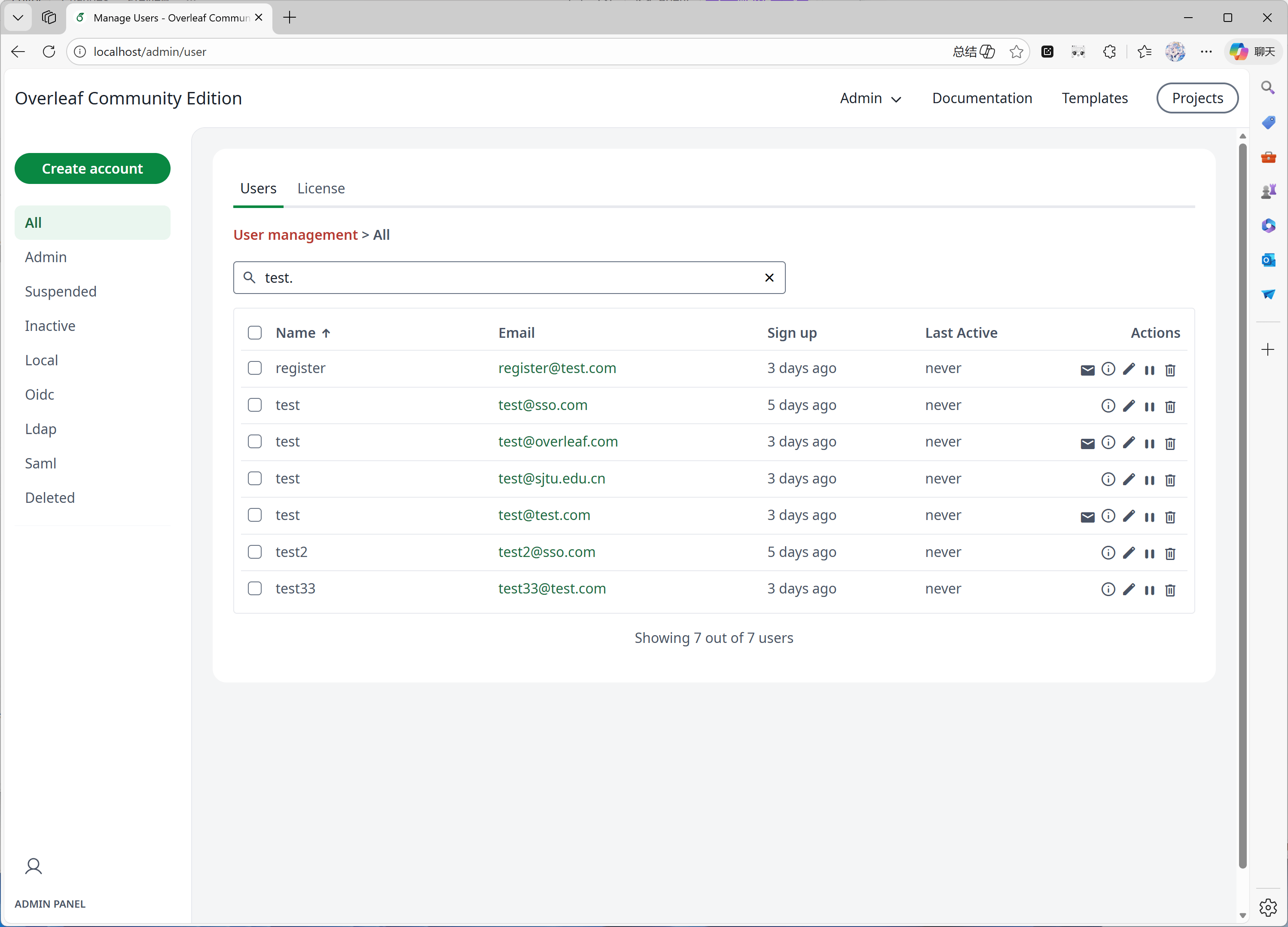
Wanneer je systeem 1000 gebruikers of projecten heeft, toont het beheerpaneel alleen de nieuwste 1000 gebruikers of projecten. Gebruik het zoekpaneel om naar specifieke gebruikers of projecten te zoeken.
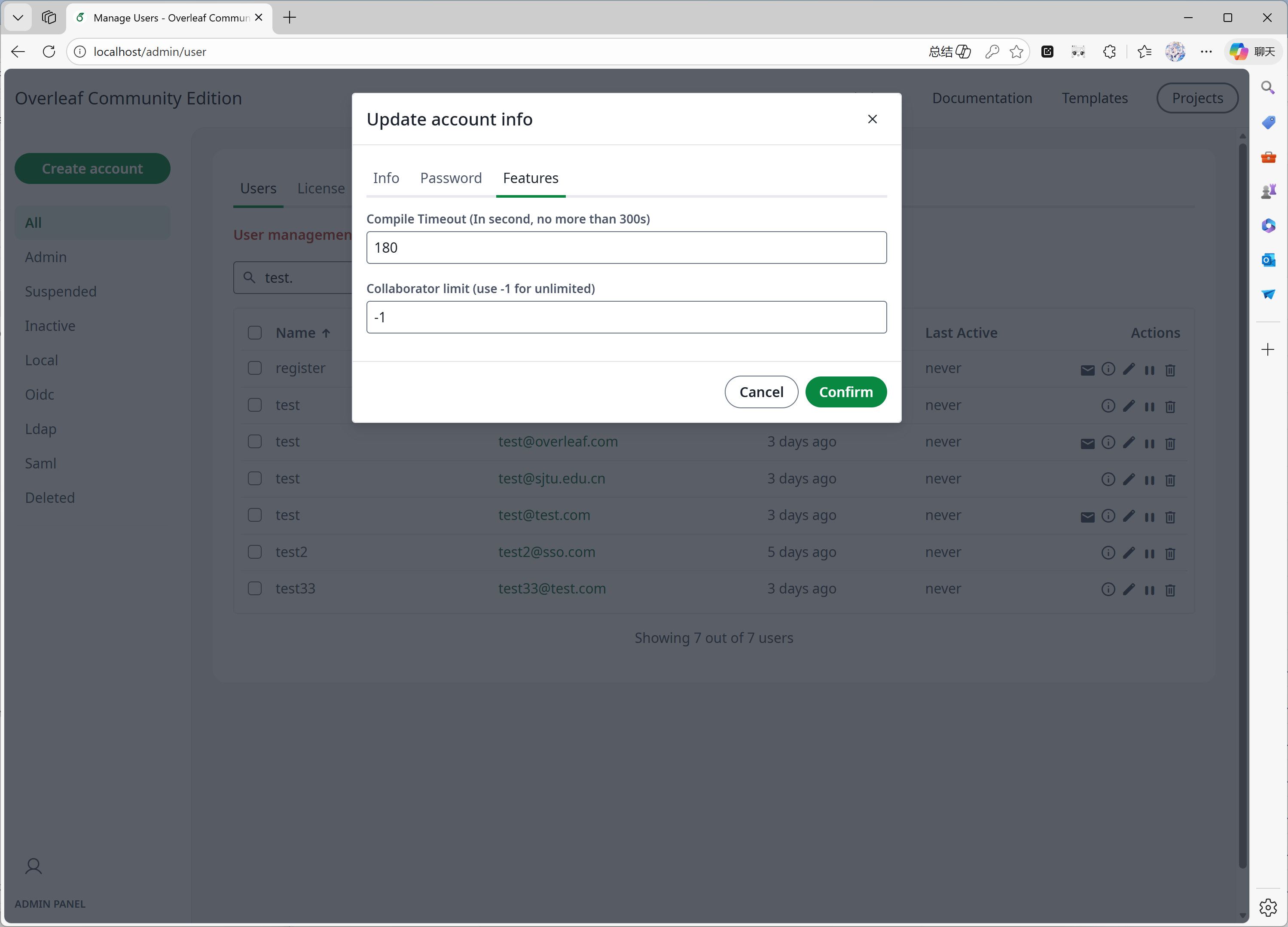
Deze functie is voornamelijk ontwikkeld door [yu-i-i/overleaf-cep](https://github.com/yu-i-i/overleaf-cep). We hebben een deel van de code aangepast ter verbetering, zodat je:
* Via de backend gebruikers kunt zoeken wanneer je meer dan 1000 gebruikers hebt.
* Via de backend projecten kunt zoeken wanneer je meer dan 1000 projecten hebt.
* Projecten direct vanuit het projectbeheerpaneel kunt openen.
* De compileertijdlimiet van gebruikers in het beheerpaneel kunt bekijken en aanpassen.
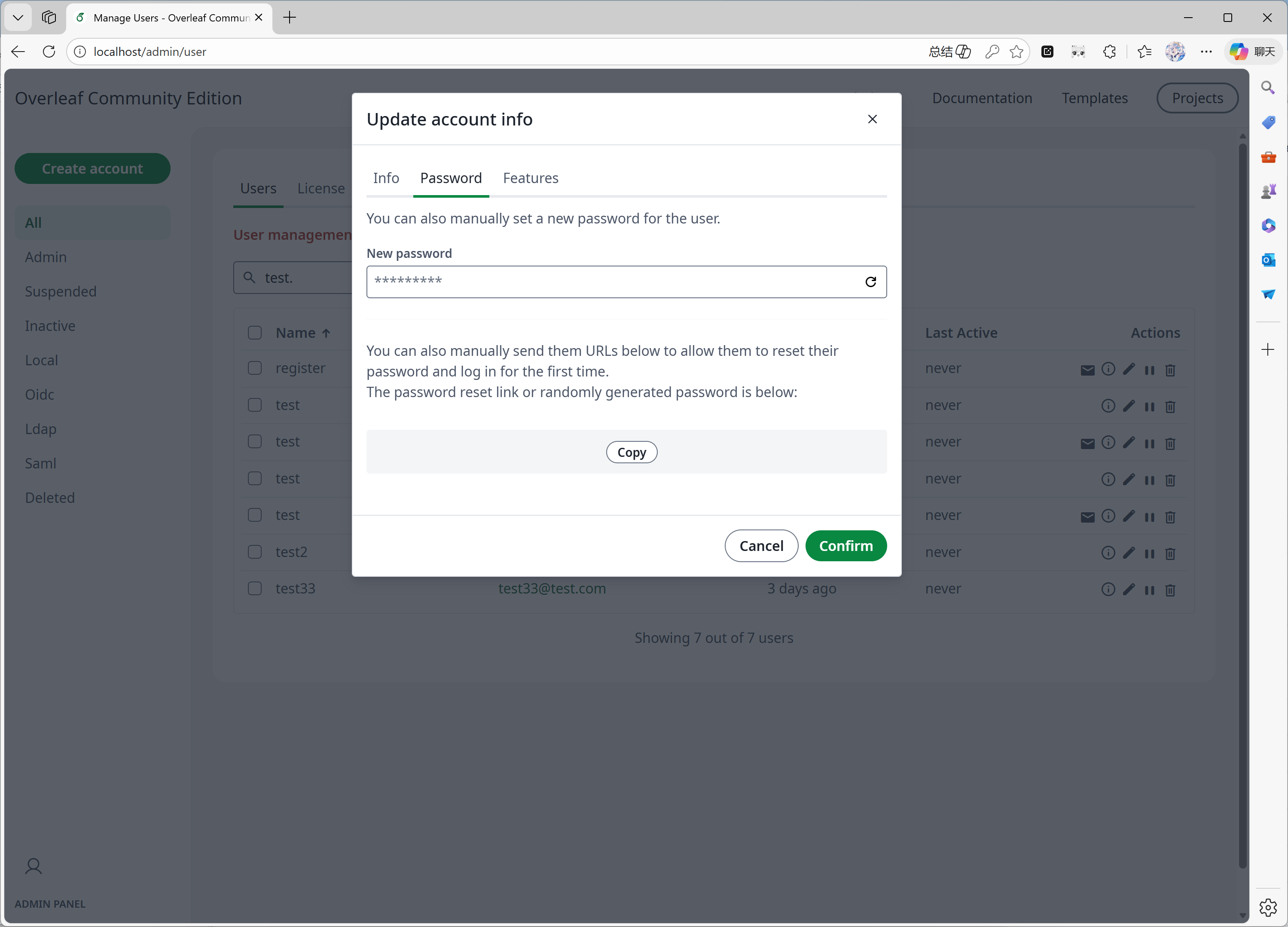
* Het wachtwoord van gebruikers direct in het beheerpaneel kunt resetten.
* Overige verbeteringen...
#### Functie 05: Beheerpaneel
Wanneer je systeem 1000 gebruikers of projecten heeft, toont het beheerpaneel alleen de nieuwste 1000 gebruikers of projecten. Gebruik het zoekpaneel om naar specifieke gebruikers of projecten te zoeken.
Deze functie is voornamelijk ontwikkeld door [yu-i-i/overleaf-cep](https://github.com/yu-i-i/overleaf-cep). We hebben een deel van de code aangepast ter verbetering, zodat je:
* Via de backend gebruikers kunt zoeken wanneer je meer dan 1000 gebruikers hebt.
* Via de backend projecten kunt zoeken wanneer je meer dan 1000 projecten hebt.
* Projecten direct vanuit het projectbeheerpaneel kunt openen.
* De compileertijdlimiet van gebruikers in het beheerpaneel kunt bekijken en aanpassen.
* Het wachtwoord van gebruikers direct in het beheerpaneel kunt resetten.
* Overige verbeteringen...
 #### Functie 06: Reviewpaneel
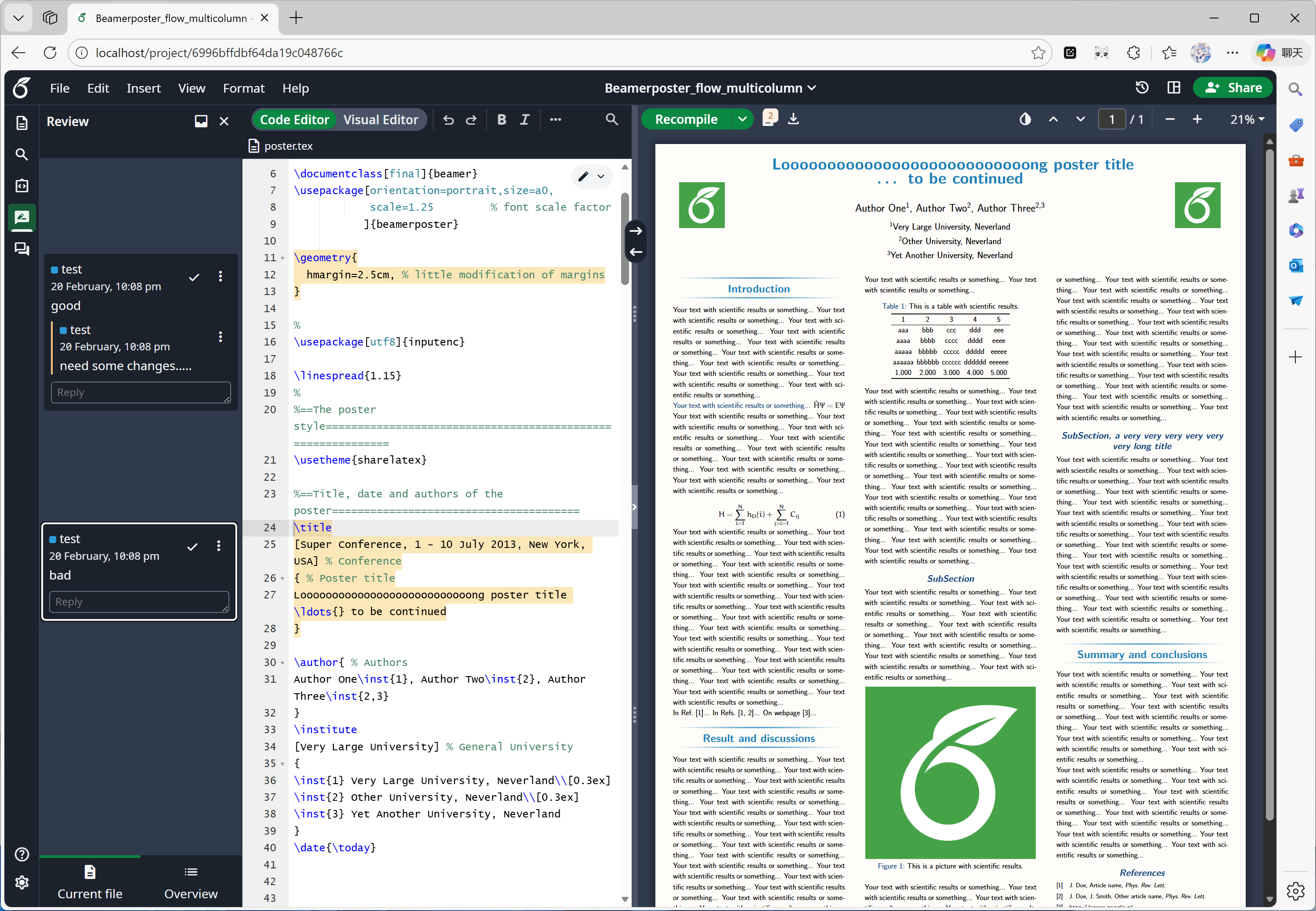
Deze functie is voornamelijk ontwikkeld door [Overleaf zelf](https://github.com/overleaf/overleaf/tree/main/services/clsi); wij hebben alleen de ontbrekende code van [yu-i-i/overleaf-cep](https://github.com/yu-i-i/overleaf-cep) en [ertuil/overleaf](https://github.com/ertuil/overleaf) toegevoegd, namelijk een connector tussen de chat- en de webservice.
#### Functie 06: Reviewpaneel
Deze functie is voornamelijk ontwikkeld door [Overleaf zelf](https://github.com/overleaf/overleaf/tree/main/services/clsi); wij hebben alleen de ontbrekende code van [yu-i-i/overleaf-cep](https://github.com/yu-i-i/overleaf-cep) en [ertuil/overleaf](https://github.com/ertuil/overleaf) toegevoegd, namelijk een connector tussen de chat- en de webservice.
 #### Functie 07: Externe URL
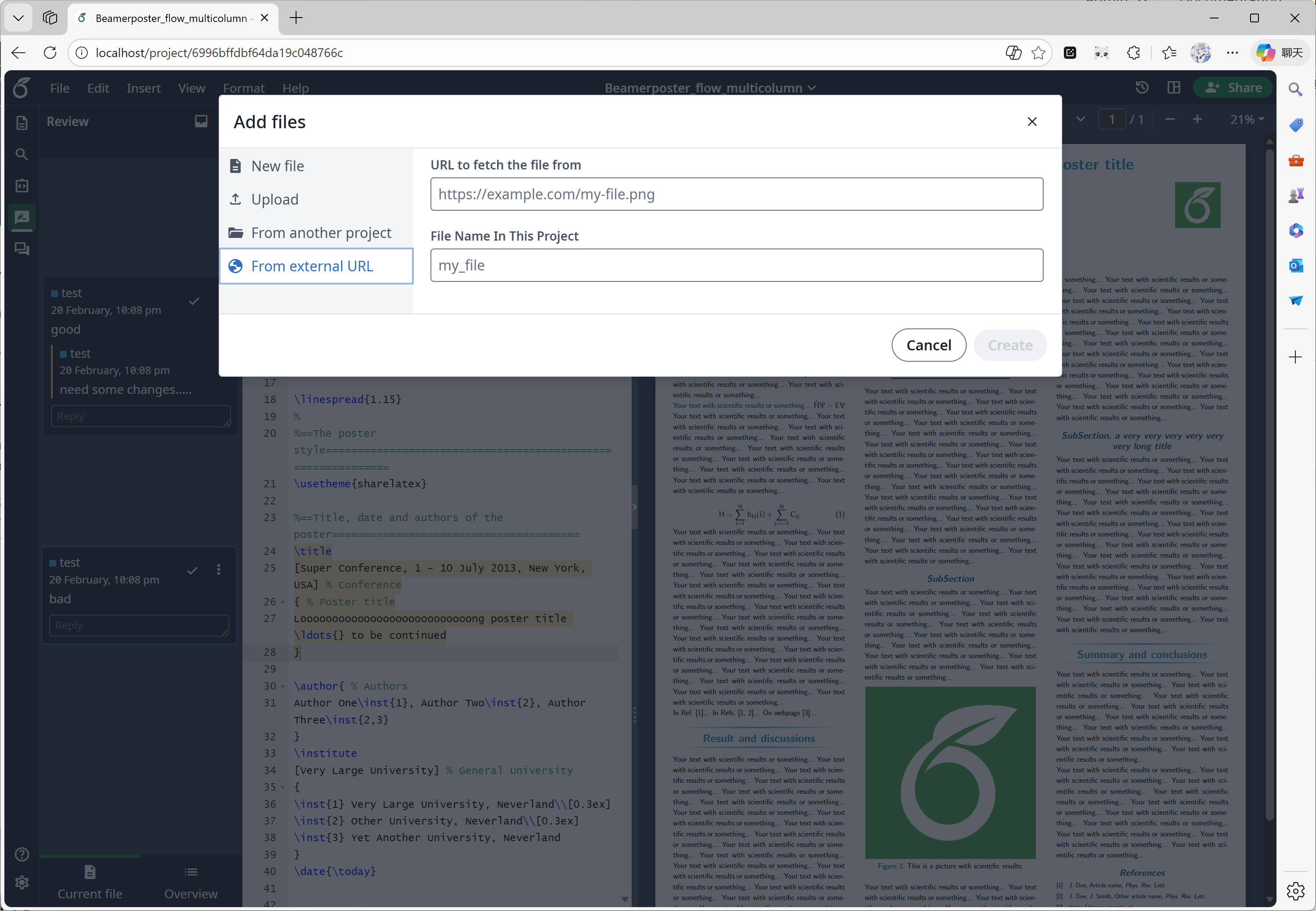
Deze functie is voornamelijk ontwikkeld door [yu-i-i/overleaf-cep](https://github.com/yu-i-i/overleaf-cep). CEP heeft een externe service genaamd linked-url-proxy geïmplementeerd, waarmee externe bestanden veilig kunnen worden opgehaald met domein-/IP-beperkingen.
#### Functie 07: Externe URL
Deze functie is voornamelijk ontwikkeld door [yu-i-i/overleaf-cep](https://github.com/yu-i-i/overleaf-cep). CEP heeft een externe service genaamd linked-url-proxy geïmplementeerd, waarmee externe bestanden veilig kunnen worden opgehaald met domein-/IP-beperkingen.
 #### Functie 08: SSO
Deze functie is voornamelijk ontwikkeld door [yu-i-i/overleaf-cep](https://github.com/yu-i-i/overleaf-cep). CEP heeft een submodule geïmplementeerd die passport koppelt aan de webauthenticatie van Overleaf.
#### Functie 08: SSO
Deze functie is voornamelijk ontwikkeld door [yu-i-i/overleaf-cep](https://github.com/yu-i-i/overleaf-cep). CEP heeft een submodule geïmplementeerd die passport koppelt aan de webauthenticatie van Overleaf.
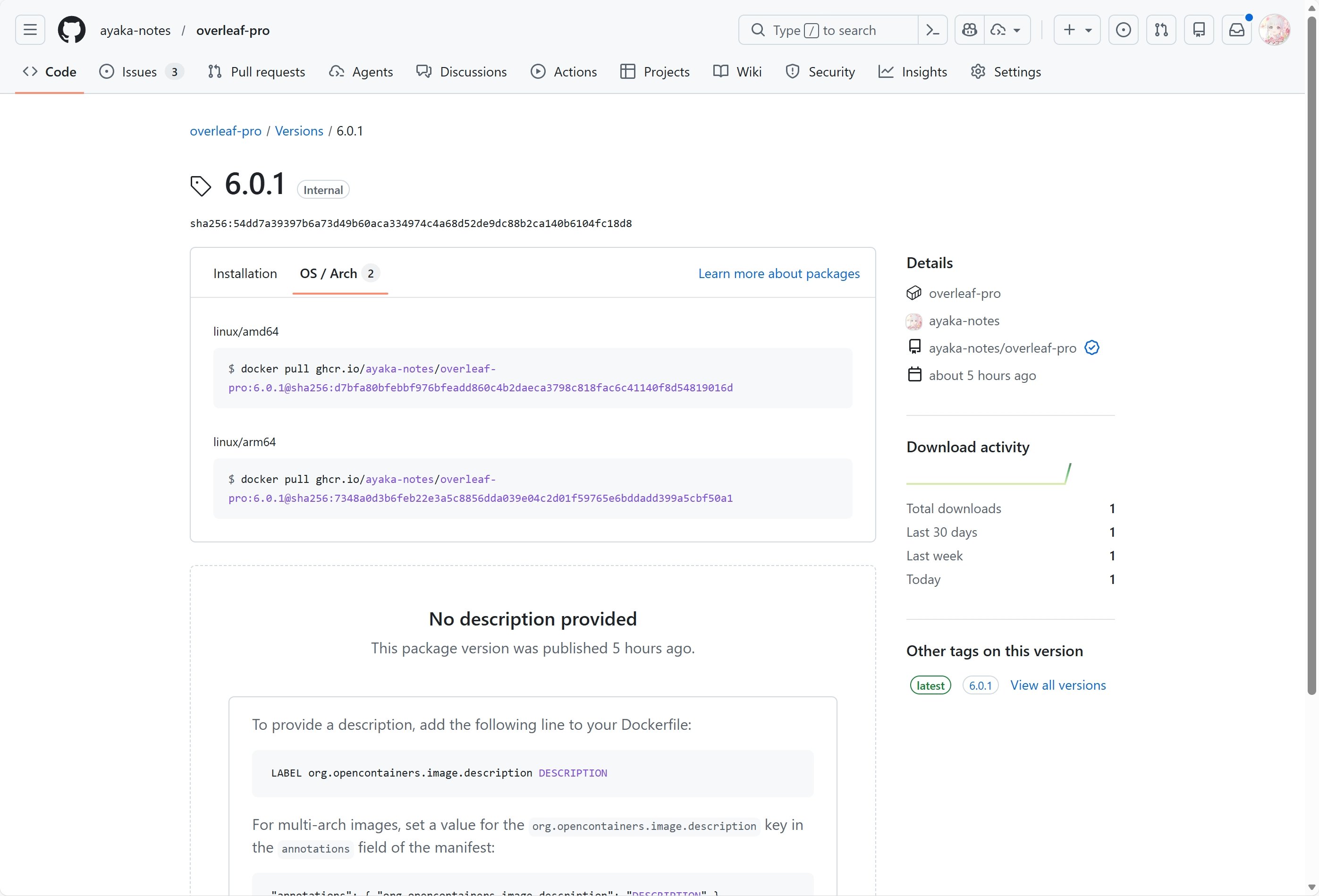
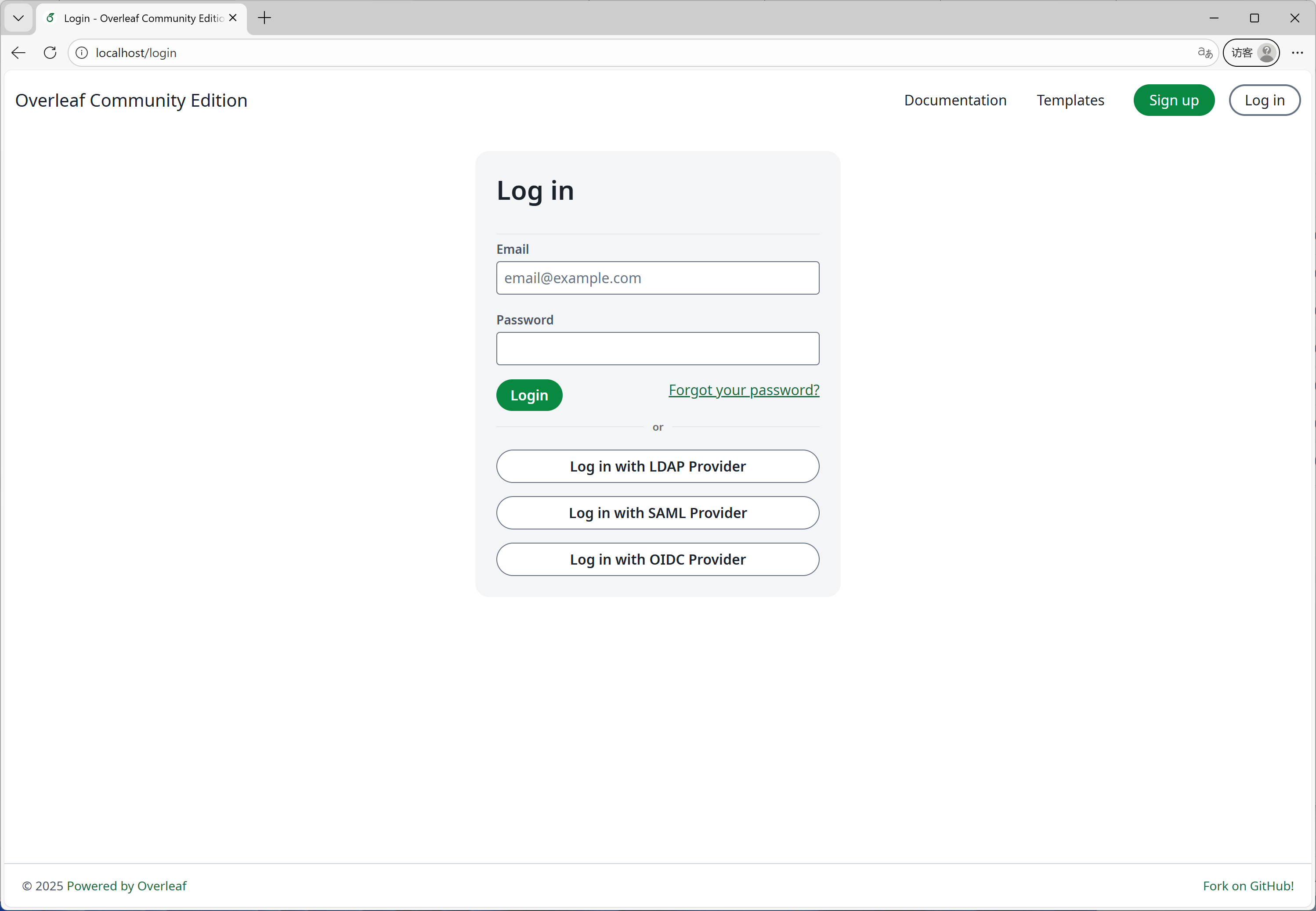 #### Functie 09: ARM-ondersteuning
We gebruiken GitHub Actions om Docker-images voor de x86- en arm-architecturen te bouwen en te publiceren. Wanneer je de image downloadt, wordt automatisch de juiste architectuur voor je systeem gekozen.
#### Functie 09: ARM-ondersteuning
We gebruiken GitHub Actions om Docker-images voor de x86- en arm-architecturen te bouwen en te publiceren. Wanneer je de image downloadt, wordt automatisch de juiste architectuur voor je systeem gekozen.
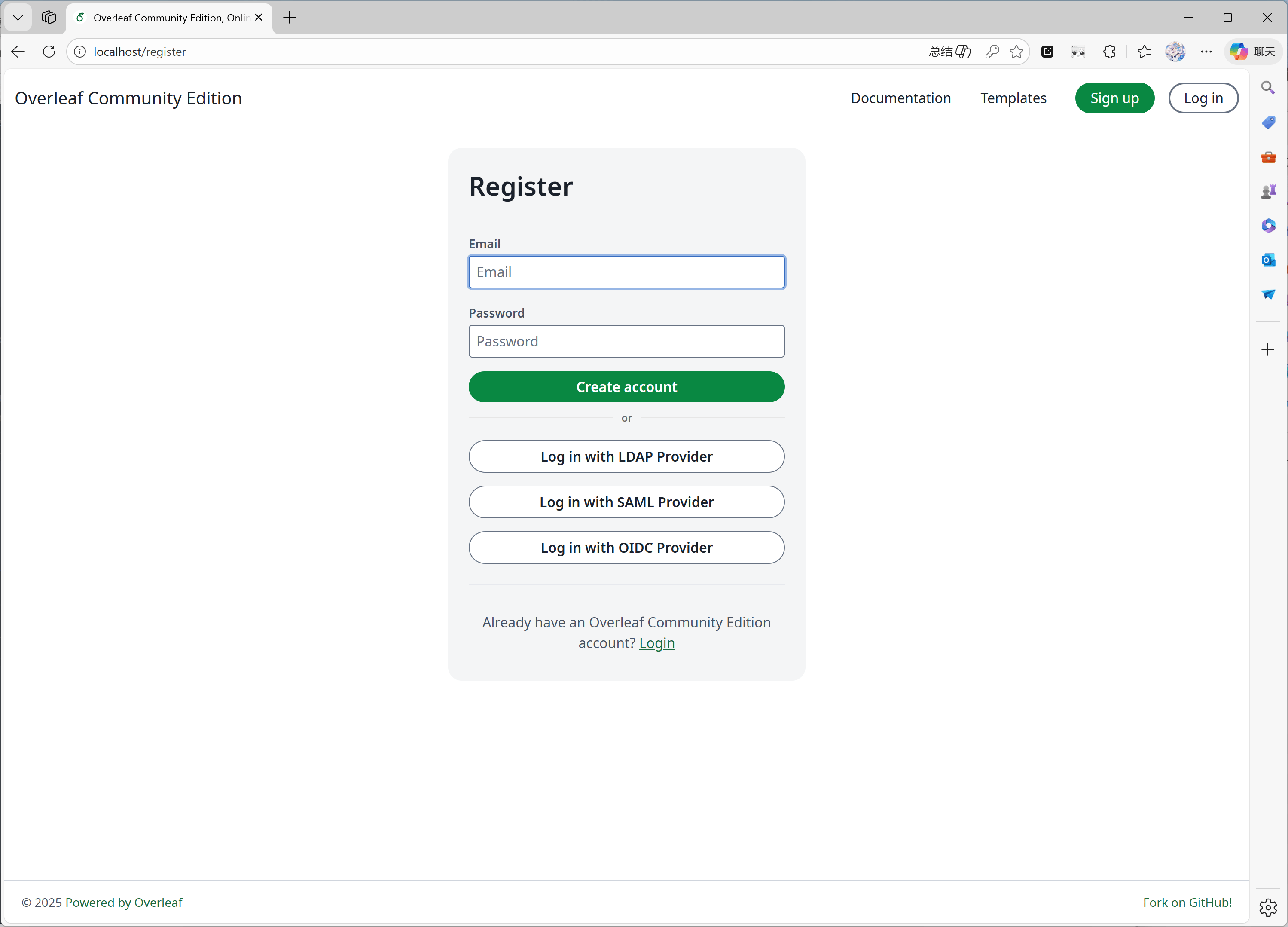
 #### Functie 10: Zelfregistratie
Deze functie is ontwikkeld door [ayaka-notes/overleaf-pro](https://github.com/ayaka-notes/overleaf-pro). Je kunt:
* gebruikersregistratie beperken tot specifieke domeinen
* gebruikersregistratie openstellen voor iedereen die toegang heeft tot je Overleaf
#### Functie 10: Zelfregistratie
Deze functie is ontwikkeld door [ayaka-notes/overleaf-pro](https://github.com/ayaka-notes/overleaf-pro). Je kunt:
* gebruikersregistratie beperken tot specifieke domeinen
* gebruikersregistratie openstellen voor iedereen die toegang heeft tot je Overleaf
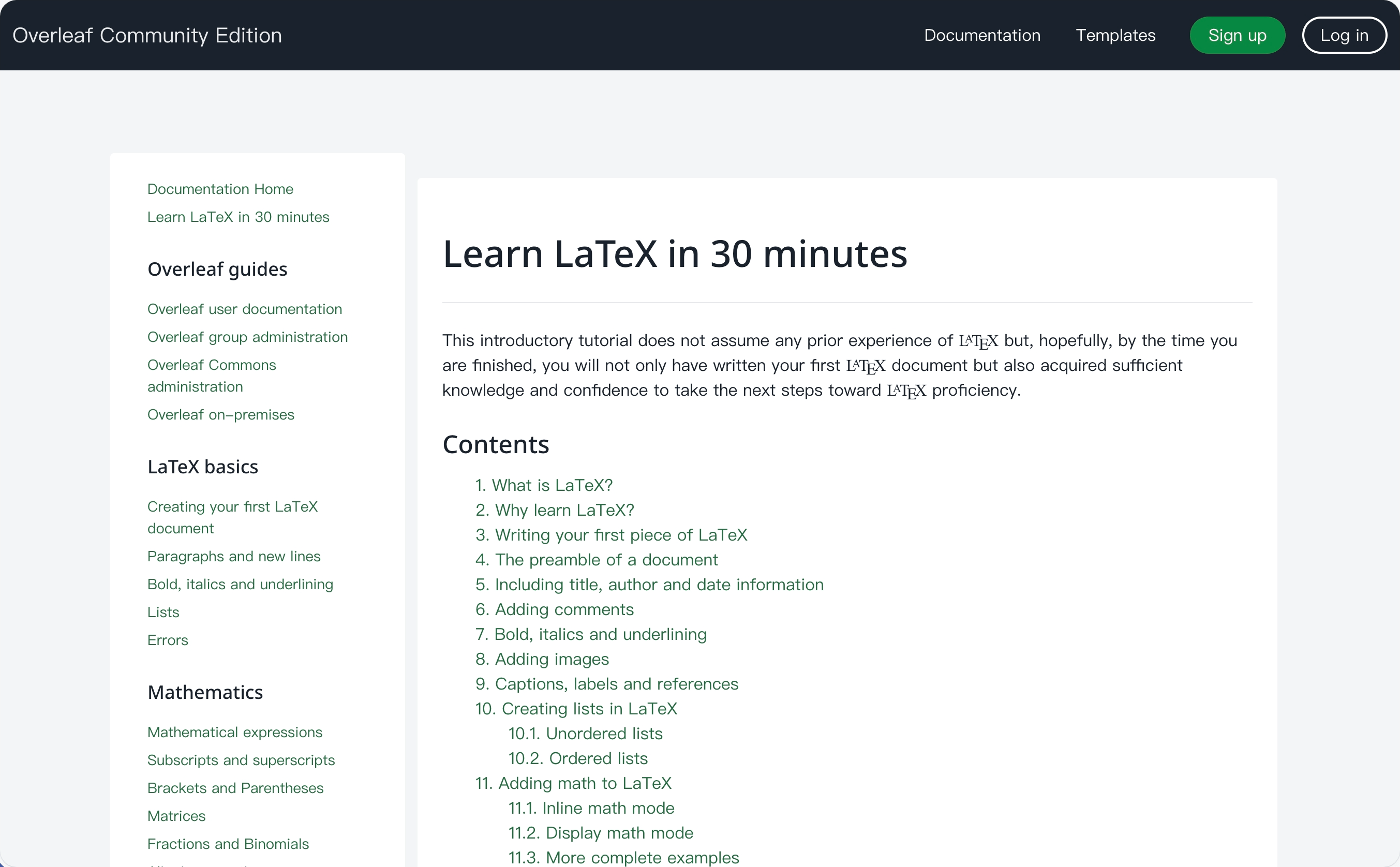
 #### Functie 11: Learn-wiki
Deze functie is ontwikkeld door [ayaka-notes/ayakaleaf-pro](https://github.com/ayaka-notes/ayakaleaf-pro). Je kunt de nieuwste Learn-wiki van Overleaf bekijken, maar wij bezitten geen enkel auteursrecht op deze documenten! We downloaden ze alleen van de Overleaf-server wanneer je deze functie voor het eerst inschakelt, en werken ze periodiek bij.
#### Functie 11: Learn-wiki
Deze functie is ontwikkeld door [ayaka-notes/ayakaleaf-pro](https://github.com/ayaka-notes/ayakaleaf-pro). Je kunt de nieuwste Learn-wiki van Overleaf bekijken, maar wij bezitten geen enkel auteursrecht op deze documenten! We downloaden ze alleen van de Overleaf-server wanneer je deze functie voor het eerst inschakelt, en werken ze periodiek bij.
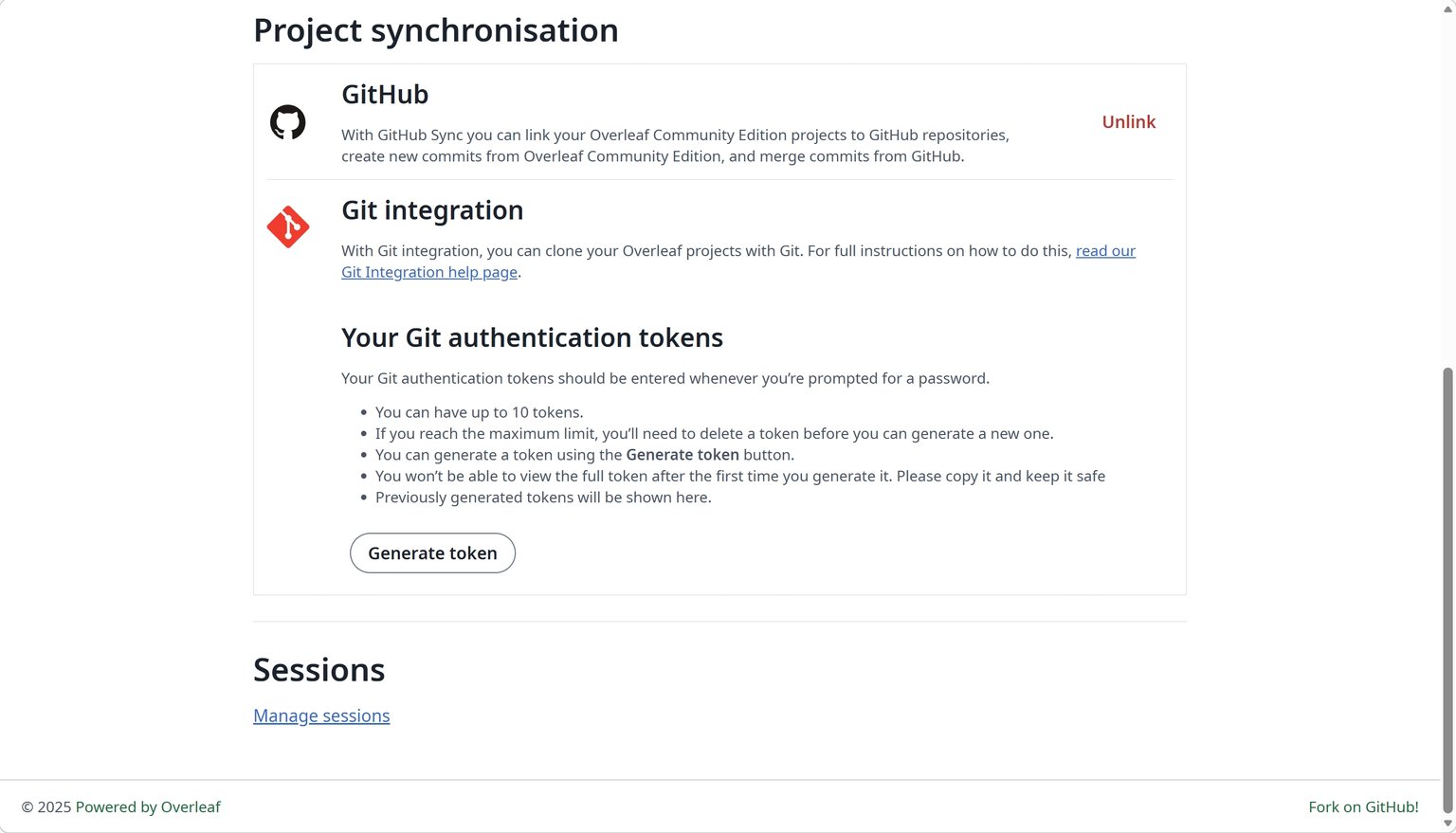
 #### Functie 12: GitHub-synchronisatie
Deze functie is ontwikkeld door [ayaka-notes/ayakaleaf-pro](https://github.com/ayaka-notes/ayakaleaf-pro) en daarnaast aangepast en verbeterd door [yu-i-i/overleaf-cep](https://github.com/yu-i-i/overleaf-cep).
#### Functie 12: GitHub-synchronisatie
Deze functie is ontwikkeld door [ayaka-notes/ayakaleaf-pro](https://github.com/ayaka-notes/ayakaleaf-pro) en daarnaast aangepast en verbeterd door [yu-i-i/overleaf-cep](https://github.com/yu-i-i/overleaf-cep).
 #### Functie 13: Python Runner
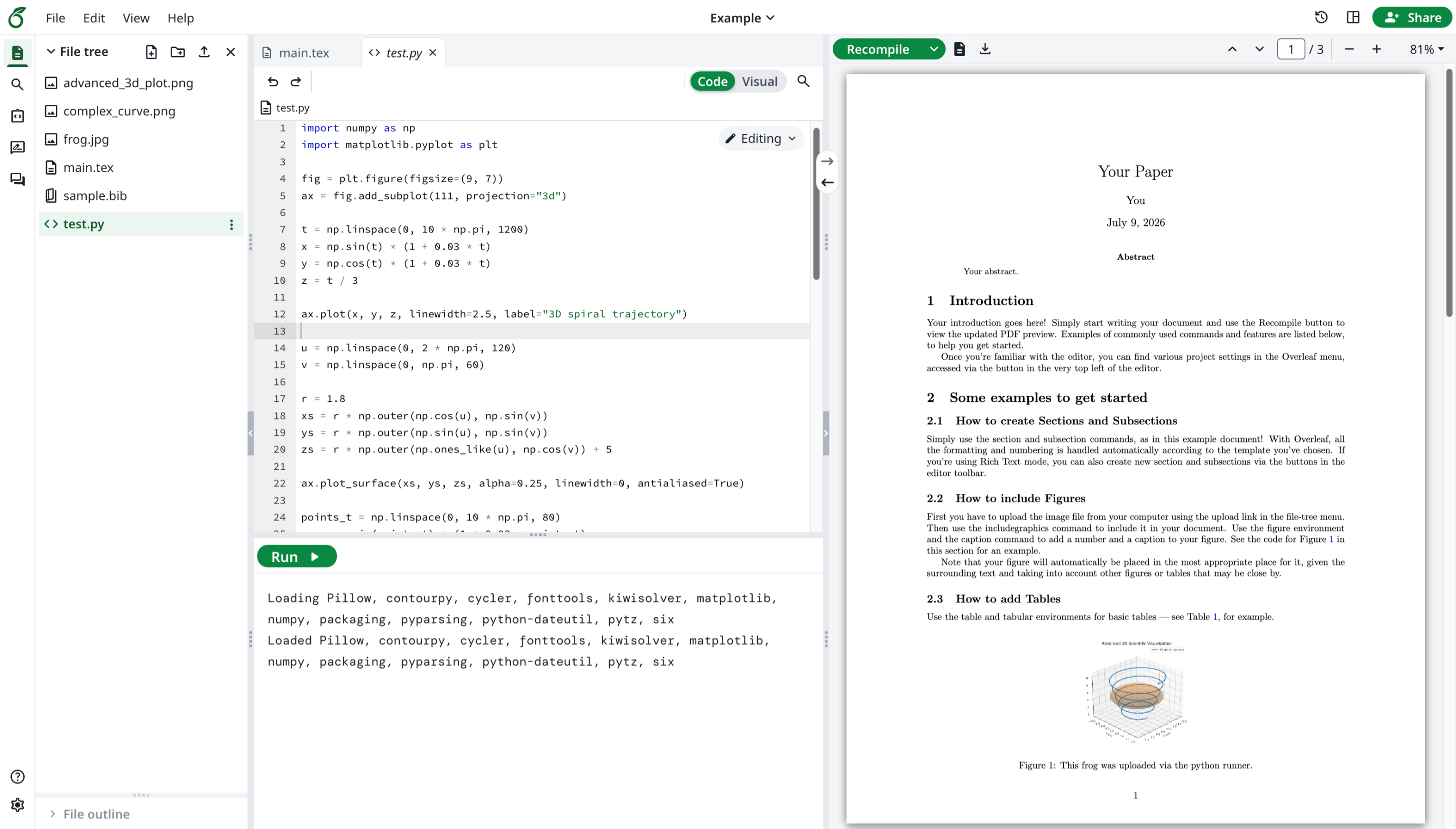
Deze functie is ontwikkeld door Overleaf zelf. Je kunt Python-scripts in je browser uitvoeren.
#### Functie 13: Python Runner
Deze functie is ontwikkeld door Overleaf zelf. Je kunt Python-scripts in je browser uitvoeren.
 #### Functie 14: Geavanceerd zoeken naar referenties
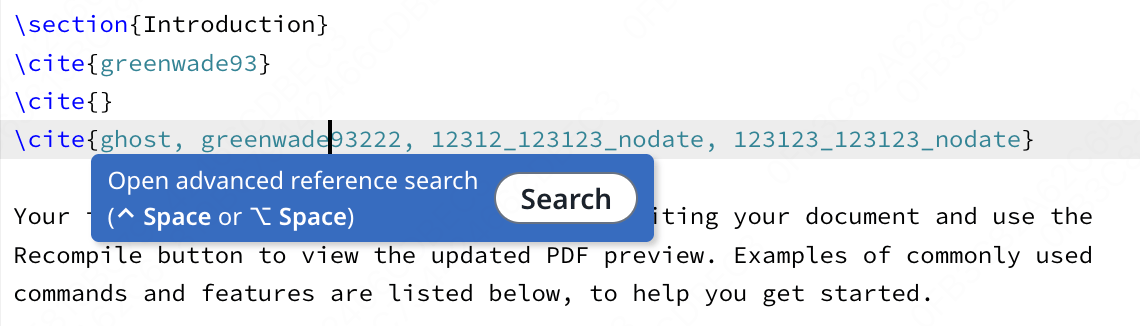
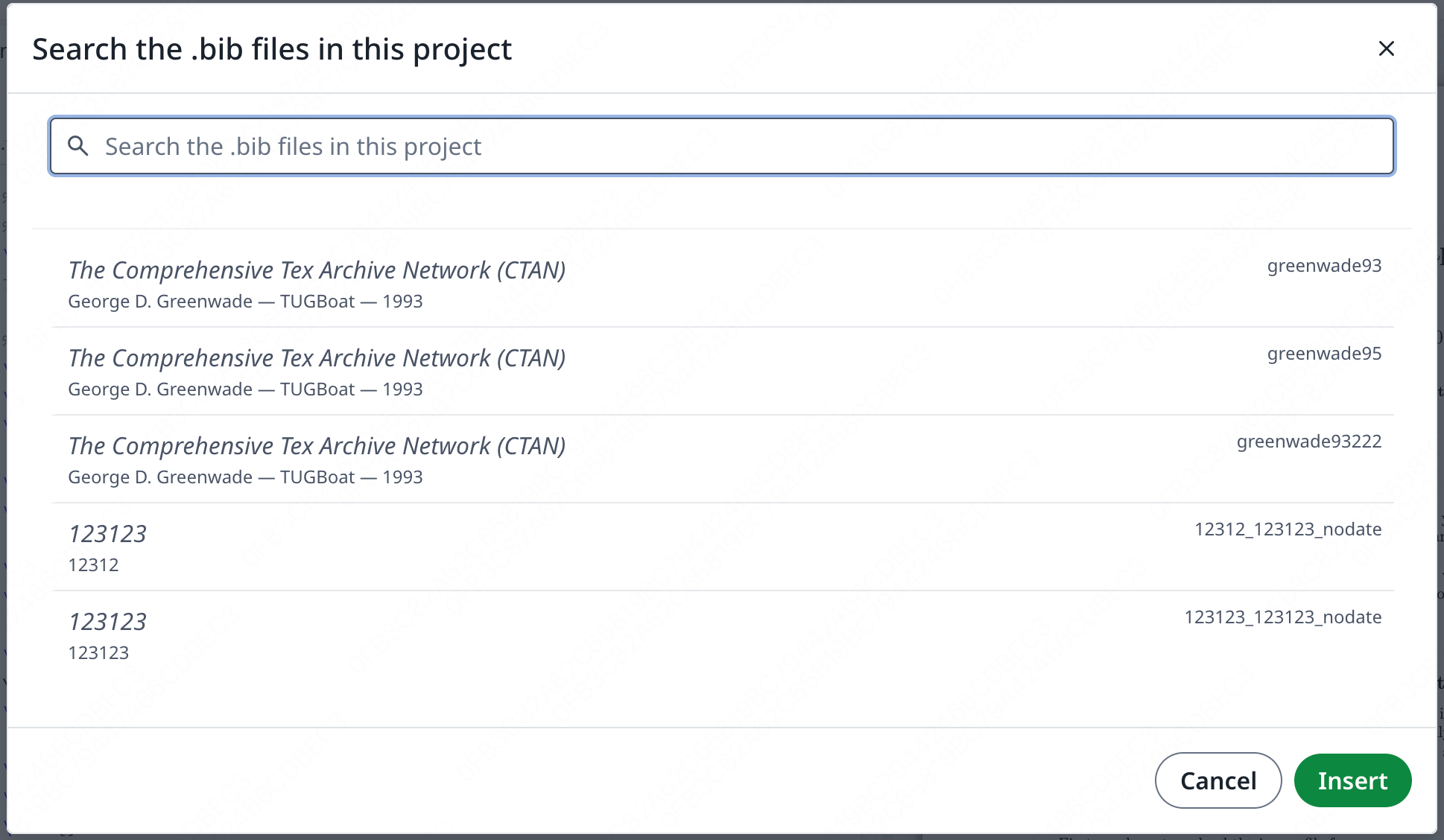
Deze functie is ontwikkeld door [davrot](https://github.com/davrot/), verbeterd door [yu-i-i/overleaf-cep](https://github.com/yu-i-i/overleaf-cep) en ook door [ayaka-notes/ayakaleaf-pro](https://github.com/ayaka-notes/ayakaleaf-pro).
#### Functie 14: Geavanceerd zoeken naar referenties
Deze functie is ontwikkeld door [davrot](https://github.com/davrot/), verbeterd door [yu-i-i/overleaf-cep](https://github.com/yu-i-i/overleaf-cep) en ook door [ayaka-notes/ayakaleaf-pro](https://github.com/ayaka-notes/ayakaleaf-pro).
 Zoekpaneel:
 #### Functie 15: Pandoc-conversies
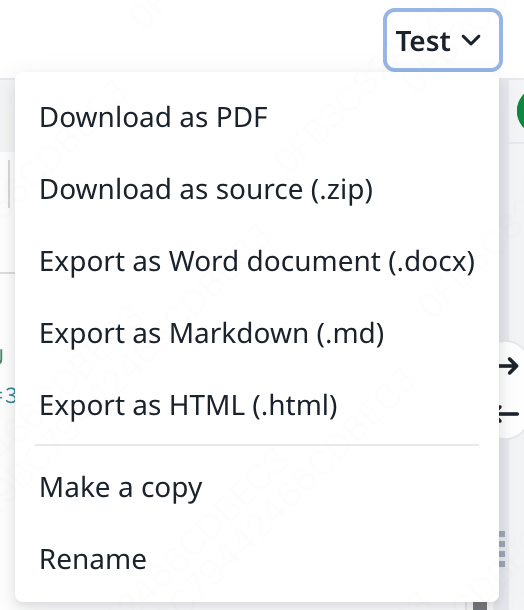
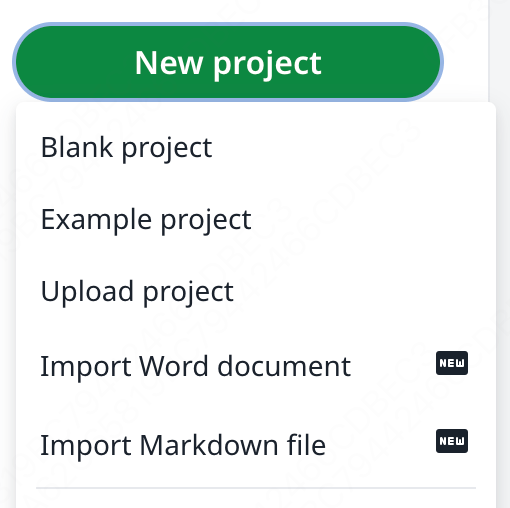
Met deze functie kun je Word- of Markdown-documenten importeren als LaTeX-projecten, of LaTeX-projecten exporteren naar Markdown of DOCX.
#### Functie 15: Pandoc-conversies
Met deze functie kun je Word- of Markdown-documenten importeren als LaTeX-projecten, of LaTeX-projecten exporteren naar Markdown of DOCX.
 #### Functie 16: AI-chat en LaTeX-foutassistent
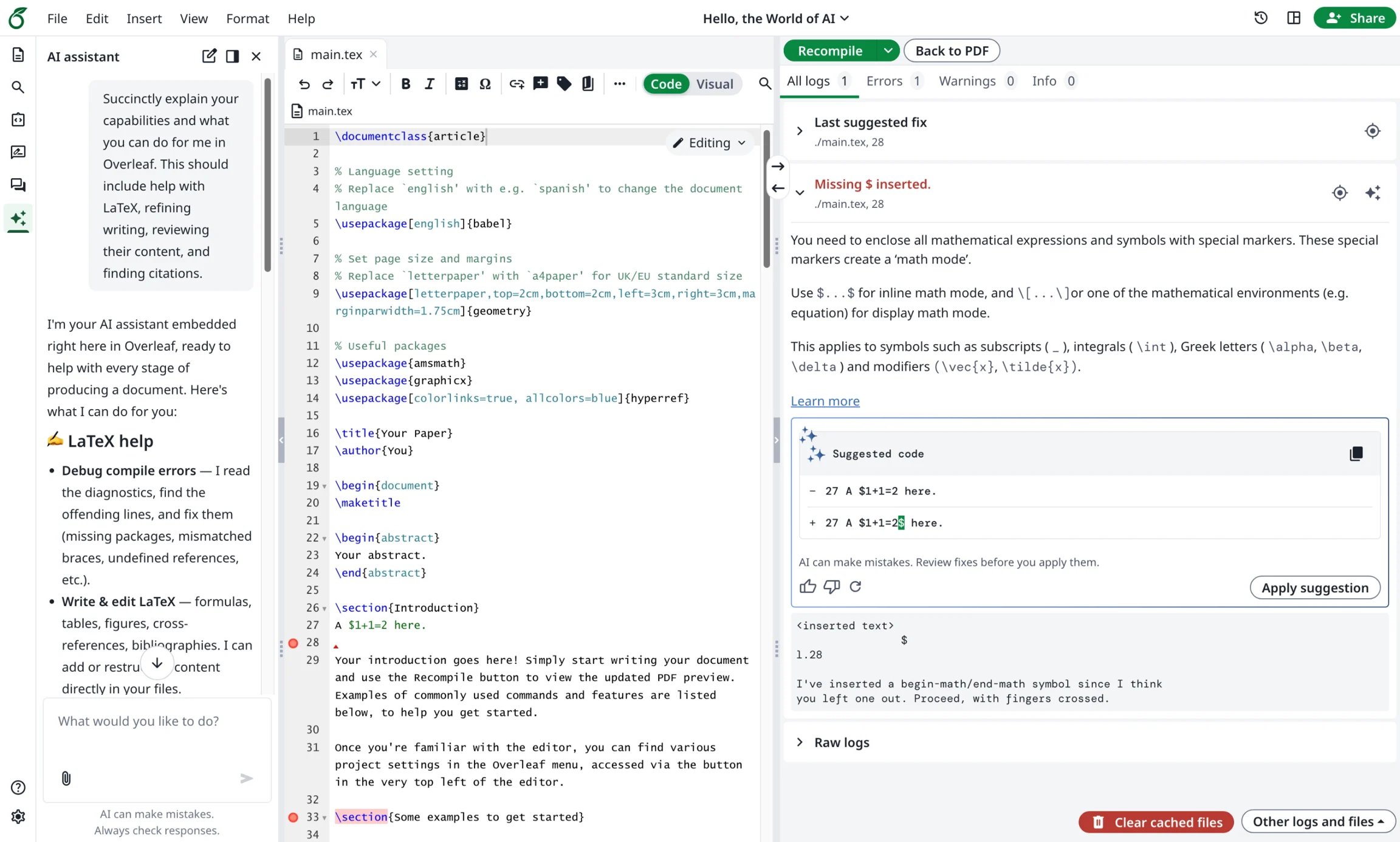
Ayakaleaf Pro brengt een AI-assistent die je projectdocumenten en huidige selectie als context kan gebruiken om vragen te beantwoorden en bewerkingen voor te stellen die je kunt beoordelen, terwijl de foutassistent een gerichte oplossing voorstelt wanneer je een LaTeX-compilatiefout selecteert.
#### Functie 16: AI-chat en LaTeX-foutassistent
Ayakaleaf Pro brengt een AI-assistent die je projectdocumenten en huidige selectie als context kan gebruiken om vragen te beantwoorden en bewerkingen voor te stellen die je kunt beoordelen, terwijl de foutassistent een gerichte oplossing voorstelt wanneer je een LaTeX-compilatiefout selecteert.
 This documentation is built and hosted on [Mintlify](https://mintlify.com), a developer documentation platform.