> ## Documentation Index
> Fetch the complete documentation index at: https://ayakaleaf-pro.mintlify.site/llms.txt
> Use this file to discover all available pages before exploring further.
# Zotero-integratie
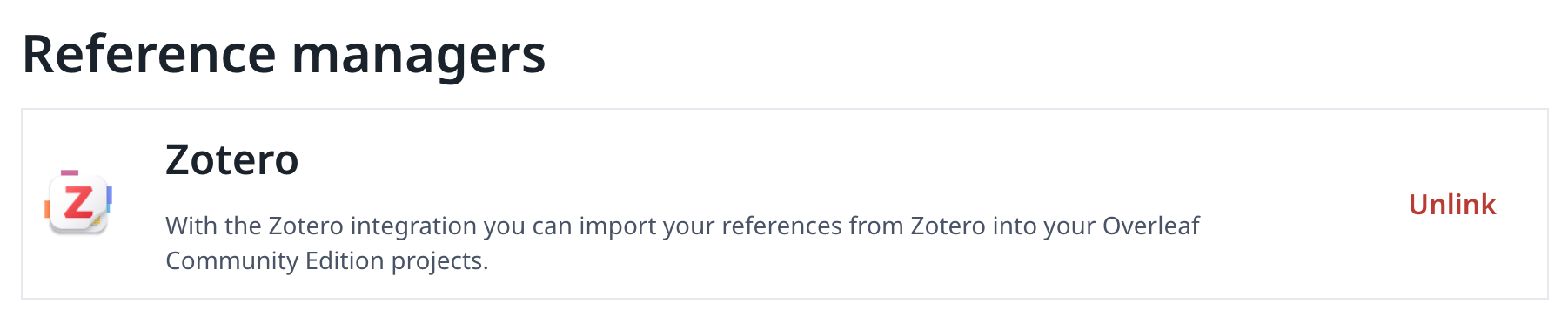
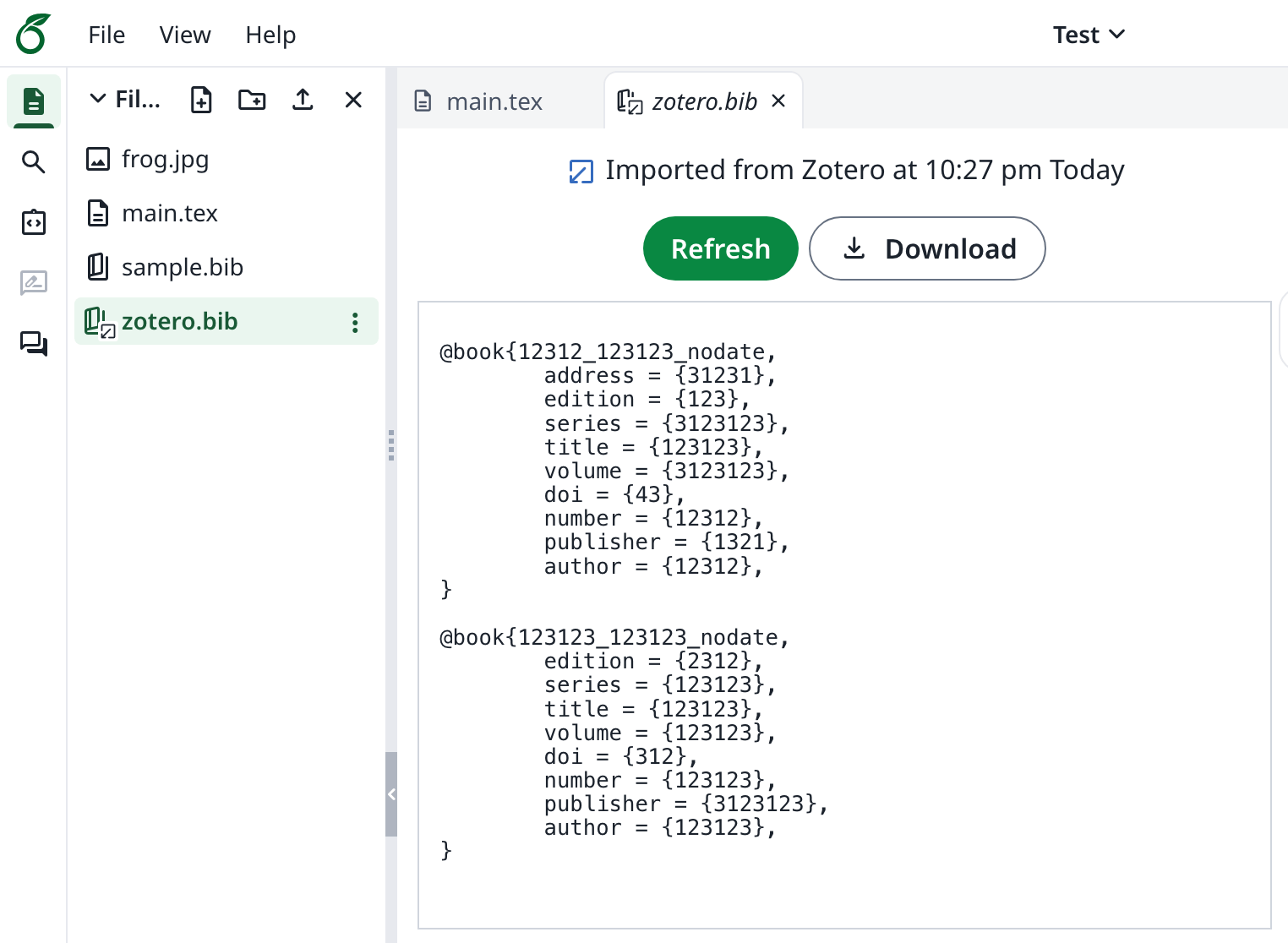
Deze functie is oorspronkelijk ontwikkeld door [davrot](https://github.com/davrot) en [yu-i-i/overleaf-cep](https://github.com/yu-i-i/overleaf-cep), en aangepast door [ayaka-notes/overleaf-pro](https://github.com/ayaka-notes/overleaf-pro) met OAuth. Ze is beschikbaar vanaf v6.2.0. De functie is nog in bèta. We horen graag je feedback als je problemen tegenkomt.
 ### Zotero-integratie instellen
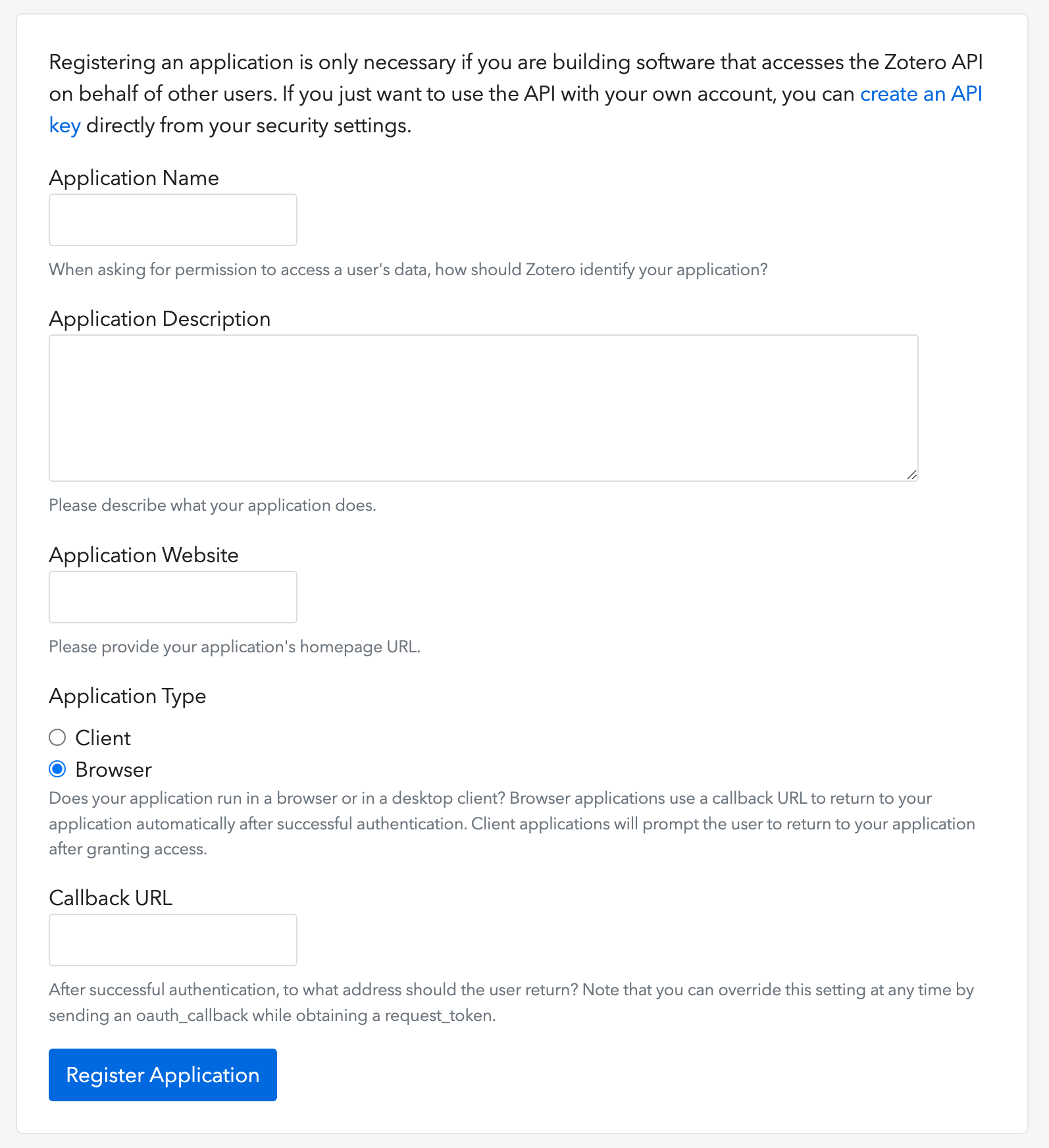
1. Open [deze link](https://www.zotero.org/oauth/apps) om een Zotero OAuth-client aan te maken (zoals in de afbeelding)
2. Kies als **Application Type**: **Browser**
3. Stel de Callback URL in op je `${OVERLEAF_SITE_URL}/user/zotero/oauth/callback`
4. Configureer je `config/variables.env`
### Zotero-integratie instellen
1. Open [deze link](https://www.zotero.org/oauth/apps) om een Zotero OAuth-client aan te maken (zoals in de afbeelding)
2. Kies als **Application Type**: **Browser**
3. Stel de Callback URL in op je `${OVERLEAF_SITE_URL}/user/zotero/oauth/callback`
4. Configureer je `config/variables.env`
 ```dotenv title="config/variables.env" theme={null}
#################
# Zotero #
#################
# 'zotero' must be in ENABLED_LINKED_FILE_TYPES (set in develop/docker-compose.yml)
ENABLED_LINKED_FILE_TYPES=project_file,project_output_file,url,zotero
# From a Zotero OAuth client (register at https://www.zotero.org/oauth/apps)
# Application Type: Browser
# Callback URL -> ${OVERLEAF_SITE_URL}/user/zotero/oauth/callback
ZOTERO_CLIENT_ID=
ZOTERO_CLIENT_SECRET=
# Encrypts the Zotero API key in mongo (set in dev to avoid writing a key file
# to /var/lib/overleaf/data, which the dev web container can't create)
# How to generate: `openssl rand -hex 32`
ZOTERO_CIPHER_PASSWORD=dev-zotero-cipher-password
# Optional: route the module's server-side Zotero requests (OAuth + API) through
# an HTTP proxy (must be reachable from the web container; same as github-sync)
# http://10.0.0.1:10808
# (Optional) ZOTERO_PROXY_URL=
```
### Opmerkingen
Wanneer je een bestaande installatie met aan Zotero gekoppelde bibliografiebestanden upgradet naar de opnieuw uitgebrachte 6.3.0, volg dan de [migratie-instructies voor Zotero / Mendeley](/nl/on-premises/release-notes/release-notes-6.x.x#ayakaleaf-pro-6.3.0 "mention"). Nieuwe installaties hebben deze migratie niet nodig.
Omdat Ayakaleaf een samenwerkingsplatform is, mag vanaf versie 6.3.0 ter verbetering van de beveiliging alleen de oorspronkelijke maker van een `bib`-referentiebestand het geïmporteerde bestand bijwerken.
Stel bijvoorbeeld dat de projecteigenaar, gebruiker A, het delen via een link inschakelt en een bestand `test.bib` in het project aanmaakt dat aan zijn eigen Zotero-account is gekoppeld. Als een andere gebruiker, gebruiker B, het project via de gedeelde link opent, kan gebruiker B `test.bib` nog steeds lezen en downloaden, maar mag hij het bestand niet bijwerken of opnieuw uit Zotero importeren. Alleen gebruiker A, als oorspronkelijke maker van het referentiebestand, kan updates uitvoeren. Kortom: alleen de oorspronkelijke maker van het `.bib`-bestand heeft het recht om het bij te werken.
This documentation is built and hosted on [Mintlify](https://mintlify.com), a developer documentation platform.
```dotenv title="config/variables.env" theme={null}
#################
# Zotero #
#################
# 'zotero' must be in ENABLED_LINKED_FILE_TYPES (set in develop/docker-compose.yml)
ENABLED_LINKED_FILE_TYPES=project_file,project_output_file,url,zotero
# From a Zotero OAuth client (register at https://www.zotero.org/oauth/apps)
# Application Type: Browser
# Callback URL -> ${OVERLEAF_SITE_URL}/user/zotero/oauth/callback
ZOTERO_CLIENT_ID=
ZOTERO_CLIENT_SECRET=
# Encrypts the Zotero API key in mongo (set in dev to avoid writing a key file
# to /var/lib/overleaf/data, which the dev web container can't create)
# How to generate: `openssl rand -hex 32`
ZOTERO_CIPHER_PASSWORD=dev-zotero-cipher-password
# Optional: route the module's server-side Zotero requests (OAuth + API) through
# an HTTP proxy (must be reachable from the web container; same as github-sync)
# http://10.0.0.1:10808
# (Optional) ZOTERO_PROXY_URL=
```
### Opmerkingen
Wanneer je een bestaande installatie met aan Zotero gekoppelde bibliografiebestanden upgradet naar de opnieuw uitgebrachte 6.3.0, volg dan de [migratie-instructies voor Zotero / Mendeley](/nl/on-premises/release-notes/release-notes-6.x.x#ayakaleaf-pro-6.3.0 "mention"). Nieuwe installaties hebben deze migratie niet nodig.
Omdat Ayakaleaf een samenwerkingsplatform is, mag vanaf versie 6.3.0 ter verbetering van de beveiliging alleen de oorspronkelijke maker van een `bib`-referentiebestand het geïmporteerde bestand bijwerken.
Stel bijvoorbeeld dat de projecteigenaar, gebruiker A, het delen via een link inschakelt en een bestand `test.bib` in het project aanmaakt dat aan zijn eigen Zotero-account is gekoppeld. Als een andere gebruiker, gebruiker B, het project via de gedeelde link opent, kan gebruiker B `test.bib` nog steeds lezen en downloaden, maar mag hij het bestand niet bijwerken of opnieuw uit Zotero importeren. Alleen gebruiker A, als oorspronkelijke maker van het referentiebestand, kan updates uitvoeren. Kortom: alleen de oorspronkelijke maker van het `.bib`-bestand heeft het recht om het bij te werken.
This documentation is built and hosted on [Mintlify](https://mintlify.com), a developer documentation platform.