> ## Documentation Index
> Fetch the complete documentation index at: https://ayakaleaf-pro.mintlify.site/llms.txt
> Use this file to discover all available pages before exploring further.
# GitHub-synchronisatie
Deze functie is ontwikkeld door [ayaka-notes/overleaf-pro](https://github.com/ayaka-notes/overleaf-pro) en aangepast door [yu-i-i/overleaf-cep](https://github.com/yu-i-i/overleaf-cep). Ze is geïntroduceerd in v6.2.0 en latere versies. Ze bevindt zich nog in de bètafase. We horen graag je feedback als je problemen hebt.
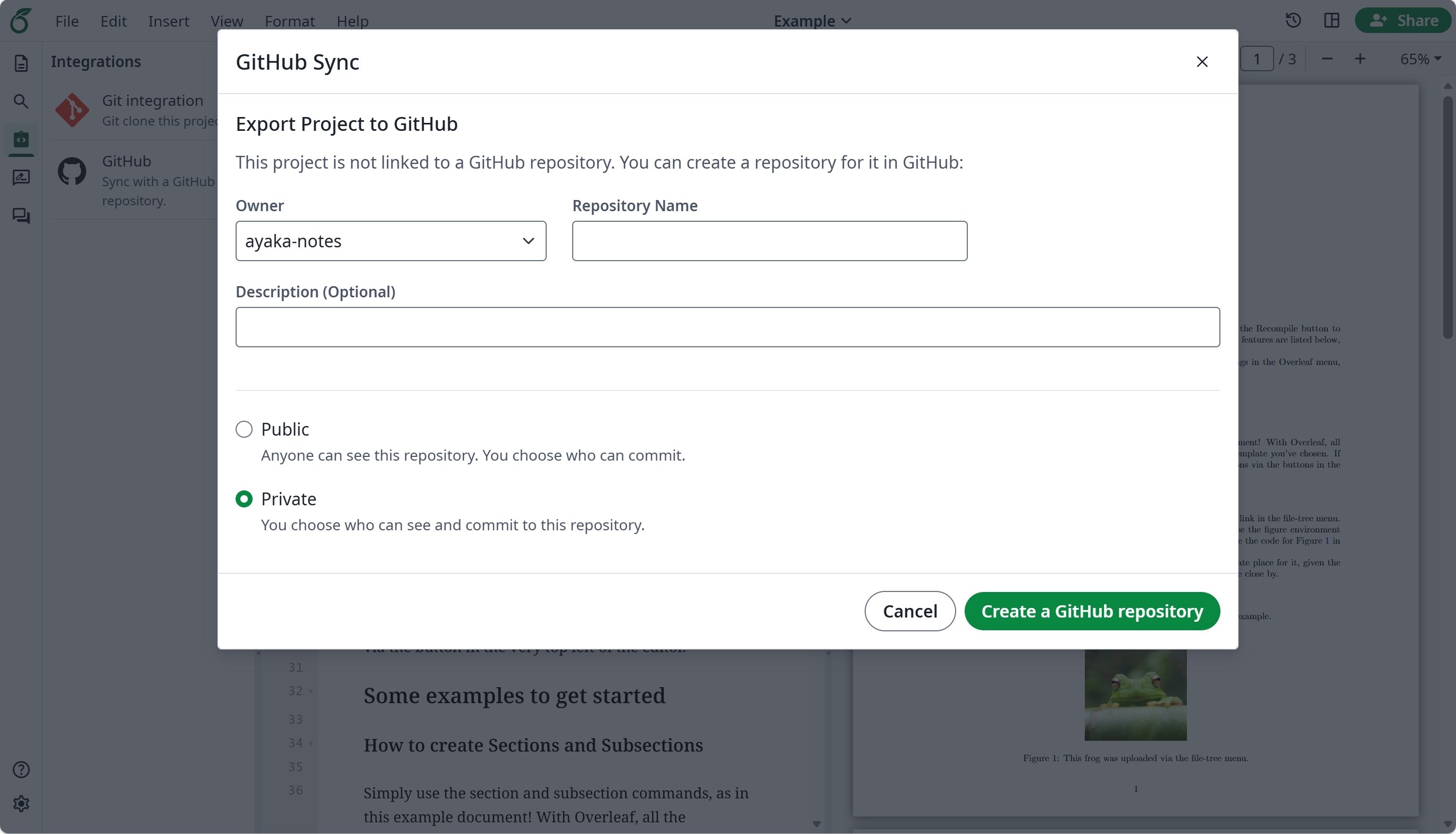
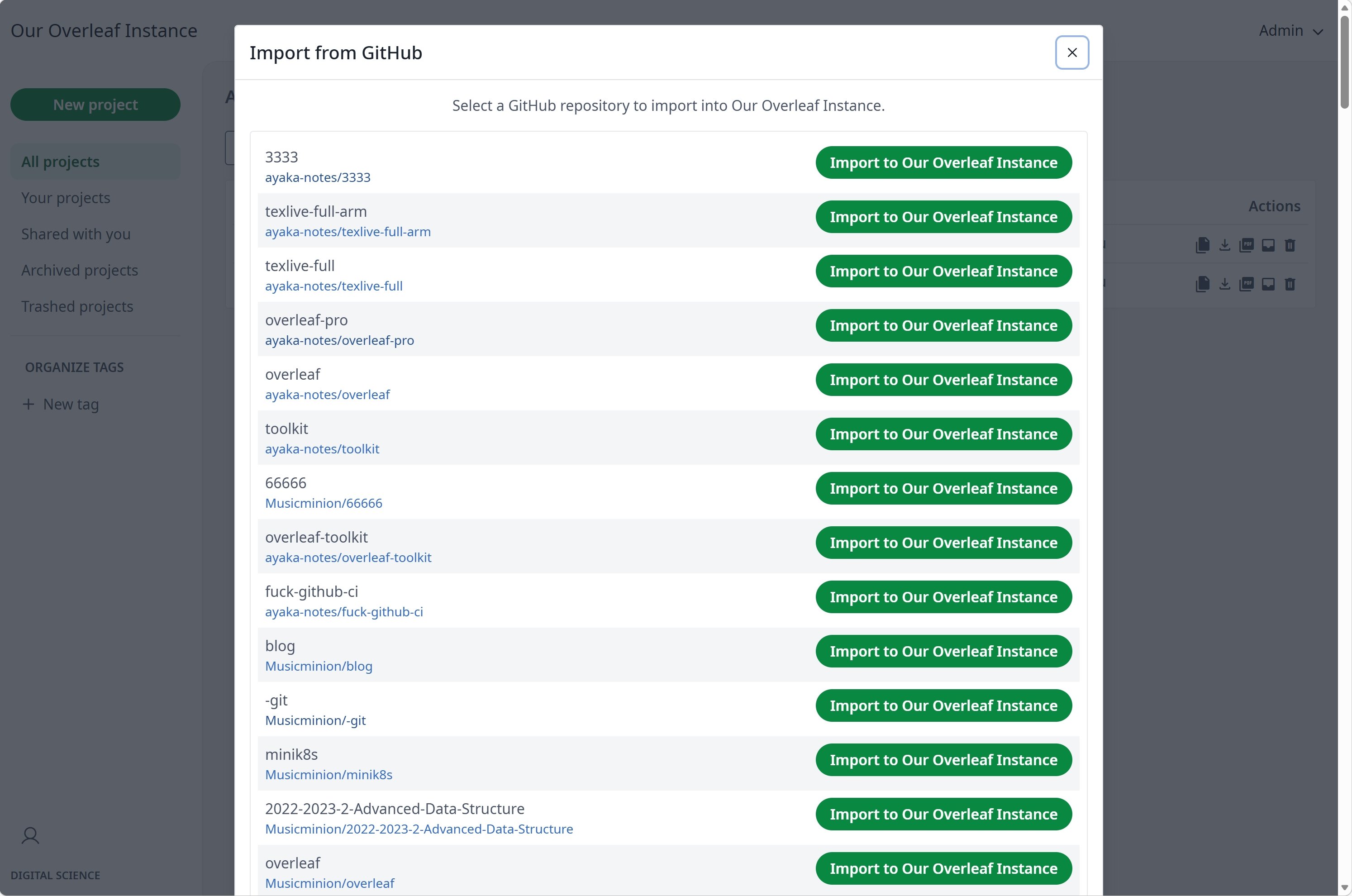
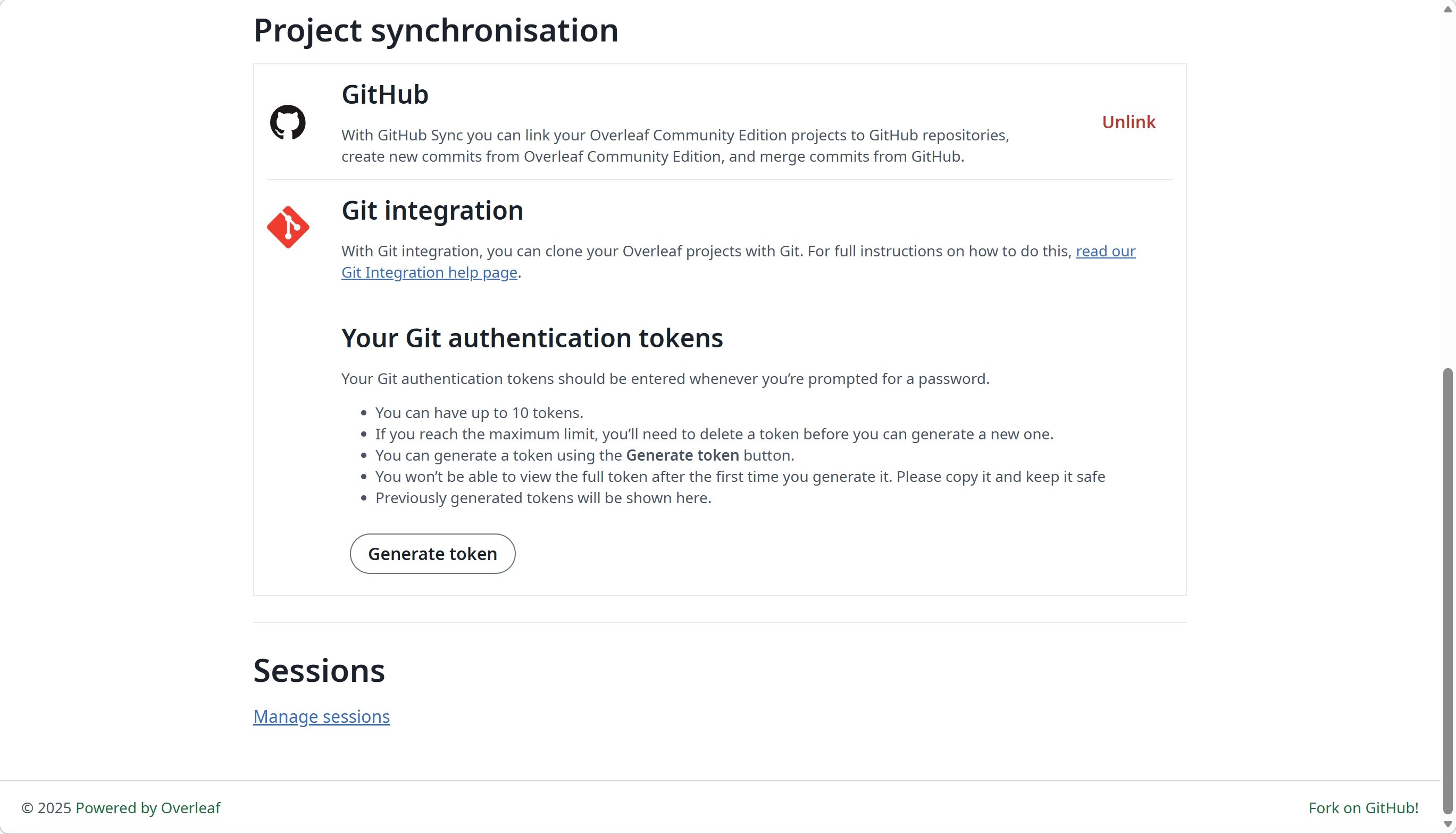
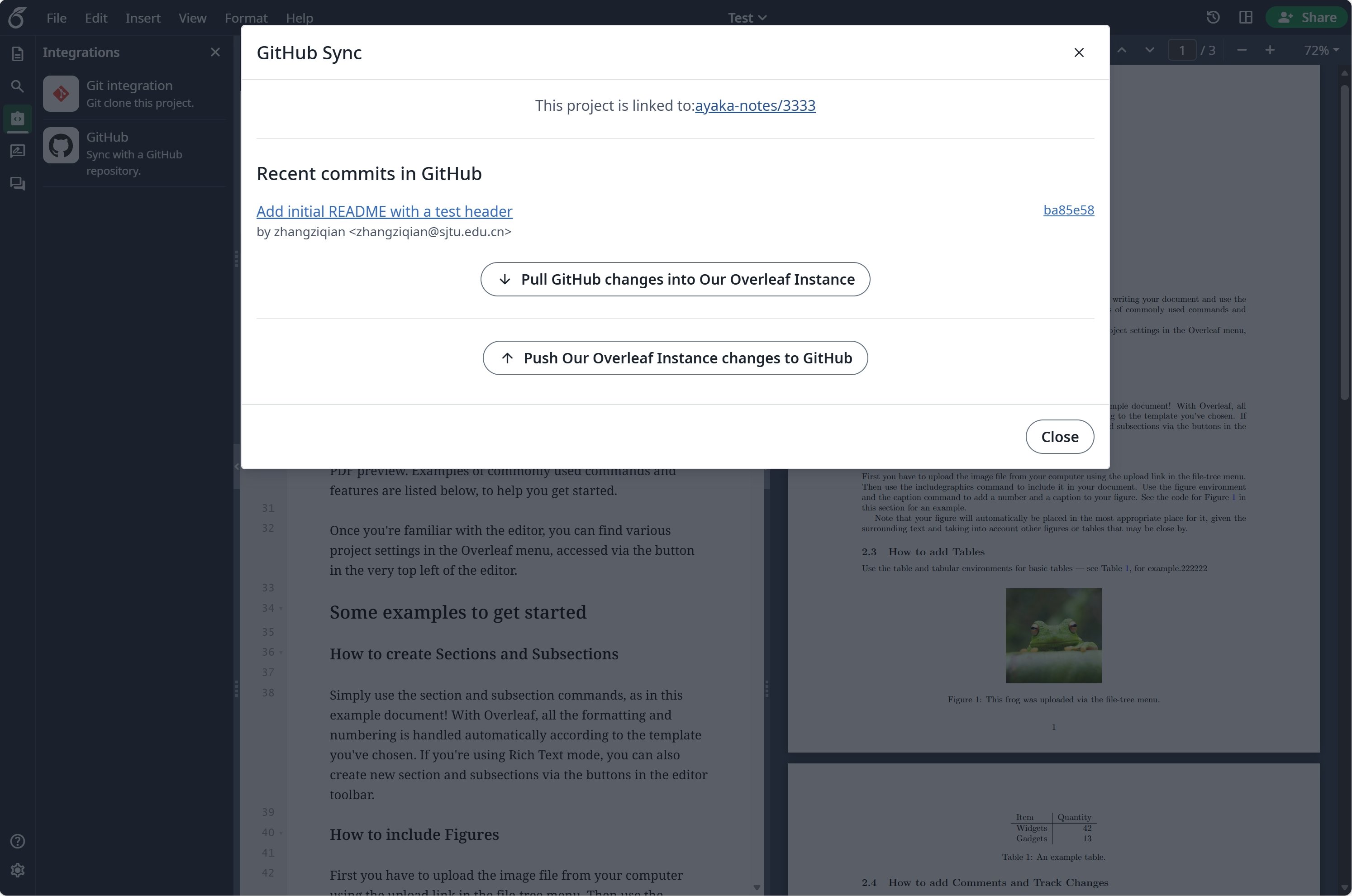 ### GitHub-synchronisatie instellen
Je moet eerst [git-bridge](/nl/on-premises/configuration/overleaf-toolkit/git-integration) inschakelen voordat je GitHub-synchronisatie kunt gebruiken.
```dotenv title="config/overleaf.rc" theme={null}
GIT_BRIDGE_ENABLED=true
```
Ga naar de [ontwikkelaarsinstellingen](https://github.com/settings/developers) om je GitHub OAuth-applicatie aan te maken en kopieer je `CLIENT_ID` en `SECRET`.
**Opmerking**: je OAuth-callback-URL is: `${OVERLEAF_SITE_URL}/user/github-sync/oauth2/callback`.
Voeg vervolgens de volgende instellingen toe aan je Overleaf-omgevingsvariabelenbestanden.
```dotenv title="config/variables.env" wrap theme={null}
# used to encrypt the user's GitHub access token.
# How to generate: `openssl rand -hex 32`
GITHUB_TOKEN_CIPHER_PASSWORD=0123456789ABCDEFG # changed to yours
# Github Sync Settings
GITHUB_SYNC_ENABLED=true
GITHUB_SYNC_CLIENT_ID=
GITHUB_SYNC_CLIENT_SECRET=
# OAuth callback is: ${OVERLEAF_SITE_URL}/user/github-sync/oauth2/callback
# (Optional) GITHUB_SYNC_PROXY_URL=http://10.0.0.1:10808
```
Zorg ervoor dat `OVERLEAF_SITE_URL` correct is ingesteld voordat je de GitHub OAuth-callback-URL configureert.
Als je je op het vasteland van China bevindt, moet je mogelijk een proxy configureren om GitHub te bereiken. Stel de volgende omgevingsvariabele in: `GITHUB_SYNC_PROXY_URL=http://10.0.0.1:10808`.
Gebruik `127.0.0.1` niet als proxyhost. Als de proxy op de hostserver draait, gebruik dan het LAN-IP-adres van de server (zoals `192.168.1.xx`) en zorg ervoor dat de proxy is geconfigureerd om verbindingen van apparaten in het lokale netwerk te accepteren.
This documentation is built and hosted on [Mintlify](https://mintlify.com), a developer documentation platform.
### GitHub-synchronisatie instellen
Je moet eerst [git-bridge](/nl/on-premises/configuration/overleaf-toolkit/git-integration) inschakelen voordat je GitHub-synchronisatie kunt gebruiken.
```dotenv title="config/overleaf.rc" theme={null}
GIT_BRIDGE_ENABLED=true
```
Ga naar de [ontwikkelaarsinstellingen](https://github.com/settings/developers) om je GitHub OAuth-applicatie aan te maken en kopieer je `CLIENT_ID` en `SECRET`.
**Opmerking**: je OAuth-callback-URL is: `${OVERLEAF_SITE_URL}/user/github-sync/oauth2/callback`.
Voeg vervolgens de volgende instellingen toe aan je Overleaf-omgevingsvariabelenbestanden.
```dotenv title="config/variables.env" wrap theme={null}
# used to encrypt the user's GitHub access token.
# How to generate: `openssl rand -hex 32`
GITHUB_TOKEN_CIPHER_PASSWORD=0123456789ABCDEFG # changed to yours
# Github Sync Settings
GITHUB_SYNC_ENABLED=true
GITHUB_SYNC_CLIENT_ID=
GITHUB_SYNC_CLIENT_SECRET=
# OAuth callback is: ${OVERLEAF_SITE_URL}/user/github-sync/oauth2/callback
# (Optional) GITHUB_SYNC_PROXY_URL=http://10.0.0.1:10808
```
Zorg ervoor dat `OVERLEAF_SITE_URL` correct is ingesteld voordat je de GitHub OAuth-callback-URL configureert.
Als je je op het vasteland van China bevindt, moet je mogelijk een proxy configureren om GitHub te bereiken. Stel de volgende omgevingsvariabele in: `GITHUB_SYNC_PROXY_URL=http://10.0.0.1:10808`.
Gebruik `127.0.0.1` niet als proxyhost. Als de proxy op de hostserver draait, gebruik dan het LAN-IP-adres van de server (zoals `192.168.1.xx`) en zorg ervoor dat de proxy is geconfigureerd om verbindingen van apparaten in het lokale netwerk te accepteren.
This documentation is built and hosted on [Mintlify](https://mintlify.com), a developer documentation platform.