> ## Documentation Index
> Fetch the complete documentation index at: https://ayakaleaf-pro.mintlify.site/llms.txt
> Use this file to discover all available pages before exploring further.
# Authenticatie
Deze functie is ontwikkeld door [yu-i-i/overleaf-cep](https://github.com/yu-i-i/overleaf-cep).
Er worden 3 authenticatiemethoden ondersteund. Na de configuratie kun je inloggen met de volgende opties, zoals de afbeelding hieronder laat zien.
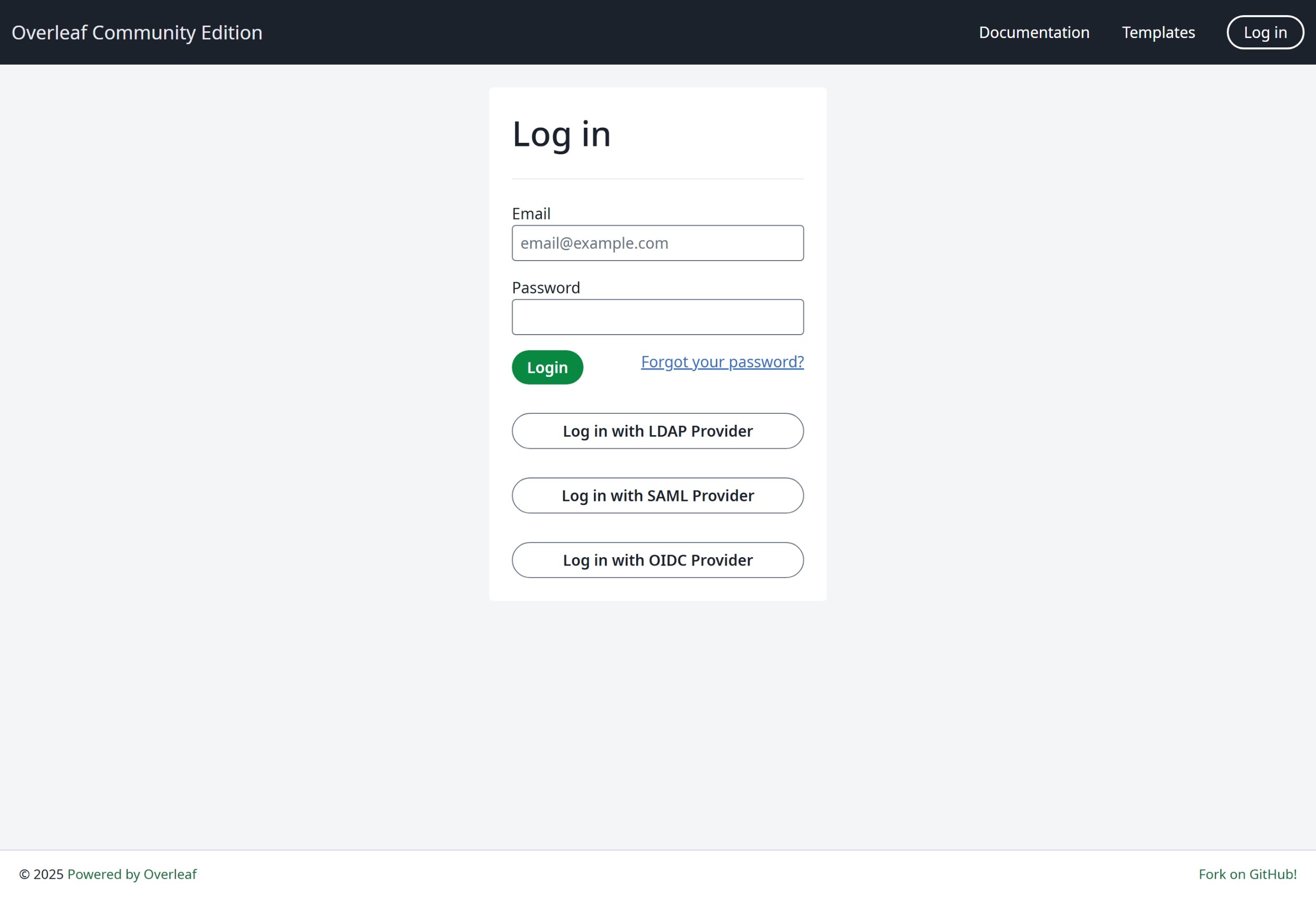 We raden je sterk aan OIDC te gebruiken, omdat dit de meest algemene methode is.
### Globale configuratie
De omgevingsvariabele `EXTERNAL_AUTH` is vereist om de specifieke authenticatiemodule in te schakelen. Deze omgevingsvariabele bepaalt welke externe authenticatiemethoden worden geactiveerd. Beschikbare opties zijn (in kleine letters):
* saml
* ldap
* oidc
### Suggesties voor SSO
Ik heb saml, ldap en oauth getest voor Overleaf. Zowel saml als oauth werkt goed in Overleaf, maar bij ldap hangt het ervan af. Het werkt niet goed met [https://docs.goauthentik.io/](https://docs.goauthentik.io/), maar wel goed met openLDAP ([https://github.com/rroemhild/docker-test-openldap](https://github.com/rroemhild/docker-test-openldap)).
We moeten passport-ldapauth bijwerken. Onlangs probeerde ik Overleaf LDAP te testen met [https://goauthentik.io/](https://goauthentik.io/), en dat mislukte. Nadat ik "passport-ldapauth" had bijgewerkt naar 3.0.0, werkte alles goed.
```text theme={null}
"passport-ldapauth": "^3.0.0",
```
De oorspronkelijke versie is 2.x.x, die 6 jaar oud is.
Ik weet niet zeker wat de oorzaak is, omdat we allemaal afhankelijk zijn van een extern pakket voor LDAP-authenticatie (en ook saml en oauth). Als het niet werkt, kan de situatie voor Overleaf Server Pro hetzelfde zijn, omdat we alle omgevingsvariabelen gewoon doorgeven aan het interne pakket; als daar bugs in zitten, hebben we daar momenteel geen zicht op.
**Daarom raad ik onze gebruikers sterk aan een ontwikkelomgeving op te zetten om SSO met de volledige broncode te testen**, zie [Ontwikkelomgeving opzetten (lokaal)](/nl/dev/environment/setup-develop-environment-local "mention"). In de ontwikkelomgeving zie je alle logs in de terminal, wat handig is voor het debuggen.
\\
We raden je sterk aan OIDC te gebruiken, omdat dit de meest algemene methode is.
### Globale configuratie
De omgevingsvariabele `EXTERNAL_AUTH` is vereist om de specifieke authenticatiemodule in te schakelen. Deze omgevingsvariabele bepaalt welke externe authenticatiemethoden worden geactiveerd. Beschikbare opties zijn (in kleine letters):
* saml
* ldap
* oidc
### Suggesties voor SSO
Ik heb saml, ldap en oauth getest voor Overleaf. Zowel saml als oauth werkt goed in Overleaf, maar bij ldap hangt het ervan af. Het werkt niet goed met [https://docs.goauthentik.io/](https://docs.goauthentik.io/), maar wel goed met openLDAP ([https://github.com/rroemhild/docker-test-openldap](https://github.com/rroemhild/docker-test-openldap)).
We moeten passport-ldapauth bijwerken. Onlangs probeerde ik Overleaf LDAP te testen met [https://goauthentik.io/](https://goauthentik.io/), en dat mislukte. Nadat ik "passport-ldapauth" had bijgewerkt naar 3.0.0, werkte alles goed.
```text theme={null}
"passport-ldapauth": "^3.0.0",
```
De oorspronkelijke versie is 2.x.x, die 6 jaar oud is.
Ik weet niet zeker wat de oorzaak is, omdat we allemaal afhankelijk zijn van een extern pakket voor LDAP-authenticatie (en ook saml en oauth). Als het niet werkt, kan de situatie voor Overleaf Server Pro hetzelfde zijn, omdat we alle omgevingsvariabelen gewoon doorgeven aan het interne pakket; als daar bugs in zitten, hebben we daar momenteel geen zicht op.
**Daarom raad ik onze gebruikers sterk aan een ontwikkelomgeving op te zetten om SSO met de volledige broncode te testen**, zie [Ontwikkelomgeving opzetten (lokaal)](/nl/dev/environment/setup-develop-environment-local "mention"). In de ontwikkelomgeving zie je alle logs in de terminal, wat handig is voor het debuggen.
\\
This documentation is built and hosted on [Mintlify](https://mintlify.com), a developer documentation platform.