> ## Documentation Index
> Fetch the complete documentation index at: https://ayakaleaf-pro.mintlify.site/llms.txt
> Use this file to discover all available pages before exploring further.
# 개인 사용자로서 템플릿 사용하기
개인 사용자가 overleaf.com의 Template Gallery에 있는 템플릿을 사용하려면 다음과 같이 해야 합니다:
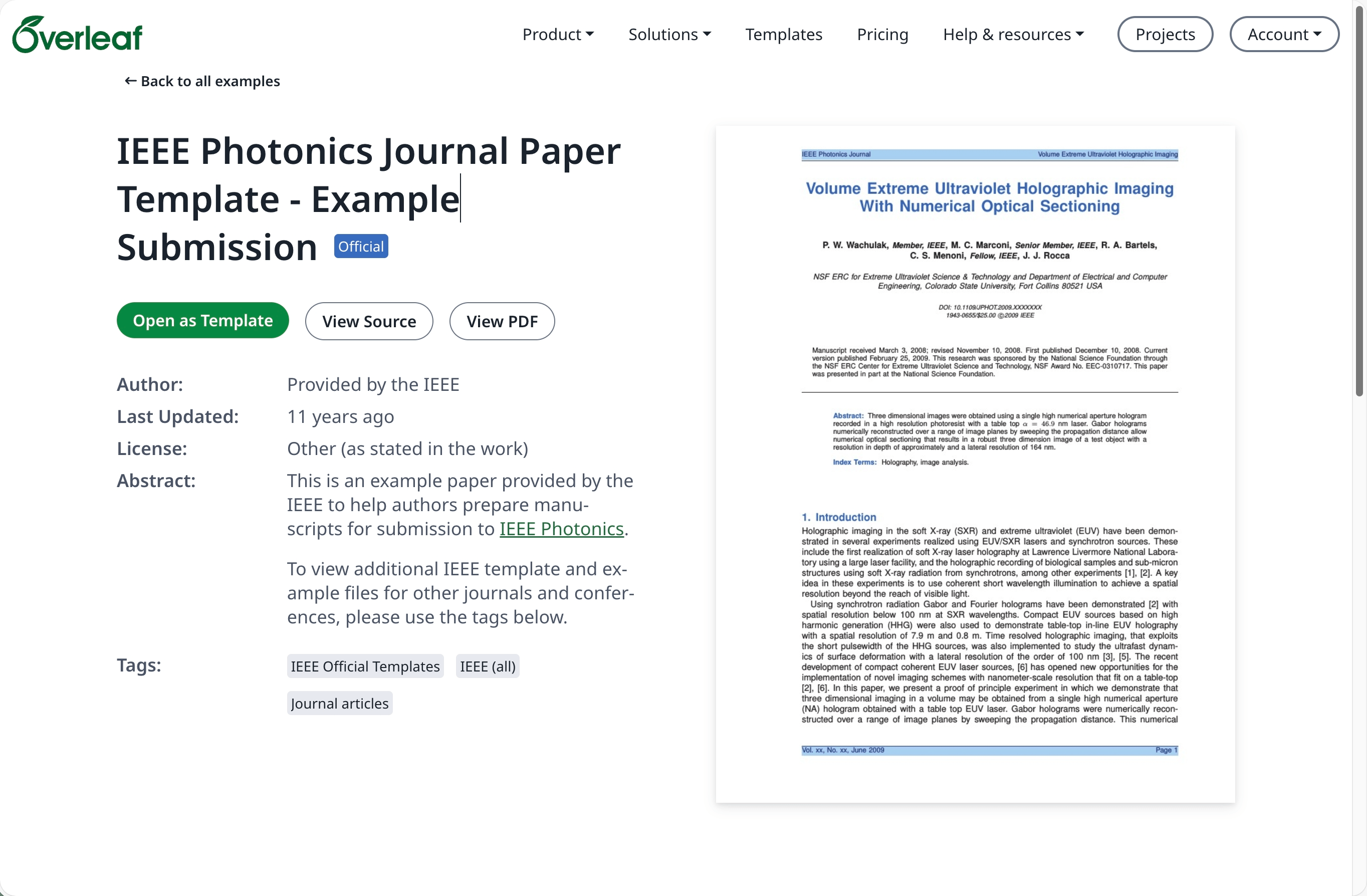
[overleaf.com](https://www.overleaf.com/)의 [Template Gallery](https://www.overleaf.com/latex/templates)로 이동하여 원하는 템플릿을 찾습니다. 예: [IEEE Photonics Journal Paper Template - Example Submission](https://www.overleaf.com/latex/examples/ieee-photonics-journal-paper-template-example-submission/bsfjjfkdsjds)
**Open as Template** 버튼을 클릭합니다.
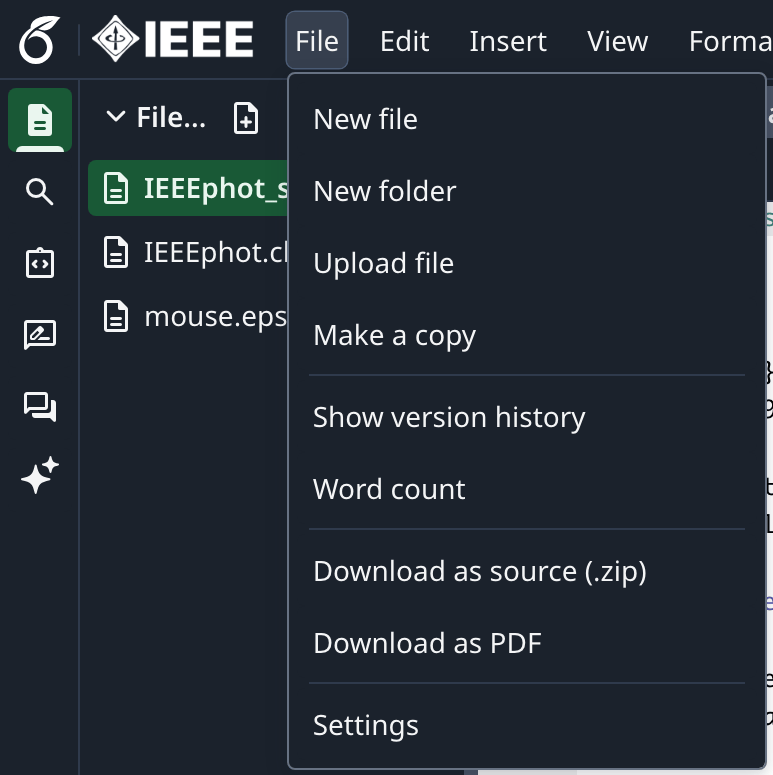
 프로젝트 메뉴를 클릭하고 **Download Source**를 선택합니다.
 온프레미스 Overleaf Pro 계정에 로그인합니다.
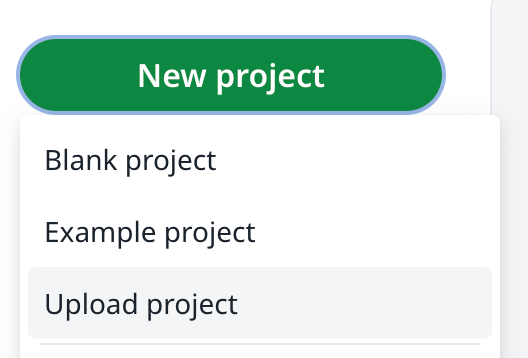
프로젝트 대시보드에서 **New Project**를 클릭하고 **Upload Project**를 선택합니다.
온프레미스 Overleaf Pro 계정에 로그인합니다.
프로젝트 대시보드에서 **New Project**를 클릭하고 **Upload Project**를 선택합니다.
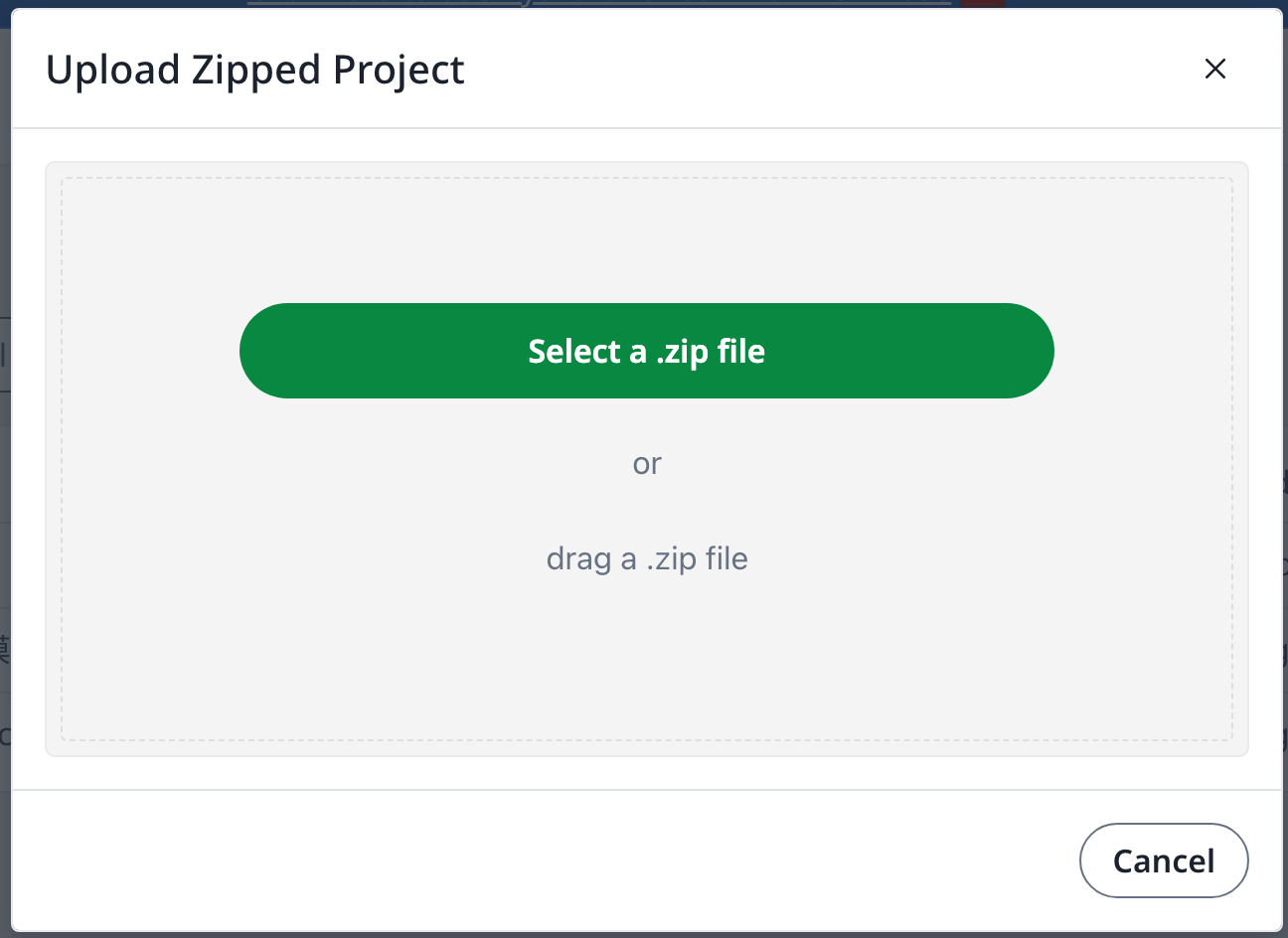
 **Select a .zip file**을 클릭하고 다운로드한 템플릿 zip 파일을 선택합니다.
 이제 새로 업로드한 템플릿을 필요에 따라 사용할 수 있습니다.
[overleaf.com](https://www.overleaf.com/) 계정이 필요합니다.
This documentation is built and hosted on [Mintlify](https://mintlify.com), a developer documentation platform.
이제 새로 업로드한 템플릿을 필요에 따라 사용할 수 있습니다.
[overleaf.com](https://www.overleaf.com/) 계정이 필요합니다.
This documentation is built and hosted on [Mintlify](https://mintlify.com), a developer documentation platform.