> ## Documentation Index
> Fetch the complete documentation index at: https://ayakaleaf-pro.mintlify.site/llms.txt
> Use this file to discover all available pages before exploring further.
# Zotero 연동
이 기능은 처음에 [davrot](https://github.com/davrot)와 [yu-i-i/overleaf-cep](https://github.com/yu-i-i/overleaf-cep)가 개발했으며, [ayaka-notes/overleaf-pro](https://github.com/ayaka-notes/overleaf-pro)가 OAuth를 적용해 수정했습니다. v6.2.0 이상에서 도입되었으며 아직 베타 상태입니다. 문제가 있으면 피드백을 보내 주세요.
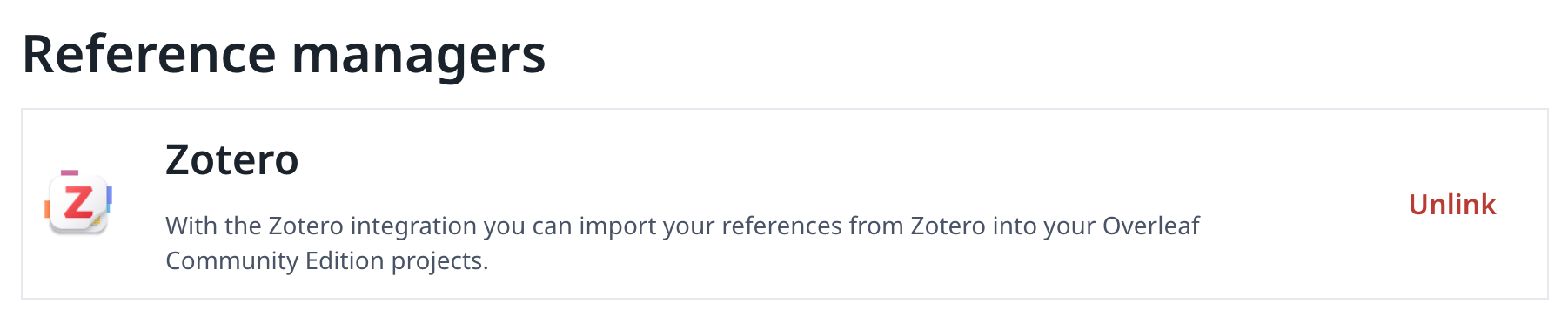
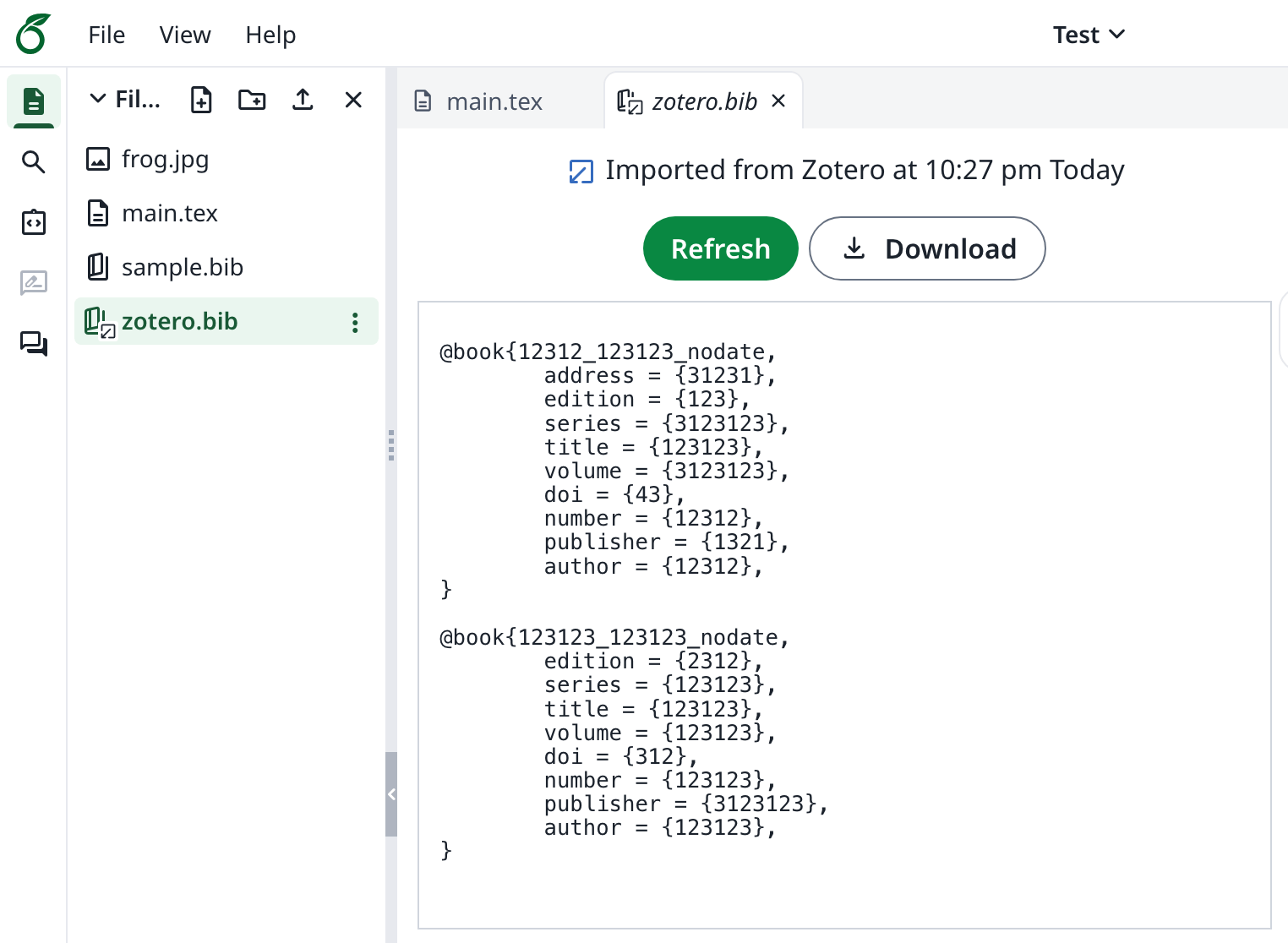 ### Zotero 연동 설정
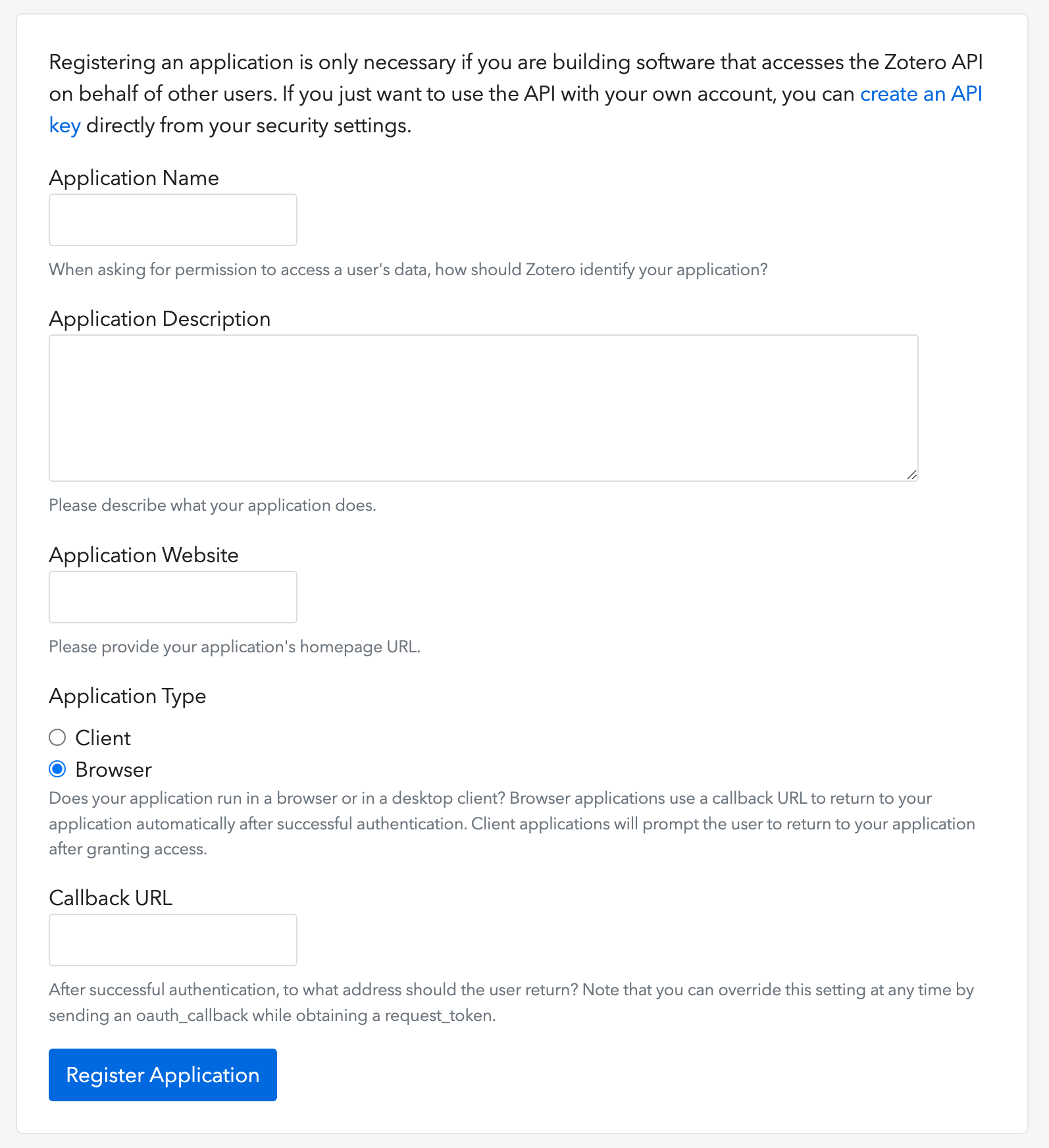
1. [이 링크](https://www.zotero.org/oauth/apps)를 열어 Zotero OAuth 클라이언트를 생성합니다(이미지 참조).
2. **Application Type**으로 **Browser**를 선택합니다.
3. Callback URL을 `${OVERLEAF_SITE_URL}/user/zotero/oauth/callback`으로 설정합니다.
4. `config/variables.env`를 구성합니다.
### Zotero 연동 설정
1. [이 링크](https://www.zotero.org/oauth/apps)를 열어 Zotero OAuth 클라이언트를 생성합니다(이미지 참조).
2. **Application Type**으로 **Browser**를 선택합니다.
3. Callback URL을 `${OVERLEAF_SITE_URL}/user/zotero/oauth/callback`으로 설정합니다.
4. `config/variables.env`를 구성합니다.
 ```dotenv title="config/variables.env" theme={null}
#################
# Zotero #
#################
# 'zotero' must be in ENABLED_LINKED_FILE_TYPES (set in develop/docker-compose.yml)
ENABLED_LINKED_FILE_TYPES=project_file,project_output_file,url,zotero
# From a Zotero OAuth client (register at https://www.zotero.org/oauth/apps)
# Application Type: Browser
# Callback URL -> ${OVERLEAF_SITE_URL}/user/zotero/oauth/callback
ZOTERO_CLIENT_ID=
ZOTERO_CLIENT_SECRET=
# Encrypts the Zotero API key in mongo (set in dev to avoid writing a key file
# to /var/lib/overleaf/data, which the dev web container can't create)
# How to generate: `openssl rand -hex 32`
ZOTERO_CIPHER_PASSWORD=dev-zotero-cipher-password
# Optional: route the module's server-side Zotero requests (OAuth + API) through
# an HTTP proxy (must be reachable from the web container; same as github-sync)
# http://10.0.0.1:10808
# (Optional) ZOTERO_PROXY_URL=
```
### 참고 사항
Zotero 연결 참고문헌 파일이 있는 기존 설치를 재배포된 6.3.0으로 업그레이드하는 경우, [Zotero / Mendeley 마이그레이션 안내](/ko/on-premises/release-notes/release-notes-6.x.x#ayakaleaf-pro-6.3.0 "mention")를 따르세요. 새로 설치하는 경우에는 이 마이그레이션이 필요하지 않습니다.
Ayakaleaf는 협업 플랫폼이므로 보안 강화를 위해 버전 6.3.0부터는 참고문헌 `bib` 파일을 처음 생성한 사용자만 가져온 파일을 업데이트할 수 있습니다.
예를 들어 프로젝트 소유자인 사용자 A가 링크 공유를 활성화하고 프로젝트에 `test.bib` 파일을 만들어 자신의 Zotero 계정에 연결했다고 가정해 보겠습니다. 다른 사용자인 사용자 B가 공유 링크로 프로젝트에 접근하면 `test.bib`를 읽고 다운로드할 수는 있지만, Zotero에서 파일을 업데이트하거나 다시 가져올 수는 없습니다. 참고문헌 파일을 처음 생성한 사용자 A만 업데이트할 수 있습니다. 즉, `.bib` 파일을 처음 생성한 사용자만 해당 파일을 업데이트할 권한을 가집니다.
This documentation is built and hosted on [Mintlify](https://mintlify.com), a developer documentation platform.
```dotenv title="config/variables.env" theme={null}
#################
# Zotero #
#################
# 'zotero' must be in ENABLED_LINKED_FILE_TYPES (set in develop/docker-compose.yml)
ENABLED_LINKED_FILE_TYPES=project_file,project_output_file,url,zotero
# From a Zotero OAuth client (register at https://www.zotero.org/oauth/apps)
# Application Type: Browser
# Callback URL -> ${OVERLEAF_SITE_URL}/user/zotero/oauth/callback
ZOTERO_CLIENT_ID=
ZOTERO_CLIENT_SECRET=
# Encrypts the Zotero API key in mongo (set in dev to avoid writing a key file
# to /var/lib/overleaf/data, which the dev web container can't create)
# How to generate: `openssl rand -hex 32`
ZOTERO_CIPHER_PASSWORD=dev-zotero-cipher-password
# Optional: route the module's server-side Zotero requests (OAuth + API) through
# an HTTP proxy (must be reachable from the web container; same as github-sync)
# http://10.0.0.1:10808
# (Optional) ZOTERO_PROXY_URL=
```
### 참고 사항
Zotero 연결 참고문헌 파일이 있는 기존 설치를 재배포된 6.3.0으로 업그레이드하는 경우, [Zotero / Mendeley 마이그레이션 안내](/ko/on-premises/release-notes/release-notes-6.x.x#ayakaleaf-pro-6.3.0 "mention")를 따르세요. 새로 설치하는 경우에는 이 마이그레이션이 필요하지 않습니다.
Ayakaleaf는 협업 플랫폼이므로 보안 강화를 위해 버전 6.3.0부터는 참고문헌 `bib` 파일을 처음 생성한 사용자만 가져온 파일을 업데이트할 수 있습니다.
예를 들어 프로젝트 소유자인 사용자 A가 링크 공유를 활성화하고 프로젝트에 `test.bib` 파일을 만들어 자신의 Zotero 계정에 연결했다고 가정해 보겠습니다. 다른 사용자인 사용자 B가 공유 링크로 프로젝트에 접근하면 `test.bib`를 읽고 다운로드할 수는 있지만, Zotero에서 파일을 업데이트하거나 다시 가져올 수는 없습니다. 참고문헌 파일을 처음 생성한 사용자 A만 업데이트할 수 있습니다. 즉, `.bib` 파일을 처음 생성한 사용자만 해당 파일을 업데이트할 권한을 가집니다.
This documentation is built and hosted on [Mintlify](https://mintlify.com), a developer documentation platform.