> ## Documentation Index
> Fetch the complete documentation index at: https://ayakaleaf-pro.mintlify.site/llms.txt
> Use this file to discover all available pages before exploring further.
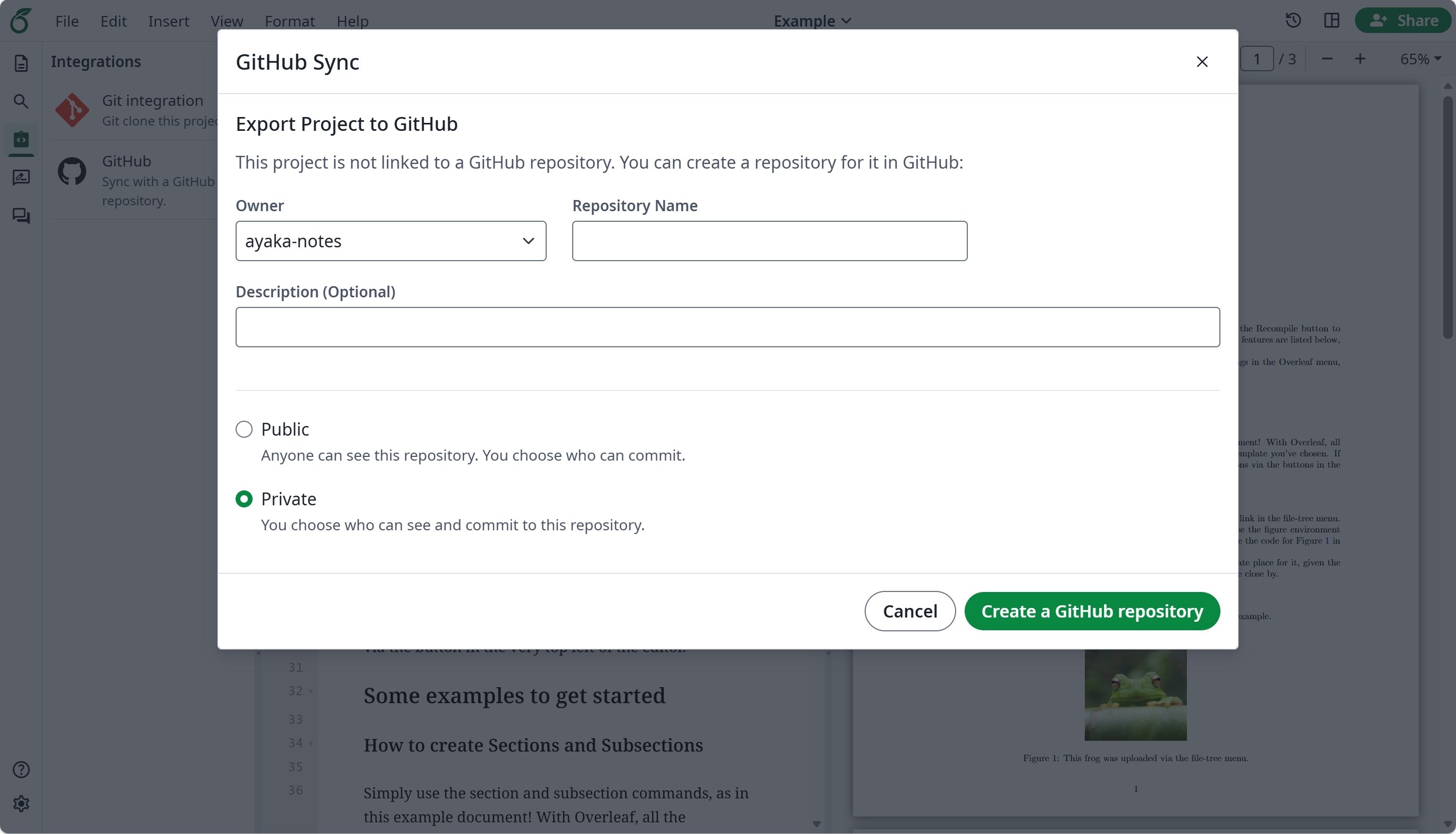
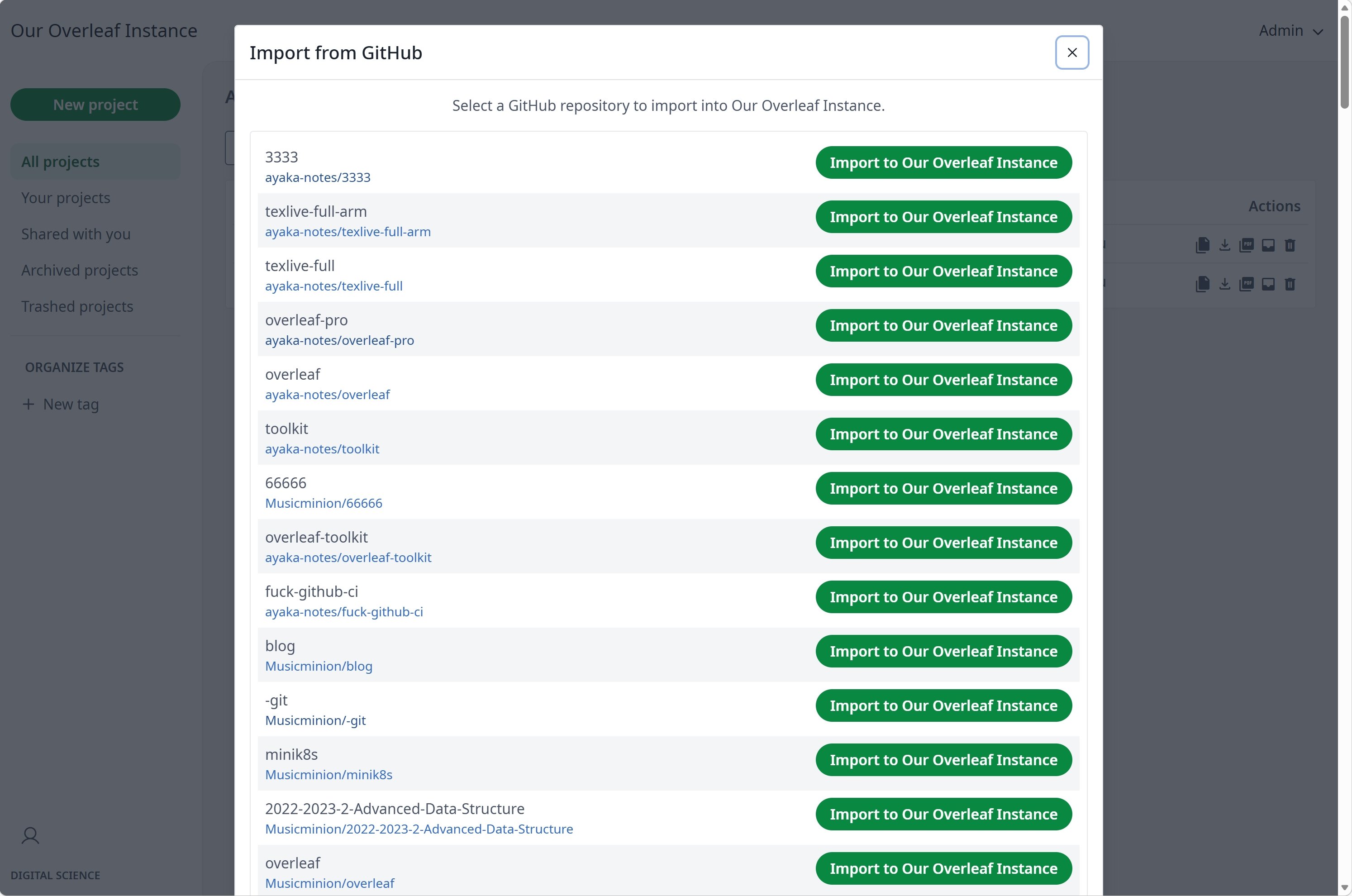
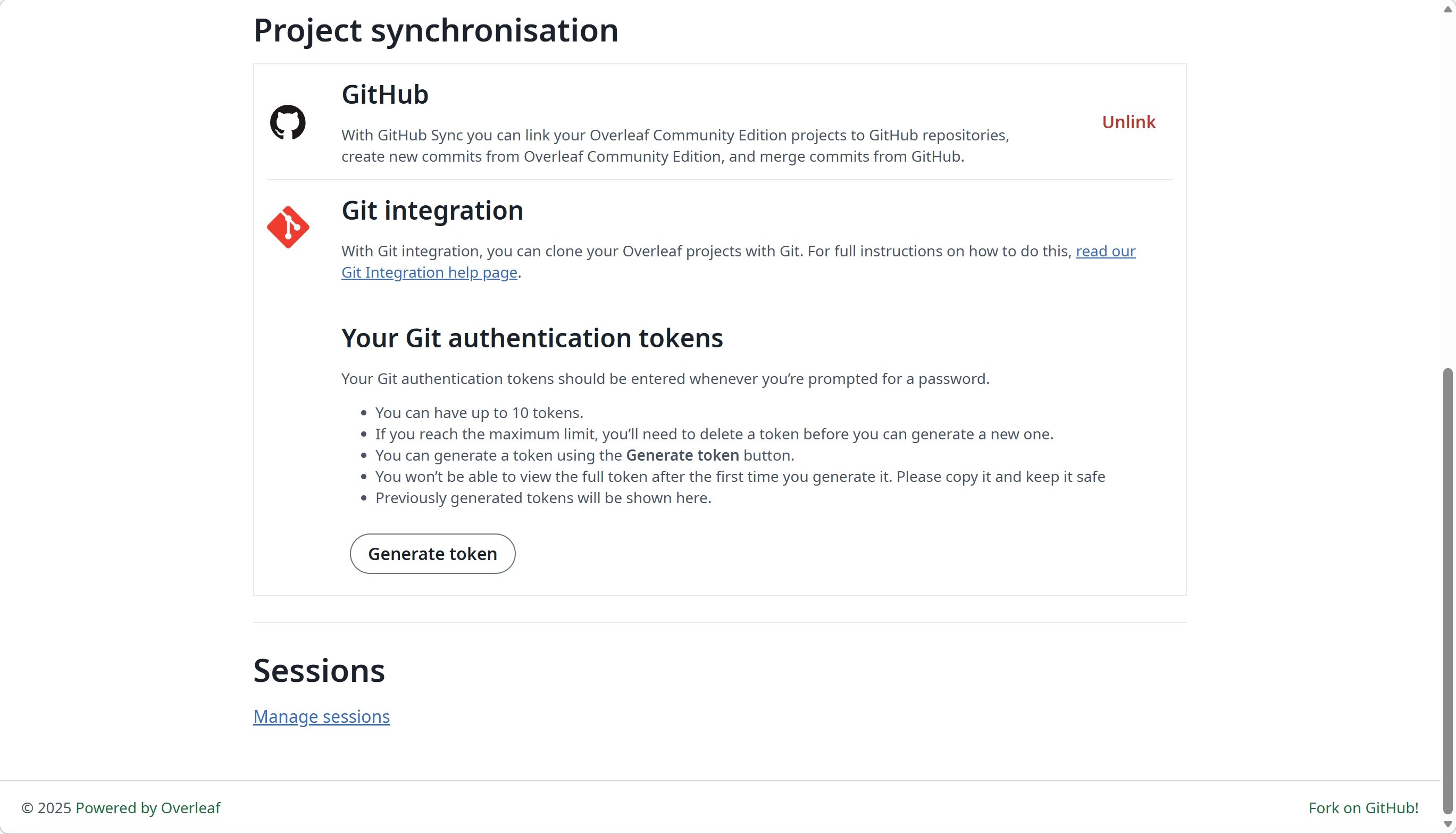
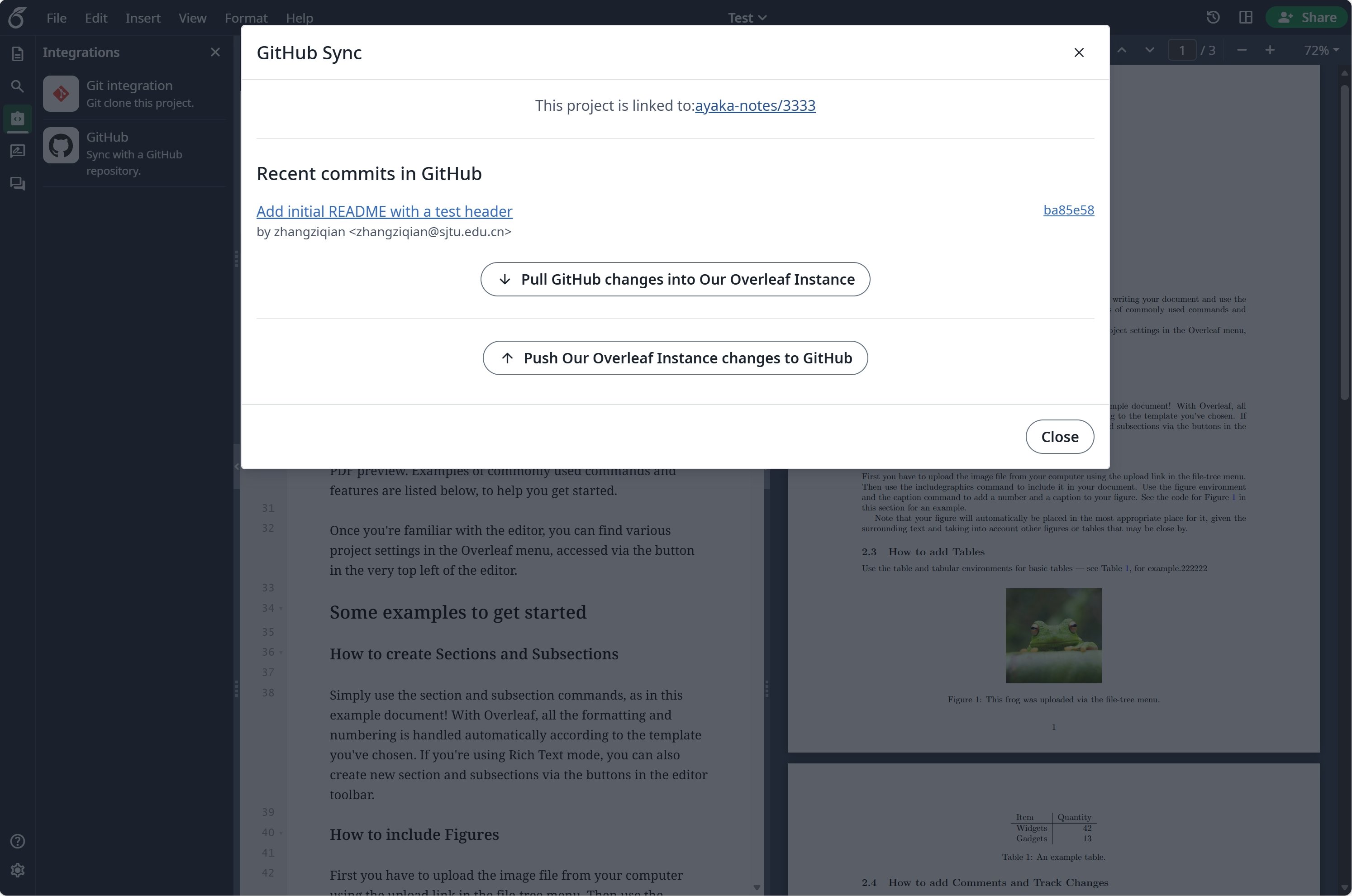
# GitHub 동기화
이 기능은 [ayaka-notes/overleaf-pro](https://github.com/ayaka-notes/overleaf-pro)에서 개발하고 [yu-i-i/overleaf-cep](https://github.com/yu-i-i/overleaf-cep)에서 수정했습니다. v6.2.0 이상부터 도입되었으며 아직 베타 상태입니다. 문제가 있으면 피드백을 보내주세요.
 ### GitHub 동기화 설정
GitHub 동기화를 사용하기 전에 먼저 [git-bridge](/ko/on-premises/configuration/overleaf-toolkit/git-integration)를 활성화해야 합니다.
```dotenv title="config/overleaf.rc" theme={null}
GIT_BRIDGE_ENABLED=true
```
[개발자 설정](https://github.com/settings/developers)에 방문하여 GitHub OAuth 애플리케이션을 만들고 `CLIENT_ID`와 `SECRET`을 복사하세요.
**참고**: OAuth 콜백 URL은 `${OVERLEAF_SITE_URL}/user/github-sync/oauth2/callback`입니다.
그런 다음 overleaf 환경 변수 파일에 다음 설정을 추가하세요.
```dotenv title="config/variables.env" wrap theme={null}
# used to encrypt the user's GitHub access token.
# How to generate: `openssl rand -hex 32`
GITHUB_TOKEN_CIPHER_PASSWORD=0123456789ABCDEFG # changed to yours
# Github Sync Settings
GITHUB_SYNC_ENABLED=true
GITHUB_SYNC_CLIENT_ID=
GITHUB_SYNC_CLIENT_SECRET=
# OAuth callback is: ${OVERLEAF_SITE_URL}/user/github-sync/oauth2/callback
# (Optional) GITHUB_SYNC_PROXY_URL=http://10.0.0.1:10808
```
GitHub OAuth 콜백 URL을 구성하기 전에 `OVERLEAF_SITE_URL`이 올바르게 설정되어 있는지 확인하세요.
중국 본토에 있는 경우 GitHub에 접근하기 위해 프록시를 구성해야 할 수 있습니다. 다음 환경 변수를 설정하세요: `GITHUB_SYNC_PROXY_URL=http://10.0.0.1:10808`.
프록시 호스트로 `127.0.0.1`을 사용하지 마세요. 프록시가 호스트 서버에서 실행 중이라면 서버의 LAN IP 주소(예: `192.168.1.xx`)를 사용하고, 프록시가 로컬 네트워크의 기기로부터 연결을 허용하도록 구성되어 있는지 확인하세요.
This documentation is built and hosted on [Mintlify](https://mintlify.com), a developer documentation platform.
### GitHub 동기화 설정
GitHub 동기화를 사용하기 전에 먼저 [git-bridge](/ko/on-premises/configuration/overleaf-toolkit/git-integration)를 활성화해야 합니다.
```dotenv title="config/overleaf.rc" theme={null}
GIT_BRIDGE_ENABLED=true
```
[개발자 설정](https://github.com/settings/developers)에 방문하여 GitHub OAuth 애플리케이션을 만들고 `CLIENT_ID`와 `SECRET`을 복사하세요.
**참고**: OAuth 콜백 URL은 `${OVERLEAF_SITE_URL}/user/github-sync/oauth2/callback`입니다.
그런 다음 overleaf 환경 변수 파일에 다음 설정을 추가하세요.
```dotenv title="config/variables.env" wrap theme={null}
# used to encrypt the user's GitHub access token.
# How to generate: `openssl rand -hex 32`
GITHUB_TOKEN_CIPHER_PASSWORD=0123456789ABCDEFG # changed to yours
# Github Sync Settings
GITHUB_SYNC_ENABLED=true
GITHUB_SYNC_CLIENT_ID=
GITHUB_SYNC_CLIENT_SECRET=
# OAuth callback is: ${OVERLEAF_SITE_URL}/user/github-sync/oauth2/callback
# (Optional) GITHUB_SYNC_PROXY_URL=http://10.0.0.1:10808
```
GitHub OAuth 콜백 URL을 구성하기 전에 `OVERLEAF_SITE_URL`이 올바르게 설정되어 있는지 확인하세요.
중국 본토에 있는 경우 GitHub에 접근하기 위해 프록시를 구성해야 할 수 있습니다. 다음 환경 변수를 설정하세요: `GITHUB_SYNC_PROXY_URL=http://10.0.0.1:10808`.
프록시 호스트로 `127.0.0.1`을 사용하지 마세요. 프록시가 호스트 서버에서 실행 중이라면 서버의 LAN IP 주소(예: `192.168.1.xx`)를 사용하고, 프록시가 로컬 네트워크의 기기로부터 연결을 허용하도록 구성되어 있는지 확인하세요.
This documentation is built and hosted on [Mintlify](https://mintlify.com), a developer documentation platform.