> ## Documentation Index
> Fetch the complete documentation index at: https://ayakaleaf-pro.mintlify.site/llms.txt
> Use this file to discover all available pages before exploring further.
# 個人でテンプレートを使用する
個人ユーザーが overleaf.com のテンプレートギャラリーにあるテンプレートを使用したい場合は、次の手順が必要です:
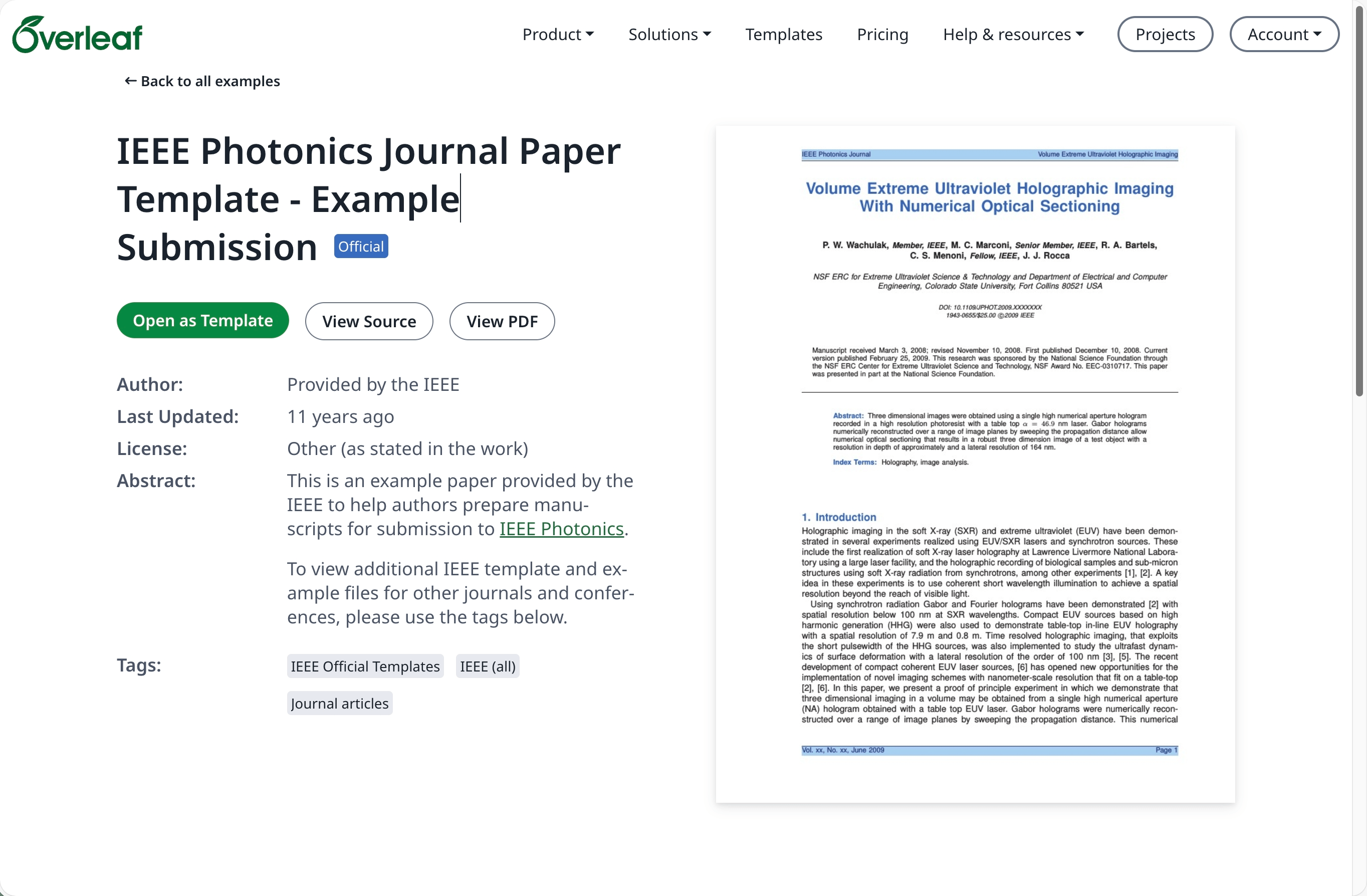
[overleaf.com](https://www.overleaf.com/) の[テンプレートギャラリー](https://www.overleaf.com/latex/templates)に移動し、必要なテンプレートを探します。例:[IEEE Photonics Journal Paper Template - Example Submission](https://www.overleaf.com/latex/examples/ieee-photonics-journal-paper-template-example-submission/bsfjjfkdsjds)
**Open as Template** ボタンをクリックします。
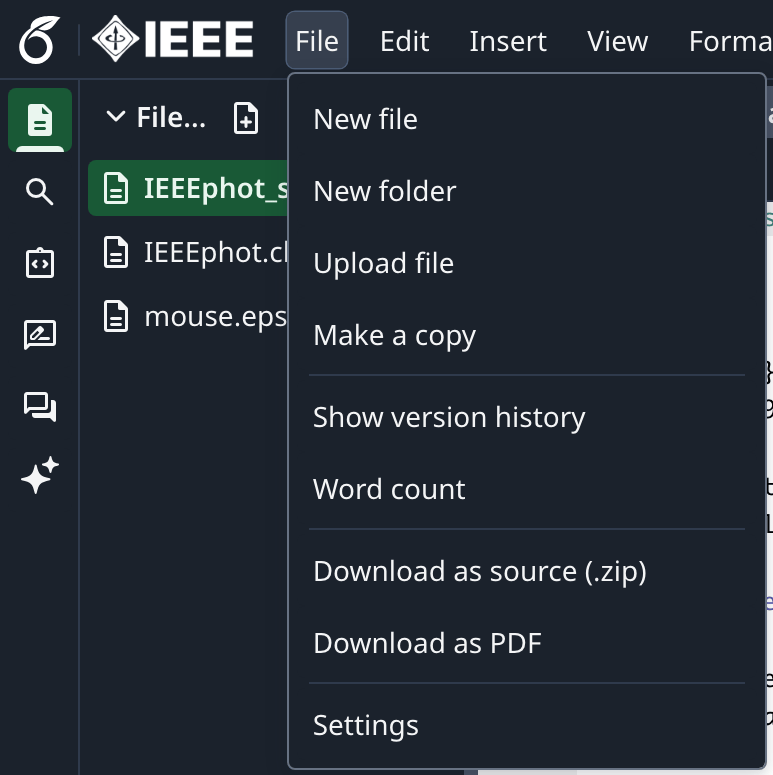
 プロジェクトメニューをクリックし、**Download Source** を選択します。
 オンプレミスの Overleaf Pro アカウントにログインします。
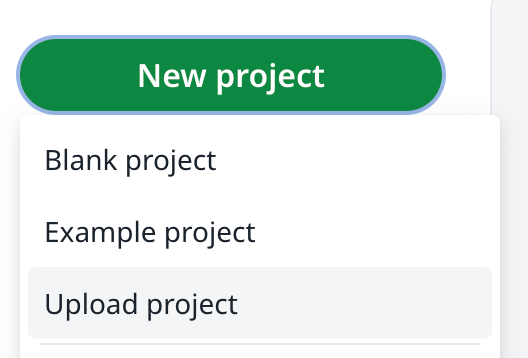
プロジェクトダッシュボードで **New Project** をクリックし、**Upload Project** を選択します。
オンプレミスの Overleaf Pro アカウントにログインします。
プロジェクトダッシュボードで **New Project** をクリックし、**Upload Project** を選択します。
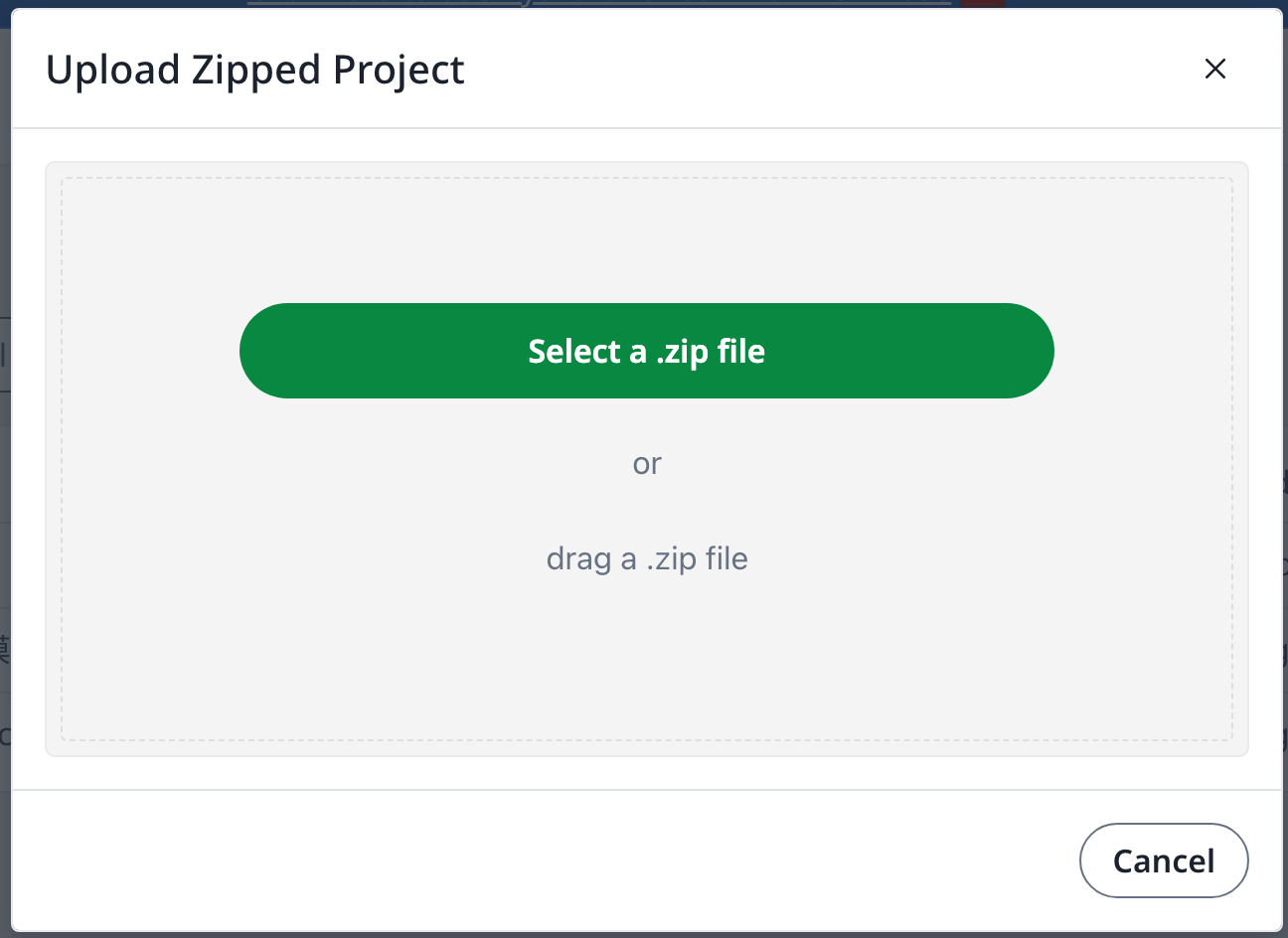
 **Select a .zip file** をクリックし、ダウンロードしたテンプレートの zip ファイルを選択します。
 これで、新しくアップロードしたテンプレートを必要に応じて使用できます。
[overleaf.com](https://www.overleaf.com/) のアカウントが必要です
This documentation is built and hosted on [Mintlify](https://mintlify.com), a developer documentation platform.
これで、新しくアップロードしたテンプレートを必要に応じて使用できます。
[overleaf.com](https://www.overleaf.com/) のアカウントが必要です
This documentation is built and hosted on [Mintlify](https://mintlify.com), a developer documentation platform.