> ## Documentation Index
> Fetch the complete documentation index at: https://ayakaleaf-pro.mintlify.site/llms.txt
> Use this file to discover all available pages before exploring further.
# 機能と著作権
> Ayakaleaf Pro には Overleaf Community Edition と比べてどのような新機能がありますか?
私たちは著作権を尊重しているため、このプロジェクトで使用しているすべての機能とコードをここに掲載しています。このページでは、Ayakaleaf Pro の新機能と関連するコードの著作権に関する情報を提供します。
特に明記されていない限り、コードレビューと PR レビューには OpenAI の Codex を使用しています。この過程で多くのセキュリティ上の問題を修正することができ、心より感謝しています。詳細は [ayaka-notes/ayakaleaf-pro/pull](https://github.com/ayaka-notes/ayakaleaf-pro/pulls) を参照してください。
### 概要
長年にわたり、多くのコミュニティ開発者が Overleaf Community Edition の改善に多大な努力を注いできました。以下がその方々です。
* [https://github.com/ertuil/overleaf](https://github.com/ertuil/overleaf)
* [https://github.com/AllanChain/lcpu-overleaf](https://github.com/AllanChain/lcpu-overleaf)
* [https://github.com/yu-i-i/overleaf-cep/](https://github.com/yu-i-i/overleaf-cep/)
* [https://github.com/ayaka-notes/overleaf](https://github.com/ayaka-notes/overleaf)
* [https://github.com/davrot/overleaf\_with\_admin\_extension](https://github.com/davrot/overleaf_with_admin_extension)
* [https://github.com/overleaf/overleaf/pull/1447](https://github.com/overleaf/overleaf/pull/1447)(GitHub 連携)
* [https://github.com/overleaf/overleaf/pull/1385](https://github.com/overleaf/overleaf/pull/1385)(Typst サポート)
私たちのプロジェクトでは関連するコードを使用している場合があり、これらの方々に感謝の意を表します。
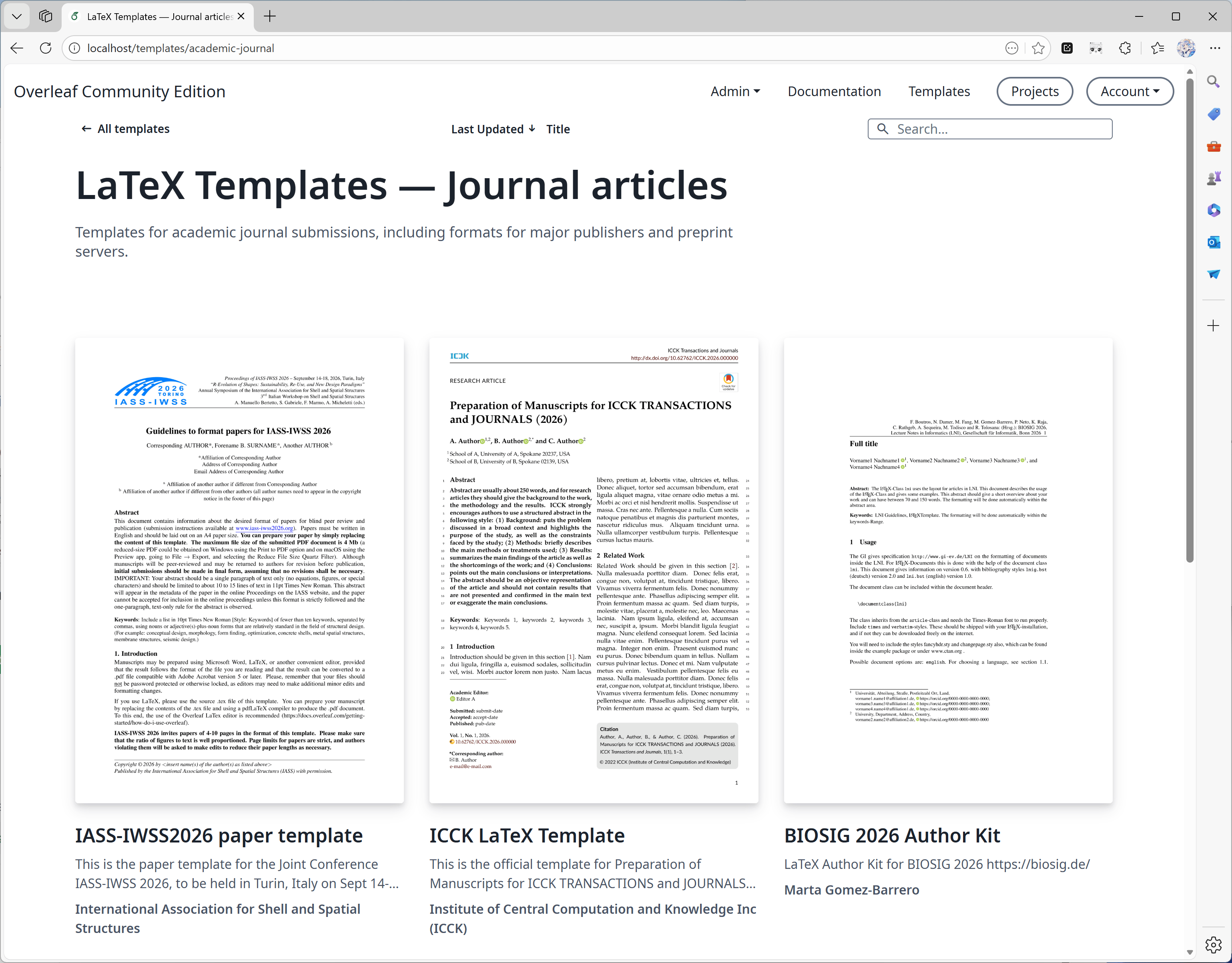
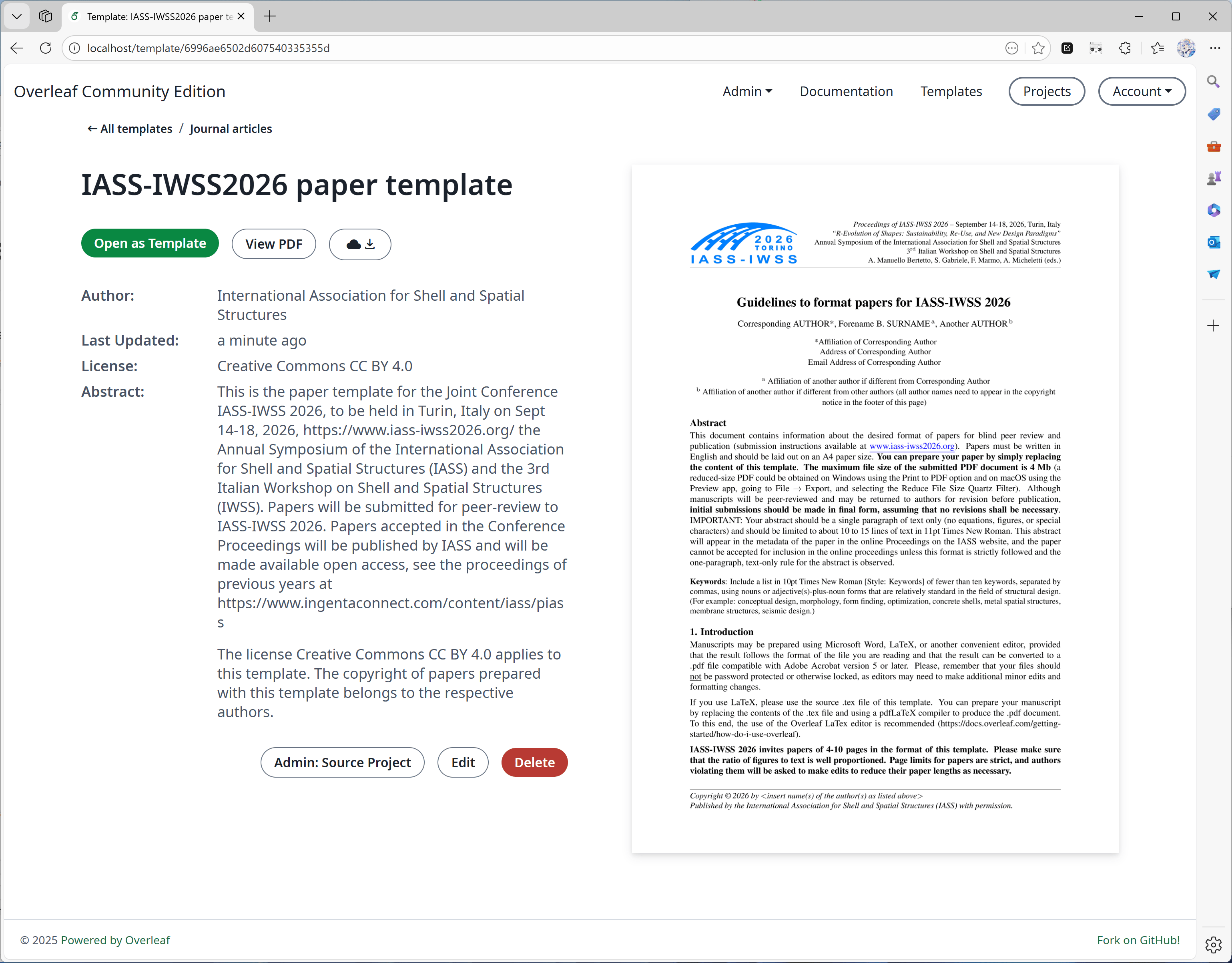
#### 機能 01: テンプレートシステム
この機能は主に [yu-i-i/overleaf-cep](https://github.com/yu-i-i/overleaf-cep) によって開発されました。私たちは機能強化のために一部のコードを変更しており、次のことが可能です。
* テンプレートページから直接テンプレートをダウンロードする。
* テンプレートに対応するプロジェクトを開く。
* より高品質なカバー画像に(より短時間で)変換する。
 #### 機能 02: サンドボックスコンパイル
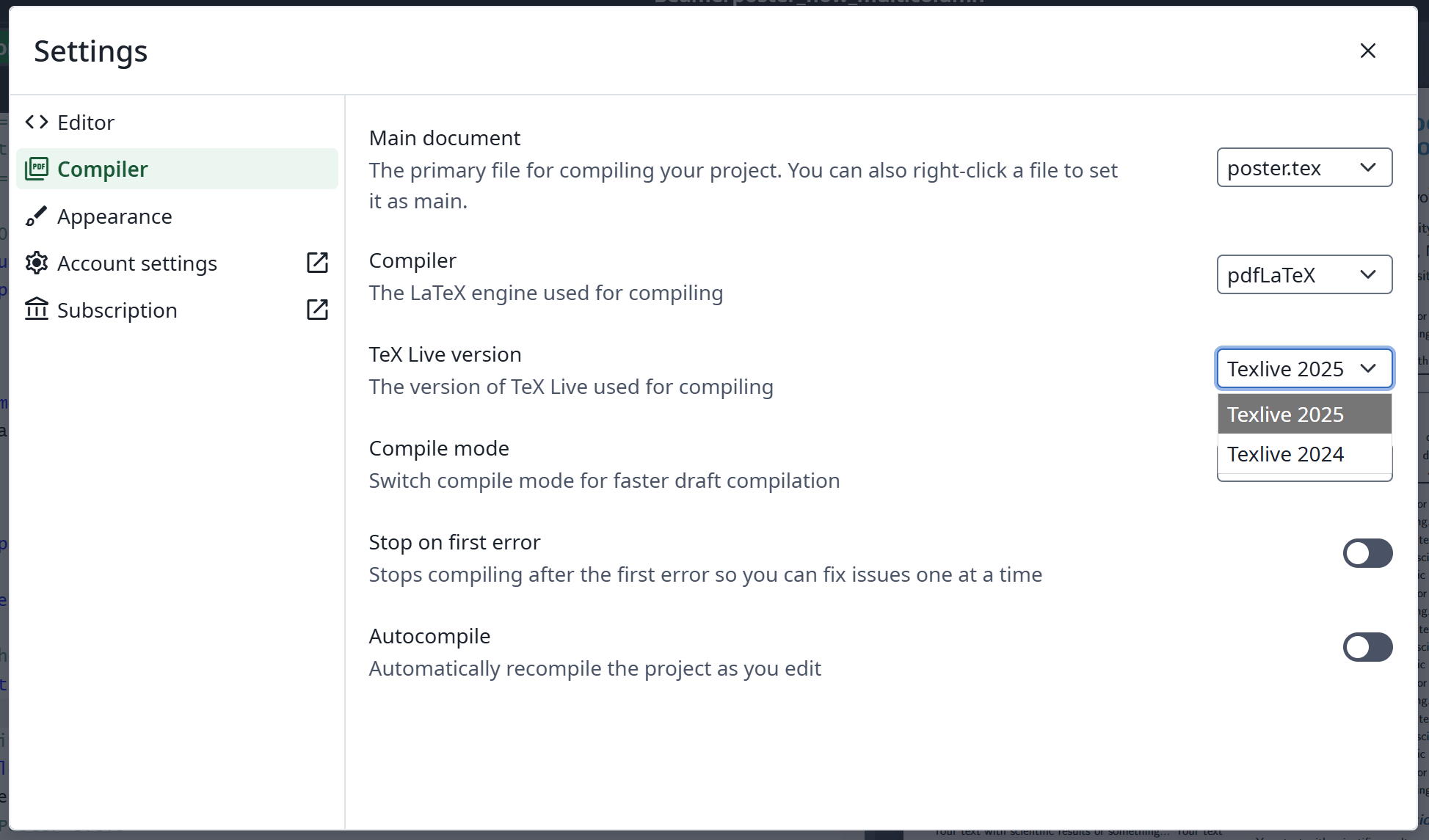
この機能は [Overleaf 公式](https://github.com/overleaf/overleaf/tree/main/services/clsi)によって実装されており、私たちはそれを有効にするためのコードを追加しました。また、Ayakaleaf Pro 専用にビルドした [texlive-full](https://github.com/ayaka-notes/texlive-full) イメージも提供しています。
#### 機能 02: サンドボックスコンパイル
この機能は [Overleaf 公式](https://github.com/overleaf/overleaf/tree/main/services/clsi)によって実装されており、私たちはそれを有効にするためのコードを追加しました。また、Ayakaleaf Pro 専用にビルドした [texlive-full](https://github.com/ayaka-notes/texlive-full) イメージも提供しています。
 #### 機能 03: Git 連携
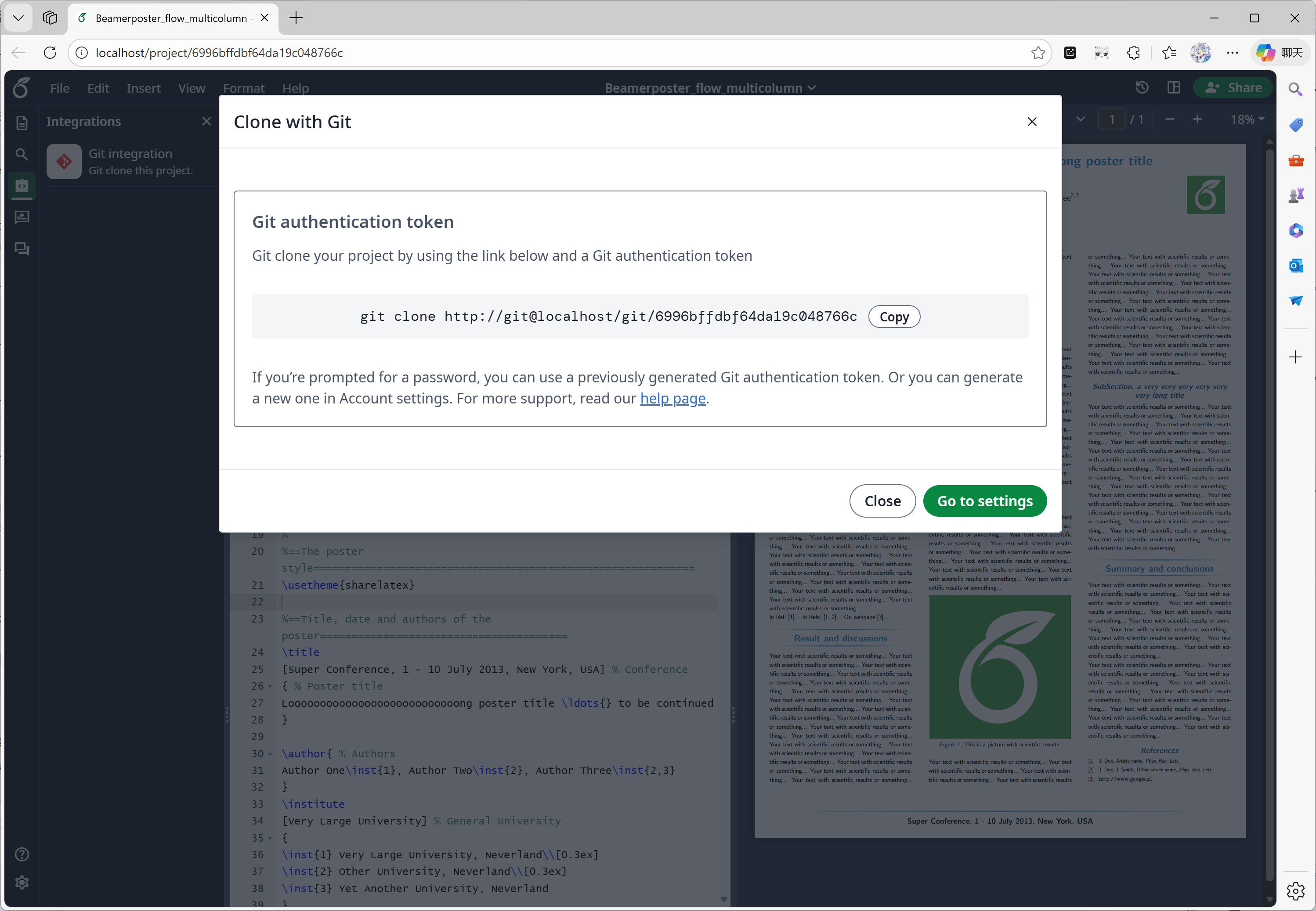
この機能は [ayaka-notes/overleaf-pro](https://github.com/ayaka-notes/overleaf-pro) によって開発されました。Overleaf は git-bridge という公式コンポーネントを提供しており、[こちら](https://github.com/overleaf/overleaf/tree/main/services/git-bridge)で入手できます。
私たちは git-bridge と Overleaf の間のコネクターを実装しただけで、これは Overleaf が SaaS プラットフォームで行っているものと同じです。
#### 機能 03: Git 連携
この機能は [ayaka-notes/overleaf-pro](https://github.com/ayaka-notes/overleaf-pro) によって開発されました。Overleaf は git-bridge という公式コンポーネントを提供しており、[こちら](https://github.com/overleaf/overleaf/tree/main/services/git-bridge)で入手できます。
私たちは git-bridge と Overleaf の間のコネクターを実装しただけで、これは Overleaf が SaaS プラットフォームで行っているものと同じです。
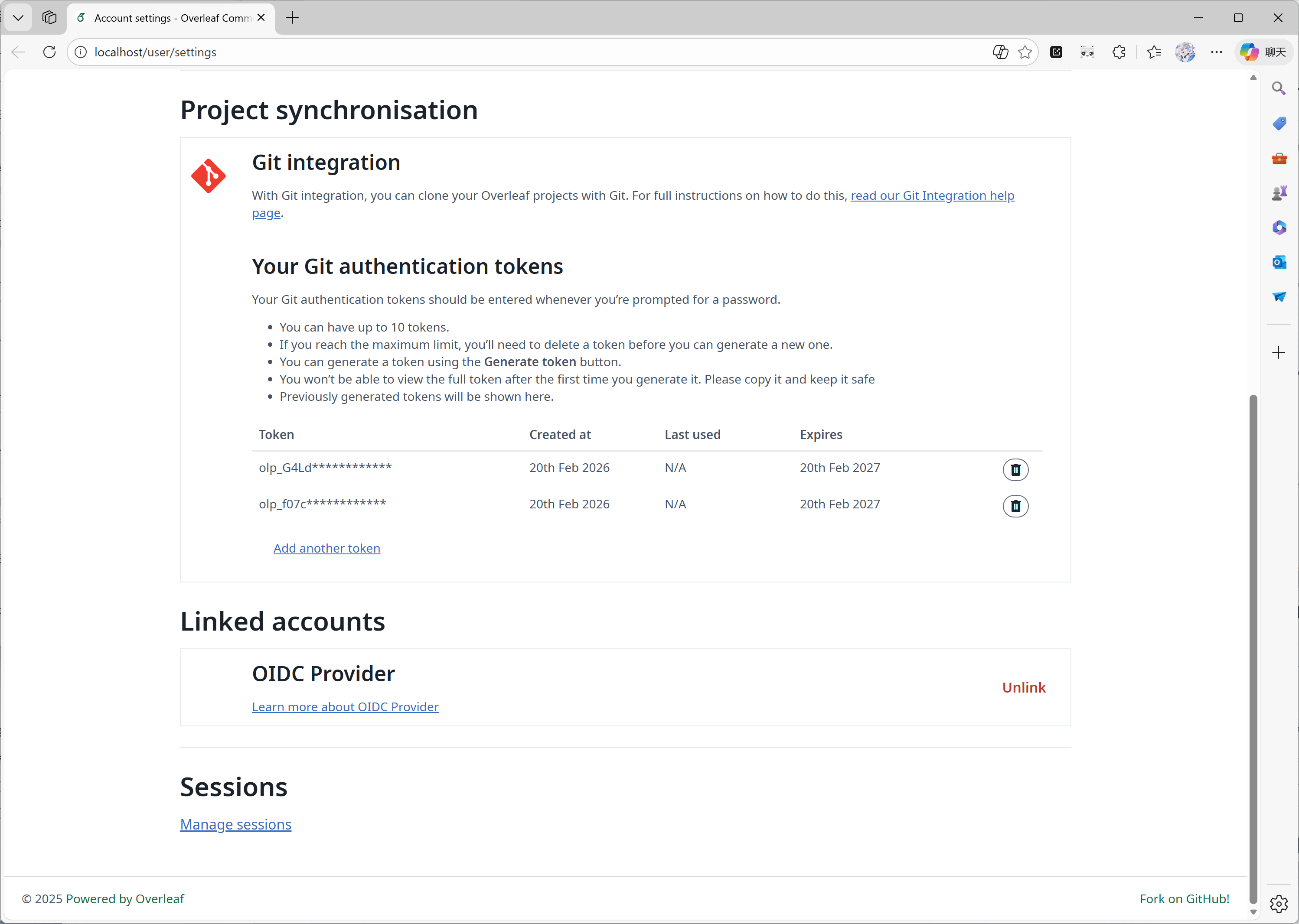 #### 機能 04: 記号パレット
この機能は [Overleaf 公式](https://github.com/overleaf/overleaf/tree/main/services/clsi)によって実装されており、私たちはアップストリームの更新に合わせて不足しているコードを追加しただけです。
#### 機能 04: 記号パレット
この機能は [Overleaf 公式](https://github.com/overleaf/overleaf/tree/main/services/clsi)によって実装されており、私たちはアップストリームの更新に合わせて不足しているコードを追加しただけです。
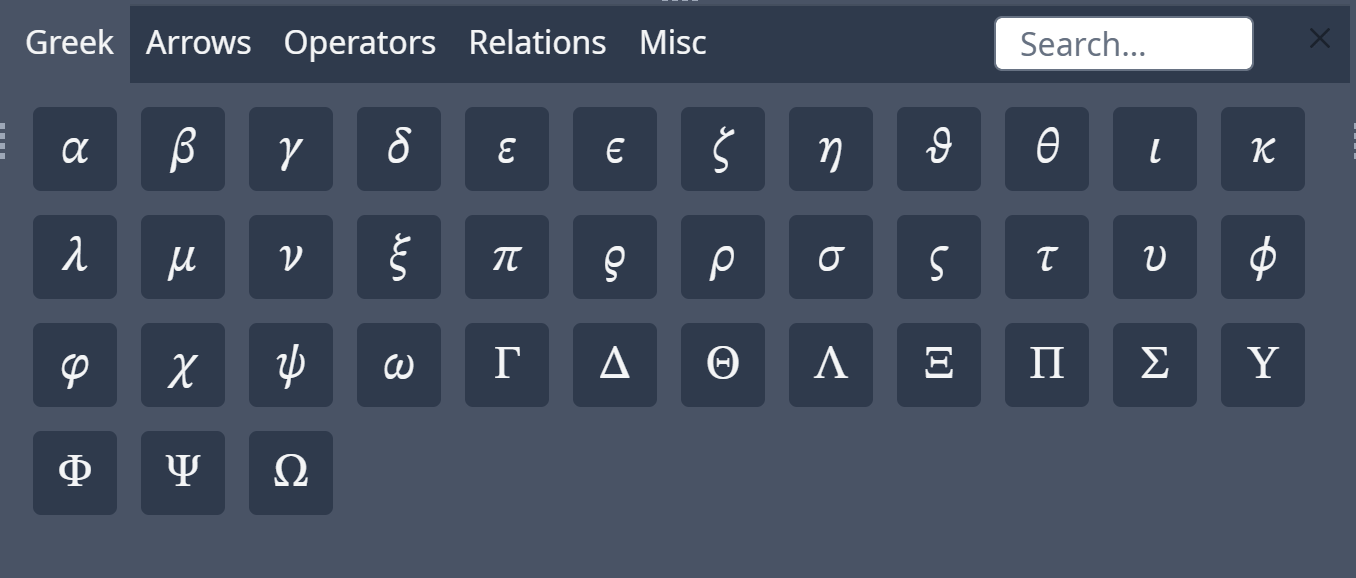 #### 機能 05: 管理パネル
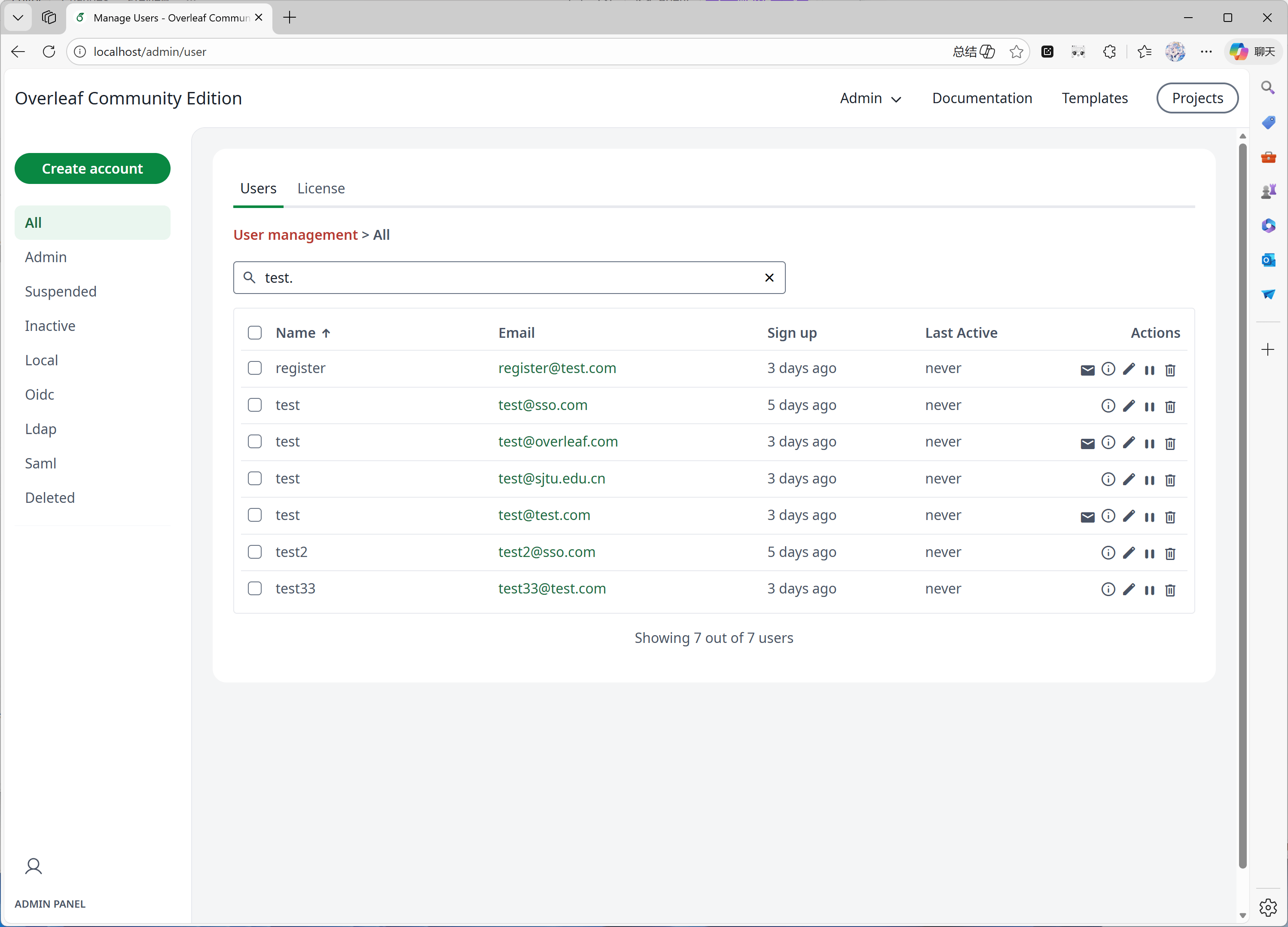
システムのユーザー数またはプロジェクト数が 1000 に達すると、管理パネルには最新の 1000 件のユーザーまたはプロジェクトのみが表示されます。特定のユーザーやプロジェクトを探すには検索パネルを使用してください。
この機能は主に [yu-i-i/overleaf-cep](https://github.com/yu-i-i/overleaf-cep) によって開発されました。私たちは機能強化のために一部のコードを変更しており、次のことが可能です。
* ユーザーが 1000 人を超える場合に、バックエンドでユーザーを検索する。
* プロジェクトが 1000 件を超える場合に、バックエンドでプロジェクトを検索する。
* プロジェクト管理パネルから直接プロジェクトを開く。
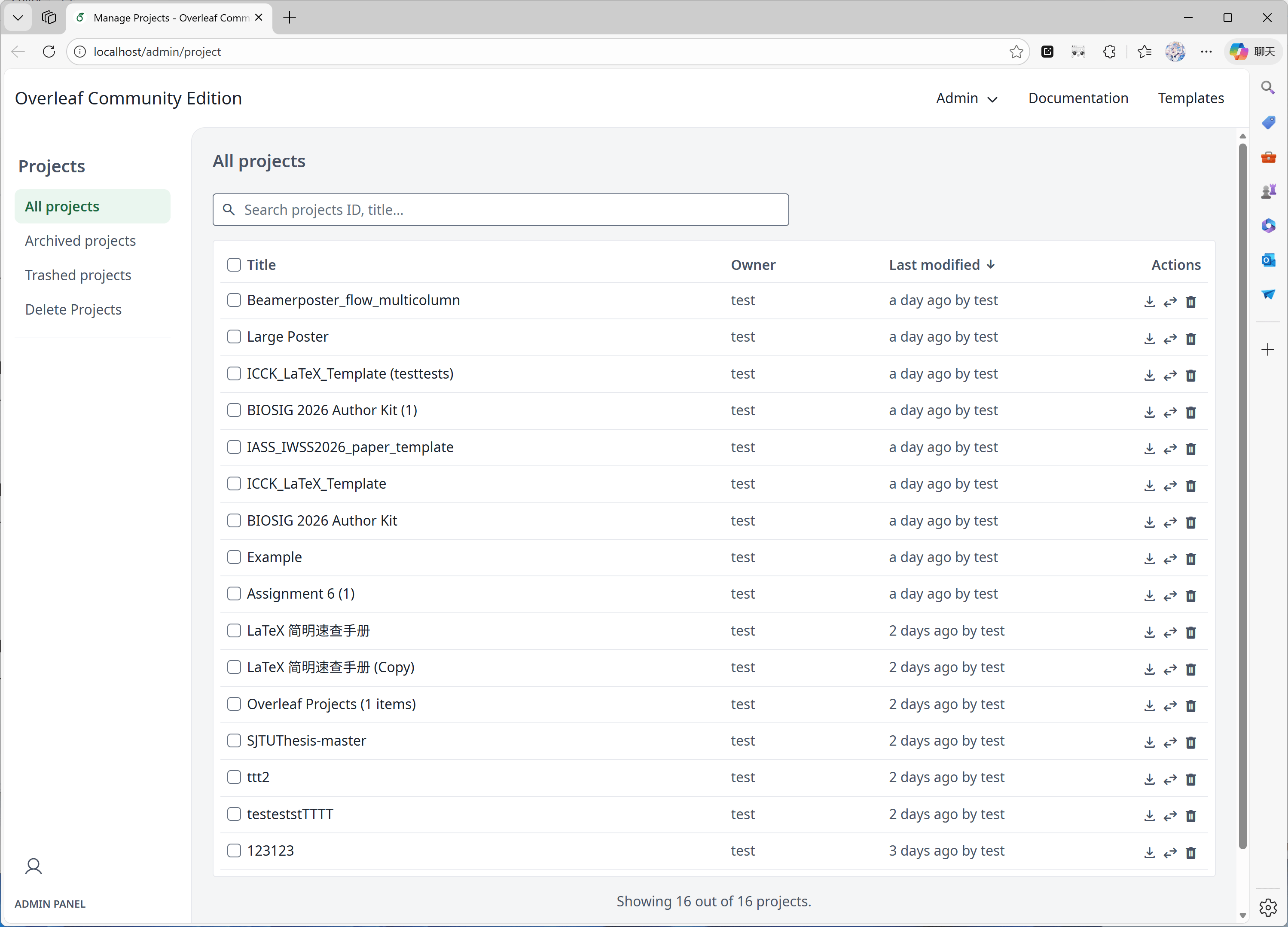
* 管理パネルでユーザーのコンパイル時間制限を確認・調整する。
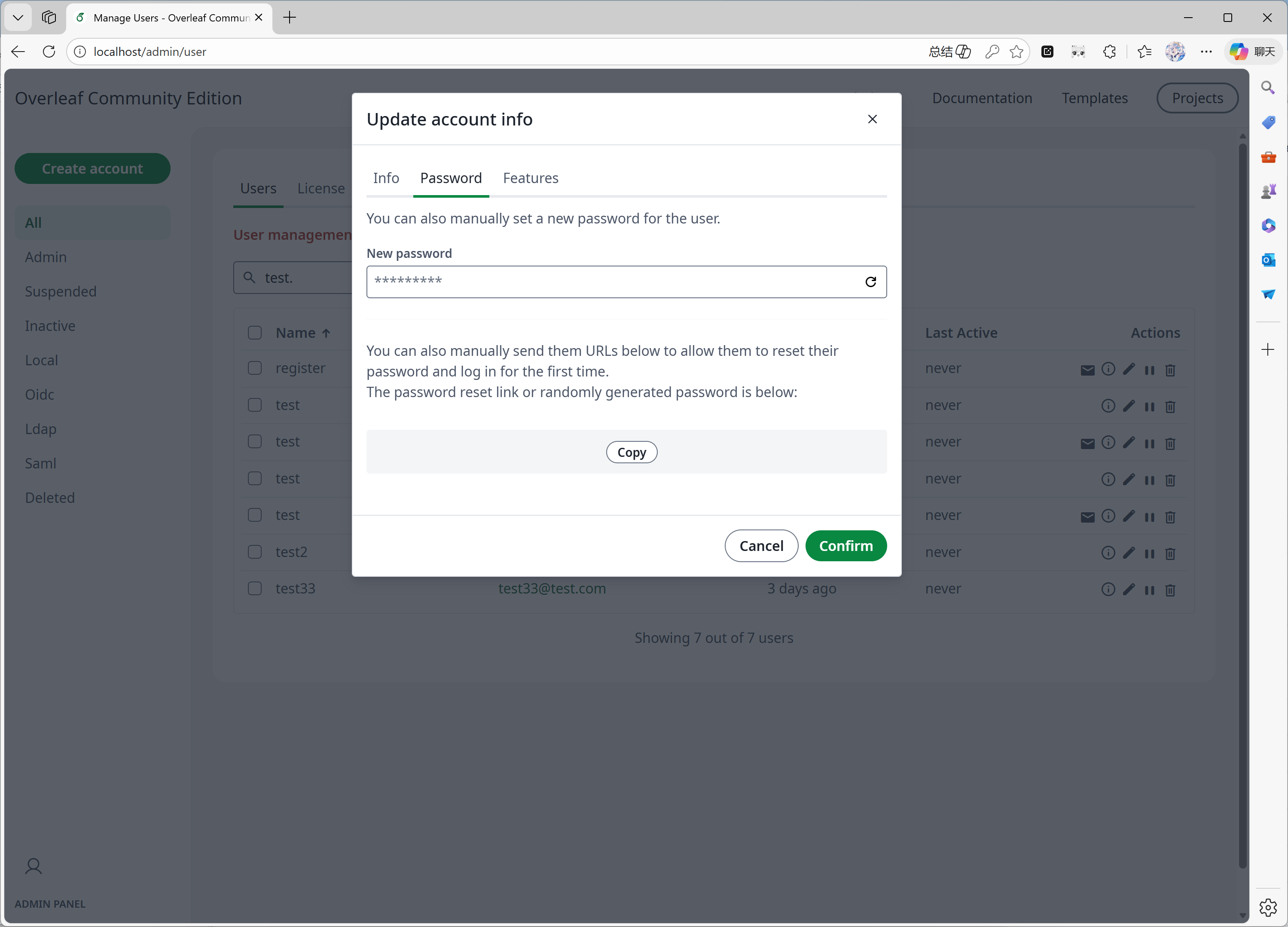
* 管理パネルから直接ユーザーのパスワードをリセットする。
* その他の機能強化...
#### 機能 05: 管理パネル
システムのユーザー数またはプロジェクト数が 1000 に達すると、管理パネルには最新の 1000 件のユーザーまたはプロジェクトのみが表示されます。特定のユーザーやプロジェクトを探すには検索パネルを使用してください。
この機能は主に [yu-i-i/overleaf-cep](https://github.com/yu-i-i/overleaf-cep) によって開発されました。私たちは機能強化のために一部のコードを変更しており、次のことが可能です。
* ユーザーが 1000 人を超える場合に、バックエンドでユーザーを検索する。
* プロジェクトが 1000 件を超える場合に、バックエンドでプロジェクトを検索する。
* プロジェクト管理パネルから直接プロジェクトを開く。
* 管理パネルでユーザーのコンパイル時間制限を確認・調整する。
* 管理パネルから直接ユーザーのパスワードをリセットする。
* その他の機能強化...
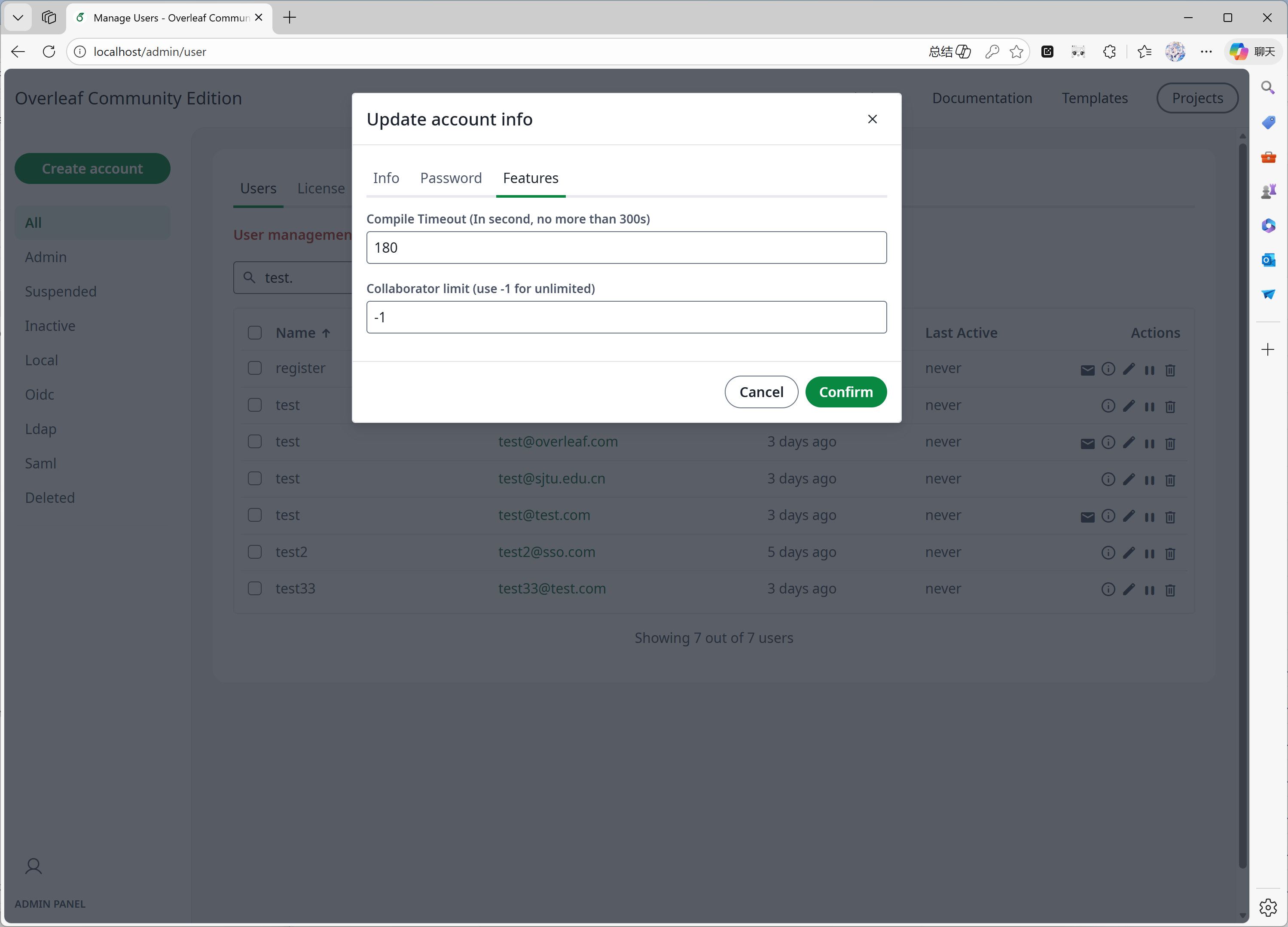
 #### 機能 06: レビューパネル
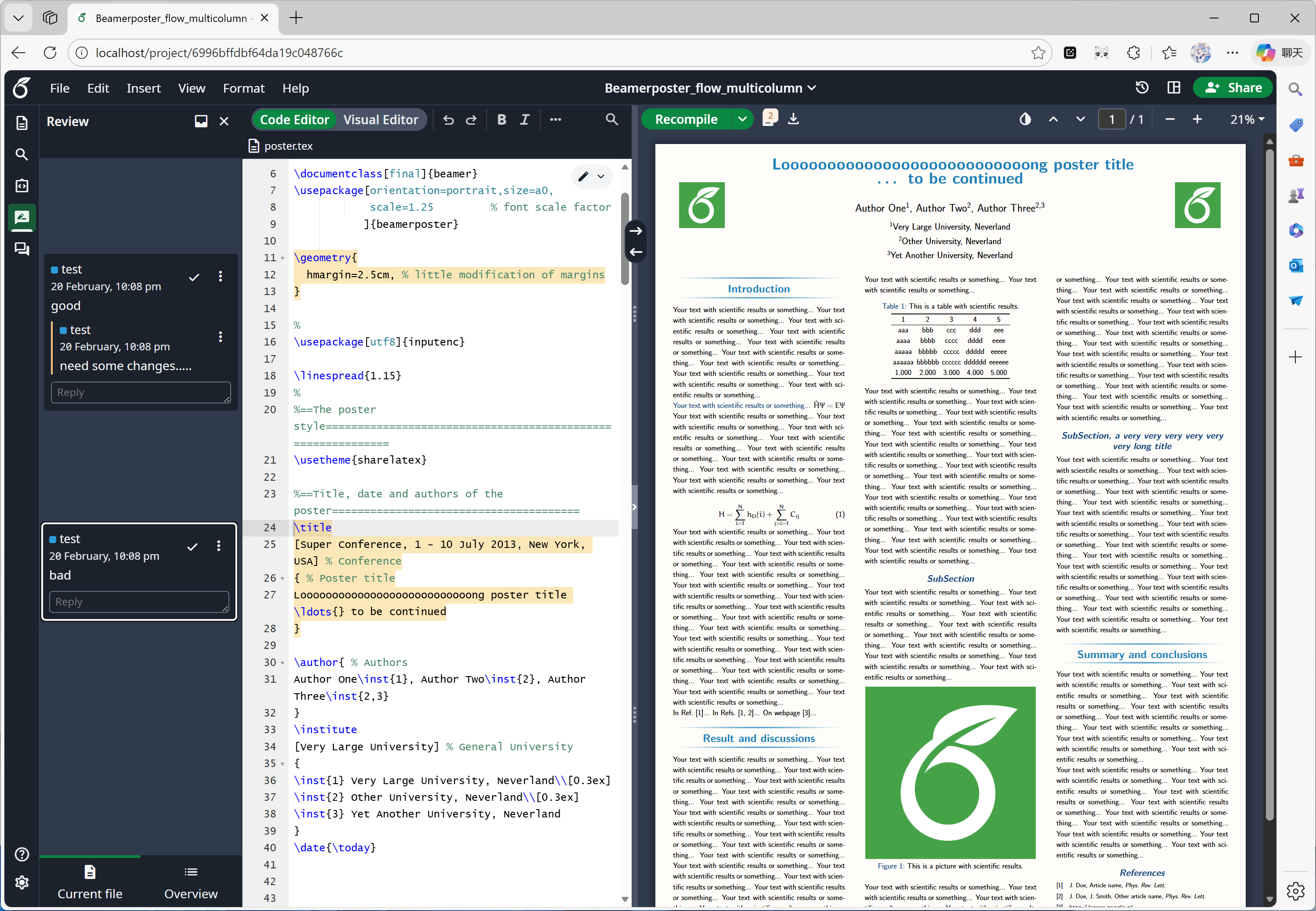
この機能は主に [Overleaf 公式](https://github.com/overleaf/overleaf/tree/main/services/clsi)によって開発されており、私たちは [yu-i-i/overleaf-cep](https://github.com/yu-i-i/overleaf-cep) と [ertuil/overleaf](https://github.com/ertuil/overleaf) から不足しているコード(チャットと Web サービス間のコネクター)を追加しただけです。
#### 機能 06: レビューパネル
この機能は主に [Overleaf 公式](https://github.com/overleaf/overleaf/tree/main/services/clsi)によって開発されており、私たちは [yu-i-i/overleaf-cep](https://github.com/yu-i-i/overleaf-cep) と [ertuil/overleaf](https://github.com/ertuil/overleaf) から不足しているコード(チャットと Web サービス間のコネクター)を追加しただけです。
 #### 機能 07: 外部 URL
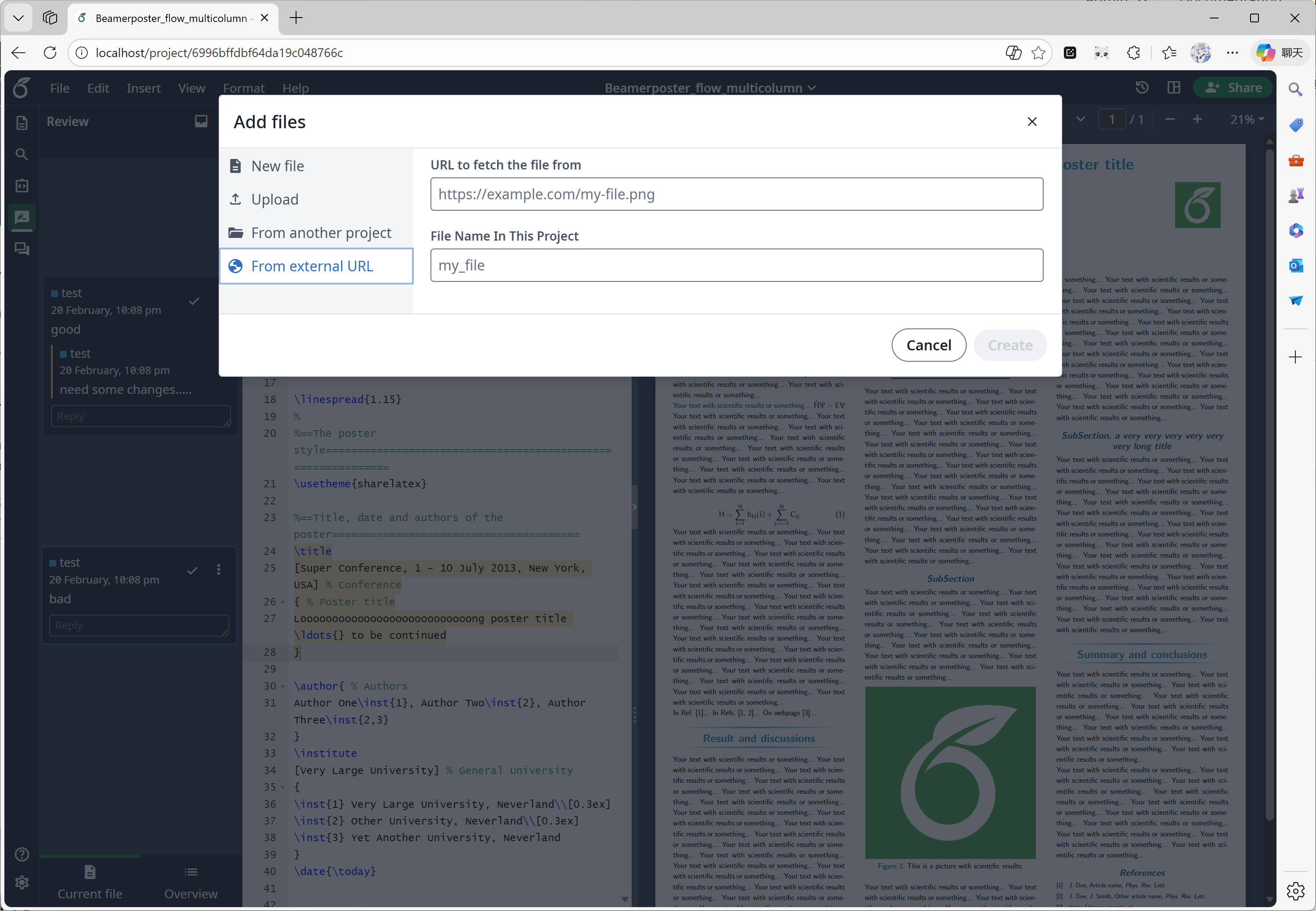
この機能は主に [yu-i-i/overleaf-cep](https://github.com/yu-i-i/overleaf-cep) によって開発されました。CEP は linked-url-proxy という外部サービスを実装しており、ドメイン/IP の制限付きで外部ファイルを安全に取得できます。
#### 機能 07: 外部 URL
この機能は主に [yu-i-i/overleaf-cep](https://github.com/yu-i-i/overleaf-cep) によって開発されました。CEP は linked-url-proxy という外部サービスを実装しており、ドメイン/IP の制限付きで外部ファイルを安全に取得できます。
 #### 機能 08: SSO
この機能は主に [yu-i-i/overleaf-cep](https://github.com/yu-i-i/overleaf-cep) によって開発されました。CEP は passport と Overleaf の Web 認証を接続するサブモジュールを実装しています。
#### 機能 08: SSO
この機能は主に [yu-i-i/overleaf-cep](https://github.com/yu-i-i/overleaf-cep) によって開発されました。CEP は passport と Overleaf の Web 認証を接続するサブモジュールを実装しています。
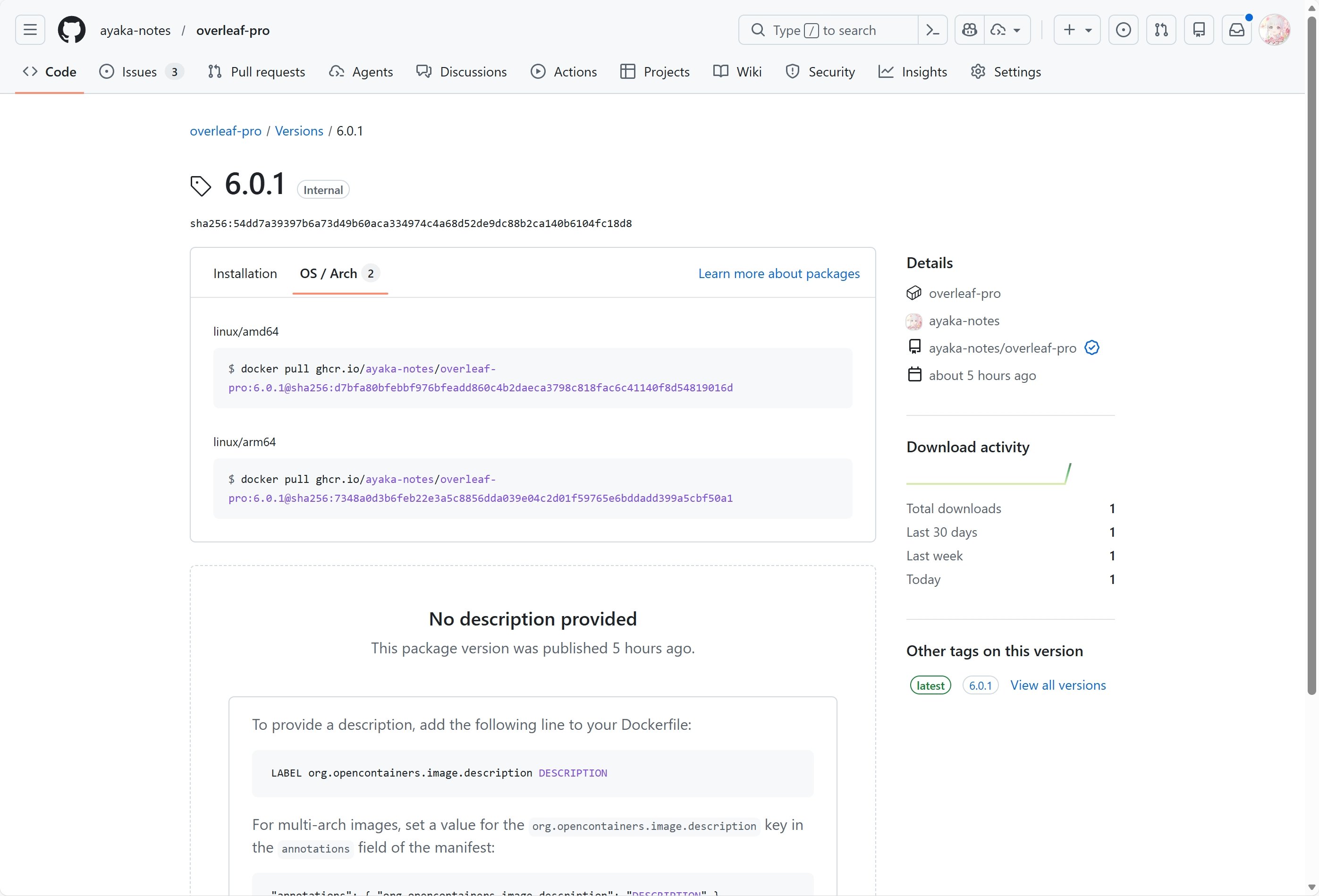
 #### 機能 09: ARM サポート
GitHub Actions を使用して、x86 および arm アーキテクチャ向けの Docker イメージをビルド・公開しています。イメージをダウンロードすると、システムに応じて適切なアーキテクチャが自動的に選択されます。
#### 機能 09: ARM サポート
GitHub Actions を使用して、x86 および arm アーキテクチャ向けの Docker イメージをビルド・公開しています。イメージをダウンロードすると、システムに応じて適切なアーキテクチャが自動的に選択されます。
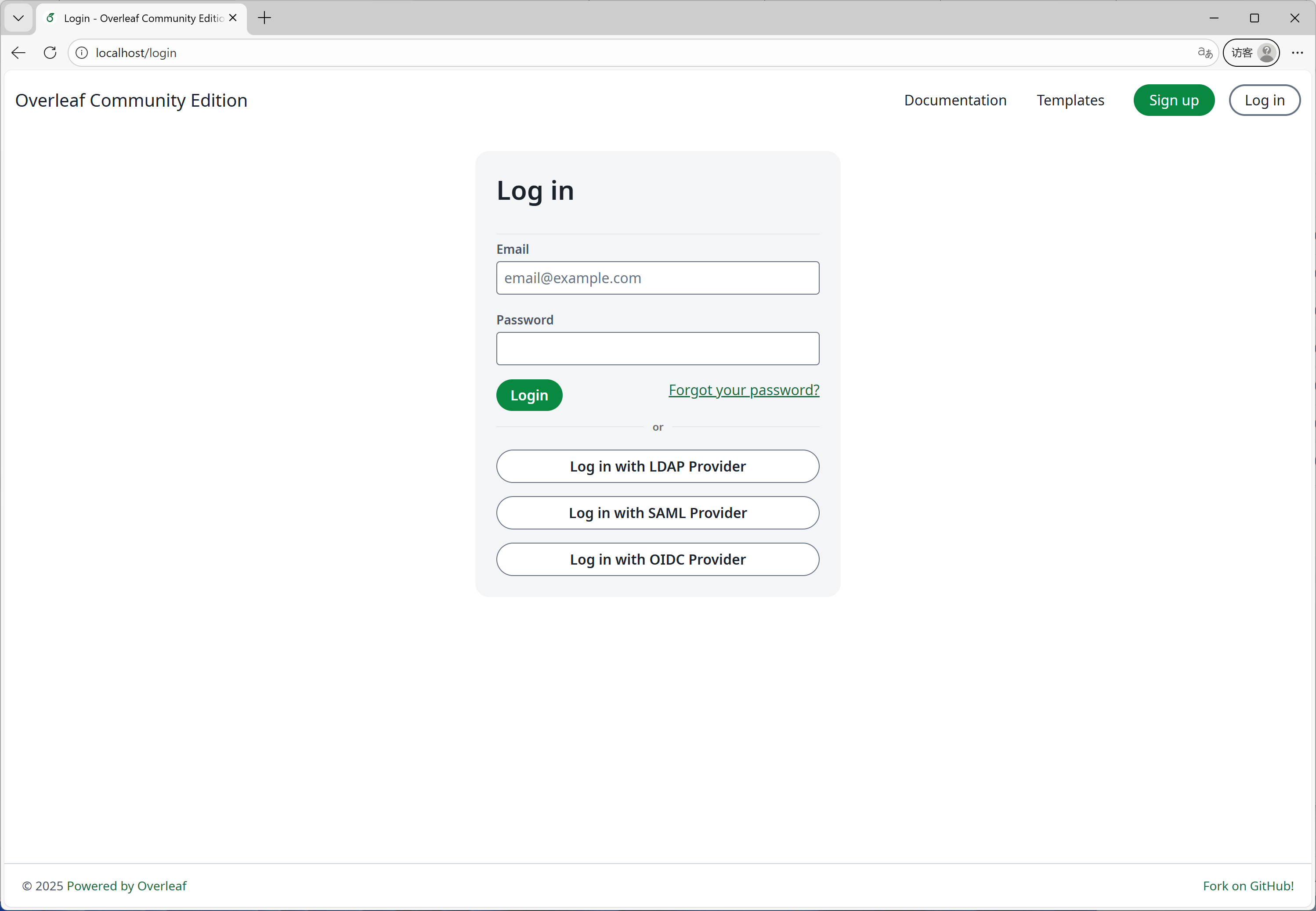
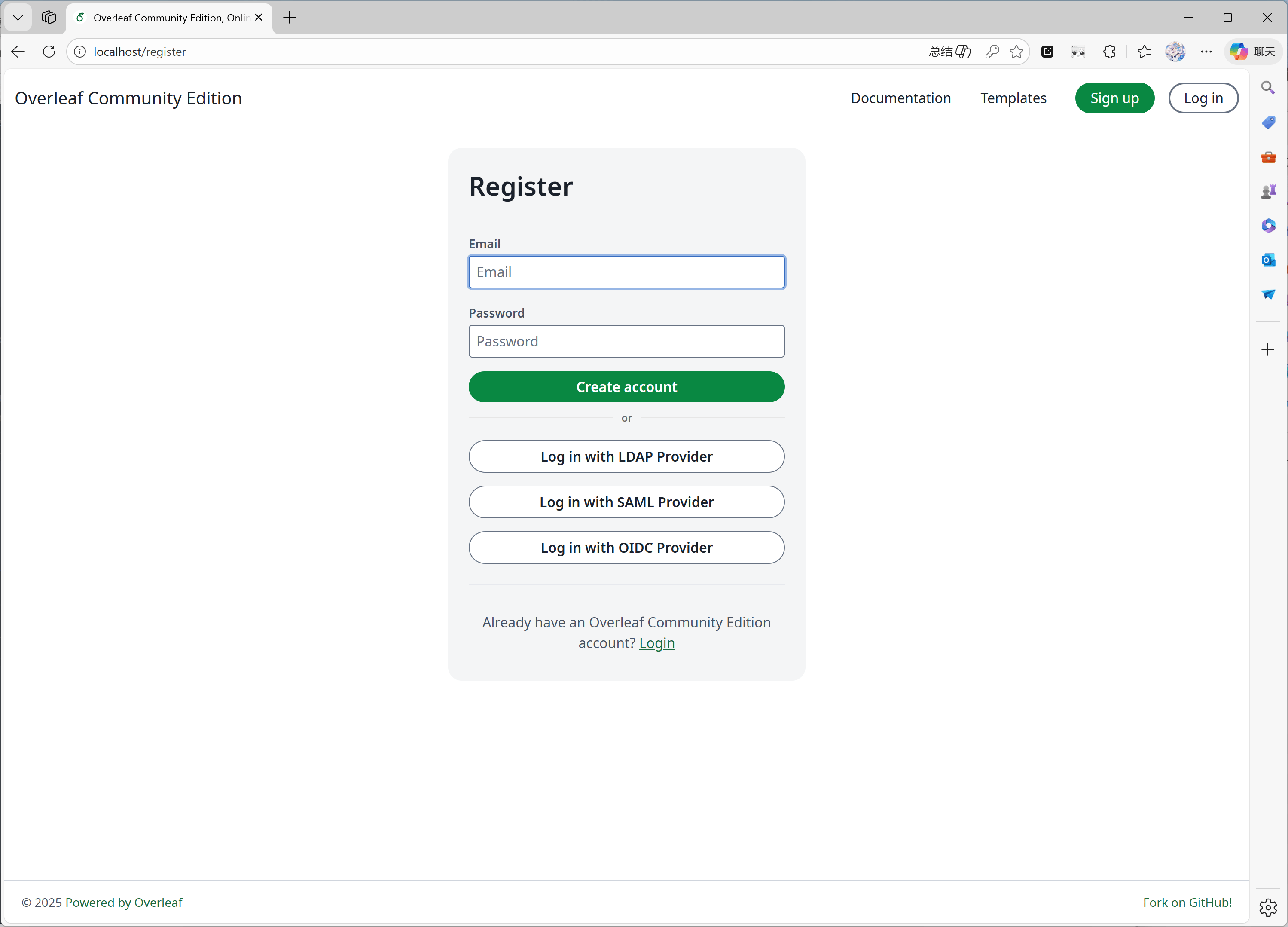
 #### 機能 10: セルフ登録
この機能は [ayaka-notes/overleaf-pro](https://github.com/ayaka-notes/overleaf-pro) によって開発されました。次のことが可能です。
* ユーザー登録を特定のドメインに制限する
* Overleaf にアクセスできる誰にでもユーザー登録を開放する
#### 機能 10: セルフ登録
この機能は [ayaka-notes/overleaf-pro](https://github.com/ayaka-notes/overleaf-pro) によって開発されました。次のことが可能です。
* ユーザー登録を特定のドメインに制限する
* Overleaf にアクセスできる誰にでもユーザー登録を開放する
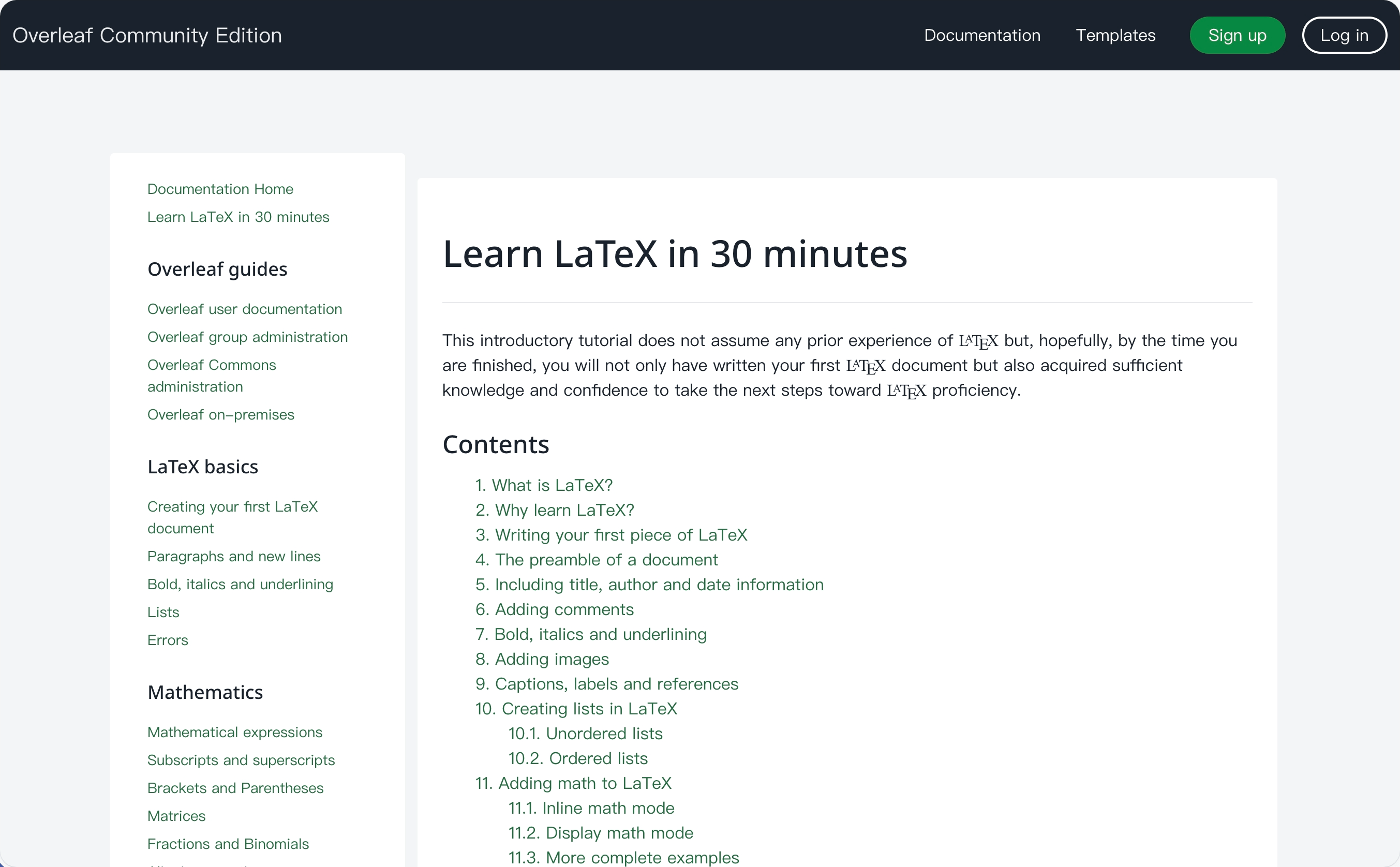
 #### 機能 11: Learn Wiki
この機能は [ayaka-notes/ayakaleaf-pro](https://github.com/ayaka-notes/ayakaleaf-pro) によって開発されました。Overleaf の最新の Learn Wiki を閲覧できますが、これらのドキュメントの著作権は私たちにはありません!この機能を初めて有効にしたときに Overleaf のサーバーからダウンロードし、定期的に更新しているだけです。
#### 機能 11: Learn Wiki
この機能は [ayaka-notes/ayakaleaf-pro](https://github.com/ayaka-notes/ayakaleaf-pro) によって開発されました。Overleaf の最新の Learn Wiki を閲覧できますが、これらのドキュメントの著作権は私たちにはありません!この機能を初めて有効にしたときに Overleaf のサーバーからダウンロードし、定期的に更新しているだけです。
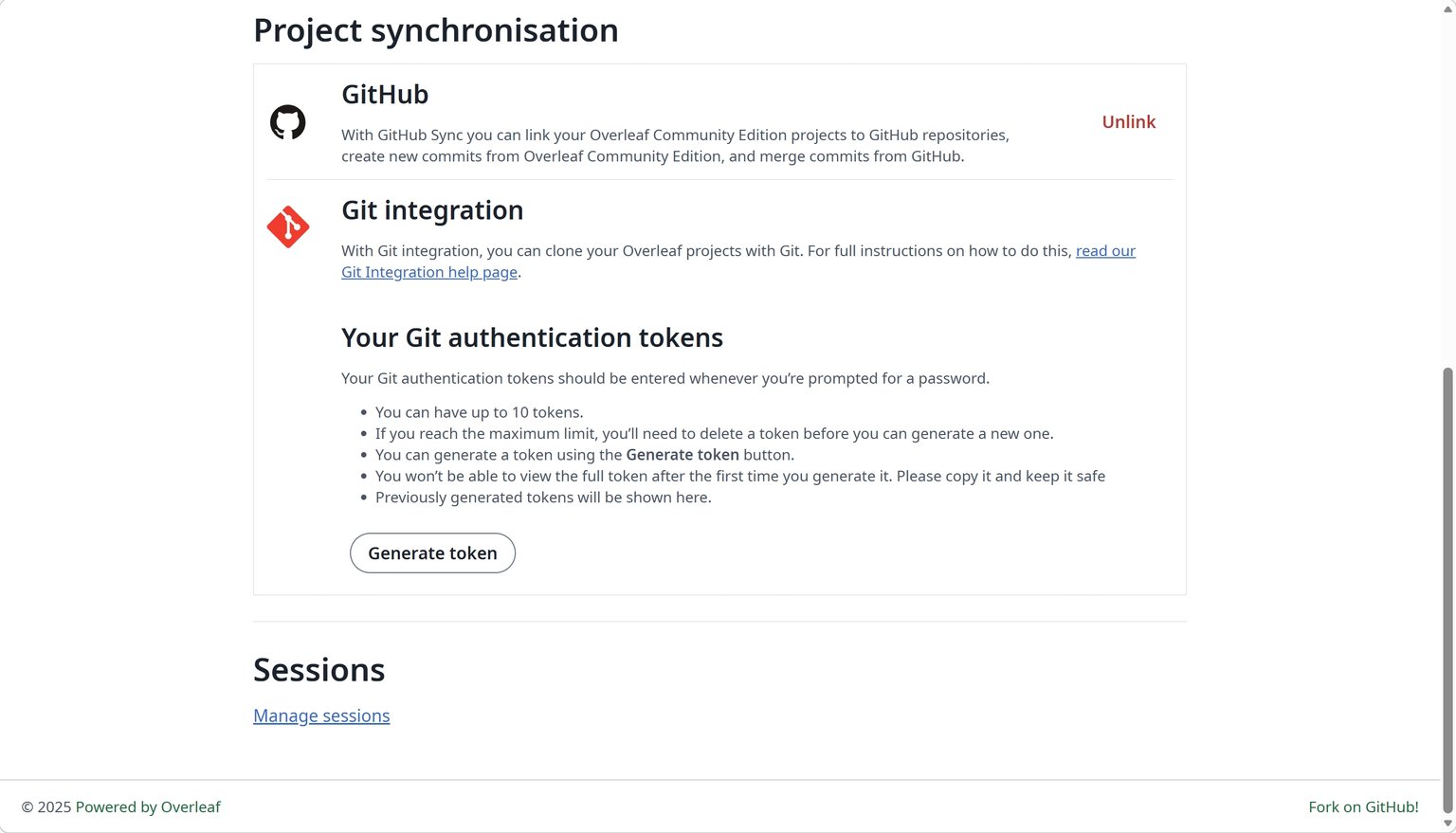
 #### 機能 12: GitHub 同期
この機能は [ayaka-notes/ayakaleaf-pro](https://github.com/ayaka-notes/ayakaleaf-pro) によって開発され、[yu-i-i/overleaf-cep](https://github.com/yu-i-i/overleaf-cep) によっても変更・修正されています。
#### 機能 12: GitHub 同期
この機能は [ayaka-notes/ayakaleaf-pro](https://github.com/ayaka-notes/ayakaleaf-pro) によって開発され、[yu-i-i/overleaf-cep](https://github.com/yu-i-i/overleaf-cep) によっても変更・修正されています。
 #### 機能 13: Python Runner
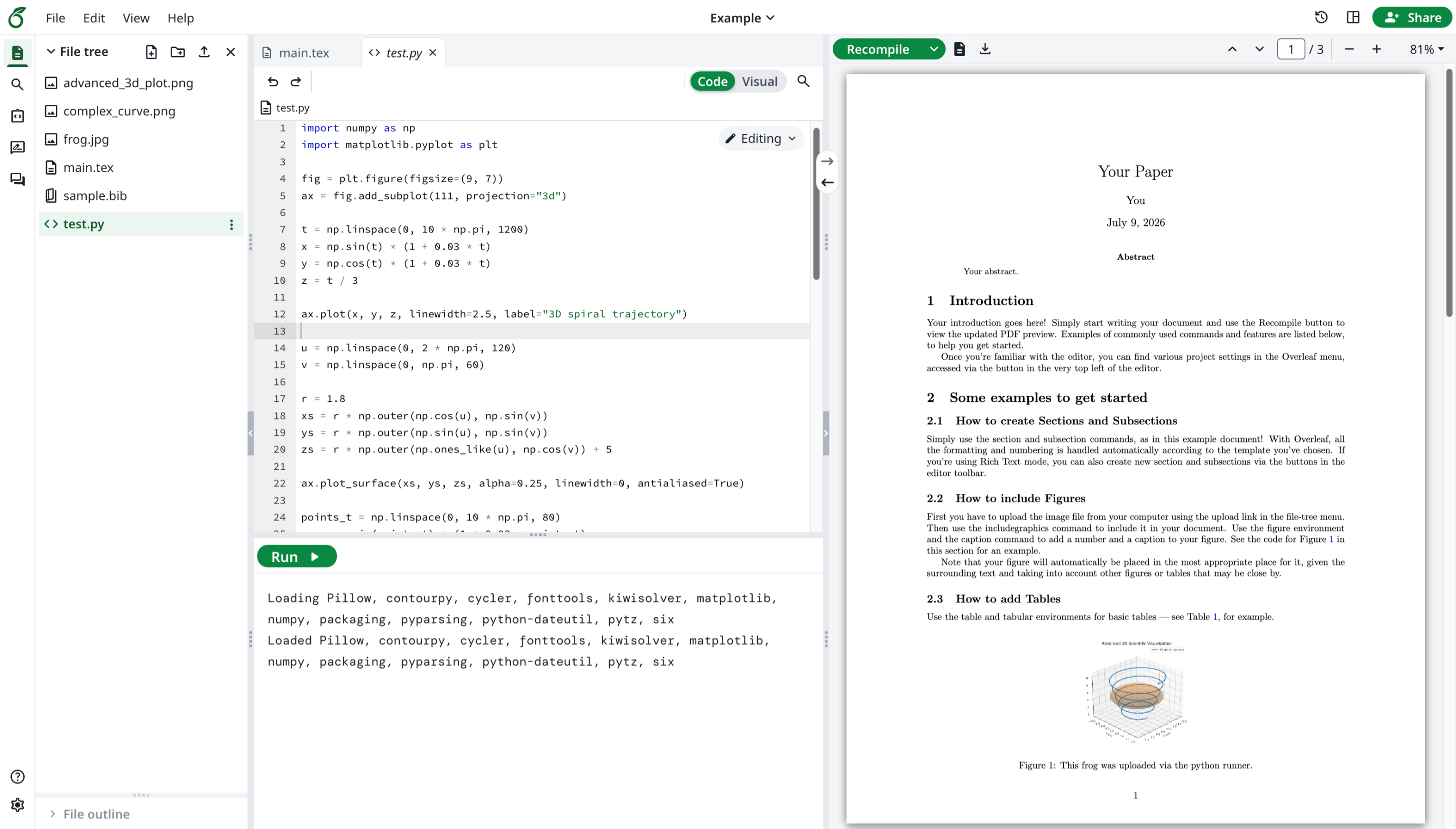
この機能は Overleaf 公式によって開発されました。ブラウザ上で Python スクリプトを実行できます。
#### 機能 13: Python Runner
この機能は Overleaf 公式によって開発されました。ブラウザ上で Python スクリプトを実行できます。
 #### 機能 14: 高度な文献検索
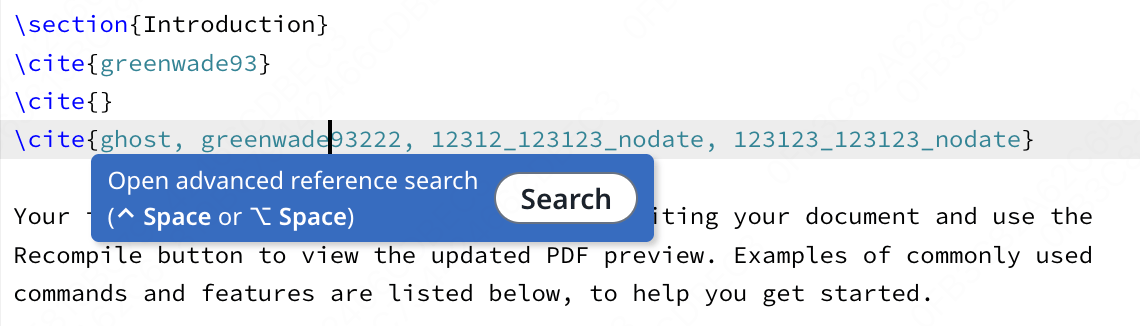
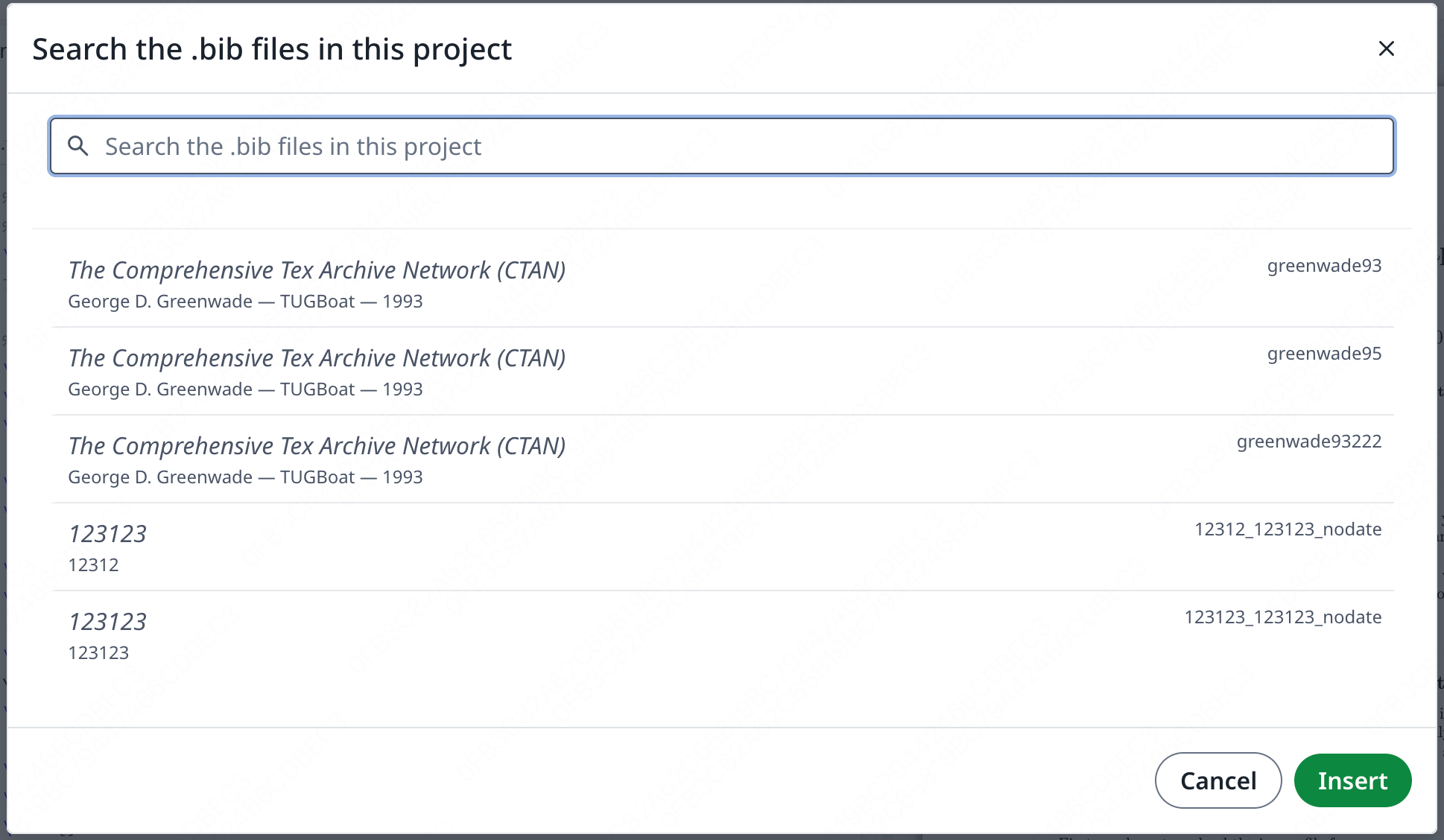
この機能は [davrot](https://github.com/davrot/) によって開発され、[yu-i-i/overleaf-cep](https://github.com/yu-i-i/overleaf-cep) および [ayaka-notes/ayakaleaf-pro](https://github.com/ayaka-notes/ayakaleaf-pro) によって修正されました。
#### 機能 14: 高度な文献検索
この機能は [davrot](https://github.com/davrot/) によって開発され、[yu-i-i/overleaf-cep](https://github.com/yu-i-i/overleaf-cep) および [ayaka-notes/ayakaleaf-pro](https://github.com/ayaka-notes/ayakaleaf-pro) によって修正されました。
 検索パネル:
 #### 機能 15: Pandoc による変換
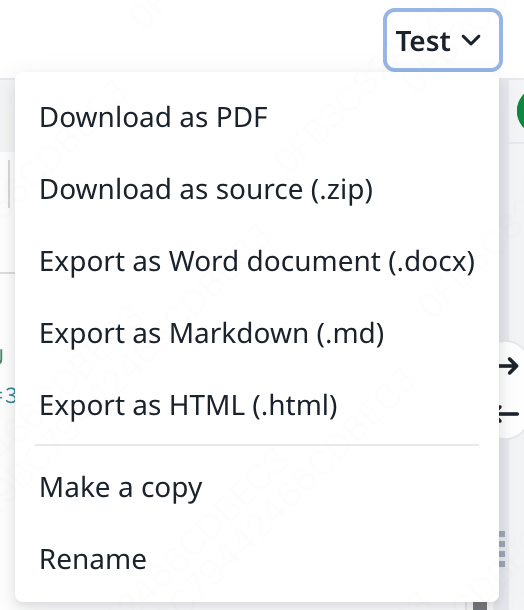
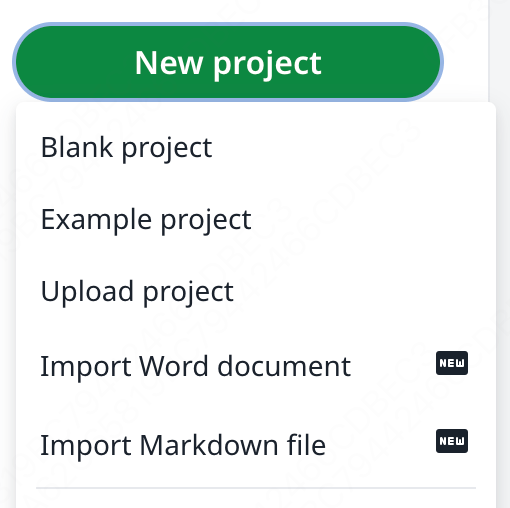
この機能を使うと、Word や Markdown のドキュメントを LaTeX プロジェクトとしてインポートしたり、LaTeX プロジェクトを Markdown や DOCX にエクスポートしたりできます。
#### 機能 15: Pandoc による変換
この機能を使うと、Word や Markdown のドキュメントを LaTeX プロジェクトとしてインポートしたり、LaTeX プロジェクトを Markdown や DOCX にエクスポートしたりできます。
 #### 機能 16: AI チャットと LaTeX エラーアシスタント
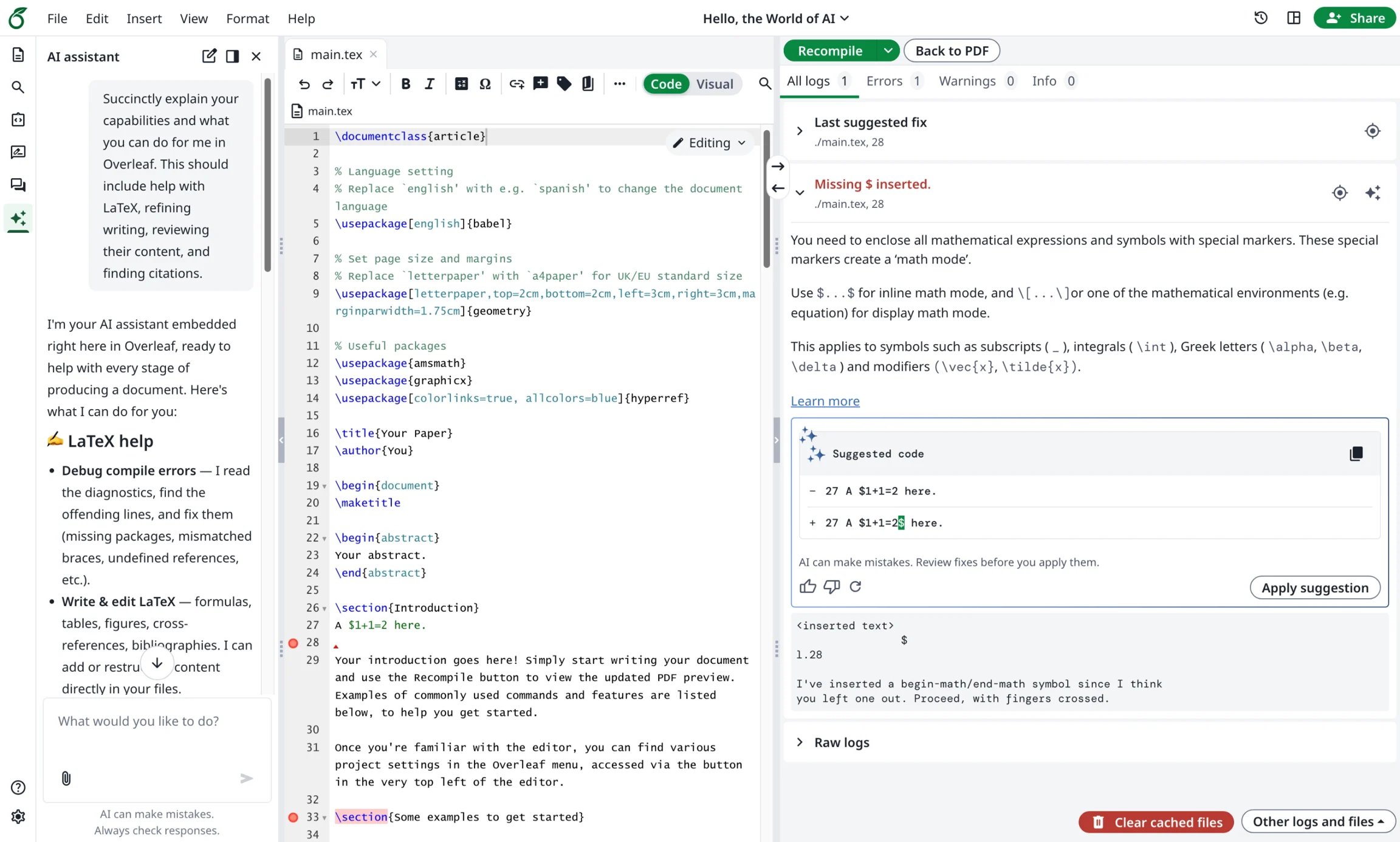
Ayakaleaf Pro では、AI アシスタントがプロジェクトのドキュメントと現在の選択範囲をコンテキストとして使用し、質問に答えたり、レビュー用の編集案を提示したりできます。また、エラーアシスタントは、LaTeX のコンパイルエラーを選択すると、それに対するピンポイントの修正を提案します。
#### 機能 16: AI チャットと LaTeX エラーアシスタント
Ayakaleaf Pro では、AI アシスタントがプロジェクトのドキュメントと現在の選択範囲をコンテキストとして使用し、質問に答えたり、レビュー用の編集案を提示したりできます。また、エラーアシスタントは、LaTeX のコンパイルエラーを選択すると、それに対するピンポイントの修正を提案します。
 This documentation is built and hosted on [Mintlify](https://mintlify.com), a developer documentation platform.