> ## Documentation Index
> Fetch the complete documentation index at: https://ayakaleaf-pro.mintlify.site/llms.txt
> Use this file to discover all available pages before exploring further.
# Zotero 連携
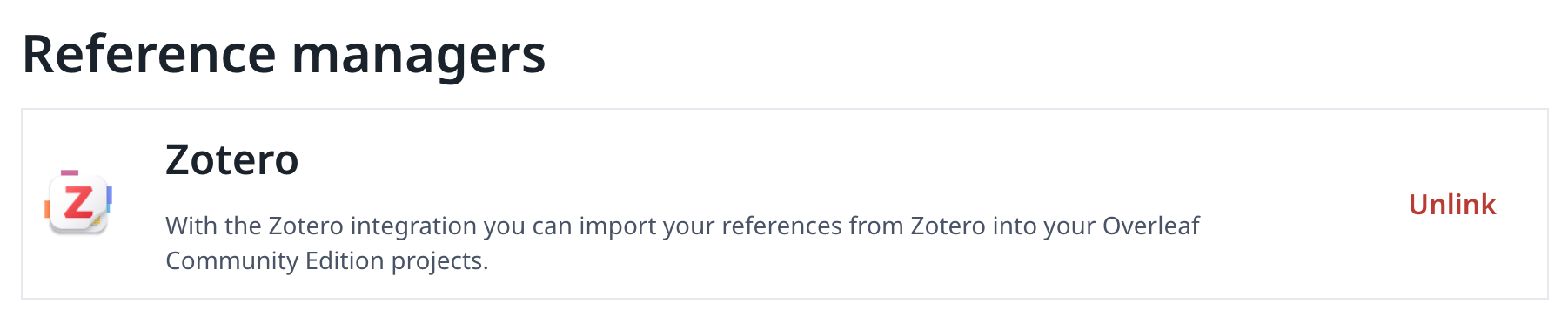
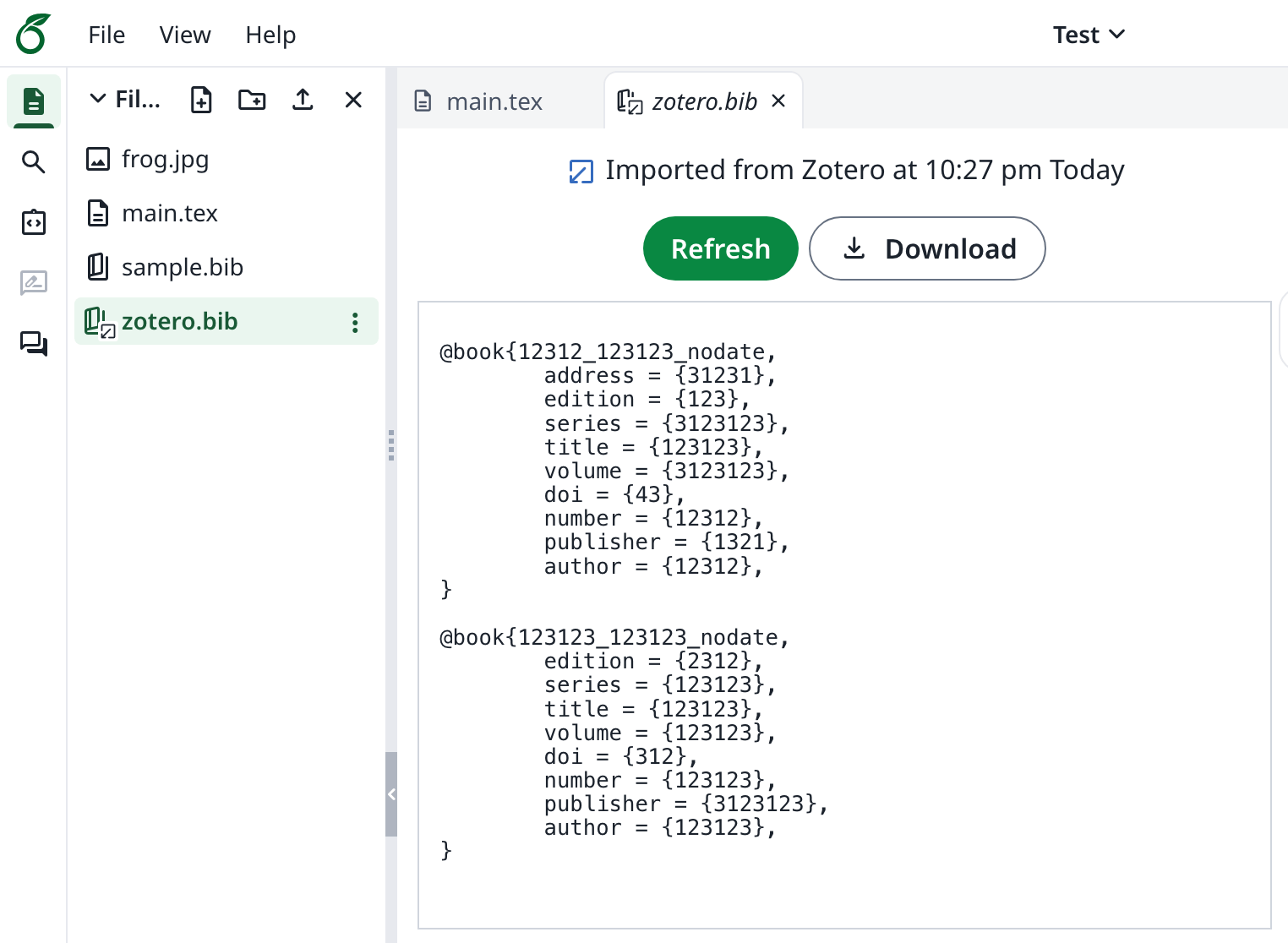
この機能は当初 [davrot](https://github.com/davrot) と [yu-i-i/overleaf-cep](https://github.com/yu-i-i/overleaf-cep) によって開発され、[ayaka-notes/overleaf-pro](https://github.com/ayaka-notes/overleaf-pro) によって OAuth 対応に改修されました。v6.2.0 以降で導入されています。現在もベータ版です。問題があればぜひフィードバックをお寄せください。
 ### Zotero 連携のセットアップ
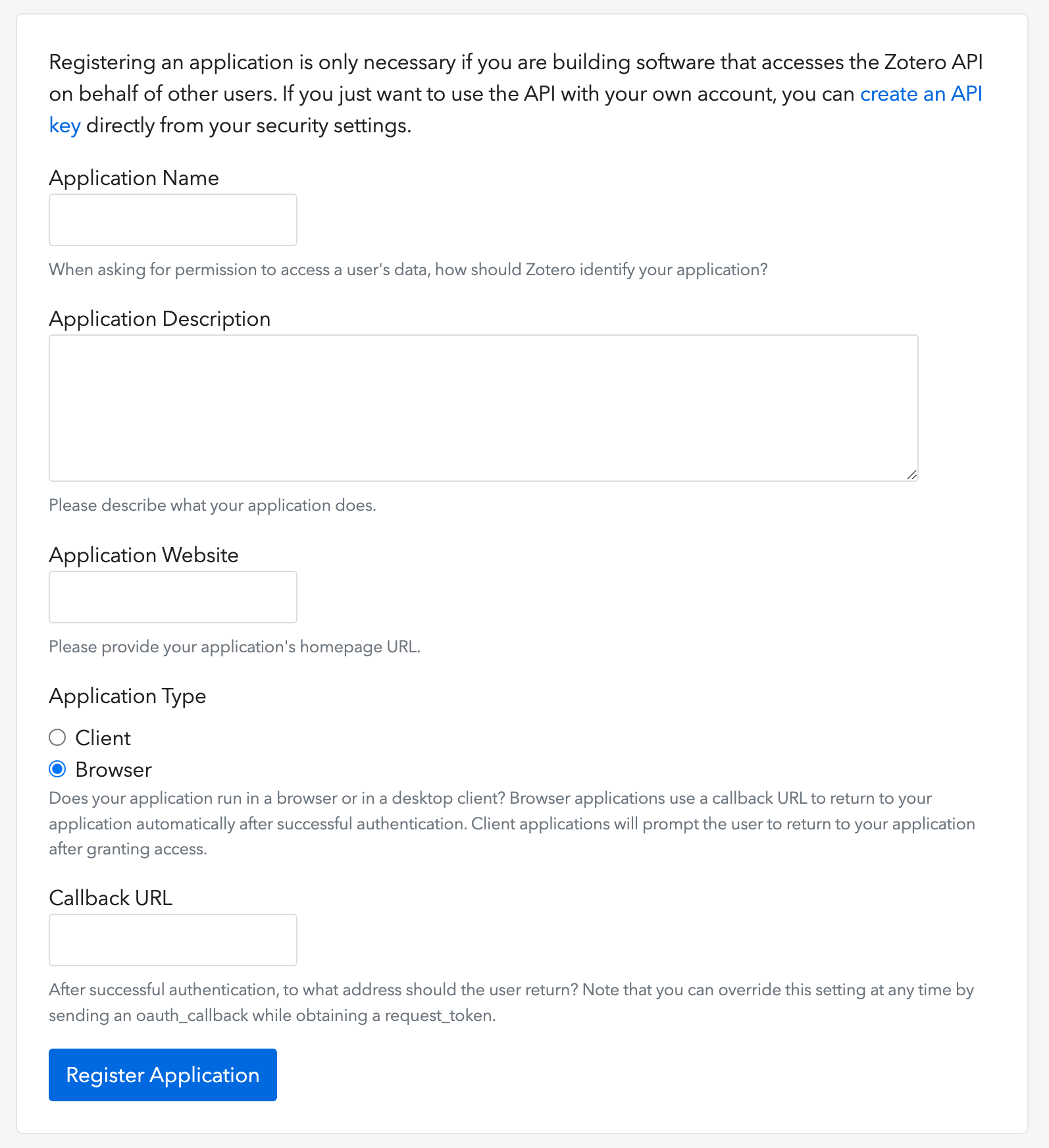
1. [このリンク](https://www.zotero.org/oauth/apps)を開いて Zotero OAuth クライアントを作成します(画像を参照)
2. **Application Type** で **Browser** を選択します
3. Callback URL に `${OVERLEAF_SITE_URL}/user/zotero/oauth/callback` を設定します
4. `config/variables.env` を設定します
### Zotero 連携のセットアップ
1. [このリンク](https://www.zotero.org/oauth/apps)を開いて Zotero OAuth クライアントを作成します(画像を参照)
2. **Application Type** で **Browser** を選択します
3. Callback URL に `${OVERLEAF_SITE_URL}/user/zotero/oauth/callback` を設定します
4. `config/variables.env` を設定します
 ```dotenv title="config/variables.env" theme={null}
#################
# Zotero #
#################
# 'zotero' must be in ENABLED_LINKED_FILE_TYPES (set in develop/docker-compose.yml)
ENABLED_LINKED_FILE_TYPES=project_file,project_output_file,url,zotero
# From a Zotero OAuth client (register at https://www.zotero.org/oauth/apps)
# Application Type: Browser
# Callback URL -> ${OVERLEAF_SITE_URL}/user/zotero/oauth/callback
ZOTERO_CLIENT_ID=
ZOTERO_CLIENT_SECRET=
# Encrypts the Zotero API key in mongo (set in dev to avoid writing a key file
# to /var/lib/overleaf/data, which the dev web container can't create)
# How to generate: `openssl rand -hex 32`
ZOTERO_CIPHER_PASSWORD=dev-zotero-cipher-password
# Optional: route the module's server-side Zotero requests (OAuth + API) through
# an HTTP proxy (must be reachable from the web container; same as github-sync)
# http://10.0.0.1:10808
# (Optional) ZOTERO_PROXY_URL=
```
### 注意事項
Zotero のリンクされた参考文献ファイルがある既存のインストールを再リリースされた 6.3.0 にアップグレードする場合は、[Zotero / Mendeley の移行手順](/ja/on-premises/release-notes/release-notes-6.x.x#ayakaleaf-pro-6.3.0 "mention")に従ってください。新規インストールではこの移行は必要ありません。
Ayakaleaf は共同作業プラットフォームであるため、セキュリティ向上のため、バージョン 6.3.0 以降では、参考文献の `bib` ファイルを最初に作成したユーザーのみがインポートしたファイルを更新できます。
たとえば、プロジェクトのオーナーであるユーザー A がリンク共有を有効にし、プロジェクト内に `test.bib` ファイルを作成して自分の Zotero アカウントにリンクしたとします。別のユーザー B が共有リンクからプロジェクトにアクセスした場合、ユーザー B は `test.bib` を読み取ったりダウンロードしたりすることはできますが、Zotero からファイルを更新したり再インポートしたりすることはできません。更新を行えるのは、参考文献ファイルの最初の作成者であるユーザー A だけです。つまり、`.bib` ファイルを更新する権限を持つのは、そのファイルの最初の作成者のみです。
This documentation is built and hosted on [Mintlify](https://mintlify.com), a developer documentation platform.
```dotenv title="config/variables.env" theme={null}
#################
# Zotero #
#################
# 'zotero' must be in ENABLED_LINKED_FILE_TYPES (set in develop/docker-compose.yml)
ENABLED_LINKED_FILE_TYPES=project_file,project_output_file,url,zotero
# From a Zotero OAuth client (register at https://www.zotero.org/oauth/apps)
# Application Type: Browser
# Callback URL -> ${OVERLEAF_SITE_URL}/user/zotero/oauth/callback
ZOTERO_CLIENT_ID=
ZOTERO_CLIENT_SECRET=
# Encrypts the Zotero API key in mongo (set in dev to avoid writing a key file
# to /var/lib/overleaf/data, which the dev web container can't create)
# How to generate: `openssl rand -hex 32`
ZOTERO_CIPHER_PASSWORD=dev-zotero-cipher-password
# Optional: route the module's server-side Zotero requests (OAuth + API) through
# an HTTP proxy (must be reachable from the web container; same as github-sync)
# http://10.0.0.1:10808
# (Optional) ZOTERO_PROXY_URL=
```
### 注意事項
Zotero のリンクされた参考文献ファイルがある既存のインストールを再リリースされた 6.3.0 にアップグレードする場合は、[Zotero / Mendeley の移行手順](/ja/on-premises/release-notes/release-notes-6.x.x#ayakaleaf-pro-6.3.0 "mention")に従ってください。新規インストールではこの移行は必要ありません。
Ayakaleaf は共同作業プラットフォームであるため、セキュリティ向上のため、バージョン 6.3.0 以降では、参考文献の `bib` ファイルを最初に作成したユーザーのみがインポートしたファイルを更新できます。
たとえば、プロジェクトのオーナーであるユーザー A がリンク共有を有効にし、プロジェクト内に `test.bib` ファイルを作成して自分の Zotero アカウントにリンクしたとします。別のユーザー B が共有リンクからプロジェクトにアクセスした場合、ユーザー B は `test.bib` を読み取ったりダウンロードしたりすることはできますが、Zotero からファイルを更新したり再インポートしたりすることはできません。更新を行えるのは、参考文献ファイルの最初の作成者であるユーザー A だけです。つまり、`.bib` ファイルを更新する権限を持つのは、そのファイルの最初の作成者のみです。
This documentation is built and hosted on [Mintlify](https://mintlify.com), a developer documentation platform.