> ## Documentation Index
> Fetch the complete documentation index at: https://ayakaleaf-pro.mintlify.site/llms.txt
> Use this file to discover all available pages before exploring further.
# 認証
この機能は [yu-i-i/overleaf-cep](https://github.com/yu-i-i/overleaf-cep) によって開発されました。
3 つの認証方式がサポートされています。設定後は、下の画像のように次のオプションでログインできます。
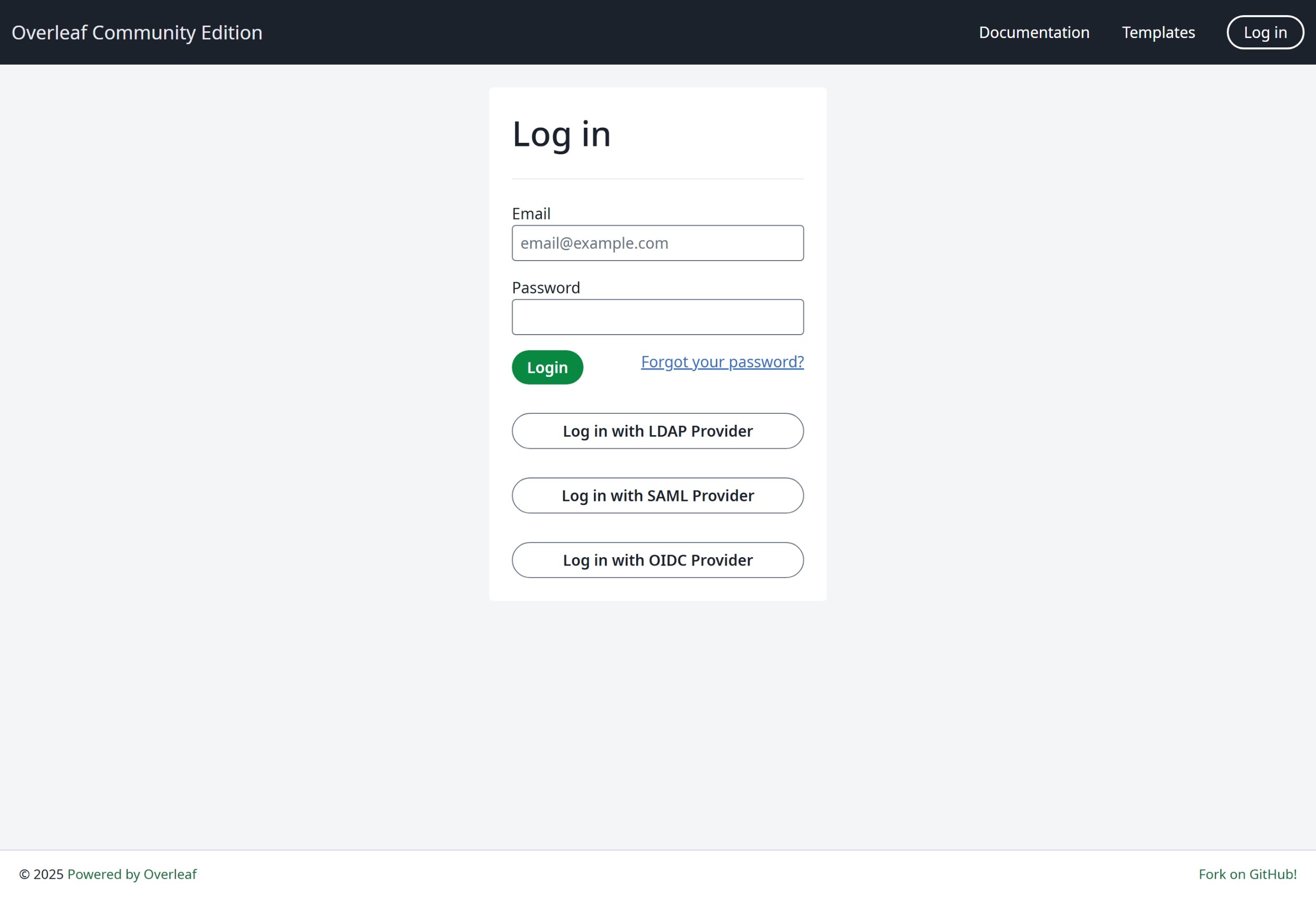 最も汎用的な方式である OIDC を使用することを強くお勧めします。
### グローバル設定
特定の認証モジュールを有効にするには、環境変数 `EXTERNAL_AUTH` が必要です。この環境変数で、どの外部認証方式を有効にするかを指定します。使用可能なオプションは次のとおりです(小文字):
* saml
* ldap
* oidc
### SSO に関する提案
私は Overleaf で saml、ldap、oauth をテストしました。saml と oauth はどちらも Overleaf で問題なく動作しますが、ldap は環境によります。[https://docs.goauthentik.io/](https://docs.goauthentik.io/) ではうまく動作しませんが、openLDAP([https://github.com/rroemhild/docker-test-openldap](https://github.com/rroemhild/docker-test-openldap))では問題なく動作します。
passport-ldapauth を更新する必要があります。最近 [https://goauthentik.io/](https://goauthentik.io/) で Overleaf の LDAP をテストしようとしたところ、失敗しました。"passport-ldapauth" を 3.0.0 に更新したところ、すべて正常に動作しました。
```text theme={null}
"passport-ldapauth": "^3.0.0",
```
元のバージョンは 6 年前の 2.x.x です。
LDAP(および saml、oauth)認証はすべて外部パッケージに依存しているため、原因ははっきりしません。うまく動作しない場合、Overleaf Server Pro でも状況は同じである可能性があります。すべての環境変数を内部パッケージにそのまま渡しているだけなので、何らかのバグがあっても、現時点では把握できません。
**そのため、すべてのソースコードを使って SSO をテストできるよう、開発環境をセットアップすることを強くお勧めします。** 手順は [Setup Develop Environment (Local)](/ja/dev/environment/setup-develop-environment-local "mention") で確認できます。開発環境ではターミナルですべてのログを確認できるため、デバッグに便利です。
\\
最も汎用的な方式である OIDC を使用することを強くお勧めします。
### グローバル設定
特定の認証モジュールを有効にするには、環境変数 `EXTERNAL_AUTH` が必要です。この環境変数で、どの外部認証方式を有効にするかを指定します。使用可能なオプションは次のとおりです(小文字):
* saml
* ldap
* oidc
### SSO に関する提案
私は Overleaf で saml、ldap、oauth をテストしました。saml と oauth はどちらも Overleaf で問題なく動作しますが、ldap は環境によります。[https://docs.goauthentik.io/](https://docs.goauthentik.io/) ではうまく動作しませんが、openLDAP([https://github.com/rroemhild/docker-test-openldap](https://github.com/rroemhild/docker-test-openldap))では問題なく動作します。
passport-ldapauth を更新する必要があります。最近 [https://goauthentik.io/](https://goauthentik.io/) で Overleaf の LDAP をテストしようとしたところ、失敗しました。"passport-ldapauth" を 3.0.0 に更新したところ、すべて正常に動作しました。
```text theme={null}
"passport-ldapauth": "^3.0.0",
```
元のバージョンは 6 年前の 2.x.x です。
LDAP(および saml、oauth)認証はすべて外部パッケージに依存しているため、原因ははっきりしません。うまく動作しない場合、Overleaf Server Pro でも状況は同じである可能性があります。すべての環境変数を内部パッケージにそのまま渡しているだけなので、何らかのバグがあっても、現時点では把握できません。
**そのため、すべてのソースコードを使って SSO をテストできるよう、開発環境をセットアップすることを強くお勧めします。** 手順は [Setup Develop Environment (Local)](/ja/dev/environment/setup-develop-environment-local "mention") で確認できます。開発環境ではターミナルですべてのログを確認できるため、デバッグに便利です。
\\
This documentation is built and hosted on [Mintlify](https://mintlify.com), a developer documentation platform.