> ## Documentation Index
> Fetch the complete documentation index at: https://ayakaleaf-pro.mintlify.site/llms.txt
> Use this file to discover all available pages before exploring further.
# Utilizzare i modelli come singolo utente
Se un singolo utente desidera utilizzare un modello della Template Gallery su overleaf.com, deve:
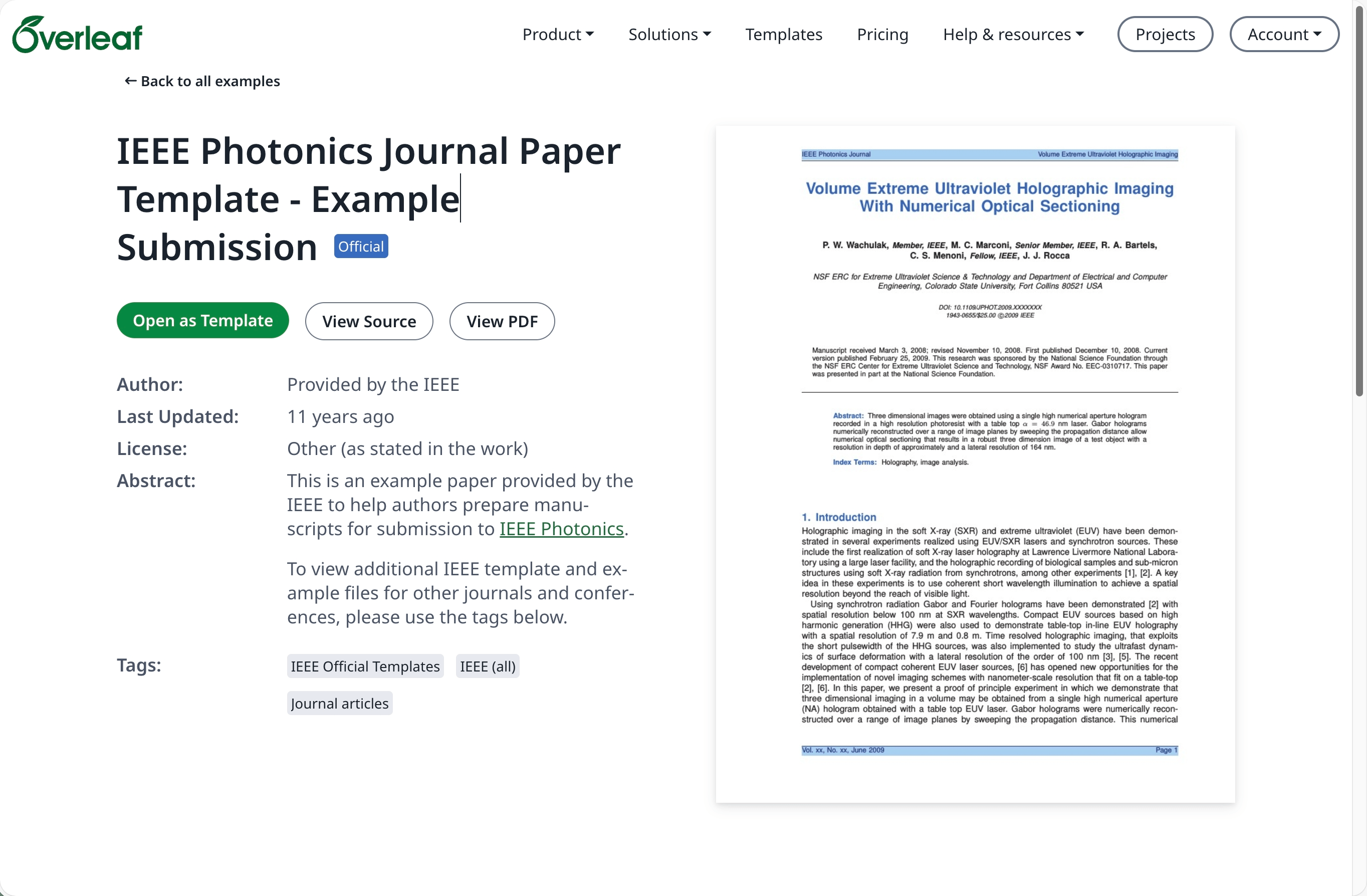
Vai alla [Template Gallery](https://www.overleaf.com/latex/templates) su [overleaf.com](https://www.overleaf.com/) e individua il modello desiderato, ad esempio [IEEE Photonics Journal Paper Template - Example Submission](https://www.overleaf.com/latex/examples/ieee-photonics-journal-paper-template-example-submission/bsfjjfkdsjds)
Fai clic sul pulsante **Open as Template**.
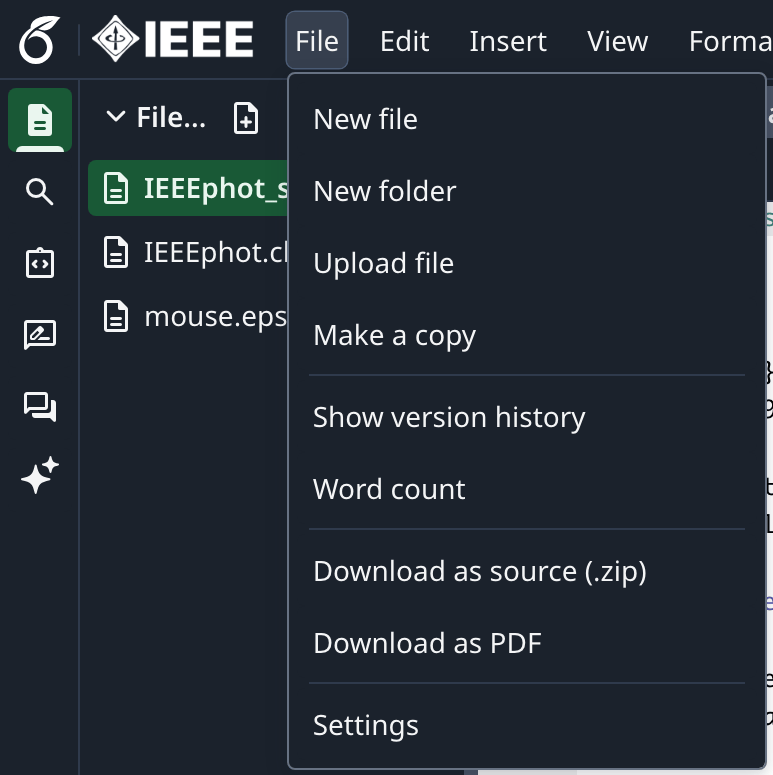
 Fai clic sul menu del progetto e scegli **Download Source**.
 Accedi al tuo account Overleaf Pro on-premise.
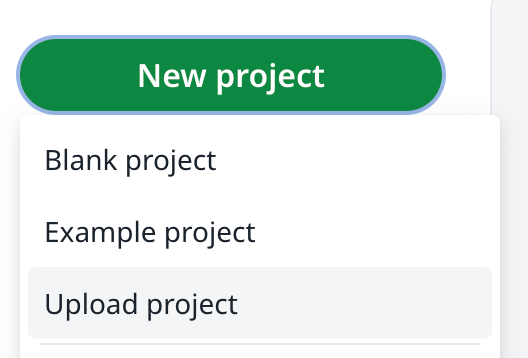
Dalla dashboard dei progetti fai clic su **New Project** e scegli **Upload Project**.
Accedi al tuo account Overleaf Pro on-premise.
Dalla dashboard dei progetti fai clic su **New Project** e scegli **Upload Project**.
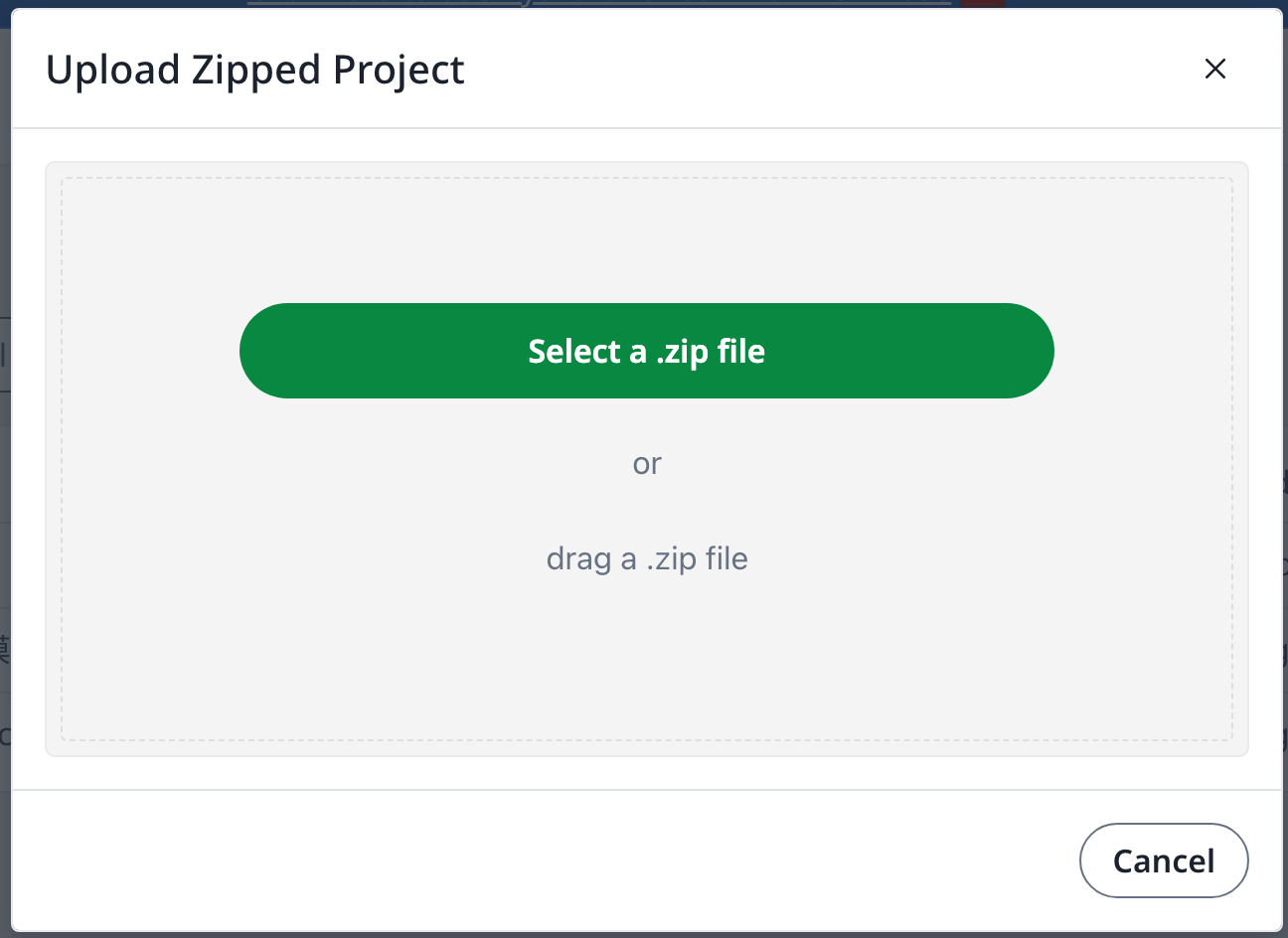
 Fai clic su **Select a .zip file** e scegli il file zip del modello scaricato.
 A questo punto puoi utilizzare il modello appena caricato come preferisci.
È necessario un account [overleaf.com](https://www.overleaf.com/)
This documentation is built and hosted on [Mintlify](https://mintlify.com), a developer documentation platform.
A questo punto puoi utilizzare il modello appena caricato come preferisci.
È necessario un account [overleaf.com](https://www.overleaf.com/)
This documentation is built and hosted on [Mintlify](https://mintlify.com), a developer documentation platform.