> ## Documentation Index
> Fetch the complete documentation index at: https://ayakaleaf-pro.mintlify.site/llms.txt
> Use this file to discover all available pages before exploring further.
# Menggunakan templat sebagai individu
Jika seorang pengguna individu ingin menggunakan templat dari Template Gallery di overleaf.com, mereka perlu:
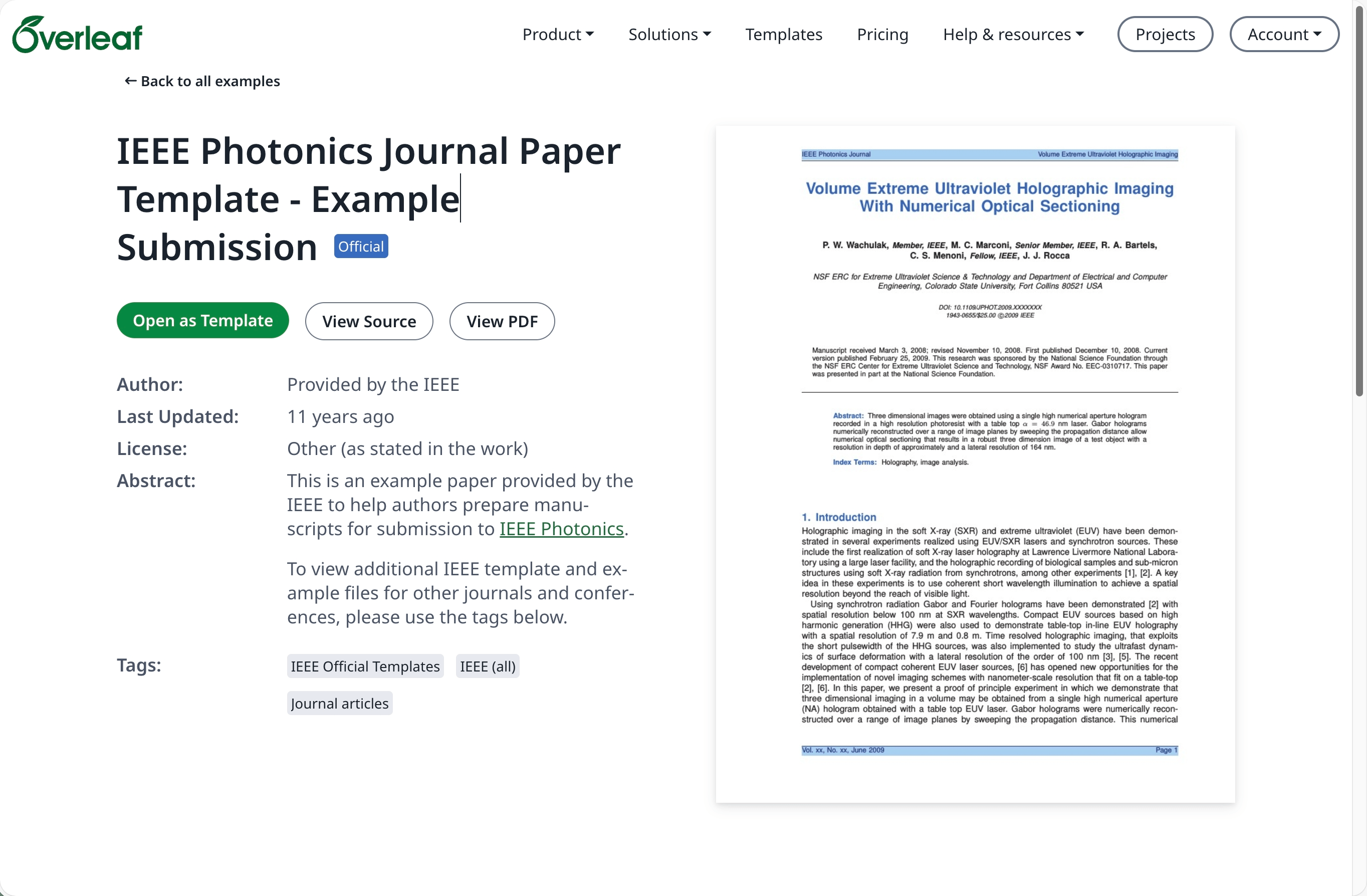
Buka [Template Gallery](https://www.overleaf.com/latex/templates) di [overleaf.com](https://www.overleaf.com/) dan temukan templat yang diperlukan, misalnya [IEEE Photonics Journal Paper Template - Example Submission](https://www.overleaf.com/latex/examples/ieee-photonics-journal-paper-template-example-submission/bsfjjfkdsjds)
Klik tombol **Open as Template**.
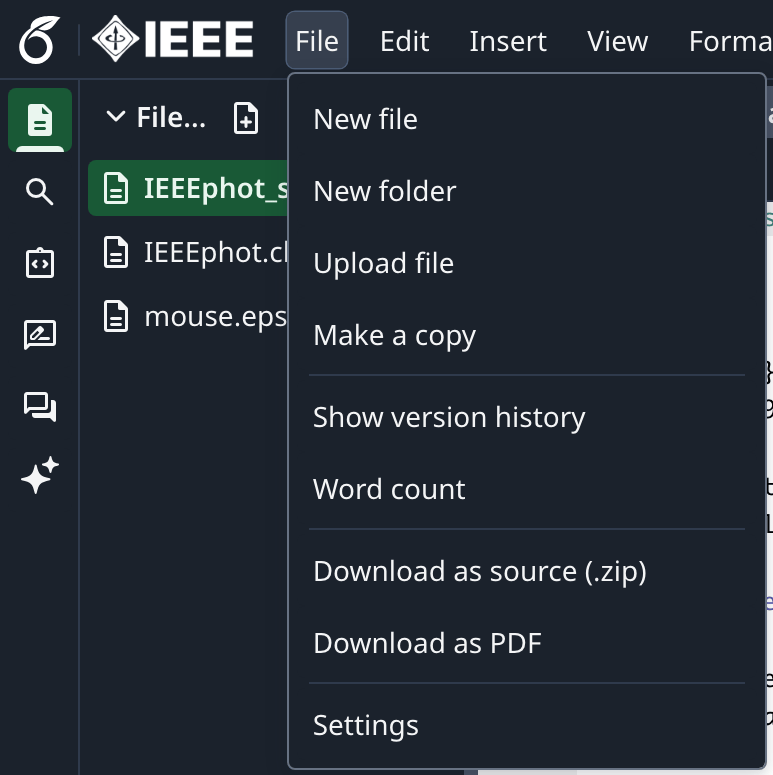
 Klik menu proyek dan pilih **Download Source**.
 Masuk ke akun Overleaf Pro on-premise Anda.
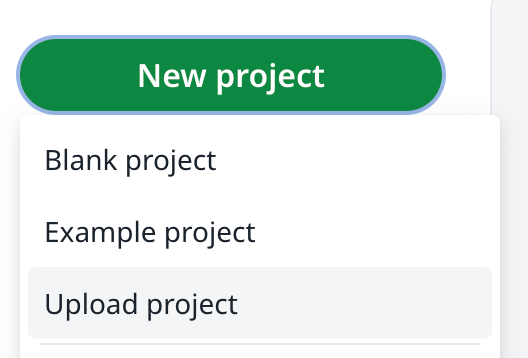
Dari dasbor proyek, klik **New Project** dan pilih **Upload Project**.
Masuk ke akun Overleaf Pro on-premise Anda.
Dari dasbor proyek, klik **New Project** dan pilih **Upload Project**.
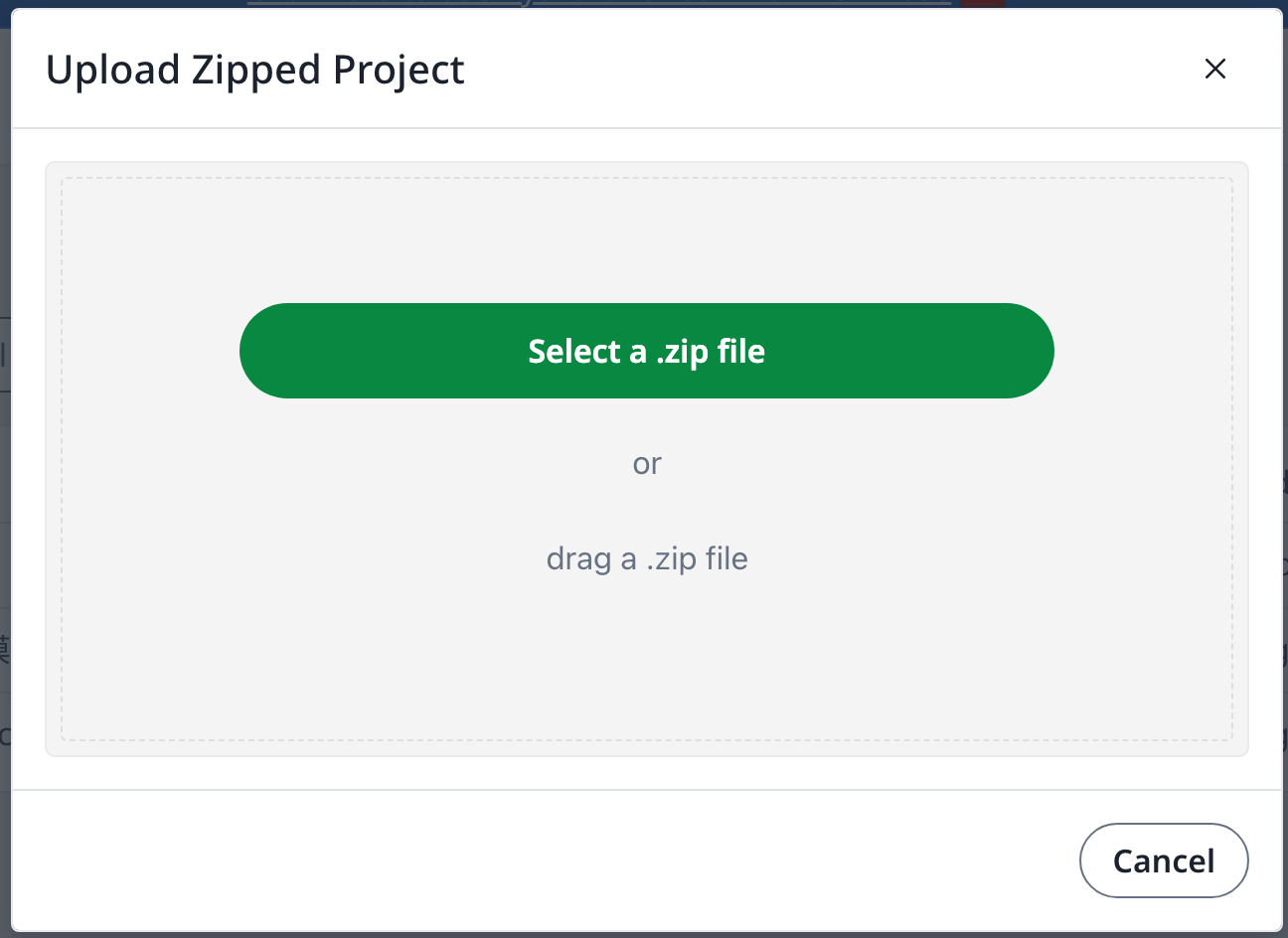
 Klik **Select a .zip file** dan pilih file zip templat yang telah diunduh.
 Anda kemudian dapat menggunakan templat yang baru diunggah ini sesuai kebutuhan.
Diperlukan akun [overleaf.com](https://www.overleaf.com/)
This documentation is built and hosted on [Mintlify](https://mintlify.com), a developer documentation platform.
Anda kemudian dapat menggunakan templat yang baru diunggah ini sesuai kebutuhan.
Diperlukan akun [overleaf.com](https://www.overleaf.com/)
This documentation is built and hosted on [Mintlify](https://mintlify.com), a developer documentation platform.