> ## Documentation Index
> Fetch the complete documentation index at: https://ayakaleaf-pro.mintlify.site/llms.txt
> Use this file to discover all available pages before exploring further.
# Uso de plantillas a título individual
Si un usuario individual quiere usar una plantilla de la Galería de plantillas de overleaf.com, debe:
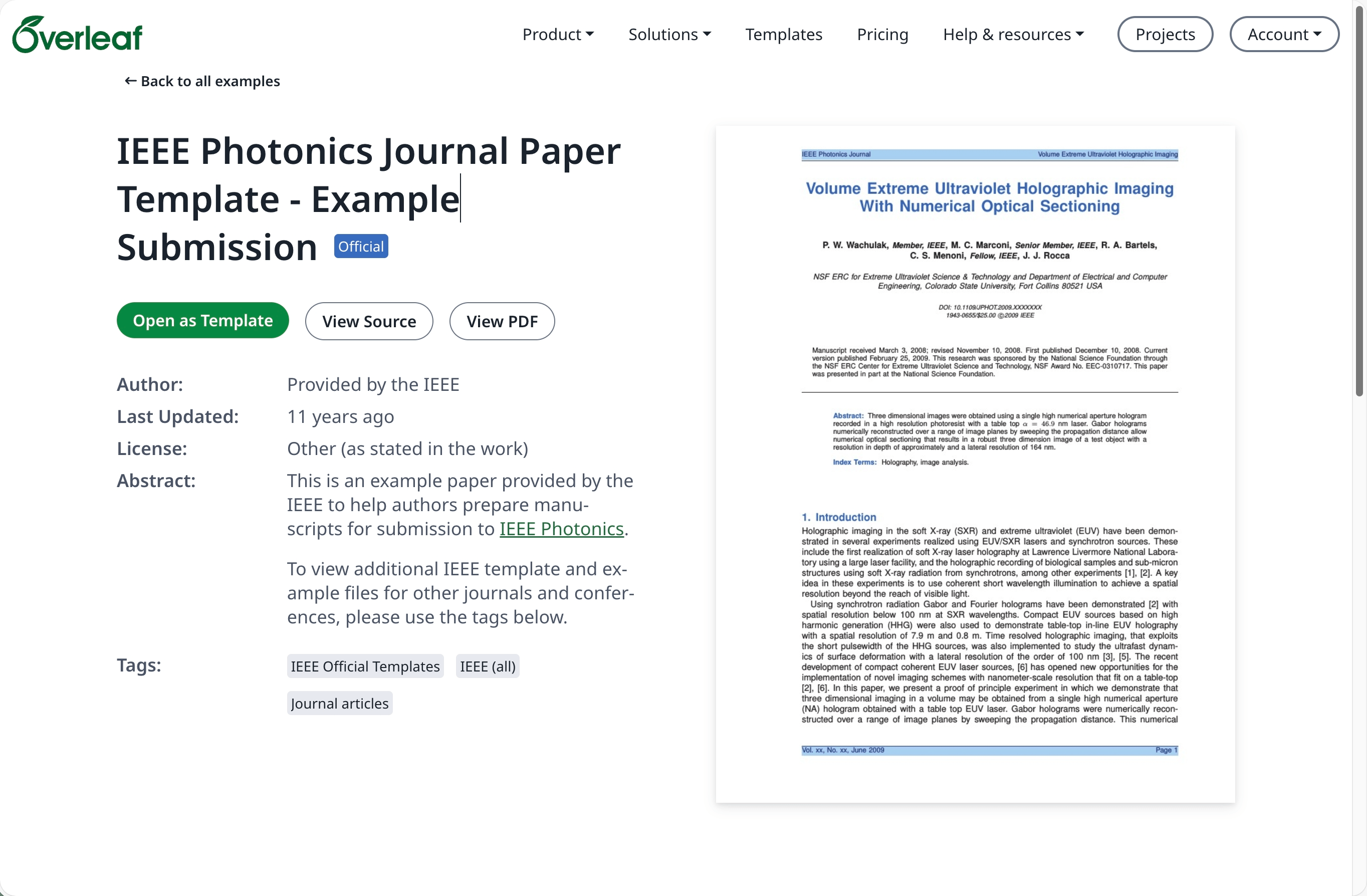
Ve a la [Galería de plantillas](https://www.overleaf.com/latex/templates) en [overleaf.com](https://www.overleaf.com/) y localiza la plantilla deseada, por ejemplo [IEEE Photonics Journal Paper Template - Example Submission](https://www.overleaf.com/latex/examples/ieee-photonics-journal-paper-template-example-submission/bsfjjfkdsjds)
Haz clic en el botón **Open as Template**.
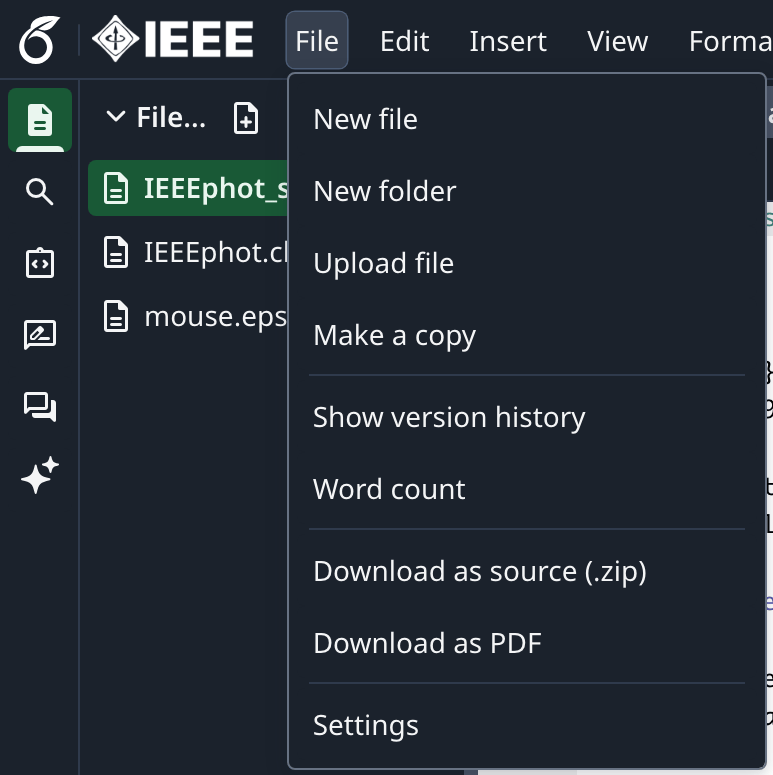
 Haz clic en el menú del proyecto y elige **Download Source**.
 Inicia sesión en tu cuenta de Overleaf Pro local (on-premise).
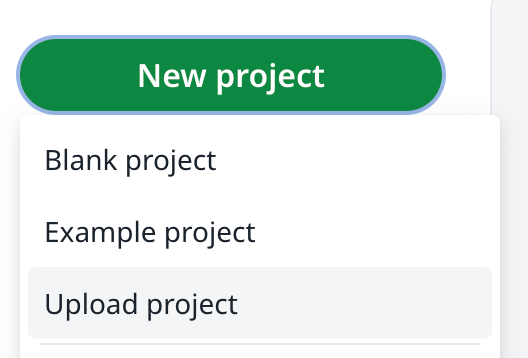
Desde el panel de proyectos, haz clic en **New Project** y elige **Upload Project**.
Inicia sesión en tu cuenta de Overleaf Pro local (on-premise).
Desde el panel de proyectos, haz clic en **New Project** y elige **Upload Project**.
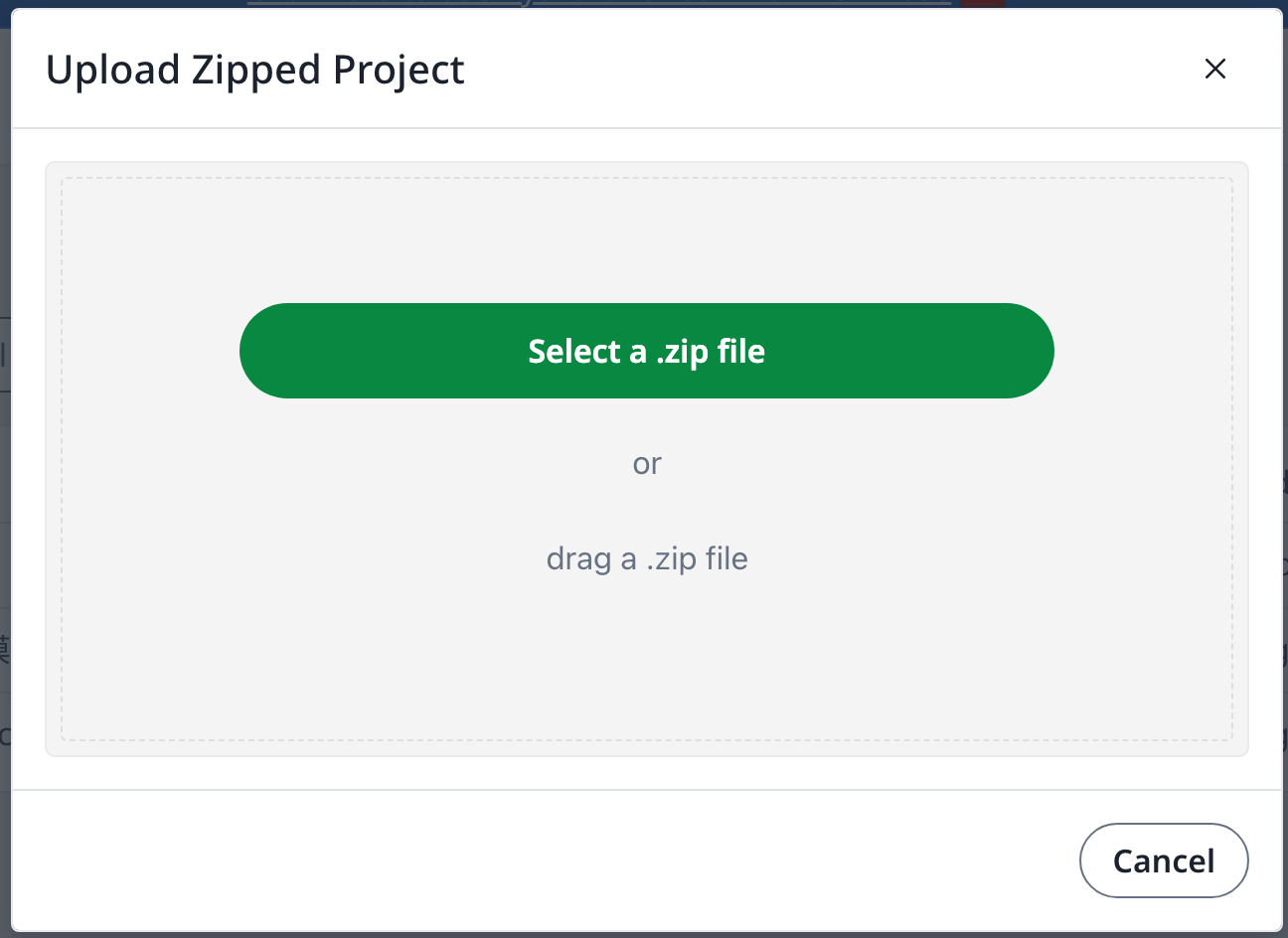
 Haz clic en **Select a .zip file** y elige el archivo zip de la plantilla descargado.
 A continuación, puedes usar esta plantilla recién subida como necesites.
Se requiere una cuenta de [overleaf.com](https://www.overleaf.com/)
This documentation is built and hosted on [Mintlify](https://mintlify.com), a developer documentation platform.
A continuación, puedes usar esta plantilla recién subida como necesites.
Se requiere una cuenta de [overleaf.com](https://www.overleaf.com/)
This documentation is built and hosted on [Mintlify](https://mintlify.com), a developer documentation platform.