> ## Documentation Index
> Fetch the complete documentation index at: https://ayakaleaf-pro.mintlify.site/llms.txt
> Use this file to discover all available pages before exploring further.
# Vorlagen als Einzelperson verwenden
Wenn ein einzelner Benutzer eine Vorlage aus der Vorlagengalerie auf overleaf.com verwenden möchte, muss er Folgendes tun:
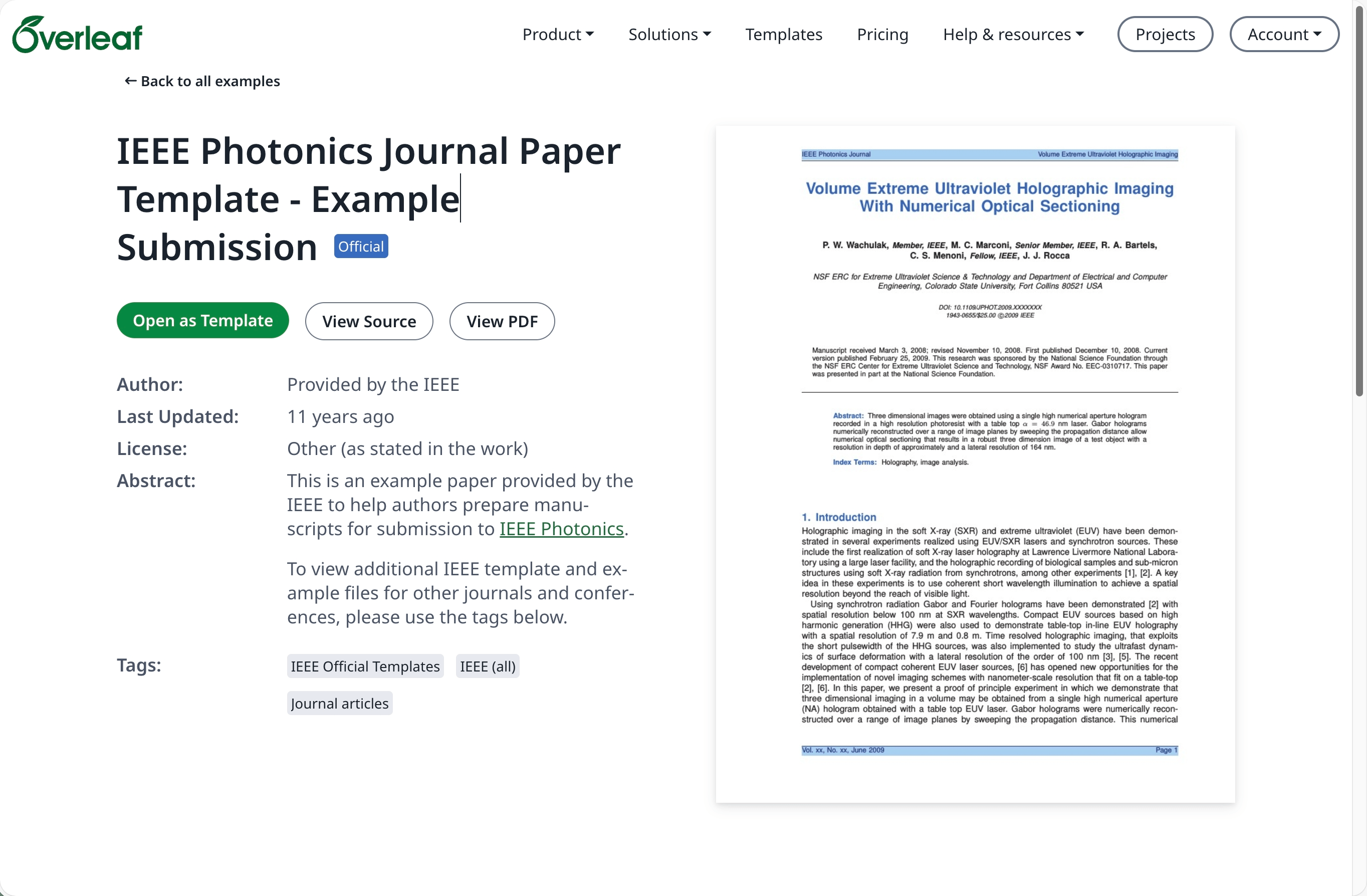
Navigieren Sie zur [Vorlagengalerie](https://www.overleaf.com/latex/templates) auf [overleaf.com](https://www.overleaf.com/) und suchen Sie die gewünschte Vorlage, zum Beispiel [IEEE Photonics Journal Paper Template - Example Submission](https://www.overleaf.com/latex/examples/ieee-photonics-journal-paper-template-example-submission/bsfjjfkdsjds)
Klicken Sie auf die Schaltfläche **Open as Template**.
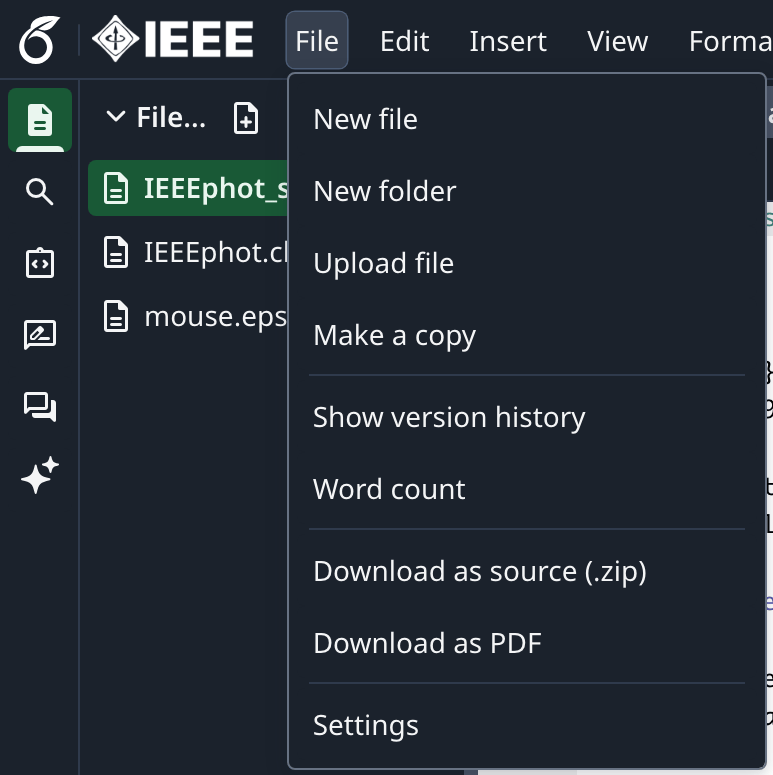
 Klicken Sie auf das Projektmenü und wählen Sie **Download Source**.
 Melden Sie sich bei Ihrem On-Premises-Konto von Overleaf Pro an.
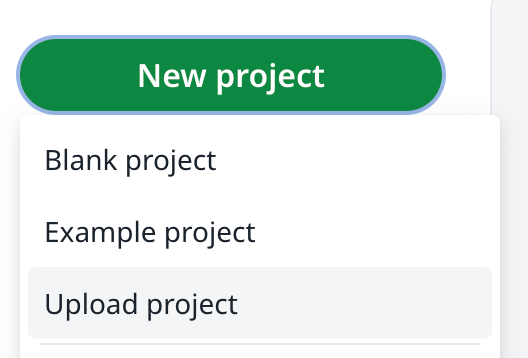
Klicken Sie im Projekt-Dashboard auf **New Project** und wählen Sie **Upload Project**.
Melden Sie sich bei Ihrem On-Premises-Konto von Overleaf Pro an.
Klicken Sie im Projekt-Dashboard auf **New Project** und wählen Sie **Upload Project**.
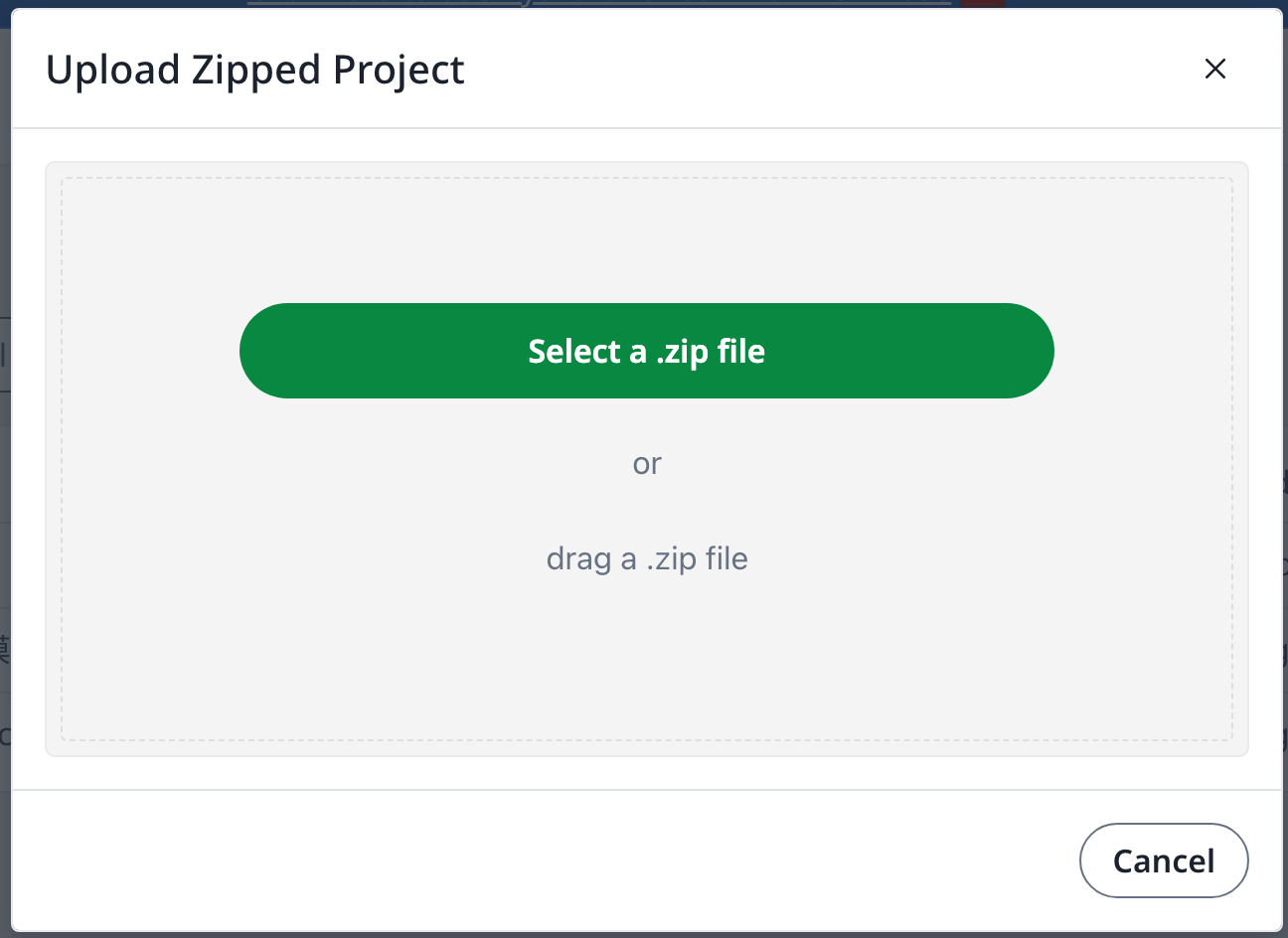
 Klicken Sie auf **Select a .zip file** und wählen Sie die heruntergeladene ZIP-Datei der Vorlage aus.
 Anschließend können Sie diese neu hochgeladene Vorlage nach Bedarf verwenden.
Ein Konto auf [overleaf.com](https://www.overleaf.com/) ist erforderlich
This documentation is built and hosted on [Mintlify](https://mintlify.com), a developer documentation platform.
Anschließend können Sie diese neu hochgeladene Vorlage nach Bedarf verwenden.
Ein Konto auf [overleaf.com](https://www.overleaf.com/) ist erforderlich
This documentation is built and hosted on [Mintlify](https://mintlify.com), a developer documentation platform.