> ## Documentation Index
> Fetch the complete documentation index at: https://ayakaleaf-pro.mintlify.site/llms.txt
> Use this file to discover all available pages before exploring further.
# Funktionen und Urheberrecht
> Welche neuen Funktionen bietet Ayakaleaf Pro im Vergleich zur Overleaf Community Edition?
Wir respektieren das Urheberrecht und führen daher hier alle Funktionen und den in diesem Projekt verwendeten Code auf. Auf dieser Seite finden Sie Informationen zu den neuen Funktionen von Ayakaleaf Pro und zu den Urheberrechten des zugehörigen Codes.
Sofern nicht anders angegeben, verwenden wir Codex von OpenAI für Code-Reviews und PR-Reviews. Dabei haben wir viele Sicherheitsprobleme behoben, wofür wir unseren aufrichtigen Dank aussprechen. Details finden Sie unter [ayaka-notes/ayakaleaf-pro/pull](https://github.com/ayaka-notes/ayakaleaf-pro/pulls).
### Überblick
Im Laufe der Jahre haben viele Entwickler aus der Community erhebliche Anstrengungen unternommen, um die Overleaf Community Edition zu verbessern. Dazu gehören:
* [https://github.com/ertuil/overleaf](https://github.com/ertuil/overleaf)
* [https://github.com/AllanChain/lcpu-overleaf](https://github.com/AllanChain/lcpu-overleaf)
* [https://github.com/yu-i-i/overleaf-cep/](https://github.com/yu-i-i/overleaf-cep/)
* [https://github.com/ayaka-notes/overleaf](https://github.com/ayaka-notes/overleaf)
* [https://github.com/davrot/overleaf\_with\_admin\_extension](https://github.com/davrot/overleaf_with_admin_extension)
* [https://github.com/overleaf/overleaf/pull/1447](https://github.com/overleaf/overleaf/pull/1447) (GitHub-Integration)
* [https://github.com/overleaf/overleaf/pull/1385](https://github.com/overleaf/overleaf/pull/1385) (Typst-Unterstützung)
Möglicherweise haben wir zugehörigen Code in unserem Projekt verwendet, und wir möchten ihnen dafür unseren Dank aussprechen.
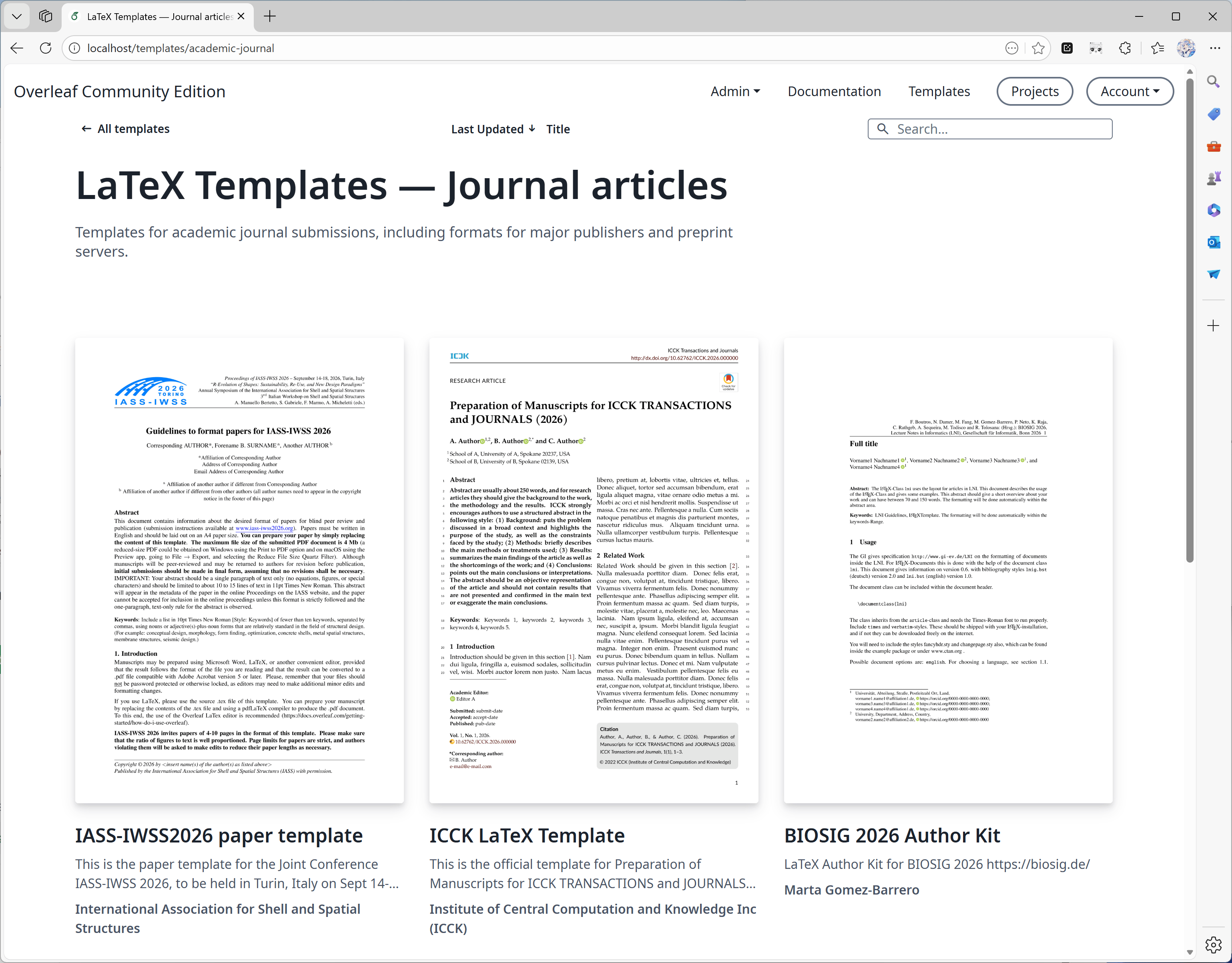
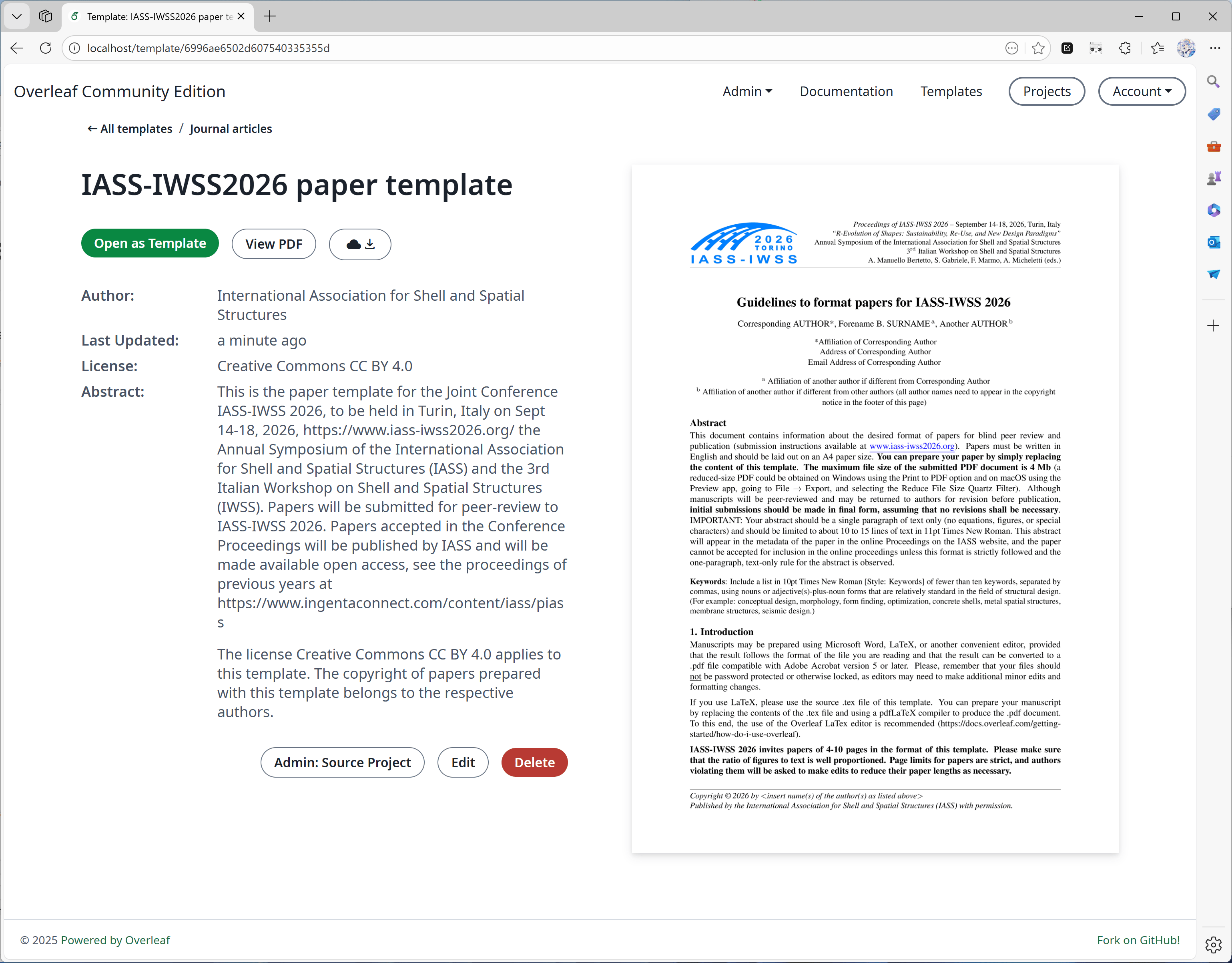
#### Funktion 01: Vorlagensystem
Diese Funktion wurde hauptsächlich von [yu-i-i/overleaf-cep](https://github.com/yu-i-i/overleaf-cep) entwickelt. Wir haben einigen Code zur Verbesserung angepasst, sodass Sie:
* Vorlagen direkt auf den Vorlagenseiten herunterladen können.
* Das zur Vorlage gehörende Projekt öffnen können.
* Titelbilder in höherer Qualität (und in kürzerer Zeit) konvertieren können.
 #### Funktion 02: Sandbox-Kompilierung
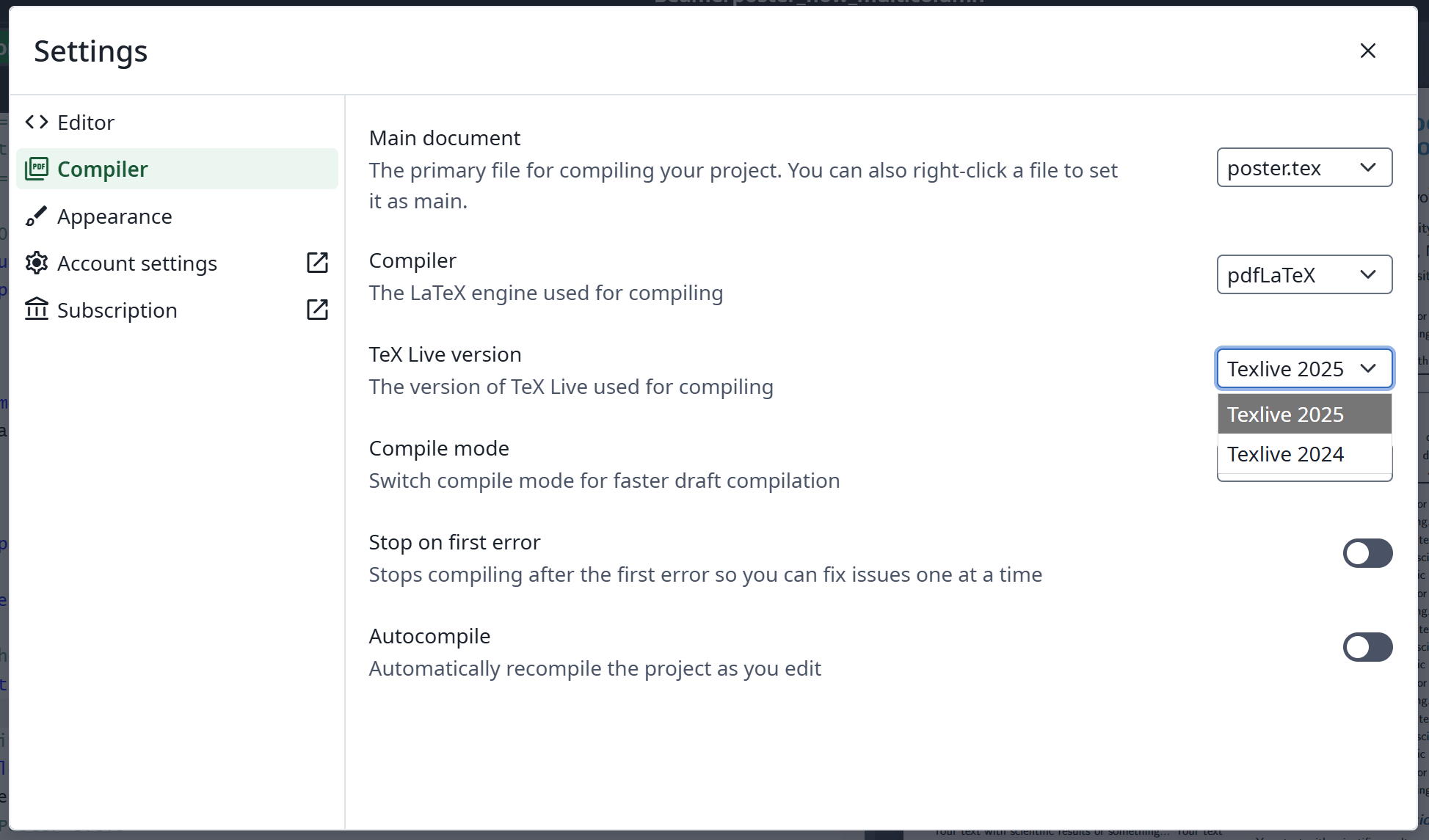
Diese Funktion wurde [offiziell von Overleaf](https://github.com/overleaf/overleaf/tree/main/services/clsi) implementiert; wir haben etwas Code hinzugefügt, um sie zu aktivieren. Außerdem stellen wir ein speziell für Ayakaleaf Pro erstelltes [texlive-full](https://github.com/ayaka-notes/texlive-full)-Image bereit.
#### Funktion 02: Sandbox-Kompilierung
Diese Funktion wurde [offiziell von Overleaf](https://github.com/overleaf/overleaf/tree/main/services/clsi) implementiert; wir haben etwas Code hinzugefügt, um sie zu aktivieren. Außerdem stellen wir ein speziell für Ayakaleaf Pro erstelltes [texlive-full](https://github.com/ayaka-notes/texlive-full)-Image bereit.
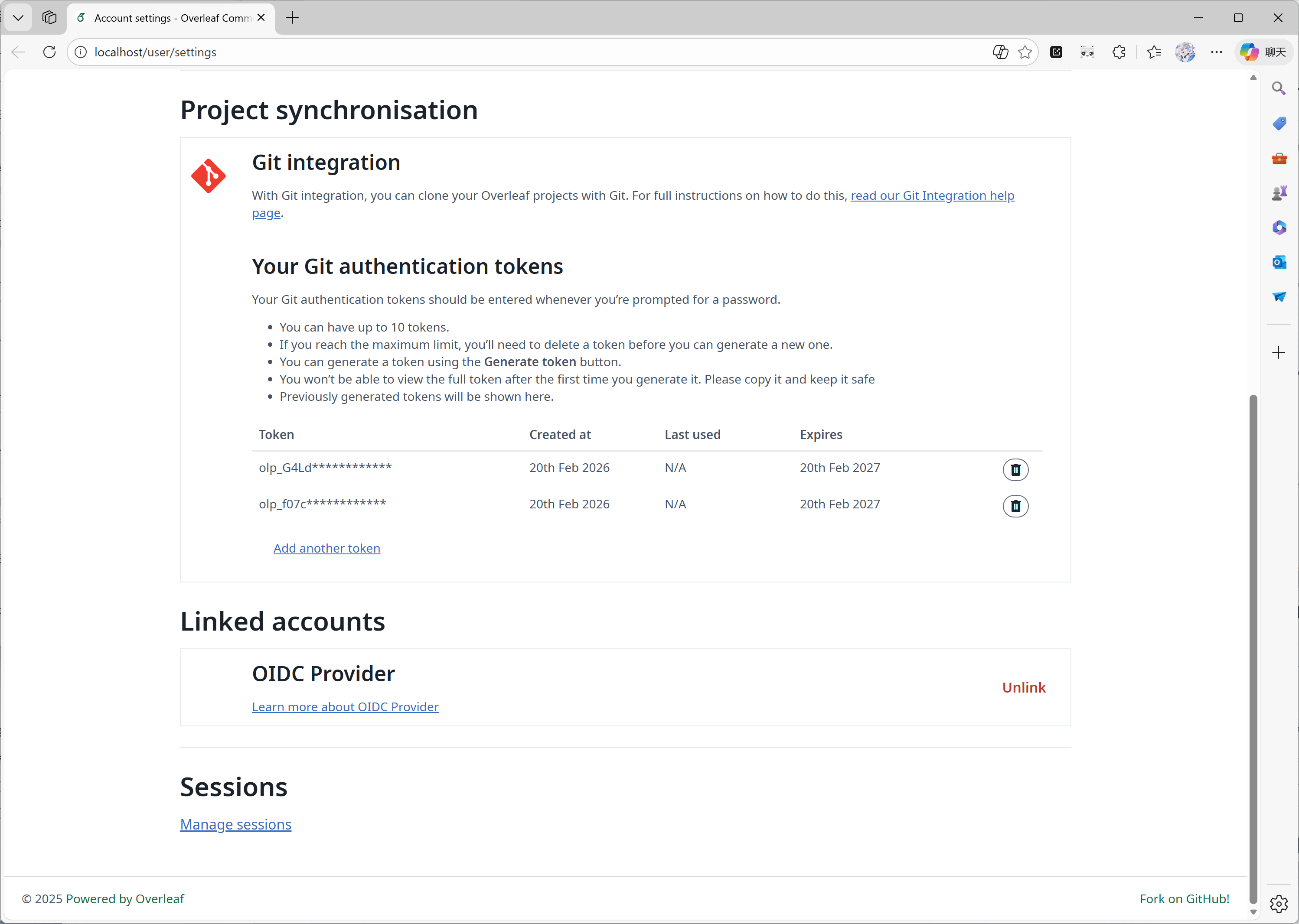
 #### Funktion 03: Git-Integration
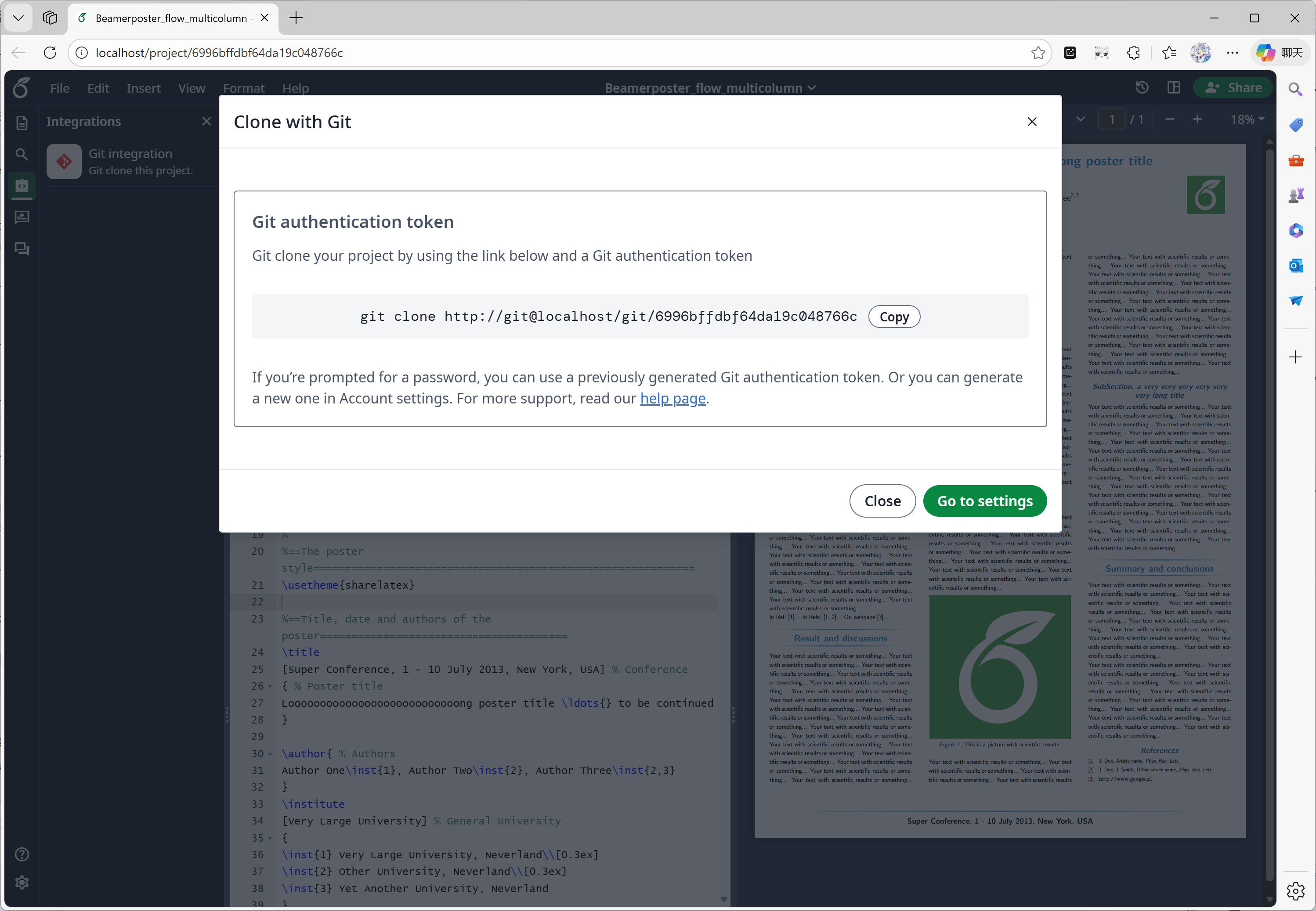
Diese Funktion wurde von [ayaka-notes/overleaf-pro](https://github.com/ayaka-notes/overleaf-pro) entwickelt. Overleaf stellt eine offizielle Komponente namens git-bridge bereit, die [hier](https://github.com/overleaf/overleaf/tree/main/services/git-bridge) verfügbar ist.
Wir haben lediglich einen Connector zwischen git-bridge und Overleaf implementiert, so wie Overleaf es auf seiner SaaS-Plattform tut.
#### Funktion 03: Git-Integration
Diese Funktion wurde von [ayaka-notes/overleaf-pro](https://github.com/ayaka-notes/overleaf-pro) entwickelt. Overleaf stellt eine offizielle Komponente namens git-bridge bereit, die [hier](https://github.com/overleaf/overleaf/tree/main/services/git-bridge) verfügbar ist.
Wir haben lediglich einen Connector zwischen git-bridge und Overleaf implementiert, so wie Overleaf es auf seiner SaaS-Plattform tut.
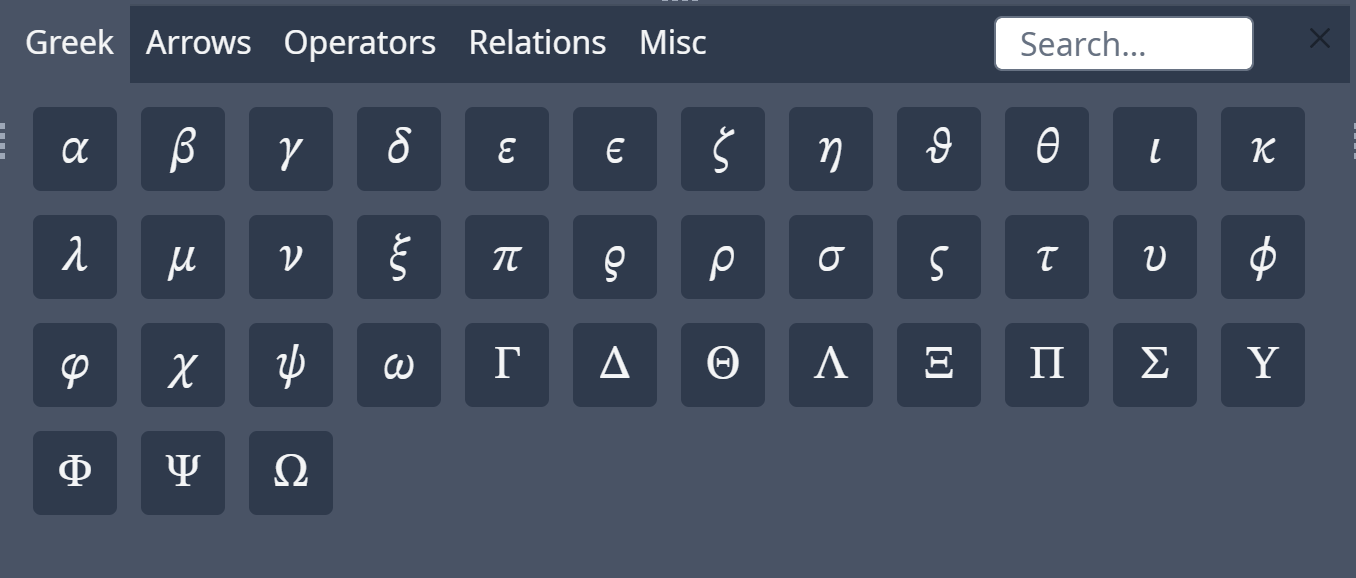
 #### Funktion 04: Symbolpalette
Diese Funktion wurde [offiziell von Overleaf](https://github.com/overleaf/overleaf/tree/main/services/clsi) implementiert; wir haben lediglich den fehlenden Code ergänzt, um mit den Upstream-Aktualisierungen übereinzustimmen.
#### Funktion 04: Symbolpalette
Diese Funktion wurde [offiziell von Overleaf](https://github.com/overleaf/overleaf/tree/main/services/clsi) implementiert; wir haben lediglich den fehlenden Code ergänzt, um mit den Upstream-Aktualisierungen übereinzustimmen.
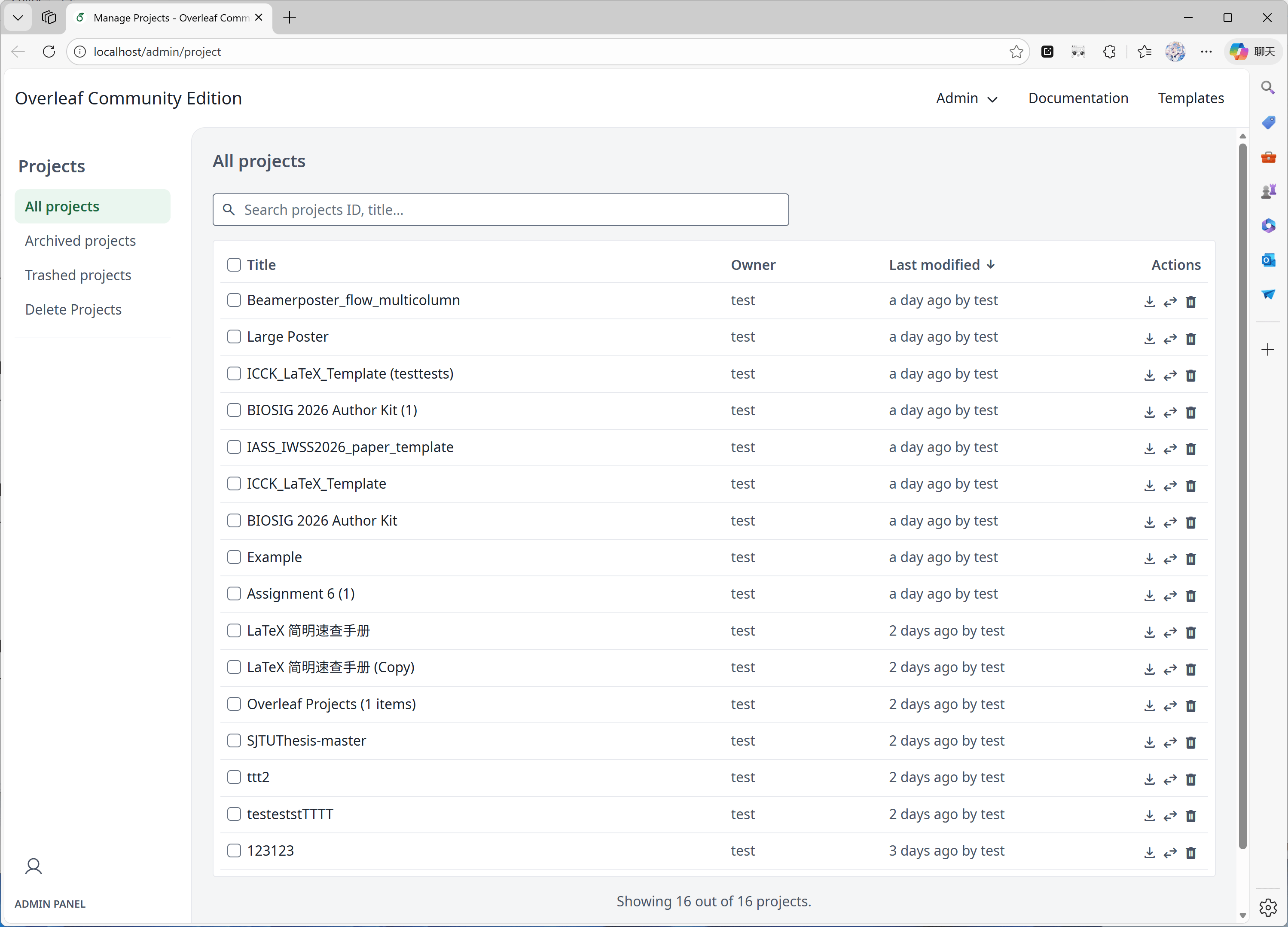
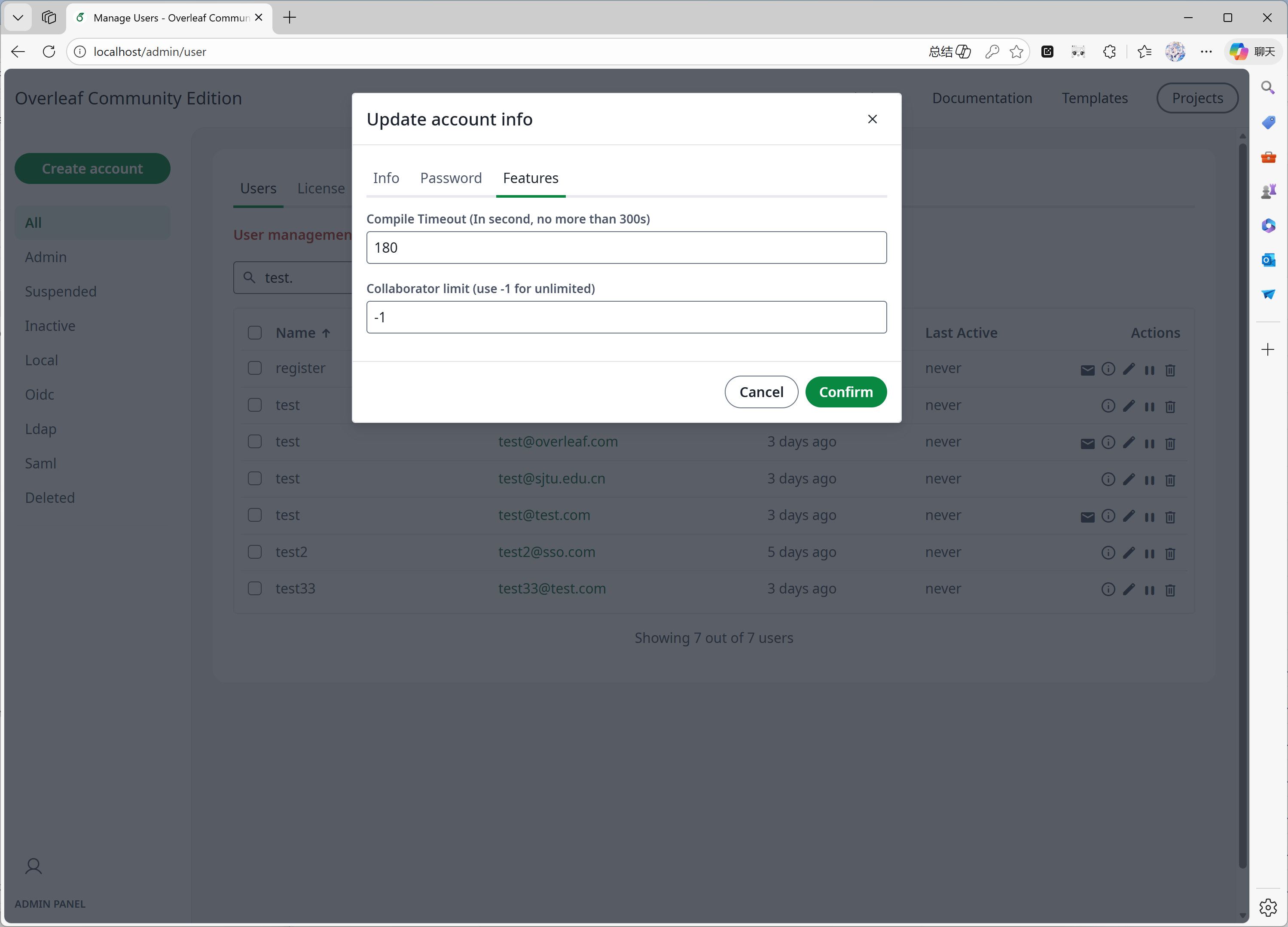
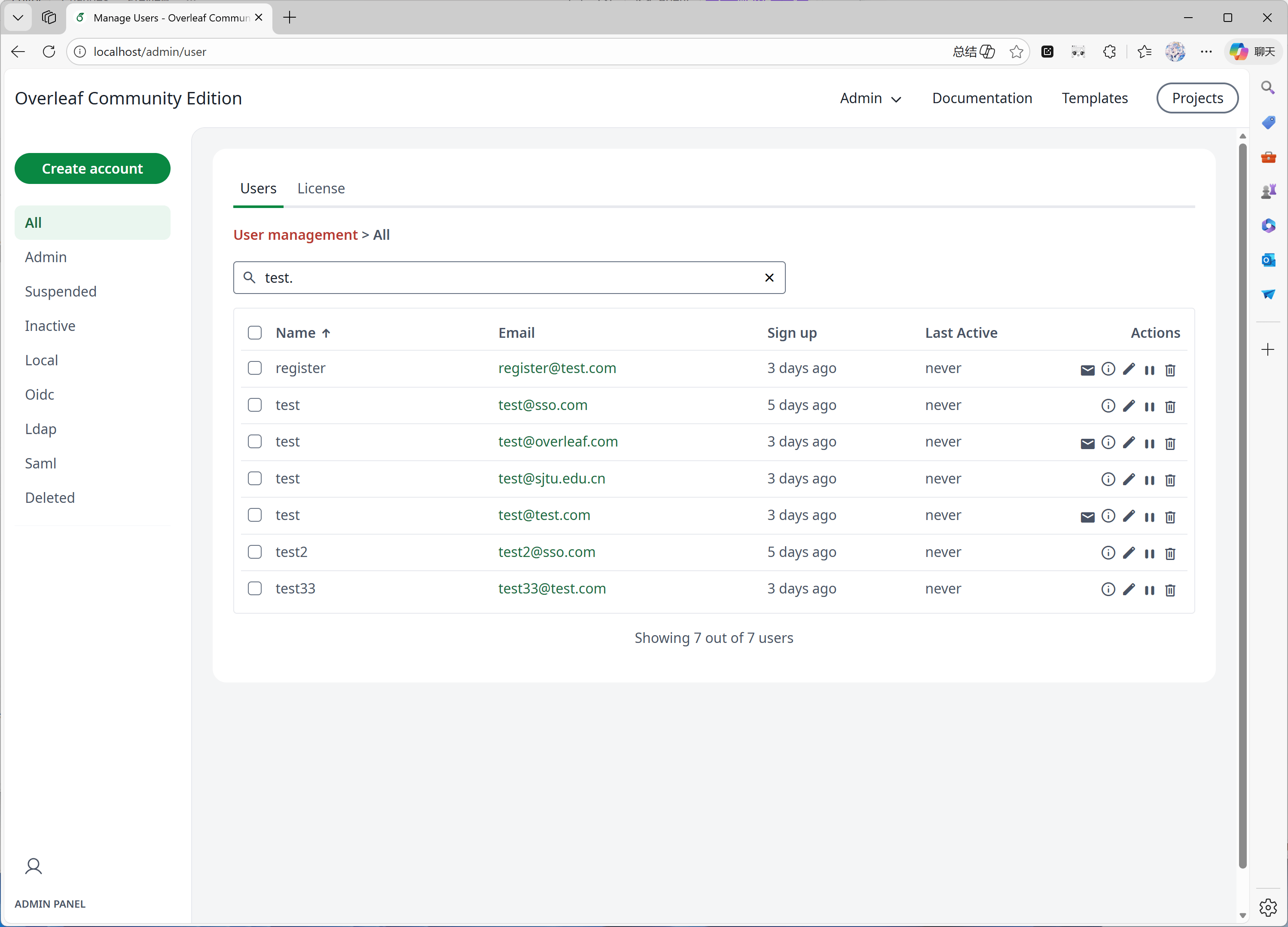
 #### Funktion 05: Admin-Panel
Wenn Ihr System 1000 Benutzer oder Projekte hat, zeigt das Admin-Panel nur die neuesten 1000 Benutzer bzw. Projekte an. Bitte verwenden Sie das Suchfeld, um nach bestimmten Benutzern oder Projekten zu suchen.
Diese Funktion wurde hauptsächlich von [yu-i-i/overleaf-cep](https://github.com/yu-i-i/overleaf-cep) entwickelt. Wir haben einigen Code zur Verbesserung angepasst, sodass Sie:
* Benutzer über das Backend suchen können, wenn Sie mehr als 1000 Benutzer haben.
* Projekte über das Backend suchen können, wenn Sie mehr als 1000 Projekte haben.
* Projekte direkt im Projekt-Admin-Panel öffnen können.
* Das Kompilierzeitlimit von Benutzern im Admin-Panel anzeigen und anpassen können.
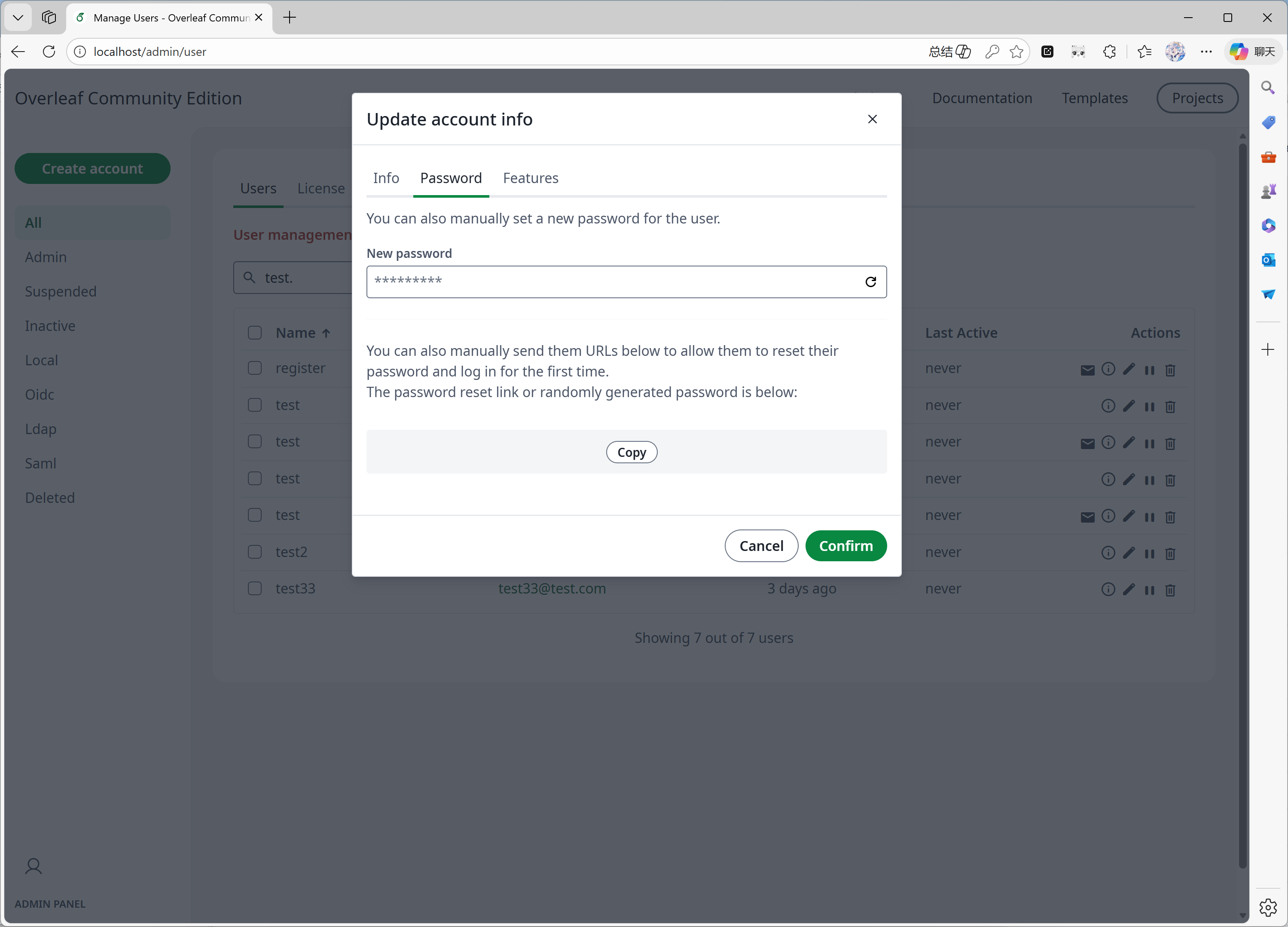
* Das Passwort von Benutzern direkt im Admin-Panel zurücksetzen können.
* Weitere Verbesserungen ...
#### Funktion 05: Admin-Panel
Wenn Ihr System 1000 Benutzer oder Projekte hat, zeigt das Admin-Panel nur die neuesten 1000 Benutzer bzw. Projekte an. Bitte verwenden Sie das Suchfeld, um nach bestimmten Benutzern oder Projekten zu suchen.
Diese Funktion wurde hauptsächlich von [yu-i-i/overleaf-cep](https://github.com/yu-i-i/overleaf-cep) entwickelt. Wir haben einigen Code zur Verbesserung angepasst, sodass Sie:
* Benutzer über das Backend suchen können, wenn Sie mehr als 1000 Benutzer haben.
* Projekte über das Backend suchen können, wenn Sie mehr als 1000 Projekte haben.
* Projekte direkt im Projekt-Admin-Panel öffnen können.
* Das Kompilierzeitlimit von Benutzern im Admin-Panel anzeigen und anpassen können.
* Das Passwort von Benutzern direkt im Admin-Panel zurücksetzen können.
* Weitere Verbesserungen ...
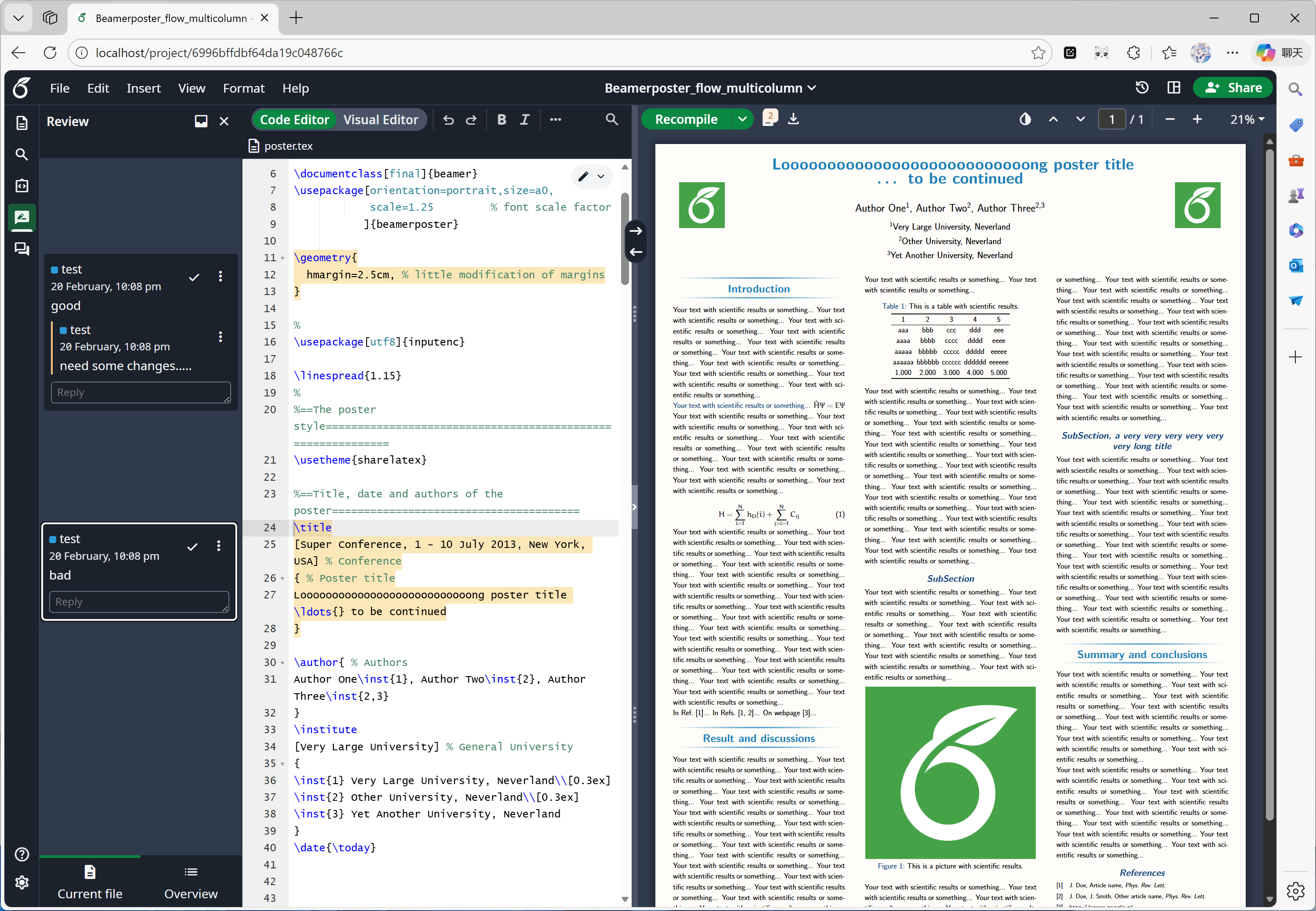
 #### Funktion 06: Review-Bereich
Diese Funktion wurde hauptsächlich [offiziell von Overleaf](https://github.com/overleaf/overleaf/tree/main/services/clsi) entwickelt; wir haben lediglich den fehlenden Code aus [yu-i-i/overleaf-cep](https://github.com/yu-i-i/overleaf-cep) und [ertuil/overleaf](https://github.com/ertuil/overleaf) ergänzt, der als Connector zwischen dem Chat- und dem Web-Dienst dient.
#### Funktion 06: Review-Bereich
Diese Funktion wurde hauptsächlich [offiziell von Overleaf](https://github.com/overleaf/overleaf/tree/main/services/clsi) entwickelt; wir haben lediglich den fehlenden Code aus [yu-i-i/overleaf-cep](https://github.com/yu-i-i/overleaf-cep) und [ertuil/overleaf](https://github.com/ertuil/overleaf) ergänzt, der als Connector zwischen dem Chat- und dem Web-Dienst dient.
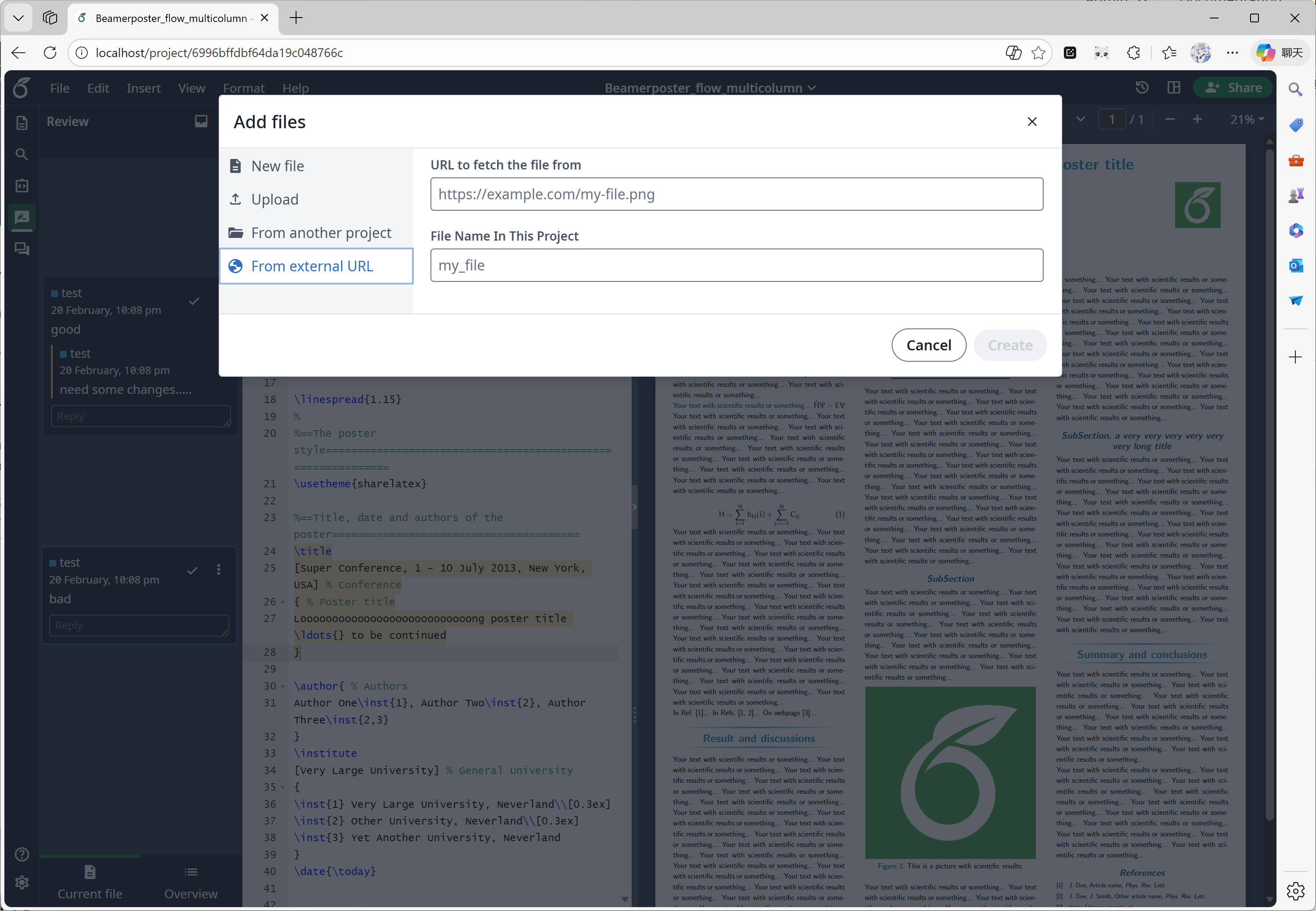
 #### Funktion 07: Externe URL
Diese Funktion wurde hauptsächlich von [yu-i-i/overleaf-cep](https://github.com/yu-i-i/overleaf-cep) entwickelt. CEP hat einen externen Dienst namens linked-url-proxy implementiert, mit dem externe Dateien sicher und mit Domain-/IP-Beschränkungen abgerufen werden können.
#### Funktion 07: Externe URL
Diese Funktion wurde hauptsächlich von [yu-i-i/overleaf-cep](https://github.com/yu-i-i/overleaf-cep) entwickelt. CEP hat einen externen Dienst namens linked-url-proxy implementiert, mit dem externe Dateien sicher und mit Domain-/IP-Beschränkungen abgerufen werden können.
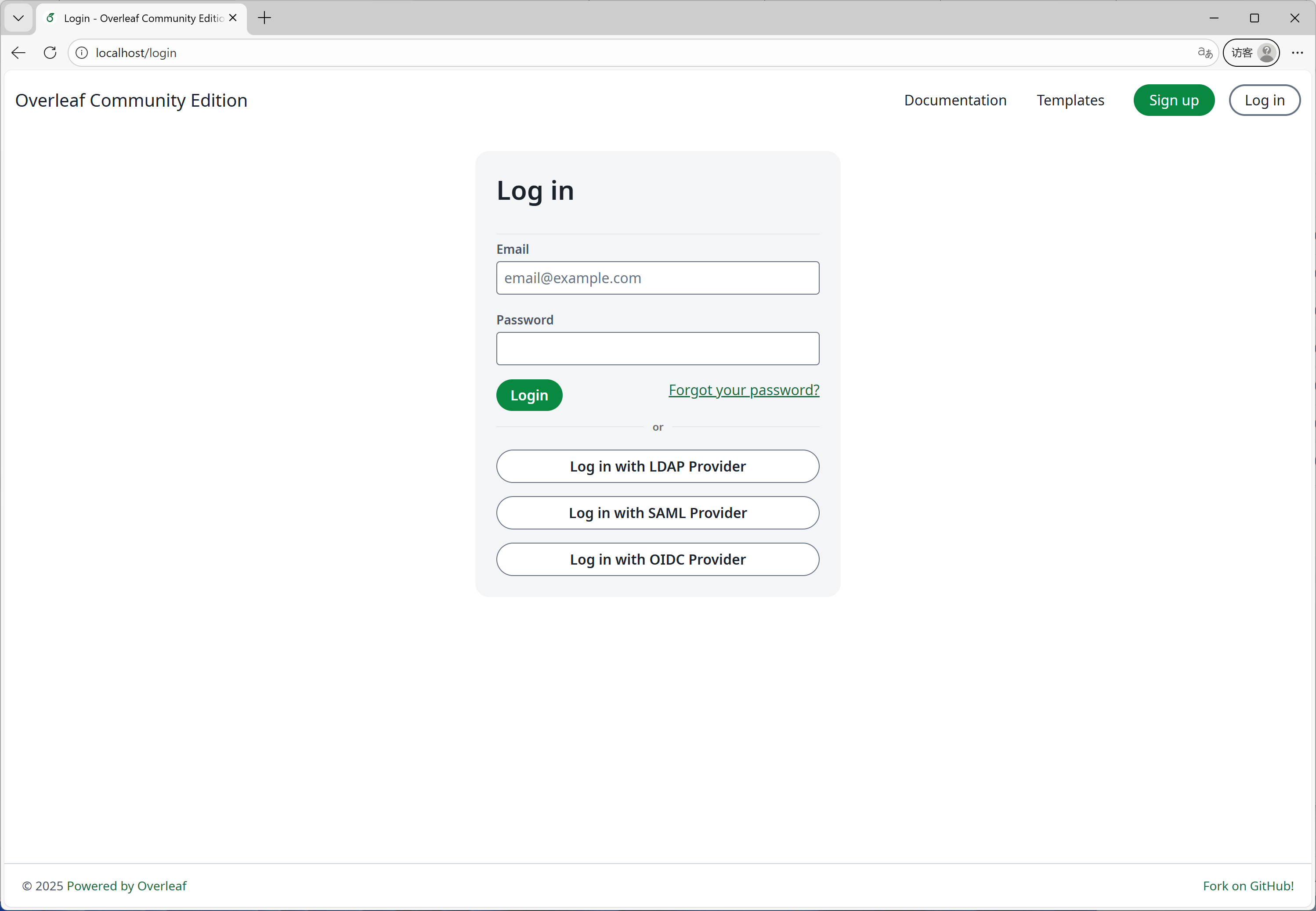
 #### Funktion 08: SSO
Diese Funktion wurde hauptsächlich von [yu-i-i/overleaf-cep](https://github.com/yu-i-i/overleaf-cep) entwickelt. CEP hat ein Submodul implementiert, das passport mit der Web-Authentifizierung von Overleaf verbindet.
#### Funktion 08: SSO
Diese Funktion wurde hauptsächlich von [yu-i-i/overleaf-cep](https://github.com/yu-i-i/overleaf-cep) entwickelt. CEP hat ein Submodul implementiert, das passport mit der Web-Authentifizierung von Overleaf verbindet.
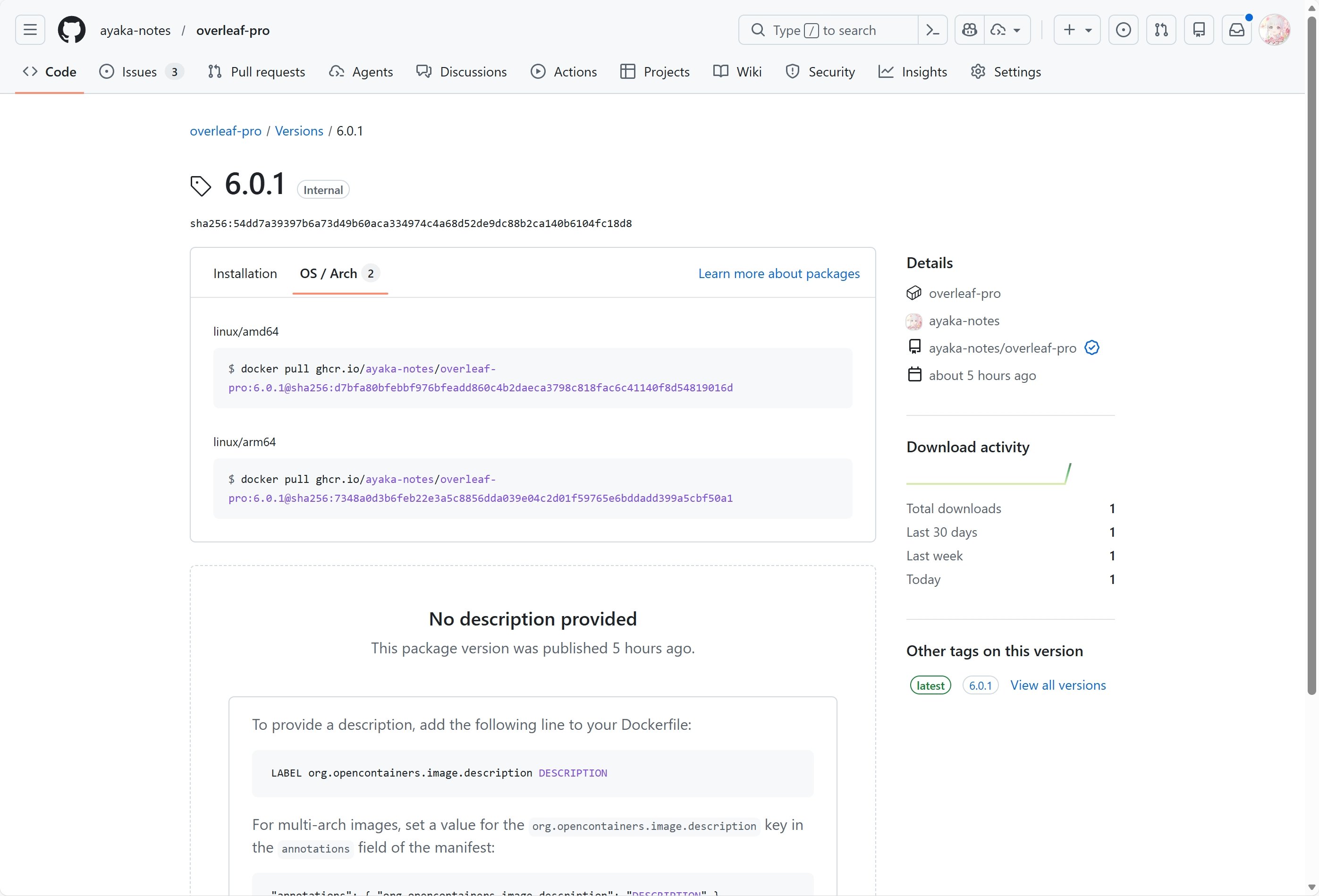
 #### Funktion 09: ARM-Unterstützung
Wir verwenden GitHub Actions, um Docker-Images für die x86- und ARM-Architektur zu erstellen und zu veröffentlichen. Beim Herunterladen des Images wird automatisch die passende Architektur für Ihr System ausgewählt.
#### Funktion 09: ARM-Unterstützung
Wir verwenden GitHub Actions, um Docker-Images für die x86- und ARM-Architektur zu erstellen und zu veröffentlichen. Beim Herunterladen des Images wird automatisch die passende Architektur für Ihr System ausgewählt.
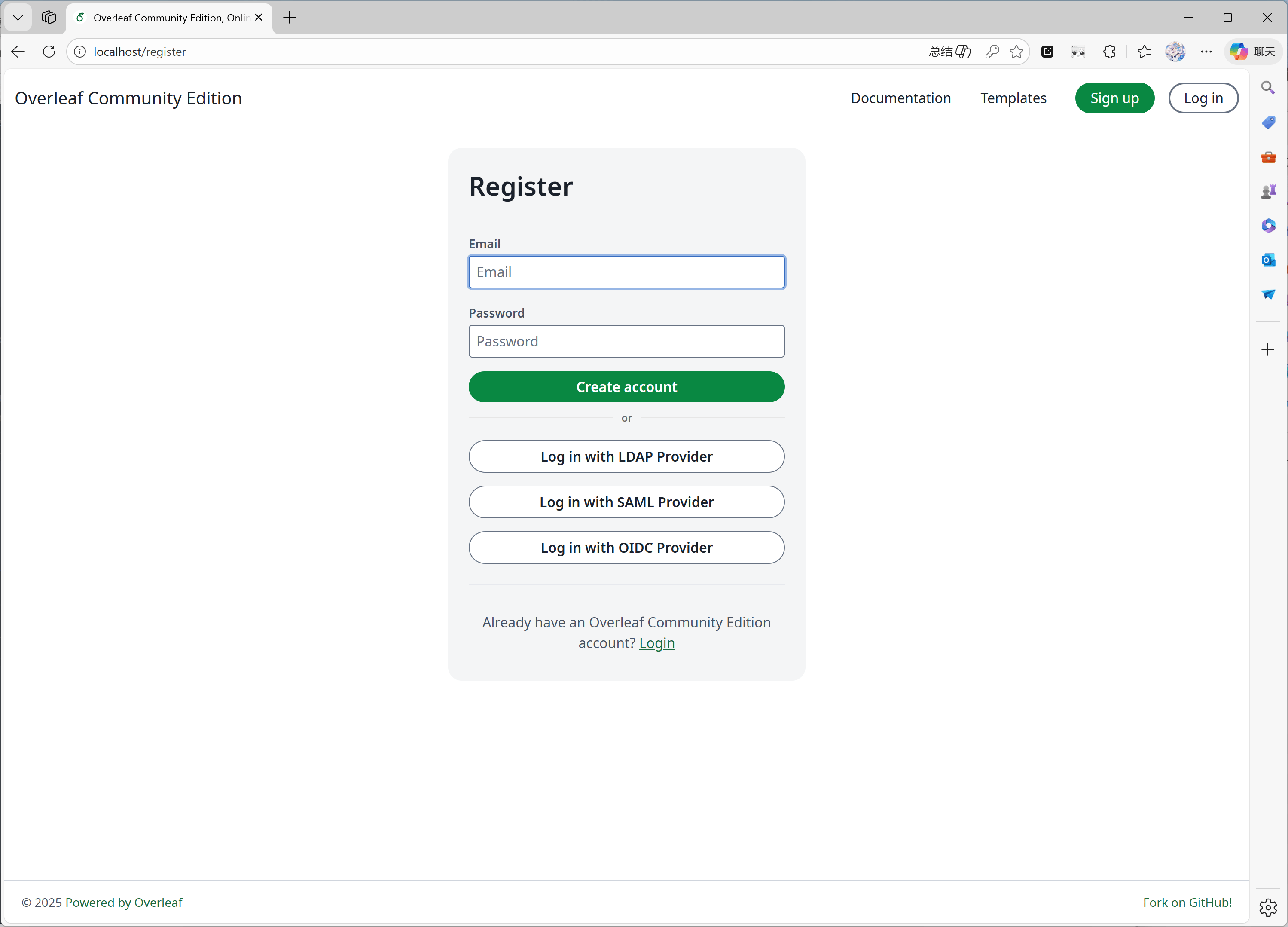
 #### Funktion 10: Selbstregistrierung
Diese Funktion wurde von [ayaka-notes/overleaf-pro](https://github.com/ayaka-notes/overleaf-pro) entwickelt. Sie können:
* die Benutzerregistrierung auf bestimmte Domains beschränken
* die Benutzerregistrierung für alle öffnen, die Zugriff auf Ihr Overleaf haben
#### Funktion 10: Selbstregistrierung
Diese Funktion wurde von [ayaka-notes/overleaf-pro](https://github.com/ayaka-notes/overleaf-pro) entwickelt. Sie können:
* die Benutzerregistrierung auf bestimmte Domains beschränken
* die Benutzerregistrierung für alle öffnen, die Zugriff auf Ihr Overleaf haben
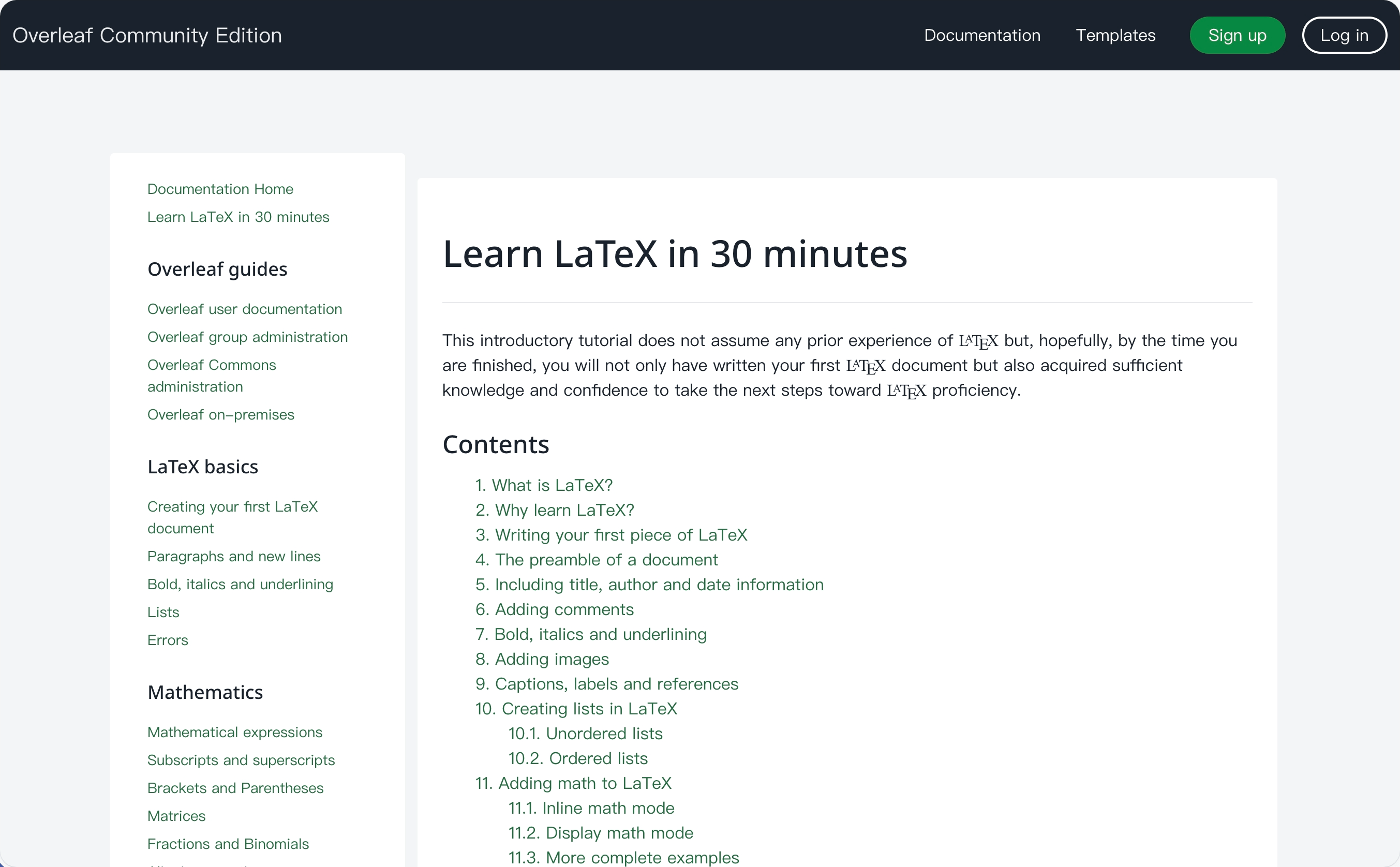
 #### Funktion 11: Learn-Wiki
Diese Funktion wurde von [ayaka-notes/ayakaleaf-pro](https://github.com/ayaka-notes/ayakaleaf-pro) entwickelt. Sie können das neueste Learn-Wiki von Overleaf einsehen, wir besitzen jedoch keinerlei Urheberrechte an diesen Dokumenten! Wir laden es lediglich vom Overleaf-Server herunter, wenn Sie diese Funktion zum ersten Mal aktivieren, und aktualisieren es regelmäßig.
#### Funktion 11: Learn-Wiki
Diese Funktion wurde von [ayaka-notes/ayakaleaf-pro](https://github.com/ayaka-notes/ayakaleaf-pro) entwickelt. Sie können das neueste Learn-Wiki von Overleaf einsehen, wir besitzen jedoch keinerlei Urheberrechte an diesen Dokumenten! Wir laden es lediglich vom Overleaf-Server herunter, wenn Sie diese Funktion zum ersten Mal aktivieren, und aktualisieren es regelmäßig.
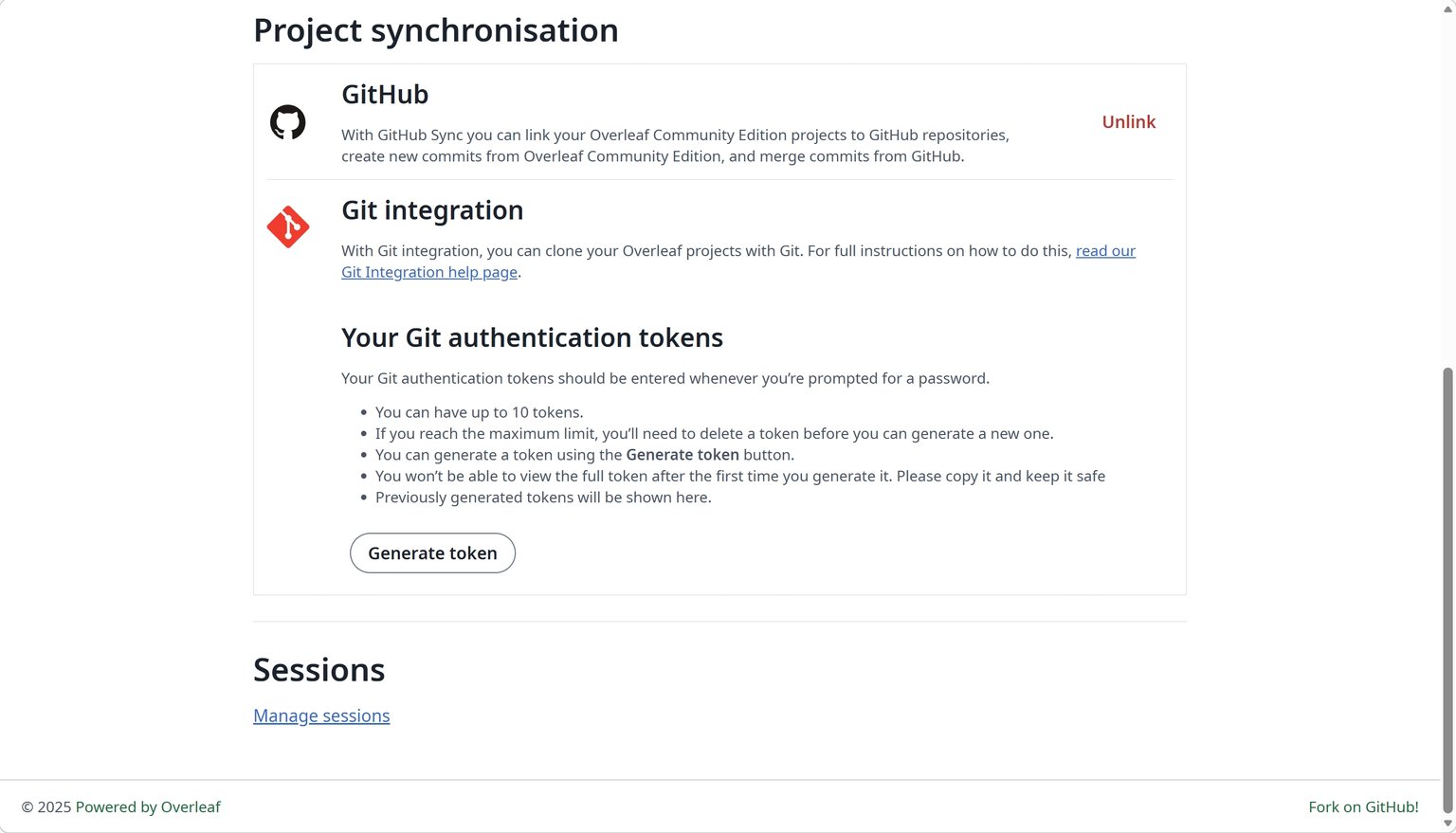
 #### Funktion 12: GitHub-Synchronisierung
Diese Funktion wurde von [ayaka-notes/ayakaleaf-pro](https://github.com/ayaka-notes/ayakaleaf-pro) entwickelt und außerdem von [yu-i-i/overleaf-cep](https://github.com/yu-i-i/overleaf-cep) angepasst und korrigiert.
#### Funktion 12: GitHub-Synchronisierung
Diese Funktion wurde von [ayaka-notes/ayakaleaf-pro](https://github.com/ayaka-notes/ayakaleaf-pro) entwickelt und außerdem von [yu-i-i/overleaf-cep](https://github.com/yu-i-i/overleaf-cep) angepasst und korrigiert.
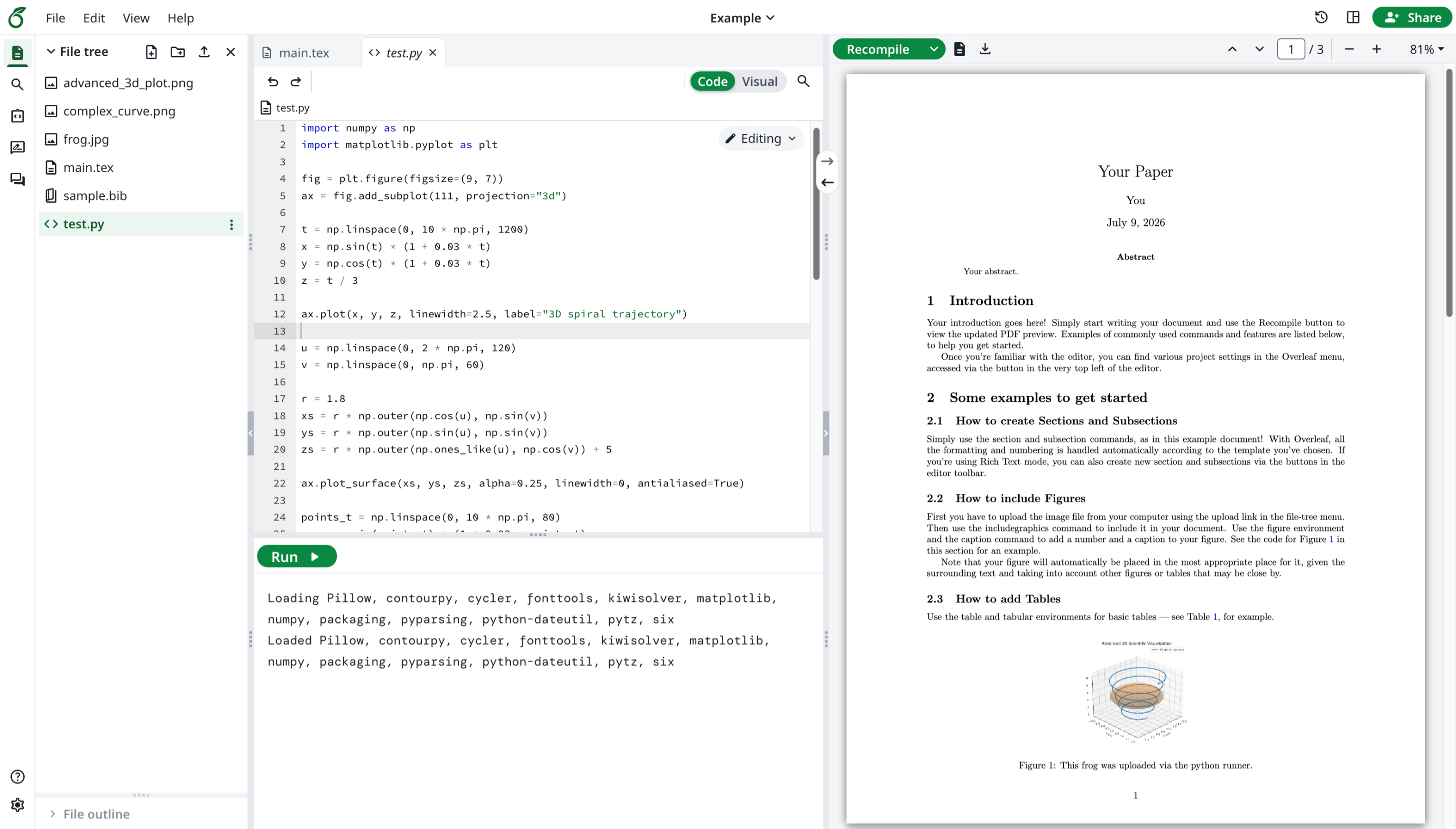
 #### Funktion 13: Python Runner
Diese Funktion wurde offiziell von Overleaf entwickelt. Sie können Python-Skripte in Ihrem Browser ausführen.
#### Funktion 13: Python Runner
Diese Funktion wurde offiziell von Overleaf entwickelt. Sie können Python-Skripte in Ihrem Browser ausführen.
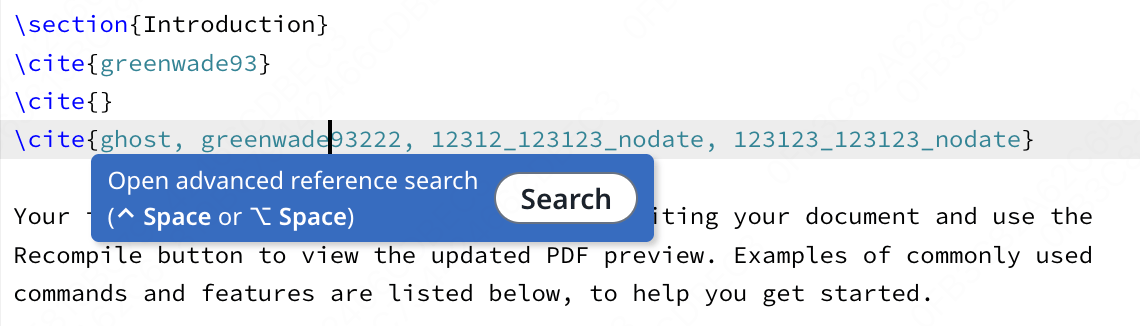
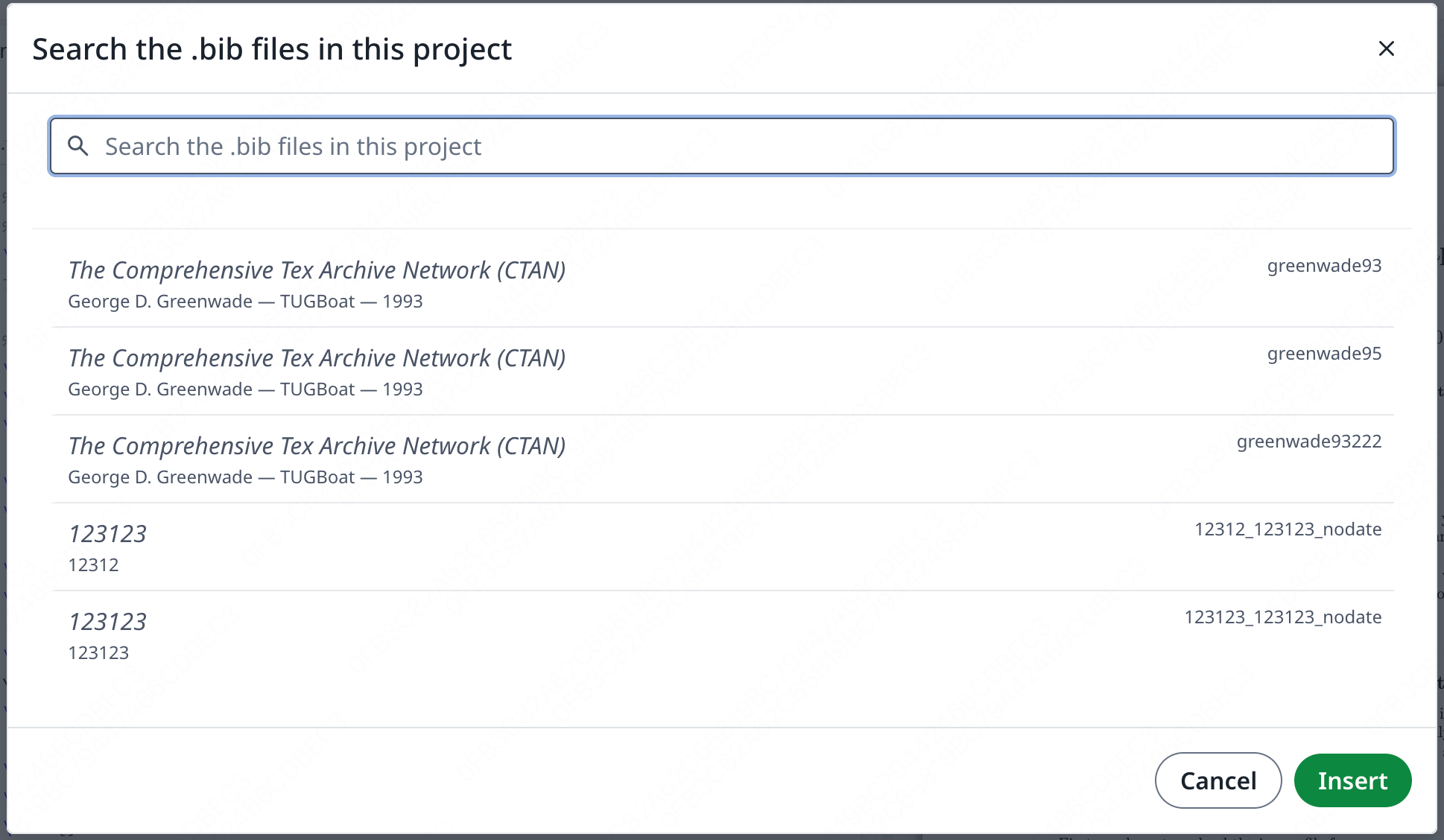
 #### Funktion 14: Erweiterte Literatursuche
Diese Funktion wurde von [davrot](https://github.com/davrot/) entwickelt und von [yu-i-i/overleaf-cep](https://github.com/yu-i-i/overleaf-cep) sowie [ayaka-notes/ayakaleaf-pro](https://github.com/ayaka-notes/ayakaleaf-pro) korrigiert.
#### Funktion 14: Erweiterte Literatursuche
Diese Funktion wurde von [davrot](https://github.com/davrot/) entwickelt und von [yu-i-i/overleaf-cep](https://github.com/yu-i-i/overleaf-cep) sowie [ayaka-notes/ayakaleaf-pro](https://github.com/ayaka-notes/ayakaleaf-pro) korrigiert.
 Suchbereich:
 #### Funktion 15: Pandoc-Konvertierungen
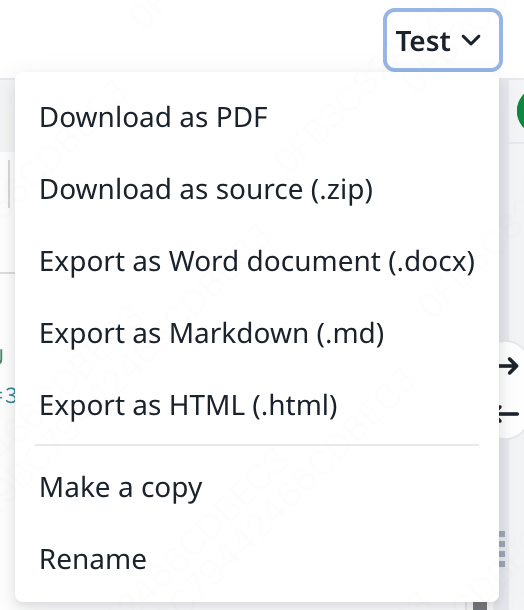
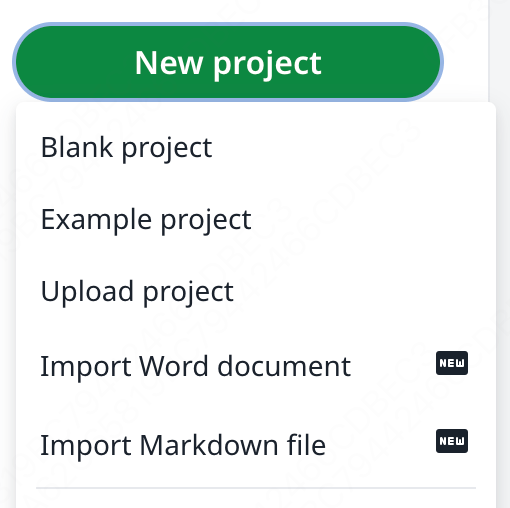
Mit dieser Funktion können Sie Word- oder Markdown-Dokumente als LaTeX-Projekte importieren oder LaTeX-Projekte nach Markdown oder DOCX exportieren.
#### Funktion 15: Pandoc-Konvertierungen
Mit dieser Funktion können Sie Word- oder Markdown-Dokumente als LaTeX-Projekte importieren oder LaTeX-Projekte nach Markdown oder DOCX exportieren.
 #### Funktion 16: KI-Chat und LaTeX-Fehlerassistenten
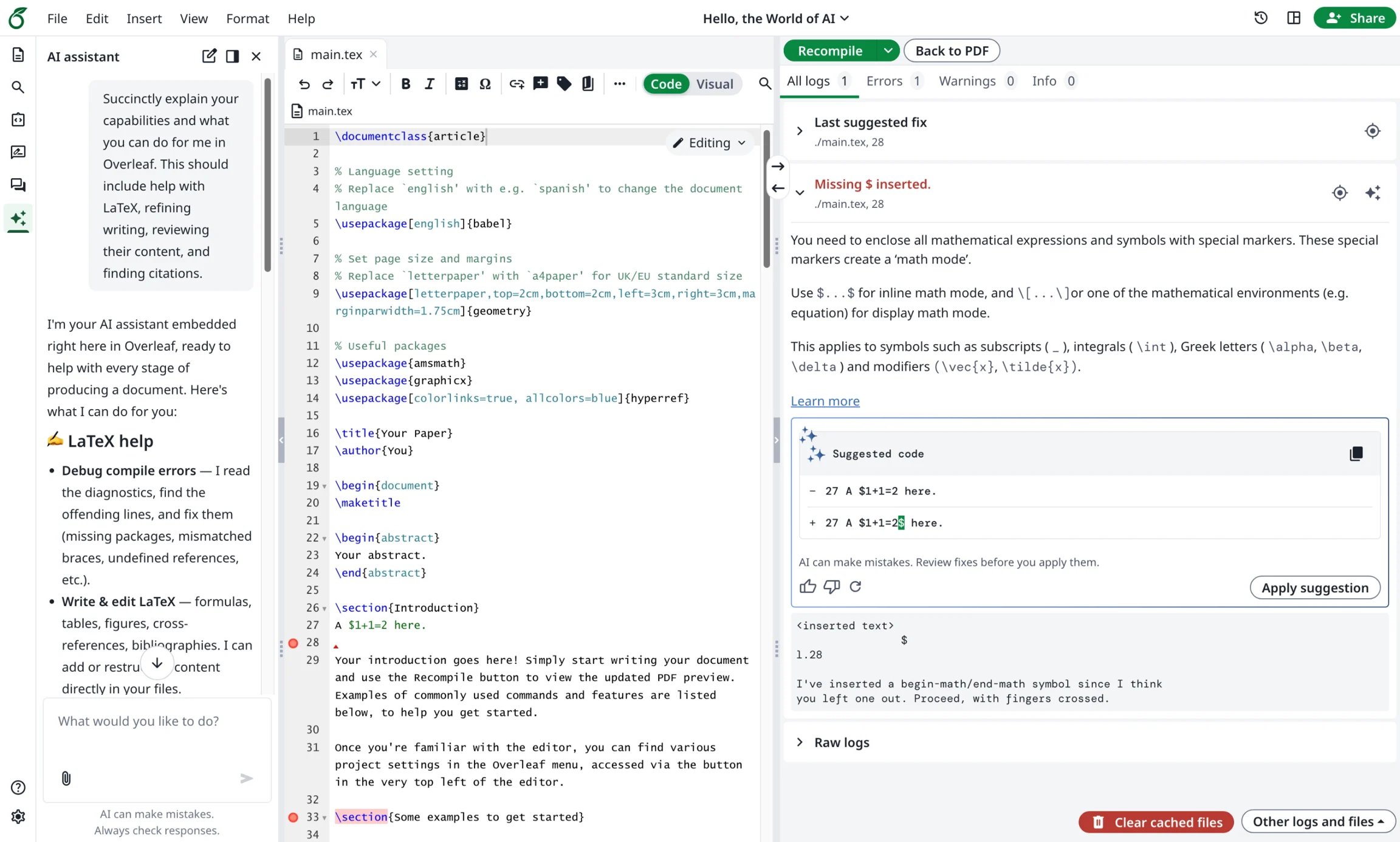
Ayakaleaf Pro bringt einen KI-Assistenten mit, der Ihre Projektdokumente und die aktuelle Auswahl als Kontext nutzen kann, um Fragen zu beantworten und Ihnen Änderungen zur Überprüfung vorzuschlagen, während der Fehlerassistent eine gezielte Korrektur vorschlägt, wenn Sie einen LaTeX-Kompilierungsfehler auswählen.
#### Funktion 16: KI-Chat und LaTeX-Fehlerassistenten
Ayakaleaf Pro bringt einen KI-Assistenten mit, der Ihre Projektdokumente und die aktuelle Auswahl als Kontext nutzen kann, um Fragen zu beantworten und Ihnen Änderungen zur Überprüfung vorzuschlagen, während der Fehlerassistent eine gezielte Korrektur vorschlägt, wenn Sie einen LaTeX-Kompilierungsfehler auswählen.
 This documentation is built and hosted on [Mintlify](https://mintlify.com), a developer documentation platform.