> ## Documentation Index
> Fetch the complete documentation index at: https://ayakaleaf-pro.mintlify.site/llms.txt
> Use this file to discover all available pages before exploring further.
# Funkce a autorská práva
> Jaké nové funkce nabízí Ayakaleaf Pro ve srovnání s Overleaf Community Edition?
Respektujeme autorská práva, a proto zde uvádíme všechny funkce a kód použitý v tomto projektu. Na této stránce poskytujeme informace o nových funkcích Ayakaleaf Pro a o souvisejících autorských právech ke kódu.
Pokud není uvedeno jinak, používáme pro revize kódu a pull requestů Codex od OpenAI. Během tohoto procesu jsme opravili mnoho bezpečnostních problémů, za což jim upřímně děkujeme. Podrobnosti najdete v [ayaka-notes/ayakaleaf-pro/pull](https://github.com/ayaka-notes/ayakaleaf-pro/pulls).
### Přehled
V průběhu let vynaložilo mnoho vývojářů z komunity značné úsilí na vylepšení Overleaf Community Edition. Jsou to:
* [https://github.com/ertuil/overleaf](https://github.com/ertuil/overleaf)
* [https://github.com/AllanChain/lcpu-overleaf](https://github.com/AllanChain/lcpu-overleaf)
* [https://github.com/yu-i-i/overleaf-cep/](https://github.com/yu-i-i/overleaf-cep/)
* [https://github.com/ayaka-notes/overleaf](https://github.com/ayaka-notes/overleaf)
* [https://github.com/davrot/overleaf\_with\_admin\_extension](https://github.com/davrot/overleaf_with_admin_extension)
* [https://github.com/overleaf/overleaf/pull/1447](https://github.com/overleaf/overleaf/pull/1447) (integrace s GitHubem)
* [https://github.com/overleaf/overleaf/pull/1385](https://github.com/overleaf/overleaf/pull/1385) (podpora Typst)
Související kód jsme mohli v našem projektu použít a rádi bychom jim vyjádřili svou vděčnost.
#### Funkce 01: Systém šablon
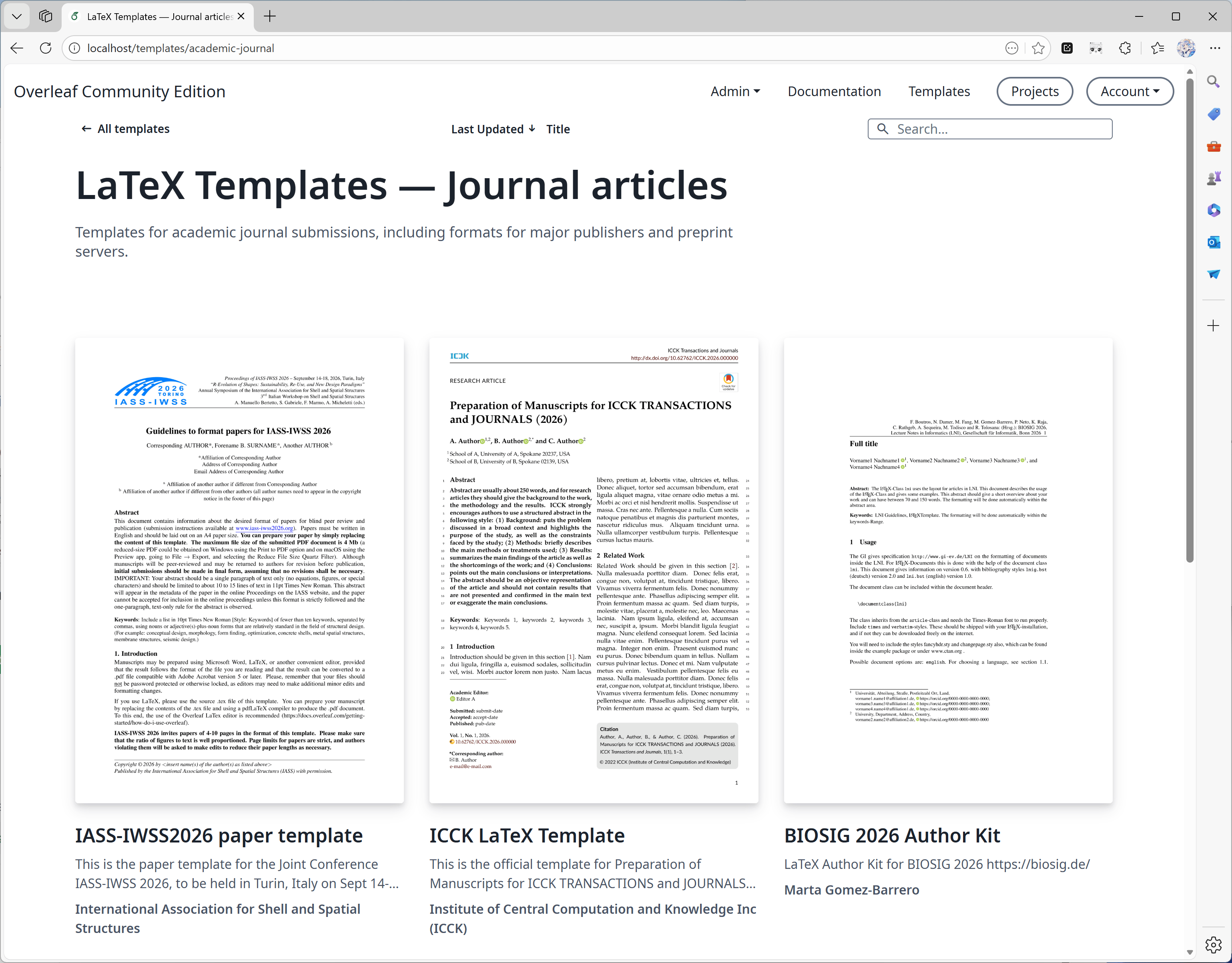
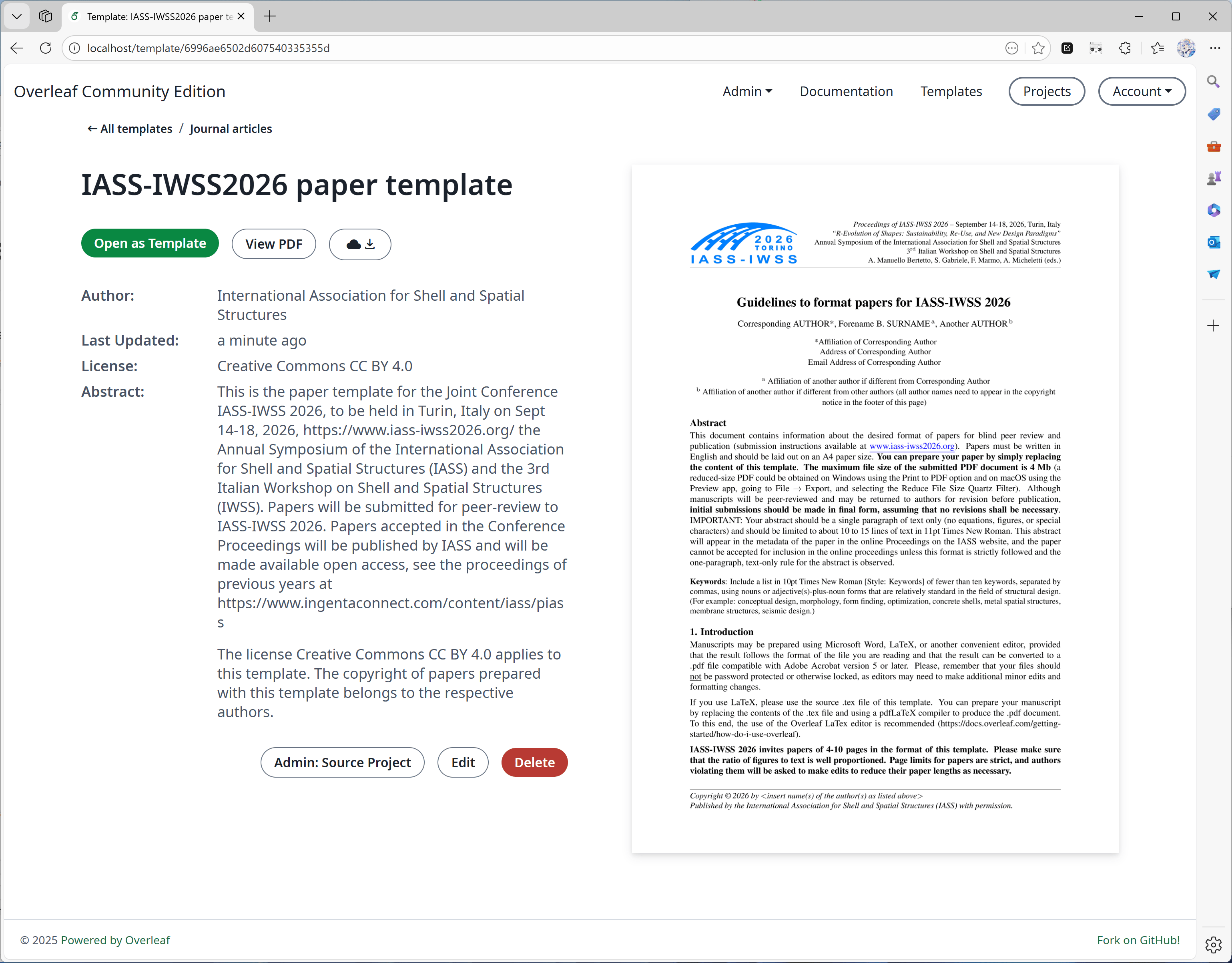
Tuto funkci vyvinul převážně [yu-i-i/overleaf-cep](https://github.com/yu-i-i/overleaf-cep). Část kódu jsme upravili a vylepšili, takže můžete:
* Stahovat šablony přímo na stránkách šablon.
* Otevřít projekt odpovídající šabloně.
* Převádět titulní obrázky do vyšší kvality (a za kratší dobu).
 #### Funkce 02: Sandboxová kompilace
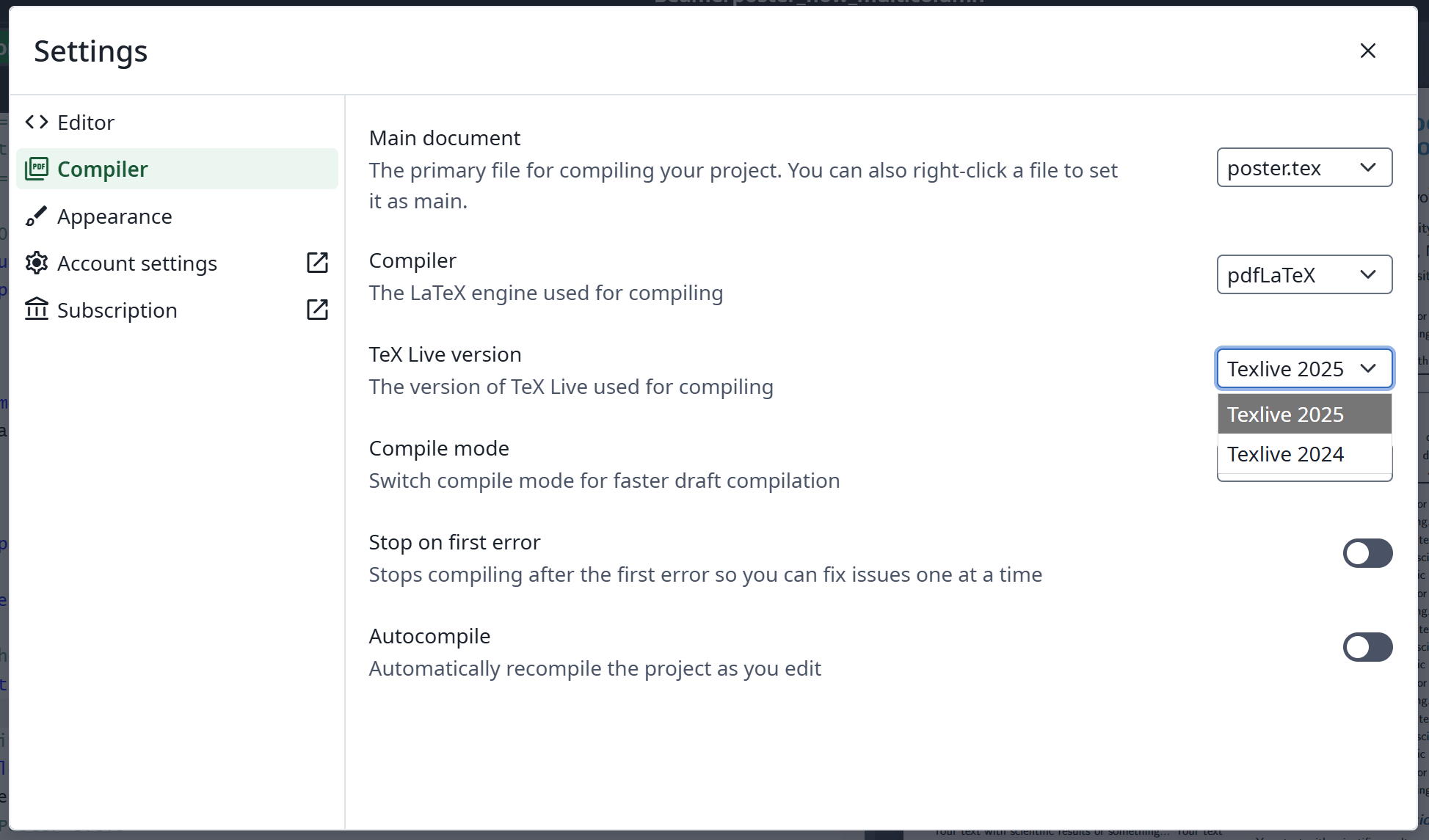
Tuto funkci implementoval [oficiální Overleaf](https://github.com/overleaf/overleaf/tree/main/services/clsi); přidali jsme kód, který ji zpřístupňuje. Poskytujeme také image [texlive-full](https://github.com/ayaka-notes/texlive-full) sestavený speciálně pro Ayakaleaf Pro.
#### Funkce 02: Sandboxová kompilace
Tuto funkci implementoval [oficiální Overleaf](https://github.com/overleaf/overleaf/tree/main/services/clsi); přidali jsme kód, který ji zpřístupňuje. Poskytujeme také image [texlive-full](https://github.com/ayaka-notes/texlive-full) sestavený speciálně pro Ayakaleaf Pro.
 #### Funkce 03: Integrace s Gitem
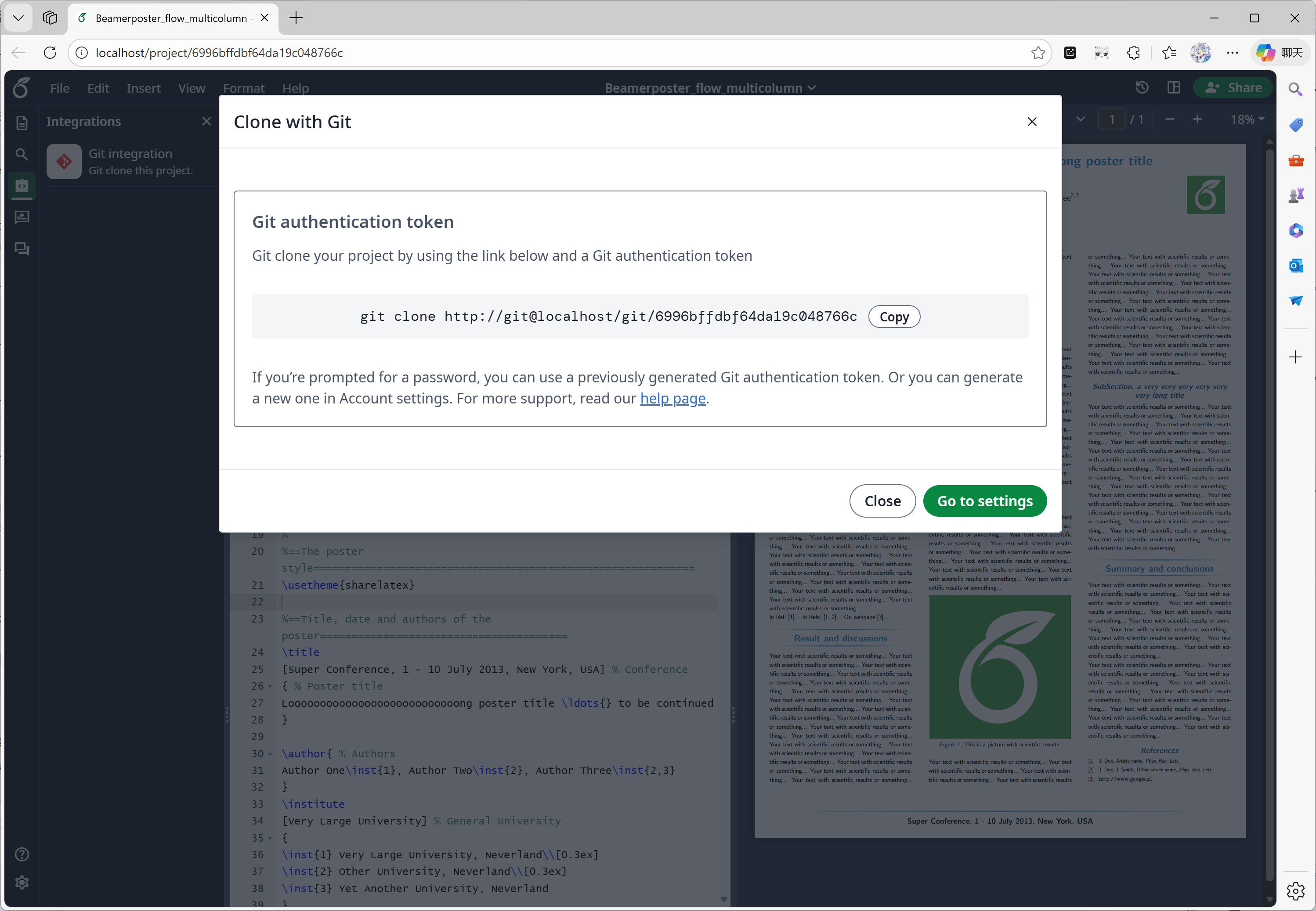
Tuto funkci vyvinul [ayaka-notes/overleaf-pro](https://github.com/ayaka-notes/overleaf-pro). Overleaf poskytuje oficiální komponentu s názvem git-bridge, která je dostupná [zde](https://github.com/overleaf/overleaf/tree/main/services/git-bridge).
Pouze jsme implementovali propojení mezi git-bridge a Overleafem, stejné jako to, které Overleaf používá na své platformě SaaS.
#### Funkce 03: Integrace s Gitem
Tuto funkci vyvinul [ayaka-notes/overleaf-pro](https://github.com/ayaka-notes/overleaf-pro). Overleaf poskytuje oficiální komponentu s názvem git-bridge, která je dostupná [zde](https://github.com/overleaf/overleaf/tree/main/services/git-bridge).
Pouze jsme implementovali propojení mezi git-bridge a Overleafem, stejné jako to, které Overleaf používá na své platformě SaaS.
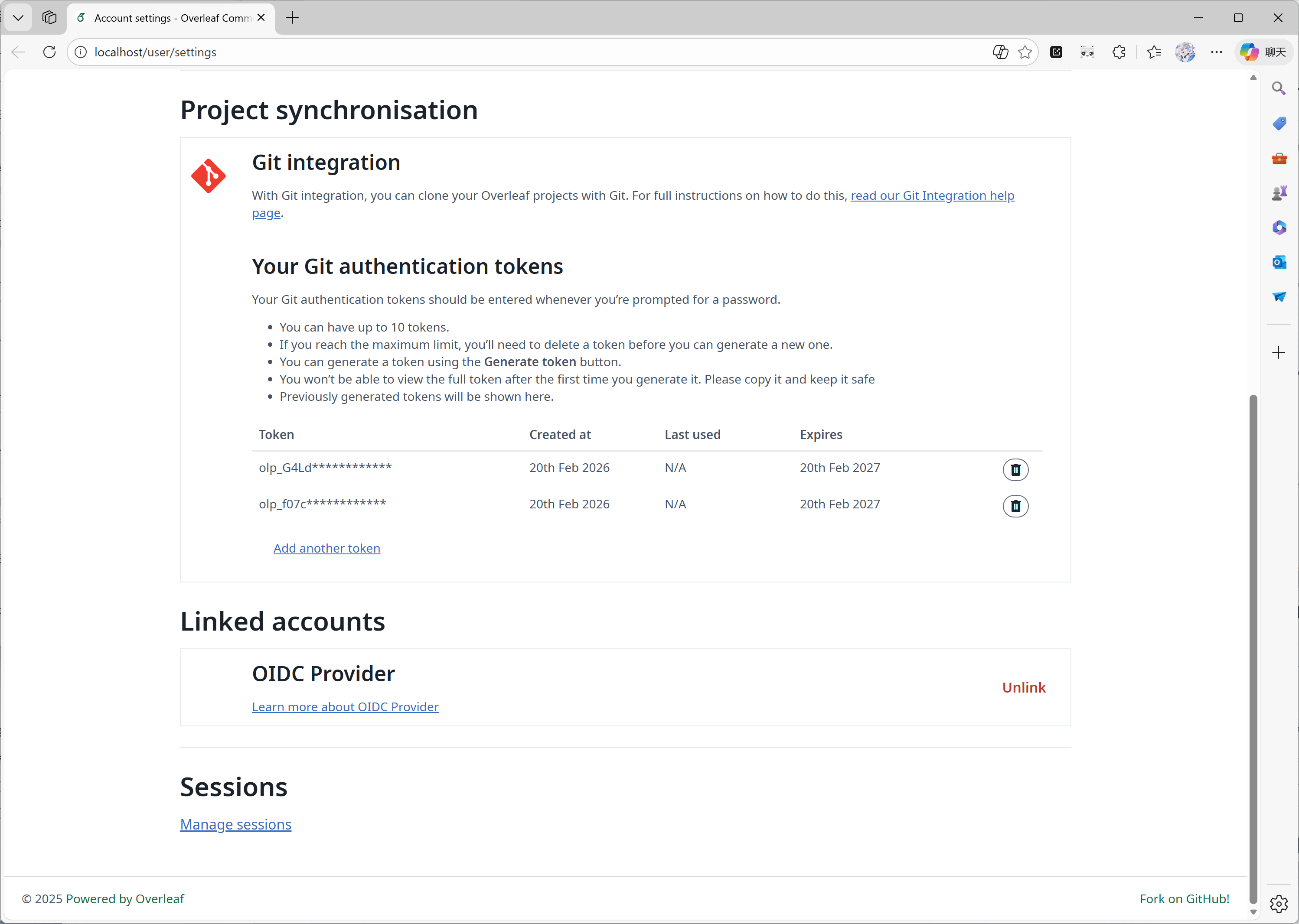 #### Funkce 04: Paleta symbolů
Tuto funkci implementoval [oficiální Overleaf](https://github.com/overleaf/overleaf/tree/main/services/clsi); pouze jsme doplnili chybějící kód, aby odpovídal aktualizacím z upstreamu.
#### Funkce 04: Paleta symbolů
Tuto funkci implementoval [oficiální Overleaf](https://github.com/overleaf/overleaf/tree/main/services/clsi); pouze jsme doplnili chybějící kód, aby odpovídal aktualizacím z upstreamu.
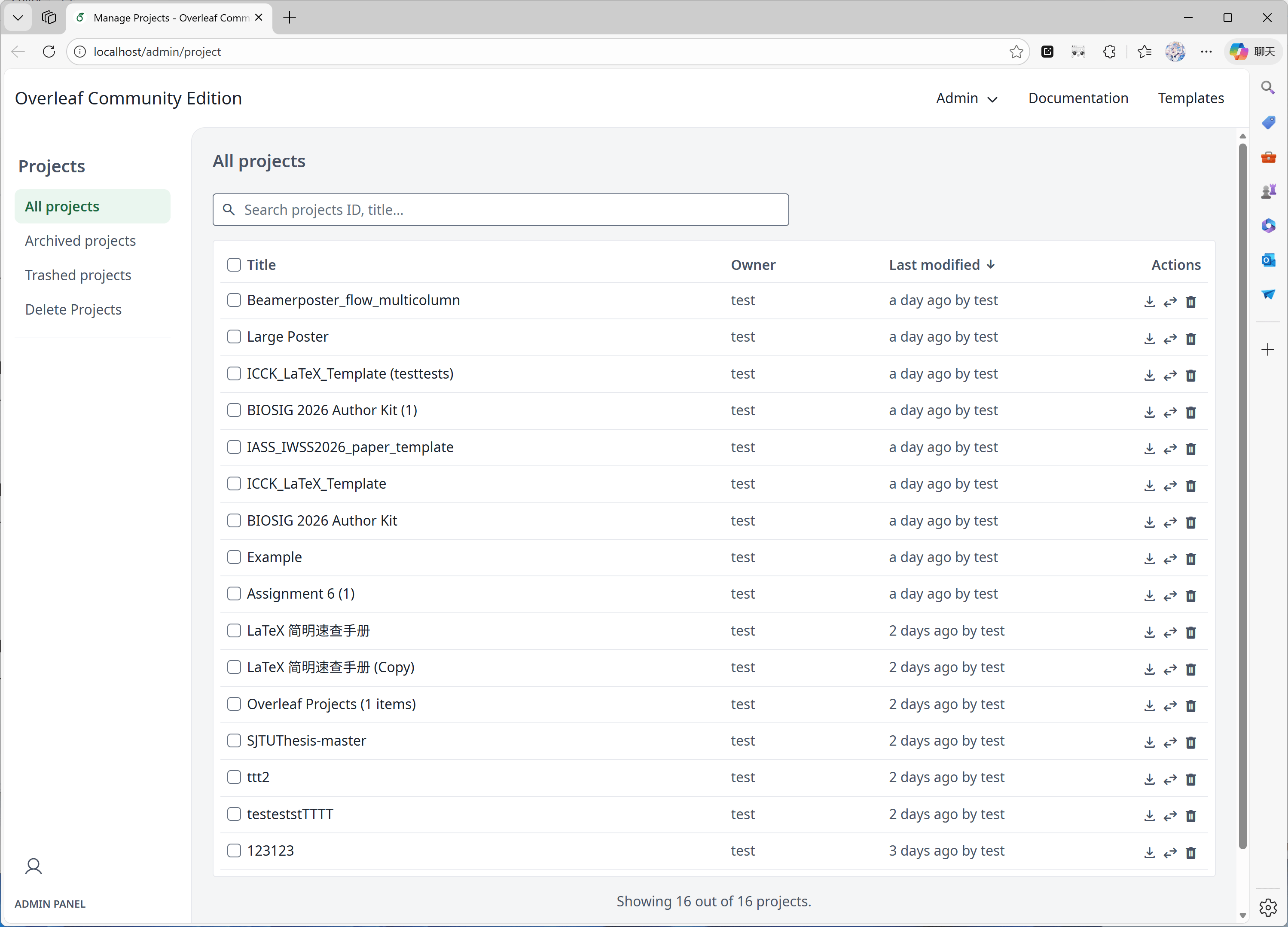
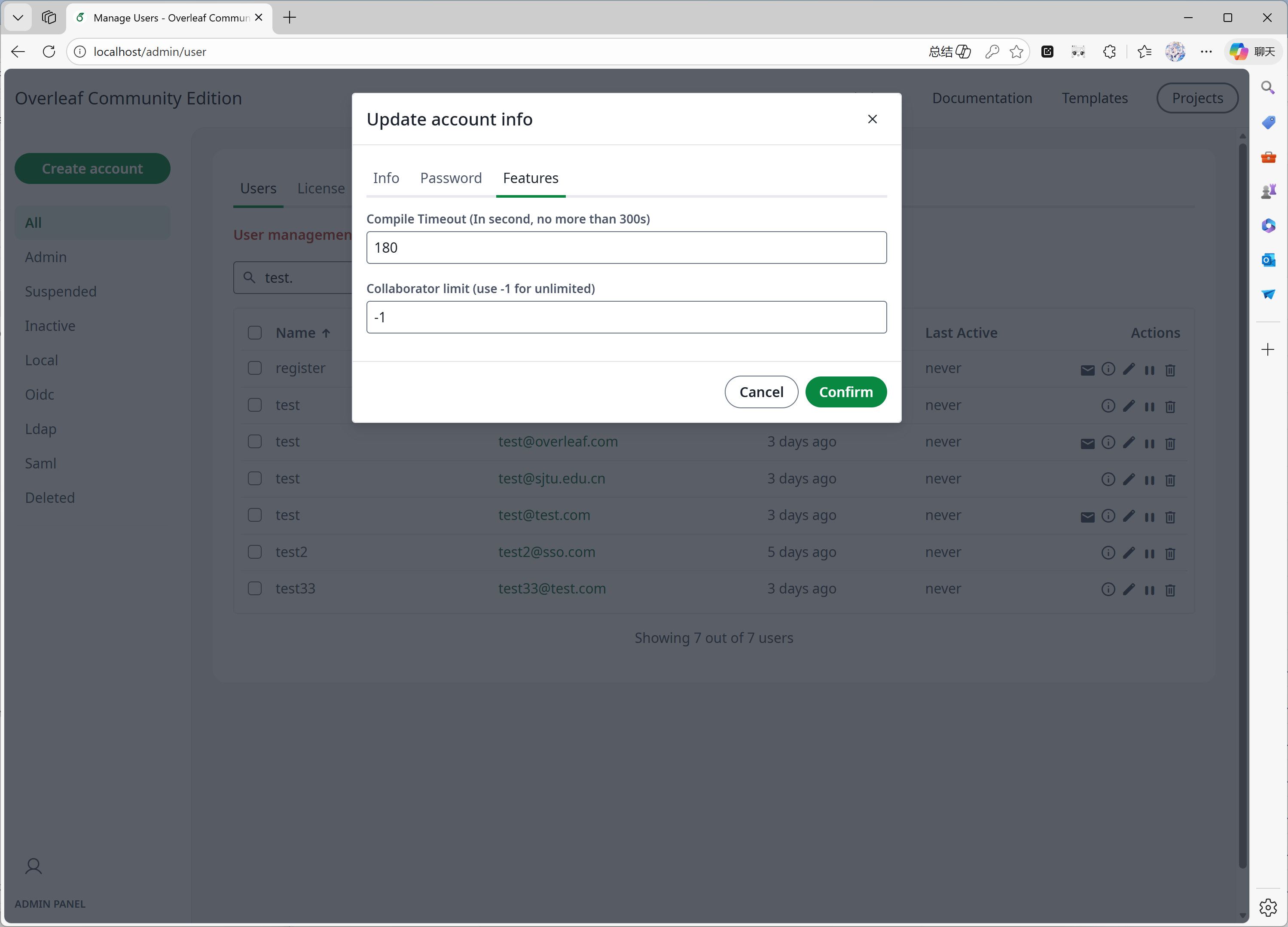
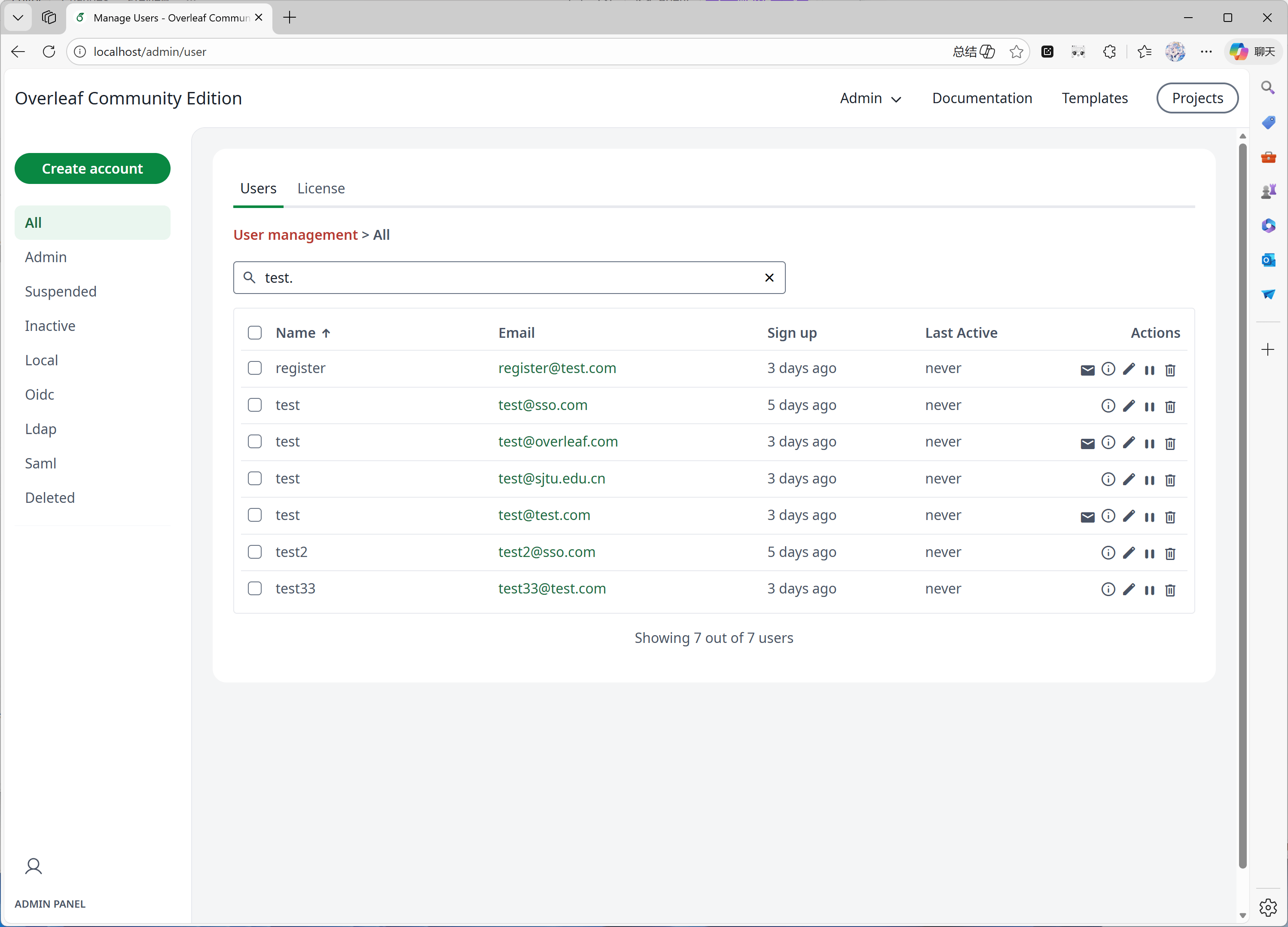
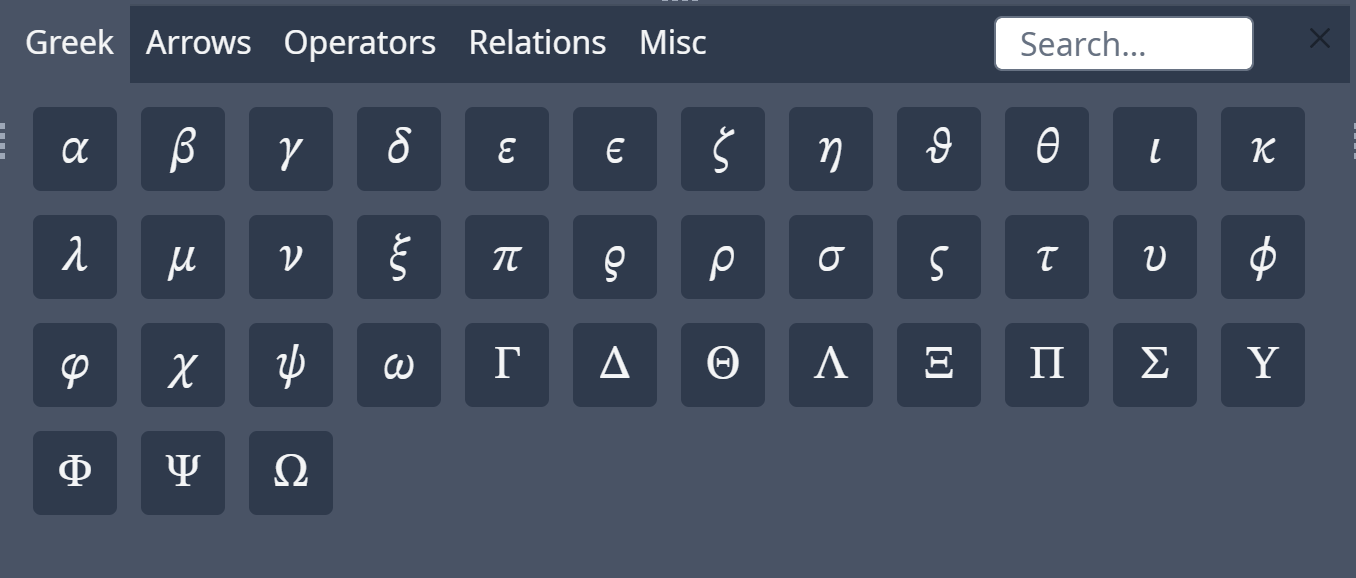 #### Funkce 05: Administrátorský panel
Pokud má váš systém 1000 uživatelů nebo projektů, administrátorský panel zobrazí pouze posledních 1000 uživatelů nebo projektů. Pro vyhledání konkrétních uživatelů nebo projektů použijte prosím vyhledávací panel.
Tuto funkci vyvinul převážně [yu-i-i/overleaf-cep](https://github.com/yu-i-i/overleaf-cep). Část kódu jsme upravili a vylepšili, takže můžete:
* Vyhledávat uživatele pomocí backendu, pokud máte více než 1000 uživatelů.
* Vyhledávat projekty pomocí backendu, pokud máte více než 1000 projektů.
* Otevírat projekty přímo z administrátorského panelu projektů.
* Zobrazit a upravit limit doby kompilace uživatele v administrátorském panelu.
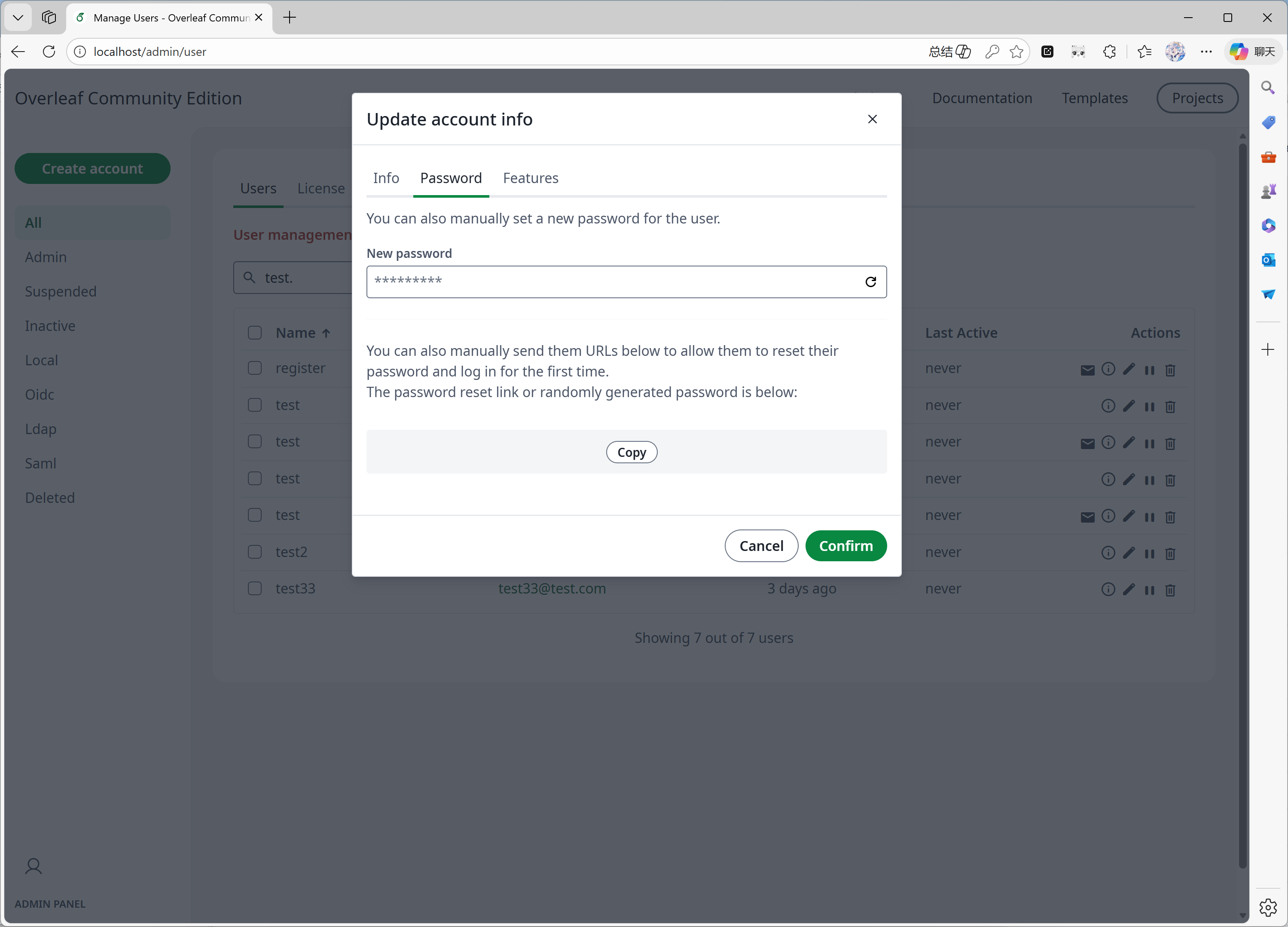
* Resetovat heslo uživatele přímo v administrátorském panelu.
* Další vylepšení...
#### Funkce 05: Administrátorský panel
Pokud má váš systém 1000 uživatelů nebo projektů, administrátorský panel zobrazí pouze posledních 1000 uživatelů nebo projektů. Pro vyhledání konkrétních uživatelů nebo projektů použijte prosím vyhledávací panel.
Tuto funkci vyvinul převážně [yu-i-i/overleaf-cep](https://github.com/yu-i-i/overleaf-cep). Část kódu jsme upravili a vylepšili, takže můžete:
* Vyhledávat uživatele pomocí backendu, pokud máte více než 1000 uživatelů.
* Vyhledávat projekty pomocí backendu, pokud máte více než 1000 projektů.
* Otevírat projekty přímo z administrátorského panelu projektů.
* Zobrazit a upravit limit doby kompilace uživatele v administrátorském panelu.
* Resetovat heslo uživatele přímo v administrátorském panelu.
* Další vylepšení...
 #### Funkce 06: Panel revizí
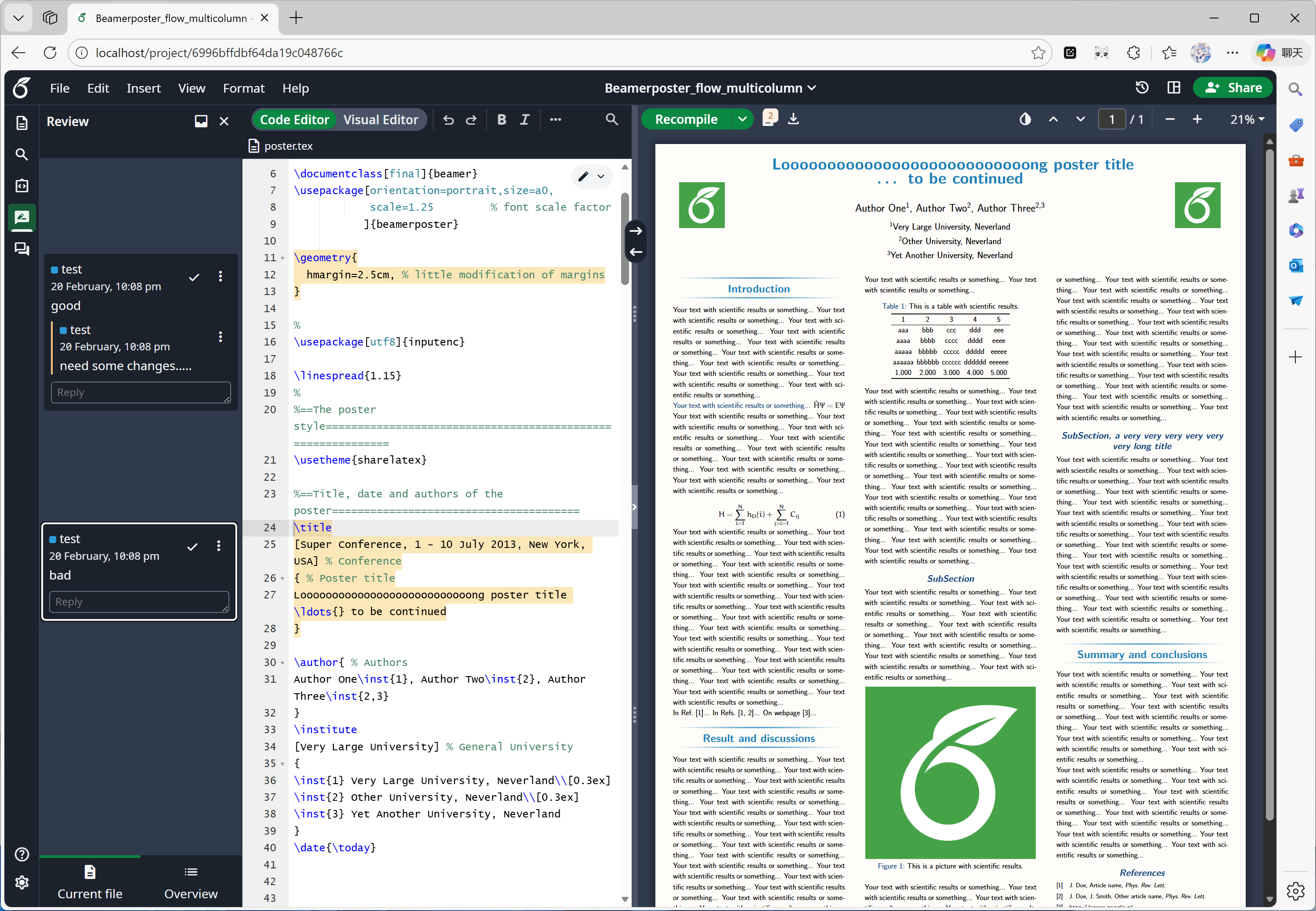
Tuto funkci vyvinul převážně [oficiální Overleaf](https://github.com/overleaf/overleaf/tree/main/services/clsi), my jsme pouze doplnili chybějící kód z [yu-i-i/overleaf-cep](https://github.com/yu-i-i/overleaf-cep) a [ertuil/overleaf](https://github.com/ertuil/overleaf), který propojuje chat a webovou službu.
#### Funkce 06: Panel revizí
Tuto funkci vyvinul převážně [oficiální Overleaf](https://github.com/overleaf/overleaf/tree/main/services/clsi), my jsme pouze doplnili chybějící kód z [yu-i-i/overleaf-cep](https://github.com/yu-i-i/overleaf-cep) a [ertuil/overleaf](https://github.com/ertuil/overleaf), který propojuje chat a webovou službu.
 #### Funkce 07: Externí URL
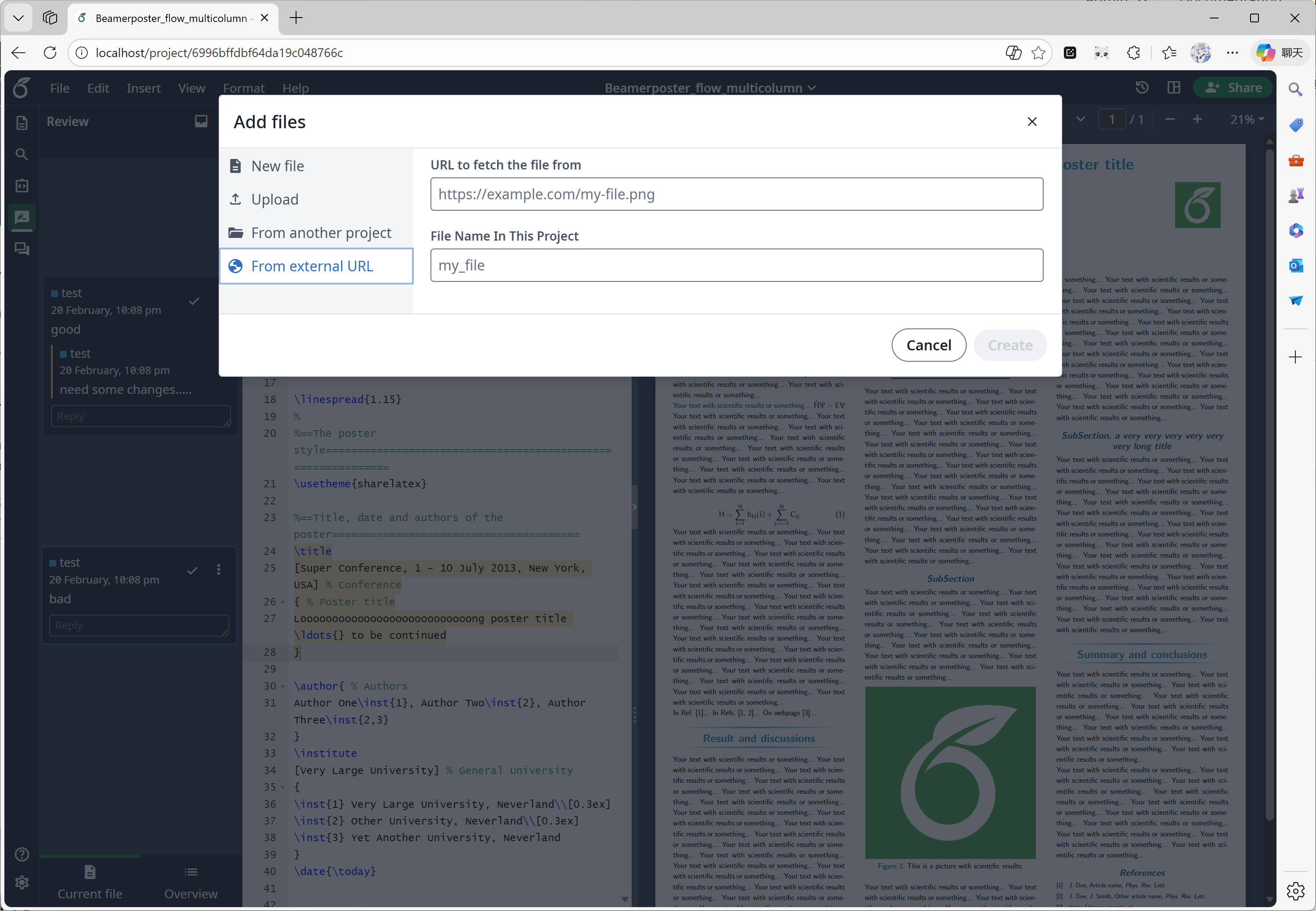
Tuto funkci vyvinul převážně [yu-i-i/overleaf-cep](https://github.com/yu-i-i/overleaf-cep). CEP implementoval externí službu linked-url-proxy, kterou lze bezpečně používat ke stahování externích souborů s omezeními podle domény/IP.
#### Funkce 07: Externí URL
Tuto funkci vyvinul převážně [yu-i-i/overleaf-cep](https://github.com/yu-i-i/overleaf-cep). CEP implementoval externí službu linked-url-proxy, kterou lze bezpečně používat ke stahování externích souborů s omezeními podle domény/IP.
 #### Funkce 08: SSO
Tuto funkci vyvinul převážně [yu-i-i/overleaf-cep](https://github.com/yu-i-i/overleaf-cep). CEP implementoval submodul, který propojuje passport s webovou autentizací Overleafu.
#### Funkce 08: SSO
Tuto funkci vyvinul převážně [yu-i-i/overleaf-cep](https://github.com/yu-i-i/overleaf-cep). CEP implementoval submodul, který propojuje passport s webovou autentizací Overleafu.
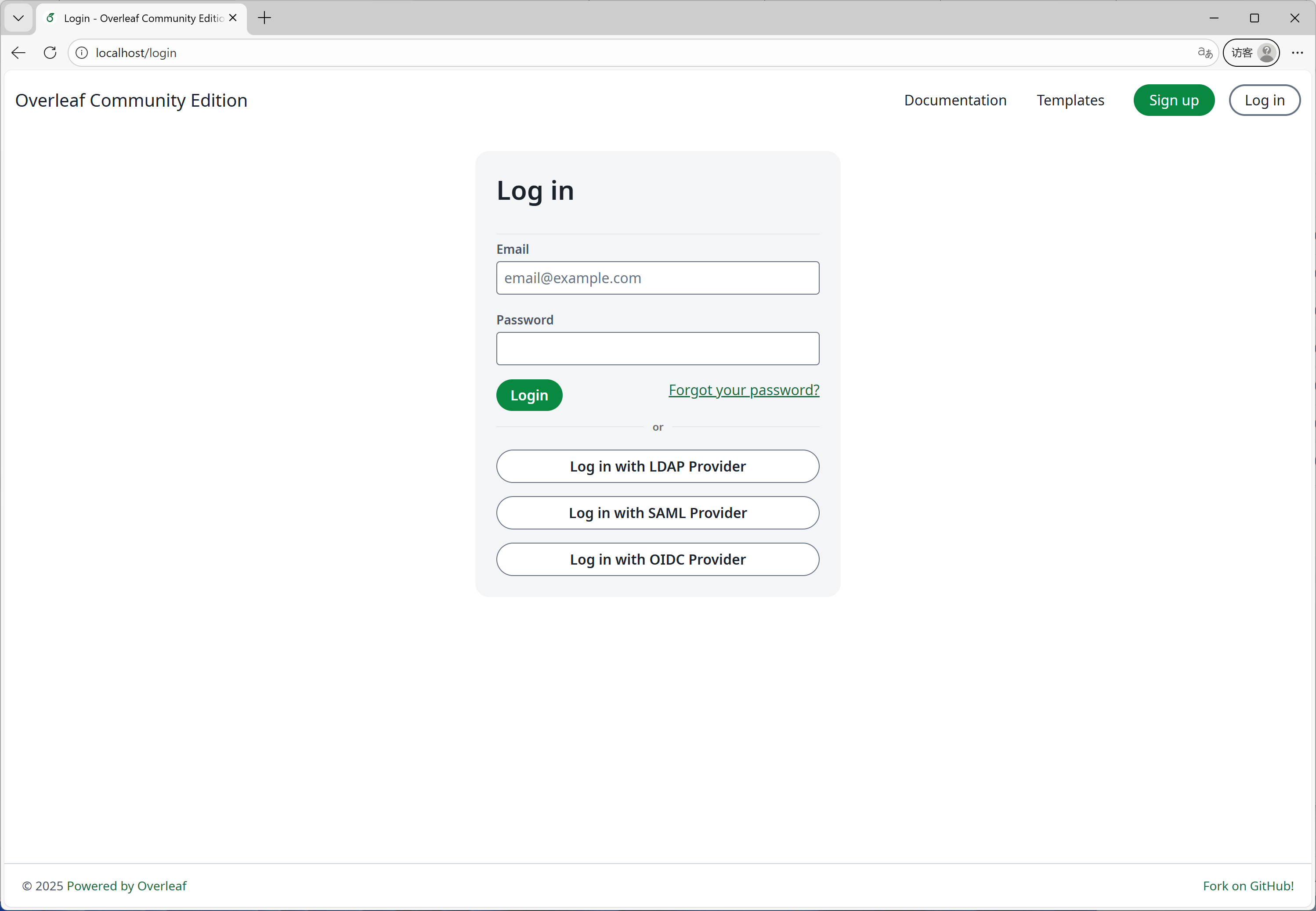 #### Funkce 09: Podpora ARM
K sestavování a publikování Docker image pro architektury x86 a ARM používáme GitHub Actions. Při stahování image se automaticky vybere vhodná architektura podle vašeho systému.
#### Funkce 09: Podpora ARM
K sestavování a publikování Docker image pro architektury x86 a ARM používáme GitHub Actions. Při stahování image se automaticky vybere vhodná architektura podle vašeho systému.
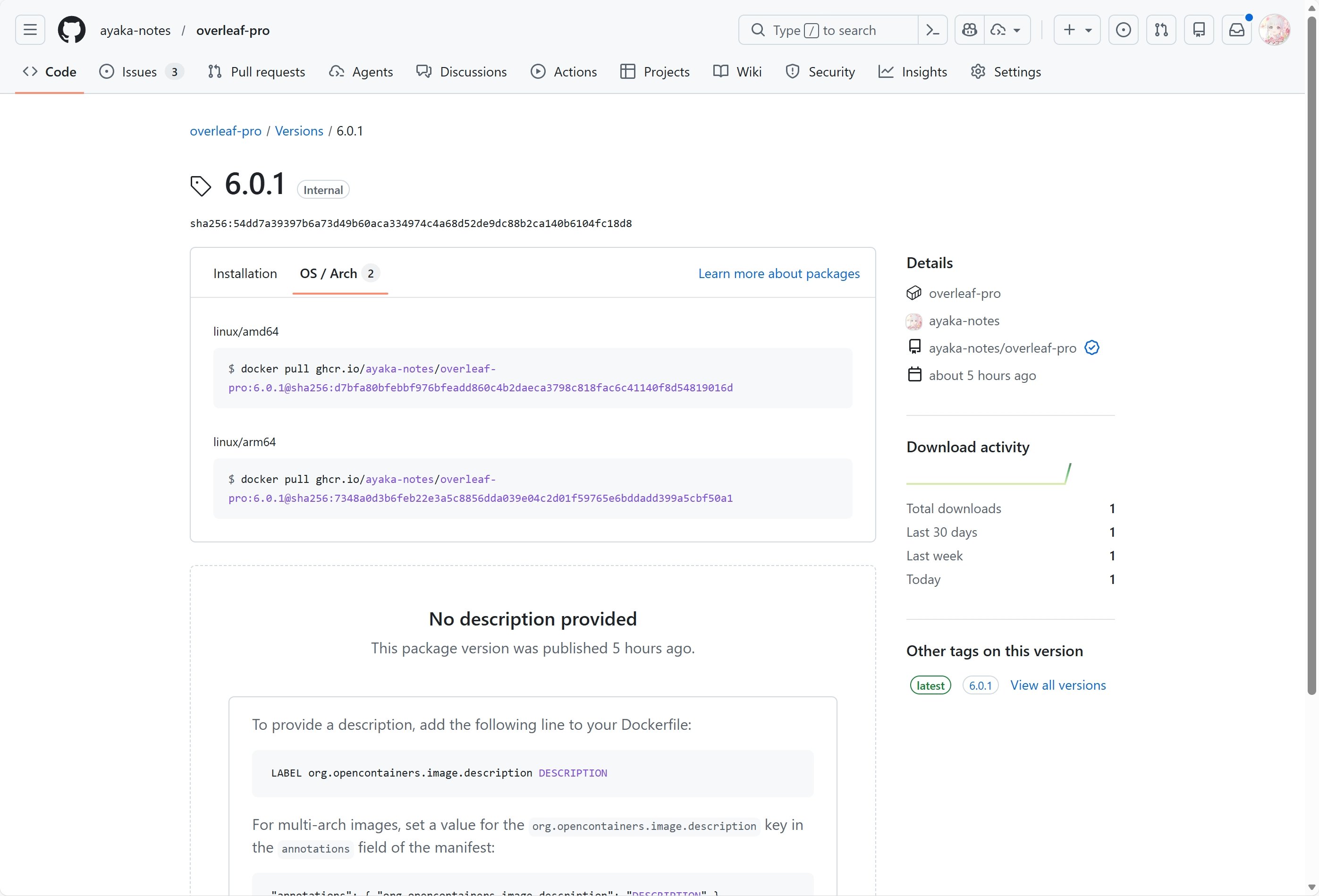 #### Funkce 10: Samoregistrace
Tuto funkci vyvinul [ayaka-notes/overleaf-pro](https://github.com/ayaka-notes/overleaf-pro). Můžete:
* omezit registraci uživatelů na konkrétní doménu
* otevřít registraci komukoli, kdo má přístup k vašemu Overleafu
#### Funkce 10: Samoregistrace
Tuto funkci vyvinul [ayaka-notes/overleaf-pro](https://github.com/ayaka-notes/overleaf-pro). Můžete:
* omezit registraci uživatelů na konkrétní doménu
* otevřít registraci komukoli, kdo má přístup k vašemu Overleafu
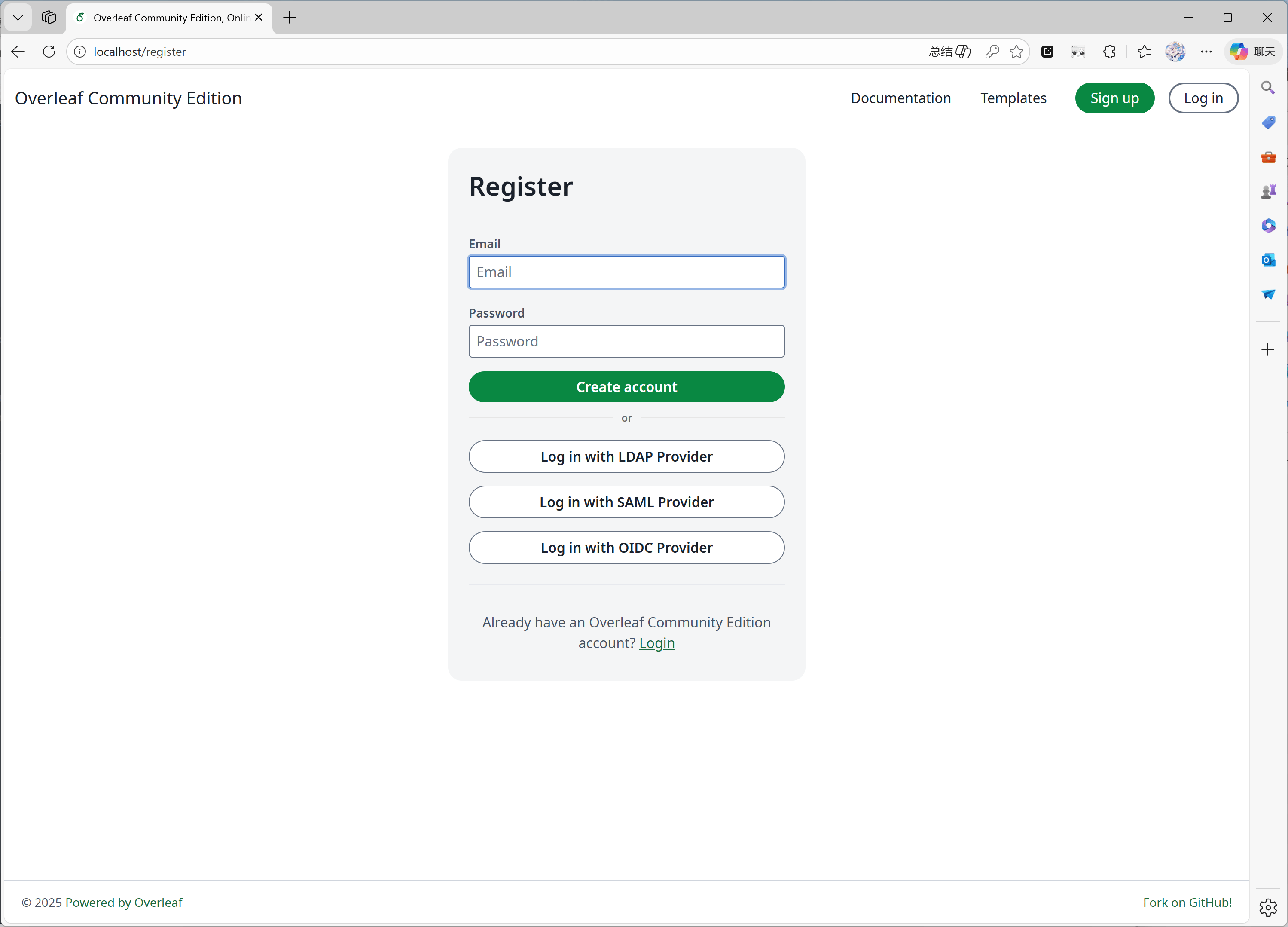 #### Funkce 11: Learn Wiki
Tuto funkci vyvinul [ayaka-notes/ayakaleaf-pro](https://github.com/ayaka-notes/ayakaleaf-pro). Můžete si prohlížet nejnovější Learn Wiki z Overleafu, ale k těmto dokumentům nevlastníme žádná autorská práva! Pouze je stáhneme ze serveru Overleaf při prvním povolení této funkce a pravidelně je aktualizujeme.
#### Funkce 11: Learn Wiki
Tuto funkci vyvinul [ayaka-notes/ayakaleaf-pro](https://github.com/ayaka-notes/ayakaleaf-pro). Můžete si prohlížet nejnovější Learn Wiki z Overleafu, ale k těmto dokumentům nevlastníme žádná autorská práva! Pouze je stáhneme ze serveru Overleaf při prvním povolení této funkce a pravidelně je aktualizujeme.
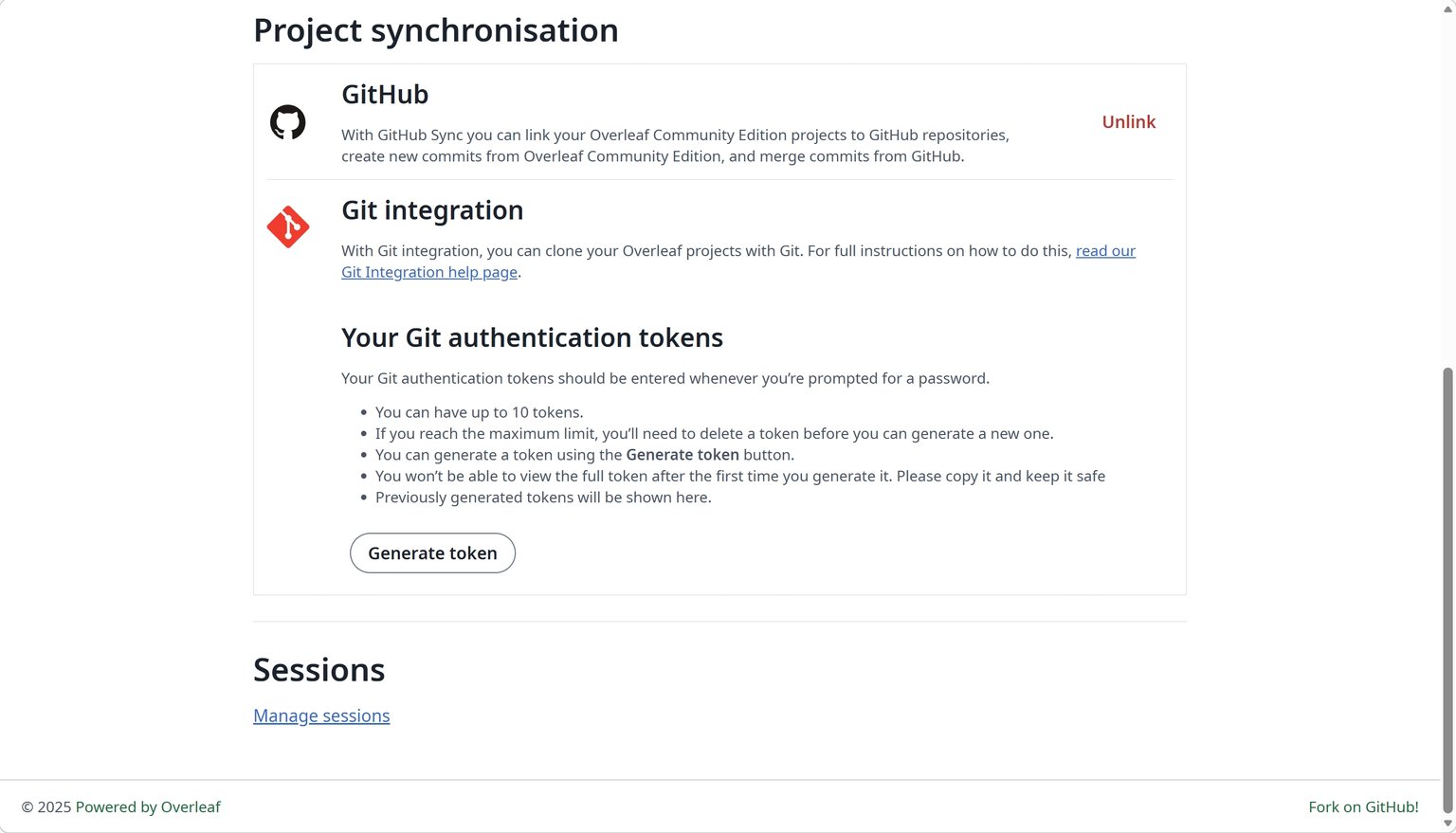
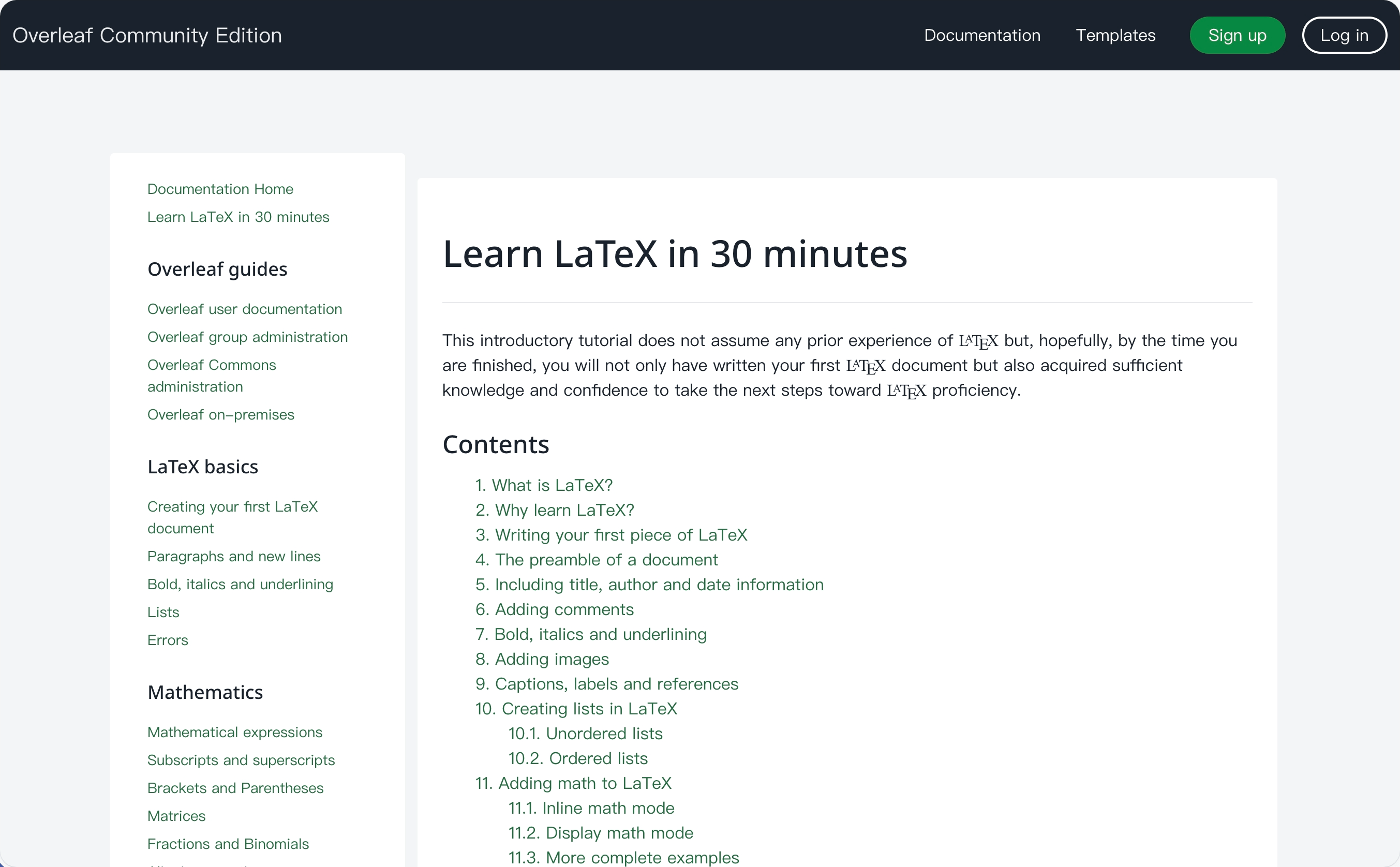 #### Funkce 12: Synchronizace s GitHubem
Tuto funkci vyvinul [ayaka-notes/ayakaleaf-pro](https://github.com/ayaka-notes/ayakaleaf-pro), upravil a opravil ji také [yu-i-i/overleaf-cep](https://github.com/yu-i-i/overleaf-cep).
#### Funkce 12: Synchronizace s GitHubem
Tuto funkci vyvinul [ayaka-notes/ayakaleaf-pro](https://github.com/ayaka-notes/ayakaleaf-pro), upravil a opravil ji také [yu-i-i/overleaf-cep](https://github.com/yu-i-i/overleaf-cep).
 #### Funkce 13: Spouštění Pythonu
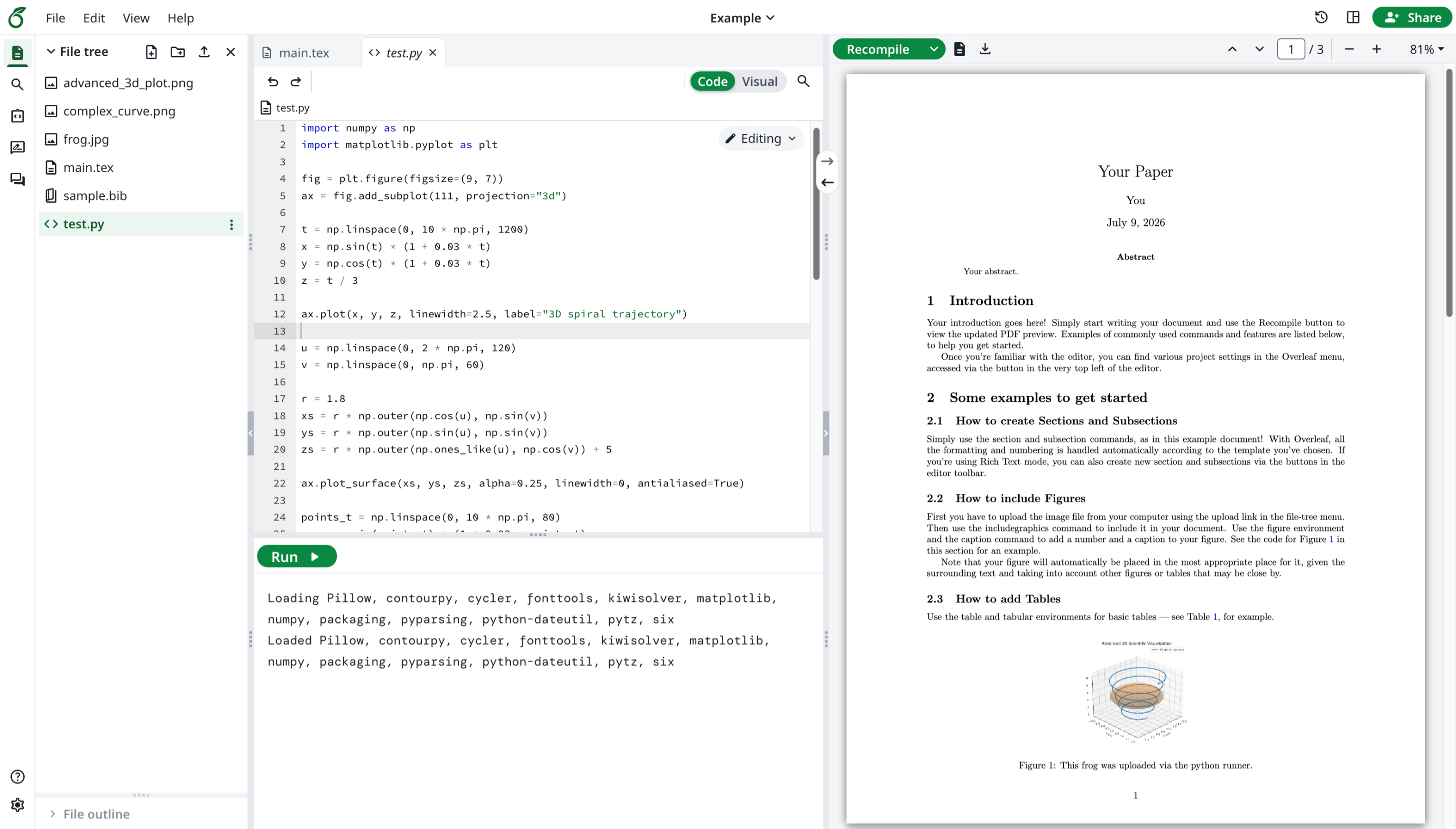
Tuto funkci vyvinul oficiální Overleaf. Můžete spouštět skripty v Pythonu ve svém prohlížeči.
#### Funkce 13: Spouštění Pythonu
Tuto funkci vyvinul oficiální Overleaf. Můžete spouštět skripty v Pythonu ve svém prohlížeči.
 #### Funkce 14: Pokročilé vyhledávání citací
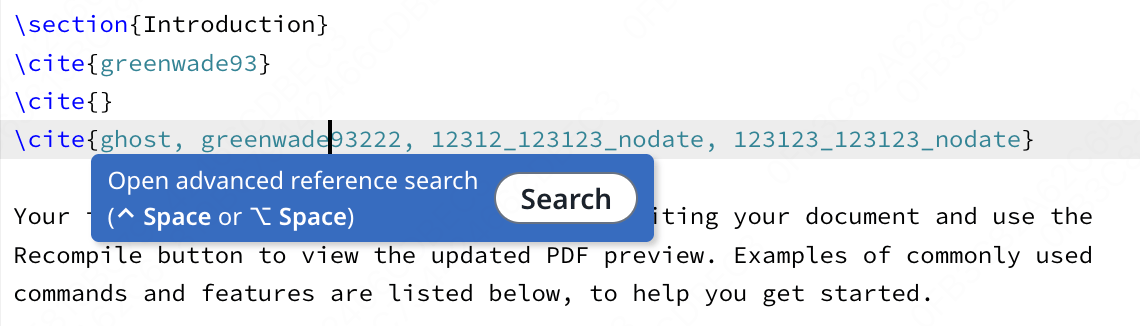
Tuto funkci vyvinul [davrot](https://github.com/davrot/), opravil ji [yu-i-i/overleaf-cep](https://github.com/yu-i-i/overleaf-cep) a také [ayaka-notes/ayakaleaf-pro](https://github.com/ayaka-notes/ayakaleaf-pro).
#### Funkce 14: Pokročilé vyhledávání citací
Tuto funkci vyvinul [davrot](https://github.com/davrot/), opravil ji [yu-i-i/overleaf-cep](https://github.com/yu-i-i/overleaf-cep) a také [ayaka-notes/ayakaleaf-pro](https://github.com/ayaka-notes/ayakaleaf-pro).
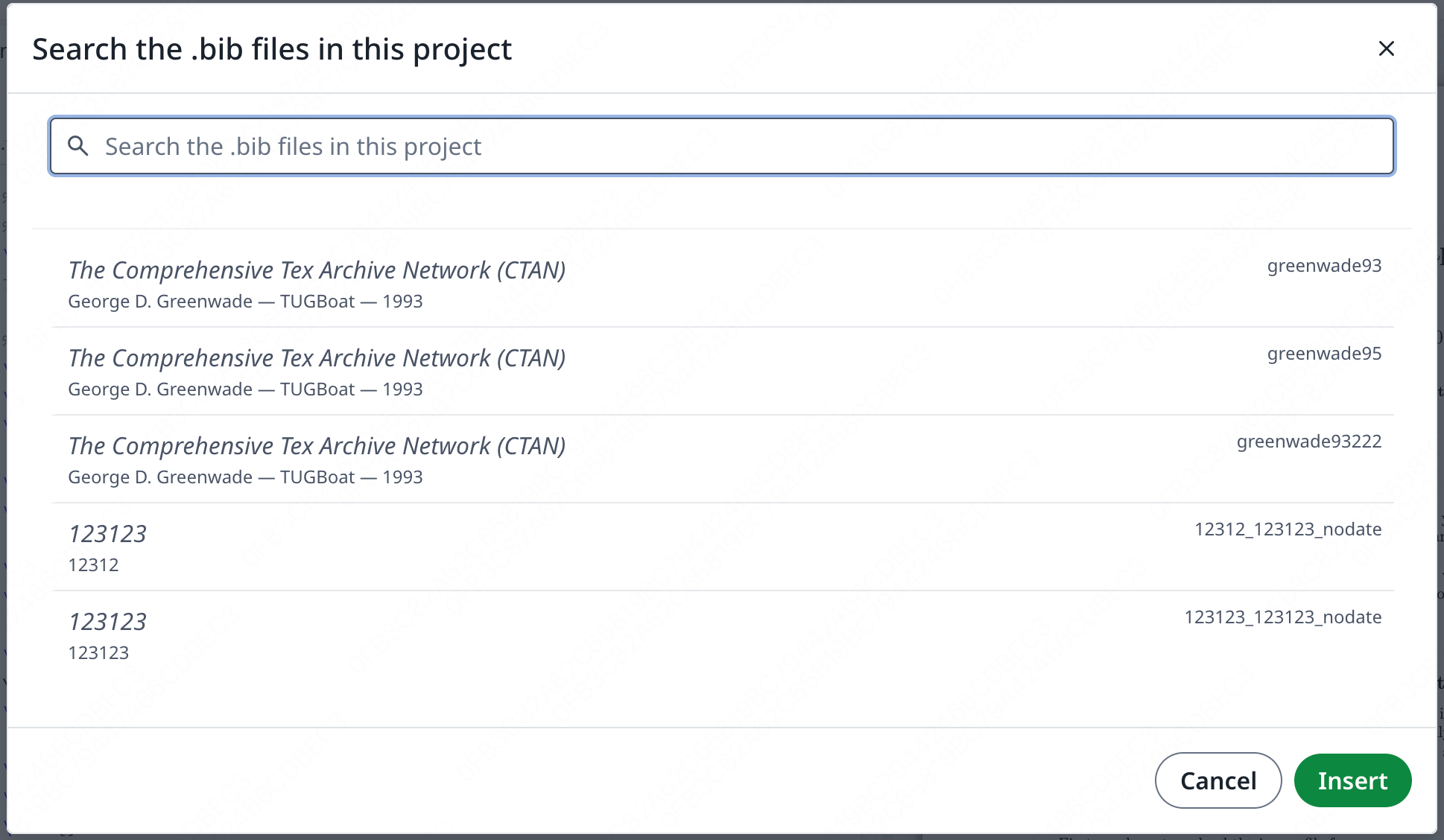
 Vyhledávací panel:
 #### Funkce 15: Převody pomocí Pandocu
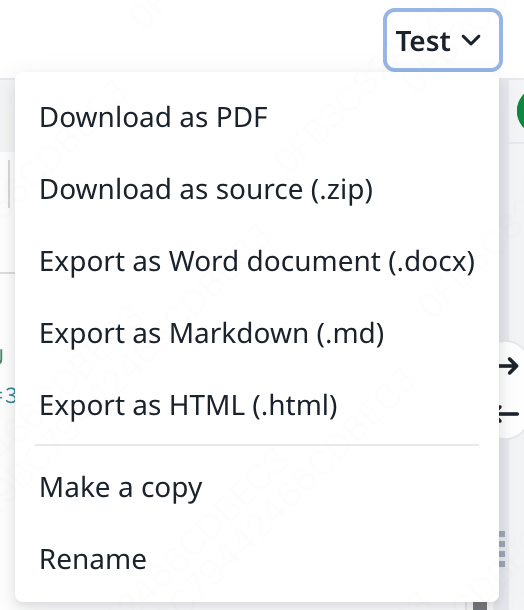
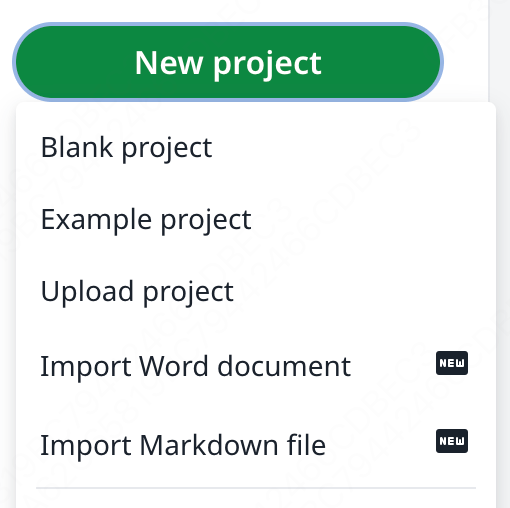
Tato funkce vám umožňuje importovat dokumenty Word nebo Markdown jako projekty LaTeX nebo exportovat projekty LaTeX do formátu Markdown či DOCX.
#### Funkce 15: Převody pomocí Pandocu
Tato funkce vám umožňuje importovat dokumenty Word nebo Markdown jako projekty LaTeX nebo exportovat projekty LaTeX do formátu Markdown či DOCX.
 #### Funkce 16: AI chat a asistenti pro chyby LaTeXu
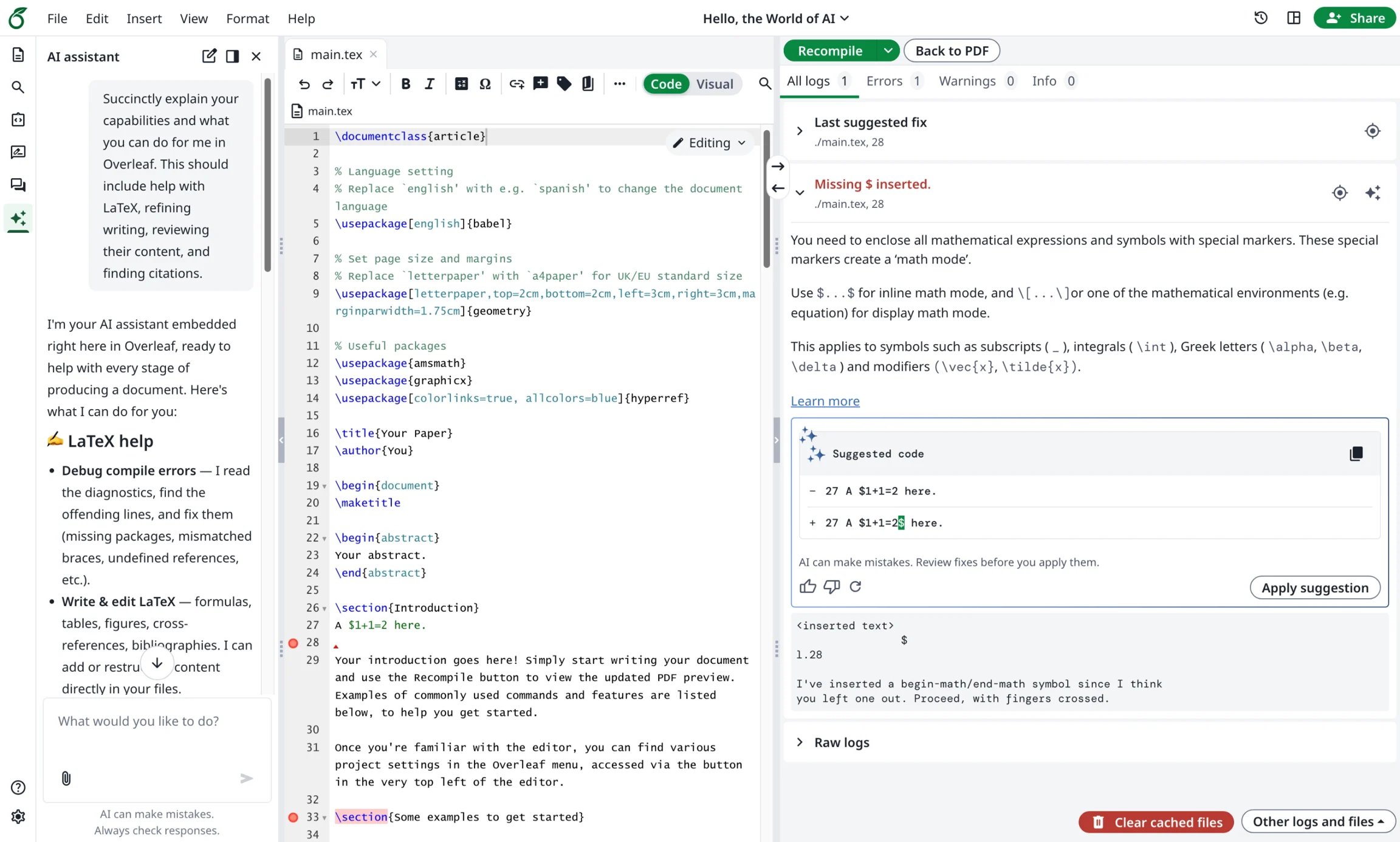
Ayakaleaf Pro přináší AI asistenta, který může jako kontext využít dokumenty vašeho projektu a aktuální výběr, odpovídat na otázky a navrhovat úpravy k vaší kontrole, zatímco asistent pro chyby navrhne cílenou opravu, když vyberete chybu kompilace LaTeXu.
#### Funkce 16: AI chat a asistenti pro chyby LaTeXu
Ayakaleaf Pro přináší AI asistenta, který může jako kontext využít dokumenty vašeho projektu a aktuální výběr, odpovídat na otázky a navrhovat úpravy k vaší kontrole, zatímco asistent pro chyby navrhne cílenou opravu, když vyberete chybu kompilace LaTeXu.
 This documentation is built and hosted on [Mintlify](https://mintlify.com), a developer documentation platform.