> ## Documentation Index
> Fetch the complete documentation index at: https://ayakaleaf-pro.mintlify.site/llms.txt
> Use this file to discover all available pages before exploring further.
# الميزات وحقوق النشر
> ما الميزات الجديدة التي يقدمها Ayakaleaf Pro مقارنةً بالنسخة المجتمعية من Overleaf؟
نحن نحترم حقوق النشر، لذا ندرج هنا جميع الميزات والشيفرات المستخدمة في هذا المشروع. ونقدم في هذه الصفحة معلومات عن الميزات الجديدة في Ayakaleaf Pro وحقوق النشر المتعلقة بالشيفرة.
ما لم يُذكر خلاف ذلك، نستخدم Codex من OpenAI لمراجعة الشيفرة ومراجعة طلبات الدمج (PR). وقد أصلحنا خلال هذه العملية العديد من المشكلات الأمنية، ونعرب عن خالص امتناننا لهم. للتفاصيل، راجع [ayaka-notes/ayakaleaf-pro/pull](https://github.com/ayaka-notes/ayakaleaf-pro/pulls).
### نظرة عامة
على مر السنين، بذل كثير من مطوري المجتمع جهودًا كبيرة لتحسين النسخة المجتمعية من Overleaf. وهم:
* [https://github.com/ertuil/overleaf](https://github.com/ertuil/overleaf)
* [https://github.com/AllanChain/lcpu-overleaf](https://github.com/AllanChain/lcpu-overleaf)
* [https://github.com/yu-i-i/overleaf-cep/](https://github.com/yu-i-i/overleaf-cep/)
* [https://github.com/ayaka-notes/overleaf](https://github.com/ayaka-notes/overleaf)
* [https://github.com/davrot/overleaf\_with\_admin\_extension](https://github.com/davrot/overleaf_with_admin_extension)
* [https://github.com/overleaf/overleaf/pull/1447](https://github.com/overleaf/overleaf/pull/1447) (التكامل مع GitHub)
* [https://github.com/overleaf/overleaf/pull/1385](https://github.com/overleaf/overleaf/pull/1385) (دعم Typst)
ربما استخدمنا شيفرات ذات صلة في مشروعنا، ونود أن نعرب عن امتناننا لهم.
#### الميزة 01: نظام القوالب
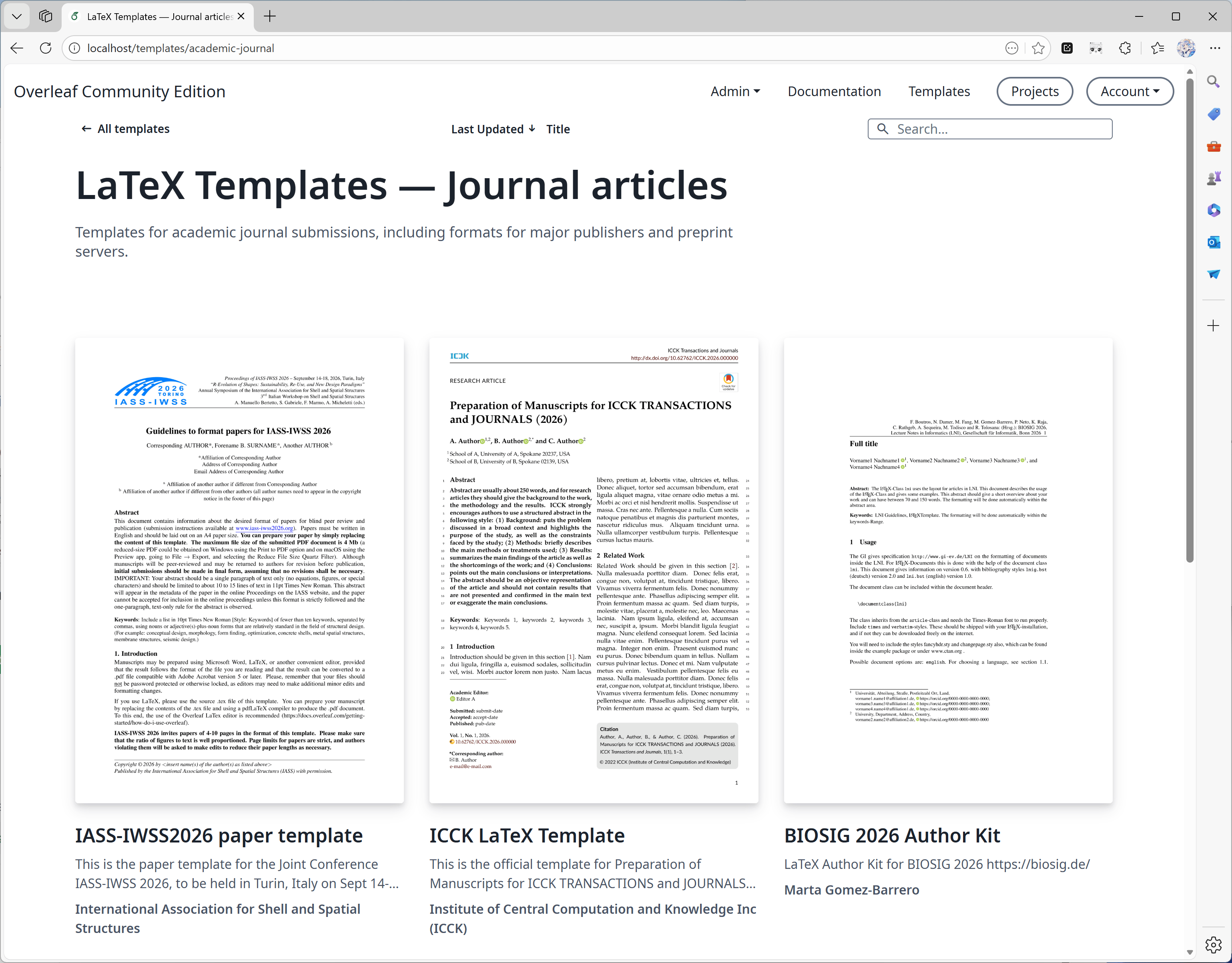
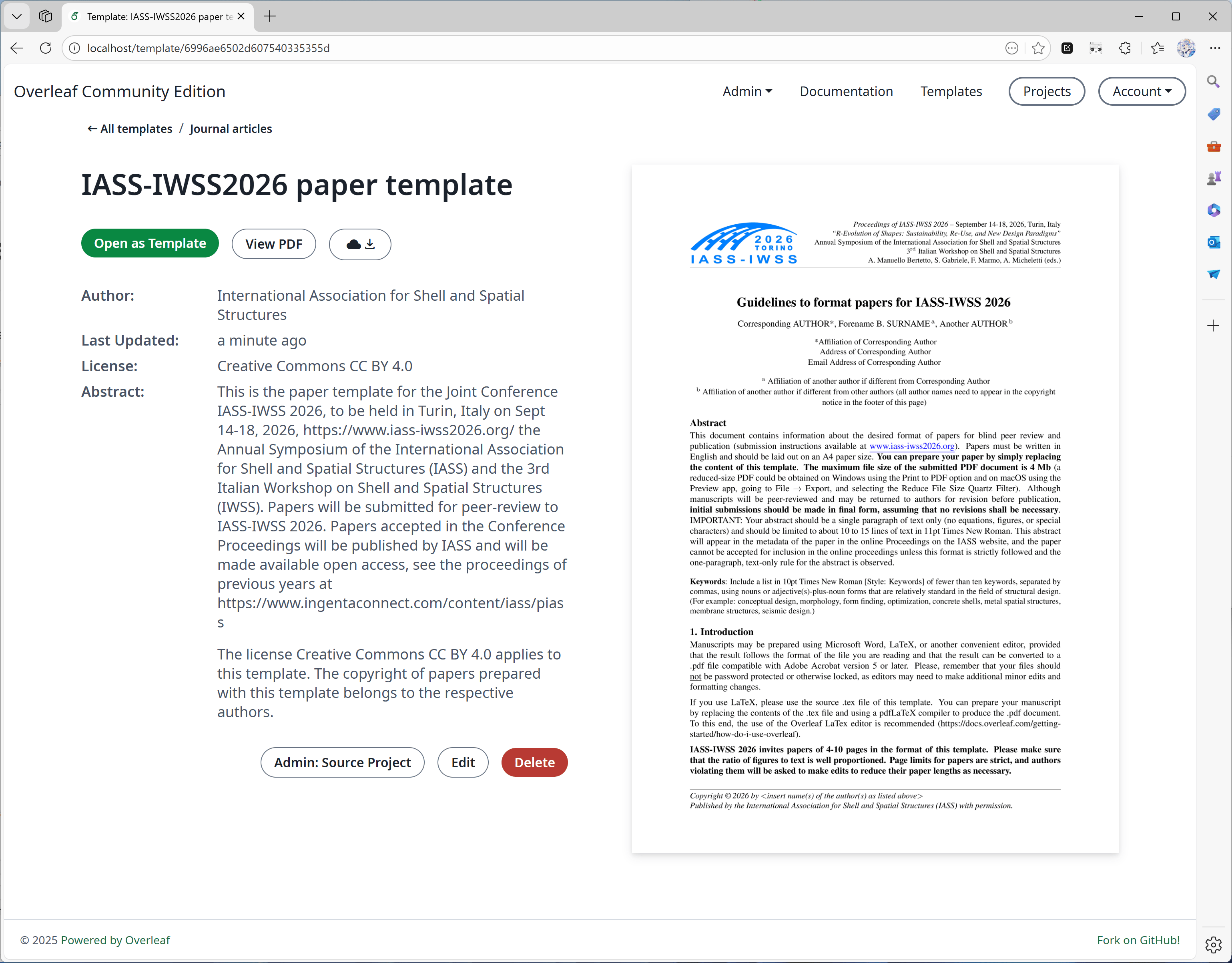
طُوّرت هذه الميزة بشكل رئيسي بواسطة [yu-i-i/overleaf-cep](https://github.com/yu-i-i/overleaf-cep). وقد عدّلنا بعض الشيفرة لتحسينها، بحيث يمكنك:
* تنزيل القوالب مباشرةً من صفحات القوالب.
* فتح المشروع المقابل للقالب.
* التحويل إلى صور غلاف بجودة أعلى (وفي وقت أقصر).
 #### الميزة 02: الترجمة المعزولة (Sandbox Compile)
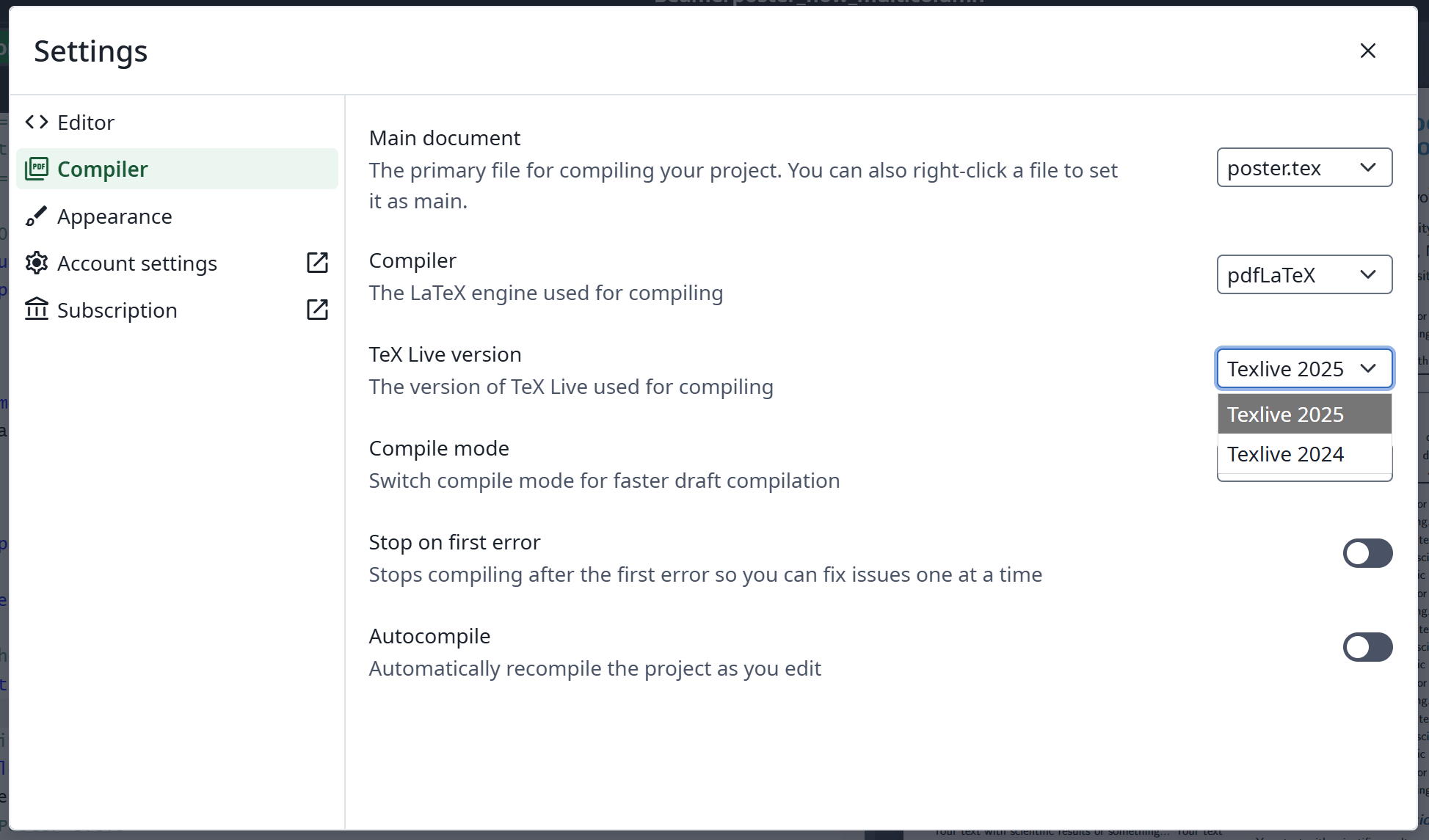
نُفّذت هذه الميزة بواسطة [Overleaf الرسمي](https://github.com/overleaf/overleaf/tree/main/services/clsi)؛ وأضفنا بعض الشيفرة لتفعيلها. كما نوفر صورة [texlive-full](https://github.com/ayaka-notes/texlive-full) مبنية خصيصًا لـ Ayakaleaf Pro.
#### الميزة 02: الترجمة المعزولة (Sandbox Compile)
نُفّذت هذه الميزة بواسطة [Overleaf الرسمي](https://github.com/overleaf/overleaf/tree/main/services/clsi)؛ وأضفنا بعض الشيفرة لتفعيلها. كما نوفر صورة [texlive-full](https://github.com/ayaka-notes/texlive-full) مبنية خصيصًا لـ Ayakaleaf Pro.
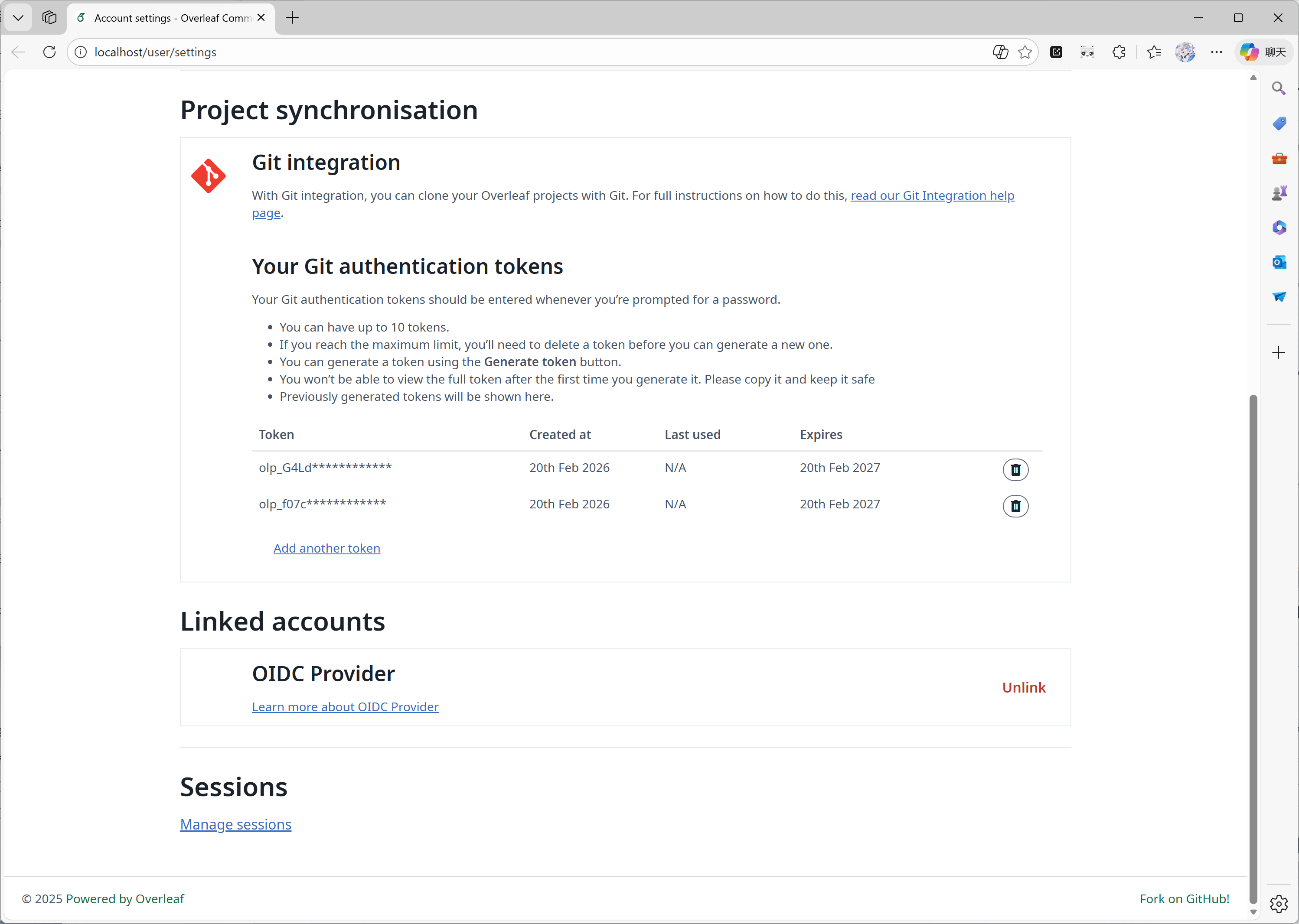
 #### الميزة 03: التكامل مع Git
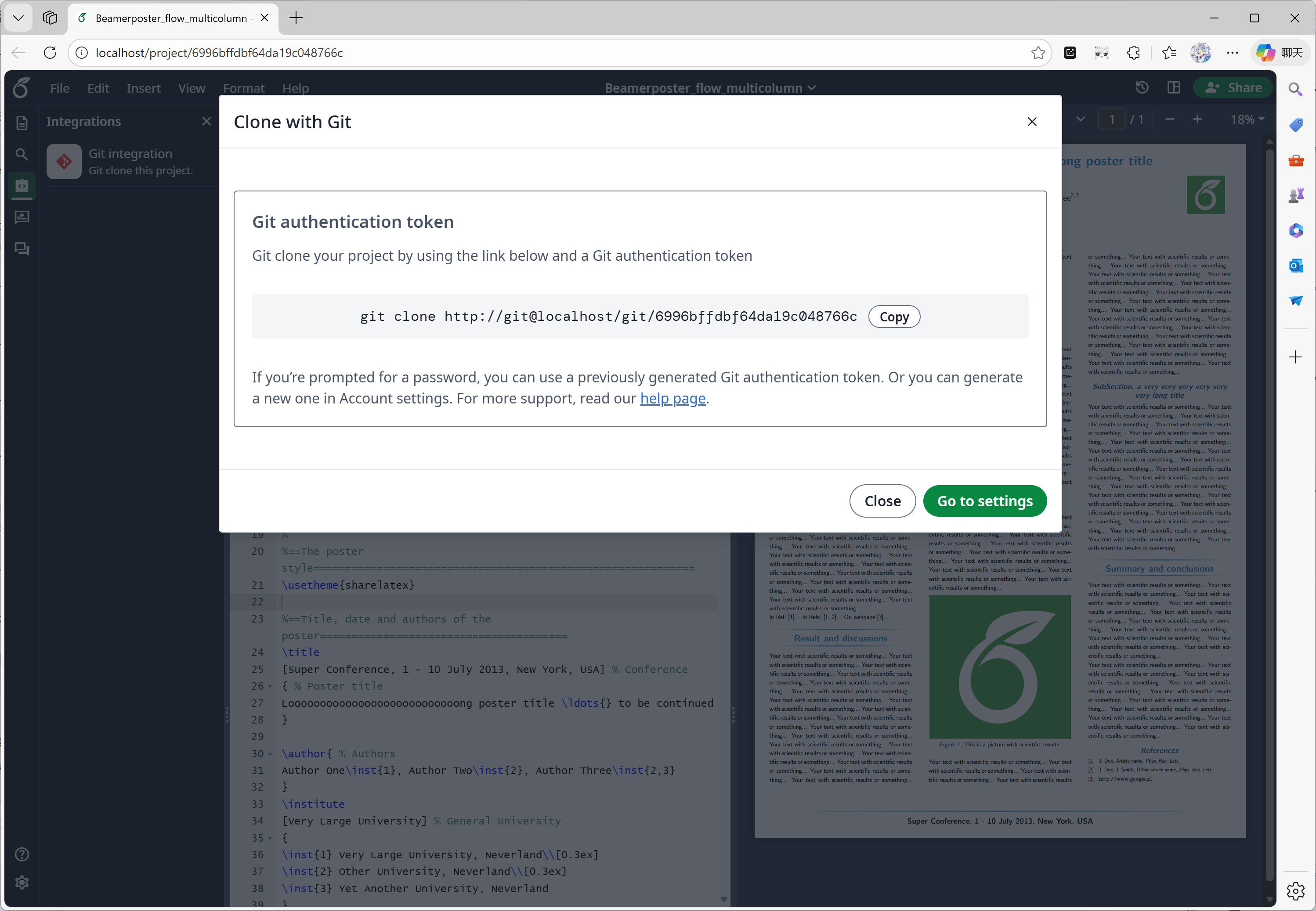
طُوّرت هذه الميزة بواسطة [ayaka-notes/overleaf-pro](https://github.com/ayaka-notes/overleaf-pro). يوفر Overleaf مكوّنًا رسميًا يُسمى git-bridge، وهو متاح [هنا](https://github.com/overleaf/overleaf/tree/main/services/git-bridge).
لقد نفّذنا فقط موصّلًا بين git-bridge وOverleaf، وهو مماثل لما يفعله Overleaf على منصة SaaS الخاصة به.
#### الميزة 03: التكامل مع Git
طُوّرت هذه الميزة بواسطة [ayaka-notes/overleaf-pro](https://github.com/ayaka-notes/overleaf-pro). يوفر Overleaf مكوّنًا رسميًا يُسمى git-bridge، وهو متاح [هنا](https://github.com/overleaf/overleaf/tree/main/services/git-bridge).
لقد نفّذنا فقط موصّلًا بين git-bridge وOverleaf، وهو مماثل لما يفعله Overleaf على منصة SaaS الخاصة به.
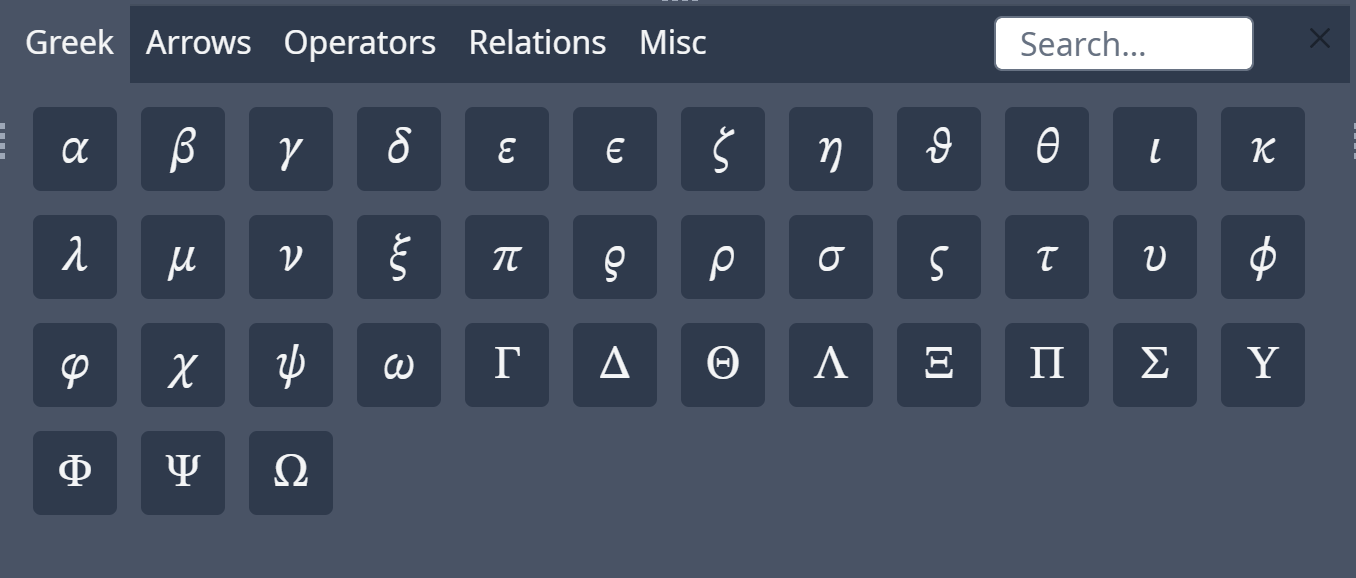
 #### الميزة 04: لوحة الرموز
نُفّذت هذه الميزة بواسطة [Overleaf الرسمي](https://github.com/overleaf/overleaf/tree/main/services/clsi)؛ وأضفنا فقط الشيفرة الناقصة لمواكبة تحديثات المصدر الأصلي.
#### الميزة 04: لوحة الرموز
نُفّذت هذه الميزة بواسطة [Overleaf الرسمي](https://github.com/overleaf/overleaf/tree/main/services/clsi)؛ وأضفنا فقط الشيفرة الناقصة لمواكبة تحديثات المصدر الأصلي.
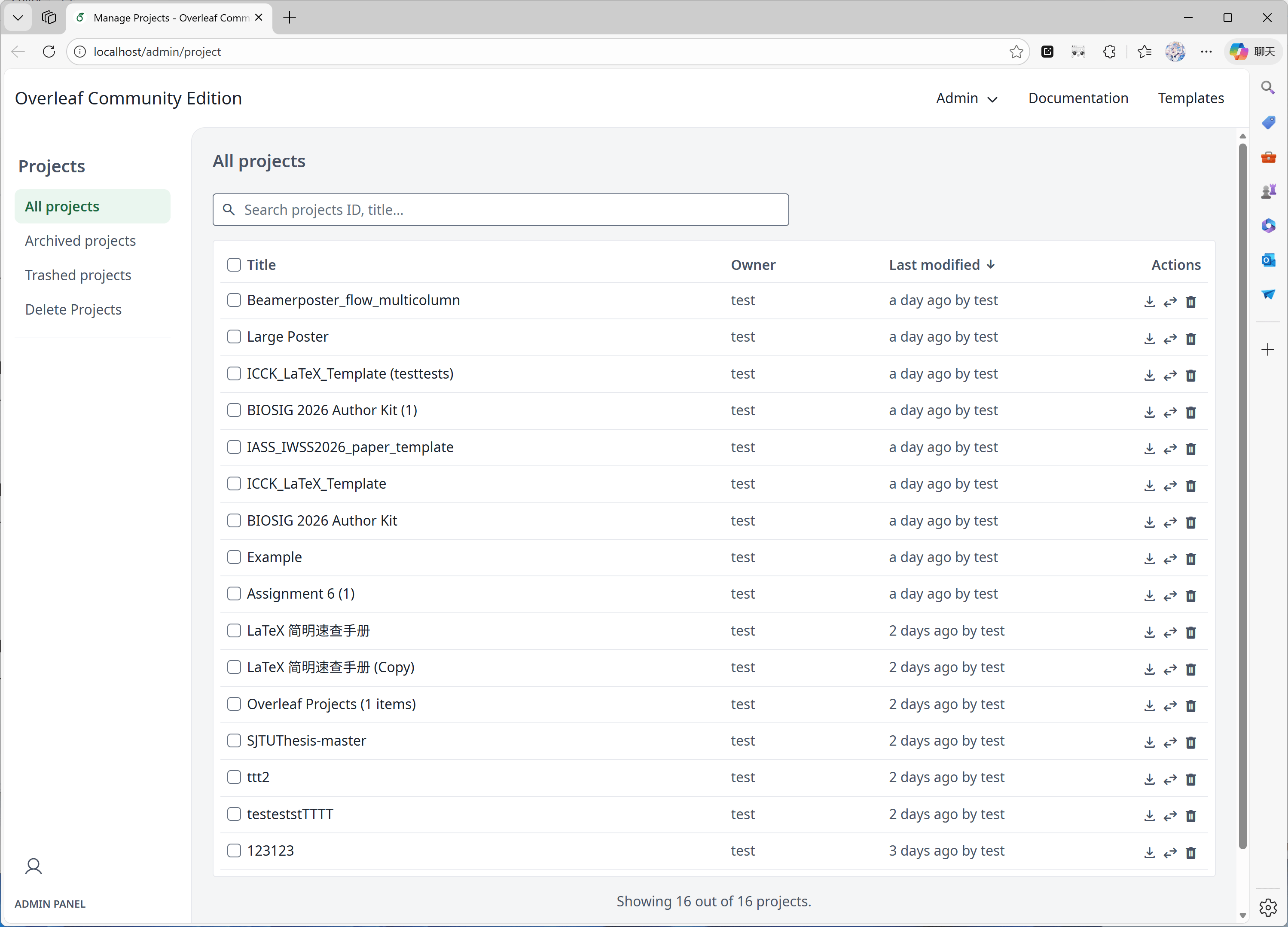
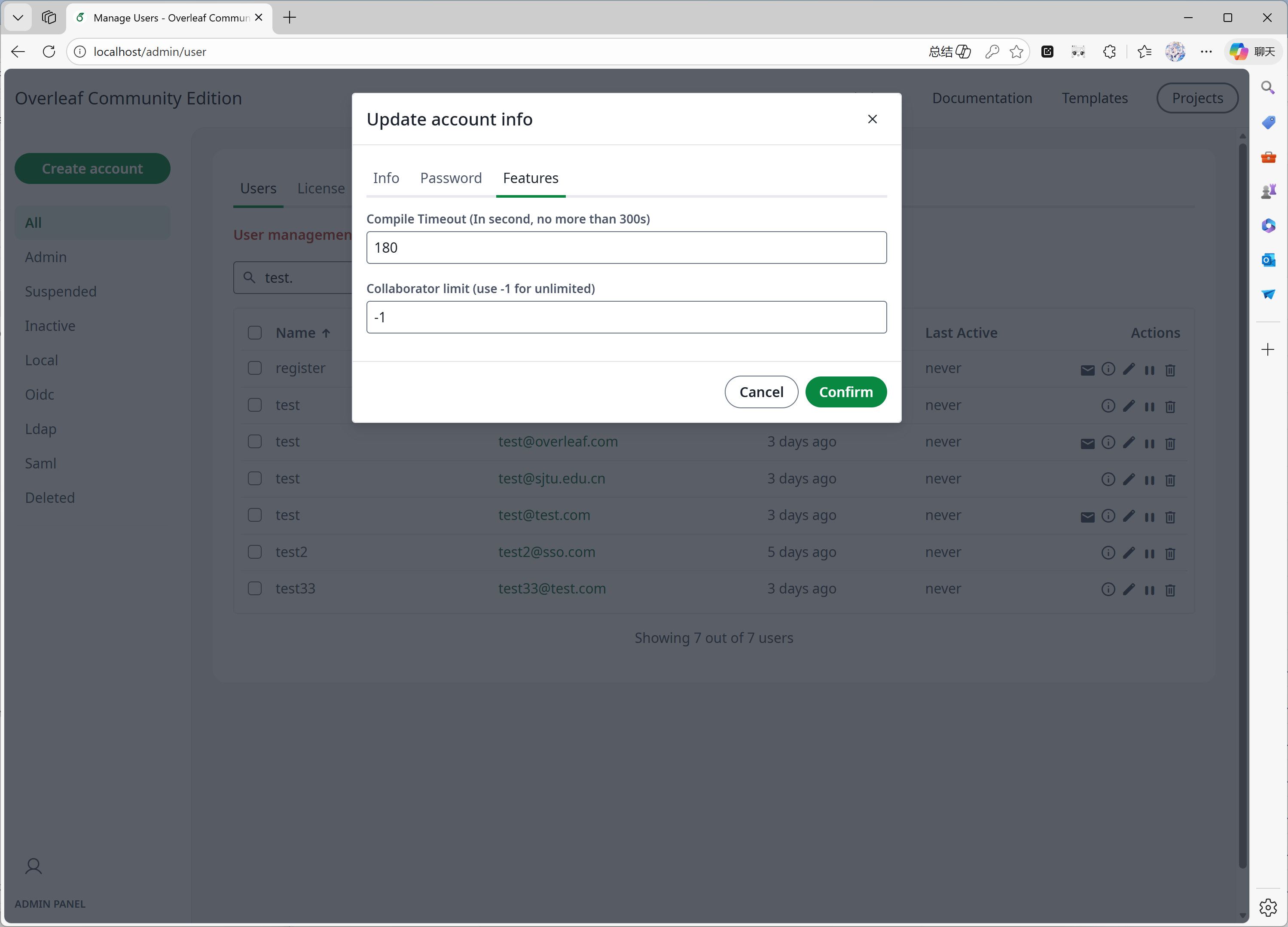
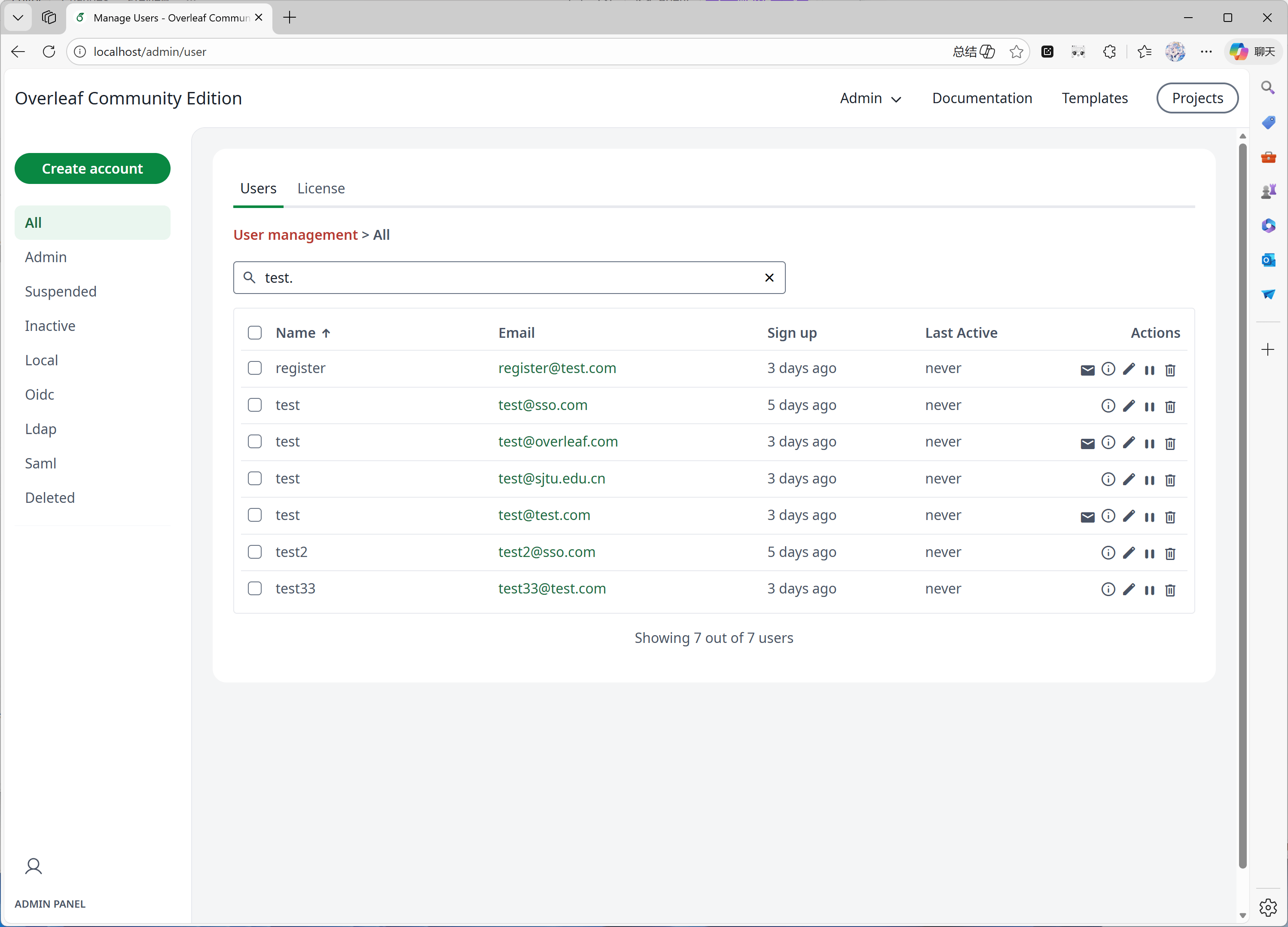
 #### الميزة 05: لوحة الإدارة
عندما يضم نظامك 1000 مستخدم أو مشروع، فلن تعرض لوحة الإدارة سوى أحدث 1000 مستخدم أو مشروع. يُرجى استخدام لوحة البحث للبحث عن مستخدمين أو مشاريع محددة.
طُوّرت هذه الميزة بشكل رئيسي بواسطة [yu-i-i/overleaf-cep](https://github.com/yu-i-i/overleaf-cep). وقد عدّلنا بعض الشيفرة لتحسينها، بحيث يمكنك:
* البحث عن المستخدمين عبر الواجهة الخلفية عندما يكون لديك أكثر من 1000 مستخدم.
* البحث عن المشاريع عبر الواجهة الخلفية عندما يكون لديك أكثر من 1000 مشروع.
* فتح المشاريع مباشرةً من لوحة إدارة المشاريع.
* عرض حد وقت الترجمة للمستخدم وتعديله من لوحة الإدارة.
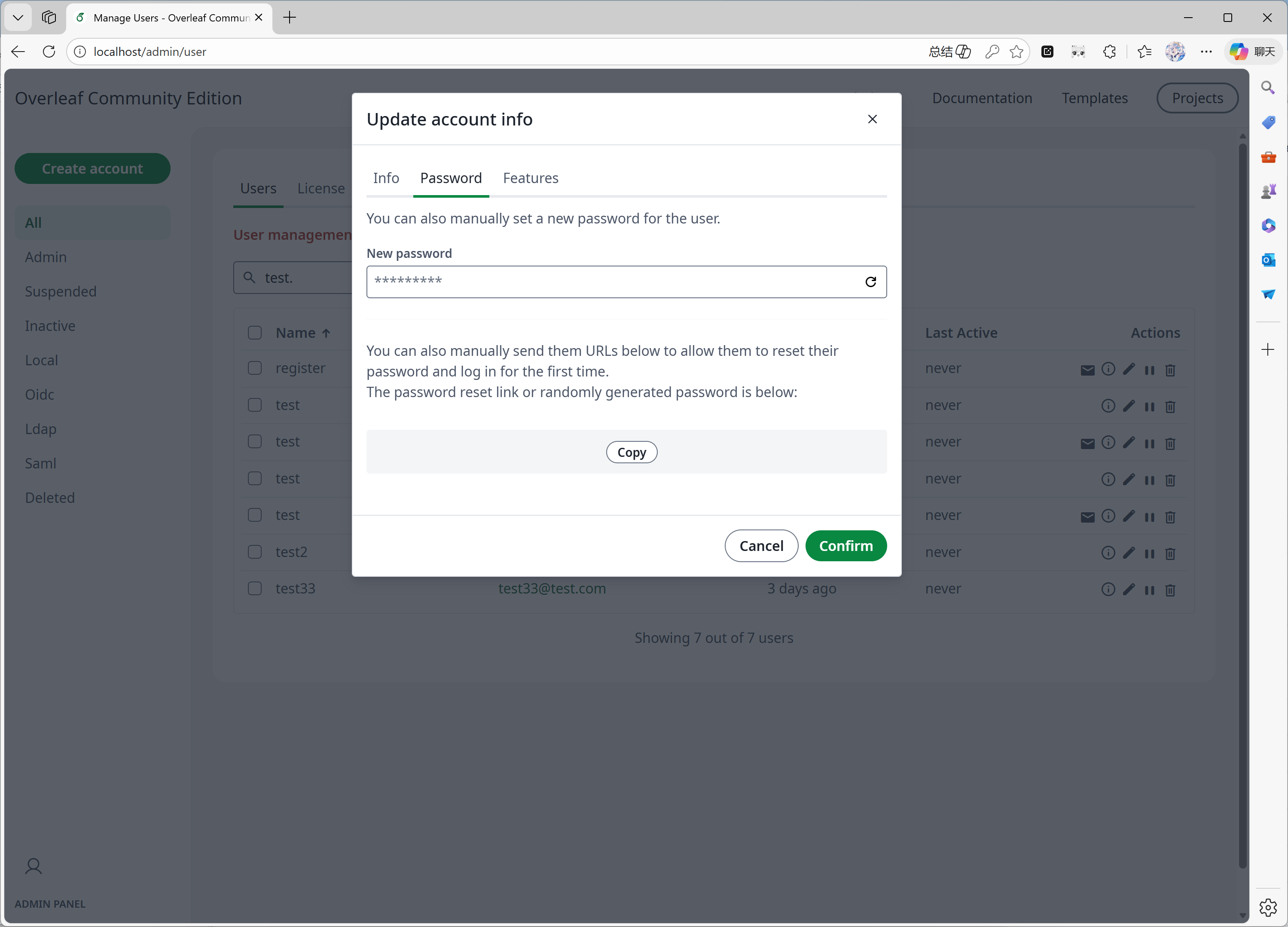
* إعادة تعيين كلمة مرور المستخدم مباشرةً من لوحة الإدارة.
* تحسينات أخرى...
#### الميزة 05: لوحة الإدارة
عندما يضم نظامك 1000 مستخدم أو مشروع، فلن تعرض لوحة الإدارة سوى أحدث 1000 مستخدم أو مشروع. يُرجى استخدام لوحة البحث للبحث عن مستخدمين أو مشاريع محددة.
طُوّرت هذه الميزة بشكل رئيسي بواسطة [yu-i-i/overleaf-cep](https://github.com/yu-i-i/overleaf-cep). وقد عدّلنا بعض الشيفرة لتحسينها، بحيث يمكنك:
* البحث عن المستخدمين عبر الواجهة الخلفية عندما يكون لديك أكثر من 1000 مستخدم.
* البحث عن المشاريع عبر الواجهة الخلفية عندما يكون لديك أكثر من 1000 مشروع.
* فتح المشاريع مباشرةً من لوحة إدارة المشاريع.
* عرض حد وقت الترجمة للمستخدم وتعديله من لوحة الإدارة.
* إعادة تعيين كلمة مرور المستخدم مباشرةً من لوحة الإدارة.
* تحسينات أخرى...
 #### الميزة 06: لوحة المراجعة
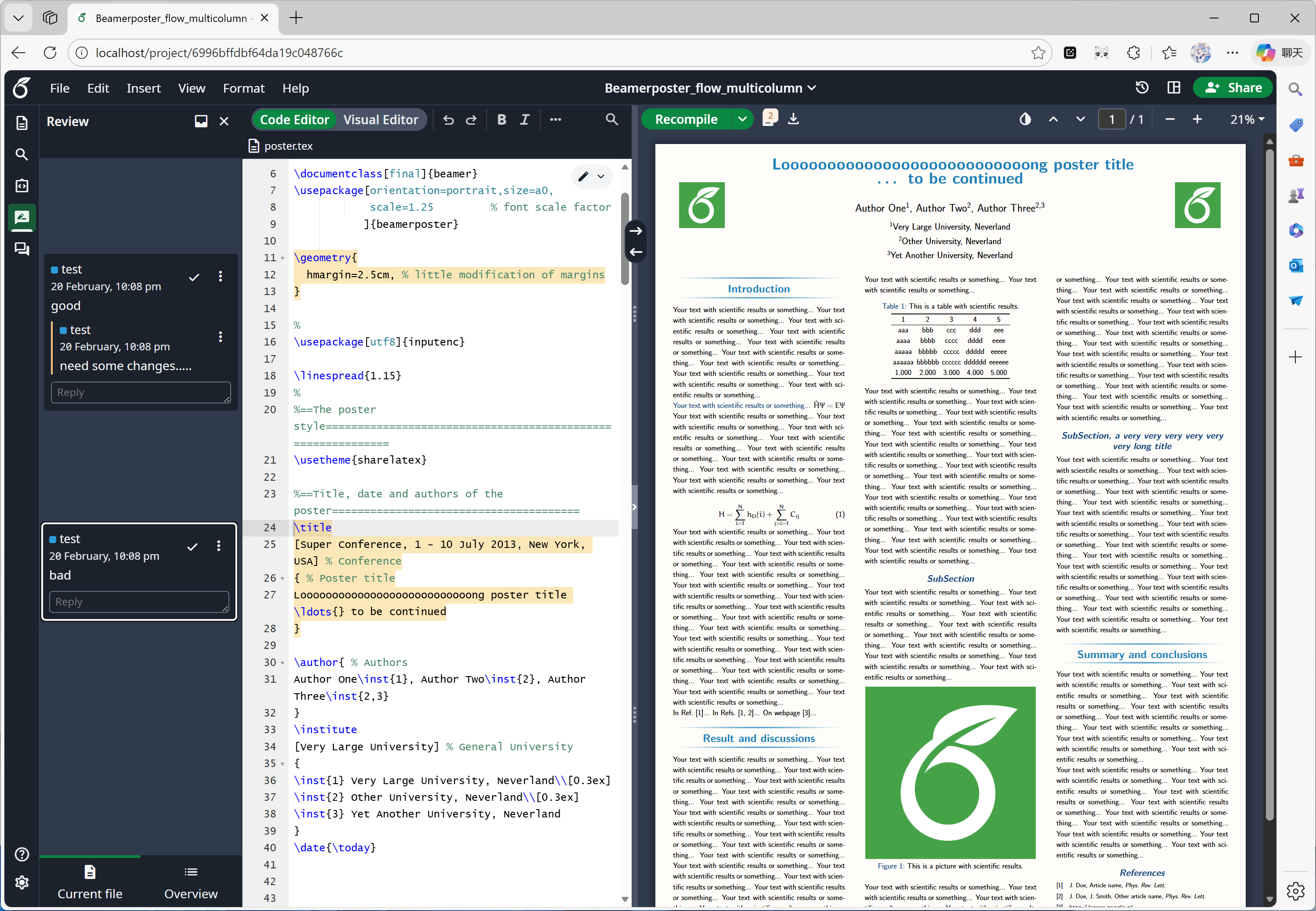
طُوّرت هذه الميزة بشكل رئيسي بواسطة [Overleaf الرسمي](https://github.com/overleaf/overleaf/tree/main/services/clsi)، وأضفنا فقط الشيفرة الناقصة من [yu-i-i/overleaf-cep](https://github.com/yu-i-i/overleaf-cep) و[ertuil/overleaf](https://github.com/ertuil/overleaf)، وهي موصّل بين خدمة المحادثة وخدمة الويب.
#### الميزة 06: لوحة المراجعة
طُوّرت هذه الميزة بشكل رئيسي بواسطة [Overleaf الرسمي](https://github.com/overleaf/overleaf/tree/main/services/clsi)، وأضفنا فقط الشيفرة الناقصة من [yu-i-i/overleaf-cep](https://github.com/yu-i-i/overleaf-cep) و[ertuil/overleaf](https://github.com/ertuil/overleaf)، وهي موصّل بين خدمة المحادثة وخدمة الويب.
 #### الميزة 07: الروابط الخارجية
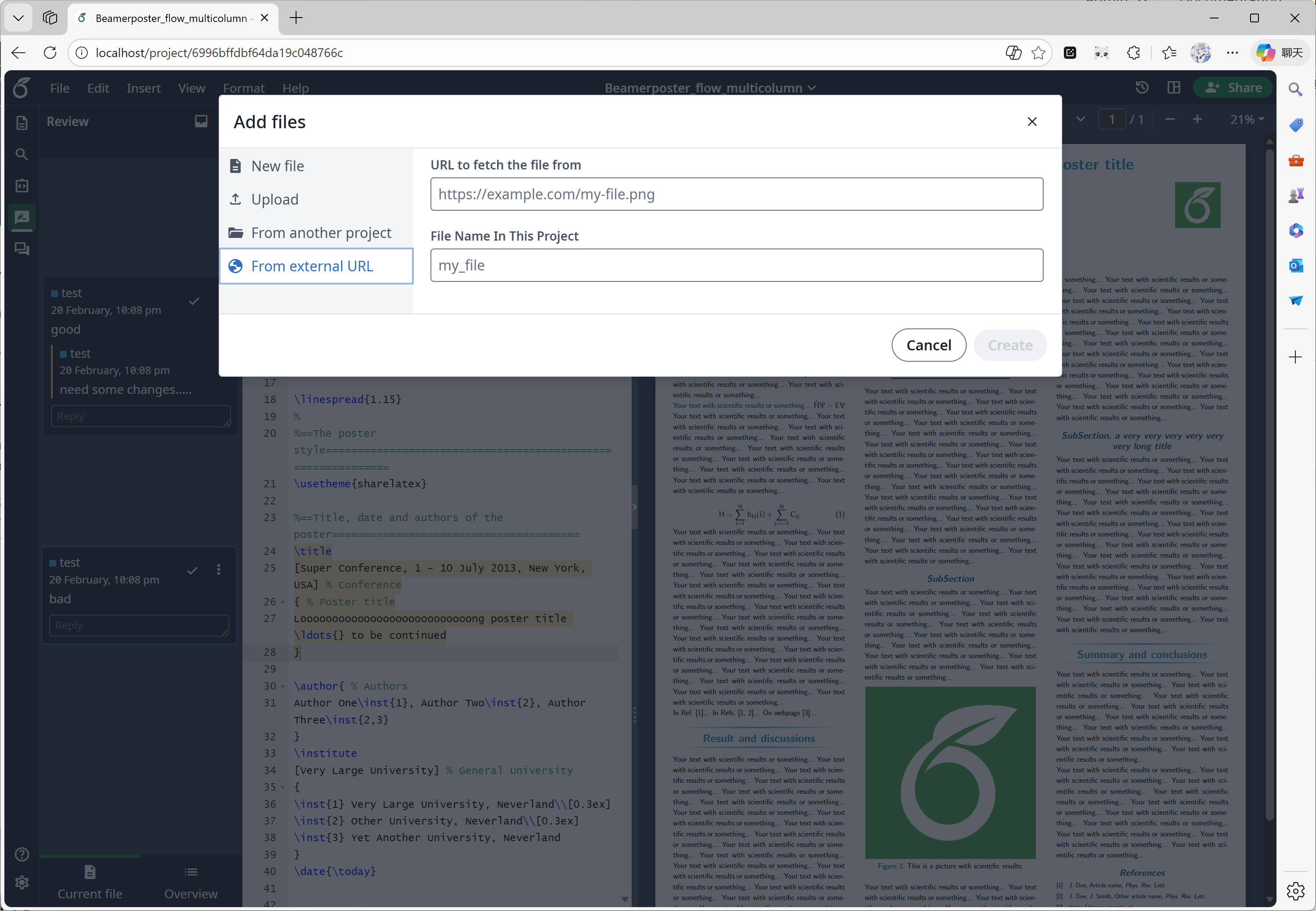
طُوّرت هذه الميزة بشكل رئيسي بواسطة [yu-i-i/overleaf-cep](https://github.com/yu-i-i/overleaf-cep). فقد نفّذ CEP خدمة خارجية تُسمى linked-url-proxy، يمكن استخدامها بأمان لجلب الملفات الخارجية مع قيود على النطاقات وعناوين IP.
#### الميزة 07: الروابط الخارجية
طُوّرت هذه الميزة بشكل رئيسي بواسطة [yu-i-i/overleaf-cep](https://github.com/yu-i-i/overleaf-cep). فقد نفّذ CEP خدمة خارجية تُسمى linked-url-proxy، يمكن استخدامها بأمان لجلب الملفات الخارجية مع قيود على النطاقات وعناوين IP.
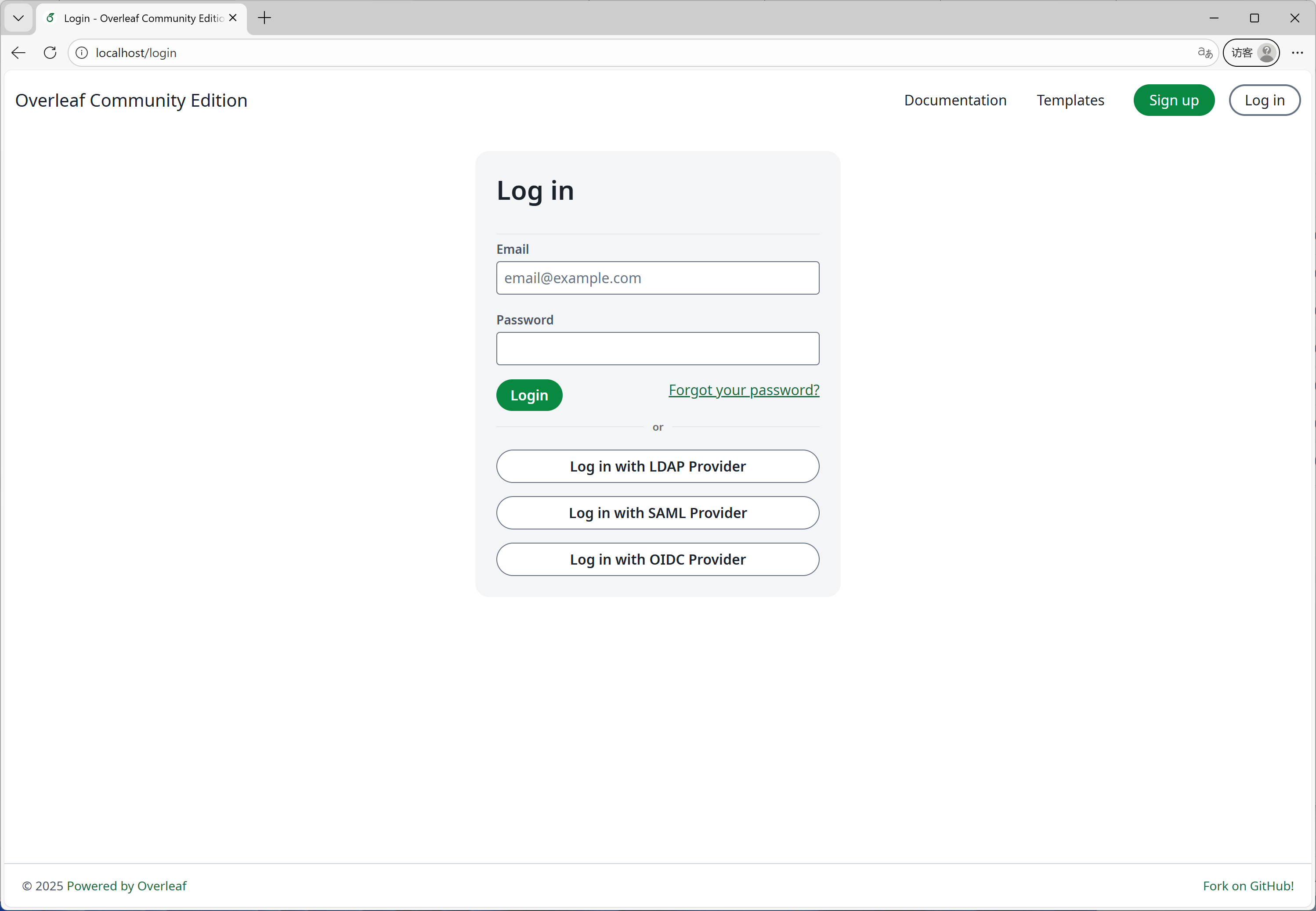
 #### الميزة 08: تسجيل الدخول الموحّد (SSO)
طُوّرت هذه الميزة بشكل رئيسي بواسطة [yu-i-i/overleaf-cep](https://github.com/yu-i-i/overleaf-cep). فقد نفّذ CEP وحدة فرعية لربط passport بمصادقة الويب في Overleaf.
#### الميزة 08: تسجيل الدخول الموحّد (SSO)
طُوّرت هذه الميزة بشكل رئيسي بواسطة [yu-i-i/overleaf-cep](https://github.com/yu-i-i/overleaf-cep). فقد نفّذ CEP وحدة فرعية لربط passport بمصادقة الويب في Overleaf.
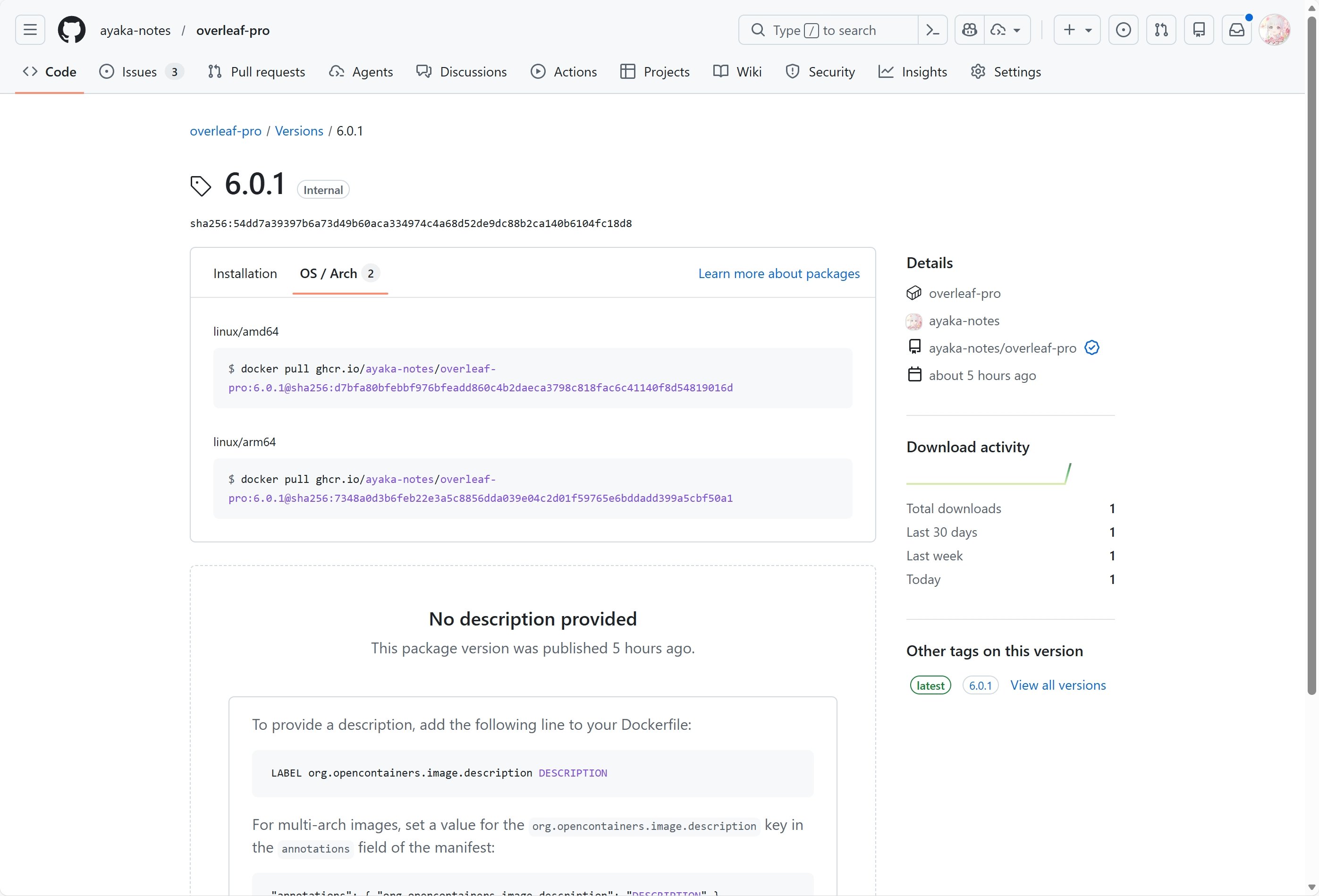
 #### الميزة 09: دعم ARM
نستخدم GitHub Actions لبناء صور Docker ونشرها لمعماريتي x86 وarm. وعند تنزيل الصورة، ستُختار المعمارية المناسبة تلقائيًا بناءً على نظامك.
#### الميزة 09: دعم ARM
نستخدم GitHub Actions لبناء صور Docker ونشرها لمعماريتي x86 وarm. وعند تنزيل الصورة، ستُختار المعمارية المناسبة تلقائيًا بناءً على نظامك.
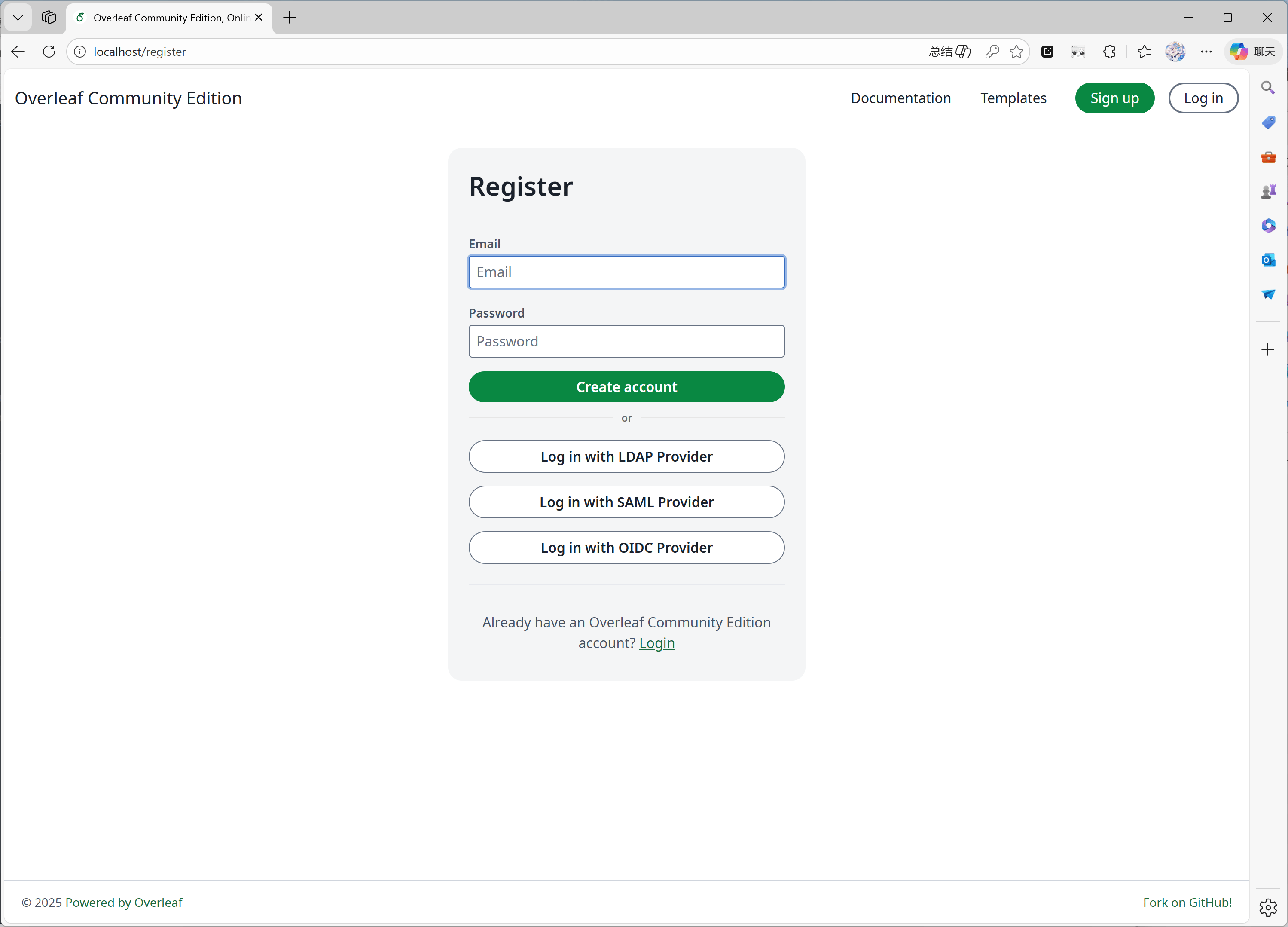
 #### الميزة 10: التسجيل الذاتي
طُوّرت هذه الميزة بواسطة [ayaka-notes/overleaf-pro](https://github.com/ayaka-notes/overleaf-pro). ويمكنك:
* قصر تسجيل المستخدمين على نطاق محدد
* فتح التسجيل لأي شخص لديه إمكانية الوصول إلى Overleaf الخاص بك
#### الميزة 10: التسجيل الذاتي
طُوّرت هذه الميزة بواسطة [ayaka-notes/overleaf-pro](https://github.com/ayaka-notes/overleaf-pro). ويمكنك:
* قصر تسجيل المستخدمين على نطاق محدد
* فتح التسجيل لأي شخص لديه إمكانية الوصول إلى Overleaf الخاص بك
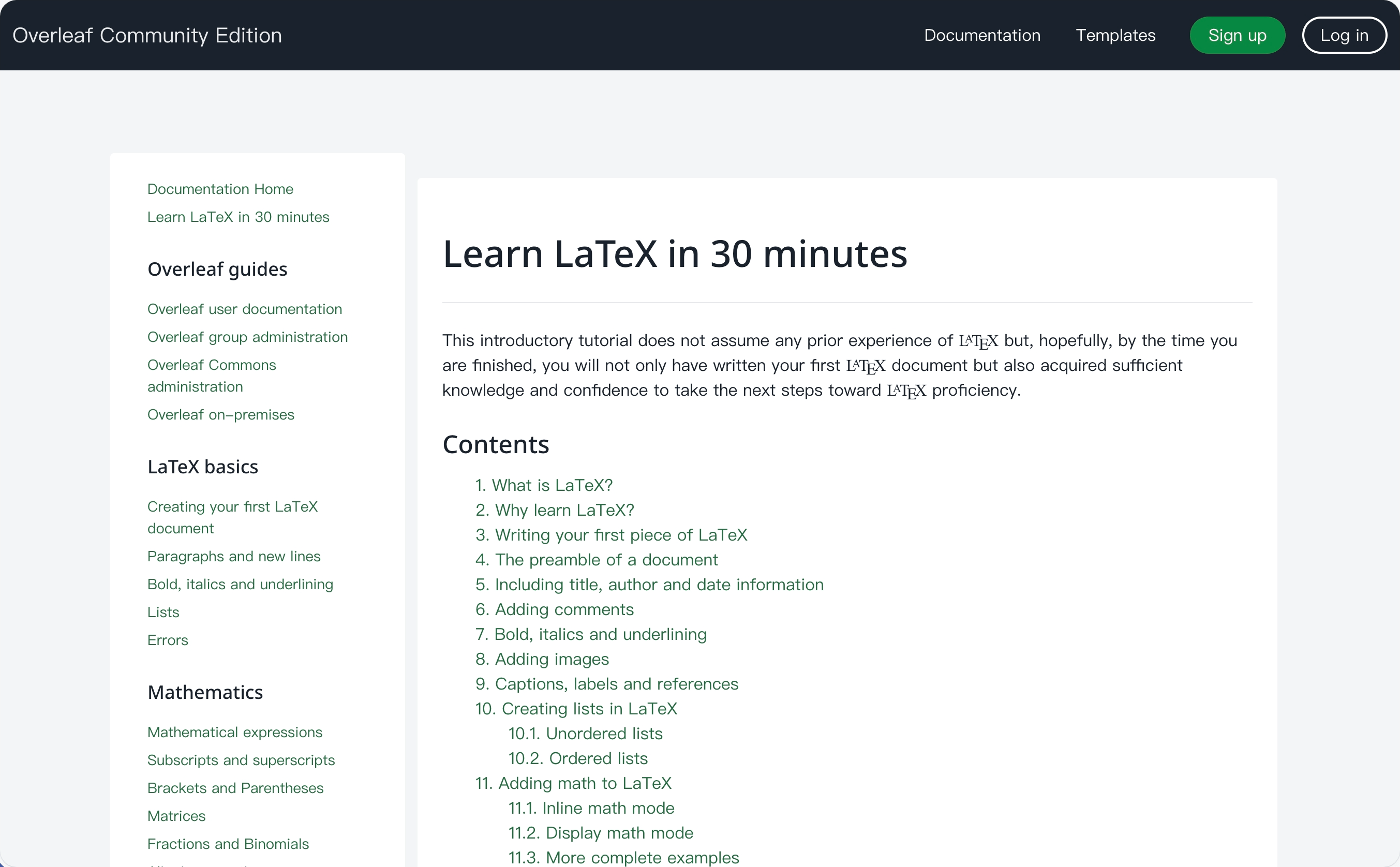
 #### الميزة 11: ويكي التعلّم (Learn Wiki)
طُوّرت هذه الميزة بواسطة [ayaka-notes/ayakaleaf-pro](https://github.com/ayaka-notes/ayakaleaf-pro). يمكنك الاطلاع على أحدث محتوى ويكي التعلّم من Overleaf، لكننا لا نملك أي حقوق نشر لتلك المستندات! فنحن نقوم فقط بتنزيلها من خادم Overleaf في المرة الأولى التي تفعّل فيها هذه الميزة، ثم نحدّثها دوريًا.
#### الميزة 11: ويكي التعلّم (Learn Wiki)
طُوّرت هذه الميزة بواسطة [ayaka-notes/ayakaleaf-pro](https://github.com/ayaka-notes/ayakaleaf-pro). يمكنك الاطلاع على أحدث محتوى ويكي التعلّم من Overleaf، لكننا لا نملك أي حقوق نشر لتلك المستندات! فنحن نقوم فقط بتنزيلها من خادم Overleaf في المرة الأولى التي تفعّل فيها هذه الميزة، ثم نحدّثها دوريًا.
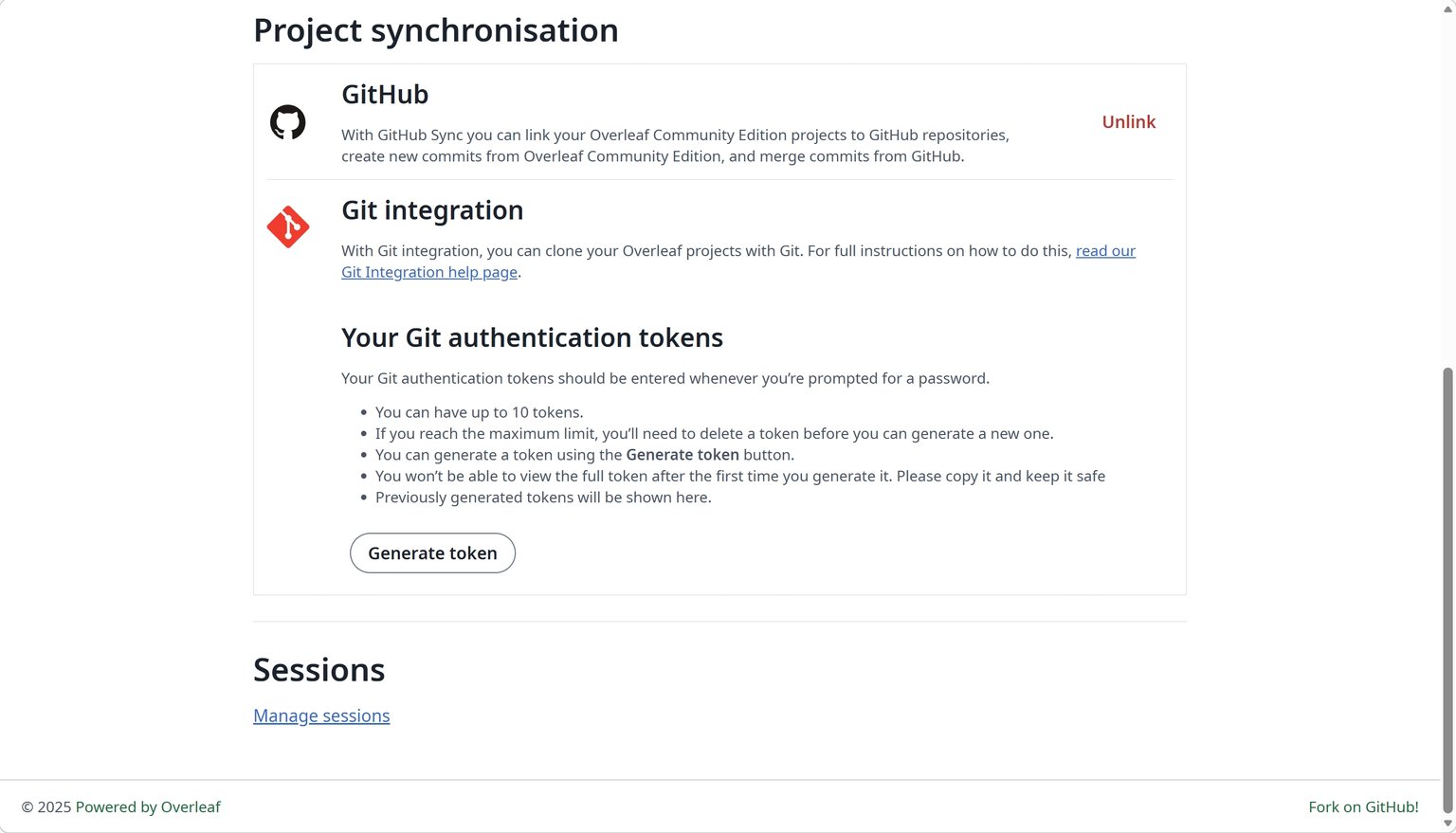
 #### الميزة 12: المزامنة مع GitHub
طُوّرت هذه الميزة بواسطة [ayaka-notes/ayakaleaf-pro](https://github.com/ayaka-notes/ayakaleaf-pro)، كما عُدّلت وأُصلحت بواسطة [yu-i-i/overleaf-cep](https://github.com/yu-i-i/overleaf-cep).
#### الميزة 12: المزامنة مع GitHub
طُوّرت هذه الميزة بواسطة [ayaka-notes/ayakaleaf-pro](https://github.com/ayaka-notes/ayakaleaf-pro)، كما عُدّلت وأُصلحت بواسطة [yu-i-i/overleaf-cep](https://github.com/yu-i-i/overleaf-cep).
 #### الميزة 13: مشغّل Python
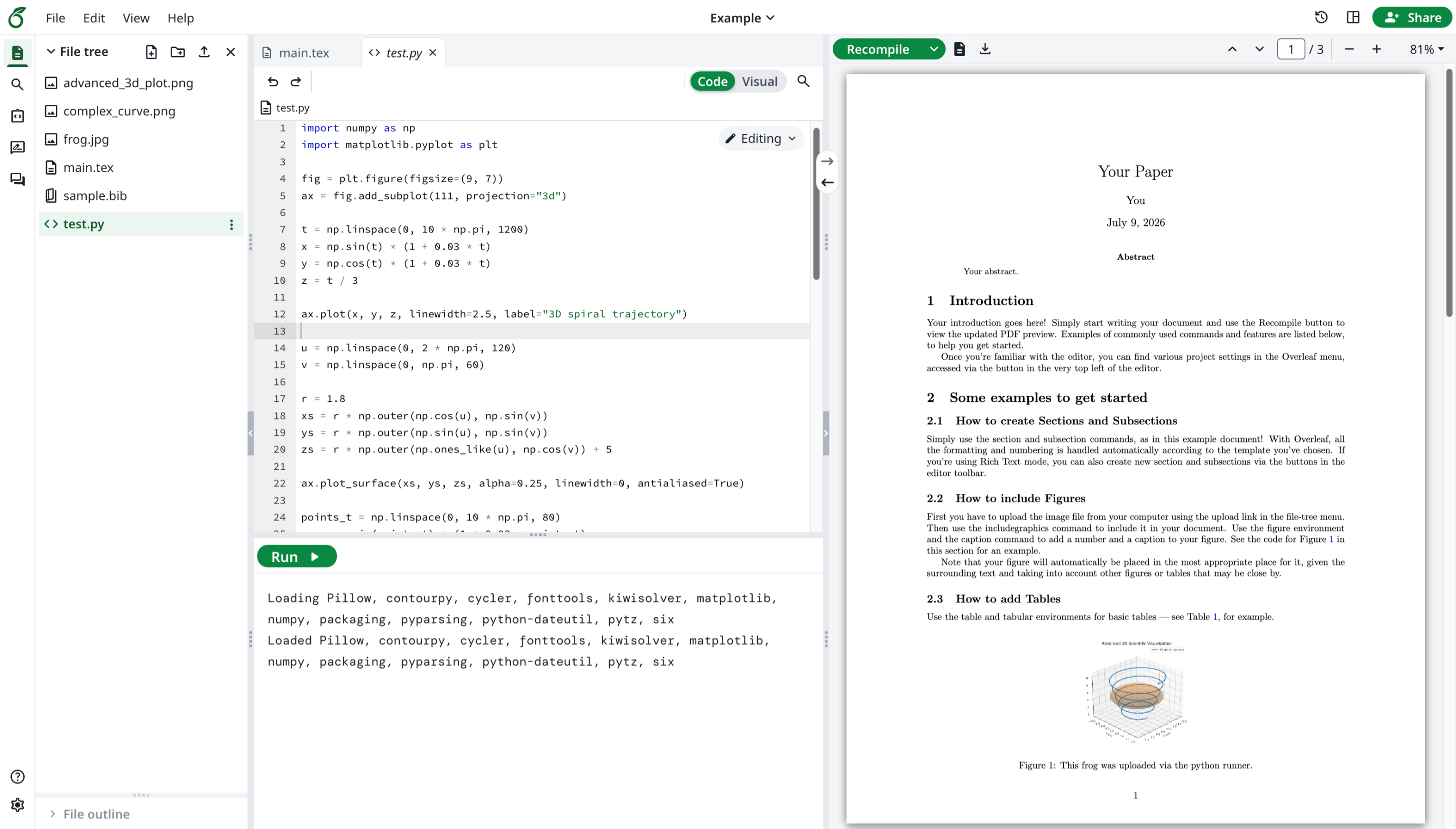
طُوّرت هذه الميزة بواسطة Overleaf الرسمي. ويمكنك تشغيل سكربتات Python في متصفحك.
#### الميزة 13: مشغّل Python
طُوّرت هذه الميزة بواسطة Overleaf الرسمي. ويمكنك تشغيل سكربتات Python في متصفحك.
 #### الميزة 14: البحث المتقدم في المراجع
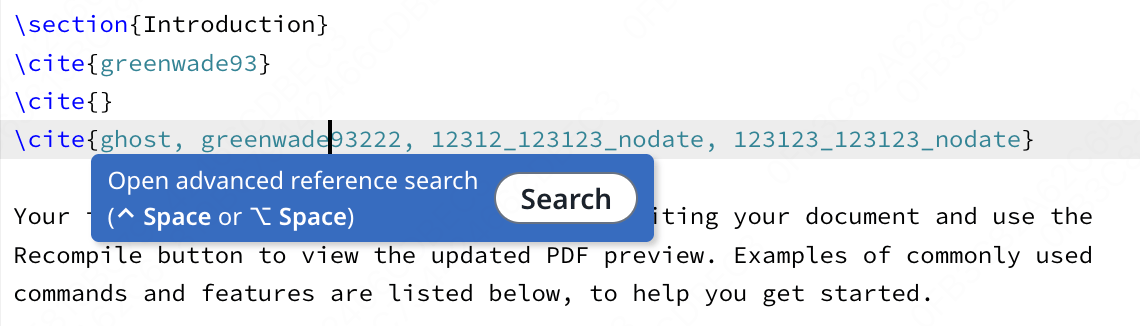
طُوّرت هذه الميزة بواسطة [davrot](https://github.com/davrot/)، وأُصلحت بواسطة [yu-i-i/overleaf-cep](https://github.com/yu-i-i/overleaf-cep)، وكذلك بواسطة [ayaka-notes/ayakaleaf-pro](https://github.com/ayaka-notes/ayakaleaf-pro).
#### الميزة 14: البحث المتقدم في المراجع
طُوّرت هذه الميزة بواسطة [davrot](https://github.com/davrot/)، وأُصلحت بواسطة [yu-i-i/overleaf-cep](https://github.com/yu-i-i/overleaf-cep)، وكذلك بواسطة [ayaka-notes/ayakaleaf-pro](https://github.com/ayaka-notes/ayakaleaf-pro).
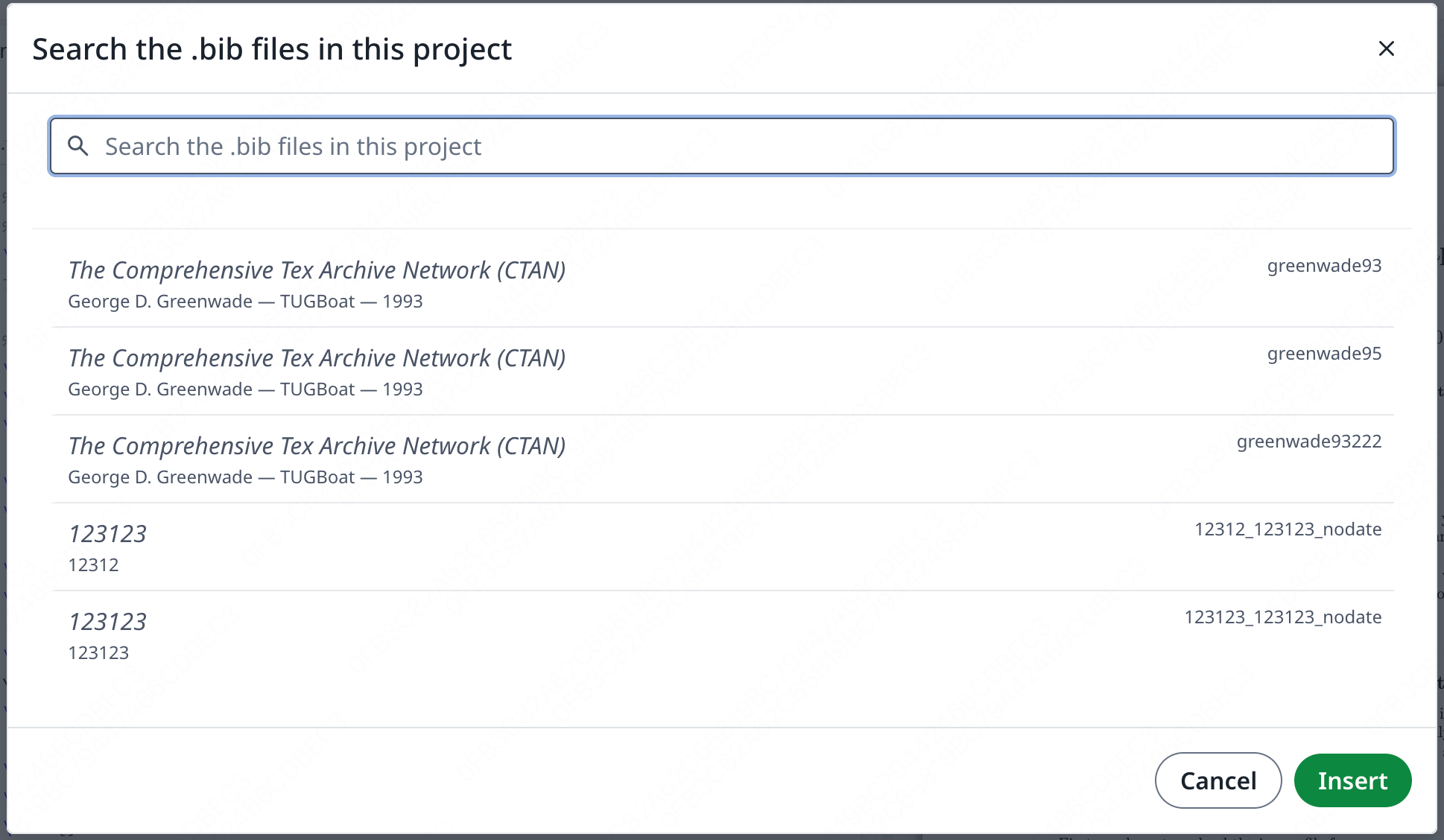
 لوحة البحث:
 #### الميزة 15: التحويلات عبر Pandoc
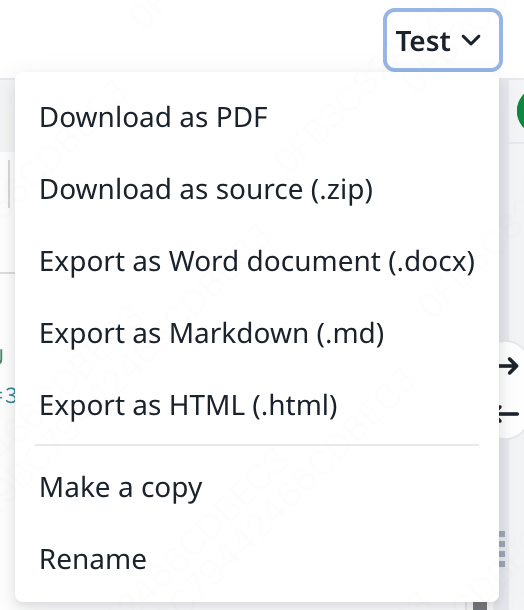
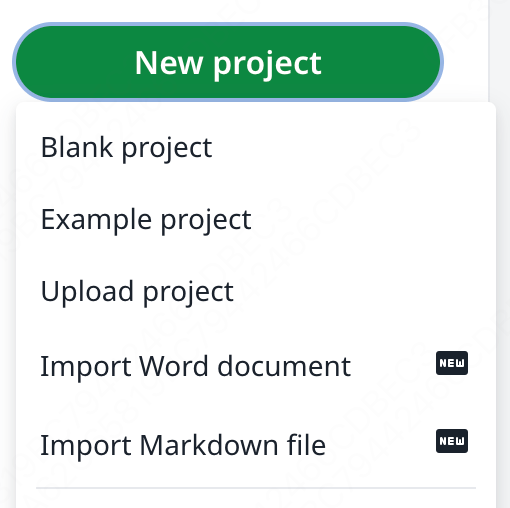
تتيح لك هذه الميزة استيراد مستندات Word أو Markdown كمشاريع LaTeX، أو تصدير مشاريع LaTeX إلى Markdown أو DOCX.
#### الميزة 15: التحويلات عبر Pandoc
تتيح لك هذه الميزة استيراد مستندات Word أو Markdown كمشاريع LaTeX، أو تصدير مشاريع LaTeX إلى Markdown أو DOCX.
 #### الميزة 16: المحادثة بالذكاء الاصطناعي ومساعدات أخطاء LaTeX
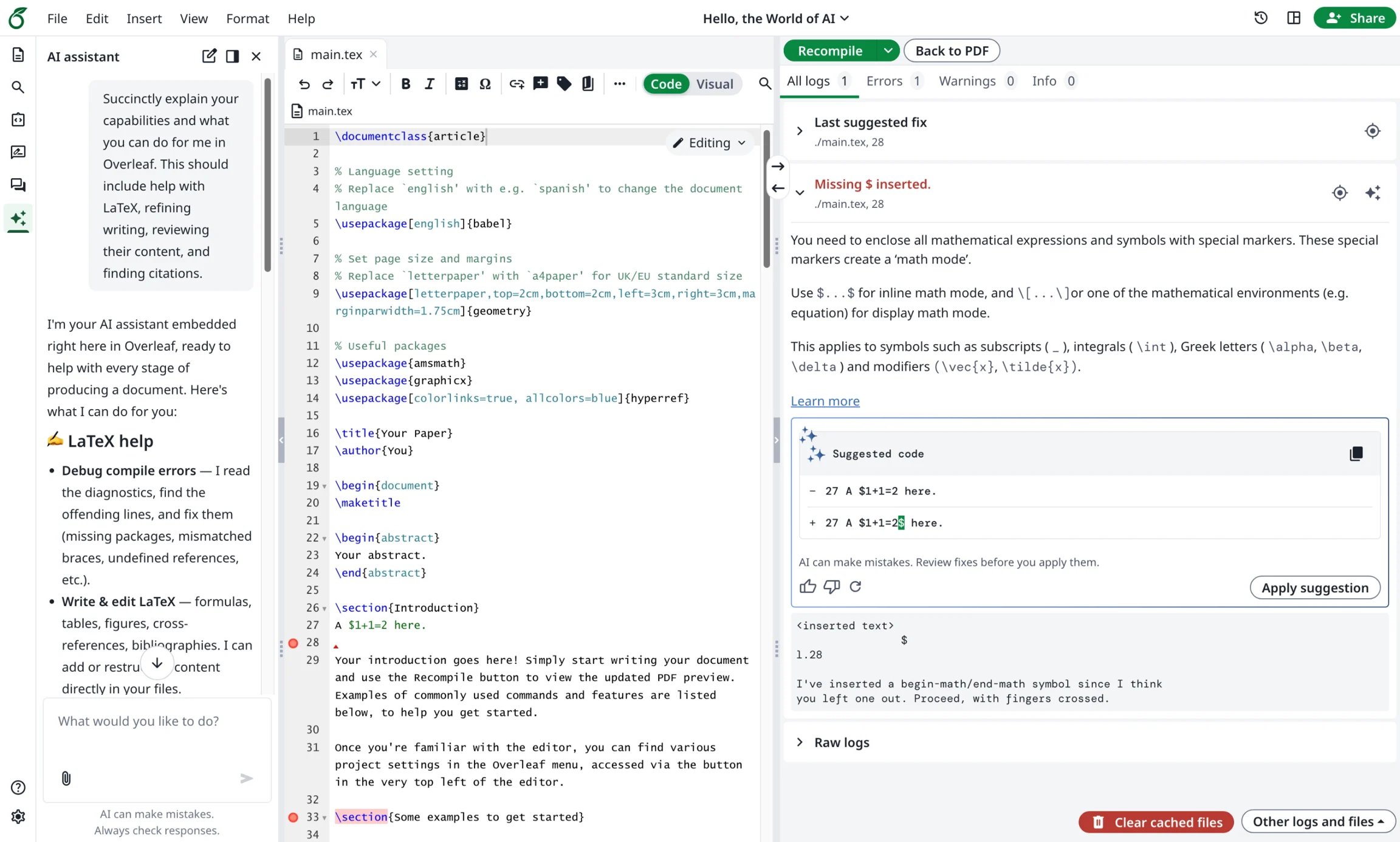
يقدم Ayakaleaf Pro مساعد الذكاء الاصطناعي (AI Assistant) الذي يمكنه استخدام مستندات مشروعك والتحديد الحالي كسياق للإجابة عن الأسئلة واقتراح تعديلات لتراجعها، بينما يقترح مساعد الأخطاء (Error Assistant) إصلاحًا محددًا عند تحديدك خطأ ترجمة في LaTeX.
#### الميزة 16: المحادثة بالذكاء الاصطناعي ومساعدات أخطاء LaTeX
يقدم Ayakaleaf Pro مساعد الذكاء الاصطناعي (AI Assistant) الذي يمكنه استخدام مستندات مشروعك والتحديد الحالي كسياق للإجابة عن الأسئلة واقتراح تعديلات لتراجعها، بينما يقترح مساعد الأخطاء (Error Assistant) إصلاحًا محددًا عند تحديدك خطأ ترجمة في LaTeX.
 This documentation is built and hosted on [Mintlify](https://mintlify.com), a developer documentation platform.